
If you’ve been looking into AI mastering lately, you’ve probably run into both of these platforms pretty quickly.
LANDR has been in the AI mastering space for over a decade, building what has become the most-used automated mastering service in the world. Waves came to it more recently with their Online Mastering service, bringing decades of plugin credibility and a collaboration with a Grammy-nominated mastering engineer to compete in a space that’s gotten a lot more crowded.
So the question is a fair one: does Waves’ newer, more focused approach beat LANDR’s years of refinement, or does LANDR’s head start and ecosystem depth make it the smarter choice for your workflow?
I think the honest answer depends a lot on how you work, what you’re mastering, and whether you need a tool or a whole creative platform. Let me break down exactly where each one stands so you can make a clear decision.
Quick Comparison
| Feature | LANDR | Waves Mastering |
|---|---|---|
| Service Type | Online cloud + DAW plugin | Online cloud only |
| Pricing Model | Per-track or subscription | Credit-based per track |
| Entry Price | $9.99 per single track | $5.99 per credit (1 track) |
| Best Bulk Price | Subscription from $23.99/yr | $2.99/track (60-credit pack) |
| DAW Plugin Available | Yes (LANDR Mastering Plugin) | No |
| Mastering Styles | Warm, Balanced, Open | Precise, Organic, Elevated |
| Reference Track Support | Yes | Yes |
| Tone Adjustments | EQ, De-esser, Presence, Stereo, Dynamics | Depth, Presence toggles |
| Loudness Control | Yes (LUFS targeting) | Limited |
| Free Preview | Yes (30-sec preview) | Yes (30-sec preview, first track free) |
| Export Formats | WAV, MP3 (various bit depths) | WAV, MP3 (16 or 24-bit, up to 96kHz) |
| Distribution Built-In | Yes | No |
| Mobile Support | Yes (web and app) | Yes (Android and iOS) |
| Best For | Prolific artists, all-in-one platform users | Occasional masters, Waves plugin users |
What Is LANDR and How Does It Work?
LANDR started over a decade ago with one central idea: use machine learning to automate the mastering process and make professional-quality results accessible to independent artists who don’t have the budget or technical background for traditional mastering.
What’s changed since those early days is significant, because the tool is genuinely much better now than it was at launch, and I think it’s worth being clear about that before making any judgments based on older experiences.
- The Mastering Engine
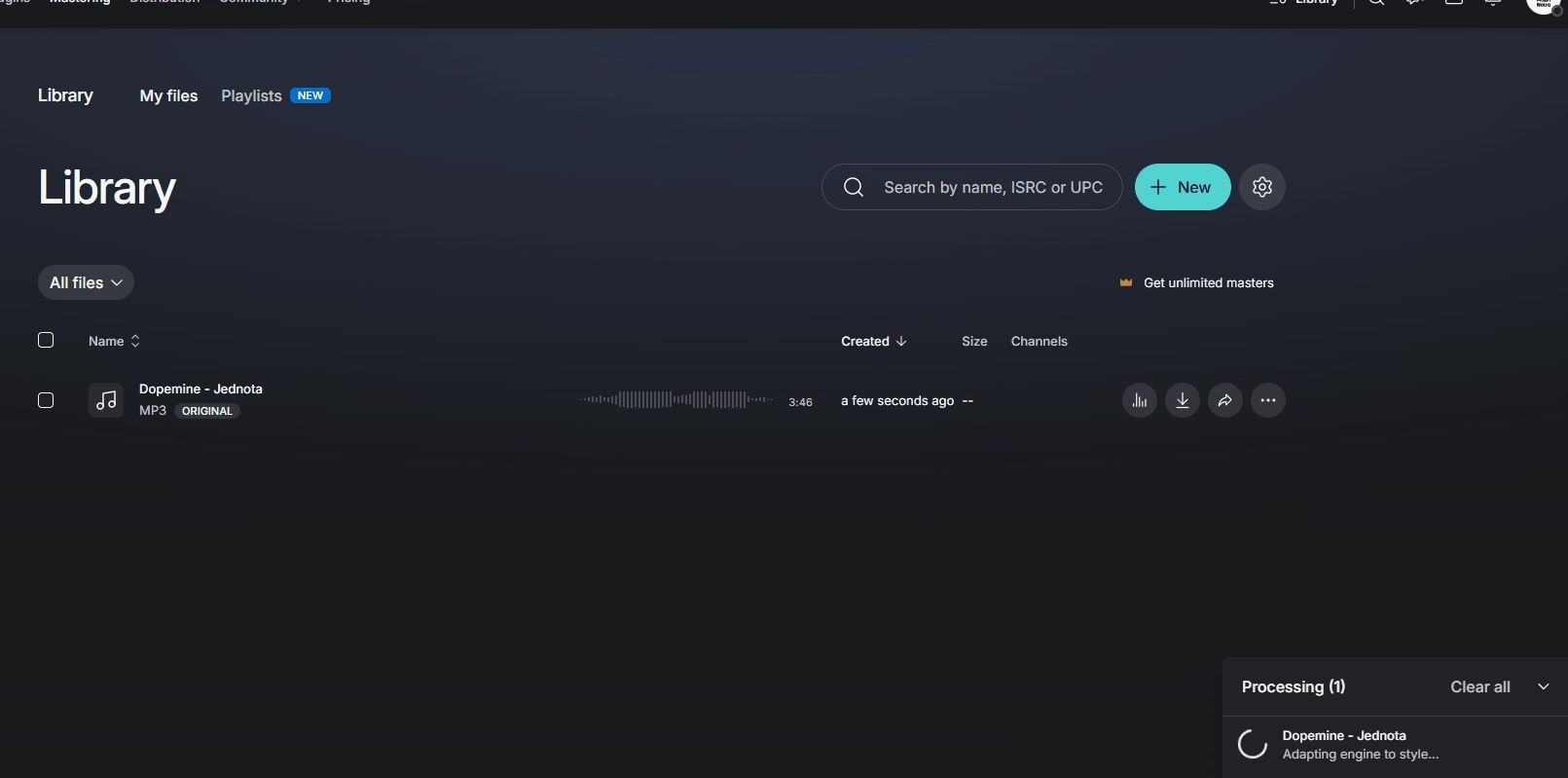
When you upload a track to LANDR, the AI analyzes it for genre, frequency balance, dynamic range, and stereo image, then builds a processing chain based on what it finds.
The engine applies EQ, compression, harmonic enhancement, stereo field adjustments, limiting, and loudness normalization in a way that’s calibrated to the specific characteristics of the uploaded material rather than applying a static preset. You get a 30-second preview before committing to anything.
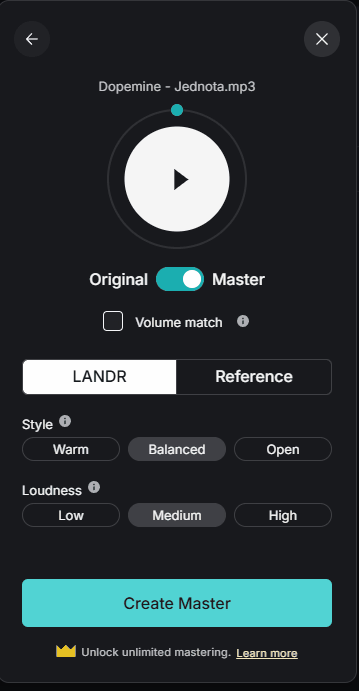
You then choose between three mastering styles: Warm for a smoother, more vintage-leaning result with softened highs, Balanced for the most neutral and versatile output, and Open style for a punchier, more forward-sounding master with more emphasis on clarity and energy.
The Intensity setting controls how aggressively the overall loudness is pushed, with Low, Medium, and High options that give you some real say over how competitive the final master sounds on streaming platforms.
- The Plugin Option
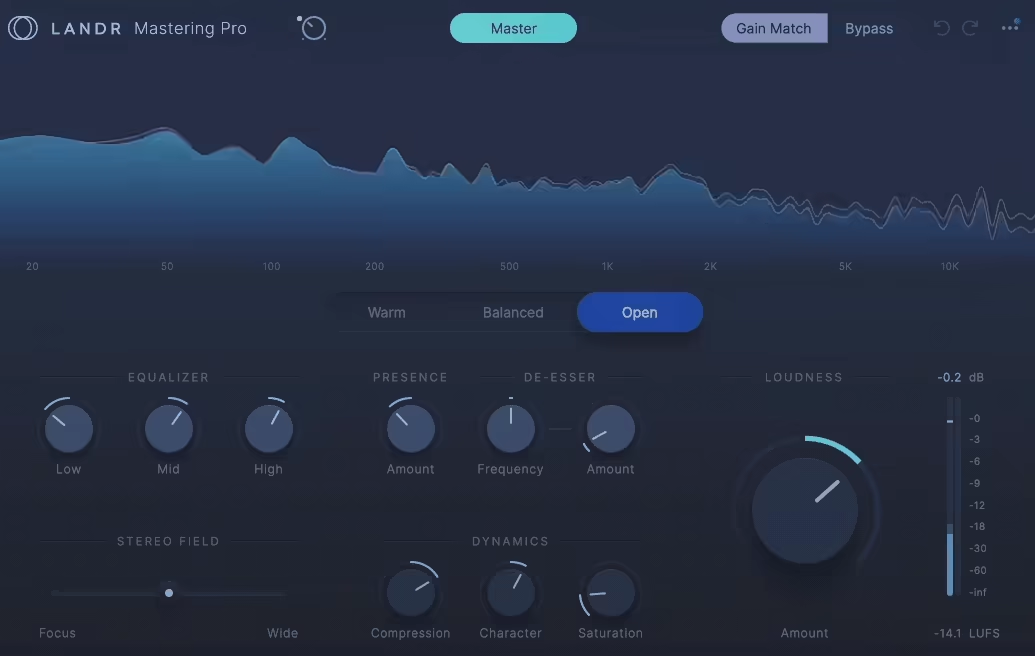
What genuinely sets LANDR apart from Waves is the LANDR Mastering Plugin, which brings the same AI processing directly into your DAW as a real-time insert effect on the master bus. You can hear how changes to your mix affect the master as you work, without the export-upload-download cycle that cloud-only services require.
The plugin exposes manual controls for a three-band EQ, Presence, De-Esser, Stereo Field width, Compression, Character, Saturation, and Loudness with LUFS metering, giving you far more hands-on refinement than the cloud service alone.
I love how the plugin lets you make a mix change and immediately hear its impact on the mastered result without leaving your session. For producers who are still dialing in their mix while also thinking about the master, that real-time feedback loop is genuinely valuable.
- Beyond Mastering
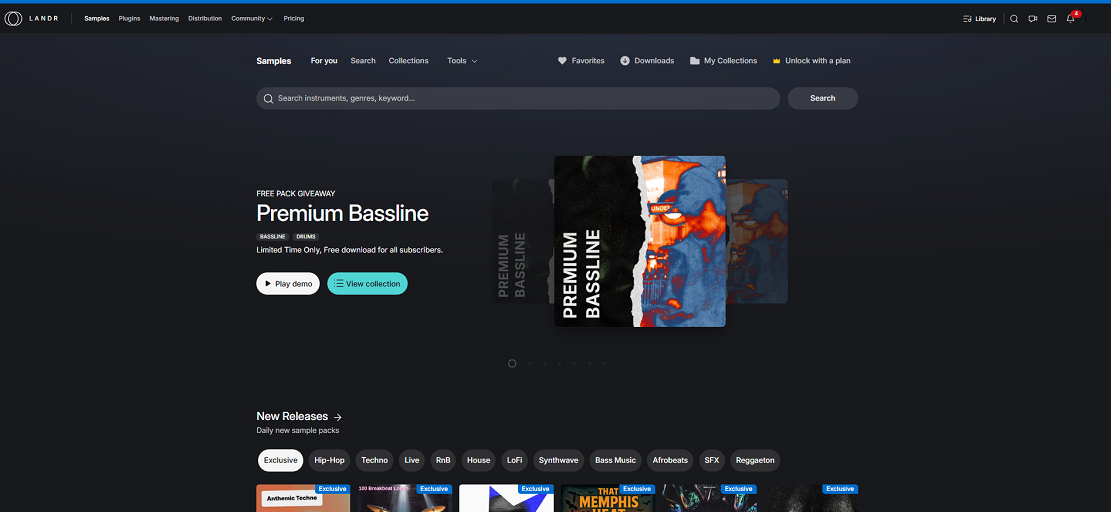
LANDR isn’t just a mastering service. It’s a full production platform that also offers music distribution to 150+ streaming platforms, a library of over two million royalty-free samples, plugin access through Studio bundles, online collaboration tools, and music production courses.
If you’re already paying for mastering services, sample subscriptions, and distribution through different tools, the Studio bundles can consolidate a lot of that spend into a single platform.
For artists who only need mastering, the per-track and subscription options for mastering specifically are what matter most. But for producers who want a broader creative infrastructure, LANDR’s ecosystem is meaningfully more comprehensive than anything Waves currently offers around their mastering service.
What Is Waves Mastering and Who Is It For?
Waves is one of the most recognized names in plugin development, having built a reputation for professional audio processing tools used in major recording studios and broadcast facilities worldwide.
Their entry into AI mastering came in 2023 with the launch of Waves Online Mastering, which in 2025 received a significant engine upgrade with improved processing quality and reduced pricing.
- The Technology Behind It
Waves Online Mastering is built on Waves Neural Networks technology developed over nearly seven years, in collaboration with Grammy-nominated mastering engineer Piper Payne.
The stated goal from the beginning was to create a tool that follows the same decision-making process a professional mastering engineer would use, not just a loudness maximizer dressed up as something smarter. That context matters because it shaped how the tool works in practice.
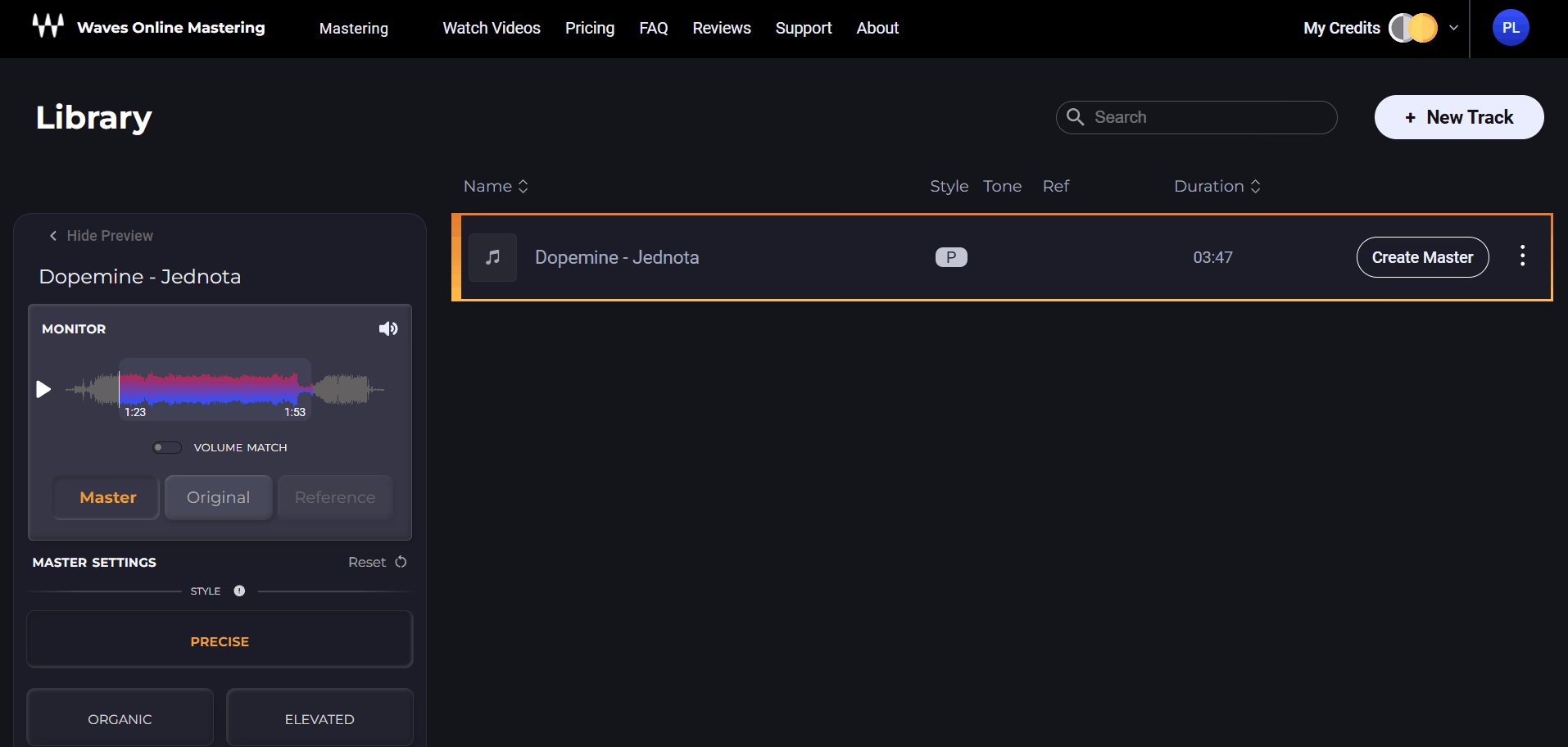
When you upload a track, the AI analyzes its dynamic and tonal characteristics and generates a master automatically. You get a 30-second preview before paying anything, and the first master is free, which is a genuinely useful way to evaluate whether the results work for your material before committing a dollar.
The pricing is credit-based: $5.99 for one credit, dropping to $2.99 per track when you buy a 60-credit pack, making it one of the more affordable per-track options in the AI mastering space.
- Style and Control Options
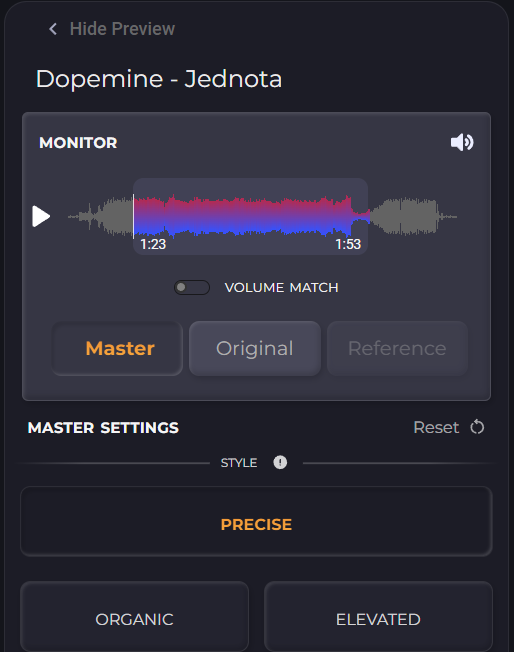
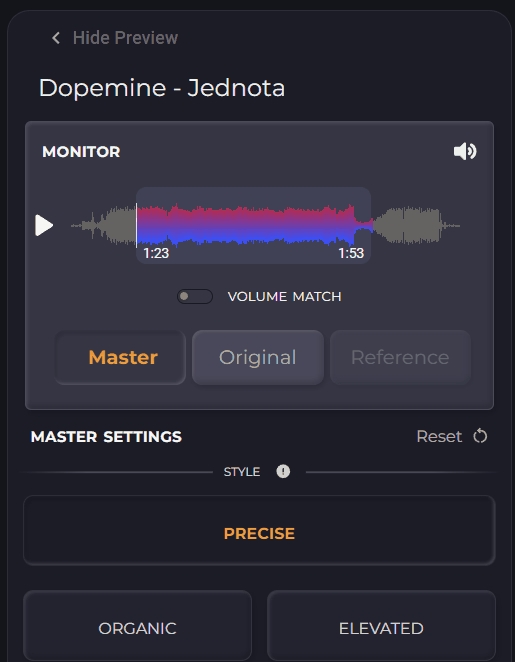
Three mastering algorithm styles are available: Precise for the balanced, optimized result that the AI considers most appropriate for the material, Organic for a more restrained approach with less processing, and Elevated for a more aggressive master with more processing applied.
You can also add Depth for a low-end boost or Presence for more high-frequency emphasis, and these two tone adjustments can be combined.
The reference track feature is where Waves stands out from most competitors. You can upload a commercially released track as a reference and the AI will attempt to match both the spectral balance and loudness characteristics of that reference. I want to be honest that this works better in Waves than most reference mastering tools I’ve tried, though it’s still not a precise replication of the reference track’s character.
- Limitations Worth Knowing
Waves Online Mastering is an online-only service with no DAW plugin equivalent. You upload, preview, and download, and that’s the full workflow. There’s no way to work on the master in real time alongside your mix, no LUFS targeting for specific streaming platform standards, and relatively limited manual adjustment compared to LANDR’s plugin controls.
For engineers who want detailed control over every parameter, this is a meaningful gap.
I noticed that some initial results from Waves have come in on the louder side, with integrated loudness levels that don’t always align with the more conservative targets recommended for streaming platforms. It’s worth previewing carefully and using the Organic setting if the default Precise master feels over-processed for your material.
Key Differences Between LANDR and Waves Mastering
The most fundamental difference between these two tools isn’t about sound quality, it’s about workflow philosophy and what you need from a mastering service beyond the mastered file itself.
- Cloud vs. Plugin
The cloud service is great for quick masters without opening your DAW, while the plugin is the more powerful option for producers who are actively working on their mix and want real-time mastered feedback.
When it comes to Waves, it also comes with various mastering plugins but to me, they weren’t build as a one-stop shop just like LANDR Mastering Plugin.
In my opinion, the plugin format is genuinely worth a lot for producers who master their own music. Being able to tweak your mix while watching the mastered output change in real time removes a huge amount of back-and-forth guesswork, and Waves simply doesn’t offer that.
- Manual Control
LANDR’s plugin exposes a meaningful set of manual controls: three-band EQ with frequency bands across low, mid, and high ranges, a Presence control, De-Esser, Stereo Field, Compression, Character, Saturation, and Loudness with proper LUFS metering. You’re not just accepting what the AI decides, you’re using the AI as a starting point and then refining from there.
Waves gives you Style, Depth, and Presence adjustments plus the reference track option. That’s a narrower control set, and if you find the default result doesn’t work for your material, your options for fixing it are limited.
The reference track is the most powerful lever you have, and it’s a good one, but it doesn’t replace the ability to adjust EQ or compression directly.
- Ecosystem and Integration
LANDR is an integrated platform where mastering connects to distribution, samples, plugins, and collaboration. If you release music regularly and want to handle mastering and distribution in one place, the connection between LANDR mastering and LANDR distribution is genuinely useful.
Waves Online Mastering is a standalone service with no integration into a broader platform or ecosystem. You get the master and that’s it.
For me, this is the biggest practical difference if you’re thinking long-term. LANDR is investing in building a complete artist platform; Waves is offering a specific service that fits into whatever workflow you already have.
Sound Quality Comparison: Which One Delivers Better Masters?
This is the question most people come to comparisons like this to answer, and I want to be direct about it rather than hedging into vagueness.
- Where LANDR Excels
LANDR’s mastering engine performs consistently well on modern beat-driven music: pop, hip-hop, EDM, R&B, and electronic production where competitive loudness and punchy low-end clarity are the primary goals. The genre-specific analysis is genuinely effective at recognizing what type of material it’s dealing with and applying appropriate processing rather than a one-size-fits-all approach.
The album mastering feature analyzes the full tracklist to create consistent, balanced masters across every song in a project, which is something Waves doesn’t offer. For anyone mastering an EP or album rather than single tracks, this consistency tool is a real practical advantage that affects the listening experience of the full release.
I found that LANDR’s results on acoustic, classical, or quieter dynamic material are less predictable than on modern electronic music. The AI can push loudness on tracks that benefit from a more restrained approach, and some users find that complex, dynamically varied material benefits from the lower Intensity settings or the Open style rather than the default Balanced. That said, the manual controls in the plugin give you enough leverage to correct this when it happens.
- Where Waves Stands Out
Waves’ mastering engine is demonstrably strong at reference track matching, and for producers who know exactly what kind of master they’re chasing and have a good reference track to upload, this can produce impressively targeted results.
The three algorithm styles give meaningful sonic differences rather than just different loudness levels, and the Organic setting is particularly useful on material that doesn’t need or benefit from aggressive processing.
The collaboration with Piper Payne and the seven-year development timeline shows in the quality of the results. This is not a quickly built competitor tool. For occasional tracks where you want a one-and-done solution with minimal setup and a free first preview to evaluate before paying anything, Waves’ approach is very practical and the results are genuinely competitive.
Neither of these tools will replace a skilled human mastering engineer on complex, demanding material where translation across monitoring systems and deep tonal correction are critical. Both are excellent tools for independent releases, demos, reference masters, and productions where the mix is already in solid shape and needs finishing rather than corrective work.
Pricing Breakdown: LANDR vs Waves Mastering Costs
Getting the pricing comparison right matters because the headline numbers don’t tell the full story for either service.
LANDR Pricing
The per-track single purchase from LANDR is $9.99, which includes a cloud master in MP3 format. For unlimited WAV masters and a full feature set, you’ll need to move to one of the Studio subscription plans, which also bundle in distribution, samples, plugins, and courses.
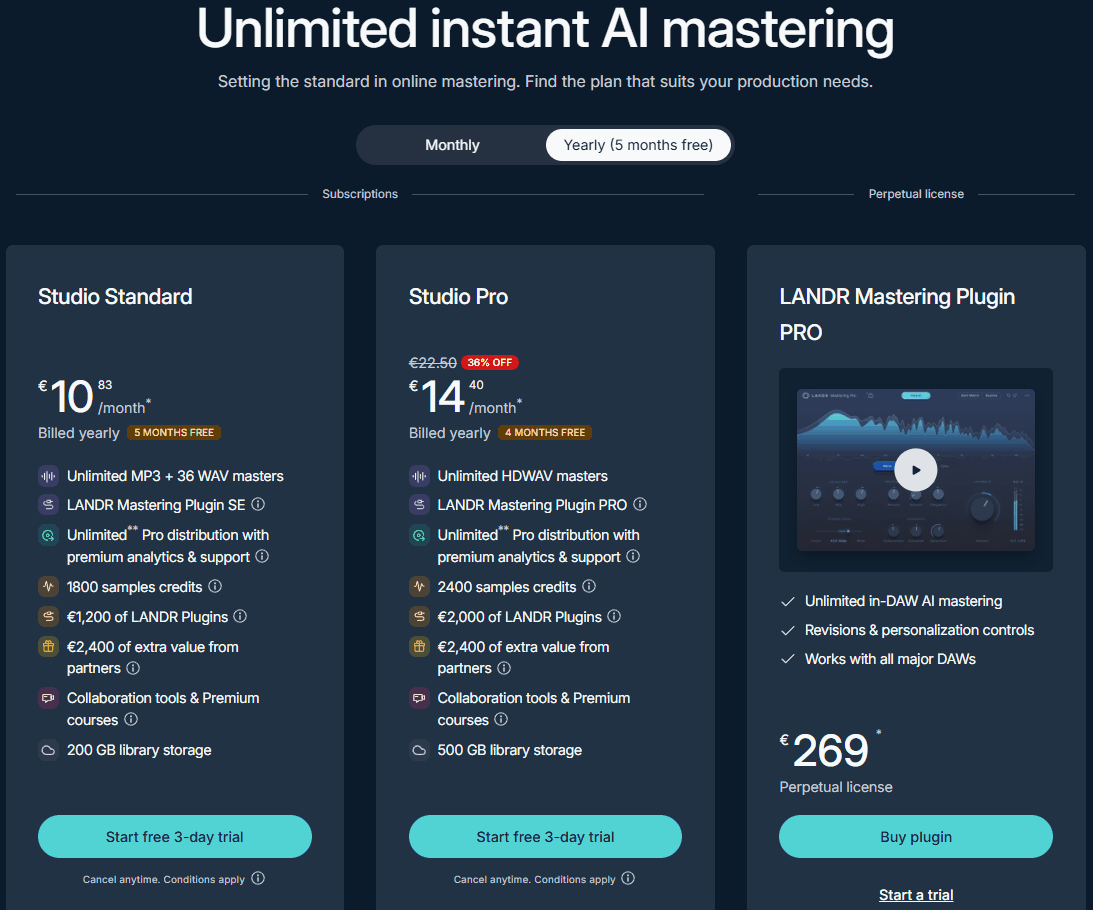
LANDR offers two Studio tiers with both monthly and yearly billing options:
- Studio Standard (Monthly €18 / Yearly €10.83 per month):
Includes unlimited MP3 masters plus 3 WAV masters per month on the monthly plan, or unlimited MP3 plus 36 WAV masters on the yearly plan. You also get the LANDR Mastering Plugin SE, unlimited Pro distribution with premium analytics, 150 sample credits per month (or 1800 credits on yearly), €1,200 of LANDR Plugins, collaboration tools, premium courses, and 200 GB of library storage.
- Studio Pro (Monthly €23 / Yearly €14.40 per month):
Includes unlimited HDWAV masters at both billing cadences, the LANDR Mastering Plugin PRO, unlimited Pro distribution, 200 sample credits per month (or 2400 credits on yearly), €2,000 of LANDR Plugins, collaboration tools, premium courses, and 500 GB of library storage. The yearly plans also include €2,400 of extra value from partner offers, which isn’t part of the monthly billing option.
If you’re releasing music regularly and want WAV-quality masters plus distribution, the yearly Studio Standard plan at €10.83 per month works out significantly cheaper than paying for masters individually while also covering your distribution needs. For producers who need unlimited WAV masters rather than a monthly cap, the Studio Pro tier is worth the step up.
One thing I’d suggest paying attention to: LANDR takes a 15% royalty commission if you cancel a subscription but keep your music in distribution. This is a different kind of ongoing cost that affects the full-platform decision rather than just the mastering service.
- LANDR Mastering Plugin PRO:
A perpetual license plugin version priced at €269 that brings LANDR’s AI mastering directly into your DAW, offering unlimited in-DAW mastering, revisions and personalization controls, and compatibility with all major DAWs. It’s included with the Studio Pro subscription, but the standalone perpetual license makes sense for producers who want LANDR’s mastering workflow without committing to ongoing subscription fees.
Waves Pricing
Waves offers a flexible two-track pricing structure that combines per-credit purchases for occasional use and annual subscriptions for frequent users. You only pay when you decide to export a final master, not for previewing, which keeps the barrier to entry low.
One-Time Credit Purchases:
- 1 Credit at $3.99: Master a single track with no subscription commitment, ideal for one-off projects.
- 5 Credits at $17.45 ($3.49 per track): A modest discount for producers releasing a handful of tracks at a time.
- 15 Credits at $44.85 ($2.99 per track): The best value in the one-time purchase tier, genuinely affordable for prolific artists mastering multiple singles across a year.
Annual Subscriptions:
- Standard at $71.64/year: Includes 36 masters per year, working out to roughly $1.99 per master, which is a significant saving over any of the one-time credit packs if you know you’ll be releasing regularly.
- Pro at $169.99/year: Offers unlimited masters subject to fair use policy, bringing the effective per-master cost under $1 for producers mastering frequently enough to justify the flat annual rate.
For a prolific artist mastering ten or more singles a year, the Standard subscription at $71.64 works out to under $2 per track, which is genuinely excellent value compared to per-credit pricing. For occasional releases of one or two tracks, the single credit at $3.99 is lower than LANDR’s $9.99 per-track rate, and the math genuinely favors Waves at every usage level if you’re comparing purely on mastering cost.
The important thing to understand is that you’re paying only for mastering with Waves, with no distribution, samples, or additional tools included. If you need those things separately, that cost needs to be factored in when comparing total spend against LANDR’s Studio subscriptions, which bundle distribution and other services into the same monthly fee.

How to choose
The right answer here is less about which tool is objectively better and more about which one fits how you actually work and what you’re trying to accomplish.
- Choose LANDR if..
You want a DAW plugin that lets you master in real time without leaving your session. You release music regularly and want a platform that handles both mastering and distribution in one subscription. You work on albums or EPs where the tracklist consistency feature makes a practical difference.
You value the additional manual controls that the plugin exposes for fine-tuning the AI output. You want unlimited revisions and the ability to iterate on the master as the mix evolves.
I’d say LANDR is the stronger daily-use tool for producers who are actively working on their music and want mastering integrated into that creative process rather than sitting outside it as a separate final step.
- Choose Waves Mastering
If you master occasional tracks and want pay-per-track flexibility without subscribing to anything. You want the most affordable per-track price available among credible AI mastering services. You have a specific commercial reference track you want to match and want the best reference-matching tool currently available in this category.
You want to try your master completely free before committing any money, since Waves gives you the first master at no cost. You’re already in the Waves plugin ecosystem and want a mastering service that reflects the same brand’s approach to processing quality.
For me, Waves is the more practical choice if you’re an occasional self-releasing artist who doesn’t need a year-round subscription, wants to pay only when you have a release, and wants to evaluate results before spending anything.
Check LANDR Online Mastering for free
Buy here LANDR Mastering Plugin PRO (Support Pluginerds)
Buy here LANDR Mastering Plugin PRO (Trial Available)
Check Waves AI Online Mastering for free

Hello, I’m Viliam, I started this audio plugin focused blog to keep you updated on the latest trends, news and everything plugin related. I’ll put the most emphasis on the topics covering best VST, AU and AAX plugins. If you find some great plugin suggestions for us to include on our site, feel free to let me know, so I can take a look!