
Finishing a mix is one thing. Knowing whether it’s actually finished is another problem entirely. After spending hours inside the same session, your ears start lying to you in ways you don’t even notice.
You’ve heard every element so many times that you stop hearing the mix as a whole and start chasing details, tweaking things that didn’t need tweaking and missing problems hiding in plain sight.
Reference plugins exist to solve that exact problem, not by making decisions for you, but by giving you an objective anchor to come back to when your perception starts to drift.
Whether you’re comparing your low end to a commercial release, checking how your master will translate through a streaming codec, or just trying to confirm that your mix isn’t too bright, these tools are where that reality check lives. Here are seven worth knowing about.
1. ADPTR Audio Streamliner
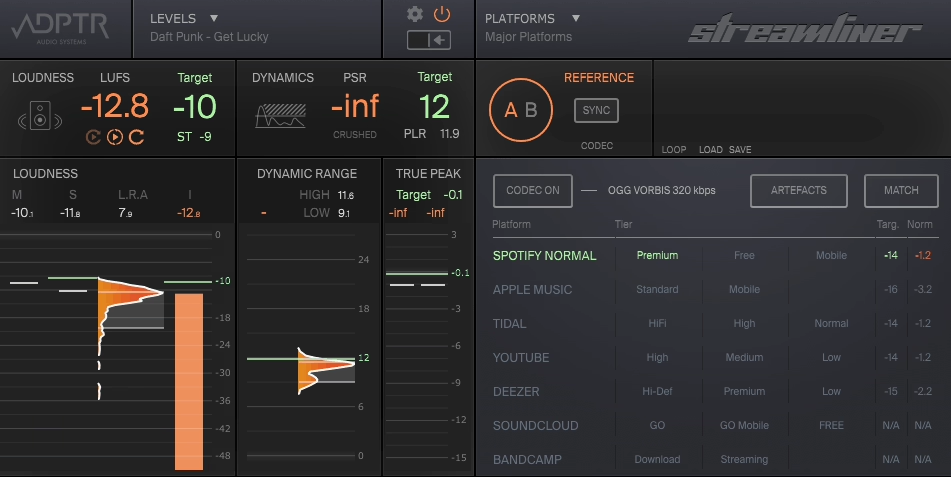
Streamliner approaches the referencing problem from a direction that most mixing engineers don’t think about until it’s too late: how will this actually sound after a streaming platform gets done with it?
The fact is that every major platform runs your audio through its own codec and loudness normalization algorithm before anyone hears it, and those processes can introduce clipping, tonal shift, and other artifacts that you’d never catch just by listening to your unprocessed export. I think Streamliner is one of the most practically useful tools in this category precisely because it closes that gap before it becomes a problem.
- Codec Auditioning (Streaming Platform Simulation):
Streamliner lets you preview your audio through the actual encoding algorithms used by Spotify, Apple Music, YouTube Music, Tidal, Deezer, SoundCloud, Bandcamp, and over 20 other platforms before you export. This means you’re not guessing how the AAC or Ogg Vorbis conversion will affect your master, you’re actually hearing it in real time.
I found this particularly eye-opening on tracks with heavy limiting, where codec artifacts that were completely invisible in the DAW became obvious the moment I auditioned through the streaming algorithm.
- Loudness and Dynamics Metering Suite:
Beyond codec auditioning, Streamliner serves as a comprehensive metering plugin with state-of-the-art meters for Integrated LUFS, Short-Term LUFS, Dynamics, and True Peak all visible simultaneously. What I appreciate here is that the readouts are designed to be readable at a glance rather than requiring you to decode multiple separate displays, which means you can stay focused on the music while keeping an eye on the technical picture.
- Automatic Loudness Matching:
One of the most practical features in the plugin is automatic loudness matching when switching between your mix and a reference, which removes the volume bias that makes louder always sound better. I believe this is something every reference tool needs, and Streamliner handles it cleanly without requiring manual gain adjustments each time you flip between sources.
- Over 100 Target Level Presets:
Streamliner includes target level presets drawn from commercially released hit records, covering loudness, dynamics, and true peak targets across every major streaming platform and global TV broadcast standards. These aren’t arbitrary values, they’re drawn from analysis of actual releases across different genres and platforms, which makes them genuinely useful as calibration points rather than just theoretical targets.
- Batch Export:
I want to note that Streamliner includes a batch export feature that lets you export audio through all codec profiles from your current platform preset in a single click, automatically naming each file with platform and quality tier information.
For anyone delivering masters to clients or uploading across multiple platforms, this alone saves a significant amount of time and keeps your file organization clean.
Get the Free Plugin Starter Kit
The genuinely useful free DAWs and plugins worth installing. No filler. Straight to your inbox.
2. Mastering The Mix REFERENCE 3
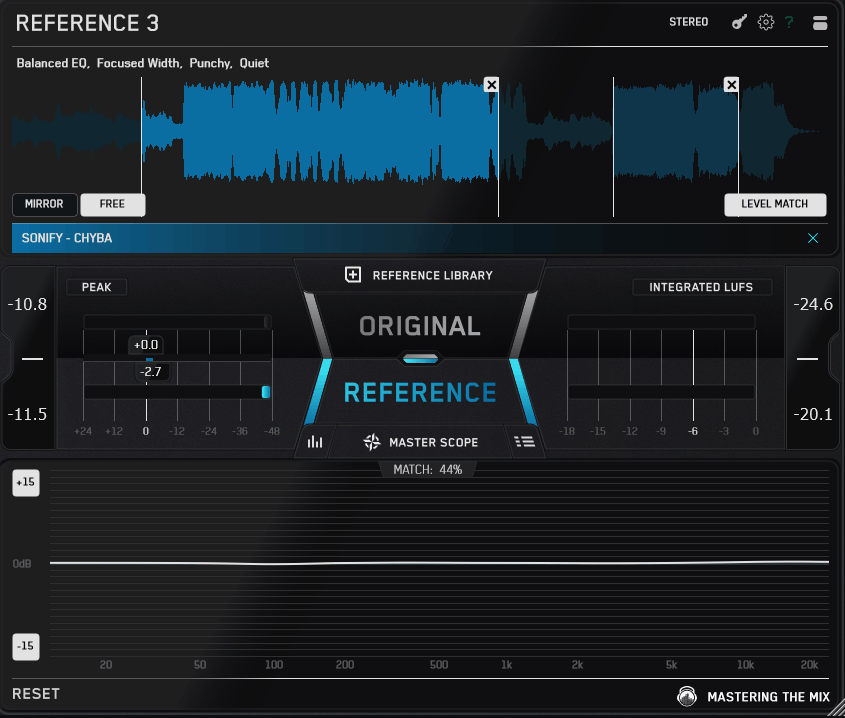
REFERENCE 3 is the newest version of Mastering The Mix’s long-running referencing plugin, and version 3 represents a genuinely significant step forward from what came before.
The core idea remains the same as always: you load it as the last plugin on your master bus, import professional tracks you want to compare against, and it automatically loudness-matches everything so your comparisons are volume-neutral. What version 3 adds on top of that foundation is where things get interesting, particularly for anyone who wants not just a comparison but actual guidance on what to do about the differences they’re hearing.
- Smart Reference Tracks (Auto-Suggestion):
One of the most useful new features is that REFERENCE 3 analyzes your mix and automatically suggests the four best-matching references from your personal library, with the loudest section already looped and ready for comparison.
- Master Scope (Unified Visual Analysis):
The rebuilt Master Scope brings Level Line, Width Display, phase analysis, and overcompression detection into a single unified view. The Level Line shows you the precise EQ boosts and cuts needed to bring your tonal balance closer to the reference, while the Width Display shows exactly where to narrow or widen your stereo image across the frequency spectrum. I love how everything is consolidated into one place rather than spread across multiple tabs you have to switch between.
- REFSEND Companion Plugin:
REFERENCE 3 includes a companion plugin called REFSEND that lets you A/B entire FX chains or mastering chains with true loudness matching, meaning you can compare your master bus processing against a bypass or an alternate chain without any level bias. I would recommend this to anyone doing mastering work where the difference between two processing approaches is subtle enough that loudness perception becomes a factor.
- Up to 12 Reference Tracks:
You can load and instantly switch between up to 12 reference tracks with auto-looping that finds and loops the loudest section of each one automatically. The Mix Descriptor tags label every track with its tonal balance, width, dynamics, and loudness characteristics so you immediately know whether a given reference is a fair comparison for what you’re working on.
3. sonible true:level

sonible built their reputation on making technically precise plugins that are also genuinely enjoyable to use, and true:level is a good example of how they approach a familiar problem from a more considered angle. It started life as the metering section from their smart:limit plugin, and by popular demand they released it as a standalone tool for anyone who wants that level of loudness and dynamics insight without necessarily using sonible’s limiter.
I think what makes it worth discussing alongside more full-featured reference tools is the specificity of its focus: it does one thing exceptionally well rather than trying to cover every referencing scenario in a single interface.
- Interplay Visualization (Loudness and Dynamics Grid):
The core insight in true:level is its unique visualization of the relationship between loudness and dynamics on a two-dimensional grid, which makes it immediately obvious whether you’re hitting the right balance between the two rather than optimizing one at the expense of the other. I found this a genuinely more intuitive way to assess a master than looking at loudness and dynamics as separate readouts, because the interaction between them is where the real decisions live.
- Streaming Platform References:
true:level comes with predefined references for all major streaming platforms including Spotify, Apple Music, YouTube, and others, plus genre-specific dynamics references covering different musical styles. This means you can instantly compare your loudness and dynamics values against the platform you’re targeting without having to manually look up the current standards or guess at appropriate dynamics for your genre.
- Up to 8 Custom Reference Tracks:
You can load up to eight of your own reference tracks into true:level to compare their loudness and dynamics against your mix, which is useful for maintaining consistency across an album or EP where you want all the tracks to sit at similar levels. I suggest using this in combination with the genre presets rather than replacing them, since commercial tracks don’t always land exactly on the platform targets and seeing both gives you a more realistic picture.
- Key Readouts with Target Indicators:
The main display presents LUFS Integrated, Dynamics in dB, Loudness Range, and True Peak with target indicators overlaid on each readout so you can see at a glance whether you’re inside or outside the reference zone. All of these are designed to be readable without second-guessing, which I believe is the right priority for a metering tool that you’ll be referencing constantly while your attention is focused on the mix.
4. Sonnox ListenHub (Mac Only)
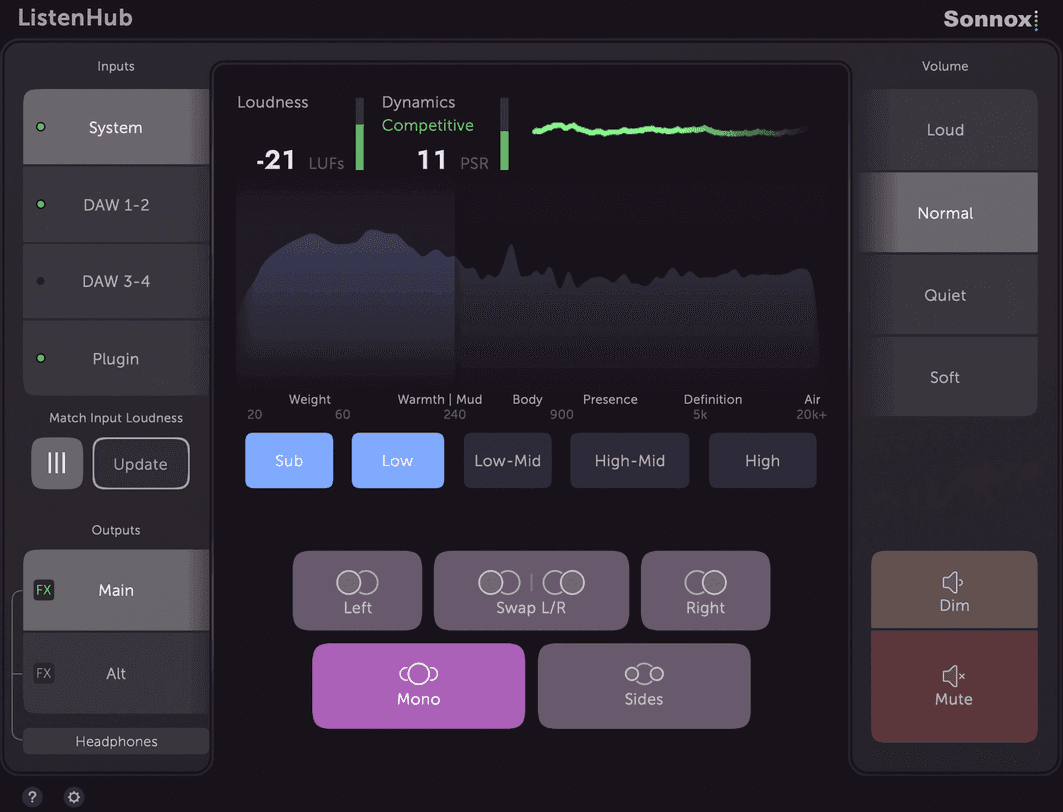
ListenHub takes a fundamentally different approach from every other plugin on this list. Rather than operating purely as a plugin on your master bus, it functions as a system-level CoreAudio device, which means it captures audio from any source on your Mac, including directly from Spotify, Apple Music, YouTube, or any other streaming app running on your system, without requiring you to download or import reference files.
For Mac users, this is a meaningfully more fluid workflow than anything a conventional plugin can offer. I want to be upfront that it’s Mac only, which is a significant limitation, but for anyone working on Apple hardware it’s one of the most genuinely convenient monitoring and referencing setups available.
- Direct Streaming Integration:
This is what separates ListenHub from everything else. Because it operates at the system level, you can stream reference tracks directly from Spotify, Apple Music, YouTube, Tidal, or any local media player and flip between them and your mix without downloading files, without import workflows, and without any extra steps.
- Frequency Band Isolation:
ListenHub lets you solo specific frequency ranges, Sub, Low, Low-mid, High-mid, and High, across both your mix and any reference source simultaneously. T
- Short-Term LUFS Metering and PSR Dynamics:
ListenHub includes Short-Term LUFS metering alongside PSR dynamics metering with a history graph that shows how the dynamics of your mix evolve over time. The PSR metric, which is the difference between peak signal level and Short-Term LUFS, is particularly useful for understanding how streaming normalization will affect your track’s perceived loudness and punch.
- iOS and Android Remote App:
A free remote app for iPhone, iPad, and Android devices lets you control ListenHub from anywhere in your studio, adjusting levels, switching between sources, and managing outputs from your phone or tablet. For engineers who like to walk around the room or move between different listening positions while mixing, this genuinely replicates some of the convenience of hardware monitor controllers without the cost or the physical footprint.
- AU Plugin Hosting Per Output:
Each of ListenHub’s output busses can host up to three AU plugins, which is ideal for inserting room correction software like Sonarworks or speaker simulation tools like Slate VSX without having to load them into your DAW or manage separate routing. I found this particularly useful for quickly switching between corrected and uncorrected monitoring profiles to check whether my decisions hold up without the correction applied.
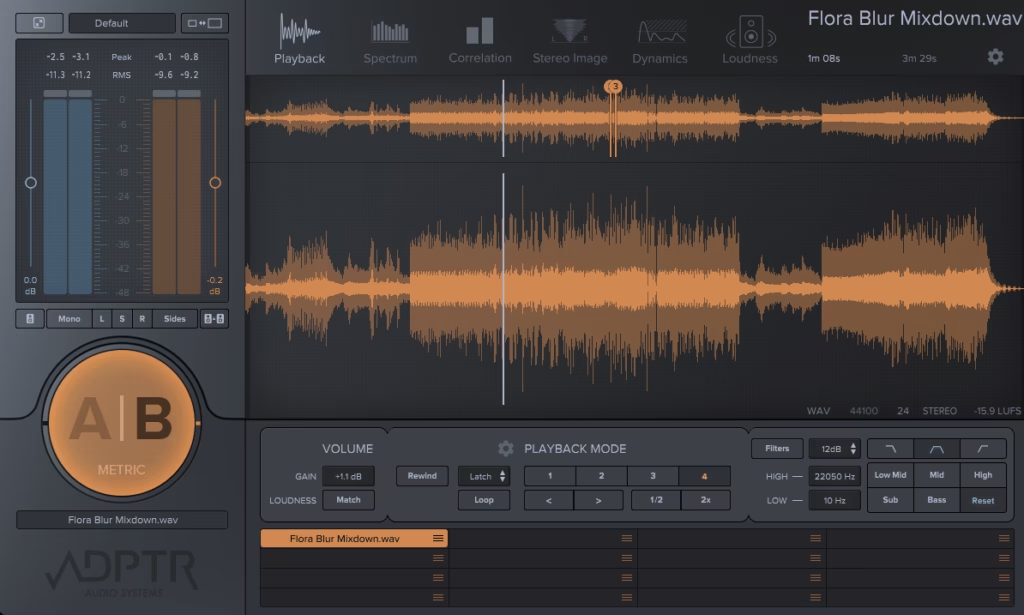
5. ADPTR Audio Metric AB
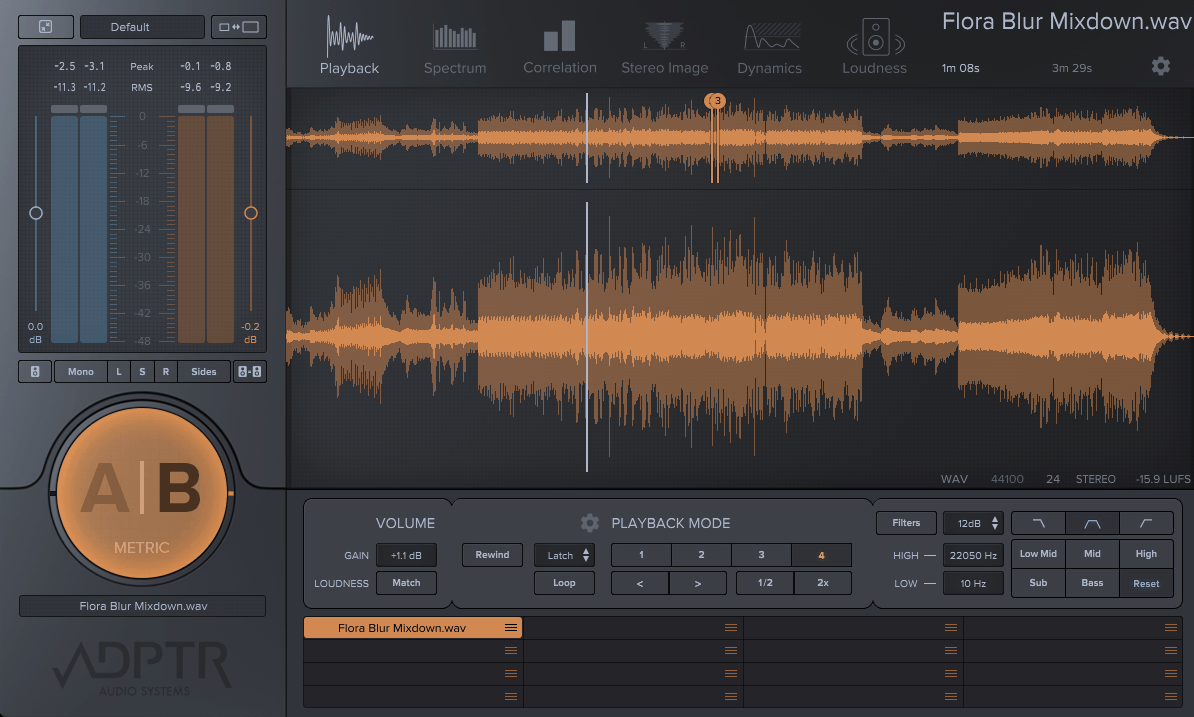
Metric AB grew out of a simpler tool called Magic AB, and the evolution from one to the other tells you a lot about what this plugin is trying to be. Where Magic AB was a straightforward A/B switcher with basic visual feedback, Metric AB is a fully developed reference and analysis platform that happens to be built around the same core workflow.
I believe it’s currently one of the most analytically comprehensive reference plugins available, and the fact that it’s designed by a mix engineer rather than a metering company shows in how the features are prioritized. You get up to 16 reference tracks, four loudness-matching modes, and a suite of analysis views that cover everything from spectral balance to multiband phase correlation.
- 16 Reference Track Slots with Color-Coded A/B Switching:
Metric AB gives you 16 slots for reference tracks, loadable via drag-and-drop, with the famous large A/B button MIDI-mappable to a keyboard shortcut or controller for instant switching. The color-coded system, blue for your mix and orange for the reference, means you always know at a glance which source you’re listening to, and I found the ability to key-bind the switch made it genuinely part of my session flow rather than something I had to stop and click for.
- Four Loudness-Matching Modes:
Rather than a single loudness match algorithm, Metric AB offers four different modes for matching the loudness of your mix to each reference track, giving you options depending on whether the reference is significantly louder, quieter, or close in level to your own mix.
- Analysis Modes (Spectrum, Correlation, Stereo Image, Dynamics, Loudness):
The main analysis section offers five distinct viewing modes, each showing a different dimension of the comparison between your mix and the reference.
- Frequency Band Filter Bank:
The filter bank in Metric AB lets you solo specific frequency ranges, Sub, Bass, Low Mids, Mids, and Highs, with adjustable crossover points and filter slopes for both your mix and the reference simultaneously.
- Four Playback Modes (Latch, Cue, Sync, Manual):
Metric AB gives you real control over how the reference track plays back relative to your DAW. Latch ties playback to the DAW transport, Cue restarts from a set point when you toggle sources, Sync locks to the DAW timeline, and Manual runs independently. I noticed that Cue mode in particular is extremely useful for comparing specific sections, like always dropping into the chorus of a reference when you flip to it rather than having to manually navigate each time.
6. Mastering The Mix EXPOSE 2 (Not Plugin but software app)
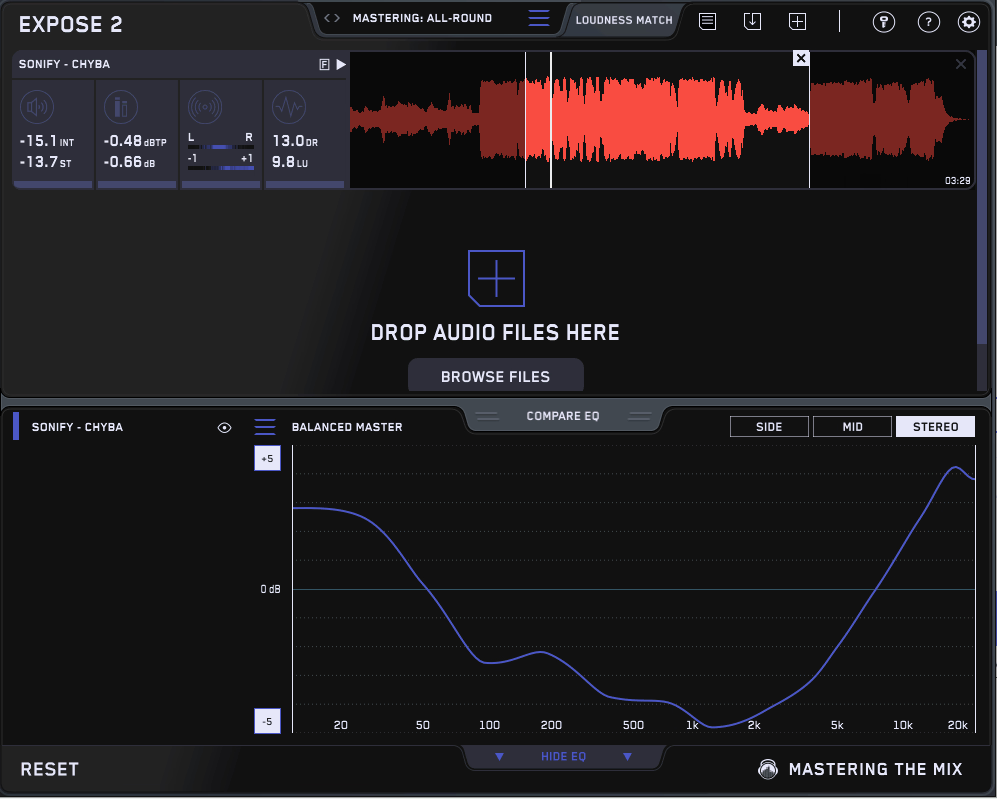
This oneoccupies a slightly different position from the rest of the tools on this list because it’s not a DAW plugin at all. It’s a standalone application you open separately from your session, drag finished audio files into, and use as a quality control checkpoint before releasing anything to the world.
I think the right way to think about it is as the last line of defense rather than a tool you use during the mix, and in that role it’s genuinely excellent. Once your session is done and you’ve exported your mix or master, EXPOSE 2 tells you in seconds whether there are technical problems that would cause issues on streaming platforms, in clubs, or in broadcast contexts, and it tells you specifically what they are and what to do about them.
- Automated Issue Detection (Waveform Highlighting):
Drop a file into EXPOSE 2 and it immediately scans the audio and highlights problem areas directly on the waveform in red, covering loudness, true peak clipping, dynamic range, and stereo/phase issues simultaneously.
This visual flagging means you can see not just that a problem exists but exactly where in the arrangement it occurs, which saves a lot of time tracking down intermittent clipping or phase issues that would take much longer to find by ear.
- 27 Distribution Presets:
EXPOSE 2 includes 27 presets covering Spotify, YouTube, Apple Music, club systems, CD, broadcast, and more, each with appropriate loudness, true peak, and dynamic range targets for that specific distribution context. I found having platform-specific presets genuinely useful because the right master for Spotify is meaningfully different from the right master for a club system, and treating them the same is one of the more common mistakes in DIY mastering.
- Analysis Feedback (Written Guidance):
When EXPOSE 2 detects issues, it doesn’t just flag them visually. It provides specific written guidance on how to resolve each problem in your DAW, giving you actionable instructions rather than just a readout of numbers that don’t tell you what to do next. For me, this is what makes it genuinely educational rather than just diagnostic, especially for producers who are still building their technical vocabulary.
7. MeldaProduction MCompare
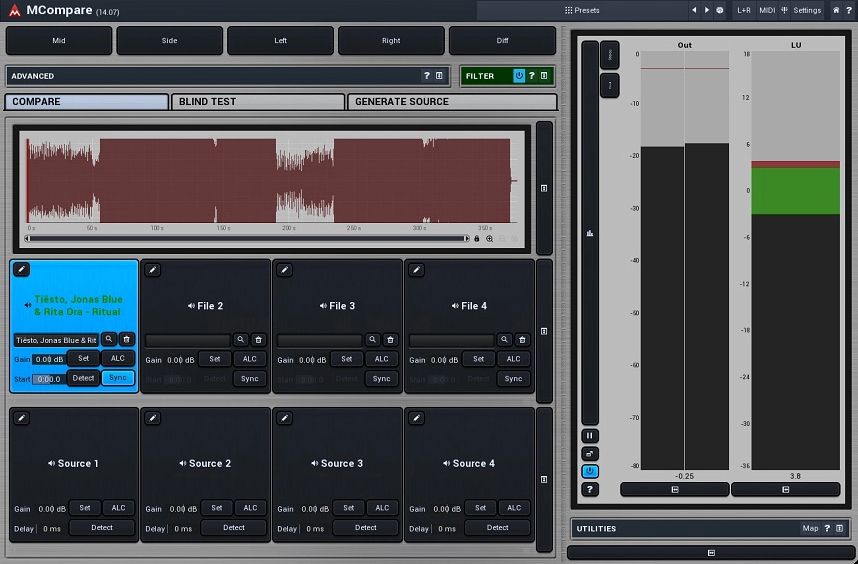
MCompare is one of those plugins that gets described as understated, and I think that’s accurate in the best possible sense.
It doesn’t have the most elaborate feature set on this list, but what it does have is an approach to the referencing problem that’s genuinely smart, a workflow that’s been refined over years of real-world use, and one capability that no other plugin on this list has: the ability to compare your master not just against external reference tracks, but against multiple stages of your own mastering chain simultaneously.
That last part is something I’ve found uniquely valuable in mastering sessions where you want to make sure each stage of processing is actually improving things rather than just changing them.
- Multi-Stage Chain Comparison:
This is MCompare’s defining feature and the one that most strongly differentiates it. You can compare your master against your dry mix, different stages of your mastering chain, and external reference tracks all within a single plugin instance, with latency compensation and loudness matching handled automatically.
I believe this makes it the most analytically complete option for mastering work specifically, because you’re not just checking against a commercial reference, you’re also verifying at each stage that your processing decisions are cumulatively moving in the right direction.
- Automatic Loudness Matching and Latency Compensation:
MCompare handles automatic loudness matching and plugin delay compensation without requiring any manual setup, which means the comparisons you’re making are genuinely level-matched and time-aligned rather than potentially misleading. I realized how important the latency compensation aspect is when working with linear phase plugins or other high-latency processors that can introduce enough delay to make a same-track comparison sound like two different recordings.
- Quick Crossfade Switching:
The workflow in MCompare is built around speed. A single button press instantly crossfades between your current audio and whichever reference or chain stage you’ve selected, and another button moves to the next comparison.
- M/S, Mono, and Surround Support:
MCompare handles mono, stereo, mid/side, left-only, right-only, side-only, up to 8 channels of surround audio, and even 7th order ambisonics with 64 channels.
Get the Free Plugin Starter Kit
The genuinely useful free DAWs and plugins worth installing. No filler. Straight to your inbox.

Hello, I’m Viliam, I started this audio plugin focused blog to keep you updated on the latest trends, news and everything plugin related. I’ll put the most emphasis on the topics covering best VST, AU and AAX plugins. If you find some great plugin suggestions for us to include on our site, feel free to let me know, so I can take a look!