
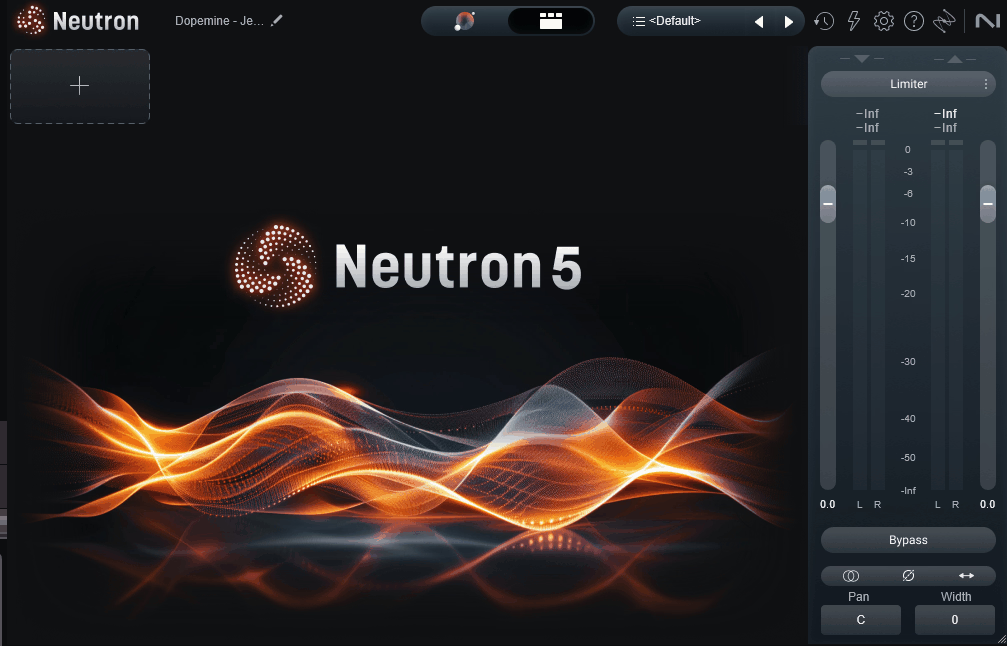
iZotope Neutron 5 is the mixing counterpart to Ozone, and honestly, it’s probably the most refined version of an AI-assisted mixing plugin you’ll find right now. I’ve been using Neutron across different versions for years, and the jump to Neutron 5 is where the plugin finally feels like it’s fulfilling the promise it started making back in Neutron 2.
The core pitch hasn’t really changed, it’s still a mixing assistant that analyzes your tracks and helps you build better mixes faster. But the execution has matured significantly, and the new features actually solve real problems rather than adding checkbox items to a feature list.
What I mean is that Neutron 5 does a lot of the grunt work of mixing for you, balancing levels, identifying frequency clashes, suggesting processing starting points, and giving you a visual map of how your tracks relate to each other in the mix. You still make the creative decisions, but the plugin handles the analytical work that usually eats up the first hour of any mix session.
From the Pluginerds Store
A quick mention: alongside the blog, we run Pluginerds Shop, our own store for studio hardware and accessories. Everything on it is there because someone on this team actually uses gear like it, not because it was the cheapest thing to list.
Visit Pluginerds ShopIs Neutron 5 Worth the Money?
Short answer: yes, for most producers who mix their own music, Neutron 5 is worth the investment. The longer answer depends on where you are in your workflow. If you’re a producer who mixes regularly and wants to get to a balanced, professional-sounding starting point faster, the Mix Assistant alone pays for itself in saved time over a few sessions.
I’d say the Target Library and Balance mode are what really tip the value scale in Neutron 5‘s favor. Being able to set up Neutron instances across your session and have the plugin analyze the relationships between tracks and build a balanced starting point in under a minute is genuinely transformative, especially if you’re mixing in a home studio without years of professional experience to fall back on.
That said, there are producers for whom Neutron 5 isn’t the right investment. If you already have a mature mixing workflow, strong reference skills, and a toolkit of individual plugins you know inside and out, Neutron 5 might feel like it’s solving problems you’ve already solved.
For everyone else, particularly bedroom producers, project studio engineers, and anyone who mixes their own music and wants to get to professional results faster, Neutron 5 earns its price. The combination of AI-assisted starting points, genuinely musical module processing, and the ecosystem integration with Ozone, RX, and Nectar makes it one of those plugins that keeps finding uses in your sessions rather than collecting dust.
One more thing worth noting: iZotope runs frequent sales, and Neutron 5 regularly drops significantly below its list price during promotional periods. If you’re on the fence, waiting for a sale is a completely reasonable strategy.
Get the Free Plugin Starter Kit
The genuinely useful free DAWs and plugins worth installing. No filler. Straight to your inbox.
What’s New in Neutron 5
The biggest changes in Neutron 5 revolve around the Mix Assistant workflow and how the plugin communicates between tracks in a session. If you’re coming from Neutron 4, you’ll notice the interface feels significantly more modern, and the processing decisions are noticeably more musical than they were in previous versions.
Here are the upgrades I think actually matter:
- Redesigned Mix Assistant:
The AI-driven mix balancing and track enhancement has been rebuilt with better reference matching and more accurate processing suggestions. The results feel less like templates and more like considered decisions.
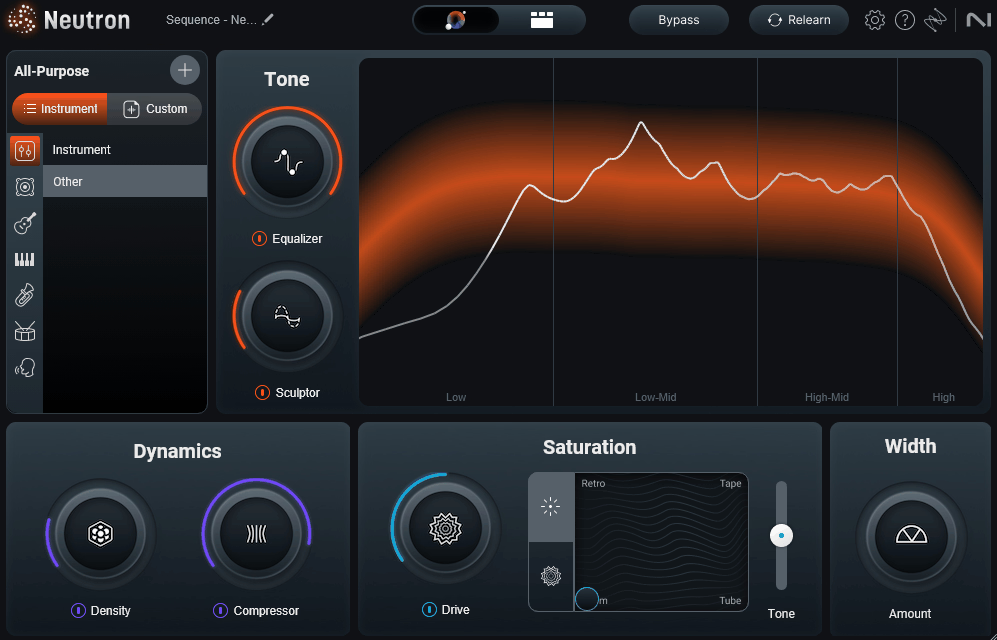
- Target Library:
A new library of reference mixes organized by genre that you can use to guide the Mix Assistant’s decisions, giving you a more specific tonal target to aim for.
- Visual Mixer Improvements:
The Visual Mixer now handles more tracks, includes better pan/level/width controls, and integrates more cleanly with the rest of the iZotope ecosystem.
- Unmask Refinements:
The inter-plugin communication system that carves space between tracks is smarter and more musical in Neutron 5, with fewer of the artifacts that occasionally showed up in Neutron 4.
- New Clipper Module:
A dedicated Clipper added to the module lineup gives you transparent peak control and drive character for bus processing and loudness optimization.
I found the improvements feel like genuine refinements of the workflow rather than cosmetic changes. The plugin does the same things it always did, just more gracefully and with better results.
Assistant View and Detailed View
Neutron 5 is built around two main interface modes that serve completely different stages of the mixing process, and you’ll end up switching between them throughout a session.
The Assistant View is where you start. It’s a clean, focused interface designed for the Mix Assistant workflow, giving you high-level controls over the processing decisions the AI has made.
You get sliders for things like dynamics intensity, tonal shaping, and processing strength, which adjust the entire chain behind the scenes without requiring you to open individual modules. I like how this view keeps you focused on the result rather than getting lost in specific parameters.
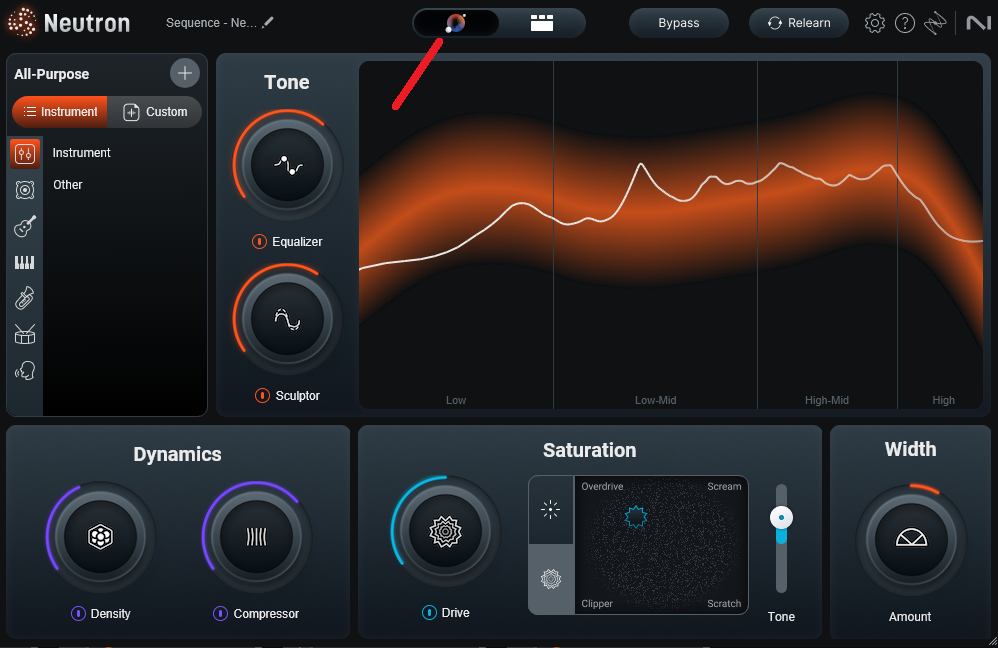
The Detailed View is where the full module chain actually lives. When you want to see every processor, reorder modules, or fine-tune specific parameters, this is where you go.
I think the split between these two views is one of the smartest design choices in the plugin. Producers who want speed can stay in Assistant View and get great results, while producers who want precise control can switch to Detailed View and work at any level of depth they need.
“Neutron 5 does a lot of the grunt work of mixing for you, so you can focus on the creative decisions.”
Mix Assistant and Track Enhance
For me, the Mix Assistant is the real centerpiece of Neutron 5, and the two modes (Track Enhance and Balance) cover most of the common mixing situations you’ll run into.
Track Enhance is the single-track mode. You drop Neutron 5 on an individual track (vocal, drum, bass, guitar, synth, whatever), play a representative section, and the Mix Assistant analyzes the signal and builds a processing chain tailored to that track.
It identifies the track type, suggests appropriate modules, dials in starting settings, and gives you a functional chain to refine from. I’ve been consistently impressed with how accurate the track identification has become, it correctly recognizes vocals, drum elements, bass, and melodic content with very few misses.
Balance mode is where Neutron 5 genuinely changes how you mix. You set up Neutron instances across multiple tracks in your session, run Balance mode, and it analyzes the relationships between tracks and adjusts levels, panning, and processing to create a balanced starting point for the entire mix.
The Target Library gives you genre-specific reference points so the Balance mode isn’t just creating a generic mix but actually aiming at a particular tonal and dynamic target. I’ve found the pop, hip-hop, and rock targets to be the most accurate, with electronic and experimental genres requiring more manual refinement afterward.
The workflow change this enables is significant. Instead of spending the first hour of a mix getting levels roughly balanced, you can have Neutron handle the initial balance in under a minute and spend your time on the creative and corrective work that actually shapes the mix’s identity.
The Core Modules
Neutron 5 ships with a full set of modules that cover virtually every processing need in a mixing context. Each module is designed to work as part of the Mix Assistant workflow, but each also stands up on its own as an individual processor you can use without the AI assistance.
- Equalizer
The Equalizer is an 8-band dynamic EQ with multiple filter types and modes. You can switch between static and dynamic operation per band, which means you can use it as a traditional EQ for tonal shaping or as a dynamic EQ for frequency-specific compression and expansion.
I like that the visual feedback is detailed enough to actually teach you something about the frequency content of the track you’re working on, which is useful whether you’re learning or verifying what your ears are telling you.
- Compressor
Two Compressor modules handle dynamics control, with selectable character modes that range from transparent digital to more colored analog-style behavior. The parallel mix control lets you blend aggressive compression with the dry signal for punchy results without losing the natural dynamics of the performance.
I’ve found the compressor behavior in Neutron 5 to be noticeably more musical than previous versions, particularly on drums and bass where the timing-critical attack and release decisions matter most.
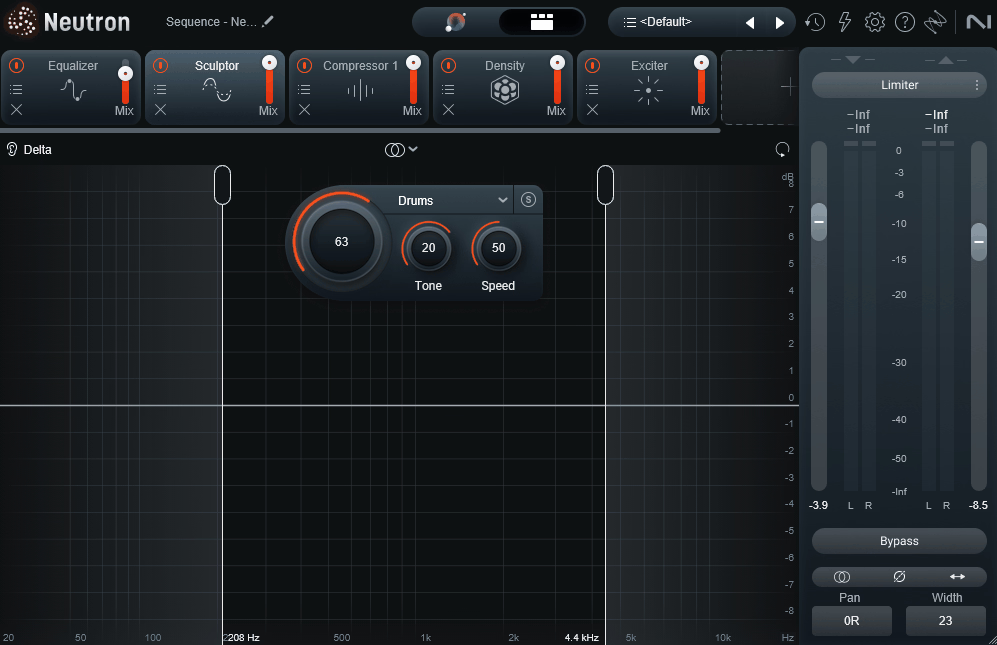
- Sculptor
Sculptor is one of Neutron’s most distinctive modules and something that doesn’t really exist in other mixing plugins. It applies adaptive, instrument-specific EQ processing that shapes your track toward a genre-appropriate tonal balance in real time.
You select the instrument type (vocal, bass, acoustic guitar, electric guitar, drums, synth, and so on) and the amount of processing strength, and Sculptor continuously adjusts EQ moves based on the content of the signal. For producers who struggle with getting tracks to sit correctly in a mix tonally, Sculptor is genuinely useful because it handles a lot of the subtle EQ decisions that take years of experience to develop.
- Transient Shaper
The Transient Shaper module gives you independent control over the attack and sustain of the signal with multiband operation. You can emphasize the snap of a snare, soften the pick attack on a bass, or bring out the room ambience on an acoustic guitar, all without changing the overall level.
The multiband operation is what sets this apart from simpler transient tools, because you can shape transients in specific frequency ranges rather than affecting the whole signal uniformly.
- Exciter
Exciter adds harmonic enhancement with four distinct flavors (Warm, Retro, Tape, and Tube) that each impart a different character to the signal. You can apply the excitation across multiple frequency bands, which lets you add brightness to the high end while keeping the low and mid-range clean.
I’ve found it useful on vocals, acoustic instruments, and synth leads that needed presence without simply boosting high frequencies with EQ.
- Gate
The Gate module handles noise gating with flexible attack, hold, and release controls, plus a lookahead option that prevents transient information from being cut off. It’s useful for cleaning up drum tracks, removing bleed from close-mic’d sources, or tightening up any track that needs to start and end cleanly.
The scientific frequency-conscious detection means the gate responds to the actual signal content rather than just crossing a volume threshold.
- Clipper
The Clipper module is new in Neutron 5 and adds another tool to the loudness management arsenal. It provides transparent peak control and soft-clipping character for bus processing and mastering-adjacent work.
You can dial in hard clipping for aggressive transient shaping or soft clipping for more musical peak reduction, with different character modes that suit different source material.
- Density
Density adds saturation and harmonic richness with multiple processing styles. It sits in the space between a saturator and a maximizer, adding perceived weight and presence to tracks that feel thin or lacking in body.
I’ve found it particularly effective on bass, drum busses, and full mixes where you want added density without pushing the level higher.
- Phase
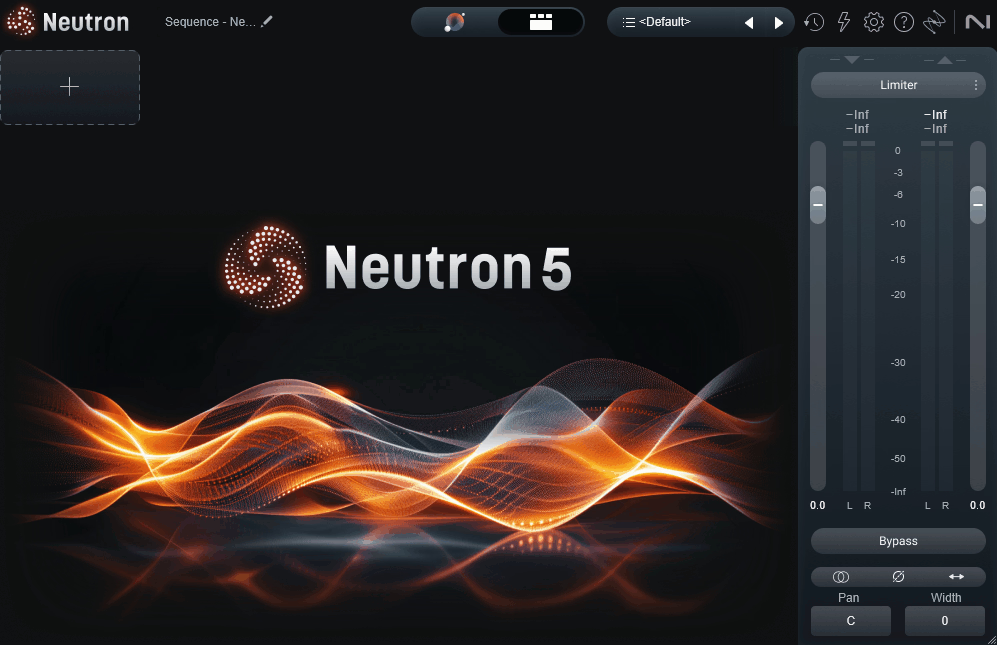
The Phase module handles phase alignment across the mix, letting you correct phase issues between tracks that are capturing the same source from different mic positions or sample layers that aren’t time-aligned. This is particularly useful on drum kits where you might have snare top, snare bottom, overheads, and room mics all capturing the same source with slightly different timing.
The visual display makes it easy to identify and correct phase problems that would otherwise require manual time-shifting in your DAW.
- Unmask
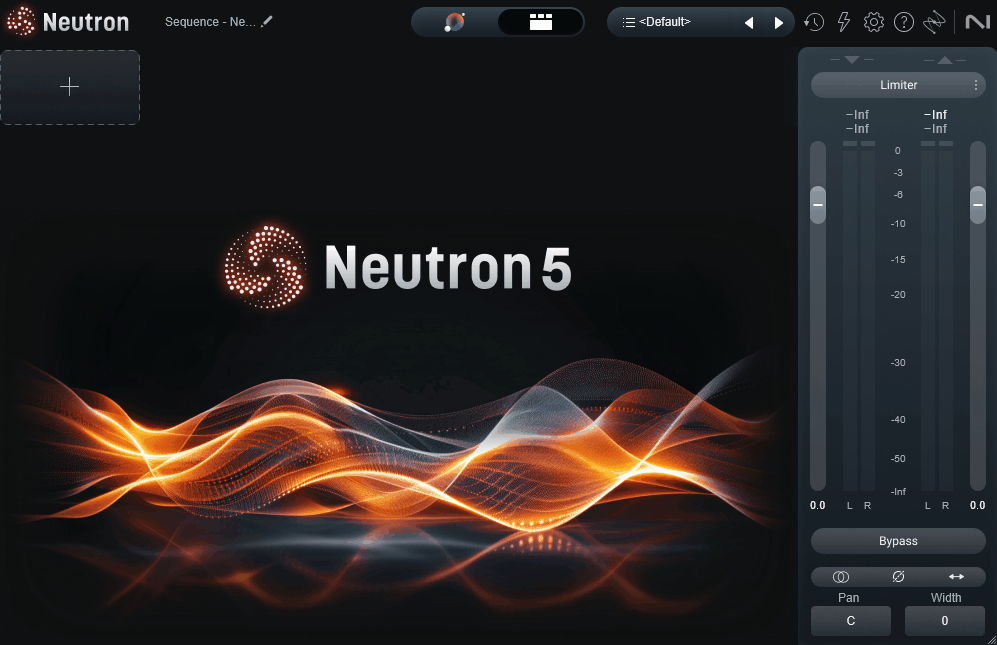
Unmask is one of the most practically useful features in Neutron 5. It detects frequency conflicts between two tracks and applies dynamic EQ moves to carve space for the prioritized track without you having to manually notch frequencies across the mix.
Visual Mixer in Action
The Visual Mixer is one of Neutron 5’s more underrated features, and it’s become one of the tools I reach for most often when starting a mix.
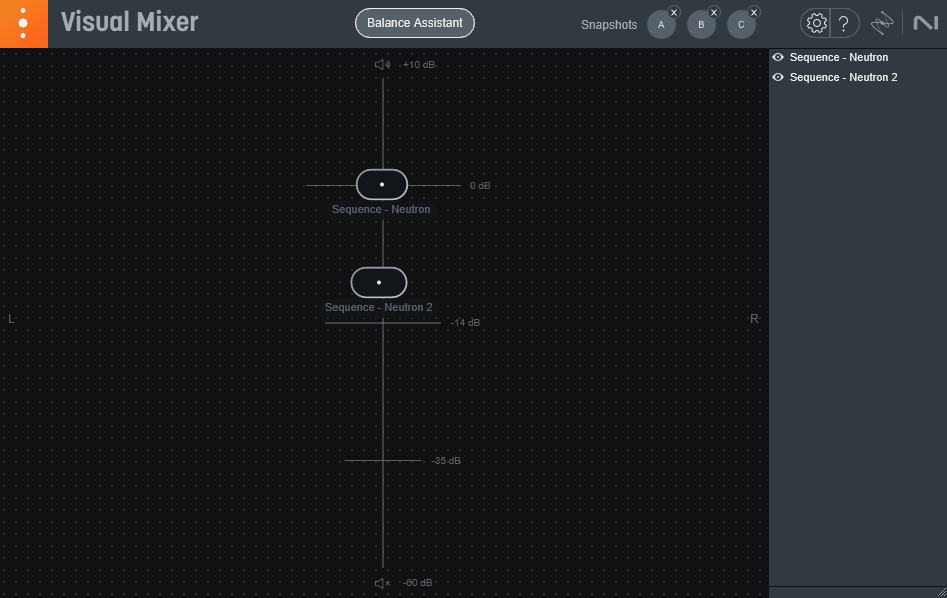
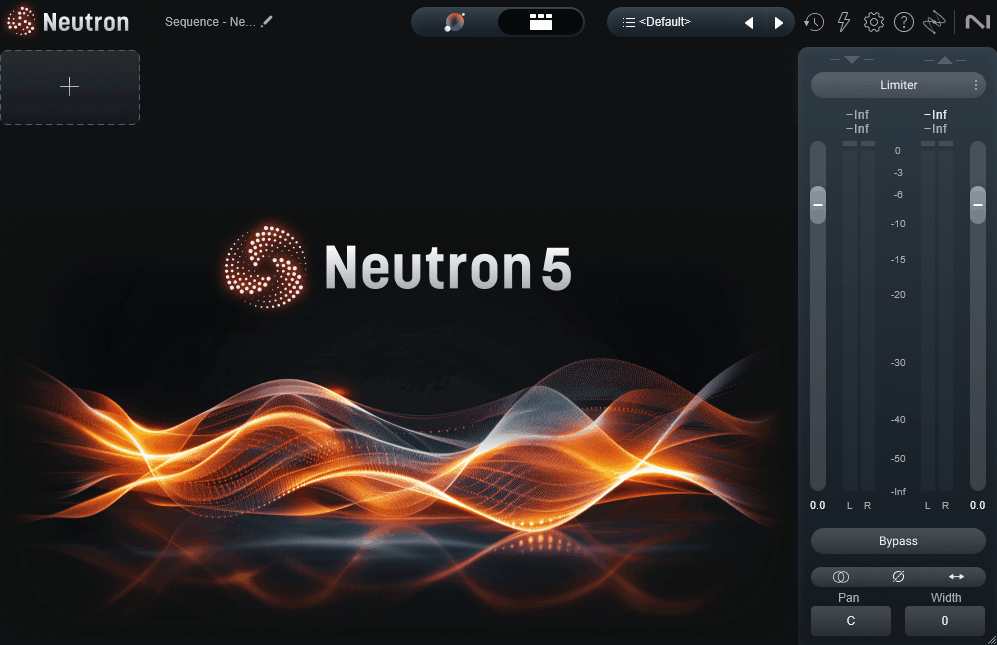
Rather than adjusting panning, level, and width across individual tracks in your DAW’s mixer, the Visual Mixer gives you a visual 2D representation of your mix where each track is shown as a node in a stereo field. You can drag tracks around to adjust their panning and level, widen or narrow them with controls on the sides, and see the entire mix’s spatial arrangement at a glance.
I like that the Visual Mixer makes panning and level decisions feel more intuitive and musical. When you can see that your vocal, snare, and bass are all clustered in the center, it becomes obvious that you need to push some elements outward for space.
The Visual Mixer also communicates with the Mix Assistant’s Balance mode, so when Balance mode makes its initial level and panning decisions, you can see them reflected in the Visual Mixer and adjust from there. It’s another way that Neutron 5’s different features feed into each other rather than existing as isolated tools.
“Once you start using Unmask, you wonder how you mixed without it.”
Pricing and Editions
Here’s how Neutron 5 breaks down across its editions and bundle options:
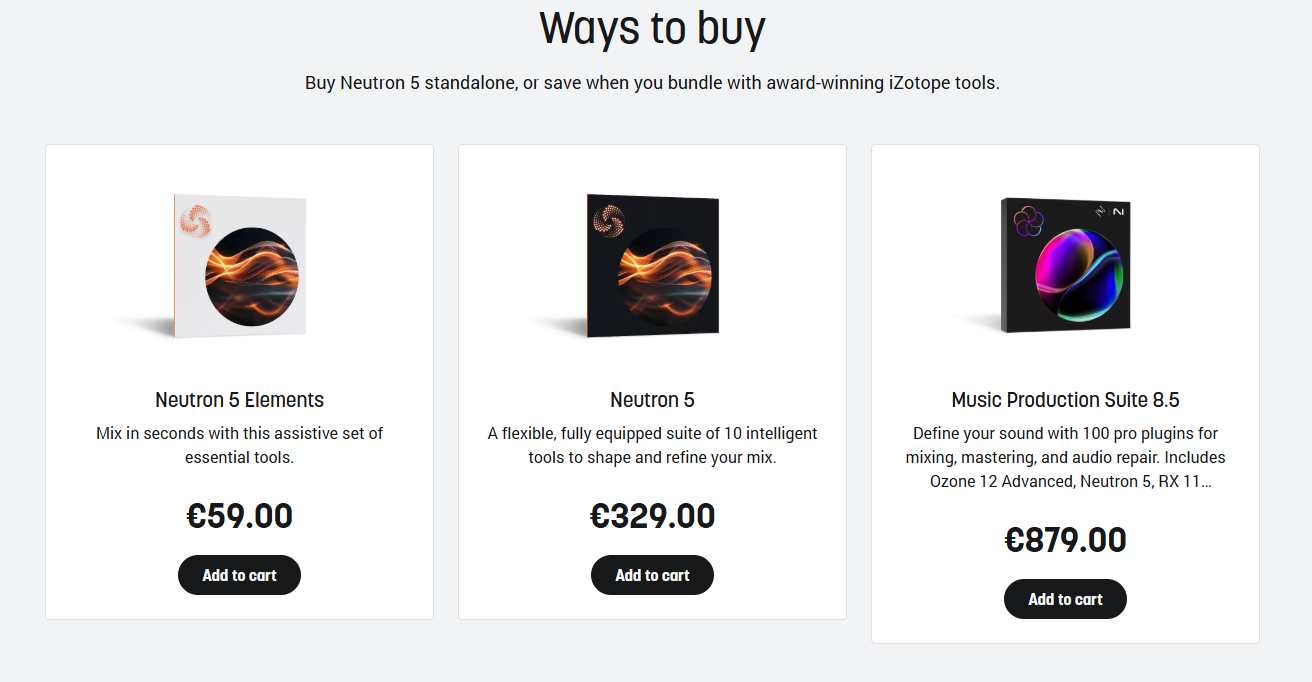
- Neutron 5 Elements (~$69):
Covers the basic Mix Assistant, EQ, compression, and a reduced module set. Good for producers just getting started with AI-assisted mixing who want to try the workflow without committing to the full version.
- Neutron 5 (~$387):
Adds the full module set including Sculptor, Transient Shaper, Exciter, Unmask, and the Visual Mixer. This is the tier most producers will want for serious mixing work.
- Bundled options:
Available as part of iZotope Music Production Suite, Komplete bundles, and the iZotope Elements subscription at around $19.99/month for access to 46 iZotope plugins including Neutron.
- Upgrade paths:
Existing Neutron owners get upgrade pricing, and bundle owners can crossgrade into larger iZotope collections at reduced rates.
iZotope runs frequent sales, and Neutron 5 regularly drops well below list price during promotional periods. I’d recommend checking for seasonal sales before buying at full price, because the savings can be substantial.
For producers who use multiple iZotope tools, the Music Production Suite route often makes more financial sense than buying Neutron as a standalone, since you get Ozone, RX, Nectar, and the rest of the ecosystem at a bundle price that’s significantly lower than buying the individual plugins separately.
More info & Price : iZotope Neutron 5 (Support Pluginerds)
More info & Price : iZotope Neutron 5 (Trial Available)
Get the Free Plugin Starter Kit
The genuinely useful free DAWs and plugins worth installing. No filler. Straight to your inbox.

Hello, I’m Viliam, I started this audio plugin focused blog to keep you updated on the latest trends, news and everything plugin related. I’ll put the most emphasis on the topics covering best VST, AU and AAX plugins. If you find some great plugin suggestions for us to include on our site, feel free to let me know, so I can take a look!