
FabFilter has built a reputation that’s genuinely hard to argue with: their plugins show up in professional studios, home setups, and everywhere in between, and they keep showing up because they actually work.
There’s no filler in what they ship. Every plugin they’ve released has a specific, well-defined purpose, and the execution behind each one is thorough enough that once you learn how to use it, you tend not to reach for alternatives.
There are many mixing bundles for mixing but this one is feels special to me. It brings together seven of their most iconic tools: Pro-Q 4, Pro-C 3, Pro-R 2, Pro-DS, Pro-G, Saturn 2, and Timeless 3. That covers EQ, compression, reverb, de-essing, gating, saturation, and delay, which is essentially a complete mixing toolkit from a single developer.
I think what makes this bundle compelling isn’t just the individual plugin quality but the fact that they all share the same interface logic, the same visual clarity, and the same general philosophy about giving you precise control without making you hunt for settings.
For most producers and mixing engineers, this Mixing Bundle is worth it because it genuinely replaces the need to source individual tools from different developers at higher individual costs. Buying the bundle undercuts the total cost of purchasing each plugin separately by a meaningful margin, and you end up with a cohesive set of tools that work together consistently rather than a patchwork of different interfaces and behaviors.
From the Pluginerds Store
Before you go — if you're putting together or upgrading a home studio setup, we run our own store alongside the blog at Pluginerds Shop. Everything on it is picked by people who actually make music, not sorted by whoever paid for placement on a marketplace. Worth a look if you're filling in the gaps in your setup.
Visit Pluginerds ShopPro-Q 4
Pro-Q 4 is FabFilter’s flagship EQ and the plugin most responsible for their reputation, and I’d say it’s earned that position. The dynamic EQ functionality means any band can be switched from static to dynamic mode, where the filter only applies when the signal exceeds or falls below a threshold you define, which effectively gives you both a precision EQ and a multiband dynamic processor in a single plugin.
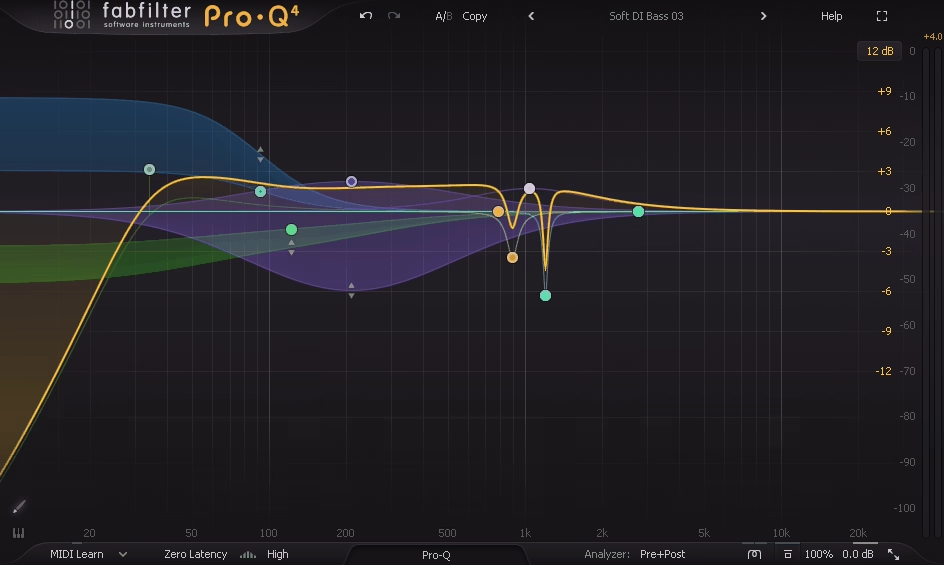

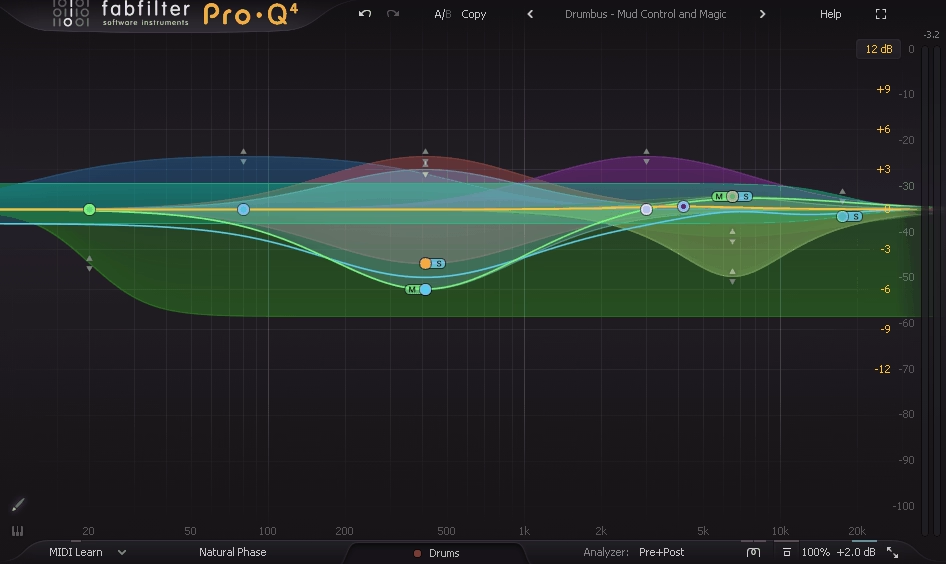
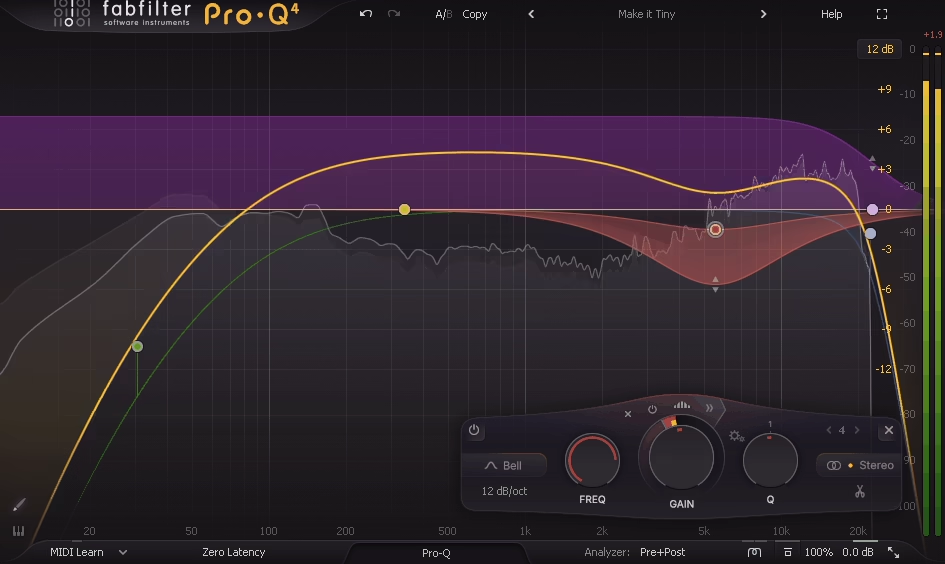
- Up to 24 bands with full frequency range coverage and every standard filter type, including bell, shelf, high-pass, low-pass, notch, band-pass, and the flat tilt shelf that’s particularly useful for gentle full-spectrum shaping
- Per-band dynamic processing with threshold, attack, and release controls that can be set to respond to the mid channel, side channel, or the full stereo signal independently
- Mid/side processing at the plugin level, with bands independently assignable to mid, side, or stereo processing in a single instance, eliminating the need for a separate M/S routing setup
- Linear phase mode with adjustable latency settings, allowing you to choose the balance between phase transparency and CPU efficiency depending on the specific context
- External sidechain input for frequency-selective sidechain processing, where a specific frequency range of one track can trigger dynamic EQ behavior on another
I love how the spectrum analyzer in Pro-Q 4 overlays the input and output spectra simultaneously so you can see exactly what your EQ decisions are doing to the frequency distribution in real time, and the ability to click directly on the spectrum to create a new band at that frequency makes the workflow genuinely fast once you’re used to it.
Get the Free Plugin Starter Kit
The genuinely useful free DAWs and plugins worth installing. No filler. Straight to your inbox.
Pro-C 3
Pro-C 3 is FabFilter’s compressor, and it covers more compression character than most producers initially realize when they first load it up. Eight distinct compression algorithms model different compressor characters: Clean, Classic, Opto, Vocal, Mastering, Bus, Punch, and Pumping, each of which has a different attack and release behavior that suits specific source types and musical contexts.
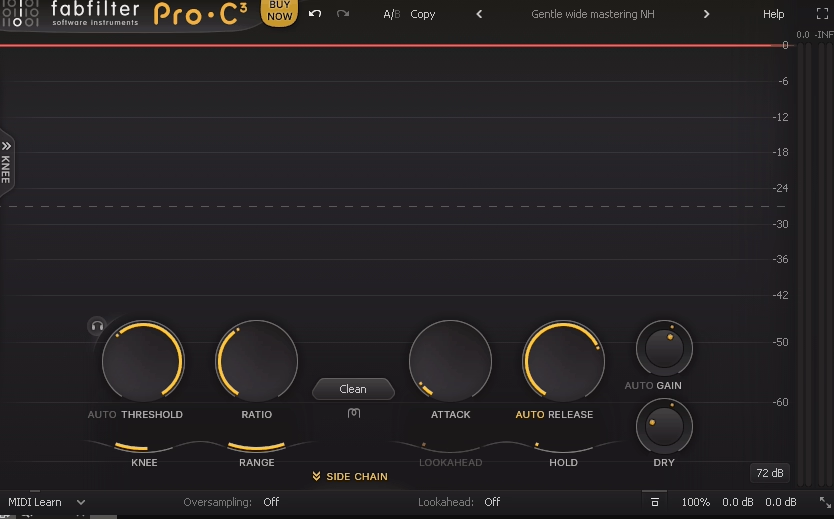
- The algorithm selector fundamentally changes how the compressor responds to transients rather than just adjusting parameters, with the Opto mode behaving like a program-dependent optical compressor and the Punch mode specifically designed to tighten transients without reducing sustain
- Auto gain compensation that calculates and applies make-up gain based on the amount of compression being applied, which lets you A/B the compressed and uncompressed signal at matched loudness and hear the compression’s actual effect rather than the loudness difference
- Lookahead processing up to 20ms, which is particularly useful for the Mastering and Bus modes where transparent peak control without audible gain reduction pumping is the goal
- Stereo link control from fully linked (both channels compress together based on the loudest channel) to fully unlinked (each channel compresses independently), with the ability to set any intermediate amount of linking
For me, the compressor that gets the most use in this bundle is Pro-C 3 on drum buses and mix buses, where the Bus algorithm specifically handles the transient density of a full mix in a way that feels musical rather than mechanical.
Pro-R 2
Pro-R 2 is the reverb in the bundle, and I have to say it’s one of the more musically satisfying algorithmic reverbs I’ve used. The defining characteristic of Pro-R 2 is the Decay Rate EQ, which applies frequency-specific decay time shaping to the reverb tail rather than just a fixed decay time across the full spectrum, which is how real acoustic spaces actually behave.
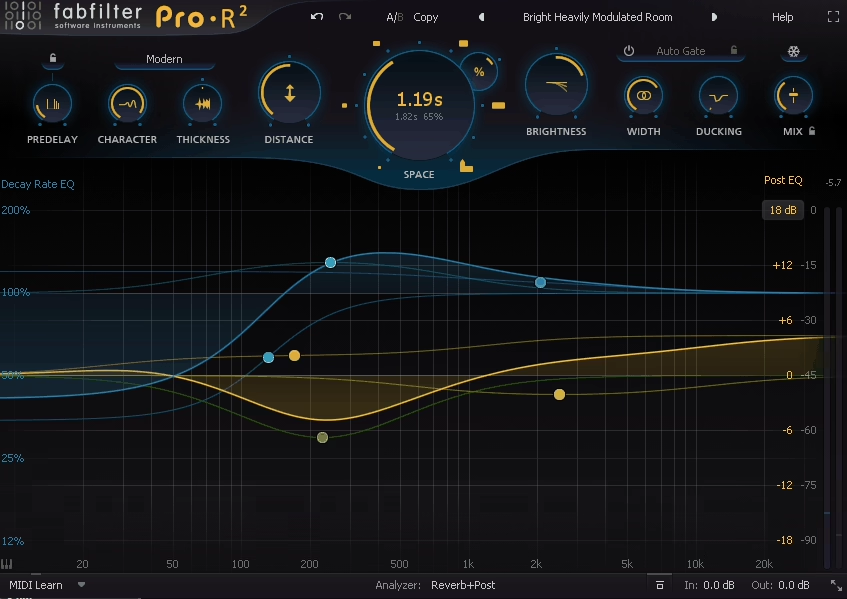

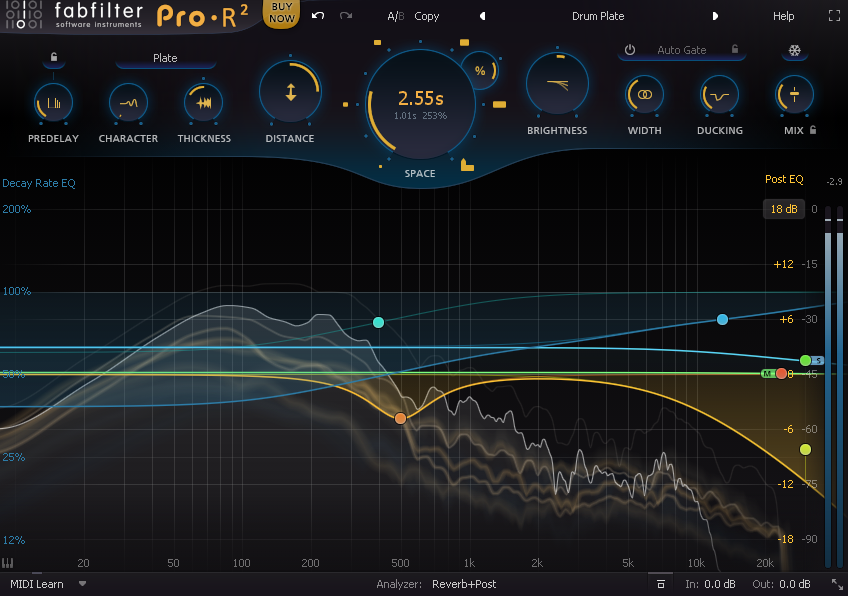
- Decay Rate EQ with up to six bands that independently control how quickly different frequency ranges decay within the reverb tail, allowing low frequencies to decay longer than high frequencies (or vice versa) for more natural-sounding room simulation
- Character knob that moves between more diffuse, early-reflection-focused spaces and denser, more sustained reverb tails in a single control rather than requiring separate adjustments to multiple parameters
- Space selector for different room sizes and types, from small rooms through halls to larger spaces, each of which changes the early reflection pattern and late tail behavior consistently
- Stereo width and position controls that let you place the reverb sound in the stereo field independently from the input signal’s position
I find Pro-R 2 particularly effective on vocals and lead instruments where you want reverb that has a specific tonal character rather than a generic wetness, because the Decay Rate EQ lets you remove low-frequency buildup in the reverb tail without affecting the source signal’s low end at all.
Pro-DS
Pro-DS handles de-essing, and I want to note that FabFilter approached this differently from most de-essers by building a wideband mode that goes beyond the standard frequency-specific sidechain detection approach.


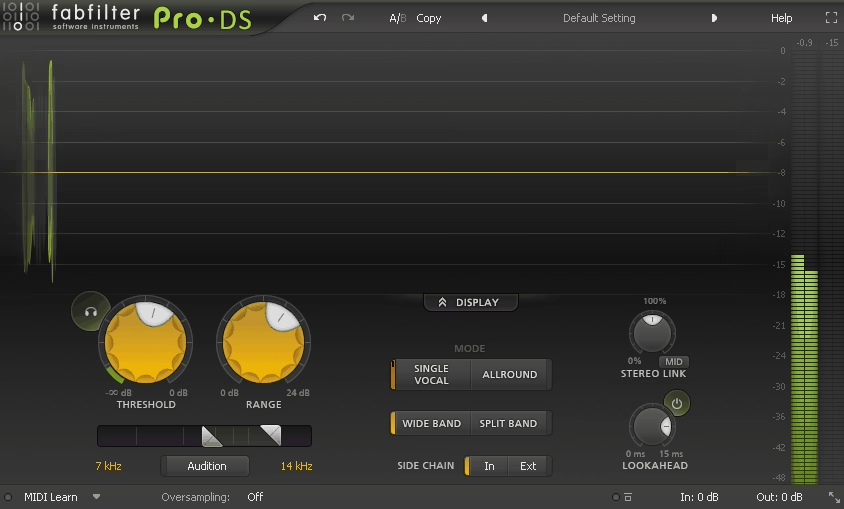
- Single Vocal mode for processing individual vocal tracks, with automatic detection of the sibilance frequency range and a straightforward threshold control
- Allround mode for use on bus and full-mix processing, where the de-esser needs to respond to multiple voices and instruments simultaneously without over-processing any single source
- Wideband and dynamic EQ modes that let you choose between attenuating the full signal when sibilance is detected (wideband, which sounds more natural to many engineers) and attenuating only the sibilant frequency range (standard de-essing, which is more surgical)
- Audition mode that lets you listen to only what the de-esser is removing, which is the fastest way to set the threshold and frequency range correctly because you can hear exactly what’s being attenuated
I believe Pro-DS is one of those tools that does one specific thing very well and stays out of the way the rest of the time, which is exactly what you want from a de-esser in a production workflow.
Pro-G
Pro-G is the gate and expander in the bundle, and it brings the same visual clarity and parameter depth to dynamics processing below the threshold that Pro-C 3 brings above it.
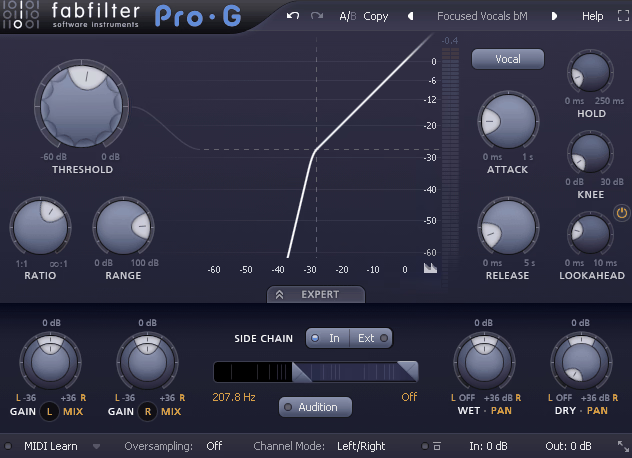

- Seven gating and expansion modes ranging from standard gate (hard cutoff below threshold) through various expansion curves to ducker mode, which attenuates the signal when it exceeds the threshold rather than when it falls below it
- Lookahead processing up to 20ms for transparent gate triggering that catches transients before they’ve fully developed, preventing the clipped attack artifacts that gates without lookahead can produce
- External sidechain with frequency filtering so you can trigger the gate from a specific frequency range of another signal, which is essential for kick-triggered gates, snare triggers, and noise reduction applications where you only want the gate to respond to specific content
- MIDI trigger output that converts gate open and close events to MIDI notes, allowing Pro-G to drive instruments or MIDI-triggered effects from the dynamics of an audio signal
For me, the most useful feature in Pro-G is the visual display of the gate’s behavior over time, which shows you the envelope of the gating activity alongside the input signal so you can see whether the gate is opening and closing at the right moments before committing to the settings.
Saturn 2
Saturn 2 is the saturation and distortion plugin in the bundle, and I think it’s the one that surprises producers most when they dig into it. The multiband architecture lets you apply different saturation types and amounts to different frequency ranges independently, which is a significantly more powerful tool than a single-band saturator.
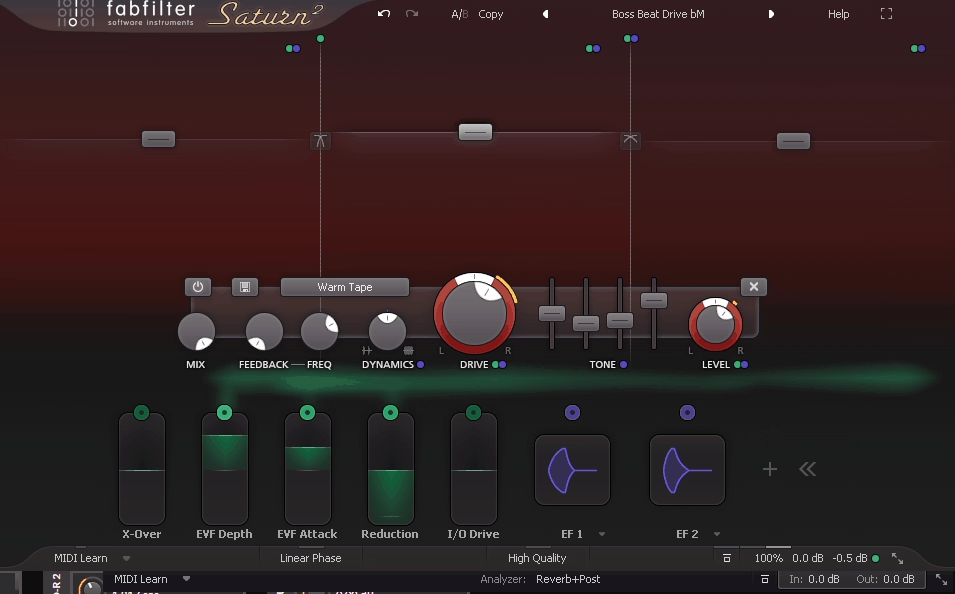


- Eight saturation styles including Tape, Tube, Transformer, Drums, Saturation, Distortion, Fuzz, and Breakdown, each modeled from different hardware saturation sources with different harmonic content and clip behavior
- Up to six independent frequency bands each with its own saturation type, drive amount, mix level, and output volume, allowing you to saturate only the mid-bass of a drum bus while leaving the high frequencies clean, or apply tape saturation to the low end of a mix while applying transformer saturation to the mid-range
- Modulation system that allows routing envelope followers, LFOs, XY controllers, and MIDI to saturation drive and other parameters, enabling dynamic saturation that responds to the signal’s content rather than applying a fixed amount constantly
- Per-band dynamics control with feedback compression built into each band, which adds a compression-like behavior to the saturation that makes heavy saturation more musical and less harsh at louder moments
I realized that Saturn 2 on a drum bus at subtle settings, with the Tape style on the low end and the Tube style on the mid-range at just enough drive to add harmonic content without obvious distortion, is one of the fastest ways to make a programmed drum mix sound less digital and more cohesive.
Timeless 3
Timeless 3 is FabFilter’s tape delay plugin, and I appreciate that they took the “tape” framing seriously rather than using it as a marketing description for a generic delay. The tape speed control creates genuine pitch and time modulation artifacts that simulate the behavior of tape running slightly unevenly, which gives delay echoes a specific organic movement that digital delays don’t produce naturally.
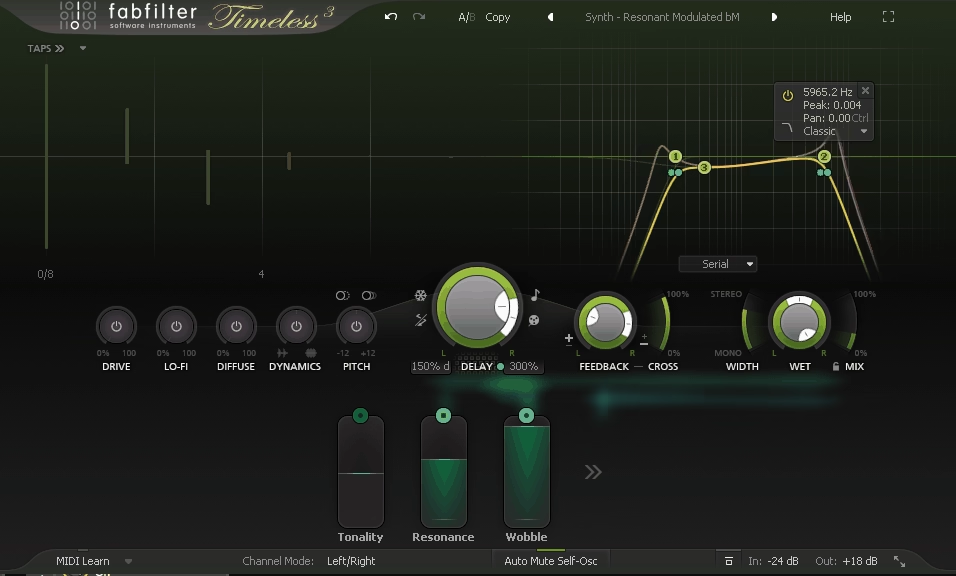


- Three delay lines with independent time, feedback, and filtering settings, which allows complex multi-tap delay configurations from a single instance rather than requiring multiple plugins for polyrhythmic delay patterns
- Tape speed and flutter controls that add pitch modulation and irregular timing variation to the delay echoes, ranging from very subtle vintage warmth to heavy, obviously modulated tape effects
- Filter section per delay line including low-pass, high-pass, and peak filters that shape the frequency response of each echo individually, allowing the echoes to become progressively darker or brighter with each repeat in a way that’s controllable and musical
- Freeze mode that captures the current delay buffer and loops it indefinitely, which turns Timeless 3 into a basic looper for creative applications beyond standard delay use
I noticed that Timeless 3 is particularly effective on guitars and synthesizers where a bit of tape character in the delay echoes sounds more convincing than a crystal-clear digital repeat, because the slight pitch and timing movement of the echoes makes them feel like they belong in the same acoustic space as the source rather than being a separate processed layer added on top. Lastly, it’s also great for sound designers as well, I saw it being used by KOAN Sound in their tutorials.
The Interface Logic Across All Seven Plugins
One thing I want to highlight about the Mixing Bundle that doesn’t belong to any single plugin is the consistency of how they all work. Every FabFilter plugin shares the same approach to parameter adjustment, visual feedback, modulation routing, and keyboard shortcuts. Once you’ve learned Pro-Q 4 thoroughly, loading Pro-C 3 for the first time feels significantly more familiar than loading a plugin from a different developer, which compresses the learning curve for the whole bundle considerably.
The interactive spectrum displays, drag-to-adjust controls, and context-sensitive help system are implemented identically across all seven plugins, and that consistency adds up to a real workflow advantage in busy sessions where you’re moving quickly between different processing decisions.
Pricing
The Mixing Bundle is currently priced at €634.47 on Plugin Boutique, which represents a significant saving over purchasing each of the seven plugins individually. FabFilter occasionally runs promotional pricing, and the bundle is also available as an upgrade path if you already own some of the individual plugins.
For producers and engineers who are building their plugin collection from scratch or consolidating from various sources into a more cohesive toolkit, the bundle pricing makes the decision considerably more straightforward than evaluating each plugin individually.
Check here: FabFilter Mixing Bundle
Get the Free Plugin Starter Kit
The genuinely useful free DAWs and plugins worth installing. No filler. Straight to your inbox.

Hello, I’m Viliam, I started this audio plugin focused blog to keep you updated on the latest trends, news and everything plugin related. I’ll put the most emphasis on the topics covering best VST, AU and AAX plugins. If you find some great plugin suggestions for us to include on our site, feel free to let me know, so I can take a look!