
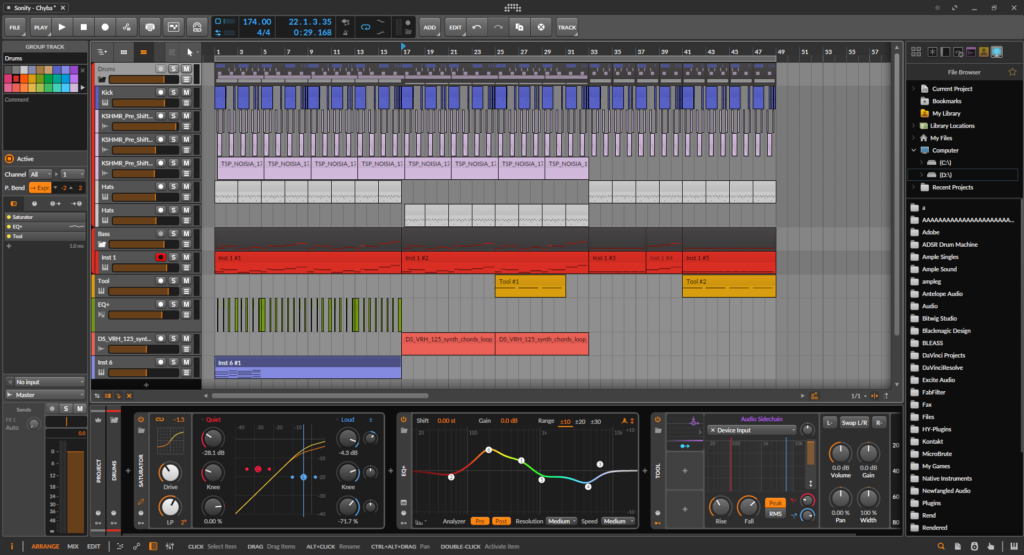
Choosing a DAW is honestly one of the biggest decisions you’ll make as a producer, and the problem is that every major option is genuinely capable of putting out professional music.
The real question isn’t which one can technically do the job, because they all can. It’s which one fits the way your brain works when you’re in the middle of a session to turn an idea into something real. I think the best DAW is the one that gets out of your way and lets you create, and that looks different for everyone depending on their workflow, genre, and how deep they want to go into the technical side of things.
This list covers five DAWs that electronic music producers consistently reach for across EDM, House, Trance, Techno, Drum & Bass, and everything in between.
You’ll find everything from the most approachable option for someone just starting out to deeply technical environments built for producers who want their DAW to behave more like a modular synthesizer than a recording studio. Each of them is worth your time, and each one has a genuinely distinct character.
In terms of value, every DAW on this list delivers, though in different ways.
Some are a one-time purchase with lifetime free updates, some require a subscription, and one is locked to Mac but costs a flat fee that hasn’t increased in years. Whatever your budget, there’s an option here that makes sense, and none of them are money you’d regret spending.
Let’s discuss my very best picks:
From the Pluginerds Store
Before you go — if you're putting together or upgrading a home studio setup, we run our own store alongside the blog at Pluginerds Shop. Everything on it is picked by people who actually make music, not sorted by whoever paid for placement on a marketplace. Worth a look if you're filling in the gaps in your setup.
Visit Pluginerds Shop1. FL Studio – The pattern-Based powerhouse
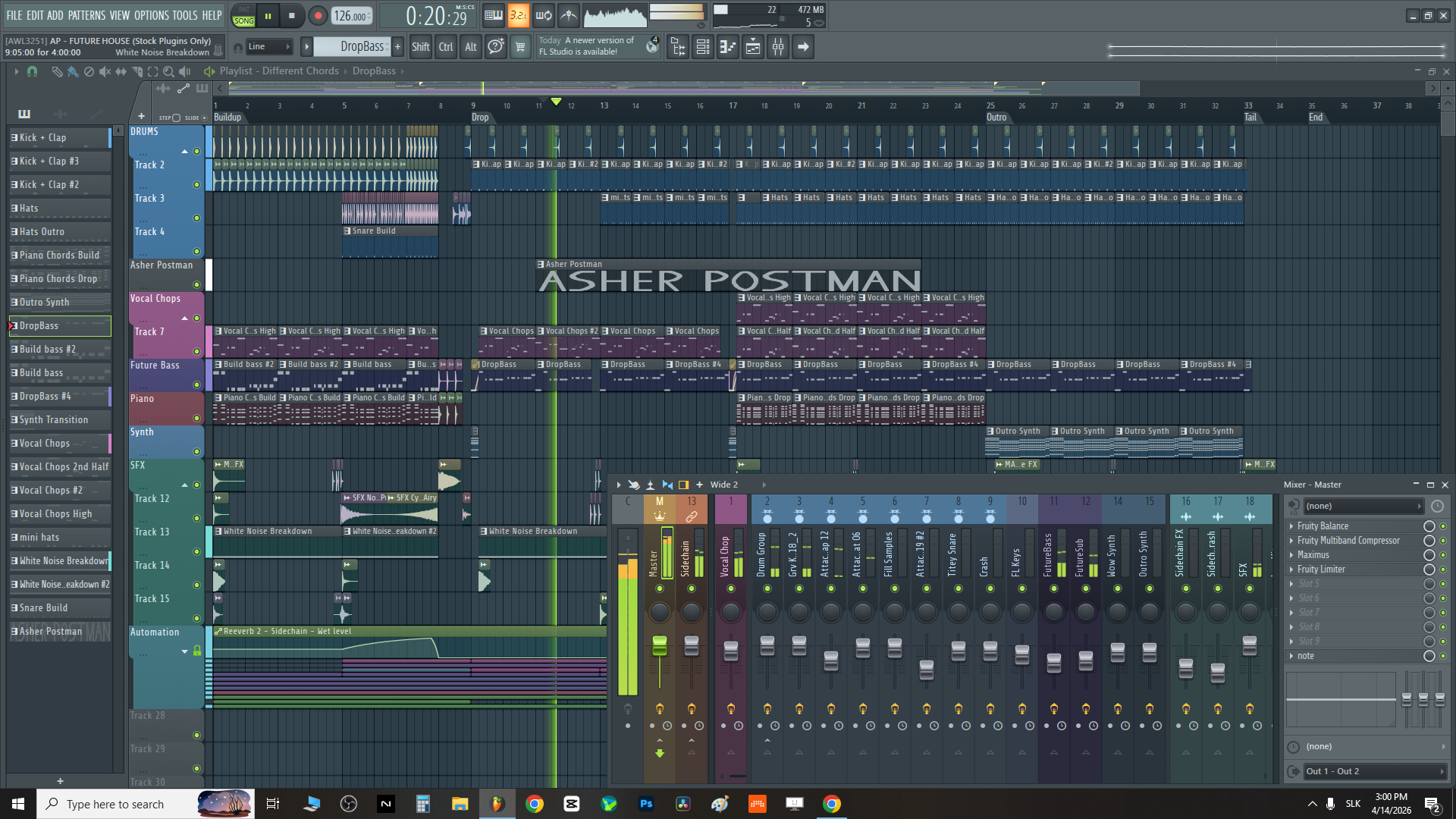
FL Studio by Image-Line is the DAW that has been behind some of the most recognizable electronic music of the past two decades, and I mean that literally: Martin Garrix, Avicii, Porter Robinson, and Deadmau5 all built their earliest work in it.
The reason for that is pretty straightforward when you actually sit down with it. FL Studio was designed from the ground up around a pattern-based workflow, where you build individual patterns in the Channel Rack and Step Sequencer, then arrange them in the Playlist, which means you’re always working with reusable building blocks.
That approach clicks immediately for producers who think in loops and sections rather than a continuous linear arrangement. I love how the piano roll in FL Studio is widely considered one of the best in any DAW. It gives you granular control over note velocity, pitch slides, ghost notes from other channels, and chord creation, all in a clean interface that makes programming melodies and basslines feel intuitive rather than laborious.
The 125-channel mixer with sidechain capabilities is where you handle the pumping compression that defines so much EDM and house music, and the routing is flexible enough to handle complex signal chains without getting messy.
Worth noting here is that FL Studio is one of the few major DAWs that offers lifetime free updates, meaning the version you buy now will receive every future update at no additional cost, which is a genuinely unusual policy in this industry.
The Mixer supports up to 10 effects per channel and ships with a solid set of stock plugins including EQ 2, Fruity Reverb, and Maximus for multiband maximizing and limiting. For sound design and synthesis, you get access to Sytrus (an FM synthesizer with six operators), Harmor (an additive/resynthesis synth), and Gross Beat for time-based gating, stuttering, and glitch effects that have become a signature sound in modern trap and EDM.
The FLEX sample player provides an ever-expanding library of sounds when connected to FL Cloud.
- Pattern-Based Channel Rack and Step Sequencer:
The core of FL Studio’s workflow, letting you build drum patterns, melodies, and basslines as reusable patterns that can be arranged in the Playlist without committing to a linear timeline early in the creative process.
- Industry-Leading Piano Roll:
Note editing with ghost notes, per-note velocity, pitch slides, and full chord tools, considered by many producers to be the most capable piano roll available in any DAW.
- Lifetime Free Updates:
Every paid edition includes all future major updates for free, an unusual policy that has kept FL Studio’s user base loyal for over two decades.
- Gross Beat for Glitch and Gating:
A time and volume effects plugin that enables stutter, gating, and tape-stop effects that are central to modern EDM production styles.
Get the Free Plugin Starter Kit
The genuinely useful free DAWs and plugins worth installing. No filler. Straight to your inbox.
2. Ableton Live – Built for the stage and the studio
There’s a reason Ableton Live sits at the center of so much electronic music production, and I think it comes down to one thing: the dual-view design.
You have the Session View, which is a non-linear clip launcher where you can improvise with loops and ideas in real time without committing to an arrangement, and the Arrangement View, which is a standard linear timeline where you build the actual structure of a track.
That combination means you can use it as a live performance instrument, a sketching environment, or a traditional production tool, and switch between all three without leaving the software. For DJs and producers who also perform live, this is genuinely irreplaceable.
The Meld synthesizer is a new bi-timbral, MPE-compatible synth with twin oscillators and an extensive modulation matrix, giving you genuine sound design capability without reaching for a third-party plugin.
The Roar saturation and distortion effect is another standout, operating as a multi-stage distortion unit with a built-in compressor that adds warmth and character to synths, drums, and full mixes.
I believe Ableton is worth it for electronic producers who want something that works seamlessly in the studio and on the stage without needing to learn a second tool for live performance. The Max for Live ecosystem (included in the Suite edition) extends Live almost infinitely through community-built devices covering everything from granular synthesis to step sequencers to hardware MIDI controllers.
Live 12.1 added the Drum Sampler, a dedicated one-shot sampler with an FX slot supporting ring modulation, bitcrushing, pitch envelopes, and sub boost, which is more creative flexibility in a single device than most standalone drum plugins offer.
The sound library in Live Suite is substantial, and the Push controller integrates with Live at a hardware level that other controllers don’t match, giving you a tactile way to perform clips, program beats, and play instruments without touching a mouse. Live currently offers Intro, Standard, and Suite tiers, with Suite providing the full instrument and effect collection including Wavetable, Operator (an FM synth), Electric, Tension, and all Max for Live devices.
- Session View and Arrangement View:
The dual-view approach that makes Live equally suitable for live performance, improvisation, and structured studio production, a combination no other major DAW offers as seamlessly.
- Generative MIDI Tools:
New in Live 12, these tools generate melodic, rhythmic, and chord content based on rules you set, functioning as a collaborative compositional partner rather than a replacement for your creative decisions.
- Meld Synthesizer:
A bi-timbral, MPE-compatible synthesizer with twin oscillators and a deep modulation matrix, new in Live 12 and designed specifically for expressive sound design.
- Max for Live Ecosystem:
Included in the Suite edition, Max for Live gives you access to thousands of community-made and officially developed devices that extend Live’s capabilities into territory no other stock DAW touches.
- Push Controller Integration:
Hardware integration with Ableton’s Push controller at a depth that goes beyond standard MIDI mapping, letting you record clips, sequence drums, and play instruments in a fully tactile way without touching a mouse.
- Roar Distortion and Saturation:
A multi-stage saturation effect with a built-in compressor that adds warmth, character, and aggressive distortion across a wide range of intensity settings.
3. Bitwig Studio – Modular-Minded DAW
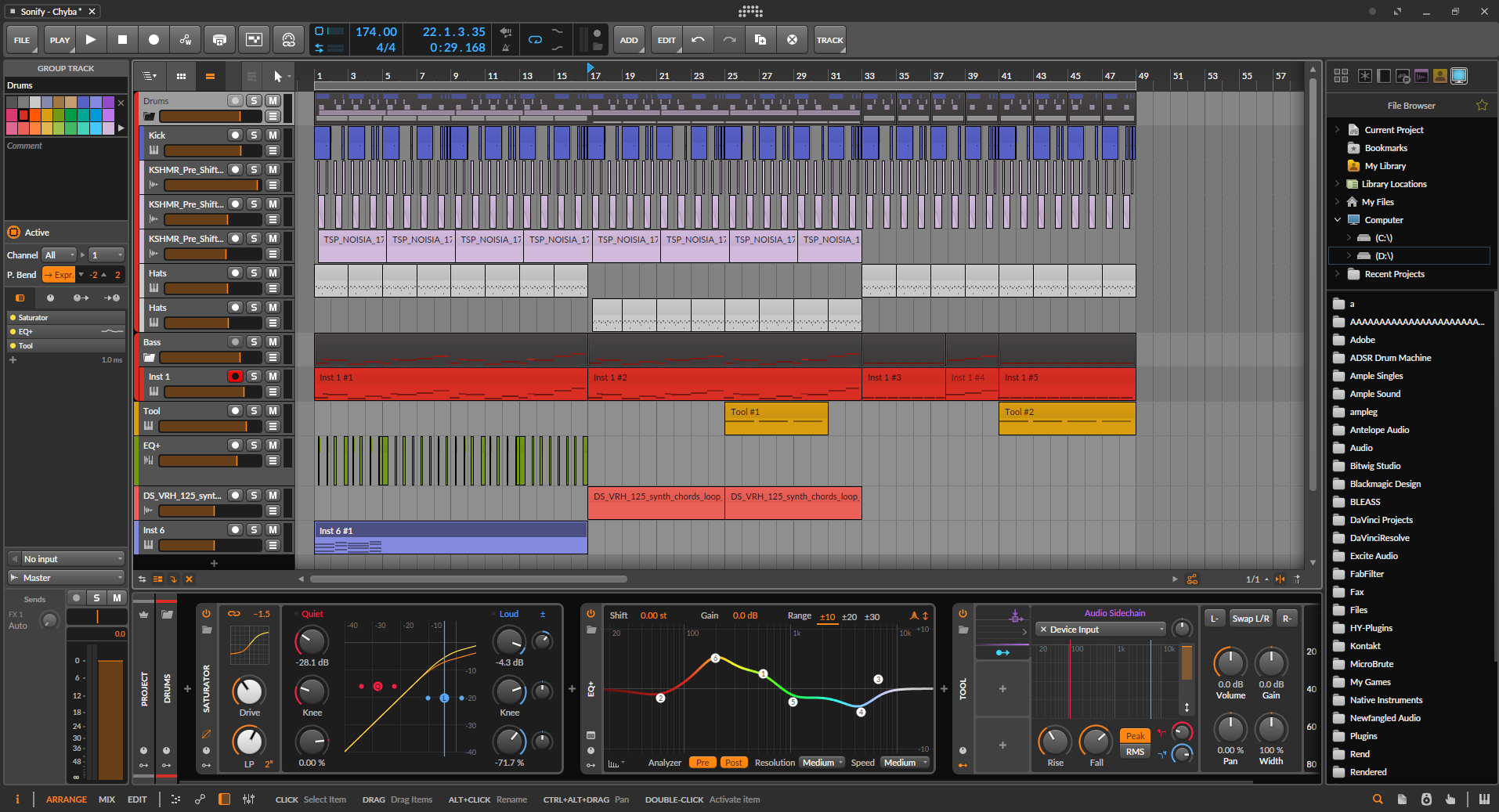
Bitwig Studio is the one on this list that genuinely makes you think differently about what a DAW is supposed to be. I realized that pretty quickly the first time I used it. Founded by former Ableton developers, Bitwig took what they knew about non-linear clip-based production and pushed it significantly further in the direction of synthesis, modulation, and live experimentation.
The most distinctive thing about it is the modular philosophy that runs through everything: in Bitwig, practically any parameter in any device can be modulated by any source, including LFOs, envelopes, audio signals from other tracks, or step sequencers, without drawing a single automation lane.
That kind of expressive flexibility is what makes it a favorite among techno producers and sound designers who want their music to breathe and evolve rather than sit static.
For me, The Grid is where Bitwig truly separates itself from anything else on this list. It’s a fully modular patching environment with over 200 modules including oscillators, filters, waveshapers, step sequencers, logic modules, random generators, and effects, and you can use it to build custom synthesizers, effects processors, or generative systems entirely from scratch. Unlike Max for Live, which requires patching knowledge and can feel intimidating,
The Grid is designed with an accessible workflow that gets you building functional patches quickly. MusicRadar called Bitwig Studio “the most creative DAW out there,” and I think that’s accurate for the right kind of producer.
I found the project-wide modulator system, added in version 5, to be one of the most practically useful features in any DAW. You can assign a single LFO to simultaneously control parameters across multiple tracks, multiple effects, and even the project tempo, creating movement and variation that used to require complex automation.
The Polymer synth uses modules from The Grid as oscillator and filter components, meaning it’s semi-modular by design and can be expanded using the same building blocks as the main Grid environment. Bitwig also runs on Linux in addition to macOS and Windows, which is genuinely rare for a professional DAW. For hardware integration, Bitwig supports CV output through compatible audio interfaces, letting you control modular synthesizers and other hardware from the software environment.
- Universal Modulation System:
Any modulation source, including LFOs, envelopes, step sequencers, or audio followers, can control any parameter in any device or plugin, at track level or project level, without automation lanes.
- The Grid Modular Environment:
A fully featured modular patching environment with 200+ modules for building custom synthesizers, effects, and generative systems from scratch, accessible and fast enough for practical session use.
- Project-Wide Modulators:
Introduced in Bitwig 5, these allow a single modulator to control parameters across different tracks, effects, and even the project tempo simultaneously, creating project-level movement that was previously impossible without complex automation.
4. Logic Pro
Let me be honest with you about what makes Logic Pro such a compelling option: you pay $199.99 once, and that covers everything, every plugin, every update, every new feature Apple ships, indefinitely. No subscription, no paid upgrade cycle, and Apple has maintained that policy through more than a decade of significant updates.
For the money, the included plugin library is genuinely extraordinary. The crown jewel is Alchemy, a synthesizer originally developed by Camel Audio and acquired by Apple, that combines additive, granular, spectral, virtual analog, and sample-based synthesis in a single instrument with thousands of presets and one of the deepest sound design engines you’ll find in any DAW’s stock library. Many producers have switched their entire setup to Logic specifically for Alchemy.
I appreciate how Logic handles electronic music production without demanding you know anything about audio engineering before you start. The Step Sequencer lets you program drum patterns and melodic sequences in a visual grid that works exactly the way you’d expect, and the Live Loops grid brings a clip-based performance environment similar to Ableton’s Session View for improvisation and loop-based production.
The Drum Machine Designer handles sample-based beat programming with a clear visual layout, and the Ultrabeat drum synthesizer provides synthesis-based percussion. For mixing, Logic’s Smart Tempo feature detects the tempo of any audio you import and lets you work with it without manual beat correction.
I’d say Logic Pro 11, released in May 2024, was a significant update that added AI-driven session musicians (bassist, pianist, and drummer) that generate instrument performances from your chord progressions, a stem splitter for isolating individual instruments from a stereo mix, and Studio Bass and Studio Piano as newly sampled instruments with multiple articulations and microphone options.
The Retro Synth covers virtual analog, wavetable, FM, and sync synthesis in a single plugin, and ES2 provides a more complex modulation environment with a vector envelope and randomization. Logic remains macOS-only, which is an important practical consideration.
- Alchemy Synthesizer:
A hybrid synthesizer combining additive, granular, spectral, and sample-based synthesis with thousands of presets, widely considered one of the most capable stock synthesizers included in any DAW.
- One-Time Purchase with Free Updates:
A flat fee of $199.99 covers the full Logic Pro license with all future updates included, a pricing model no other major DAW has maintained consistently for this long.
- Live Loops Grid:
A clip-based performance environment for improvisation and loop-based production, similar to Ableton’s Session View, integrated directly into the Logic Pro workflow.
- Logic Pro 11 AI Session Musicians and Stem Splitter:
AI-generated bassist, pianist, and drummer create performances from your project’s chord progressions, while the new stem splitter isolates individual instrument tracks from a stereo mix directly within the DAW, two substantial additions that arrived with the Logic Pro 11 update in May 2024.
5. Steinberg Cubase – For those who want total control
Steinberg Cubase has a long and serious reputation in the music industry for a reason: it is among the most complete and technically precise production environments available, and the MIDI editing capabilities in particular have long been considered the best in class.
If you produce trance, progressive house, or any style where the emotional weight of the track lives in detailed melodic and harmonic arrangements, Cubase gives you control over every dimension of that data.
The Key Editor lets you edit note velocity, articulation, pitch bend, modulation, and channel pressure with a level of precision that rivals dedicated MIDI sequencers from two decades ago. Cubase 13 added MIDI 2.0 support, which positions it ahead of other major DAWs for the expanded resolution and expressive data that MIDI 2.0 hardware will increasingly send.
For me, the thing Cubase does better than any other DAW on this list is Chord Track. You lay down a chord progression on a dedicated chord track, and everything else in your project, including your MIDI instruments and your recorded audio, follows that harmonic context.
It’s a remarkable system for electronic music production where you want to explore a lot of chord substitutions and harmonic movement without rewriting every single part manually.
The Groove Agent SE drum machine handles both sampled and synthesized drum programming with a professional-grade visual interface, and the HALion Sonic sample player provides immediate access to synthesized and acoustic instrument sounds, including the Flux wavetable synth engine for modern electronic textures.
I must say the MixConsole in Cubase 13, with its redesigned interface and per-channel strip integration, is one of the most detailed mixing environments available in any DAW. The Channel Tab in the Project Window means you can handle mixing tasks without switching away from the arrangement, which meaningfully speeds up the kind of back-and-forth that characterizes production sessions.
Cubase is available across three tiers: Elements, Artist, and Pro, with the full Pro version providing access to the EDM Toolbox construction kits, the Vocoder plugin, and the complete MIDI editing suite. It runs on both Mac and Windows.
- Key Editor and MIDI Precision:
Detailed MIDI editing with full control over velocity, pitch, articulation, modulation, and controller data, consistently regarded as among the most capable MIDI editing environments in any DAW.
- Chord Track:
A dedicated chord progression track that automatically updates harmony across all MIDI and audio tracks in the project, making harmonic experimentation fast and non-destructive.
- MIDI 2.0 Support:
Added in Cubase 13, MIDI 2.0 compatibility positions it ahead of the curve for the expanded resolution and per-note expression data that next-generation hardware will deliver.
- HALion Sonic and Flux Wavetable Synth:
The bundled HALion Sonic includes a range of synthesis engines including the Flux wavetable synthesizer, giving you modern wavetable sound design without a third-party plugin.
- Redesigned MixConsole with Channel Tab:
The Cubase 13 MixConsole offers a clean, detailed mixing environment with per-channel strip access to EQ and dynamics, while the Channel Tab in the Project Window lets you mix without leaving the arrangement, a workflow improvement that meaningfully reduces the back-and-forth during production sessions.
Get the Free Plugin Starter Kit
The genuinely useful free DAWs and plugins worth installing. No filler. Straight to your inbox.

Hello, I’m Viliam, I started this audio plugin focused blog to keep you updated on the latest trends, news and everything plugin related. I’ll put the most emphasis on the topics covering best VST, AU and AAX plugins. If you find some great plugin suggestions for us to include on our site, feel free to let me know, so I can take a look!