
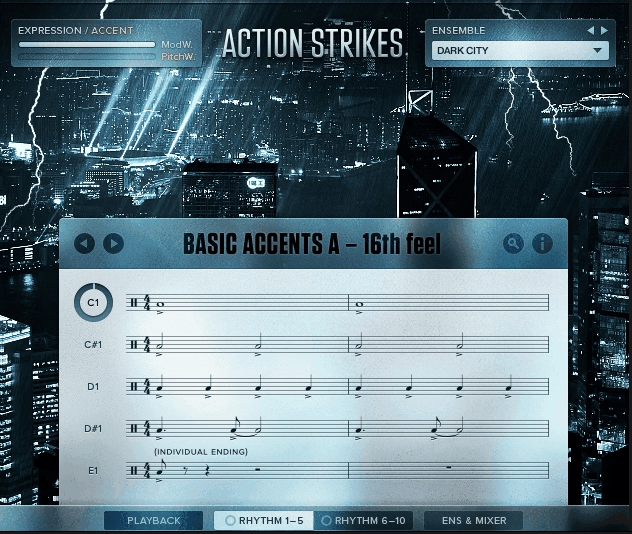
Native Instruments Action Strikes earned its reputation for one simple reason. It sounds like a real percussion ensemble hitting hard on a scoring stage, not a producer trying to fake epic drums with loops.
Developed alongside Sonuscore, the creative team behind the equally popular Action Strings, this library tackles the world of trailer and film percussion head-on. You get massive taikos performed by the Wadokyo ensemble from Düsseldorf, orchestral percussion, ethnic drums, cymbals, metals, and some genuinely weird sound design elements all wrapped into a tool designed to help you score to picture fast.
So, is it worth it? I’d say yes, especially if you work on trailer music, film cues, game soundtracks, or anything that demands massive cinematic percussion with a real sense of scale. The sound quality is seriously impressive, the performance feel is convincing, and you can put together a huge-sounding percussion arrangement in minutes rather than spending hours programming individual hits.
For me, what makes this one genuinely stand out is how it captures the feeling of conducting your own percussion battery rather than just triggering canned loops. Once you understand how the keyswitches, section layering, and dynamic controls work together, you stop thinking about the software and start thinking musically, which is honestly the highest compliment you can pay a sample library.
From the Pluginerds Store
Before you go — if you're putting together or upgrading a home studio setup, we run our own store alongside the blog at Pluginerds Shop. Everything on it is picked by people who actually make music, not sorted by whoever paid for placement on a marketplace. Worth a look if you're filling in the gaps in your setup.
Visit Pluginerds ShopThe Sound You’re Getting
Let’s talk about what actually comes out of your speakers when you start playing this thing.
The percussion here sounds enormous, refined, and ready for picture. Taikos have that deep, resonant thump you hear in every modern blockbuster trailer. Orchestral bass drums crack through a mix without needing heavy processing.
The Wadokyo ensemble’s performances bring something you genuinely can’t fake with single-sample libraries, and that’s the feel of real players hitting together. When you trigger a taiko rhythm, you hear multiple drummers locking in, not one sample layered over itself.
Two mic perspectives shape the spatial character. The close position captures detail with a touch of pleasant hall ambience. The room position pulls you back into the space for that cinematic, scoring-stage feel.
Blending both gives you serious flexibility for fitting percussion into whatever mix context your project calls for, whether that’s tight and punchy for trailers or wide and atmospheric for film scoring.
Beyond the headline ensembles, the library includes African and Indian drums, hand percussion, rock-style bass drums and hi-hats, concert toms, shakers, metals, gongs, and even a waterphone for those eerie, tension-building moments.
Get the Free Plugin Starter Kit
The genuinely useful free DAWs and plugins worth installing. No filler. Straight to your inbox.
How It Actually Works in Practice
Here’s where the library moves beyond being just another sample collection and starts feeling like a genuine compositional tool.
Action Strikes gives you three modes that cover completely different approaches to writing percussion. Each one serves a specific purpose, and the real power comes from knowing which tool fits which moment.
The first is the Ensemble mode, which is the heart of the library and where you’ll spend most of your time. Rather than triggering pre-baked loops, you’re actually controlling three layers of percussion (Low, Mid, and High) that respond to your playing in real time.
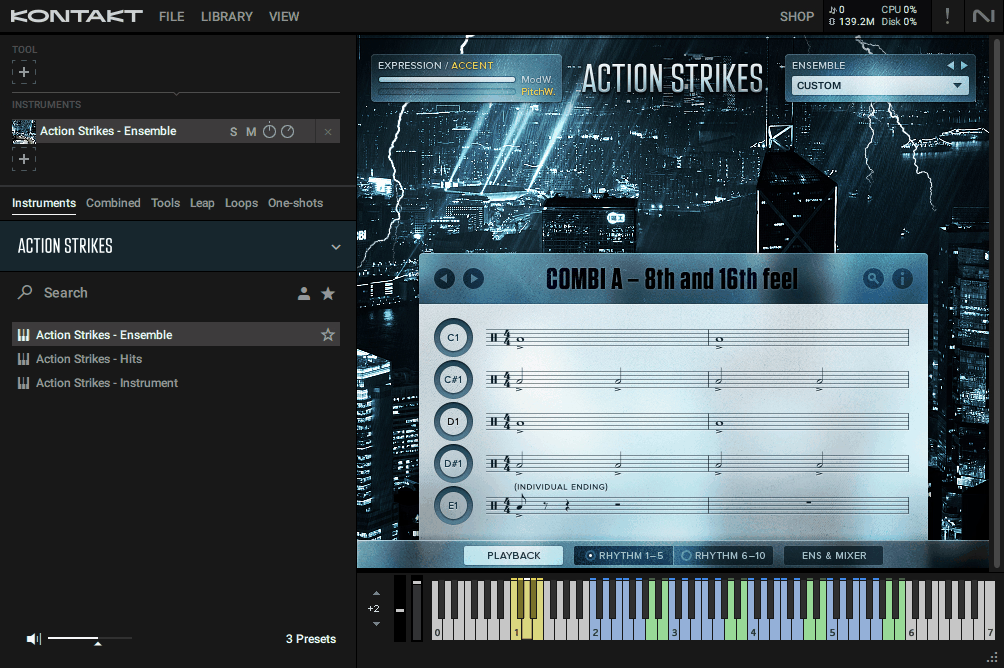
Hit C2 on your keyboard and the full ensemble plays together. Move up an octave and you trigger just the Low section. Another octave higher and you get the Mids. One more up and you’re playing the Highs.
What makes this genuinely musical is that you can mix sections from different ensembles. Grab the Low section from “Heroic Drums,” add the Mid section from “Taiko Invasion,” and layer in the Highs from “War Ensemble” for something completely custom.
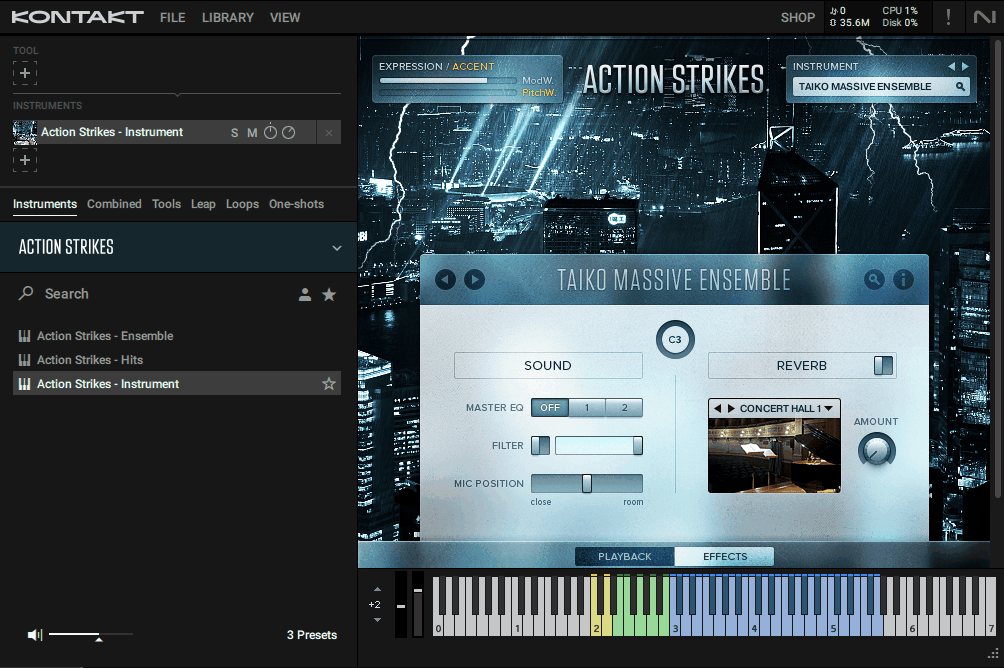
The Instrument mode patch narrows things down to single-instrument focus. Load up just the taikos, just the orchestral percussion, or just the ethnic drums, and you get the full set of patterns, single hits, flams, and a genuinely excellent collection of grace notes for that instrument group on its own.
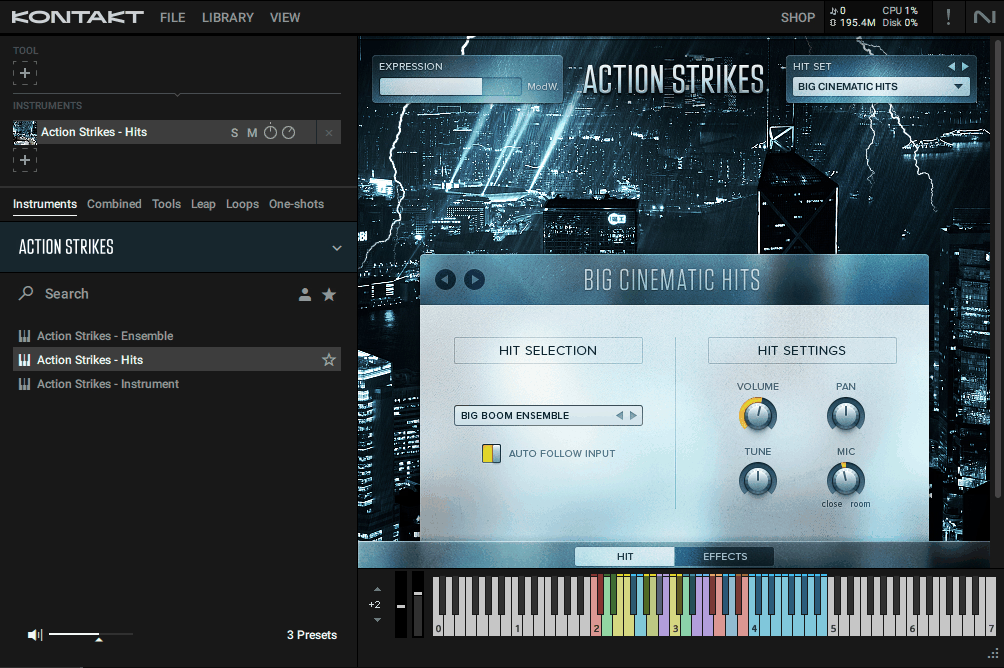
Finally, Hits mode patch is where you go when you want to program everything manually.
You get 12 curated combinations of single-hit samples with individual controls, perfect for writing custom fills, accents, or building percussion arrangements from scratch.
I love how these three approaches complement each other rather than just duplicating functionality. You can start with an Ensemble pattern for instant inspiration, then add custom fills using the Hits patch, and layer a specific instrument group on top using the Instrument patch.
Playing With the Patterns
This is honestly where the library feels most different from traditional loop collections.
Every ensemble pattern comes with five rhythmic variations you can switch between on the fly, plus single hits for programming your own fills between the main grooves. Five additional keyswitches let you change accent patterns in real time, moving accents around within a bar or triggering short ending licks when you need them.
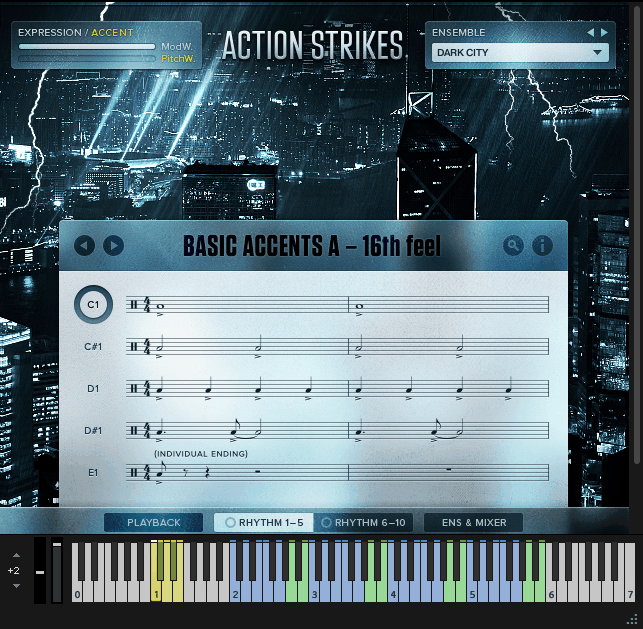
Your mod wheel controls dynamics across everything, from soft ambient pulses to full-on wall-shaking intensity. Roll the wheel up during a build-up and you get that classic cinematic swell without needing to automate individual parameters. Drop it down for a breakdown section and everything naturally pulls back.
An adjustable swing control on the interface lets you push patterns from straight-laced rhythms into triplet-based grooves when you want that more organic feel. This small feature adds genuine musical flexibility to otherwise grid-locked rhythms.
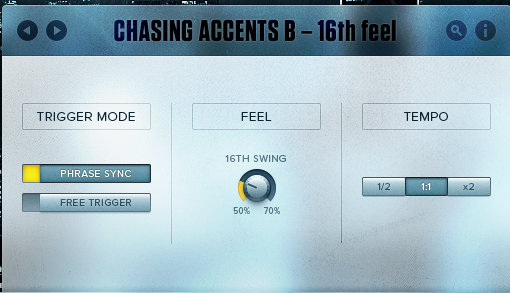
One thing I genuinely appreciate is how tempo flexibility works here. Nothing is time-stretched because the patterns are built from single-hit samples triggered by Kontakt scripts in real time. This means you can drastically change your project tempo (pulling it down for a slow tension cue or pushing it fast for an action scene) and the samples stay clean, the attacks stay sharp, and everything just works.
The Mixer
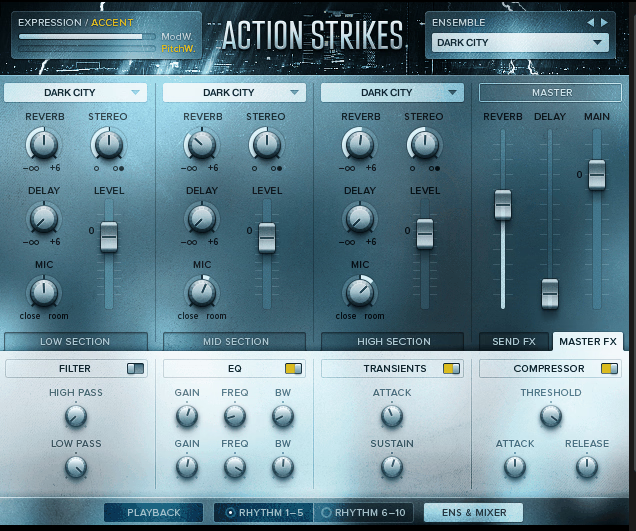
Beyond the patterns and performance controls, Action Strikes includes a built-in mixer section that lets you shape the overall balance and character of your percussion before it even leaves Kontakt.
The mixer gives you independent control over the close and room microphone signals, so you can blend them however the track demands. Close mics pushed up front with just a touch of room gives you tight, punchy percussion that cuts through busy mixes. Dialing up the room mic pulls the drums back into the space for that big, cinematic scoring-stage feel.
You also get individual level control over the Low, Mid, and High sections of your ensemble, which is where things get really useful. If your taikos are dominating the mix, you can pull the Low section down without touching the rest of the percussion. Want the metallic shakers and hi-hats sitting higher? Push the High section up and leave the lower frequencies alone.
Beyond basic balancing, the mixer includes some built-in processing options that help you shape the sound without needing to route through external plugins. You get access to filtering, EQ adjustments, and saturation that let you add bite, warmth, or tonal shaping directly within the patch.
Rather than setting up complex Kontakt output routing and loading external effects plugins, you can carve out a working sound straight from the mixer page and move on to writing.
One thing worth flagging is that the built-in processing isn’t going to replace your dedicated mastering or mixing plugins. It’s there for fast shaping during the writing phase rather than final mix work, so for polished productions you’ll still want to run the outputs through your usual chain of reverbs, compressors, and other tools.
What I appreciate most about the mixer is how it keeps everything self-contained when you need it to. Sometimes you’re in a creative flow and the last thing you want is to break momentum by setting up external processing. Having all the essentials right there in the patch means you can keep writing without interruption.
The Real-World Workflow
Let me walk you through how this library actually fits into a typical session.
When I open Action Strikes for a trailer cue, I usually start with the Ensemble patch. A few seconds of browsing through the 12 ensembles gives me a starting pattern that fits the vibe of the scene. From there, I pick which sections (Low, Mid, High) I want playing at any given moment, usually starting sparse and building toward a climax.
Riding the mod wheel during the build gives me that classic cinematic intensity curve. Pressing a keyswitch at the bridge shifts the accent pattern for variation. Triggering the ending lick at the climax drops me perfectly into the next section.
For detail work, I’ll often add a second instance using the Instrument patch loaded with just a specific drum group. Maybe I want the taikos playing their own independent pattern underneath the main ensemble, or I need the metals and shakers providing movement in the high frequencies while the big drums do the heavy lifting.
The Hits patch comes out when I need custom programming. Building a specific fill, hitting specific accents for visual cues in the picture, adding percussion ornaments that aren’t part of the pre-programmed patterns. This is where the library stops being loop-based and starts feeling like traditional percussion programming.
One workflow note worth flagging: the Ensemble patch is genuinely CPU-hungry, so running multiple instances on older machines can become an issue. I tend to freeze tracks once I’m happy with the performance, which solves the problem and keeps sessions manageable.
Where It Shines and Where It Doesn’t
Pros
On the strengths side, the sound quality is genuinely cinematic and delivers the Hollywood scale that trailer and film work demands. The intelligent scripting approach means patterns stay perfectly synced to your tempo without any audio quality loss, which is a big deal when you’re changing tempos throughout a cue. Real-time control through mod wheel dynamics and keyswitches makes the library feel performative rather than like triggering canned loops.
The ability to mix and match Low, Mid, and High sections across ensembles delivers real compositional flexibility and prevents you from sounding like every other composer using the same preset. Three different patch types (Ensemble, Instrument, Hits) cover different workflows genuinely rather than just repeating functionality. Finally, the relatively small 3GB footprint is remarkable given how much content and flexibility you’re actually getting.
Cons
The Ensemble patch is genuinely CPU-hungry, so running multiple instances on older machines or alongside heavy orchestral templates can cause real performance issues. The phrase-based approach won’t suit composers who want surgical control over every individual hit, because even with the Hits patch you’re still working within the library’s overall design philosophy.
There’s a lack of timpani and tuned percussion, which limits the library’s usefulness for traditional orchestral scoring. And while the 12 ensembles cover cinematic territory well, the sonic palette is narrower than libraries like Heavyocity Damage 2 that offer more textural and hybrid variety, which matters if you need range beyond the specific epic cinematic vibe.
Also keep in mind you’ll want a reasonably powerful machine to run this library comfortably, because loading the main instruments can take some time to fully initialize (which is pretty common across Kontakt libraries, but still worth flagging if you’re working on an older setup). I use processor i7 9700k and it takes some time to load the actual library, especially the Ensemble mode.
Here’s who gets the most out of this library, and who probably shouldn’t bother:
- Trailer composers get serious value here. The bombastic cinematic sound, the speed of putting tracks together, and the quality of the source recordings all align with what trailer music actually needs. If you score teasers, campaigns, or promo spots, this library earns its keep fast.
- Film and TV composers working on action cues, chase sequences, battle scenes, or anything with big dramatic moments will find plenty of material that fits straight into picture. The tempo flexibility matters a lot when you’re working to timecode and cues shift during spotting sessions.
- Game composers scoring AAA titles, cinematic cutscenes, or combat music get a library that matches the Hollywood production values modern games expect. Combat music especially benefits from the ensemble-based approach because you can easily create dynamic intensity layers that match gameplay states.
- Hybrid orchestral producers blending traditional scoring with electronic elements will love how these patterns sit underneath synth basses and processed drums. The acoustic weight of real taikos and cymbals gives electronic productions that cinematic grounding that’s hard to fake.
- On the flip side, classical orchestral composers writing in traditional styles probably won’t find what they need here. No timpani, no tuned percussion, and the whole vibe leans toward modern cinematic rather than concert-hall classical.
Producers who prefer programming everything manually from individual samples might feel restricted by the phrase-based approach. Even with the Hits patch giving you custom programming options, the library’s strength is in its pre-designed ensemble patterns, which doesn’t suit everyone’s workflow.
More info & Price: Native Instruments Action Strikes
Get the Free Plugin Starter Kit
The genuinely useful free DAWs and plugins worth installing. No filler. Straight to your inbox.

Hello, I’m Viliam, I started this audio plugin focused blog to keep you updated on the latest trends, news and everything plugin related. I’ll put the most emphasis on the topics covering best VST, AU and AAX plugins. If you find some great plugin suggestions for us to include on our site, feel free to let me know, so I can take a look!