
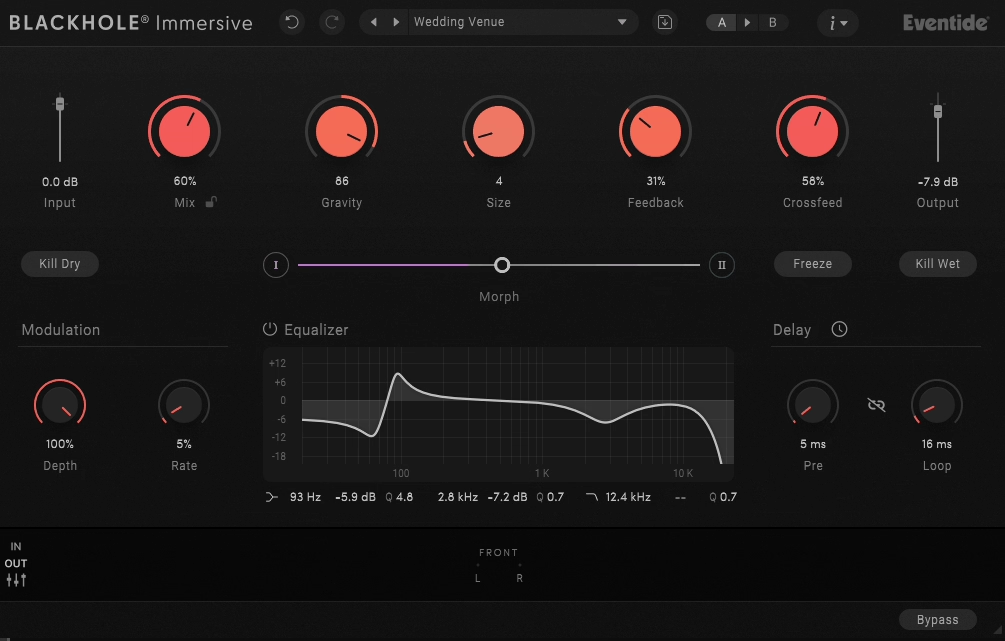
Eventide Blackhole Immersive takes one of the most legendary reverb algorithms in history and expands it into the world of Dolby Atmos, surround, and multichannel audio. If you’ve used the original stereo version, you already know how otherworldly this reverb can sound. The Immersive edition takes that same signature character and wraps it around the listener, turning massive reverb tails into three-dimensional spaces you can actually walk through.
The core algorithm comes from Eventide’s legendary DSP4000 and H8000 hardware, and it’s been refined into one of the most recognizable reverb sounds in modern music production. Now, with the immersive version, you can take that same cosmic sonic signature and shape it across every speaker in your mix, with precise control over how the reverb behaves in different regions of the soundfield.
So, is this plugin worth it? It depends, but I would say yes if you’re working in immersive formats or post-production for film, games, and spatial audio. There’s a genuinely short list of reverbs built specifically for Atmos workflows, and this one combines the unique Blackhole sound with thoughtful spatial controls that make immersive mixing feel creative rather than technical.
For me, what makes Blackhole Immersive so compelling is that it wasn’t just bolted onto the stereo version as an afterthought. It was designed from the ground up for multichannel workflows, and you can feel that in how the controls are laid out and how naturally the reverb behaves across different speaker configurations.
From the Pluginerds Store
Before you go — if you're putting together or upgrading a home studio setup, we run our own store alongside the blog at Pluginerds Shop. Everything on it is picked by people who actually make music, not sorted by whoever paid for placement on a marketplace. Worth a look if you're filling in the gaps in your setup.
Visit Pluginerds ShopWhat Makes Blackhole Immersive Different
Most reverb plugins weren’t built with immersive audio in mind. If you want to use a standard reverb in an Atmos mix, you end up running multiple instances with different settings for each zone, applying delay offsets, and doing a bunch of routing gymnastics just to get something that feels cohesive across the soundfield.
Blackhole Immersive skips all that by being genuinely immersive from the ground up. You get a single plugin that handles multichannel processing internally, with controls specifically designed to shape the reverb across different regions of the space.
Here’s what sets it apart:
- Built for Spatial Audio:
Full support for multichannel, LCR, quadraphonic, 5.1, 7.1, 7.1.2, 7.1.4, 9.1.6, and other immersive formats, with transparent signal processing that sounds consistent across every configuration.
- Tilt Controls:
Gravity, Size, and Feedback parameters all have Tilt controls that weight the effect toward the front or rear of the room. You can have longer reverb tails behind you and tighter tails in front, creating real depth in the soundfield.
- Massive Preset Library:
Over 150 presets designed specifically for immersive workflows, covering everything from realistic spaces to the otherworldly atmospheres the original Blackhole is famous for.
- Same Signature Sound:
The core Blackhole algorithm is identical to the stereo version, which means all that character and mojo you already know is preserved, just extended across the full immersive canvas.
I love how the plugin respects the fact that immersive mixing is a different discipline from stereo mixing. It gives you the spatial tools you actually need rather than just duplicating stereo controls across more channels.
“Taking the controls of this cosmic beast of a reverb is just plain fun. The vast range of the original fit perfectly in your mix, but now it’s everywhere.”
Get the Free Plugin Starter Kit
The genuinely useful free DAWs and plugins worth installing. No filler. Straight to your inbox.
The Sound
The sound is where this plugin really shines, because it takes the already stunning Blackhole character and spreads it across the entire room around you.
At small sizes, the reverb has that silky, shimmering quality the original is known for, except now it sits in specific places in the soundfield rather than just in front of you. Place a vocal in the center channel, add a touch of Blackhole Immersive, and suddenly the voice has this angelic sheen that seems to float above and around the listener rather than just adding stereo width.
Push the size up, and you get those massive, lingering tails that the plugin is famous for, except they wrap around the listener in three dimensions. Guitars, strings, pads, and synths all take on this epic, cinematic quality where the reverb feels like it’s coming from a space that extends behind you, above you, and to the sides.
There’s a specific moment that happens when you first use this plugin in a full Atmos setup, where you realize you’re not just adding reverb to a mix anymore, you’re building an actual acoustic environment. I’ve found myself losing track of time just tweaking settings and walking around the listening position, hearing how the reverb changes as I move.
What I appreciate most is that the plugin maintains the same sonic identity as the original. This isn’t a different reverb that happens to be immersive, it’s the same Blackhole you already know, just now everywhere at once.
The Spatial Controls
The spatial controls are what make this plugin feel like a legitimate immersive tool rather than a stereo reverb stretched into more channels.
Rather than duplicating stereo functionality across more speakers, Blackhole Immersive gives you dedicated controls for shaping the reverb in three-dimensional space. Each tool solves a specific problem that comes up when you’re mixing in immersive formats, and together they give you real creative power over how the reverb behaves in different regions of the soundfield.
- Tilt Functions:
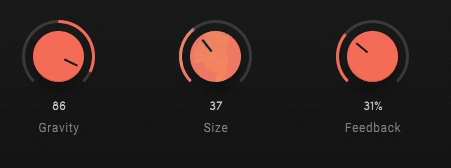
Available on Gravity, Size, and Feedback, the Tilt controls weight the parameter values toward the front or rear of the room. Rather than setting one value for the entire reverb, you can have longer tails behind the listener and tighter tails in front, creating asymmetry that matches how real acoustic spaces actually behave. Cathedrals don’t have uniform reverb everywhere, and neither do the spaces you build with these controls.
- Levels Section:
Gives you individual speaker control, letting you adjust how much reverb ends up in each channel. I’ve found this particularly useful for keeping the front LCR speakers drier while letting the sides and rears carry the bulk of the reverb tail, which pushes the listener into the sweet spot of the mix without overwhelming the primary sound sources.
- Crossfeed Control:
Lets you blend the reverb effect between speakers, which is a smart addition that solves a common spatial mixing problem. A mono source can become genuinely immersive with a single gesture, filling out the space rather than feeling isolated or stuck in one spot.
- Zone-Specific EQ:
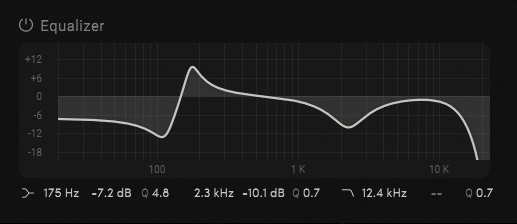
Separate Front, Side, Top, and Rear EQ controls give you tonal shaping for each region of the immersive space. You can brighten the rear reverb while keeping the front tails warm and dark, or dial in any other combination that serves the emotional intent of the mix.
Creative Tools
Beyond the spatial features, Blackhole Immersive keeps the creative tools that made the stereo version so beloved.
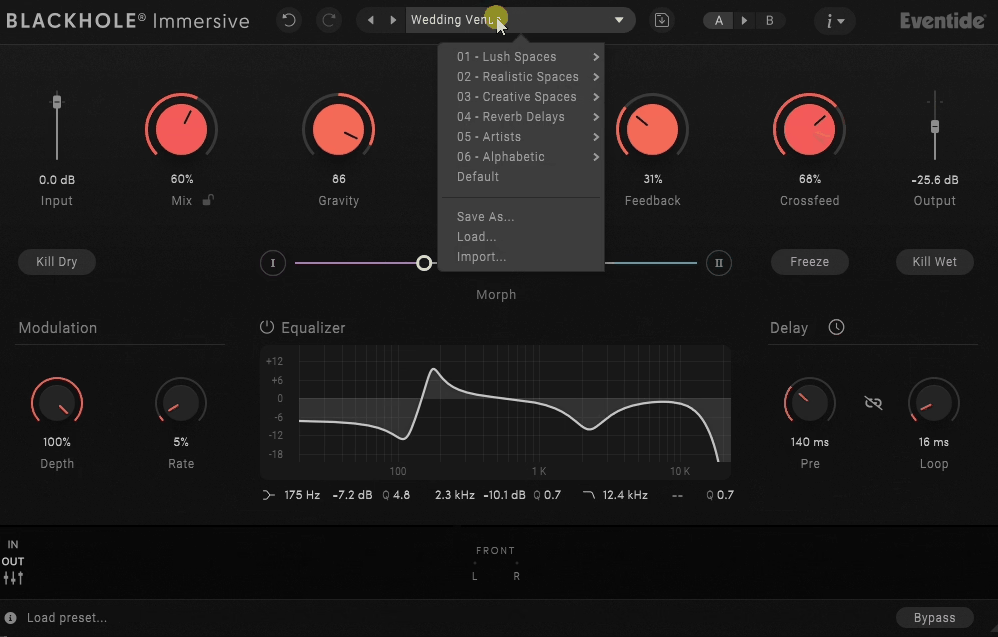
The Freeze function still captures the current state of the reverb tail and holds it indefinitely, which is even more dramatic in an immersive context where the frozen sound surrounds the listener completely. Automating Freeze across a phrase creates these beautiful moments where time seems to stop and the reverb just hangs in the air around you.
The Kill Dry and Kill Wet controls mute the dry and wet signals respectively, which is great for creating drastic transitions and build-ups. Combining these with Freeze and automation opens up genuinely cinematic possibilities that would be nearly impossible to achieve with traditional reverbs.

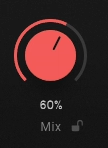
The Mix Lock feature keeps the wet/dry ratio constant as you scroll through presets, which saves real time when you’re auditioning sounds for a specific section of a mix.
I’ve found these creative tools even more useful in immersive workflows than in stereo. When you’re building complex spatial soundscapes, having the ability to freeze a moment, kill the source, or morph between dramatic settings gives you sound design power that goes way beyond traditional reverb duties.
Modulation & Delay Section:
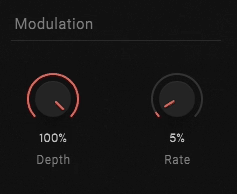
Four knobs shape the time-based behavior of the reverb tail, split between modulation and delay controls.
On the modulation side, Depth controls how much modulation gets applied, ranging from subtle chorus-like movement at lower values to more obvious churning and swirling textures when pushed. Rate sets the speed of the modulation, letting you go from slow, gentle movement that adds life to pads and long tails, up to faster rates that produce wobbling, almost ring-mod-like effects in the reverb tail.
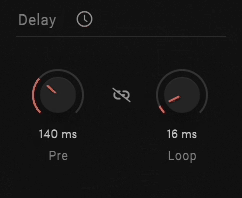
In Delay section, Pre adjusts the pre-delay time, determining how long it takes before the reverb tail kicks in after the initial sound. Short pre-delay values blend the reverb tightly with the source, while longer values create space and separation that lets the dry signal punch through before the ambience arrives. Loop handles the feedback-style looping within the delay section, feeding the delayed signal back into itself to create rhythmic echoes and evolving repeats that build into the reverb tail.
Combining all four controls together gives you everything from barely-there movement that keeps the reverb from feeling static, all the way to heavily animated, rhythmic textures that feel more like sound design than traditional reverb.
Who should use it?
Blackhole Immersive is built for specific workflows, and I think being clear about that helps producers decide whether it’s the right tool for them.
This isn’t a universal reverb for every producer, it’s a specialized tool that shines in specific production contexts. If you work in any of these areas, the plugin earns its place in your toolkit immediately:
- Atmos Mixing Engineers:
Working on music projects in Dolby Atmos will find this plugin genuinely essential. There aren’t many reverbs built specifically for Atmos, and fewer still that have the character and creative potential this one brings to the table.
- Post-Production Engineers:
Those working in film, TV, and streaming will appreciate how the plugin handles creative effects for sci-fi, fantasy, horror, and atmospheric content. The ability to place reverb in specific regions of the soundfield is genuinely useful for sound design work where you need to create environments that evolve with the picture.
- Game Audio Designers:
Working in immersive audio formats for AAA games, VR, and interactive media will find constant use for the plugin’s ability to create believable (and not-so-believable) acoustic spaces that respond to spatial positioning.
- Spatial Audio Producers:
Those working in Apple Spatial Audio, Sony 360, and other immersive formats benefit from the plugin’s transparent processing across formats, which means your mixes sound consistent as they translate between different delivery platforms.
For producers still working primarily in stereo, I want to note that the standard Blackhole plugin covers most of what you need without the added expense and complexity of the immersive version. The Immersive edition really earns its place when you’re actually working in multichannel formats.
Buy here: Eventide Blackhole Immersive (Support Pluginers)
Buy here: Eventide Blackhole Immersive (Trial Available)
Get the Free Plugin Starter Kit
The genuinely useful free DAWs and plugins worth installing. No filler. Straight to your inbox.

Hello, I’m Viliam, I started this audio plugin focused blog to keep you updated on the latest trends, news and everything plugin related. I’ll put the most emphasis on the topics covering best VST, AU and AAX plugins. If you find some great plugin suggestions for us to include on our site, feel free to let me know, so I can take a look!