
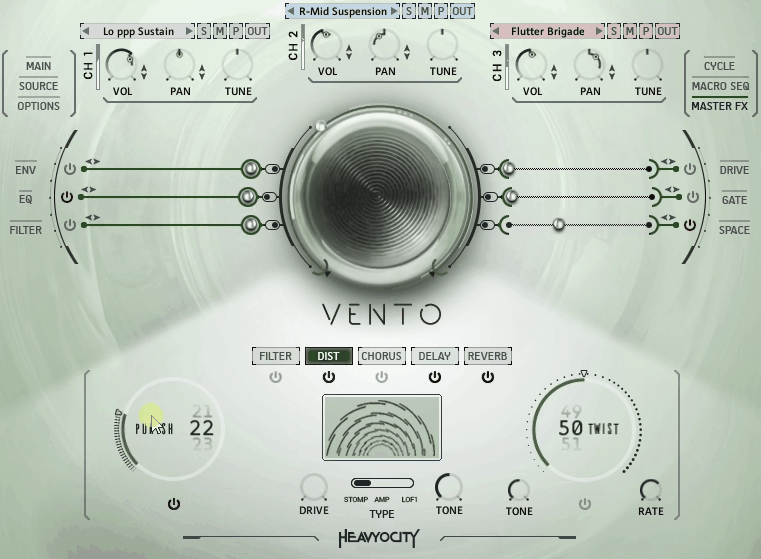
VENTO Kontakt library is part of Heavyocity’s modern orchestral trilogy alongside NOVO strings and FORZO brass. The concept is pretty straightforward: take woodwind ensembles, record them properly, then give you both the clean recordings and heavily processed versions in the same package. Add a loop library on top and you’ve got the basic structure.
The library needs Kontakt 6.1 or the free Kontakt Player and takes up 18.5 GB installed, containing 163 articulations, 110 snapshots, and 432 loops.
I need to tell you upfront what this library doesn’t do, because it’s going to affect whether it makes sense for your workflow. There’s no legato, which means if you’re expecting to play smooth woodwind melodies, that’s not happening here. You also don’t get solo instruments since everything is ensemble-based, meaning you’re working with sections of 4 players for Flutes and Clarinets, or smaller groups for the other ensembles.
The oboe situation is particularly annoying because it’s included in the High Ensemble patch, but you can’t load it separately, which means if you need prominent oboe writing, you’ll have to use a different library. I mention this upfront because I’ve seen a lot of people buy this thinking it’s a complete woodwind solution, and it’s really not designed for that purpose.
What You Actually Get
The Traditional section has five ensemble groups: Four Flutes, four Clarinets, a High Ensemble that combines Piccolo/Flute/Clarinet/Oboe, a Low Ensemble with Bass Clarinets and Bassoons, and a Contrabass Ensemble featuring Contrabass Clarinets and Contrabassoons.
That Contrabass section is probably what I find most interesting on the Traditional side because most woodwind libraries just don’t go that low. You get this rumbling, almost ominous quality that sits way down in the sub-bass range, which I think is great for horror scores or anything where you need that unsettling low-end presence without using brass or strings.
The articulations focus on what I actually need for modern film scoring, giving you sustains that work well for pads and backgrounds along with staccatos that have decent attack. Then there are various swell articulations where the ensemble goes from loud to soft or soft to loud, and I really appreciate how these swells sound like real players changing dynamics rather than just volume automation because the tone shifts, the vibrato changes, and there’s this natural quality that’s hard to fake with MIDI controllers.
The Extended Techniques are recorded performances that include things like Staccato Waves, Subtle Pulses, and Cluster Sustains. I find these add movement to your arrangements without requiring you to write complex patterns since you just hold a chord and let the recording do the work, which makes them useful when you need texture but don’t want anything too melodically defined.
The CYCLE Engine Thing
Here. most patches include this CYCLE engine, which is basically a granular synthesis tool built into the interface where you can take any sample and slice it into tiny pieces, then control how those pieces play back.
There are controls for grain size, playback direction, whether it syncs to your project tempo, and envelope shaping, and what I’ve found is that a boring sustain becomes a pulsating, rhythmic texture. You can make it play forward, reverse, or bounce between the two, and since the grains are coming from actual woodwind recordings, it maintains that organic quality instead of sounding like a digital effect.
Heavyocity includes 57 CYCLE presets that give you starting points, though I’ve found the engine is responsive enough that you’ll probably find yourself tweaking constantly because small parameter changes produce pretty dramatic differences in the output, which means you can get a lot of variation from the same source material.
I’ll admit I didn’t think I’d use CYCLE much at first because it seemed like one of those features that looks cool in marketing but doesn’t get used in actual production. Turns out it’s genuinely useful when you need organic movement that doesn’t sound like a typical arpeggiator, creating patterns that feel alive rather than mechanical.
The Hybrid Side
The Evolved section is where I see the sound design focus really show up, with patches that take the woodwind recordings and process them through Heavyocity’s effects chains. You’re getting constantly moving filters, spectral processing, and envelope-controlled effects that transform the source material pretty drastically.
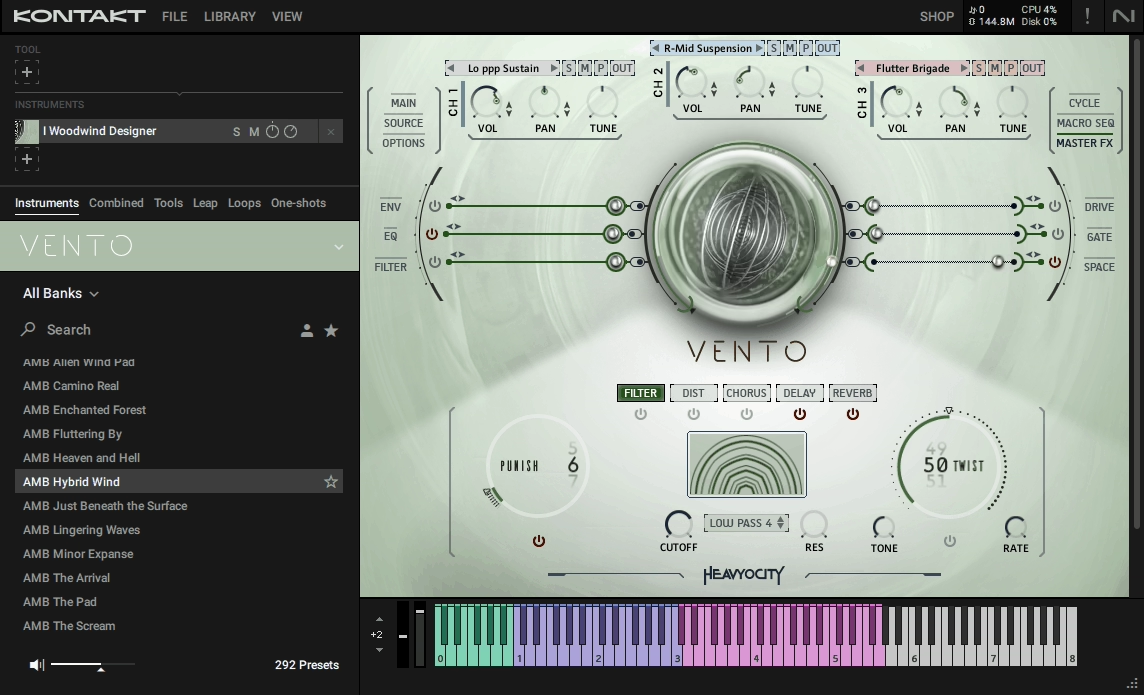
The keyboard layout uses color-coding to show where different woodwind sections sit, which I think makes layering multiple sections easier because you can see at a glance which notes trigger which ensembles. It’s a small interface detail but I’ve found it speeds up my workflow when I’m building complex textures.
You have control over filters, resonance, drive, gate effects, envelope shapes, and spatial parameters, and everything can be modulated, which means the sounds evolve on their own timeline without requiring automation. To me, it’s practical when I’m sketching ideas and want something dynamic but don’t want to spend time programming movement.
What I appreciate about these processed patches is they still sound like they came from woodwinds rather than being so heavily treated that they become generic synth pads. There’s still that breathy, airy quality underneath the processing, which helps them sit in your orchestral arrangements without sticking out as obviously electronic elements.
In addition, every patch has a MACRO knob that controls multiple parameters simultaneously, with assignments that change depending on the patch. Sometimes it adjusts filter and reverb together, while other times it might control envelope attack and spatial width, and I’ve noticed Heavyocity programmed these to make musical sense for each specific sound.
During composition, I find this saves me time because instead of opening menus and adjusting five different parameters to evolve a sound, you turn one knob. If you need more detailed control later, all the individual parameters are still accessible, but when I’m sketching, the MACRO handles the most important changes in one movement.
Loop Designer
There are 432 loops that sync to your DAW tempo and they’re all recorded in the key of C, which I think makes transposing them straightforward. The loops range from subtle rhythmic pulses to more aggressive driving patterns, with some clearly sounding like woodwinds while others are processed into pure rhythmic texture.
I would use these mostly as foundational layers where you drop in a few loops that work together, adjust volumes to taste, then build other elements on top. The interface lets you trigger multiple loops simultaneously and they stay in sync, which I’ve found makes creating custom combinations pretty quick. The loops work well for trailer music or anything needing instant rhythmic energy since you can have a foundation laid down in about thirty seconds.
Sound Quality
The recordings are clean with high frequencies that have detail without harshness, and I think the Contrabass section has genuine weight in the low end that you feel physically on a decent monitoring system. The room sound is present but not dominant, giving you flexibility to add your own reverb without fighting against baked-in ambience.
The dynamic range sounds realistic to me because when you play those swell articulations, the timbre actually changes as the dynamics shift rather than just getting louder or quieter. The tonal character transforms in ways that sound like performance rather than automation, which I think is harder to achieve than it sounds, and Heavyocity got it right here.
Also, when it comes to CPU usage, Traditional patches are light on CPU and I can load quite a few without issues, though the Hybrid patches demand more resources, especially when CYCLE is active. On my system, I can run about six or seven instances of the heavier patches before performance starts degrading.
The library doesn’t have purge functions, so you’re loading full sample sets for each patch, which adds up in RAM if you’re using many different instruments. I’ve gotten into the habit of bouncing tracks to audio once I’m happy with the sounds, especially when I’m working with multiple VENTO instances in one project.
Who This Makes Sense For
I think VENTO works best for composers doing modern cinematic work, and if you’re scoring horror, sci-fi, thrillers, or anything in that darker territory, the library has a lot to offer. The Contrabass section alone I’d say is worth it for creating unease without being obvious about it.
I find the Hybrid patches useful for transitions and backgrounds in busy arrangements because they evolve on their own, so you can stretch them over several bars without them feeling static. The loops I think come in handy for trailer work or anything needing immediate rhythmic foundation.
But if you’re writing traditional orchestral music or need exposed melodic woodwind lines, I don’t think this is the right tool since the lack of legato and solo instruments means you’ll need something else for that kind of work. VENTO is more specialized than comprehensive.
What It Doesn’t Replace
You still need a proper orchestral woodwind library like Berlin Woodwinds or Spitfire Symphonic Woodwinds, something with legato and detailed solo instruments, because I see VENTO as supplementing those libraries rather than replacing them. It fills in for modern scoring techniques and sound design work that traditional libraries don’t cover.
I find the lack of separate oboe limiting since oboe has such a distinctive color in orchestral writing, and only having it as part of the High Ensemble restricts how you can use it, which means you’ll end up loading a different library when oboe needs to be prominent in your arrangement.
If you own NOVO and FORZO, I think adding VENTO makes sense because there’s sonic consistency across the three libraries since they share a design philosophy and recording approach, and I’ve found using them together feels cohesive.
The combination of all three gives you a modern orchestral palette that complements traditional libraries, so you’re not replacing your standard orchestral tools but rather adding modern colors and textures that weren’t available before.
Final Take
VENTO does specific things well, and if those specific things match what you need, I think the value is there. The Traditional section gives you solid ensemble recordings with useful articulations, while the Hybrid section provides sound design material that maintains organic character. The CYCLE engine I’ve found adds creative possibilities you won’t find elsewhere, and the loops offer quick foundations for rhythmic work.
But I think you need to understand the limitations because no legato means no smooth melodic lines, the ensemble focus means no intimate solo sounds, and limited oboe access restricts how you can use that color. These aren’t oversights but rather intentional design choices that shape what the library is good for.
For modern cinematic scoring where you need both traditional woodwind colors and processed textures, I think VENTO delivers with professional sound quality, an interface that makes sense once you learn it, and creative tools that I’ve found genuinely useful. Just make sure what it offers matches what you actually need since it’s a supplement to a traditional library, not a replacement for one.

Hello, I’m Viliam, I started this audio plugin focused blog to keep you updated on the latest trends, news and everything plugin related. I’ll put the most emphasis on the topics covering best VST, AU and AAX plugins. If you find some great plugin suggestions for us to include on our site, feel free to let me know, so I can take a look!