
DistroKid has quietly become the default answer to a question every independent artist eventually asks: how do I actually get my finished track onto Spotify and Apple Music without a label?
Ask around in any production forum or Discord and you’ll hear the name thrown out almost reflexively, usually before anyone bothers to ask what kind of artist you are or how often you release.
It earned that reputation honestly. When it launched back in 2013, the flat-fee unlimited model genuinely broke the mould of a market that until then charged you per single, per album, every single year.
But “the most famous option” and “the right option for you” are not the same thing. After spending real time with the platform and digging through what thousands of other artists say about it, I think the honest picture is more nuanced than the forum consensus suggests.
So let’s actually get into it: what you’re paying for, what’s quietly missing from the cheap plan, where it genuinely shines, where it’ll nickel-and-dime you, and one serious risk that almost nobody mentions until it happens to them.
What DistroKid Actually Does
At its core, DistroKid is a digital music distributor. You upload your finished master, you fill in the metadata, and it delivers your music to streaming platforms (Spotify, Apple Music, Amazon, TikTok, YouTube Music, and over 150 others) and collects your royalties on your behalf. That’s the job, and it does it.
The headline feature, the thing that built the brand, is unlimited uploads for a flat annual fee. Other distributors historically charged per release, which meant a prolific artist dropping a single a month could rack up serious costs over a year. DistroKid said: pay once, upload as much as you want. For a certain kind of artist, that pricing model is genuinely transformative.
The other thing worth stating up front, because it matters: you keep 100% of your streaming royalties on the main plans. DistroKid takes a flat subscription and doesn’t skim a percentage off your Spotify earnings the way some commission-based distributors do. If your music takes off, that difference adds up fast.
The upload flow itself is quick and walks you through each step, which is the single most consistent piece of praise the platform gets from its users.
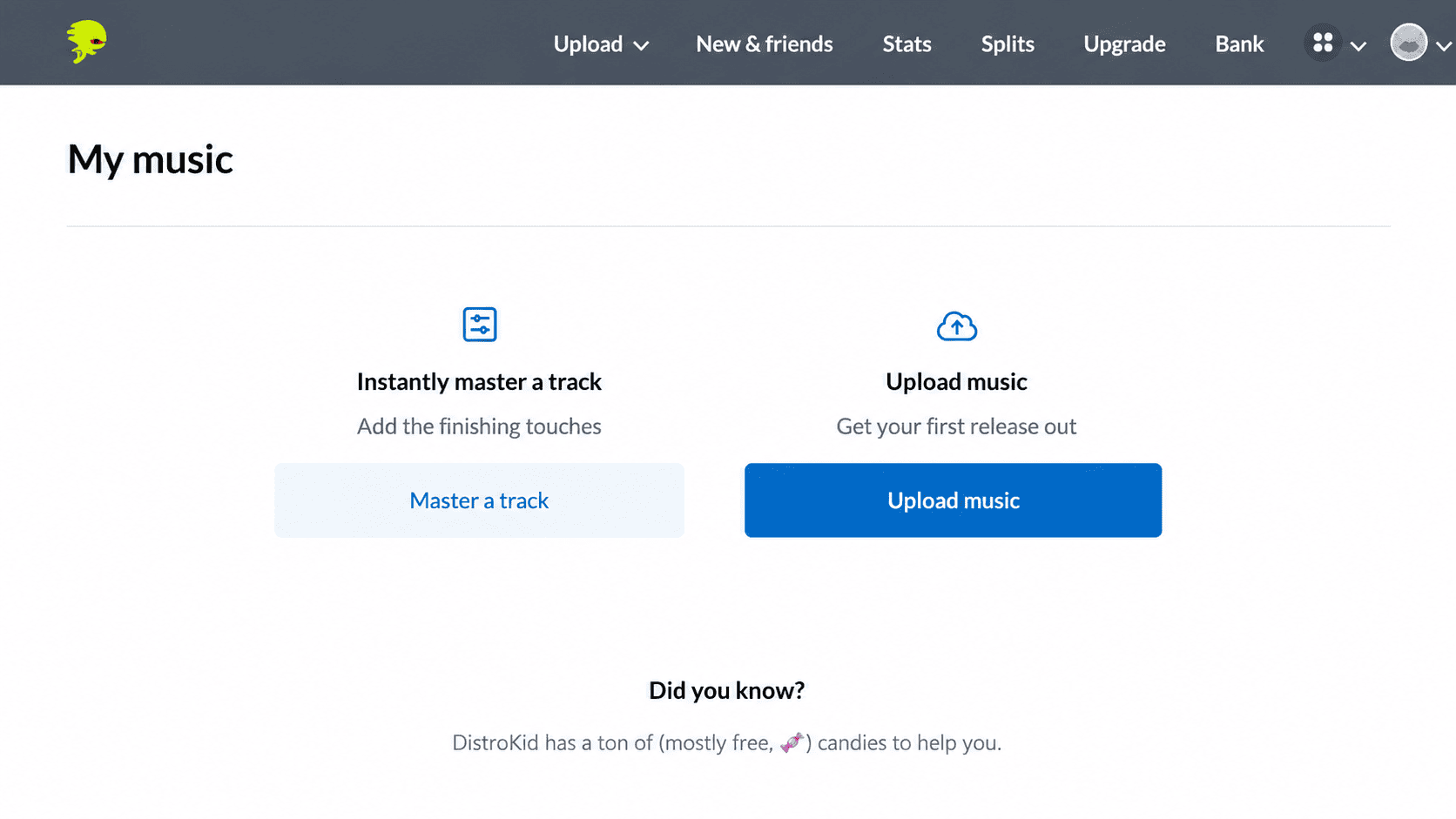
DistroKid’s upload flow walks you through metadata entry step by step.
The Pricing, Explained Honestly
This is where I need to slow down, because the sticker price and the real-world cost are two different numbers. The gap between them is the single most important thing to understand before you sign up.
DistroKid runs three annual plans: Musician, Musician Plus, and Ultimate.
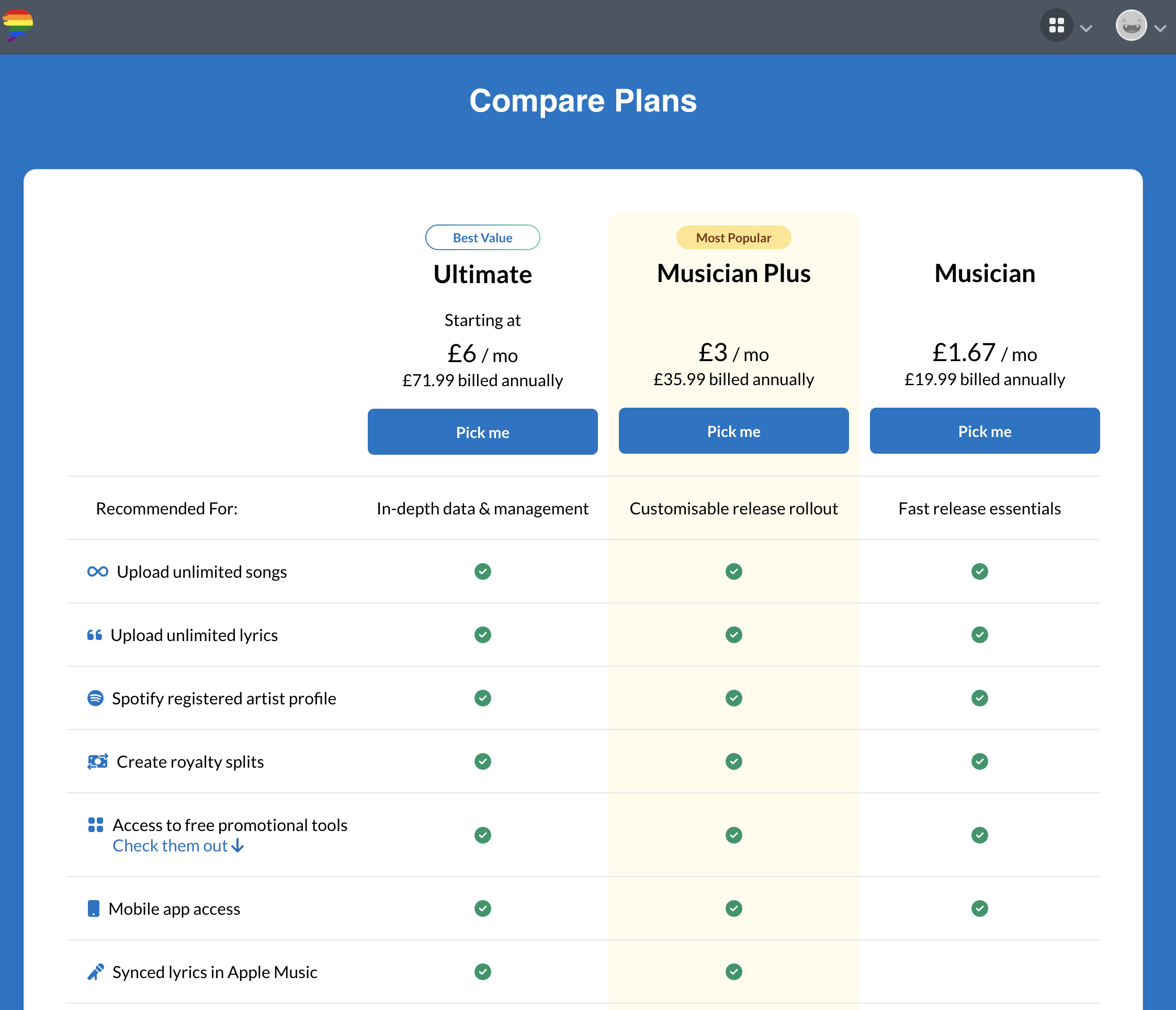
DistroKid’s three annual plans, from the entry-level Musician tier up to Ultimate.
The entry-level Musician plan sits at around £19.99 a year (roughly $25) and gives you unlimited uploads under a single artist name. Sounds perfect.
But here’s the catch that nobody mentions when they recommend it: the base plan does not include custom release dates. That means you can’t reliably schedule a release for a specific Friday (which is when Spotify refreshes its editorial playlists), and you can’t run a proper pre-save campaign with a fixed drop date. For anyone who takes release strategy even slightly seriously, that’s a real limitation, not a minor one.
The Musician Plus plan, at roughly £35.99 a year (around $45), adds custom release dates, pre-order scheduling, daily streaming stats, synced lyrics on Apple Music, and support for two artist names. Realistically, this is the actual minimum for anyone planning releases properly, which means the “real” entry price is higher than the headline.
The Ultimate plan, at around £71.99 a year (about $90), is built for labels and multi-project producers, supporting up to 100 artist names plus advanced analytics and audio replacement.
It’s also worth saying plainly, because I checked: there is no free tier. DistroKid is paid-only. Some competitors (Amuse, RouteNote) offer a free distribution option with a royalty cut, and if “free to start” is a hard requirement for you, that’s a genuine point of difference to weigh.
So far, so reasonable. The problem is the add-ons.
The Add-On Trap You Need to Watch For
Here’s where I have to be blunt, because this is the part that catches people out.
DistroKid is cheap on the subscription and makes a chunk of its money on à la carte “Album Extras” that get offered to you during the upload flow. Individually they each look small. Collectively they can double or triple what you actually spend in a year.
A single release with a couple of the common extras bolted on can quite easily turn a £19.99 subscription into a £45 or £55 year, and that’s before you’ve released anything else.
The one you genuinely need to understand is Leave a Legacy. By default, if you stop paying your DistroKid subscription, your music gets removed from streaming platforms. Every stream count, every playlist placement, every save your tracks accumulated, gone.
Leave a Legacy keeps a release live permanently even if you cancel, but it’s purchased per release, with no account-wide option. An artist with a back catalogue of ten singles and a couple of albums is looking at a meaningful sum just to guarantee permanence. That turns catalogue survival into an ongoing dependency rather than something you own outright, and it’s the single thing I’d want every new user to understand before they commit.
None of this is technically hidden. It’s all documented if you read the help centre carefully. But it’s very easy to miss in the moment, and DistroKid’s interface does nothing to discourage you from clicking “add” on things you may not need.
Speed and Delivery
Credit where it’s due, because this is the area where DistroKid genuinely outperforms most of its competitors.
Upload-to-live speed is fast. In testing, and consistent with what huge numbers of users report, tracks tend to hit Spotify within roughly 24 to 72 hours of submission, Apple Music within a few days, and TikTok availability often inside a day.
For an artist who’s used to the multi-week turnaround of older legacy distributors, that responsiveness feels like a different era. If you’ve finished a track and you want it out in the world without a long wait, this is one of the fastest routes there is.
Once a release is live, the stats dashboard is genuinely good, breaking your streams down by platform, country, and time so you can actually see where your listeners are.
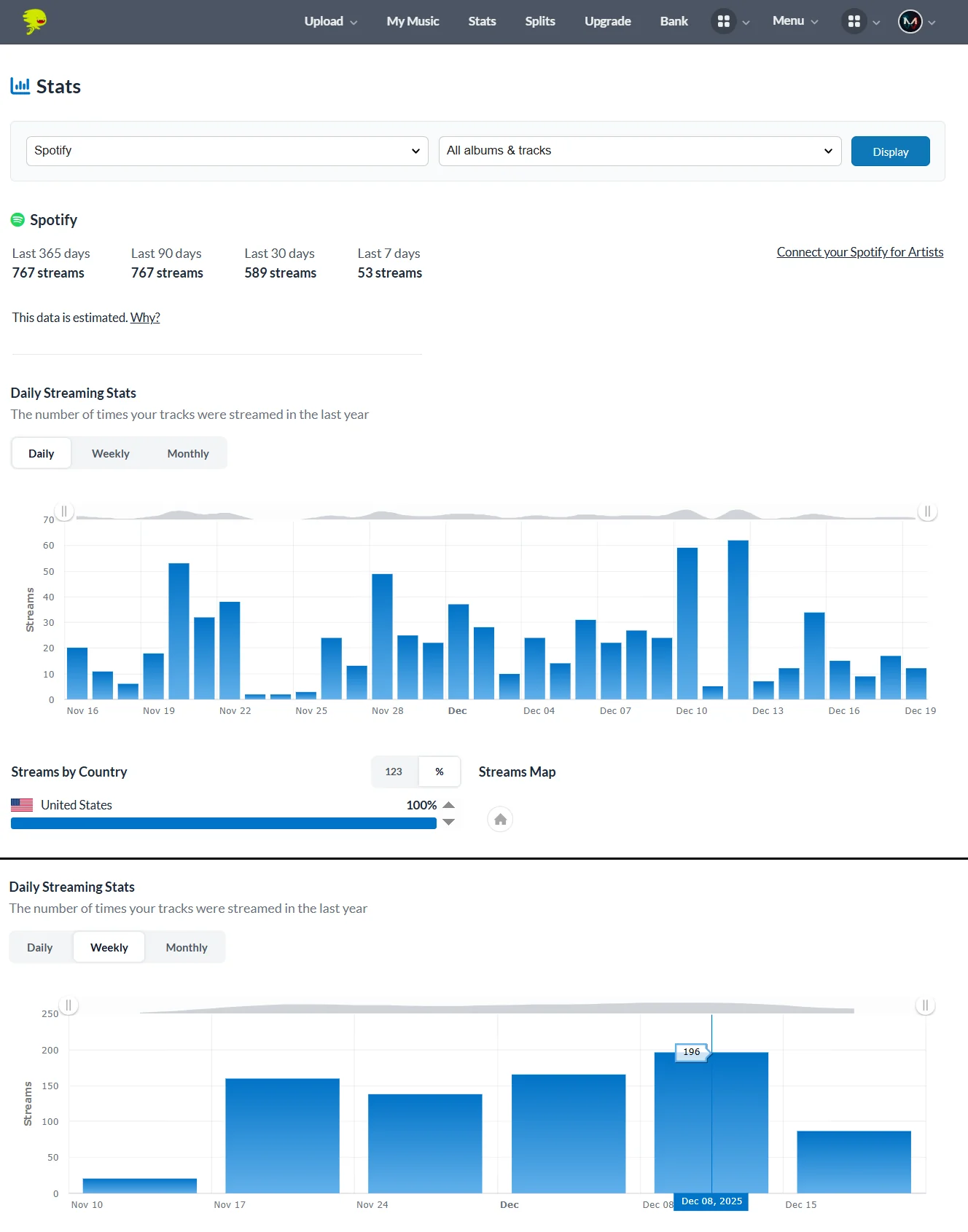
The stats dashboard breaks streams down by platform, country, and time.
The Features That Actually Earn Their Place
Beyond the core distribution, a few of DistroKid’s tools are genuinely useful rather than just upsells.
Royalty splits are the standout. If you make music with collaborators (a producer, a featured vocalist, a co-writer), DistroKid can automatically split the royalties and pay each person their share directly. This solves one of the most genuinely awkward problems in collaborative music, the “who owes who what” conversation, and it does it cleanly. For producers selling beats or working on features, this alone can justify the platform.
Teams and multiple artist names on the higher plans make it workable for producers juggling several projects or aliases, which is common in electronic and hip-hop production.
The platform has also been steadily adding tools around the edges, including its own mastering option (Mixea) and music video distribution (DistroVid), though honestly most of those sit in “nice to have” territory rather than “reason to choose it.”
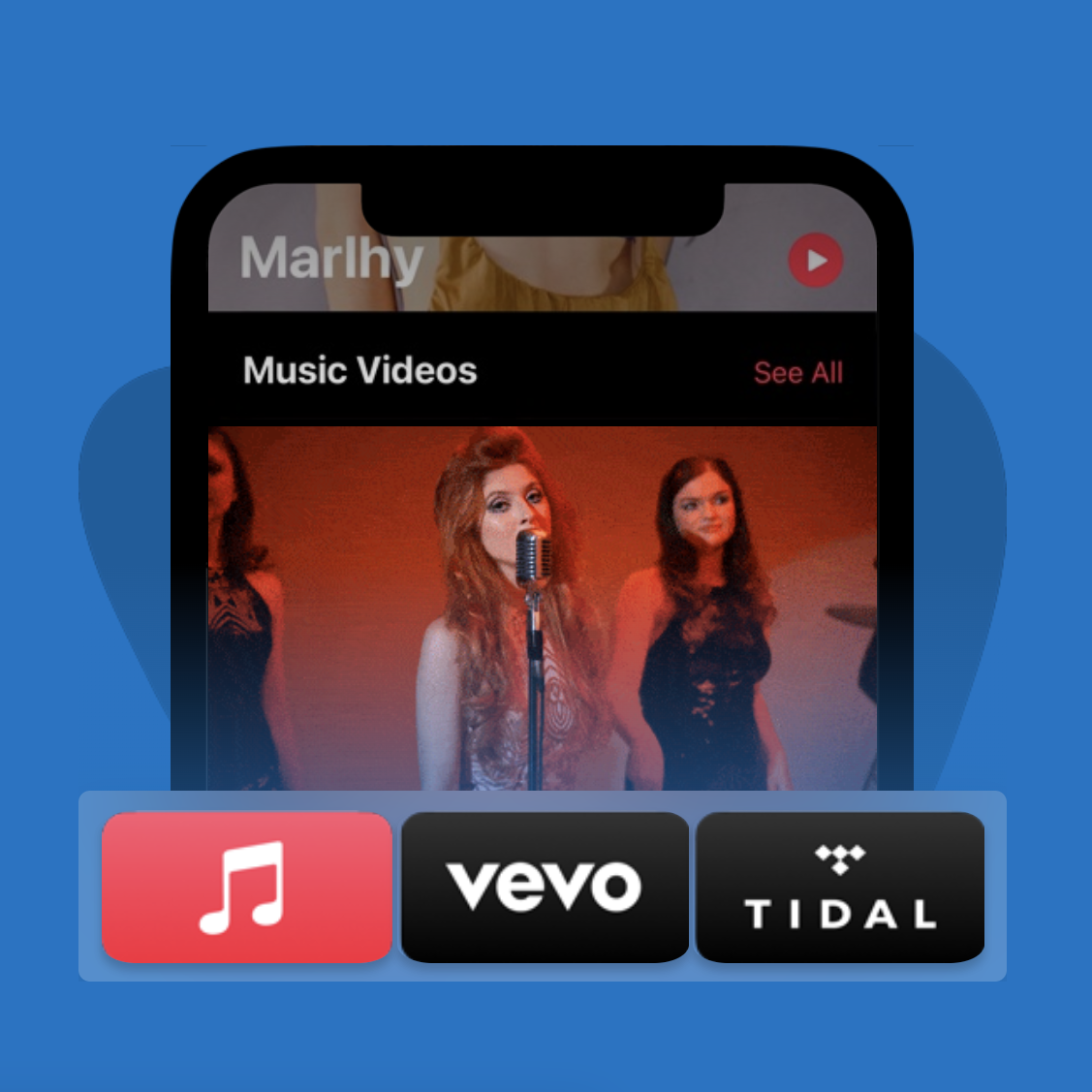
DistroVid is DistroKid’s add-on for getting music videos onto Apple Music, Vevo, and Tidal.
What Real Users Actually Say
I didn’t want this to be just my opinion, so I went through DistroKid’s public review history across Trustpilot, Reddit, and elsewhere to find the patterns that show up again and again. With a Trustpilot sample running into the tens of thousands of reviews, the themes are clear and remarkably consistent.
On the positive side, the praise is overwhelmingly about three things: how easy it is to use, how fast releases go live, and how fair the pricing feels.
One verified reviewer summed up the prevailing mood by describing it as the bridge that turned their music from a dream into reality, letting them focus on creating rather than wrestling with technical distribution. That sentiment, that it gets out of your way, comes up constantly. For the core job of getting music onto streaming platforms quickly and affordably, real users back up the reputation.
The criticism splits into two camps, and the difference between them matters a lot.
The first and most common complaint is customer support. Over and over, users describe being stuck in an automated support bot with no route to a human, even when facing a genuine billing fault. One reviewer documented paying for an annual renewal that was charged successfully but never activated their account, leaving them going in circles with the bot and unable to reach anyone who could fix it. If you’ve ever had a release stuck the night before a launch, you’ll understand why this single issue generates so much frustration.
The second complaint is more serious, and it’s the one I’d be failing you not to raise: a documented pattern of sudden account terminations with royalties withheld. Across Reddit, Trustpilot, and BBB complaints, there are numerous accounts of artists, often those experiencing rapid stream growth, having their accounts closed under fraud-prevention or “editorial discretion” policies, losing access to accumulated earnings, and finding the appeal process effectively a dead end.
To be fair and accurate about this: it disproportionately affects high-volume uploaders and accounts whose streaming patterns trip automated fraud detection, so a legitimate independent producer releasing their own music is at far lower risk than these stories suggest. But the pattern is real, it’s well-documented, and it reinforces the wider point that with DistroKid you are renting your distribution, not owning it. Keep your own backups of your masters and your metadata, and don’t treat any distributor as the permanent home of your catalogue.
Where DistroKid Falls Short
Pulling the threads together, the weaknesses are consistent whether you hear them from me or from the wider user base.
Support is the biggest day-to-day weakness. DistroKid runs largely on bot-led, email-only support, and when something goes wrong the response can be slow or circular. There’s no live chat, no phone line. When everything works, you never notice. When something breaks right before a release, that delay can be genuinely stressful.
The add-on structure means the platform’s cheapness is partly an illusion that depends on you saying no to a lot of upsells.
The account-security risk, while low for ordinary use, is real enough that you should never rely on DistroKid as your only copy of anything.
And for international artists, currency conversion fees, payout thresholds, and tax withholding can quietly eat into earnings in ways that aren’t obvious from the marketing.
Who DistroKid Is Genuinely Right For
After all of that, here’s my honest read on who actually gets the most out of it.
- Get DistroKid if you release music frequently. The unlimited model is mathematically brilliant for anyone dropping singles regularly, because the flat fee gets cheaper per release the more you put out. Bedroom producers and prolific independent artists are the core audience, and for them it’s hard to beat.
- Get DistroKid if you collaborate often and want the royalty splitting to handle payments automatically, or if speed-to-release genuinely matters to your workflow.
- Think twice if you release rarely. If you put out one single a year, a per-release distributor with permanent catalogue retention might actually work out cheaper and less stressful.
- Think twice if you need responsive human support, or you want the reassurance of a distributor you’ve never seen generate termination horror stories.
If you’re weighing it specifically against its closest rivals, I’ve broken those down separately in my DistroKid vs TuneCore comparison and the wider LANDR vs DistroKid vs CD Baby breakdown, both of which go deeper on how the pricing and features stack up head to head.
So, Is DistroKid Worth It?
For its core audience, yes, with eyes open.
If you’re an active, regularly releasing independent artist, DistroKid delivers exactly what it promises: fast, unlimited, 100%-royalty distribution at a price that’s hard to argue with, provided you’re disciplined about declining the add-ons you don’t need. The royalty splitting and the speed are genuinely best-in-class, and the reason it became the default is that for a huge number of artists, it simply works, which the thousands of positive reviews bear out.
But it is not the no-brainer the forums make it out to be. The real cost is higher than the headline once you account for the plan you’ll actually need and the permanence you’ll eventually want. The support is thin and bot-led, and the rare-but-real termination stories are a reminder that you don’t truly own your position on the platform.
Go in understanding the Leave a Legacy situation, pick the plan that matches how you actually release, keep your own backups, and ignore the upsells you don’t need, and it’s an excellent tool. Sign up on autopilot clicking “yes” to everything, and you’ll wonder where your money went.
Once your tracks are earning, it’s worth making sure the rest of your release chain is as sharp as your distribution. My roundup of the best music production blogs and websites is a good place to keep levelling up, and if you’re still sourcing material for your next release, the best vocal sample packs guide pairs naturally with getting that finished track out the door.
My rating: 4 out of 5. A genuinely excellent distributor for active artists that loses a point for the add-on nickel-and-diming and the thin, bot-led support, both of which are easy to forgive when things work and hard to forgive when they don’t.
Check it out here: Try DistroKid (using this link gets you a discount on your first year).

Hello, I’m Viliam, I started this audio plugin focused blog to keep you updated on the latest trends, news and everything plugin related. I’ll put the most emphasis on the topics covering best VST, AU and AAX plugins. If you find some great plugin suggestions for us to include on our site, feel free to let me know, so I can take a look!