
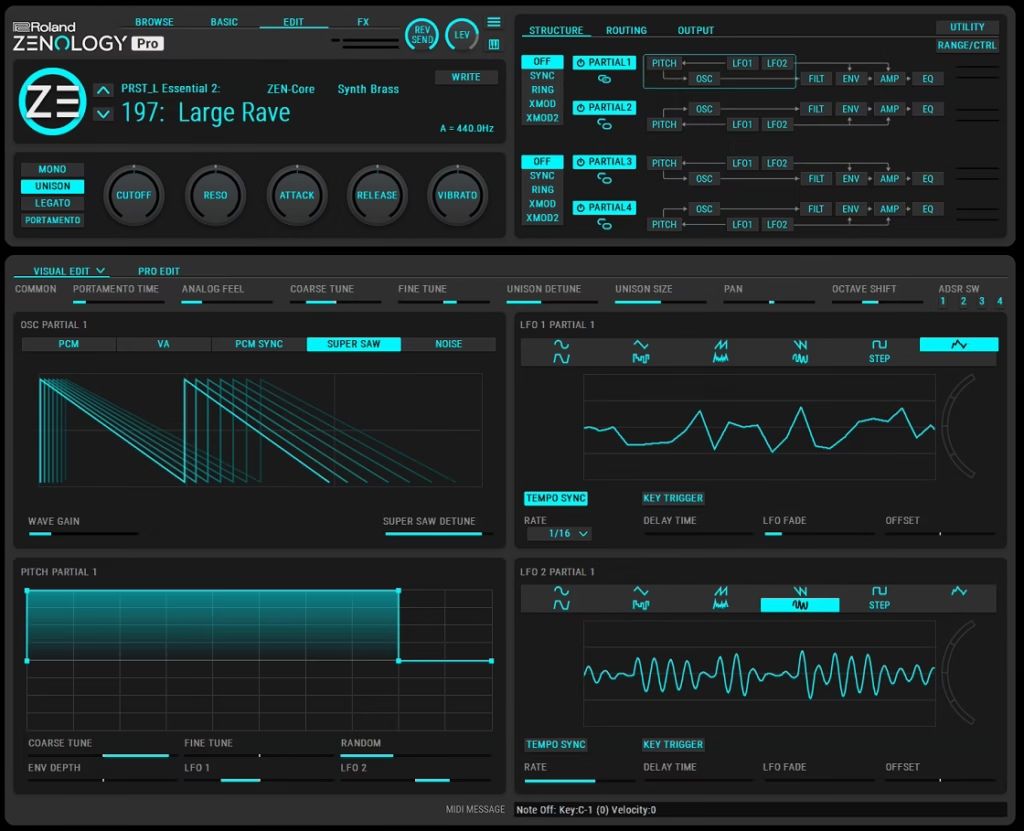
For producers and sound designers who grew up with Roland synths (or who just love that specific “Rolandish” character), this plugin is a genuine gateway into a sound world that’s defined a huge chunk of electronic music history. The engine itself is deep, the sound library is massive, and the integration with Roland hardware is genuinely seamless in a way most soft synths can’t match.
But is ZENOLOGY Pro really worth it? I’d say yes, especially if you care about authentic Roland sounds or already own compatible Roland hardware you want to integrate with your DAW workflow. For me, the value really comes from the combination of the expansive sound library, the solid ZEN-Core engine, and the ability to move patches between the plugin and Roland’s hardware instruments without any conversion headaches.
What makes this synth genuinely useful isn’t just the sounds, it’s the fact that you’re working with a legitimate professional synthesis engine that’s been refined over years of hardware development.
The sounds you create or tweak in your DAW can travel directly to Roland hardware, and vice versa, which is a workflow most other plugin synths just don’t offer.
From the Pluginerds Store
If this article has you thinking about what's missing from your setup, our own shop is worth a browse. We stock the practical side of a home studio — the accessories, stands, and interfaces that reviews rarely cover but every setup eventually needs.
Visit Pluginerds ShopWhat makes it different
Most soft synths are either focused on vintage emulation of a single classic or built around modern sound design workflows like wavetable synthesis. ZENOLOGY Pro sits in a different space entirely.
It’s built around the ZEN-Core engine, which is Roland’s modern synthesis platform that combines virtual analog oscillators, PCM sample playback, and modeled filters into one unified system. The engine is powerful enough to handle everything from vintage analog emulation to modern electronic sounds to orchestral and acoustic instruments, all from the same core architecture.

Here’s what genuinely sets it apart:
- ZEN-Core Engine:
The same synthesis platform that powers Roland’s current hardware flagships, which means you’re not using a watered-down plugin version of their hardware. This is the full engine with all its capabilities.
- Massive Sound Library:
Over 3,500 patches and drum kits ship with the plugin, easily expandable to over 7,000 through Roland Cloud Sound Packs and Wave Expansions. The breadth of sounds covers pretty much everything from classic Roland basses to modern pads, drums, orchestral instruments, and effects.
- Hardware Compatibility:
Full patch compatibility with FANTOM, JUPITER-X, JUNO-X, RD-88, MC-101, MC-707, and other ZEN-Core hardware. Create sounds in the plugin, fly them over to your hardware, or do it the other way around.
- Four-Partial Architecture:
Up to four partials per patch, each with its own oscillator, filter, amp, envelopes, and LFOs. This gives you serious layering depth for building complex sounds.
- Model Expansions:
Separate purchases that add authentic emulations of classic Roland synths like the JUNO-106, JUPITER-8, JX-8P, SH-101, and JD-800. These expand the plugin into full vintage synth territory.
For me, the real appeal of ZENOLOGY Pro is that it’s a professional-grade synthesis tool wrapped in a practical plugin format. You’re not getting a quick preset player, you’re getting access to the engine behind some of Roland’s best modern instruments.
Get the Free Plugin Starter Kit
The genuinely useful free DAWs and plugins worth installing. No filler. Straight to your inbox.
Structure section
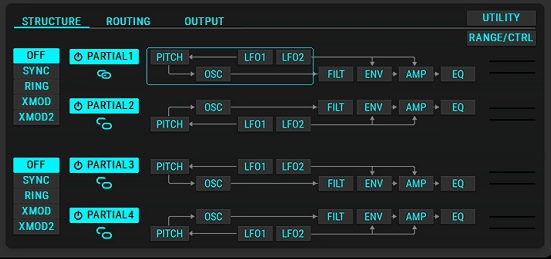
The Structure section is where you build the actual architecture of your patch, and it’s the area where most of your sound design work happens.
You can use up to four partials simultaneously in a single patch, and each partial is essentially its own independent synth voice. This is different from how most plugin synths handle layering, because each partial in ZENOLOGY Pro has its own complete signal path with dedicated oscillator, filter, amp, envelopes, and LFOs.
What I love about this approach is the flexibility it gives you for building complex sounds. You might use one partial for a fundamental analog-style sawtooth lead, a second partial for a PCM layer adding acoustic character, a third for a sub oscillator handling the low end, and a fourth for a high-frequency shimmer or effect.
Each partial can access nine virtual analog waveforms, Supersaw, noise, and PCM with access to the 1,840-waveform sample library. The filter section offers 10 different filter models including emulations of iconic Roland filters like the JUPITER, which gives you the specific sonic character of different Roland hardware without having to switch plugins.
For sound designers who like to go deep, this architecture is genuinely powerful. I’ve built patches with four distinct partials that each contribute something unique to the overall sound, and the final result feels more complex and dimensional than what you’d typically get from a two-oscillator synth.
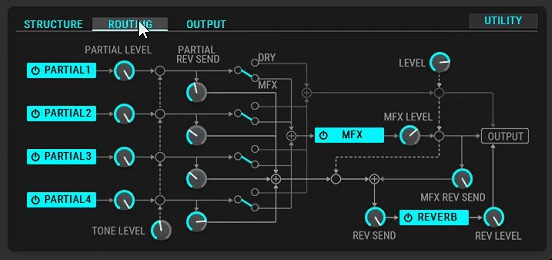
Routing Section
The Routing section is where ZENOLOGY Pro shows its depth as a proper professional synthesis tool rather than just a preset player.
The routing handles how your four partials interact, how the modulation sources connect to destinations, and how the signal flows through the various sections of the engine. You can assign envelopes, LFOs, and other modulation sources to pretty much any destination in the patch, which gives you the kind of deep modulation capabilities that serious sound designers need.
Two LFOs per partial means you get eight simultaneous LFOs in a fully loaded patch, with 11 different LFO shapes to choose from. The Step LFOs are particularly cool because they offer 16 steps of beat-synced automation with 37 curve choices per step, which is perfect for creating evolving, modular-style animated textures or sounds with intricate rhythmic motion.
I found the routing system to be more flexible than I expected, especially coming from a hardware-derived plugin. You can build patches where one partial’s envelope modulates another partial’s filter, or where an LFO on one layer controls the pan of a completely different layer. It opens up real creative territory beyond just stacking presets.
“The Step LFOs give you 16 steps of beat-synced automation with 37 curve choices per step, perfect for modular-style animated textures.”
Output Section
The Output section handles how your finished sound leaves the plugin and enters your DAW, and it’s more thoughtful than you might expect from a section that sounds boring on paper.
You get control over the final level, stereo width, and EQ of the patch before it hits your mix bus. The per-partial equalizer lets you shape each layer’s tonal balance independently, which is useful when you’re trying to keep a complex four-partial patch from getting muddy or overly bright.
I suggest paying attention to the output stage when you’re building patches that will sit in a dense mix. Getting the partials balanced well at the output stage saves you having to do a bunch of EQ work in your DAW later.
The FX Section
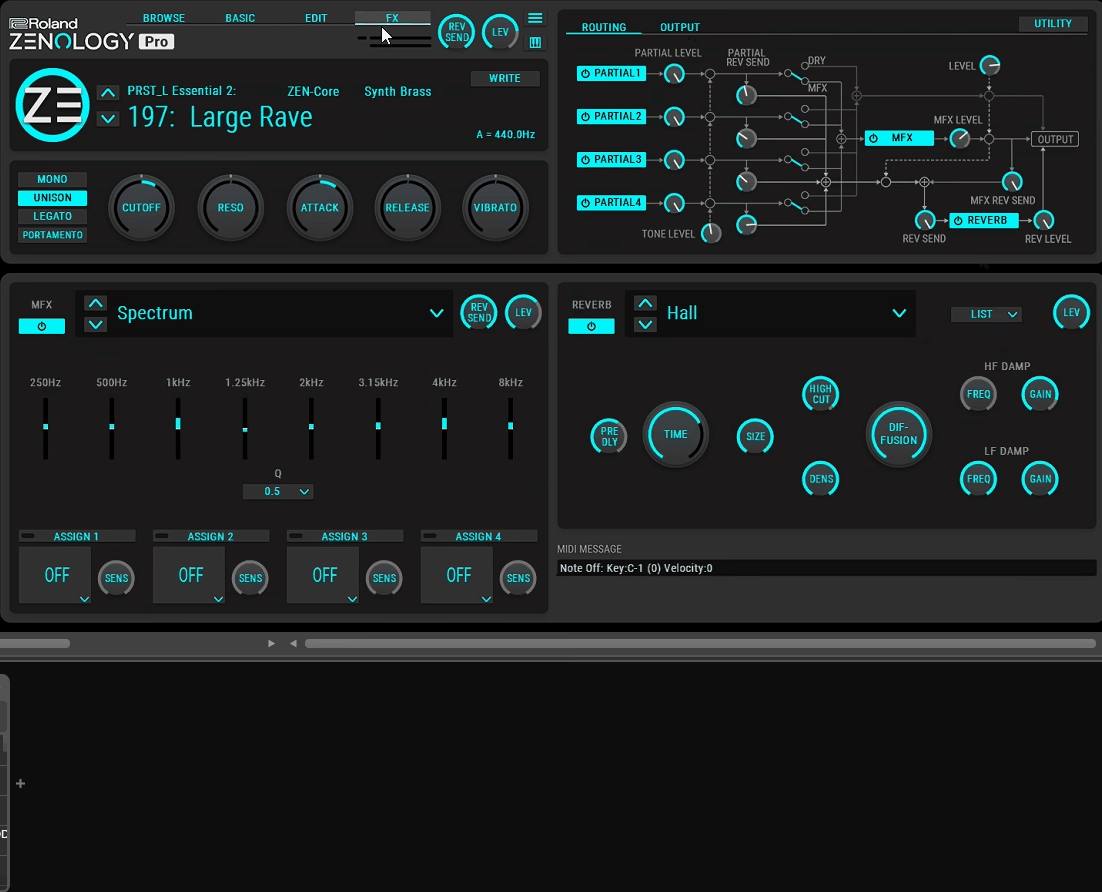
The FX section is where ZENOLOGY Pro really flexes some of its hardware DNA, because you get access to over 90 Roland effects pulled from their most coveted vintage and modern processors.
The effects library includes:
- Classic Reverbs:
Pristine Roland reverbs covering halls, rooms, plates, and more modern algorithmic styles.
- Iconic Choruses:
JUNO-106 and CE-1 chorus emulations that deliver that specific Roland chorus character that’s been on countless records.
- SDD-320 Dimension D:
The legendary Roland dimensional chorus that’s a specific flavor of modulation you really can’t get anywhere else.
- DJ-FX Looper:
A creative looping effect that adds unique rhythmic manipulation to your sounds.
- Standard Effects:
Delays, phasers, flangers, distortions, EQs, and compressors covering all the standard processing needs.
What I appreciate most is that these aren’t generic plugin effects bolted on, they’re modeled on actual Roland hardware that has shaped the sound of electronic music for decades. Using the JUNO-106 chorus on a pad from the plugin feels authentic in a way that generic chorus effects just don’t.
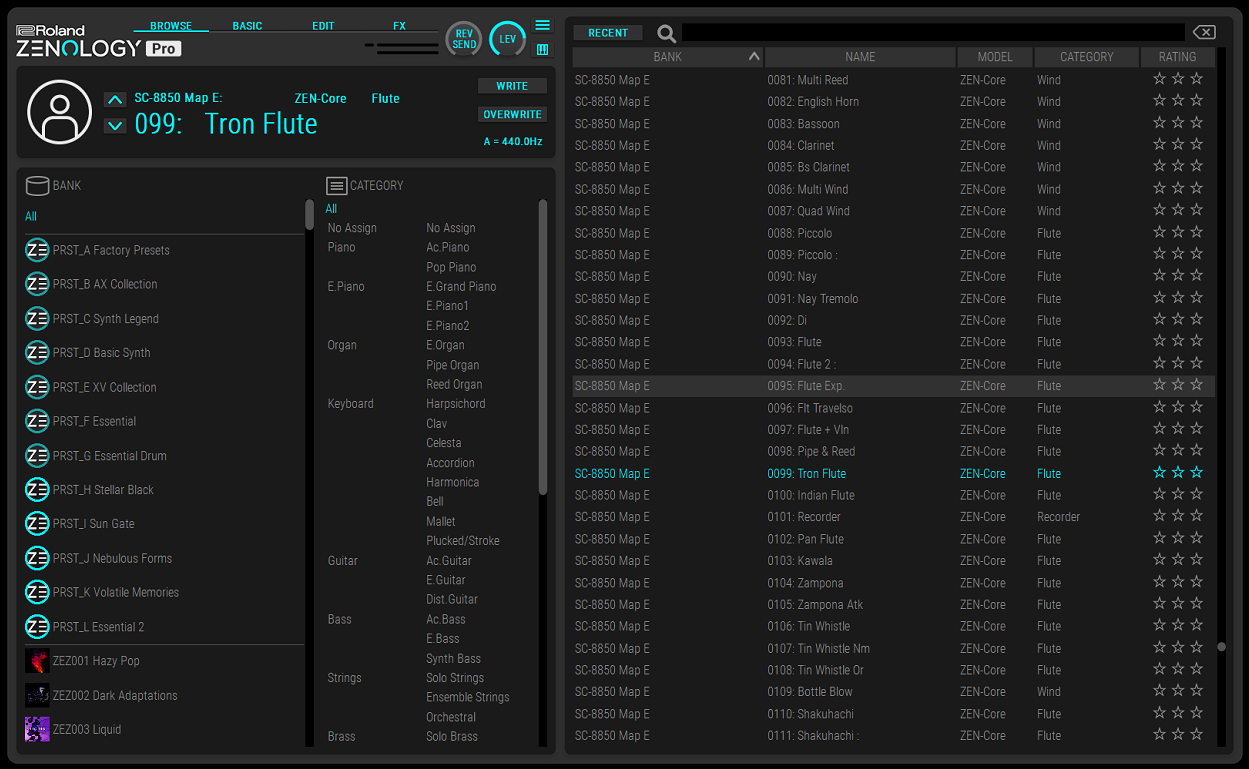
Browse Section (Presets)
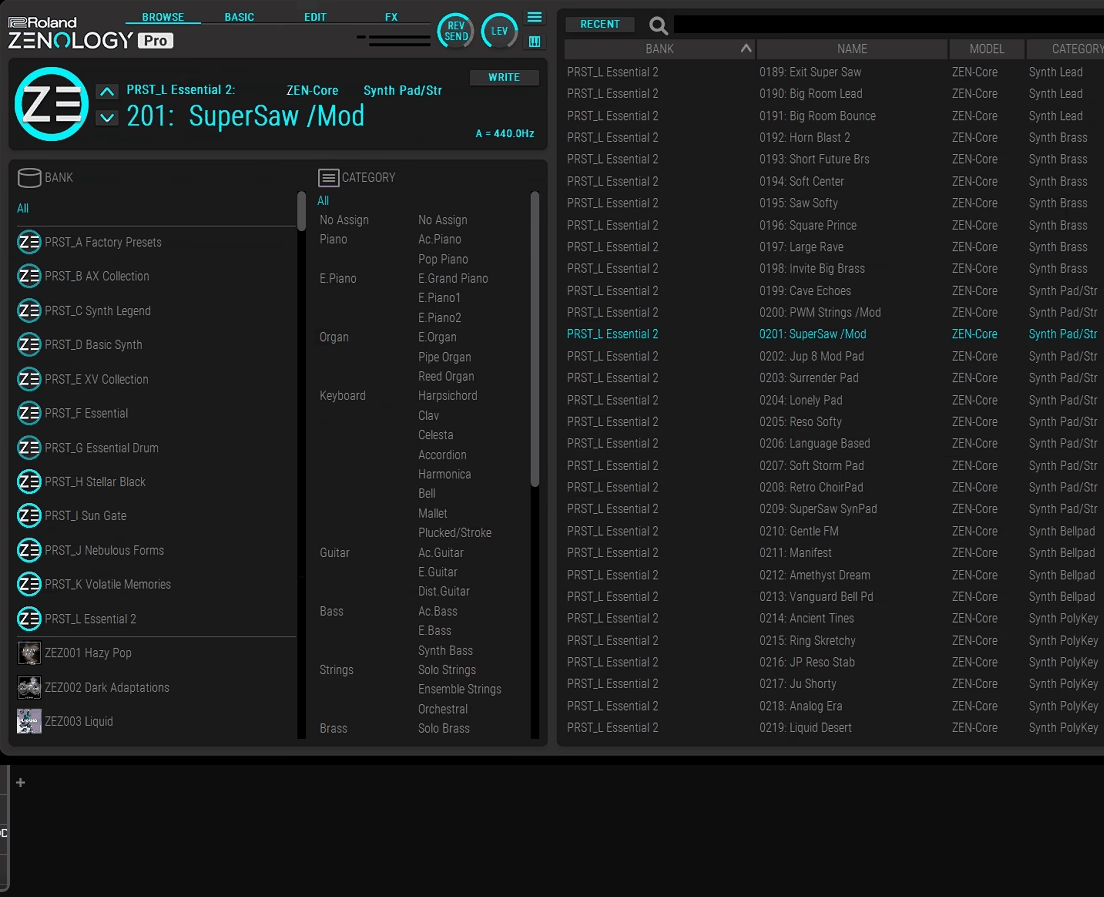
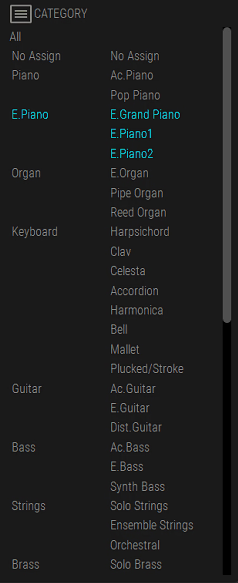
The Browse section is where you’ll probably spend a lot of your time when starting out, because ZENOLOGY Pro genuinely shines as a preset-driven instrument.
With over 3,500 patches and drum kits included by default, the browser needs to be effective, and I’d say it mostly is. You can filter sounds by type, category, and character, rate your favorites, and create custom banks for the sounds you use most often. The organization makes it practical to actually find usable sounds rather than getting lost in the library.
The preset coverage is legitimately broad. You get classic Roland analog emulations, modern pads, orchestral sounds, acoustic pianos, drums, basses, leads, and effects sounds, all with the kind of production-ready quality you’d expect from Roland’s in-house sound designers.
I want to note that the plugin can be expanded significantly through Roland Cloud, which offers additional Sound Packs, Wave Expansions, and Model Expansions. If you subscribe to Roland Cloud, you get access to a growing library of content that keeps the plugin fresh over time.
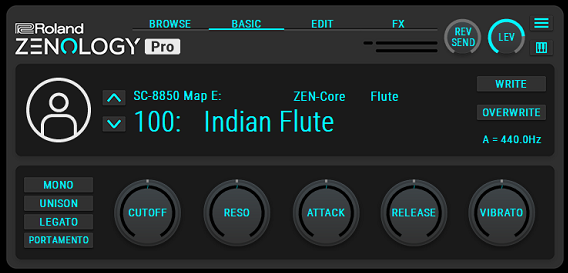
Visual Edit Section
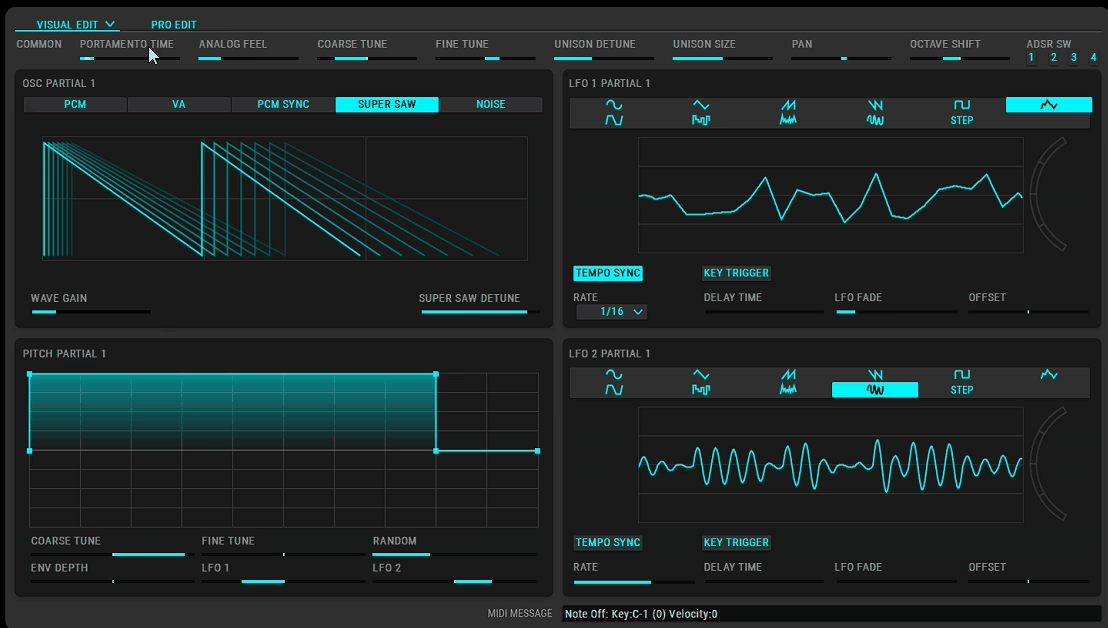
The Visual Edit section is ZENOLOGY Pro’s approachable interface for shaping sounds, and it’s where the plugin feels friendliest to producers who aren’t deeply invested in synthesis theory.
The layout presents the patch parameters in a visual, intuitive way that mirrors how you’d think about a synth conceptually. You can see the signal flow, adjust common parameters, and shape the sound without needing to dive into every single parameter the engine offers.
I’d say this view works well for 70 to 80 percent of patch editing work. If you just want to tweak the brightness of a patch, adjust the attack time, add some chorus, and print the result, you can stay in Visual Edit and get everything done quickly.
The visual approach also makes it easier to learn the engine over time. As you adjust parameters and hear the results, you build intuition for how ZEN-Core works, which pays off when you eventually move into the deeper Pro Edit view.
Pro Edit Section
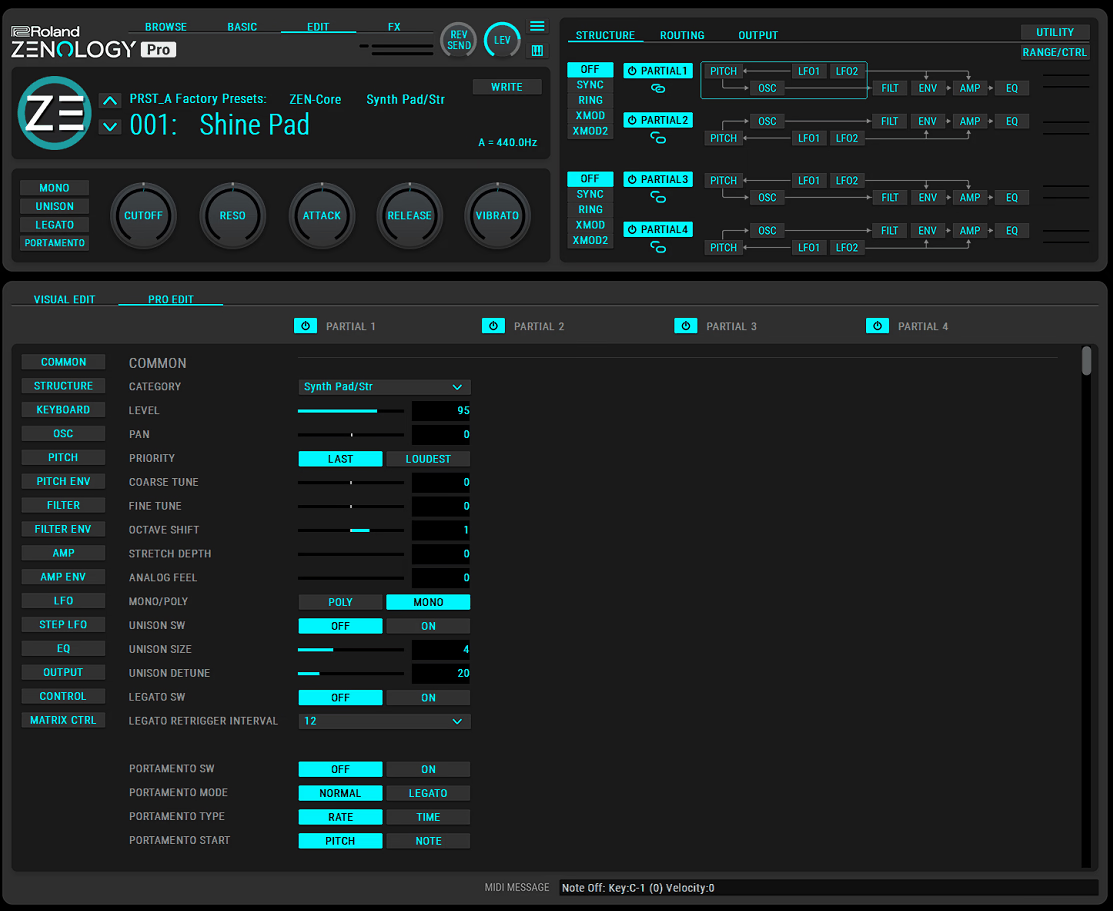
The Pro Edit section is where ZENOLOGY Pro really opens up for serious sound designers, giving you access to every parameter the ZEN-Core engine offers.
This is the detailed editing view where you can dive into every oscillator waveform setting, filter parameter, envelope breakpoint, LFO shape detail, and modulation assignment. If Visual Edit is the consumer-friendly dashboard, Pro Edit is the professional control room where everything is exposed.
For me, Pro Edit is where you go when you really want to craft something from scratch or radically transform an existing preset. The depth here is genuinely substantial, and I’ve found that the more time you spend in Pro Edit, the more you understand what makes Roland sounds distinctive.
I want to mention that the sheer volume of parameters in Pro Edit can be overwhelming at first. If you’re new to synthesis, I suggest starting in Visual Edit and graduating to Pro Edit as you build comfort with the basic concepts. The engine is powerful enough to reward deep exploration, but you don’t need to understand every parameter on day one.
“Pro Edit is where you go when you really want to craft something from scratch or radically transform an existing preset.”
Genre Fit
ZENOLOGY Pro works across a surprisingly wide range of genres thanks to its combination of analog-style synthesis, PCM samples, and massive preset library.
To me, Synthwave, retrowave, and 80s-influenced production is where the plugin genuinely excels. The classic Roland analog character and the Juno-style chorus effects are exactly what these genres are built on, and you’ll find countless patches that work immediately in these contexts.
Also, Pop and electronic production benefits from the breadth of modern sounds in the library. Whether you need polished pads, energetic leads, or punchy basses, the quality is high enough for professional productions. In film scoring and media composition, the workstation-style PCM sounds covering orchestral instruments, ethnic instruments, and ambient textures make ZENOLOGY Pro a useful sketching tool or even a final sound source for certain projects.
Live performance and sketching workflows work well with the plugin because of its immediate sound quality and the breadth of instantly playable presets. You can load up a patch, start playing, and be making music within seconds. For deeply experimental sound design, I’d say ZENOLOGY Pro is less of a natural fit than tools like Omnisphere, Falcon, or Phase Plant. Lastly, the engine is capable but not explicitly built for extreme sound manipulation or granular exploration.
Sound Character
The sound of ZENOLOGY Pro is distinctly Roland, which is either exactly what you want or not quite what you’re looking for depending on your production style.
Analog-style sounds have that specific Roland warmth and musicality that has defined house, techno, synthwave, and countless pop productions over the decades. The JUPITER filter in particular has a smooth, musical character that works beautifully on pads, leads, and basses. The Supersaw oscillator mode gives you that classic trance and EDM lead sound immediately.
PCM-based sounds are where ZENOLOGY Pro shows its workstation heritage. Pianos, strings, brass, acoustic guitars, and drums all have genuine quality and realism that comes from Roland’s long history of sampling and sample playback. These aren’t orchestral library replacements, but they’re genuinely usable for composing, sketching, and even finished productions in many contexts.
What I appreciate is that the plugin has a specific sonic identity rather than trying to be everything to everyone. If you load a random patch, it sounds like a Roland, which is a compliment because Roland sounds have a recognized quality and character that works in tons of musical contexts.
Hardware Integration
One of ZENOLOGY Pro’s most compelling features is its seamless integration with Roland’s ZEN-Core hardware ecosystem.
If you own a FANTOM, JUPITER-X, JUNO-X, RD-88, MC-101, or MC-707, your patches are fully compatible between the plugin and the hardware. Design a sound in your DAW using ZENOLOGY Pro, save it, and load the same patch on your Roland hardware for live performance. Or record a performance using a hardware synth and rebuild the sound in the plugin for further editing in your mix.
For producers who work with both hardware and software, this integration is genuinely useful. You’re not dealing with patch conversion tools or compromised parameter mapping, you’re working with a single sound format that travels cleanly between environments.
Model Expansions
The Model Expansions are separate add-on purchases that transform ZENOLOGY Pro into authentic emulations of classic Roland synths.
Currently available Model Expansions include:
- JUNO-106:
Faithful emulation of the beloved polysynth that defined pop and electronic music of the 80s.
- JUPITER-8:
The flagship analog polysynth that still holds legendary status among synth enthusiasts.
- JX-8P:
The bridge between analog warmth and digital precision from 1986, with its unique hybrid character.
- SH-101:
The iconic mono synth that’s been used on countless electronic, rock, and pop productions.
- JD-800:
The groundbreaking 1991 digital synth known for its distinctive pad and lead sounds.
Each Model Expansion is a fully separate synth engine within the plugin rather than just a preset pack. The emulations are detailed enough that they capture the specific character and quirks of each original hardware synth, including the particular filter behavior, envelope response, and sonic imperfections that make each synth distinctive.
I want to note that Model Expansions are a separate investment beyond the base plugin, and they can add up if you want the full collection. That said, the quality is genuinely high, and if you have a particular favorite Roland synth you’ve always wanted to use in your DAW, the corresponding Model Expansion is likely the best digital representation available.
Final Thoughts
ZENOLOGY Pro is one of those plugins that earns its place through a specific combination of strengths rather than trying to dominate in every category.
The combination of the authentic ZEN-Core engine, the massive sound library, the seamless hardware integration, and the expandability through Model Expansions makes it one of the more practical and musical synth plugins available. I’d say the value proposition is strongest for producers who love Roland sounds specifically, or who already own ZEN-Core hardware and want to extend that ecosystem into their DAW.
I want to note that Roland ZENOLOGY Pro isn’t trying to be the most cutting-edge sound design tool on the market. If you’re looking for wavetable synthesis, granular processing, or extreme modulation capabilities, other plugins will serve you better. But for authentic Roland sounds, professional workstation capabilities, and solid everyday synth duties, it’s genuinely excellent.
For producers working in synthwave, pop, electronic music, film scoring, or any context where Roland’s sonic heritage is an asset, I’d recommend it as one of the better investments you can make. The sounds are immediately usable, the engine rewards deeper exploration, and the hardware integration makes it a genuinely practical tool rather than just another preset-based plugin.
More info & Price: Roland ZENOLOGY Pro
Get the Free Plugin Starter Kit
The genuinely useful free DAWs and plugins worth installing. No filler. Straight to your inbox.

Hello, I’m Viliam, I started this audio plugin focused blog to keep you updated on the latest trends, news and everything plugin related. I’ll put the most emphasis on the topics covering best VST, AU and AAX plugins. If you find some great plugin suggestions for us to include on our site, feel free to let me know, so I can take a look!