
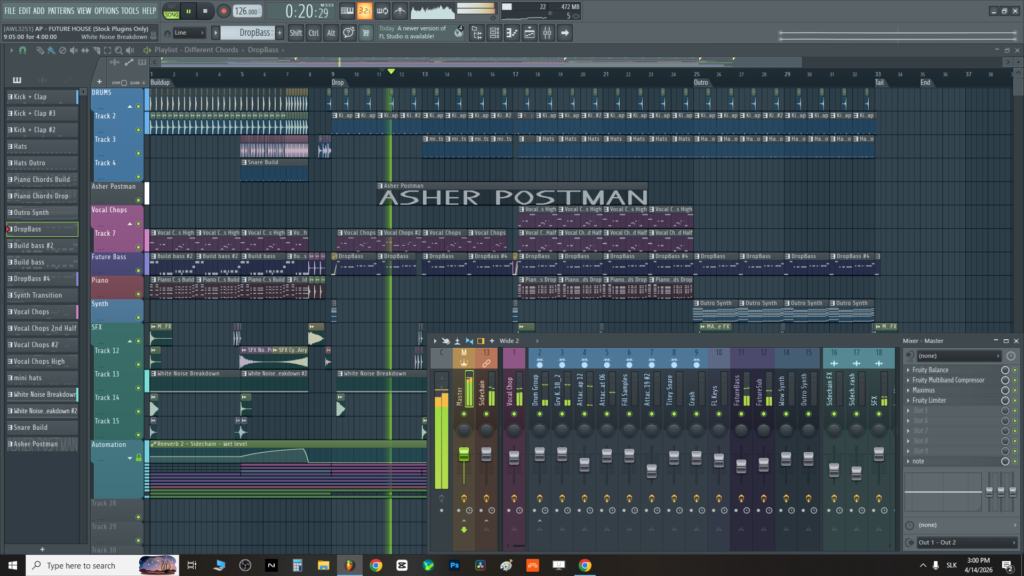
These two digital audio workstations share more philosophical DNA than their surface-level differences suggest, and that shared DNA is worth naming at the start: both FL Studio and Bitwig Studio were built by producers who thought the dominant DAWs of their era were too rigid, too linear, and too slow for the kind of music they wanted to make.
Both ended up with pattern-based composing environments that prioritize non-linear workflow. Both have deep modulation systems that blur the line between the DAW and a synthesizer. Both attract a specific kind of producer who thinks about music production differently from the Pro Tools or Logic crowd.
But after those shared foundations, the two diverge significantly. FL Studio is a 25-year-old institution with the most comprehensive piano roll in any DAW, a free lifetime update policy that has built extraordinary loyalty, and an association with hip-hop, trap, and electronic music production that goes all the way back to the early days of beatmaking software.
Bitwig Studio is a younger instrument that arrived with strong engineering ambitions and a modular synthesis environment called The Grid that has no real equivalent in any other mainstream DAW, making it the choice of producers who want a hybrid DAW-and-modular-synthesizer environment in a single application.
Quick Comparison
| Feature | FL Studio | Bitwig Studio |
|---|---|---|
| Developer | Image-Line (Belgium) | Bitwig GmbH (Berlin, Germany) |
| Release / Age | 1998; 25+ year legacy | 2014; relatively newer |
| OS Support | Windows native; Mac supported (improved in recent versions) | Windows, Mac, and Linux natively |
| Updates | Lifetime free updates: pay once, get all future versions forever | 12 months of updates included; upgrade plan ~$169/yr for ongoing updates; ownership is permanent once purchased |
| Pattern-Based Workflow | Pattern-centric: Step Sequencer + Piano Roll; Song Editor arranges patterns | Both linear and pattern-based: Arranger timeline with clip launchers and a Scene-based non-linear launch grid |
| Piano Roll | Best-in-class piano roll with most comprehensive MIDI editing tools of any DAW | Capable piano roll with note expression, articulations, and MPE support; not quite at FL’s level for MIDI editing depth |
| Modular Environment | Patcher (semi-modular routing for instruments and effects); not fully modular | The Grid: full modular synthesizer and audio processor with 200+ modules; genuinely a modular environment within the DAW |
| Included Instruments | FLEX (wavetable/sample), Harmor, Sytrus (FM), ZGameEditor, Transistor Bass, many more | PolyGrid, Poly Synth, Organ, FM-4, Phase-4, Sampler, Grid-based instruments, and others |
| Pricing | Producer Edition ~$199; Signature Bundle ~$299; All Plugins Bundle ~$499 | Essentials ~$99; Standard ~$399; Professional ~$599 |
| Trial | Free trial: full feature access; cannot export/save projects until purchase | 30-day free trial with full feature access |
| Live Performance | Performance Mode (mixer-level clip launching, limited compared to Bitwig) | Clip Launcher + Scene-based performance system deeply integrated with production workflow; strong live use case |
Get the Free Plugin Starter Kit
The genuinely useful free DAWs and plugins worth installing. No filler. Straight to your inbox.
About FL Studio
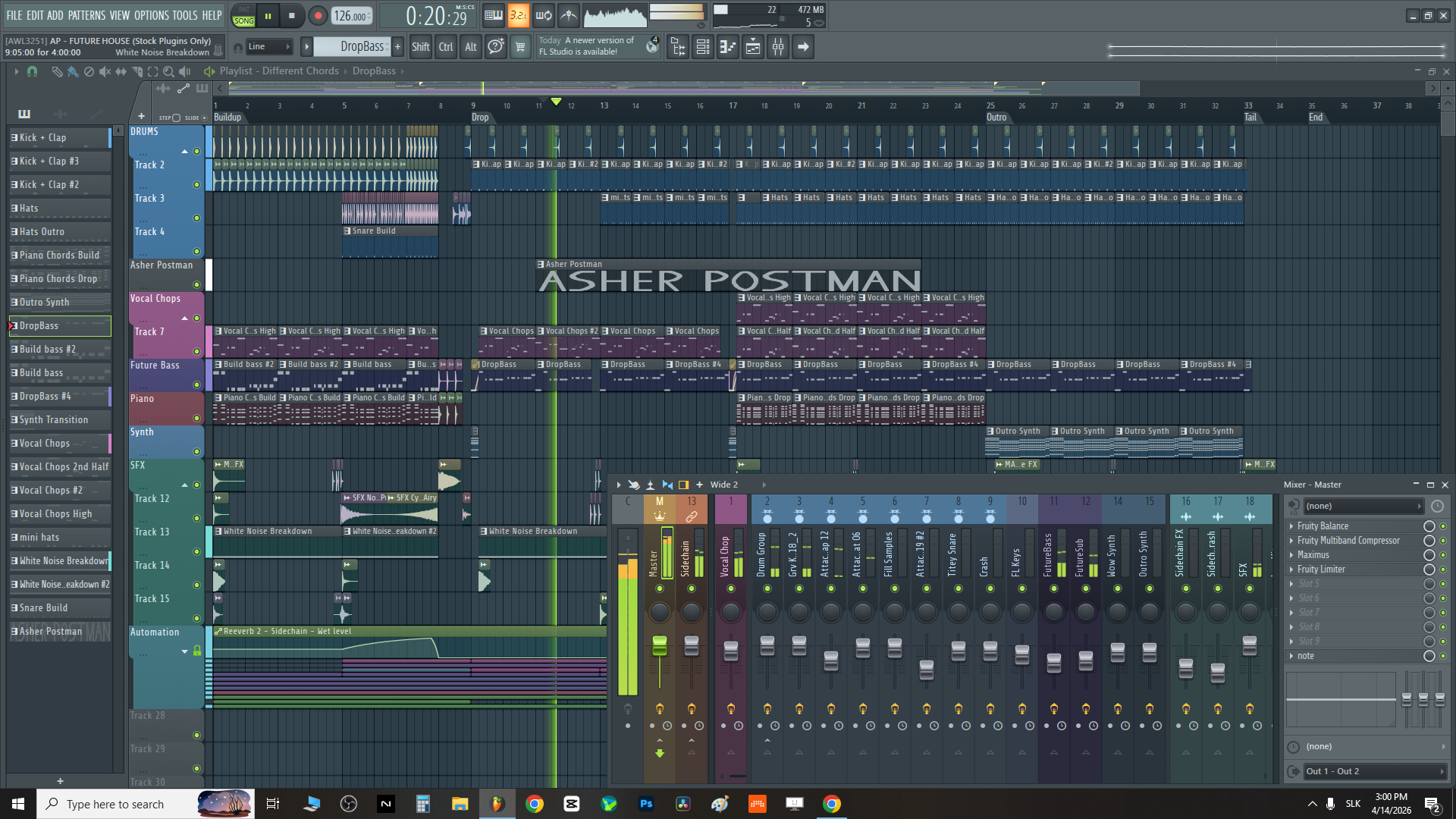
Image-Line is a Belgian software company that released the first version of what was then called FruityLoops in 1998, making FL Studio one of the oldest continuously developed DAWs still in active use. The software went through a gradual evolution from a step-sequencer-centric beat machine into a full-featured DAW, acquiring a piano roll, audio recording capability, a mixer, and a comprehensive effects and instruments ecosystem along the way.
The cultural association that defines FL Studio’s identity outside of feature lists is the connection to hip-hop, trap, and electronic beat-making. Producers like Metro Boomin, Lex Luger, Southside, and many others built careers and defined sounds using FL Studio specifically, and the DAW’s pattern-based workflow, step sequencer, and piano roll became synonymous with the specific production approach of that scene.
This isn’t just marketing: the way FL Studio thinks about music, with patterns assembled in a grid and placed on a song timeline, genuinely suits the iterative, loop-building approach that hip-hop and electronic music production depends on.
FL Studio’s most distinctive business characteristic is the lifetime free update policy: when you purchase any edition of FL Studio, you receive all future versions of that edition at no additional cost, permanently.
This policy, which Image-Line has maintained through more than 20 major version updates, has generated extraordinary loyalty and makes FL Studio’s long-term cost of ownership among the lowest of any professional DAW.
About Bitwig
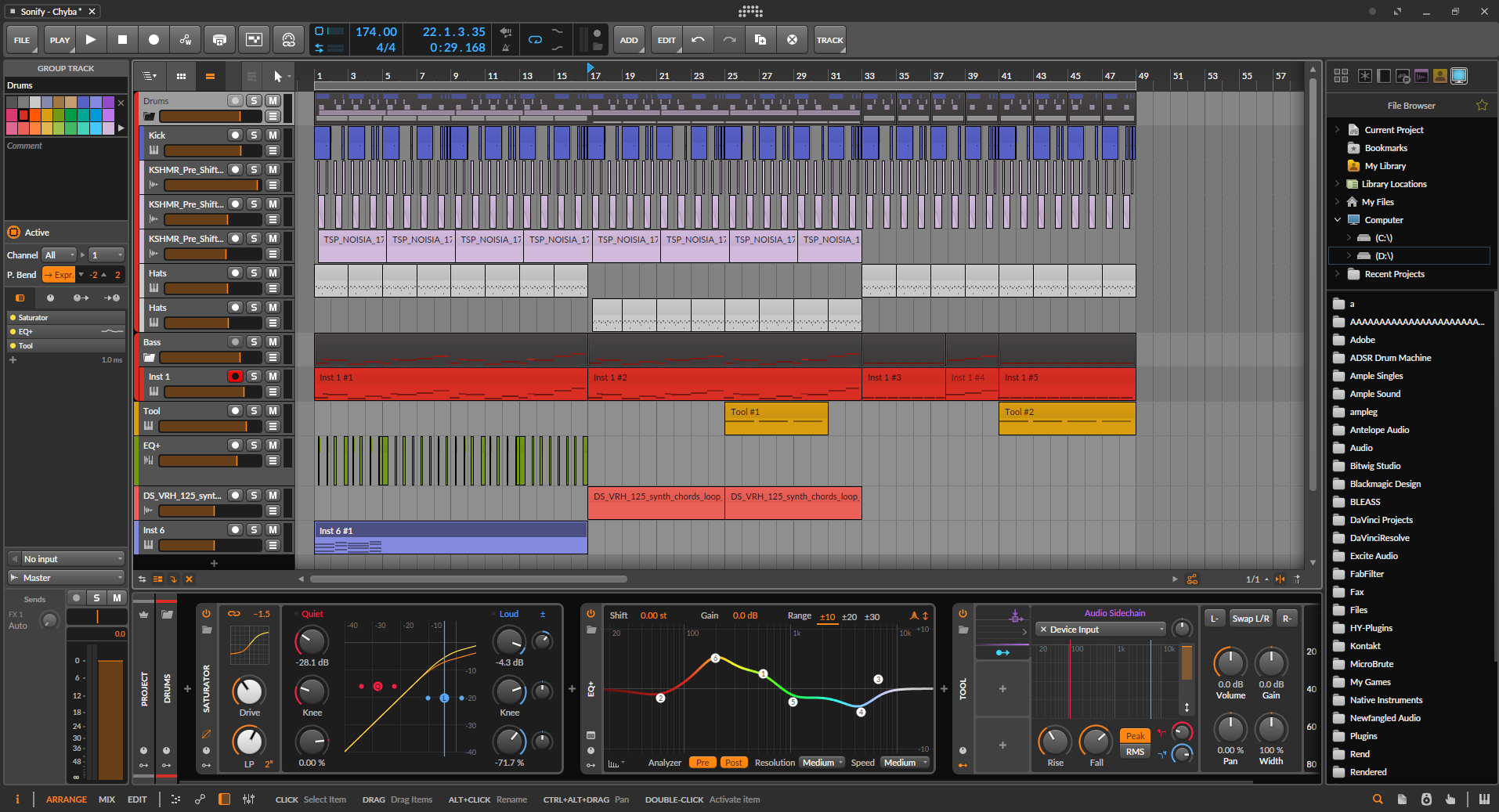
On the flip side, Bitwig GmbH is a Berlin-based company founded by former Ableton employees who wanted to build a DAW that addressed specific limitations they experienced in the tools they worked with, particularly around modulation, the relationship between clips and the timeline, and the integration of modular synthesis into the production workflow.
Bitwig Studio launched in 2014 and has developed rapidly since, with each major version adding significant new capabilities rather than incremental refinements.
Bitwig’s most distinctive contribution to DAW design is The Grid, a fully modular synthesis environment built directly into the DAW that lets you design custom synthesizers, effects processors, and audio tools from a library of over 200 modules using a patchable routing system similar to a modular synthesizer.
You can use Grid patches as instrument tracks, as audio effects on existing audio, or as MIDI processors, which makes The Grid a genuinely novel element of a production environment rather than a feature that exists for marketing reasons.
Bitwig is also the only major DAW that runs natively on Linux in addition to Mac and Windows, which gives it a specific relevance for producers who work in open-source operating environments.
The update model differs from FL Studio: each Bitwig license includes 12 months of updates, after which you can continue using the version you have indefinitely but need to pay the upgrade plan fee to access new major versions.
Workflow and Pattern-Based Composing
Both DAWs use patterns as their fundamental compositional building block, but they implement this philosophy in meaningfully different ways that affect how you work day to day.
- FL Studio
FL Studio’s workflow is organized around the Step Sequencer and the Piano Roll at the pattern level, with the Song Editor (now called the Arrangement) assembling those patterns into a complete composition. The mental model is that you create patterns (beats, melodies, chord progressions, basslines) and then arrange them in the song view.
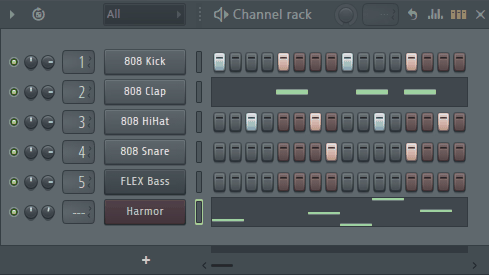
This approach is exceptionally well-suited to music that’s built from repeated or varied loops, which is why FL Studio’s workflow feels so natural for hip-hop, trap, EDM, and any genre where rhythmic patterns form the structural foundation.
The Step Sequencer in FL Studio is the most powerful in any DAW: it handles per-step velocity, pan, pitch, release, and multiple other parameters independently for each beat, and the visual layout makes it fast to build complex rhythmic patterns and variations.
The Piano Roll is widely considered the best MIDI editor in any DAW, with features like articulation and performance markers, scale highlighting, chord tools, mirror editing, flam and stutter tools, and a comprehensive note manipulation system that makes detailed MIDI programming faster than in competing DAWs
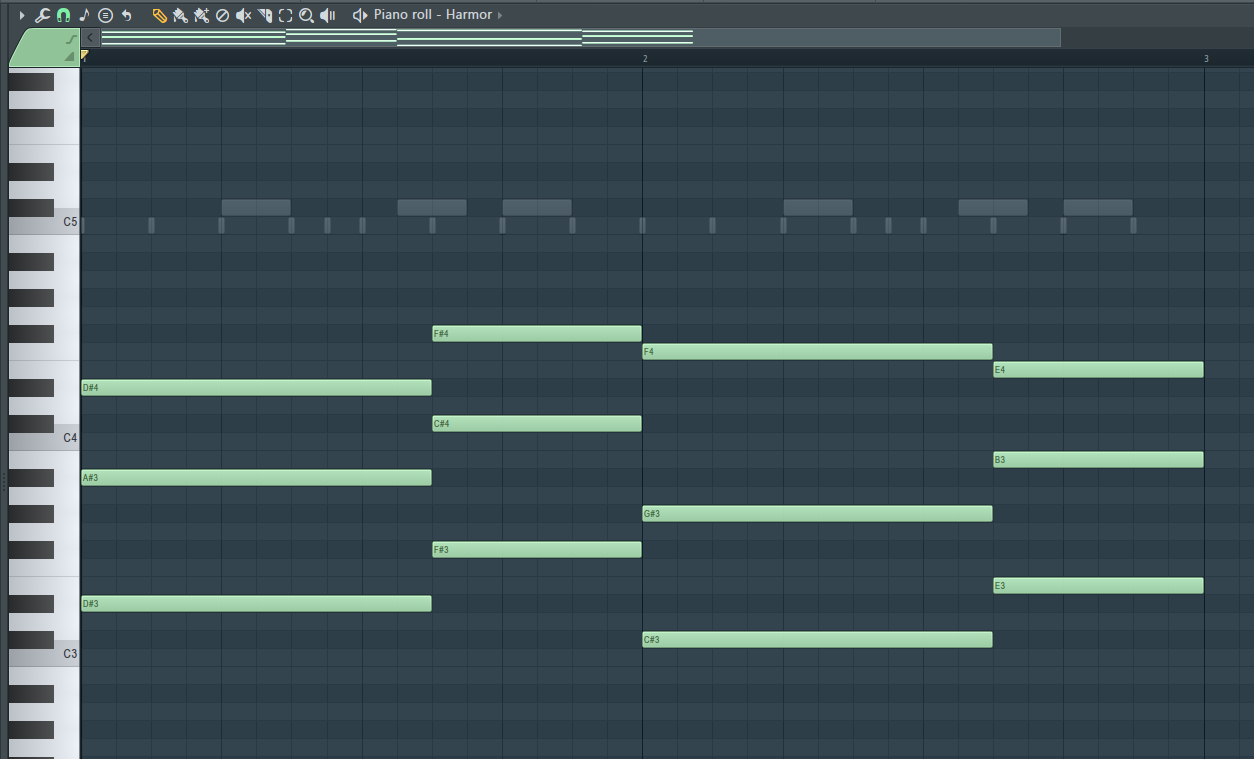
The FL Studio workflow rewards producers who think in terms of blocks: build a verse pattern, build a chorus pattern, build a bridge pattern, arrange them. If you naturally think about music as a collection of repeating sections with variations, FL Studio’s composing environment feels intuitive and fast.
- Bitwig Studio
Bitwig’s workflow is more flexible about the relationship between linear and pattern-based composing: the Arrangement view works as a linear timeline where you can record, place, and edit audio and MIDI clips.
The Clip Launcher (similar to Ableton Live’s Session view) lets you launch clips and scenes non-linearly for live performance or exploratory composition. A Scene-based organization system lets you group clips into scenes that can be launched simultaneously, making it natural to work with multiple variations of a section and switch between them in real time.
The Bitwig composing workflow suits producers who want to move fluidly between linear arrangement and non-linear clip launching without committing to one approach, and particularly producers who perform or prototype live arrangements as part of their composition process.
The dual-mode approach of having both an Arrangement timeline and a Clip Launcher in the same project is the feature that distinguishes Bitwig most from pure linear DAWs.
Genre Fit
- FL Studio
FL Studio’s genre associations are the strongest and most specific of almost any DAW. Hip-hop, trap, and R&B production has used FL Studio as a primary tool for two decades, and the Step Sequencer’s approach to beat programming created a generation of producers who learned to make music through FL’s specific workflow.
EDM and house production uses FL Studio extensively for its efficiency in building loop-based arrangements and for the specific character of its included plugins. Lo-fi and bedroom pop production often uses FL Studio for its relatively low barrier to entry and its suitability for the iterative beat-building approach.
Rock and traditional recording contexts are where FL Studio has historically been weaker: the DAW’s roots in beat programming and its late adoption of comprehensive audio recording and comping tools means that producers coming from a recording background often find the workflow less natural than Logic or Pro Tools.
Recent versions of FL Studio have significantly improved audio recording capabilities, and the gap has narrowed, but the cultural associations and workflow defaults remain tied to electronic and hip-hop production.
- Bitwig Studio
Bitwig’s genre associations are tied to its specific capabilities: experimental electronic music, modular and generative music, ambient and drone production, and any genre where the relationship between the DAW and synthesis is blurred by design.
The Grid makes Bitwig genuinely useful for producers who approach music from a synthesis and sound design perspective as much as from a recording and arranging one.
Electronic music production across a wide range (techno, ambient, IDM, industrial, experimental) uses Bitwig because the workflow’s flexibility suits music that doesn’t conform to conventional arrangement templates.
The Clip Launcher and Scene system makes Bitwig attractive for live electronic performance contexts where musicians need to launch loops, trigger samples, and manage evolving textures in real time.
Scoring and sound design for film and interactive media uses Bitwig because The Grid’s audio processing capability lets you design effects tools and processing environments that conventional DAW plugin chains can’t replicate.
Hip-hop and trap production is less naturally at home in Bitwig than in FL Studio, primarily because Bitwig’s step sequencer is less developed than FL’s and the workflow philosophy is more oriented toward the live-performance and generative contexts than toward beat-programming efficiency.
Sound Design and Instrument Plugins
FL Studio
FL Studio’s included instrument library has grown significantly over the decades and covers a wide range of synthesis and sampling approaches:
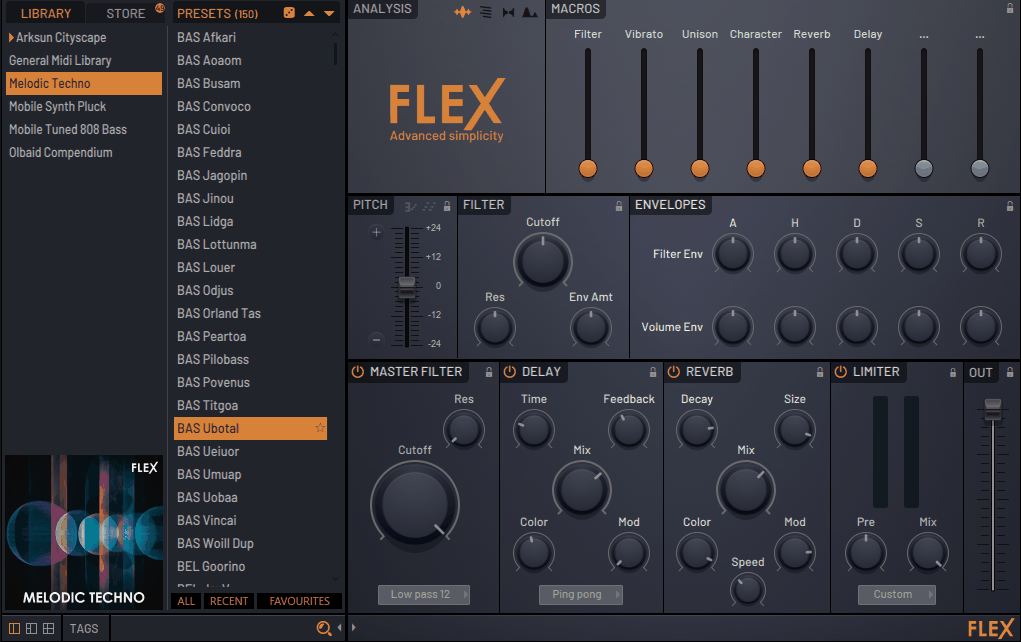
- FLEX:
A multi-engine instrument that plays sample-based sounds from an extensive library covering every mainstream genre and sound category. FLEX is the most commonly used FL instrument for quickly dropping in realistic instruments and production-ready sounds.
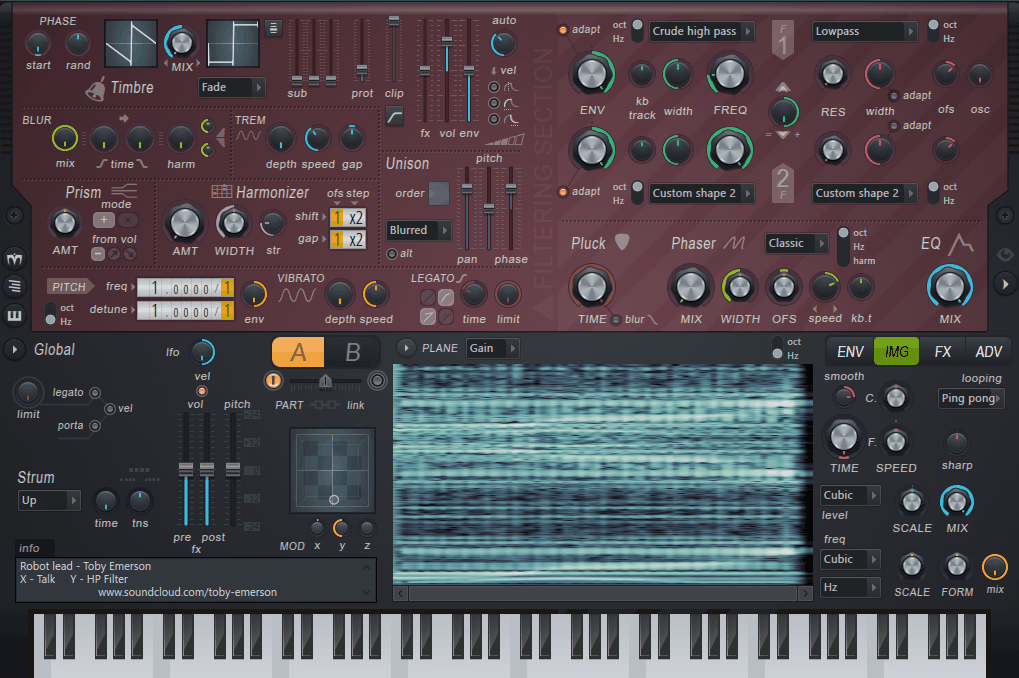
- Harmor:
An additive and image synthesis engine that can reconstruct sounds from audio files and reshape them using additive synthesis techniques, capable of highly unusual and unique textures.
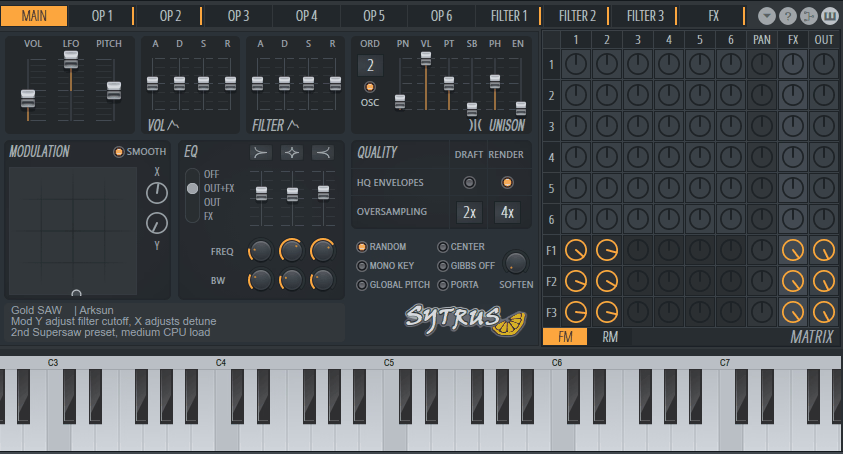
- Sytrus:
A six-operator FM synthesis instrument with a capable modulation matrix that covers the range from clean FM bell tones to complex evolving pads.
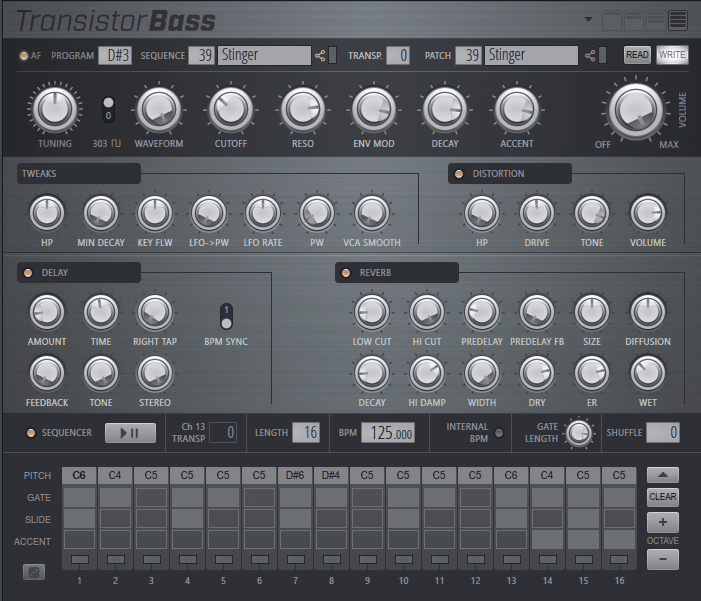
- Transistor Bass:
A dedicated TB-303-style acid bass synthesizer with all the classic controls.
- ZGameEditor Visualizer:
A visual effects generator that responds to audio for creating visual content synchronized to music.
- Fruity DrumSynth Live:
A drumkit synthesizer with adjustable parameters per drum element.
The FL Studio All Plugins Bundle at the highest tier also includes more advanced instruments like Harmless (subtractive synthesis), Morphine (additive synthesis), and others that expand the in-box toolkit substantially.
Bitwig Studio
Bitwig’s instrument library is smaller in count but architecturally more adventurous:
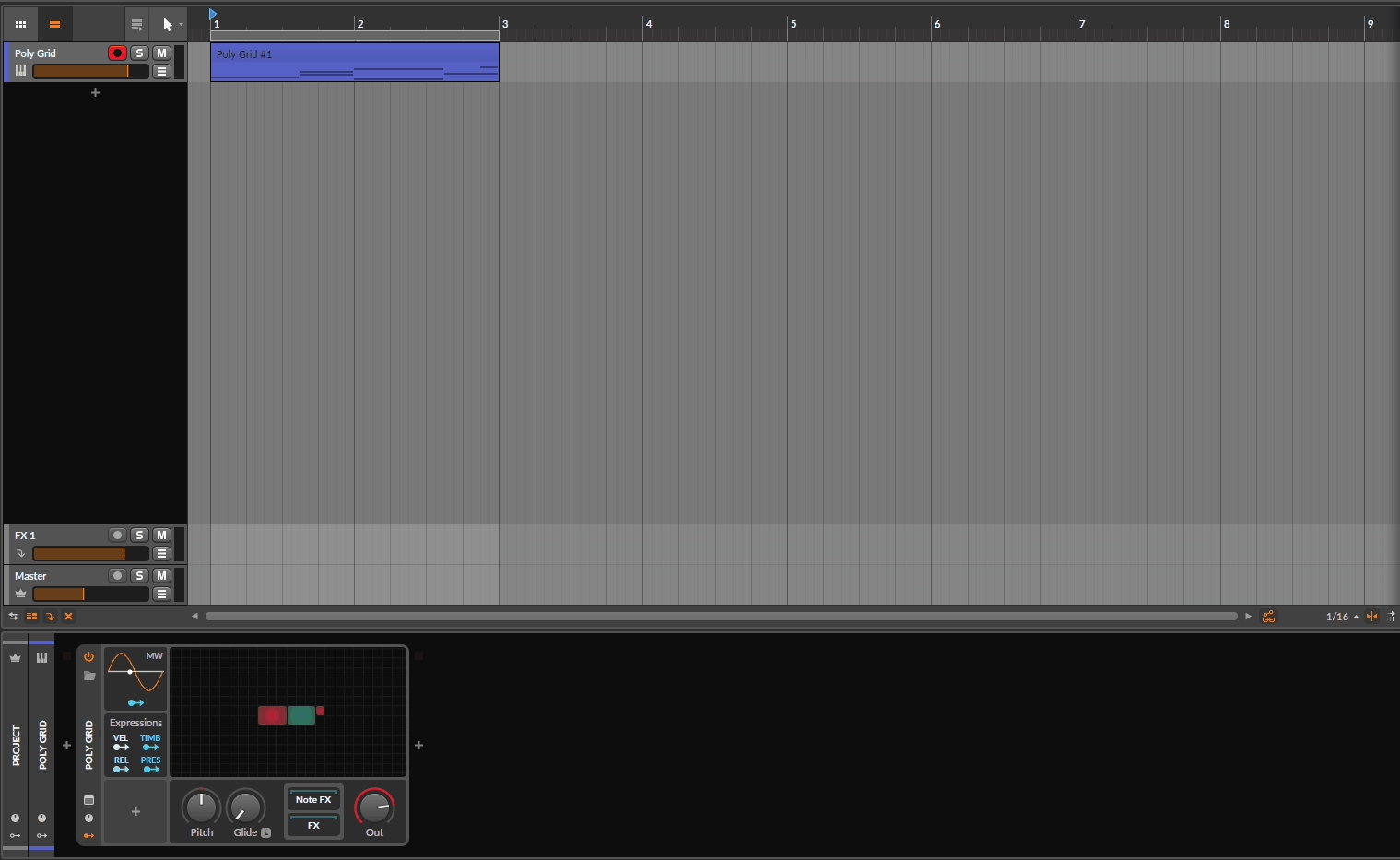
- Poly Grid:
Poly Grid is one of Bitwig’s flagship instruments, built directly on top of The Grid’s modular environment to provide polyphonic synthesis with all the modular patching freedom that The Grid enables.
It ships with a collection of preset patches that demonstrate different synthesis architectures, but you can also open any preset and modify the underlying modular structure, which makes it both immediately playable and deeply customizable.
This dual nature is what makes Poly Grid distinctive: it’s a full synthesizer you can play from presets, and also a patchable modular instrument you can rebuild from scratch, in the same device.
- Poly Synth:
Poly Synth is a straightforward virtual analog synthesizer covering classic subtractive synthesis with two oscillators, a filter, and standard modulation.

- Phase-4:
This one is a phase modulation synthesizer with four oscillators and flexible phase modulation routing between them.

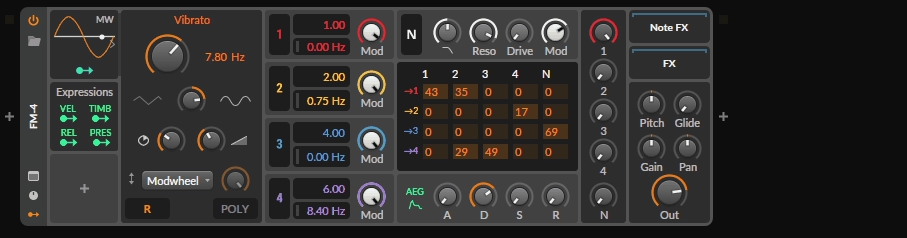
- FM-4:
Next, FM-4 is four-operator FM synthesizer with a visual operator routing display.
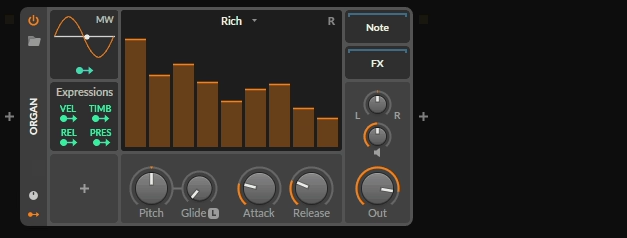
- Organ:
An additive organ synthesis instrument covering a range of drawbar organ styles.
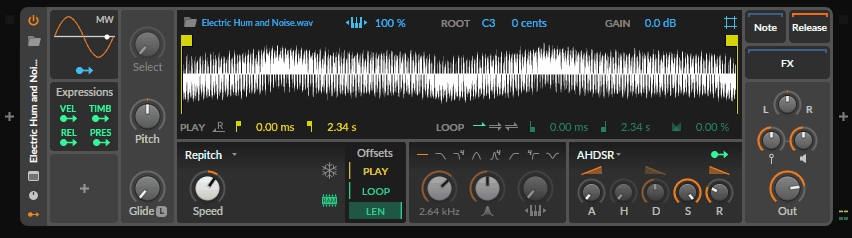
- Sampler:
A sophisticated multi-sample playback instrument with granular and slice modes.
- Grid patches as instruments:
Any Grid patch can be used as an instrument track, which means the instrument toolkit effectively extends to include any synthesis architecture you can build in The Grid, making the library nearly unlimited in scope for producers who engage with modular synthesis.
Bitwig’s instrument library is less immediately playable from presets than FL’s FLEX library, but the Grid patches add a dimension of synthesis capability that FL’s included instruments don’t match.
Effect Plugins and Built-in Processing
FL Studio
The mixer’s channel strip gives you a gate, compressor, EQ, delay, and reverb slot per channel by default, making it fast to apply basic channel processing without opening separate plugin windows. The included effects catalog covers compressors, EQs, reverbs, delays, chorus, distortion, and mastering-grade processing tools.
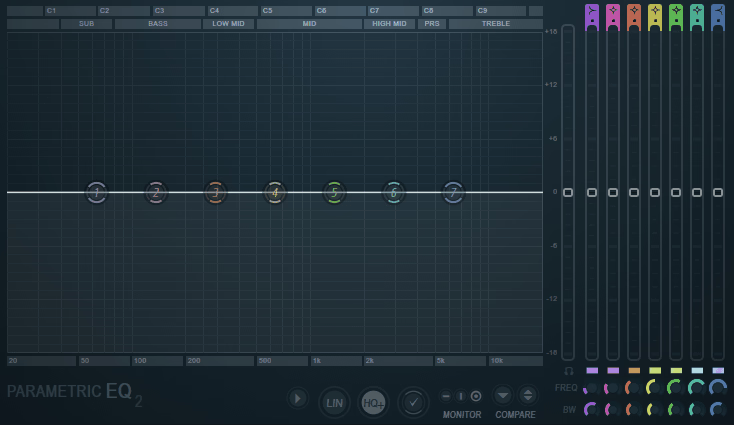
- Parametric EQ 2
FL Studio’s included effects cover the standard professional processing categories well, with the Parametric EQ 2 being particularly well-regarded as one of the more capable DAW-native EQs.
- Maximus:
Reserved for higher FL Studio editions, this multiband compressor and limiter handles mastering duties with streaming-compliant LUFS targeting, loudness control, and advanced dynamics across multiple frequency bands.
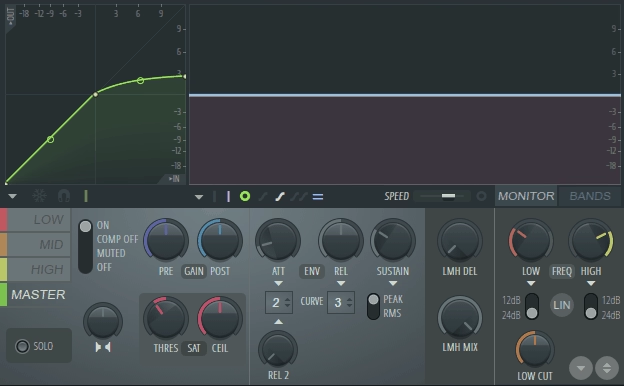
- MultiBand Compressor:
Frequency-dependent compression is the focus here, letting you tame problem bands surgically without squashing the rest of the mix.

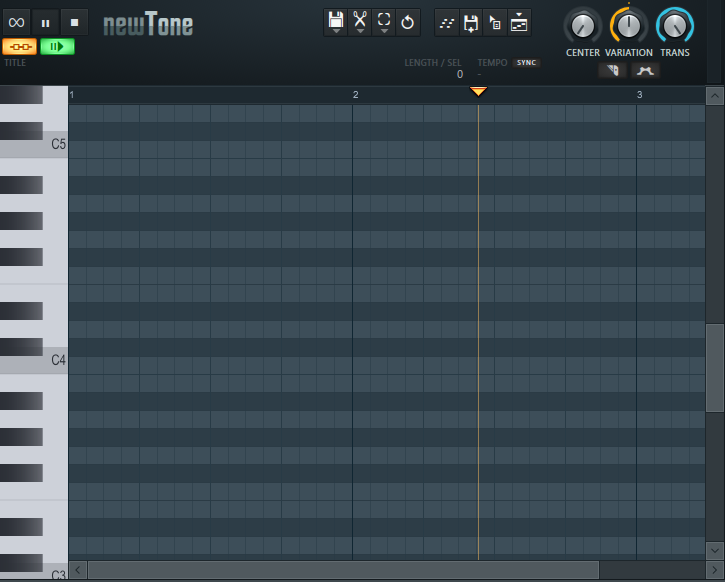
- NewTone:
Pitch correction in both real-time and graphical modes makes this one of FL’s more practical tools for vocal tuning and creative pitch manipulation.
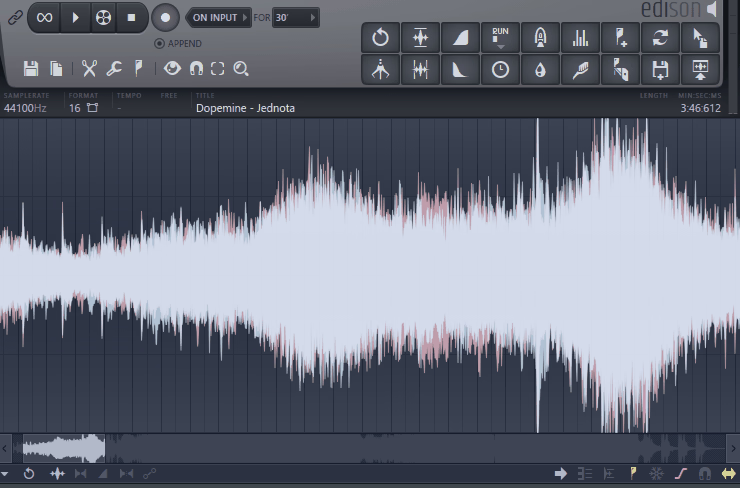
- Edison:
More than an effect, Edison is a full audio editor inside FL Studio, handling recording, spectral analysis, editing, and noise removal without leaving the DAW.
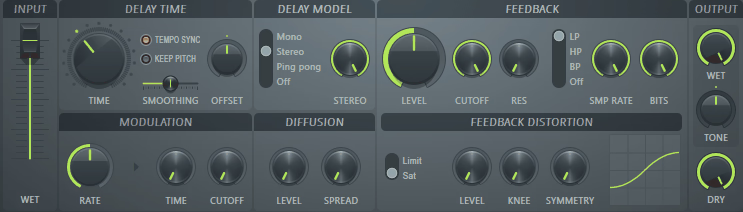
- Fruity Delay 3:
Modern stereo delay duties fall to this plugin, with flexible time and feedback controls built around a clean and versatile signal path.
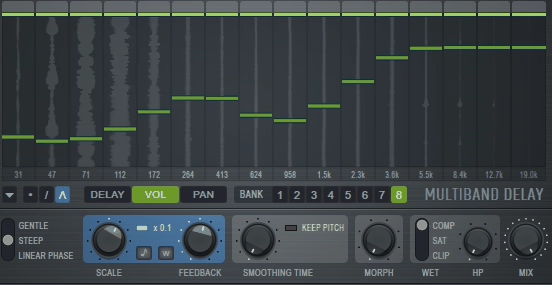
- Multiband Delay:
Incoming audio gets split into multiple frequency bands here, with independent delay processing on each band producing complex rhythmic and spatial effects that a single-band delay can’t replicate.
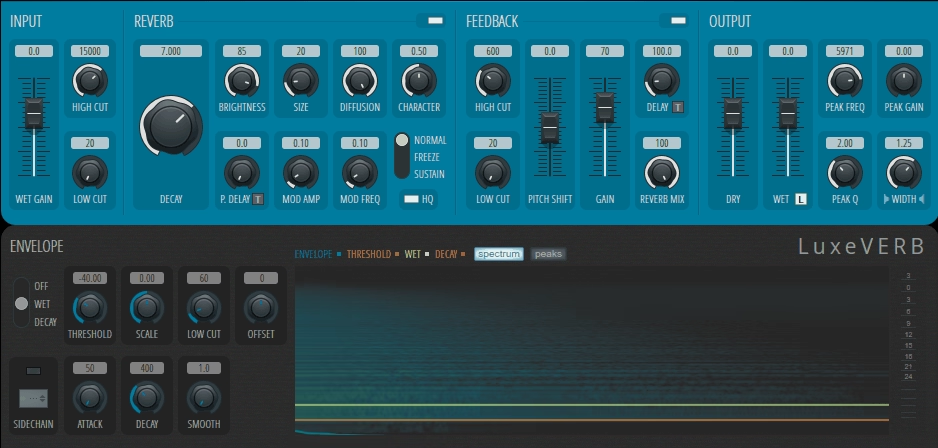
- LuxeVerb:
As FL Studio’s flagship algorithmic reverb, LuxeVerb offers large, high-quality spaces with detailed control over early reflections, tail character, and modulation for lush, musical reverb tones.
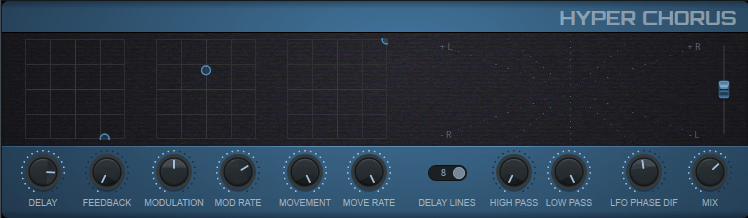
- Hyper Chorus:
Thick stereo widening and movement define this modern chorus, which suits contemporary productions that call for bold, wide modulation rather than subtle shimmer.
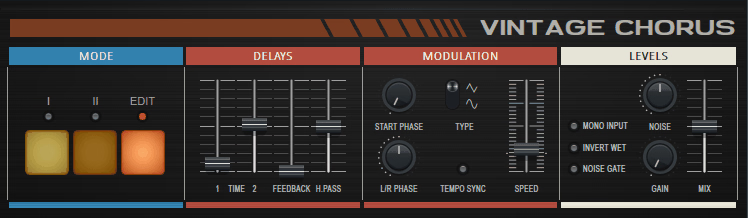
- Vintage Chorus:
Classic analog chorus circuits are the inspiration here, with the warmer and more characterful modulation tones associated with hardware units from earlier eras.
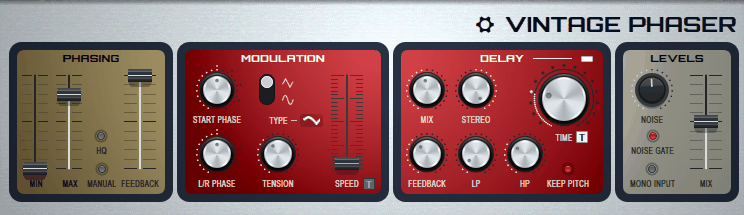
- Vintage Phaser:
Analog phase shifter pedals and rack units get emulated in this plugin, capturing the distinctive swirling and sweeping character of the originals.
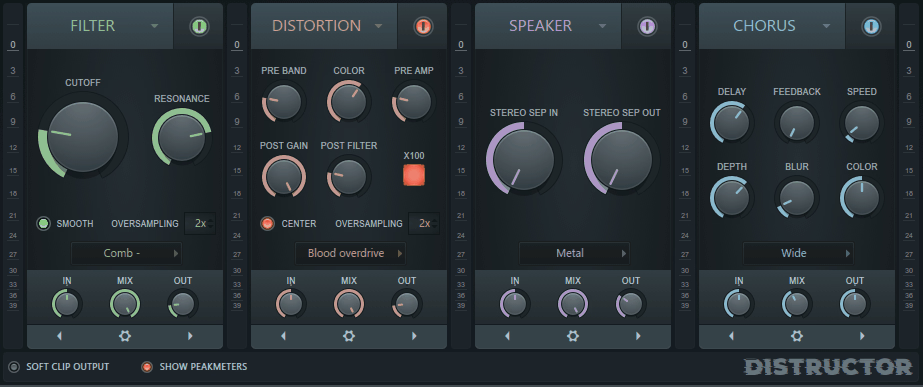
- Distructor:
Multi-stage distortion with extensive waveshaping and filtering options is the core of this processor, ranging from subtle saturation to aggressive signal destruction.
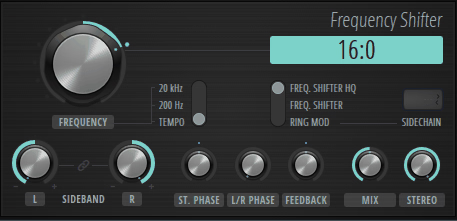
- Frequency Shifter:
Unlike conventional pitch shifting, this plugin performs linear frequency shifting, producing inharmonic and metallic tonal shifts that work well for experimental sound design and ring-modulation-style effects.
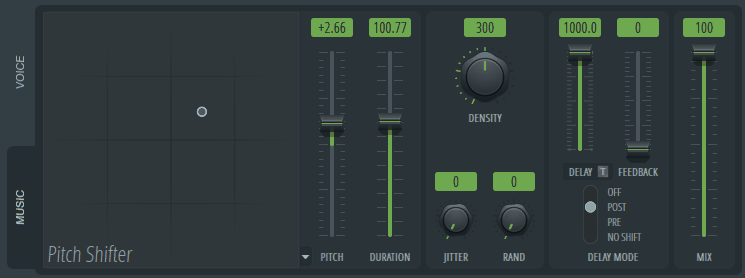
- Pitch Shifter:
Real-time pitch transposition is what this plugin handles, shifting audio up or down without changing playback speed and working well for harmonization, octave doubling, and creative pitch effects.
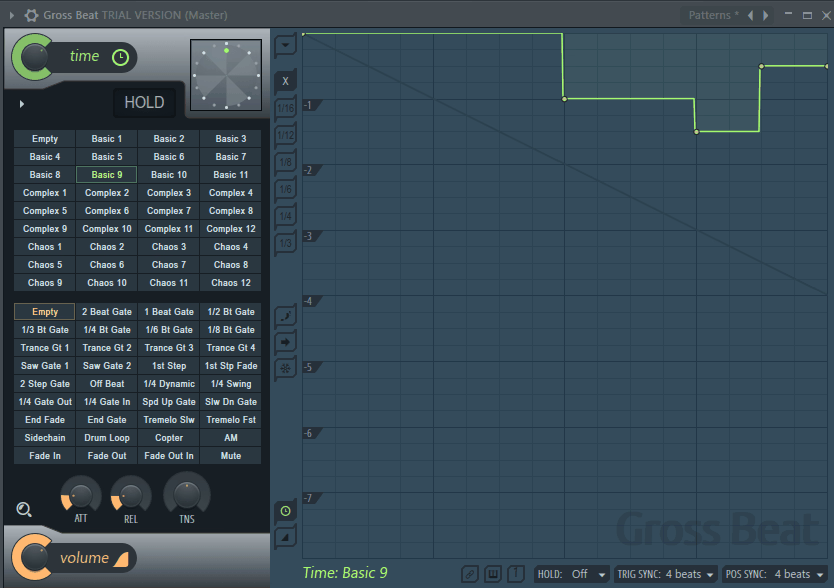
- Gross Beat:
Time and volume manipulation is Gross Beat’s specialty, applying pre-drawn or real-time beat-repeat, stutter, scratch, and gating effects. A staple in hip-hop, trap, and electronic production for rhythmic audio manipulation.
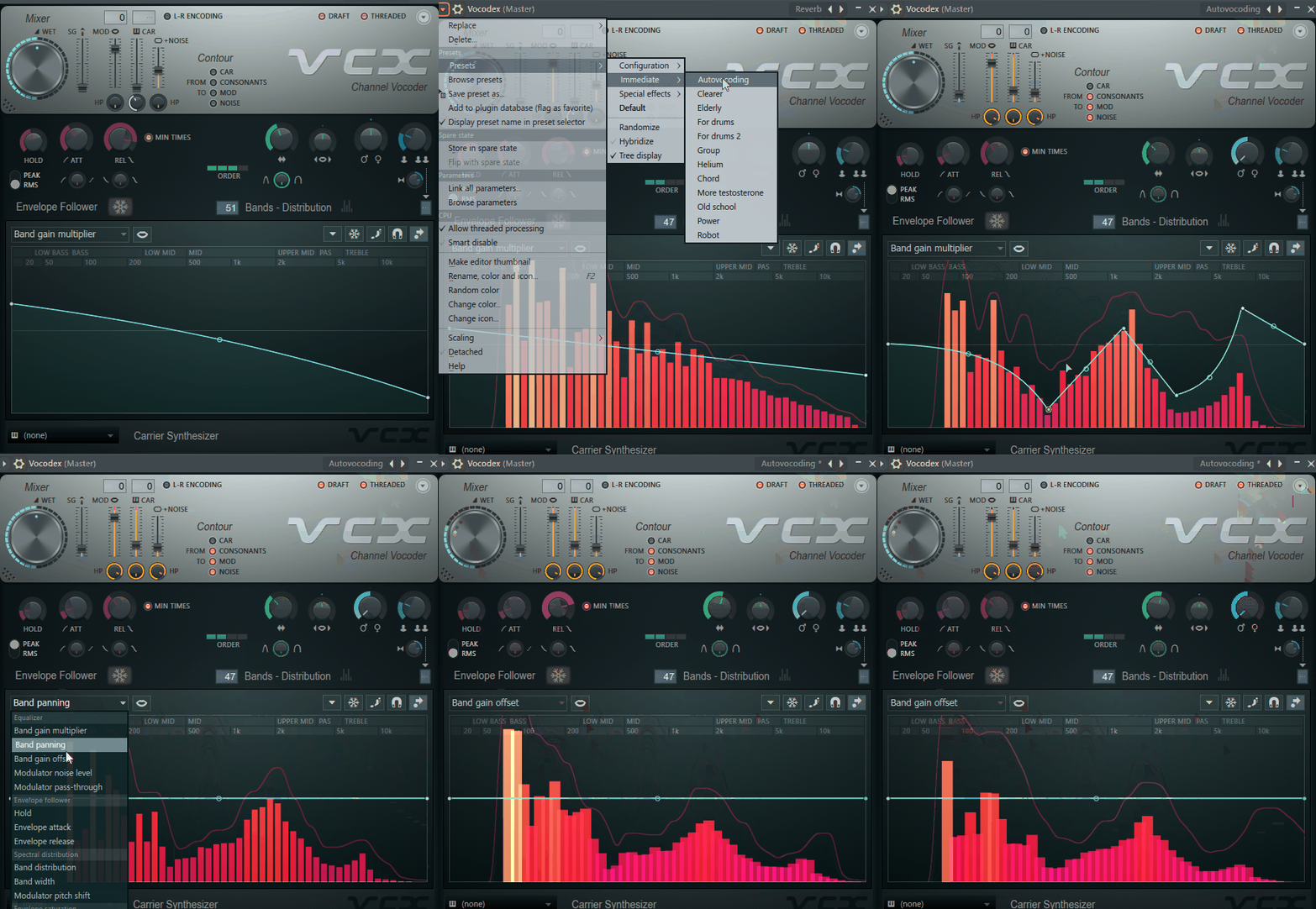
- Vocodex:
Carrier-modulator processing is the heart of this vocoder, combining a synth signal with vocal formants to produce the classic robotic vocal and talking synth effects associated with vocoder production.
Bitwig Studio
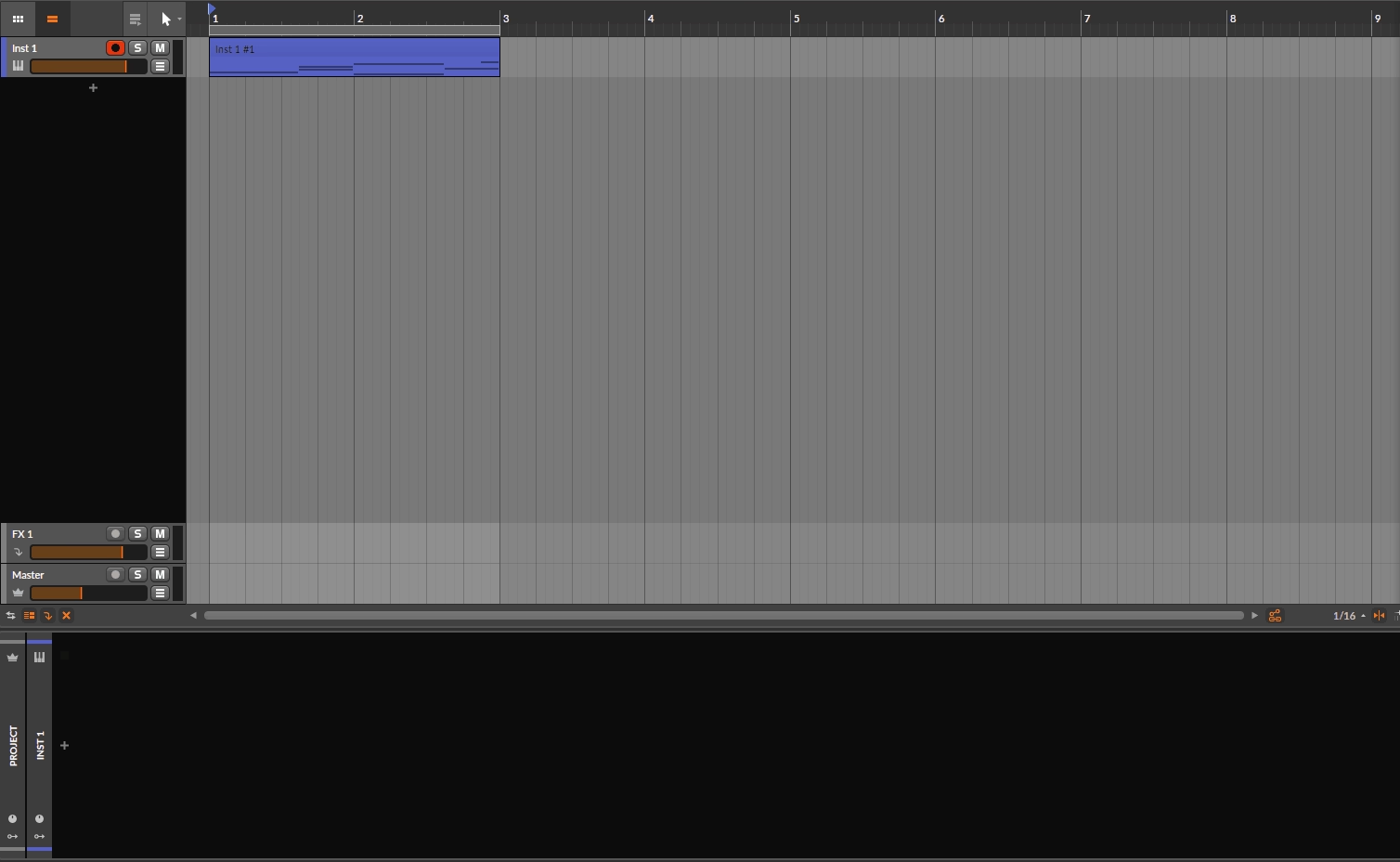
Bitwig’s effects catalog is similarly comprehensive but with one major architectural difference: all Bitwig effects support the same unified modulation system that Bitwig’s instruments use, meaning you can connect any modulation source (LFO, envelope, macro, MIDI) to any parameter of any Bitwig native effect using the same drag-to-modulate interface.
This makes Bitwig effects significantly more modularly capable than FL’s effects: you can have an LFO modulating a reverb’s room size, an envelope controlling a compressor’s threshold, or a macro simultaneously adjusting the wet/dry of multiple effects across the session from a single controller.
The Audio FX tracks in Bitwig allow you to build complex effects chains on dedicated routing tracks with full Clip Launcher integration, and Grid patches can be used as audio effects processors, which extends the effects toolkit into genuinely custom signal processing territory.
Modulation and Routing Depth
This is one of the most important differences between the two DAWs for producers who care about synthesis-level modulation within their production environment.
- FL Studio
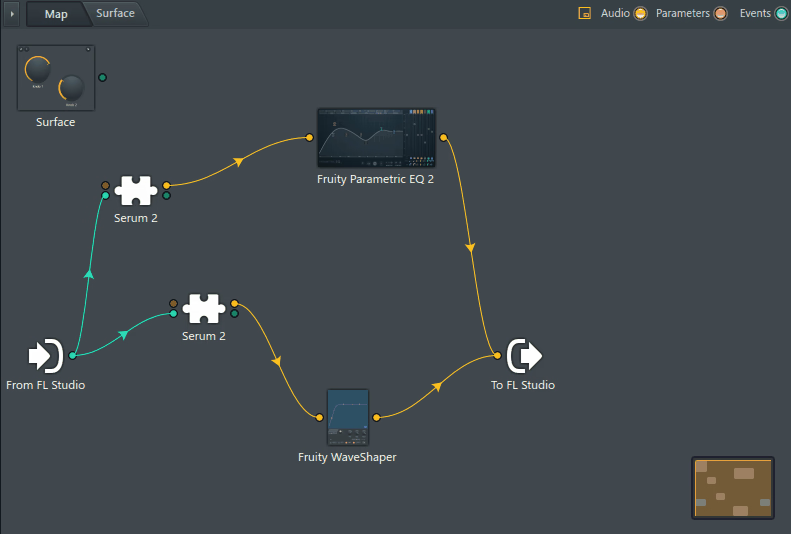
FL Studio has a modulation system built around its automation clips and the Patcher semi-modular routing environment. Automation clips let you draw or record parameter movements over time for any knob or switch in the DAW, which covers the conventional approach to modulation well.
The Patcher lets you create semi-modular signal routing between instruments and effects, building processing chains and modulation paths that conventional insert routing doesn’t support.
However, FL’s modulation is fundamentally automation-based and pattern-based rather than continuously running at the synthesis level. You automate parameters by drawing in an automation clip that rides along with the song timeline or pattern; you don’t have LFOs running continuously at the plugin level the way Bitwig’s unified modulation system does.
This is a workflow philosophy difference rather than a capability difference, but it affects how you approach modulation-rich sound design.
- Bitwig Studio
Bitwig’s unified modulation system is one of its most significant architectural achievements and gives it a distinct advantage for synthesis-oriented producers.
Every parameter of every Bitwig native instrument and effect can be directly modulated by any modulation source (LFO, envelope follower, macro, MIDI, random, audio sidechain) through the same drag-and-drop interface, and the modulation runs continuously and independently of the timeline: an LFO modulating a filter doesn’t need to be recorded as automation; it just runs as a living parameter animation that’s part of the instrument’s behavior.
This synthesis-level modulation capability means that Bitwig patches behave more like synthesizer voices than typical DAW channel setups: the effects chain and the instruments are all animated by continuous modulation sources, and the result is a sound design capability that’s meaningfully different from the automation-based approach that most DAWs use.
The Modulator system lets you add MIDI CC tracking, LFOs, envelopes, step sequencers, and other modulation sources to any native Bitwig device and have that modulation respond to incoming MIDI, audio amplitude, or other control signals, which creates dynamic, responsive processing that changes based on what’s playing rather than following a pre-drawn automation curve.
MIDI and Piano Roll Compared
- FL Studio
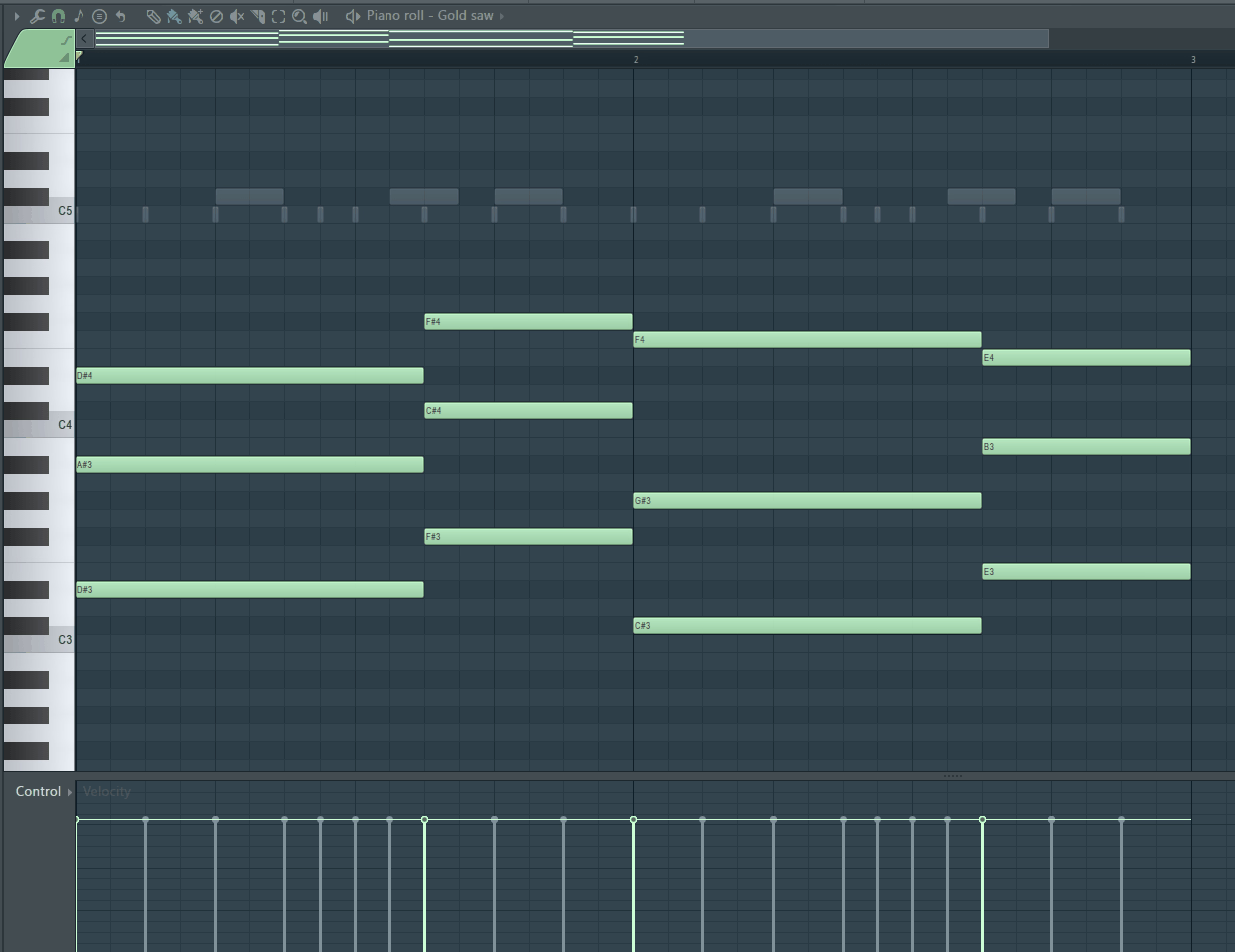
The FL Studio Piano Roll is the most fully-featured MIDI editor in any DAW and has been developed and refined over more than two decades of active use by one of the largest producer communities in the world. Specific features that set it apart from competing DAW piano rolls include:
- Scale and chord highlighting: Color-code the piano roll display according to the scale and chord of the current section, making it faster to identify which notes are in key.
- Articulation markers: Non-destructive performance markers that trigger different articulations in libraries that support them.
- Note properties per note: Velocity, pan, pitch, modulation x/y values, and release time per individual note.
- Chord tool and stamp tool: Place chord voicings or patterns from a chord library with a single click.
- Flam, stutter, and groove tools: Specific rhythmic humanization tools for making sequences feel more natural.
- Mirror editing: Mirror a selected note pattern horizontally or vertically.
For producers who spend significant time programming detailed MIDI performances, the FL Studio Piano Roll represents the highest capability available in any mainstream DAW.
- Bitwig Studio
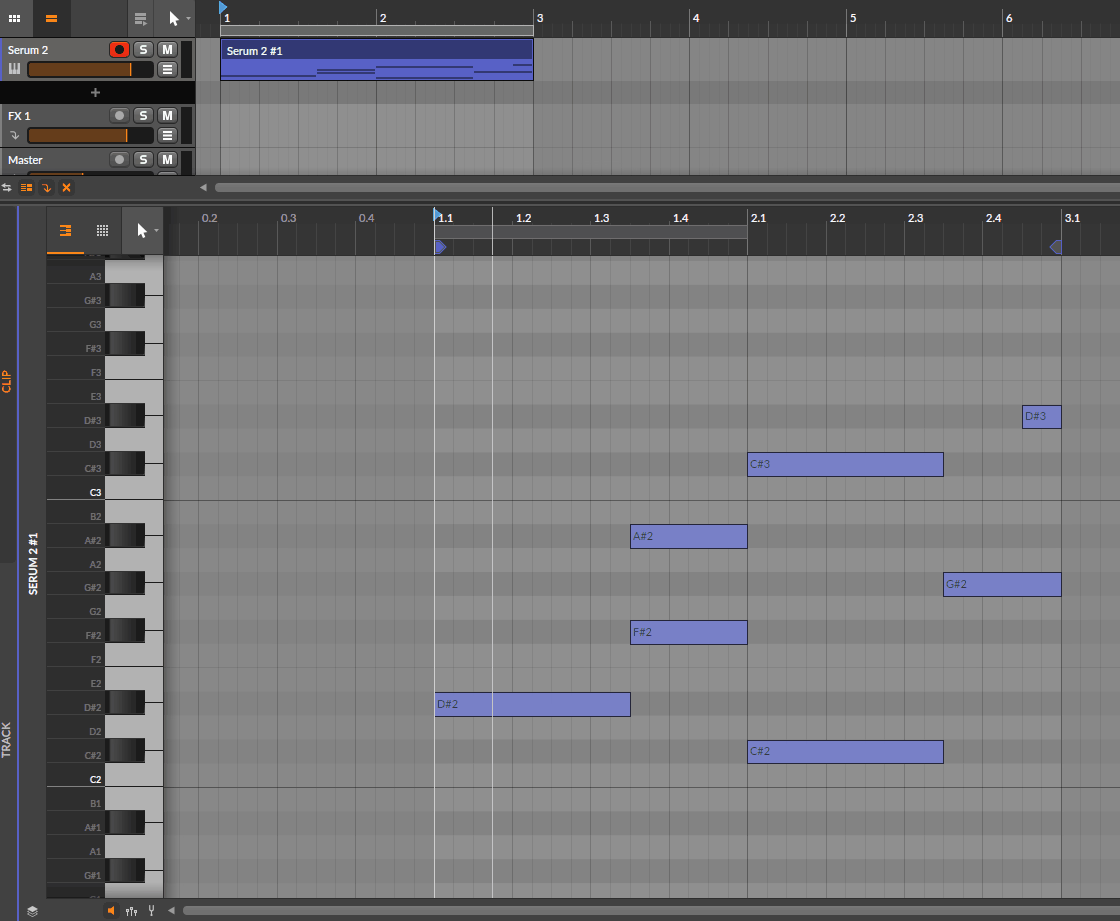
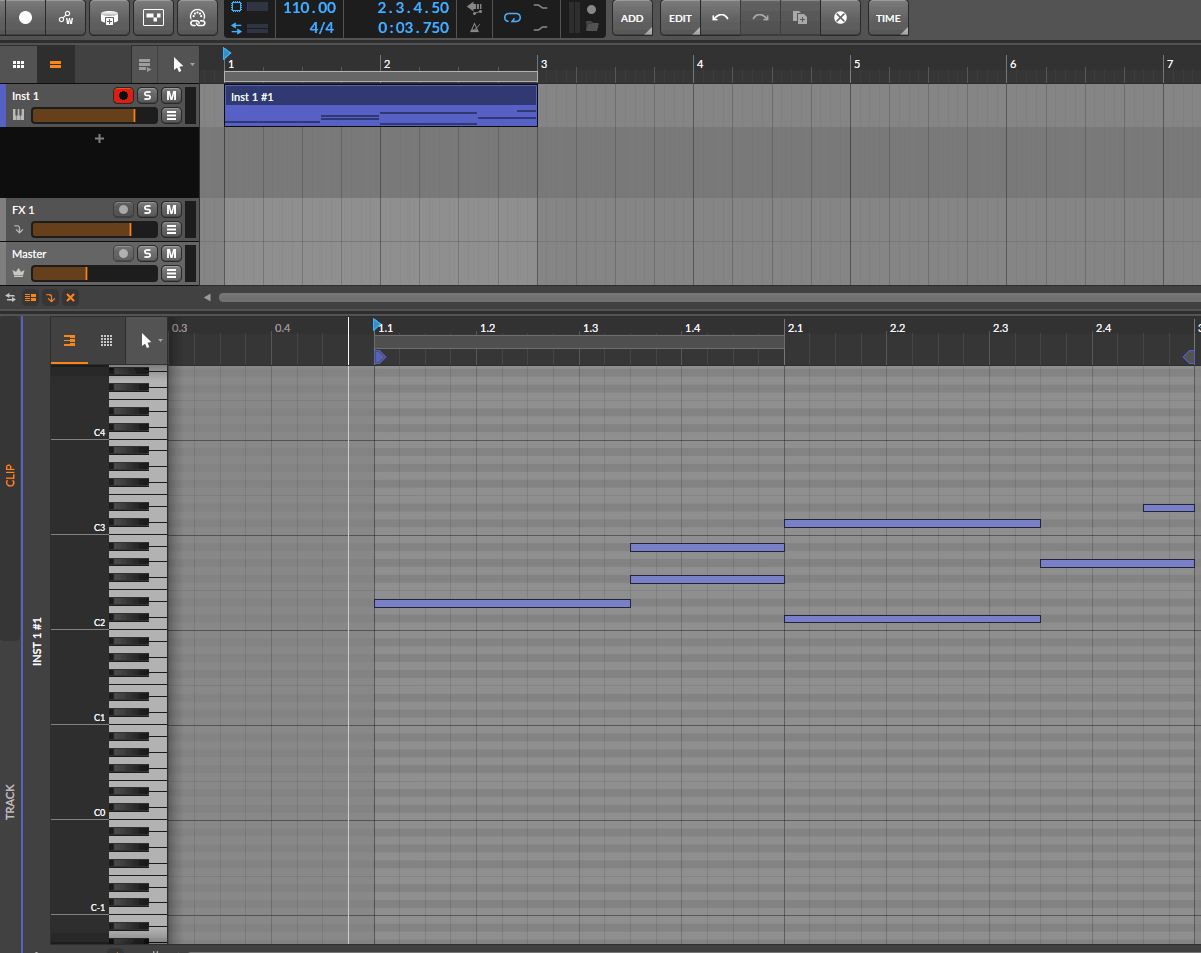
Bitwig’s Piano Roll is capable and includes MPE support (per-note pitch, pressure, and slide expression) more completely than FL, which matters significantly for producers using MPE-capable controllers like the ROLI Seaboard or Linnstrument.
Bitwig’s note expression system lets you add per-note parameter curves within individual notes, which is the MPE approach applied within the piano roll itself. The Piano Roll also integrates with Bitwig’s modulation system, so you can map MIDI performance data to any device parameter.
The Bitwig Piano Roll is well-designed and practical but.. doesn’t match the depth of FL’s MIDI programming tools for producers who do detailed MIDI performance editing. The tradeoff is that Bitwig’s approach to per-note expression through its unified system covers territories that FL’s more conventional velocity/CC approach doesn’t.
Live Performance Capabilities
- FL Studio
FL Studio added a Performance Mode that lets you launch mixer channel clips in real time, but live performance has historically been a secondary use case for the DAW rather than a primary design consideration.
The Performance Mode works and has devoted users, but it doesn’t approach the depth and reliability of Bitwig’s clip launching system for producers who build live sets around triggering loops and scenes. FL Studio’s primary workflow is production-first, with live performance as an available option rather than a co-equal workflow mode.
- Bitwig Studio
Bitwig was designed with live performance as a first-class use case alongside studio production, and the Clip Launcher and Scene system are genuinely excellent tools for building and performing live electronic sets.
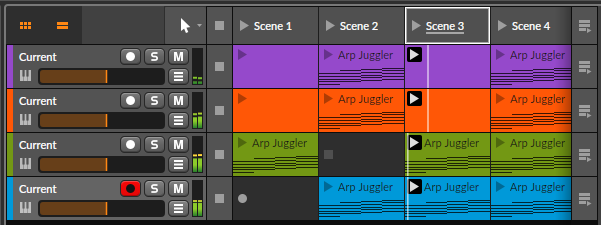
You can launch individual clips, launch entire scenes simultaneously, set scene follow actions (so Scene 2 automatically plays after Scene 1 completes or after a specified number of bars), configure clip launch modes (toggle, gate, or queue-based), and build sets that respond to performance decisions in real time.
The Hardware Instrument and CV Output support in Bitwig also extends live performance to hybrid software-hardware setups where Bitwig controls external synthesizers and modular systems via CV and gate signals alongside internal software instruments.
For producers who perform with a combination of software and hardware, Bitwig’s hardware integration is specifically designed to handle that workflow reliably.
Hardware Integration
- FL Studio
FL Studio has good hardware controller integration through its MIDI system, supporting standard MIDI CC and note input from any controller, with improved support for specific controllers in recent versions.
The Image-Line Remote app allows iOS and Android devices to control FL Studio as a remote control surface. The DAW handles standard outboard hardware through MIDI out routing in the mixer.
For hardware modular synthesizer integration, FL Studio is workable but not specifically optimized: you route CV through an audio interface’s DC-coupled outputs using specific routing configurations, which works but requires manual setup rather than native support.
- Bitwig Studio
Bitwig has specific and deeply integrated hardware support that goes beyond FL Studio’s more generic MIDI approach. The Hardware Instrument plugin provides a dedicated wrapper for external synthesizers that handles MIDI output, audio input, latency compensation, and parameter control from a unified interface.
More importantly, Bitwig natively supports CV and gate output through DC-coupled audio interface outputs, making it one of the most directly integrated DAWs for producers who use Eurorack modular synthesizers alongside their software environment.
Bitwig’s Polymer instrument and various CV-oriented Grid patches create a genuine bridge between the software DAW environment and hardware modular systems, and the level of CV integration available in Bitwig is among the best of any mainstream DAW.
For producers who work in a hybrid software and Eurorack environment, Bitwig’s hardware integration is often a decisive factor in the comparison.
Lifetime Free Updates: FL Advantage
This feature deserves its own section because it’s genuinely unusual in the software industry and has a significant practical impact on the long-term cost of owning FL Studio.
When you purchase any edition of FL Studio, all future versions of that edition are included at no additional cost, forever.
This means that producers who purchased FL Studio Producer Edition in 2005 received FL Studio 21 in 2023 as a free update, and will receive FL Studio 22 and every version beyond that at no additional cost, permanently. This policy has been maintained through over 20 major versions without exception.
The practical financial impact is significant: if you’re planning to use a DAW for 5 to 10 years (which is a normal production career timeline), FL Studio’s one-time purchase price compares favorably to any other DAW that charges for major updates. Logic Pro’s update model is comparable in that major updates have generally been free, but FL Studio’s policy is the most explicit and guaranteed lifetime commitment of any commercial DAW.
For producers evaluating the total long-term cost of a DAW investment, FL Studio’s pricing model is one of its strongest practical arguments.
The Grid: Bitwig’s Modular Advantage
The Grid deserves its own section because it’s genuinely unlike anything available in any other mainstream DAW, and it changes how you can think about sound design and audio processing within a production environment.
The Grid is a fully modular synthesis and audio processing environment built into Bitwig Studio. It contains over 200 modules covering oscillators, filters, modulators, sequencers, logic operators, math utilities, audio effects, MIDI tools, and more.
You can build complete synthesizers from scratch by connecting modules with virtual patch cables, create custom audio effects processors with unusual routing that standard plugin chains can’t produce, build custom MIDI tools that transform MIDI input in complex ways, or design generative music systems where the music itself is produced by interconnected modular logic rather than recorded performances.
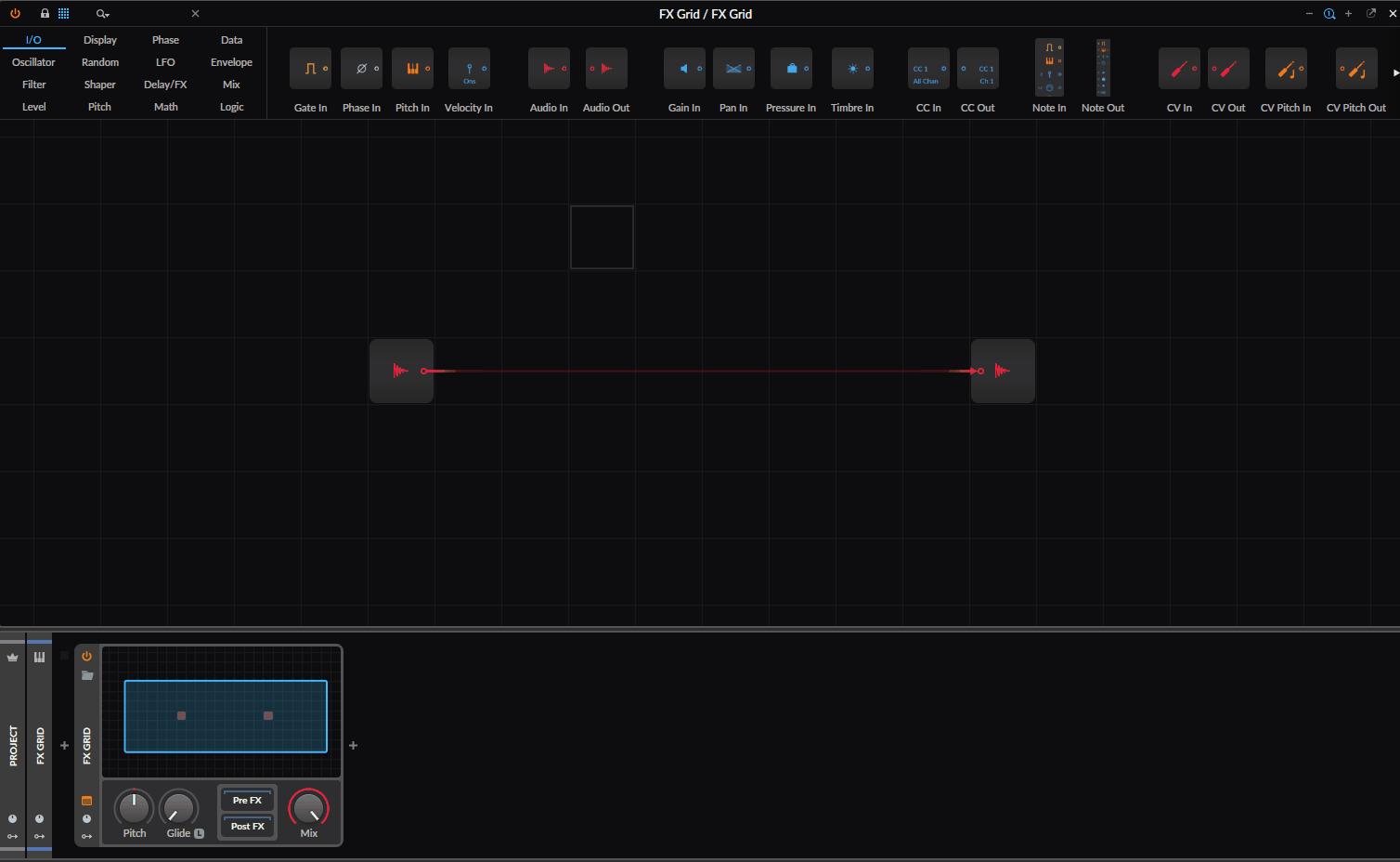
Grid patches run as Instrument tracks (receiving MIDI and producing audio), Audio FX tracks (processing audio signals with custom module-based effects chains), or Note FX (transforming MIDI before it reaches an instrument), which means The Grid’s capabilities apply at every stage of the production signal flow.
Some specific things you can do in The Grid that have no equivalent in FL Studio:
- Build a custom synthesizer voice from scratch using whatever oscillator types, filters, and modulation routing you want, then use it as an instrument track in your session.
- Design a custom audio effect that processes incoming audio with complex modulation, feedback routing, and nonlinear processing that doesn’t correspond to any conventional effect type.
- Create a generative sequencer that produces evolving note patterns based on mathematical relationships between modules, responding to tempo and timing without requiring pre-recorded MIDI.
- Build a custom chord harmonizer that transforms incoming single-note MIDI into voiced chords based on rules you define with Grid logic modules.
For producers who have experience with hardware modular synthesis (Eurorack, for example), The Grid provides a comparable environment within a DAW context. For producers new to modular thinking, The Grid has a steeper learning curve than any other Bitwig feature, but the ceiling of what it enables is genuinely beyond what any fixed-architecture tool can match.
Learning Curve
- FL Studio
FL Studio has a relatively accessible learning curve for producers who are approaching it through beat-making, which is how the majority of FL’s user base first encounters it.
The Step Sequencer’s visual grid layout makes the relationship between pattern position and sound immediately clear, and the default interface presents the most commonly needed tools without requiring exploration of multiple separate view modes.
The enormous YouTube tutorial community around FL Studio, built up over two decades, means that almost any question has been answered somewhere accessible.
The more advanced features of FL Studio (the Patcher, advanced mixer routing, automation, mastering workflow) have steeper learning curves, but the DAW’s structure generally keeps the basic workflow accessible and saves the complexity for producers who specifically seek it out.
- Bitwig Studio
Bitwig has a moderate to steep learning curve depending on which features you engage with. The basic workflow of adding tracks, recording audio and MIDI, and arranging clips is accessible and not dramatically harder than any other DAW.
The Clip Launcher and Scene system add a layer of conceptual complexity for producers coming from purely linear DAWs, but most producers can grasp the basics within a few sessions.
The modulation system takes meaningful learning time to fully understand, because the concept of modulating synthesis parameters directly rather than drawing automation has a different mental model than most DAWs use.
The Grid has the steepest learning curve of any major DAW feature: you need to understand signal flow, modular synthesis concepts, and the specific vocabulary of Bitwig’s module library before you can use The Grid effectively for anything beyond simple patches.
The Bitwig learning curve is well-supported by the company’s documentation and the growing tutorial community, but the investment required is higher than FL Studio’s, particularly if you intend to engage with The Grid seriously.
Trials and Demo
- FL Studio
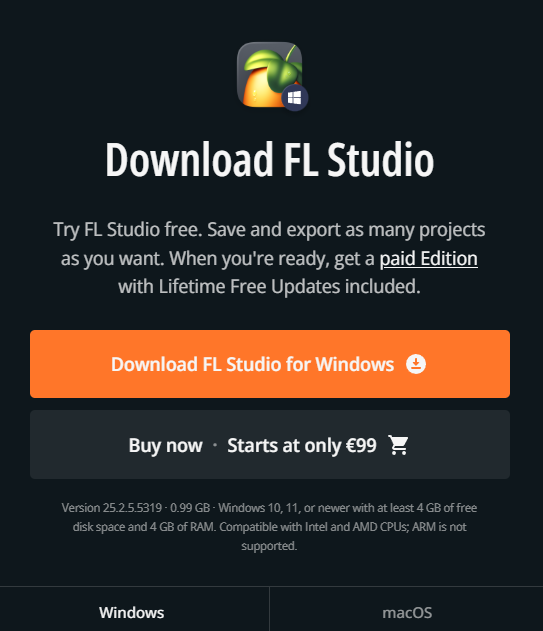
FL Studio offers a free trial with full feature access: you can install FL Studio, use every feature, load every included plugin, build complete projects, and evaluate the entire workflow without paying anything.
The limitation is that you cannot save or export from the trial version until you purchase a license. This approach gives you a genuine, unlimited-time evaluation with no feature restrictions, which is among the most honest trial policies in the DAW market.
- Bitwig Studio
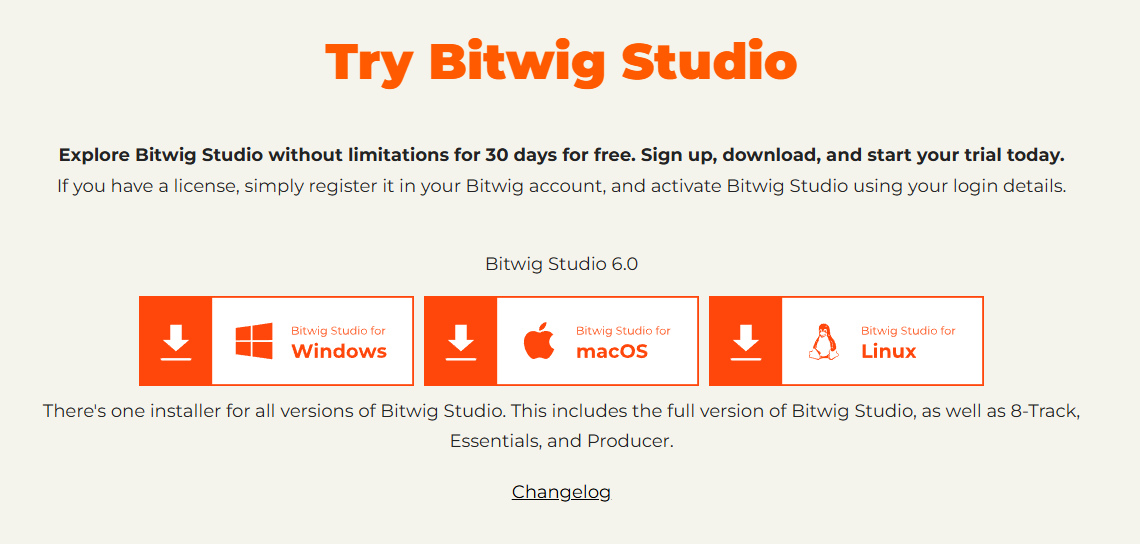
Bitwig offers a 30-day free trial of the full Professional version, giving you access to all Bitwig features including The Grid, all included devices, and the complete Clip Launcher and Arrangement workflow for a defined month-long period.
This is enough time to work through a complete production project using Bitwig’s tools, which gives you meaningful evaluation experience even if 30 days is shorter than FL’s unlimited trial.
Which DAW Is Right for You?
The choice between FL Studio and Bitwig depends on some specific questions about how you work and what you want from your DAW.
You’ll likely prefer FL Studio if:
You primarily produce hip-hop, trap, R&B, or any genre where beat-programming efficiency is central to your workflow. The Step Sequencer’s visual beat programming and the Piano Roll’s MIDI editing depth are most valuable in these contexts, and the enormous FL Studio community means genre-specific tutorials and production techniques are abundantly documented.
You value the lifetime free update policy and want a DAW with the lowest long-term cost of ownership. For a producer planning to use FL Studio for 10 or more years, the one-time purchase price compares favorably to any alternative.
You spend significant time in detailed MIDI programming and want the most capable piano roll of any mainstream DAW. For producers who program complex melodic lines, chord voicings, and expressive MIDI performances, FL’s Piano Roll has no equal.
You’re on Windows primarily and want a DAW that was designed from the ground up for that operating system.
You’ll likely prefer Bitwig Studio if:
You work in experimental electronic music, modular synthesis, or any context where the boundaries between the DAW and a synthesizer matter to your workflow. The Grid specifically addresses this integration in a way that no other mainstream DAW does.
You perform live regularly with electronic music and want a DAW that treats live performance as a first-class workflow alongside studio production. Bitwig’s Clip Launcher and Scene system are genuinely better live performance tools than FL’s Performance Mode.
You work with a hybrid hardware-software setup including Eurorack modular synthesizers and want native CV output integration in your DAW. Bitwig’s CV and gate support is the best of any mainstream DAW.
You work on Linux or need cross-platform capability between Windows, Mac, and Linux.
You’re drawn to continuous synthesis-level modulation rather than drawn automation curves, and want the DAW’s effects and instruments to behave more like continuously animated synthesizer voices.
The Bottom Line
FL Studio and Bitwig Studio are both genuinely excellent DAWs that will serve professional production work well, and the choice between them is about workflow philosophy more than capability ceiling.
FL Studio is the more immediately accessible, genre-proven, and financially compelling option for the largest number of producers.
The lifetime free update policy, the unmatched piano roll, the Step Sequencer’s beat-programming efficiency, and the enormous hip-hop and electronic music community behind the DAW make it a strong default recommendation for producers who are not specifically drawn to the capabilities that make Bitwig unique.
Bitwig Studio is the more architecturally ambitious option, with The Grid providing a synthesis and audio processing environment that has no real equivalent in any other mainstream DAW, the unified modulation system giving every parameter of every device continuous synthesis-level animation capability, and the Clip Launcher making it the more serious live performance tool.
If those specific capabilities align with how you work or want to work, Bitwig’s investment is justified and its capabilities are genuinely unmatched in the DAW market.
For producers who are deciding where to start, both trial policies are generous enough that the right answer is to run both trials simultaneously across a real production project and let your own workflow preferences make the decision. The trial experience will tell you more than any comparison article can.
Buy here: Bitwig Studio (Support Pluginerds)
Buy here: Bitwig Studio (Trial Available)
Check here: Image-Line FL Studio (Trial Available)
Get the Free Plugin Starter Kit
The genuinely useful free DAWs and plugins worth installing. No filler. Straight to your inbox.

Hello, I’m Viliam, I started this audio plugin focused blog to keep you updated on the latest trends, news and everything plugin related. I’ll put the most emphasis on the topics covering best VST, AU and AAX plugins. If you find some great plugin suggestions for us to include on our site, feel free to let me know, so I can take a look!