
Podcast audio doesn’t need to sound like a professional recording studio, but it does need to sound clean, clear, and consistent. Listeners will tolerate average production quality if the content is good, but they’ll abandon a show quickly if the host’s voice is buried in room reverb, the volume jumps between sentences, or sibilance cuts through their earbuds on every “s” sound.
The difference between a podcast that sounds amateur and one that sounds polished usually comes down to a handful of well chosen processing tools applied with restraint.
The plugins I’ve selected here cover the core processing chain that most podcast audio benefits from: noise reduction, EQ, compression, de essing, de reverb, volume leveling, and limiting. I’ve also included a couple of creative options for podcasters who want to add some personality to their sound beyond just making it clean.
You don’t need all of these. A simple chain of EQ, compression, and limiting will handle most situations. But having access to specialized tools for specific problems (room echo, inconsistent volume, harsh sibilance) makes a noticeable difference when those problems show up.
Most of these plugins work across any DAW and are straightforward enough that you don’t need an audio engineering degree to use them effectively. Several include automatic modes or intelligent processing that does much of the work for you, which matters when your primary focus is creating content rather than learning signal processing.
1. Waves Vocal Rider (Automatic Level Control)
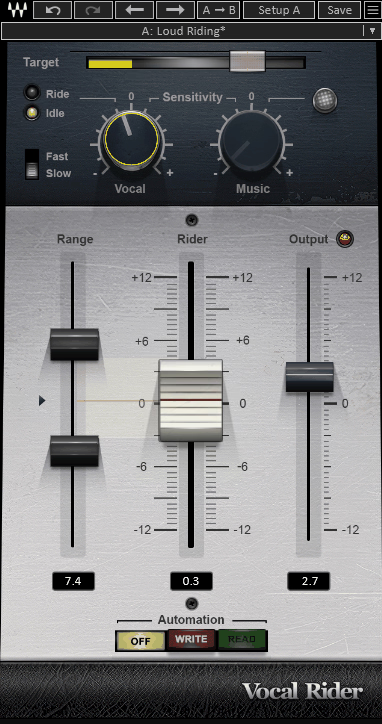
Inconsistent vocal volume is the most common audio problem in podcasts, and it’s tedious to fix manually. One moment you’re leaning into the mic speaking passionately. The next, you’ve turned your head slightly or dropped your energy and the level drops by 10 dB. Waves Vocal Rider solves this by automatically adjusting the volume of your vocal in real time, riding the fader up and down to maintain a consistent level without the artifacts that heavy compression introduces.
The reason I recommend Vocal Rider specifically for podcast work is that it operates on volume rather than dynamics. A compressor controls peaks by reducing the loudest parts. Vocal Rider brings up the quiet parts and brings down the loud parts by actually moving the fader, which produces more transparent results on speech than compression alone. You set a target range, and the plugin keeps the voice within that range. The automation it writes can be edited afterward if you need to fine tune specific sections.
- Automatic Riding
The plugin continuously adjusts the vocal level in real time, bringing quiet passages up and loud passages down to maintain a consistent volume throughout the recording. The riding behavior mimics what a skilled mix engineer does manually with the fader, but it does it faster and more consistently than human hands can manage over a long podcast episode.
- Target Range
You set a target loudness range that defines where you want the vocal to sit, and the plugin keeps the level within that window. Narrower ranges produce more aggressive riding. Wider ranges allow more natural dynamic variation. For podcasts, a moderately narrow range typically works best because you want the voice to be easily audible at all times.
- Sidechain Input
A music sidechain input (if you use background music in your podcast) lets Vocal Rider adjust the voice level relative to the music. When the music gets louder, the vocal rides up to stay above it. When the music drops, the vocal settles back to a normal level. This is particularly useful for podcast intros and outros where music and voice coexist.
- Written Automation
The plugin writes its volume adjustments as DAW automation, which means you can see exactly what it did and edit the automation manually afterward. If the automatic riding made a decision you don’t agree with on a specific phrase, you can adjust that section without affecting the rest of the episode.
Available from Waves in VST, VST3, AU, and AAX formats.
2. FabFilter Pro-Q 4 (Dynamic & M/S EQ)
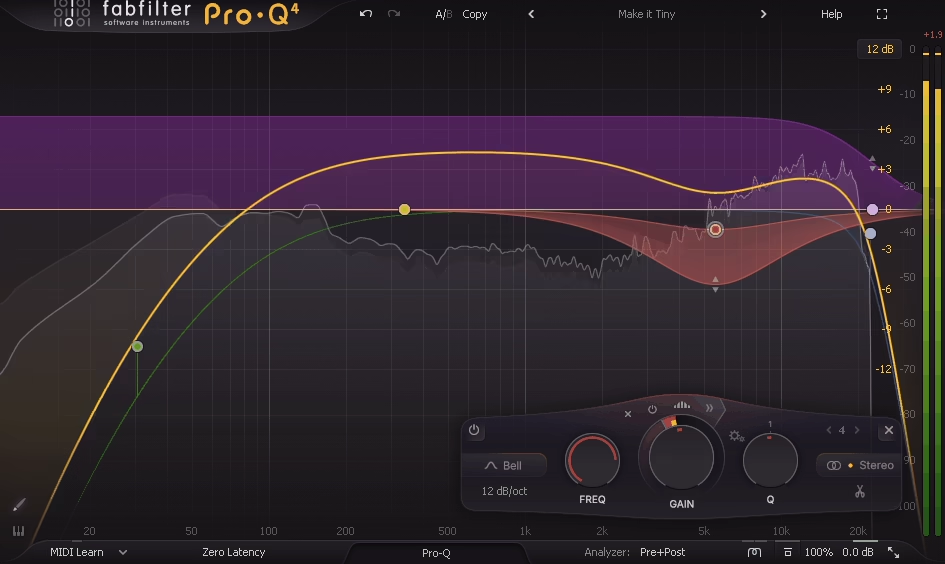
You might wonder why a podcast production list needs a premium EQ like FabFilter Pro-Q 4 when simpler options exist, and the honest answer is that you probably don’t need it if your recording environment is good and your microphone suits your voice. But if you’re dealing with room resonances, microphone proximity effect, nasal frequencies, or general tonal issues in your recordings, Pro-Q 4’s combination of parametric, dynamic, and mid/side EQ in a single plugin handles every frequency problem you’ll encounter.
Where Pro-Q 4 earns its place in a podcast chain is with the dynamic EQ bands. Podcast recordings often have tonal problems that only occur on certain words or at certain energy levels. A low frequency boom that only happens when you lean into the mic. A harsh midrange frequency that only shows up when you raise your voice. Dynamic EQ addresses these problems only when they occur rather than permanently altering your voice, which produces far more natural sounding results than static EQ cuts that affect every word equally.
- Dynamic Bands
Every band can operate in dynamic mode, applying the EQ adjustment only when the signal crosses a threshold. For podcasts, this means you can address problems like proximity effect bass buildup that only occurs on plosives, or midrange harshness that only appears at higher speaking volumes, without permanently changing the tonal character of your voice during normal speech.
- Spectrum Analyzer
The real time frequency analyzer shows you exactly what frequencies your voice is producing, making it much easier to identify problem areas than working blindly with your ears alone. For podcasters who aren’t experienced with EQ, the visual display provides a roadmap for finding and fixing tonal issues.
- Per Band M/S
Each band can process mid only or side only, which is useful if you’re recording in stereo and need to address issues in the center signal (your voice) without affecting the ambient room sound in the side channels. This level of precision is unusual for podcast work but valuable when you need it.
- Spectral Dynamic
The full spectrum dynamic mode applies intelligent correction across the entire frequency range simultaneously, identifying and reducing problematic frequencies without requiring you to manually find and target each one. For podcasters who want a “fix it” approach without learning detailed EQ technique, this mode does much of the work automatically.
- Instance List
If you’re editing a podcast with multiple speakers, the Instance List lets you see and adjust Pro-Q 4 settings across all tracks from a single window. You can compare the EQ curves on different speakers and ensure their tonal treatments are consistent.
- Low CPU
Despite its comprehensive feature set, Pro-Q 4 runs with minimal processing overhead, which matters when you’re stacking multiple plugins on a podcast processing chain. You can run Pro-Q 4 alongside compression, limiting, and other effects without performance concerns.
Available from FabFilter in VST, VST3, AU, AAX, and CLAP formats.
3. Waves Clarity Vx Pro (Noise Reduction)
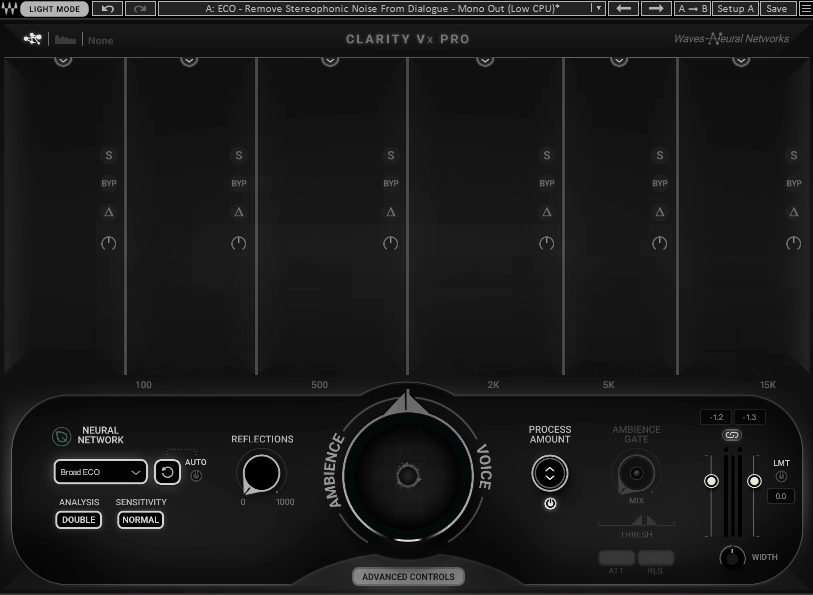
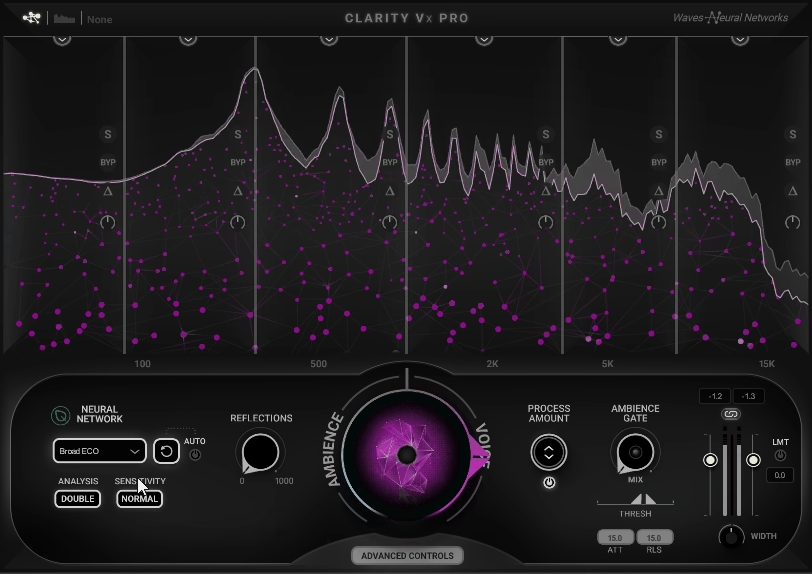
Background noise is the second most common podcast audio problem after inconsistent volume. Air conditioning hum, computer fan noise, traffic outside the window, electrical buzz from bad cables: these sounds accumulate and create a noise floor that makes your recording sound unprofessional. Waves Clarity Vx Pro uses neural network processing to separate voice from background noise and reduce the noise while preserving the natural quality of your speech.
I specifically recommend the Pro version of Clarity Vx over the standard version for podcast work because of the additional control it provides over the noise reduction intensity and character. The standard version is essentially a single knob. The Pro version gives you separate controls for different noise types, a spectral display showing what’s being removed, and the ability to fine tune the processing to avoid the underwater, artifact laden quality that aggressive noise reduction can produce.
- Neural Processing
The AI driven noise separation identifies and isolates voice from background noise using trained neural networks rather than traditional spectral subtraction. The neural approach produces cleaner separation with fewer of the hollow, watery artifacts that older noise reduction techniques introduce when used aggressively.
- Noise Profiling
The processing automatically identifies the characteristics of your specific background noise without requiring you to manually capture a noise profile. This is a practical advantage for podcasters because you don’t need to record silence before every episode for the plugin to learn the noise signature.
- Adjustable Depth
Fine grained controls over the reduction intensity let you find the balance between clean audio and natural sounding voice. Pushing noise reduction too far makes the voice sound processed and artificial. Pulling it back leaves some noise but preserves the natural quality. The Pro version gives you enough control to find the right balance for your specific recording.
Available from Waves in VST, VST3, AU, and AAX formats.
4. Eventide Omnipressor (Dynamics & Character)
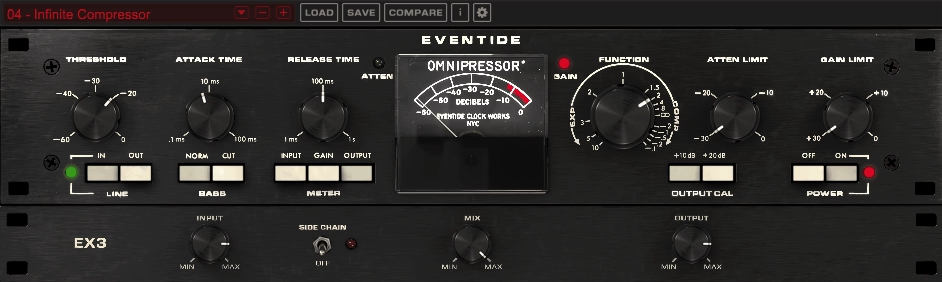
Omnipressor is not a typical podcast processing tool, and that’s exactly why it’s interesting. Originally designed in the 1970s as a dynamics processor that could compress, expand, gate, and produce unconventional dynamic effects, the plugin version brings that same flexibility to your DAW. For podcast use, its compression and gating capabilities provide dynamic control with a character and warmth that cleaner, more clinical compressors don’t offer.
I wouldn’t recommend the Omnipressor as your only dynamics processor for podcasts. Where I find it useful is for adding personality and weight to a voice that sounds thin or lifeless after basic processing. The compression character adds a vintage warmth that makes spoken word feel more intimate and present, like the difference between a voice recorded in a sterile booth and one captured through quality hardware. You can also use the gating function to clean up noise between phrases.
- Dynamic Range
The Omnipressor’s compression range goes from gentle leveling through standard compression to extreme squashing, all with a specific analog character that adds warmth rather than just reducing dynamics. The character makes voices sound more present and intimate, which is valuable for podcast audio where you want the listener to feel like the host is speaking directly to them.
- Gate Function
A built in noise gate reduces the signal level during pauses between speech, effectively removing background noise during silent moments. The gate threshold and release are adjustable, so you can set it to close cleanly between sentences without cutting off the tails of words.
- Vintage Character
The processing adds the specific harmonic coloration of the original hardware design, which imparts a warmth and presence to voices that purely transparent compressors don’t provide. This vintage character is what makes the Omnipressor sound different from a stock compressor on a podcast voice.
- Wet/Dry Mix
A parallel compression blend lets you mix the heavily compressed signal with the original, adding body and presence while retaining the natural dynamics of your speech. Parallel compression is one of the most effective techniques for making spoken word sound professional without sounding obviously processed.
Available from Eventide in VST, VST3, AU, and AAX formats.
5. sonible smart:deess (Intelligent De-Esser)
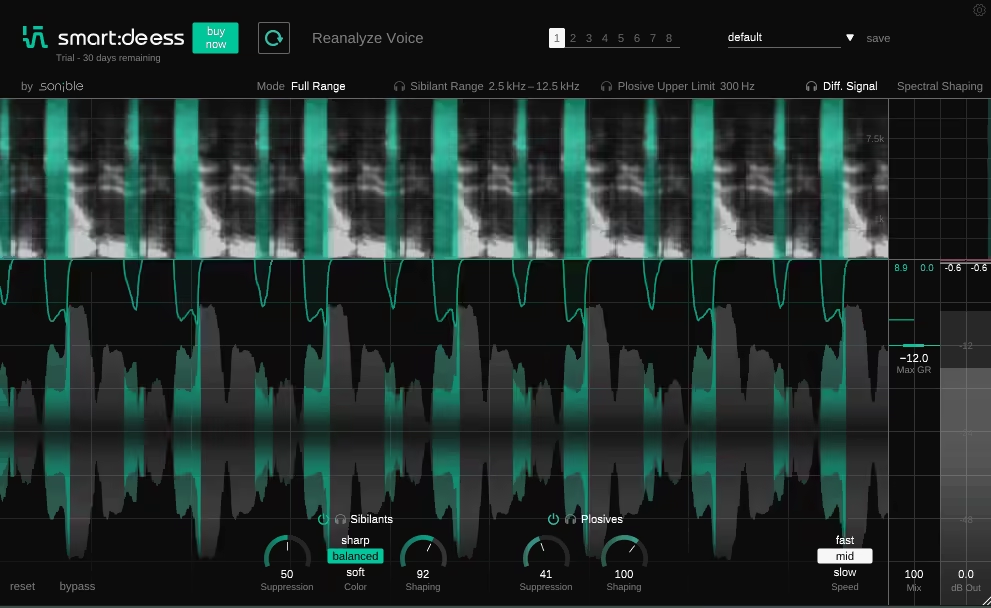
Sibilance (harsh “s,” “t,” and “sh” sounds) is a common problem in podcast recordings, especially with condenser microphones and close mic technique. sonible smart:deess uses AI analysis to identify and reduce sibilant frequencies automatically, adapting to the specific characteristics of each voice rather than applying a fixed frequency and threshold setting.
What makes smart:deess practical for podcasters is the automatic detection. Traditional de essers require you to find the exact frequency where your sibilance is worst and set the threshold manually. smart:deess listens to your voice and figures this out on its own, which is a significant advantage if you’re not experienced with audio processing. The results are transparent enough that the de essing is inaudible as an effect while still smoothing out the harshest sibilant moments.
- Auto Detection
The AI analyzes your voice and automatically identifies the specific frequency range and energy level where sibilance occurs. Different voices produce sibilance at different frequencies, and the automatic detection ensures the processing is targeting the right area for each specific speaker without manual configuration.
- Transparent Reduction
The gain reduction is applied with a smoothness that avoids the lisping, ducking artifacts that aggressive or poorly configured de essers produce. The sibilance is reduced without dulling the overall brightness and clarity of the voice, which is the balance that good de essing requires.
- Simple Interface
The controls are minimal and clearly labeled, making it accessible to podcasters without audio engineering experience. You don’t need to understand frequency ranges or compression ratios to get effective results. The plugin handles the technical decisions internally.
Available from sonible in VST, VST3, AU, and AAX formats.
6. United Plugins Expanse 3D (Stereo Enhancement)
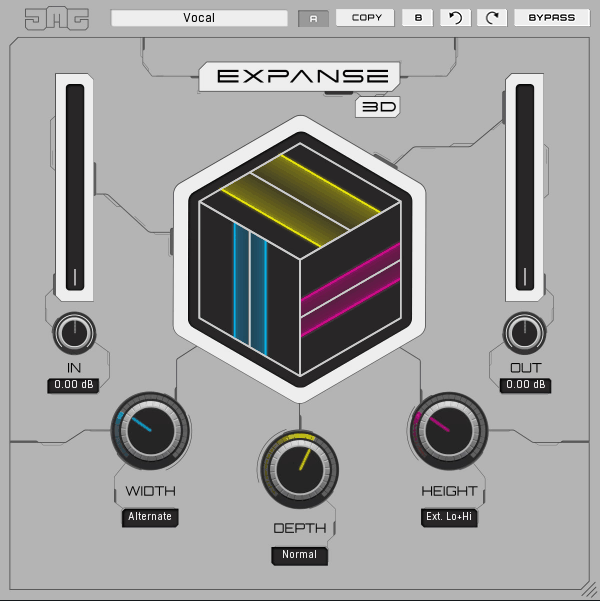
Not every podcast benefits from stereo processing, but for shows with multiple hosts, music segments, or sound design elements, having control over the stereo image can meaningfully improve the listening experience. Expanse 3D provides multiband stereo width control with depth and elevation processing that goes beyond simple left/right panning.
I use Expanse 3D sparingly on podcasts, primarily for widening the stereo image of music beds and ambient sound design elements while keeping the voice centered and focused. The multiband approach is what makes it useful for podcast work specifically, because you can widen the higher frequencies for a sense of space while keeping the low end and vocal midrange tight and centered. This prevents the podcast from sounding thin or phasey in mono, which is how many listeners hear podcasts through single earbuds or phone speakers.
- Multiband Width
Separate stereo width controls per frequency band let you widen specific ranges while keeping others centered. For podcasts, this means you can add width to music and ambient elements in the higher frequencies while keeping the voice focused in the center where it needs to be for clarity on all playback systems.
- Mono Compatibility
A correlation meter shows the phase relationship between channels in real time, helping you avoid widening to the point where the signal deteriorates in mono. Since many podcast listeners use single earbuds or phone speakers, maintaining mono compatibility is essential.
- Depth Processing
A depth control adds front to back dimensionality that makes the audio feel more three dimensional without affecting the left/right width. On podcasts with music beds, a touch of depth processing creates separation between the voice (front) and the music (back) that improves intelligibility.
- Low CPU
The processing runs with minimal overhead, which matters when you’re running it alongside multiple other plugins in a podcast processing chain. You can leave it on the master bus without affecting real time recording or editing performance.
- Visual Display
A stereo field visualization shows the spatial distribution of your audio in real time, making it easy to see how the processing is affecting the overall stereo image and confirm that your voice remains centered while background elements spread wider.
Available from United Plugins in VST, VST3, AU, and AAX formats.
7. Waves CLA-2A Compressor (Optical Compression)
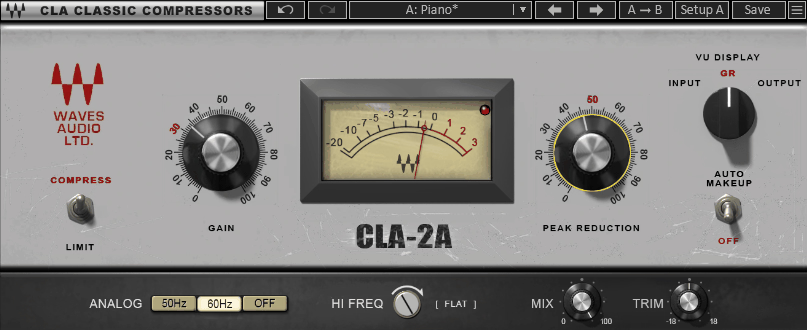
The original LA-2A is one of the most used compressors in professional vocal recording, and the Waves CLA-2A (modeled in collaboration with mix engineer Chris Lord-Alge) brings that smooth, transparent optical compression to podcast production. Optical compressors respond to signal changes with a natural, slightly slow timing that controls dynamics without the pumping or aggressive quality that faster compressor designs can produce on speech.
For podcast voices, the CLA-2A works well because the optical response matches the natural dynamics of speech better than most compressor types. The compression gently controls the louder words and phrases without squashing the quiet moments, producing a consistent but natural sounding level that makes the voice easier to listen to over long episodes. The two knob interface (Peak Reduction and Gain) is about as simple as a compressor gets, which is an advantage for podcasters who want effective dynamic control without studying compression theory.
- Optical Response
The modeled optical gain cell produces compression timing that depends on how long and how hard the signal exceeds the threshold, creating a program dependent behavior that adapts naturally to the rhythm of speech. Short, loud words trigger quick compression. Sustained louder passages trigger slower, more gradual gain reduction. This adaptive timing is why optical compression sounds so natural on voices.
- Two Knob Control
The Peak Reduction and Gain controls are the only adjustments you need to make. Peak Reduction sets how much compression is applied. Gain compensates for the level reduction. The simplicity means you can have effective vocal compression configured in seconds rather than minutes.
- Analog Character
The modeling captures the harmonic warmth of the original LA-2A hardware’s tube amplifier stage, adding subtle coloration that makes voices sound fuller and more present. The warmth is gentle enough to be flattering rather than obviously processed.
Available from Waves in VST, VST3, AU, and AAX formats.
8. Waves DeReverb VX Pro (De-Reverb)
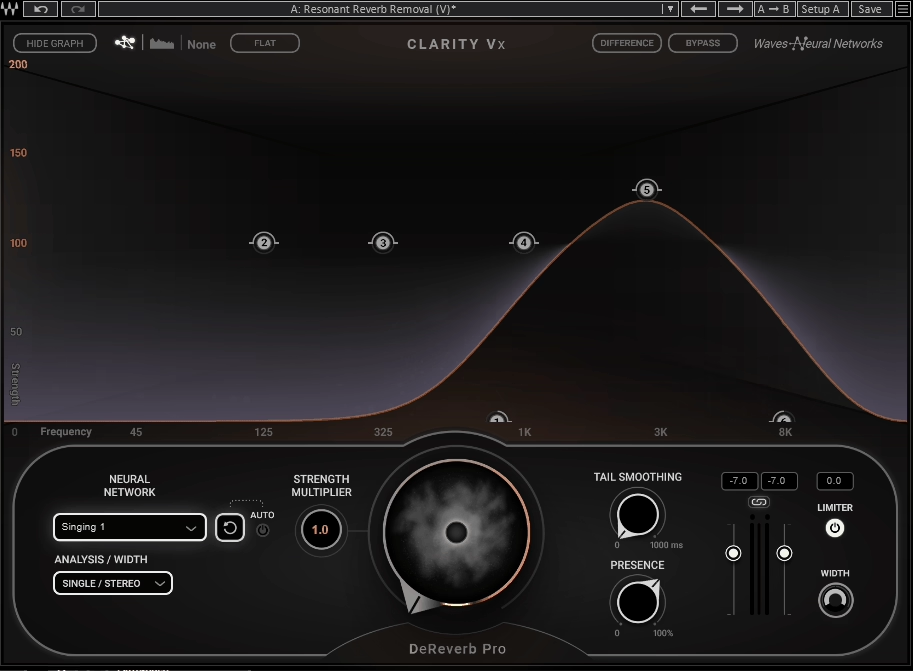
Recording a podcast in a room that isn’t acoustically treated is the reality for most independent podcasters, and the result is usually some amount of room reverb and echo baked into the recording. Once reverb is recorded, it’s extremely difficult to remove. Waves DeReverb VX Pro uses neural network processing to separate the direct voice from the room ambience and reduce the reverb while preserving the natural quality of the speech.
I want to be realistic about what DeReverb VX Pro can achieve: it can meaningfully reduce room reverb, but it can’t perfectly eliminate it from a heavily reverberant recording without introducing some artifacts. The results are best when the room reverb is mild to moderate. Severe echo in a large, bare room will still sound like a large, bare room after processing, just less so. For the typical home office or bedroom recording environment where you’re dealing with moderate reflections from walls and hard surfaces, the improvement is genuinely useful and can make the difference between a recording that sounds like a podcast and one that sounds like someone talking in a bathroom.
- Neural Separation
The AI processing separates direct voice from room ambience using trained neural networks, producing cleaner results than traditional algorithmic approaches. The neural separation is particularly effective at identifying and reducing early reflections and room tail independently of the voice signal.
- Depth Control
An adjustable reduction depth lets you dial in how aggressively the reverb is removed. Lower settings produce subtle cleanup that maintains the natural room character. Higher settings remove more reverb but risk introducing artifacts. For most podcast applications, moderate settings produce the best balance between clean audio and natural sound.
- Spectral Display
A visual display shows what the processing is removing from the signal, helping you understand how much reverb is present and how aggressively the reduction is working. The visual feedback is useful for setting the depth appropriately without relying solely on your ears, especially if you’re monitoring in the same room where the reverb is a problem.
- Real Time Processing
The plugin operates in real time with low enough latency for use during recording or live streaming, not just post production. This means you can monitor through the de reverb processing while recording, hearing a cleaner signal that helps you judge your performance more accurately.
Available from Waves in VST, VST3, AU, and AAX formats.
9. Soundtoys Decapitator (Analog Saturation)
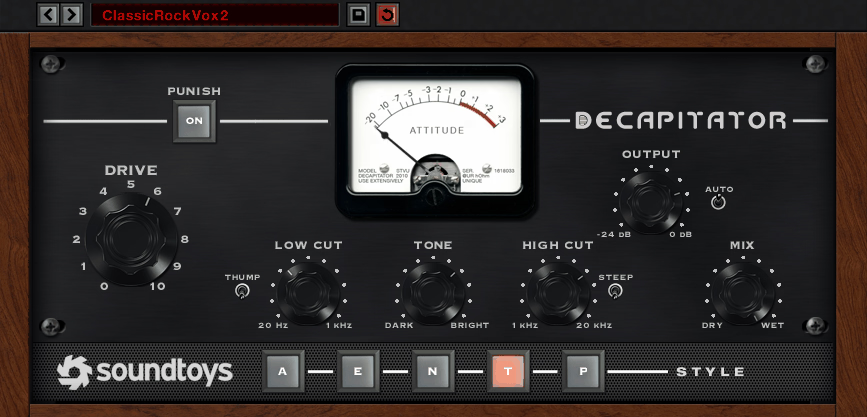
Saturation might seem like an unusual recommendation for podcast production, but a small amount of the right kind of analog style warmth can make a significant difference in how a voice sounds on consumer playback devices. Decapitator provides five different analog saturation models that add harmonic richness and warmth to your voice, making it sound fuller and more present through earbuds and phone speakers.
The key to using Decapitator on a podcast is restraint. You’re not trying to distort the voice or create an obvious effect. You’re adding a subtle layer of harmonic content that makes the voice feel warmer, more present, and more engaging on playback systems that struggle with the midrange detail of an untreated vocal recording. I typically run it with the mix at 10 to 20 percent and the drive set low enough that the saturation is felt rather than heard. The difference is subtle but consistent across different listening environments.
- Five Models
The five saturation circuits (modeled after different analog hardware types) each add different harmonic characteristics to the voice. The A and T models tend to work best on speech, adding warmth and presence without the aggressive character that the more distortion heavy models introduce. Trying each model on your voice is worth the time because different voices respond differently to each circuit type.
- Tone Control
A tone shaping section adjusts the brightness of the saturation, letting you match the character to your voice and microphone. If the saturation makes the voice too dark, you can brighten it. If it’s adding harshness, you can roll off the highs. The tone control is what makes the difference between flattering warmth and unflattering muddiness.
- Low Cut Filter
A high pass filter prevents the saturation from thickening the low end excessively, which is important for podcast audio where bass buildup can make speech sound muddy. Engaging the low cut keeps the saturation focused on the midrange and highs where it adds presence rather than muddiness.
- Mix Knob
The dry/wet blend is essential for podcast use because you want to mix a small amount of the saturated signal with the clean original. Running Decapitator at 10 to 20 percent wet adds warmth without any audible distortion, which is the sweet spot for spoken word content.
- Punish Mode
An additional Punish mode provides more aggressive saturation for creative applications. On podcasts, you’d rarely use this on the main voice, but it can be useful for processing sound effects, transitions, or music beds where you want a more dramatic, characterful tone.
Available from Soundtoys in VST, VST3, AU, and AAX formats.
10. FabFilter Pro-L 2 (Limiter)
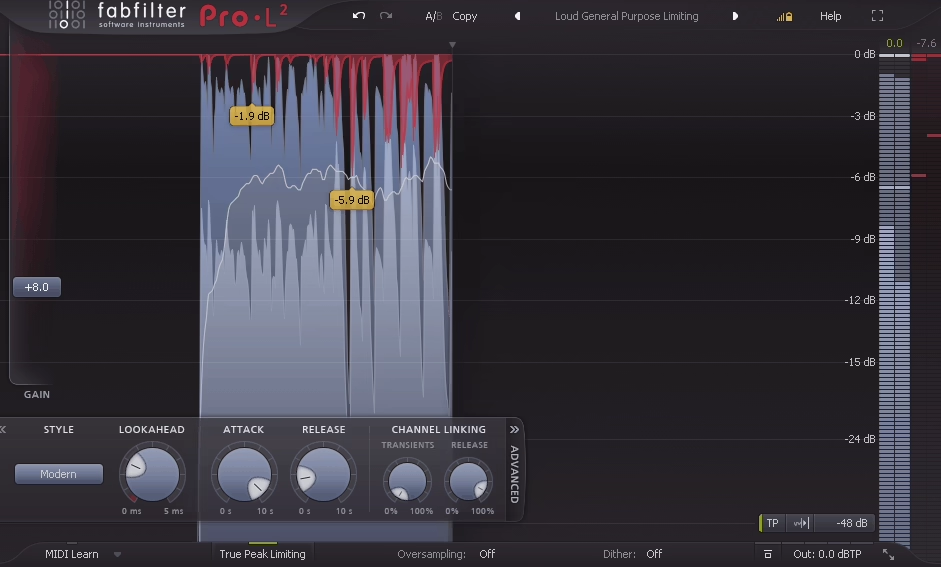
The final plugin in your podcast processing chain should be a limiter, and FabFilter Pro-L 2 provides transparent, high quality limiting that ensures your podcast audio never exceeds a specific output level while maximizing the overall loudness to a comfortable listening level. Podcast distribution platforms and apps normalize audio to specific loudness targets, and a good limiter helps you deliver audio that meets those targets without distortion.
I recommend Pro-L 2 for podcast work because of the multiple limiting algorithms that let you choose the right behavior for speech. The Transparent and Safe modes work best for spoken word because they control peaks without adding the pumping or coloration that more aggressive algorithms produce. The loudness metering built into the plugin shows your output in LUFS, which is the measurement standard that podcast platforms use for normalization, so you can ensure your episode meets the target of approximately -16 LUFS that most platforms recommend.
- Algorithm Selection
Eight limiting algorithms with different characters let you choose the behavior that works best for your material. For podcasts, the Transparent and Safe modes provide clean, artifact free limiting that controls peaks without audibly processing the voice. More aggressive modes are available for music segments where you want a different character.
- LUFS Metering
Built in loudness metering displays your output in LUFS (Loudness Units Full Scale), which is the standard measurement for podcast loudness normalization. You can monitor your episode’s loudness in real time and ensure it meets the -16 LUFS target that Apple Podcasts, Spotify, and other platforms recommend.
- True Peak Limiting
True peak detection ensures the output never exceeds the set ceiling, even between samples where inter sample peaks can cause distortion on consumer playback devices. True peak limiting at -1 dBTP is the standard recommendation for podcast audio distribution.
- Gain Metering
A real time gain reduction display shows exactly how much limiting is being applied, helping you keep the processing in a range where it’s transparent. For podcast audio, you generally want to see no more than 2 to 3 dB of gain reduction on the loudest passages to avoid audible limiting artifacts.
Available from FabFilter in VST, VST3, AU, AAX, and CLAP formats.
Bonus: UAD Topline Vocal Suite (All In One Vocal Tool)
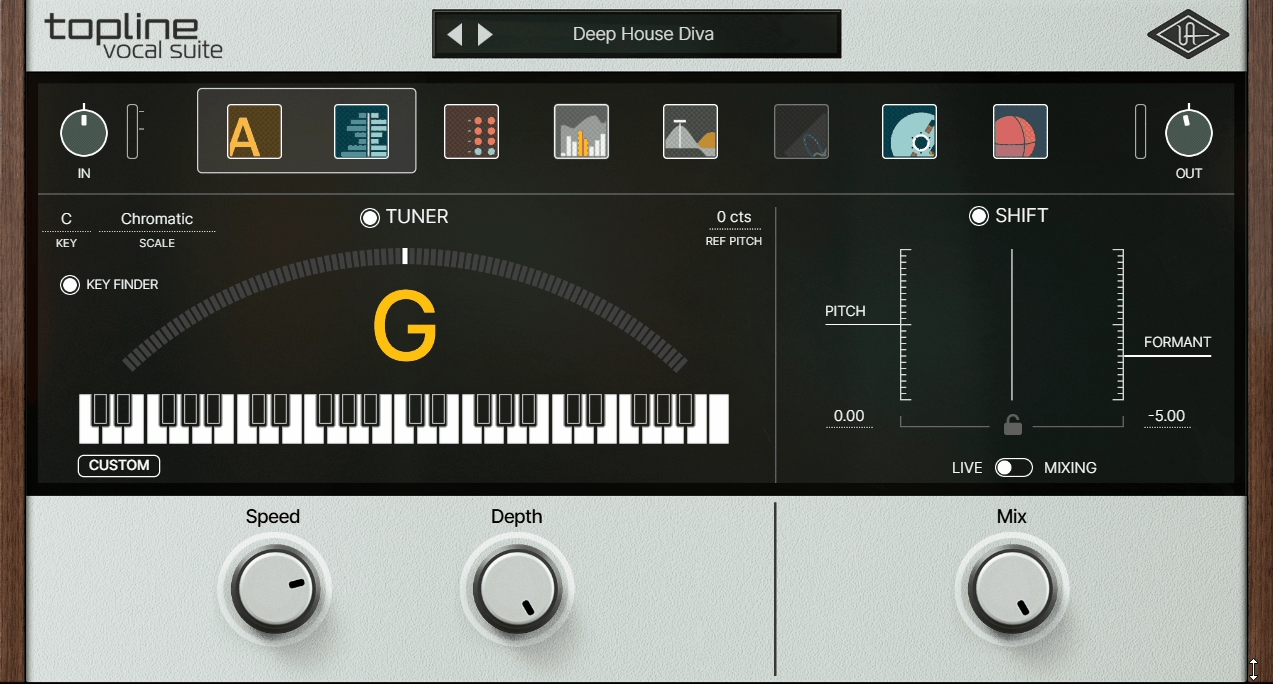
For podcasters who want a single plugin that handles the entire vocal processing chain without assembling individual tools, Topline Vocal Suite combines EQ, compression, de essing, saturation, reverb, and delay in one interface designed for voice. The processing modules are tuned for vocal frequencies specifically, and the preset system provides genre appropriate starting points that work immediately.
I recommend the Topline Vocal Suite specifically for podcasters who are new to audio processing and find the idea of configuring six separate plugins overwhelming. Loading one plugin, choosing a “podcast voice” style preset, and making a few adjustments is a faster and more approachable workflow than building a custom chain from individual processors. The trade off is that you sacrifice the granular control and sound quality of dedicated individual plugins. But for many podcasters, the convenience and simplicity outweigh that compromise.
- Integrated Chain
A single interface combines EQ, compression, de essing, saturation, reverb, and delay in a signal chain optimized for voice. Each processing section is tuned for vocal frequencies rather than being a generic processor, meaning the default settings are closer to useful for speech than general purpose plugins would be.
- Chain Ordering
The processing modules can be reordered within the interface to change the signal flow. Compressing before EQ produces different results than EQ before compression, and having the flexibility to rearrange the order lets you experiment with different approaches.
- Vocal Presets
Style based presets provide complete processing chains that work as starting points. For podcast use, the cleaner, more transparent presets provide immediate results that you can refine further with minimal adjustments.
- De-Essing
An integrated de esser reduces sibilance within the processing chain at the optimal point in the signal flow. Having the de esser positioned within the chain means it catches sibilance after other processing (like compression, which can increase sibilance) has been applied.
- Saturation Control
A per section saturation option lets you add warmth to specific parts of the processing chain while keeping others clean. You might want a touch of saturation on the compression stage for warmth while keeping the EQ completely transparent.
- Spatial Effects
Built in reverb and delay are available if your podcast format benefits from subtle spatial processing, though for most straight spoken word podcasts, you’ll want to leave these turned off or set very low.
Available in VST, VST3, AU, and AAX formats.

Hello, I’m Viliam, I started this audio plugin focused blog to keep you updated on the latest trends, news and everything plugin related. I’ll put the most emphasis on the topics covering best VST, AU and AAX plugins. If you find some great plugin suggestions for us to include on our site, feel free to let me know, so I can take a look!