
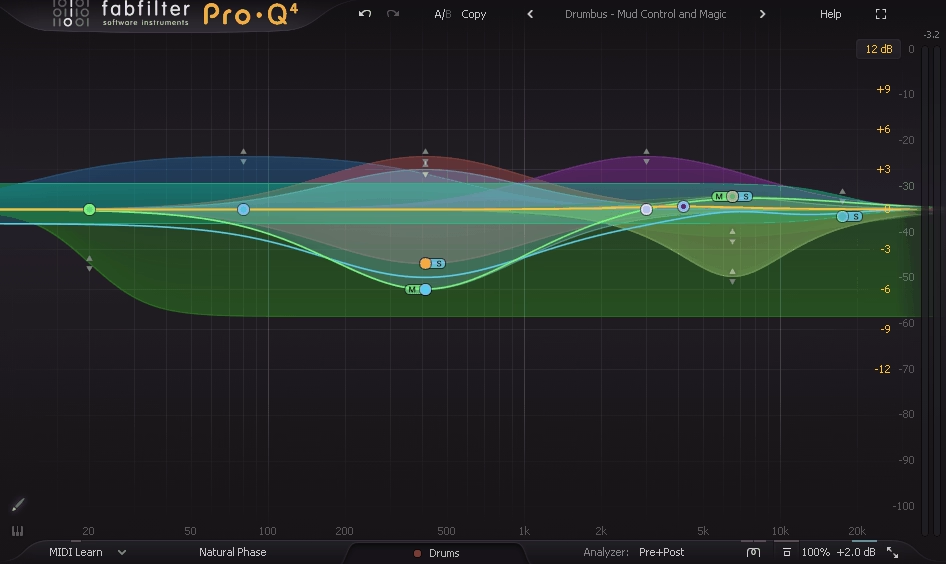
Most EQ plugins use minimum phase processing, which is efficient and sounds great for the majority of mixing tasks. But minimum phase EQs introduce phase shifts around the frequencies you’re adjusting, and while those shifts are usually inaudible on individual tracks, they can become problematic when you’re processing a stereo mix bus, mastering material, or working with parallel processing where the phase relationship between signals matters. That’s where linear phase EQ becomes relevant.
A linear phase EQ applies the same time delay across all frequencies instead of introducing frequency dependent phase shifts. The practical result is that your EQ adjustments change the tonal balance without altering the phase relationship between different parts of the frequency spectrum. This matters most in mastering, where even subtle phase artifacts can affect the stereo image and transient quality, and in parallel processing setups where combining a processed and unprocessed signal can cause phase cancellation if the EQ introduces frequency dependent delays.
I should note that linear phase EQ isn’t automatically “better” than minimum phase. It introduces pre ringing (a faint echo before transients) that can be audible on percussive material, and it adds latency that makes it unsuitable for real time monitoring. You should use it where it genuinely helps and stick with minimum phase where it doesn’t. The plugins below give you that choice, and several offer both modes so you can pick the right tool for each situation.
From the Pluginerds Store
Before you get into the plugins on this list, something most mixing and mastering guides do not mention. A compact IEM pair as a second reference at low volume catches what your main headphones are smoothing over.


1. FabFilter Pro-Q 4 (Linear Phase Mode)
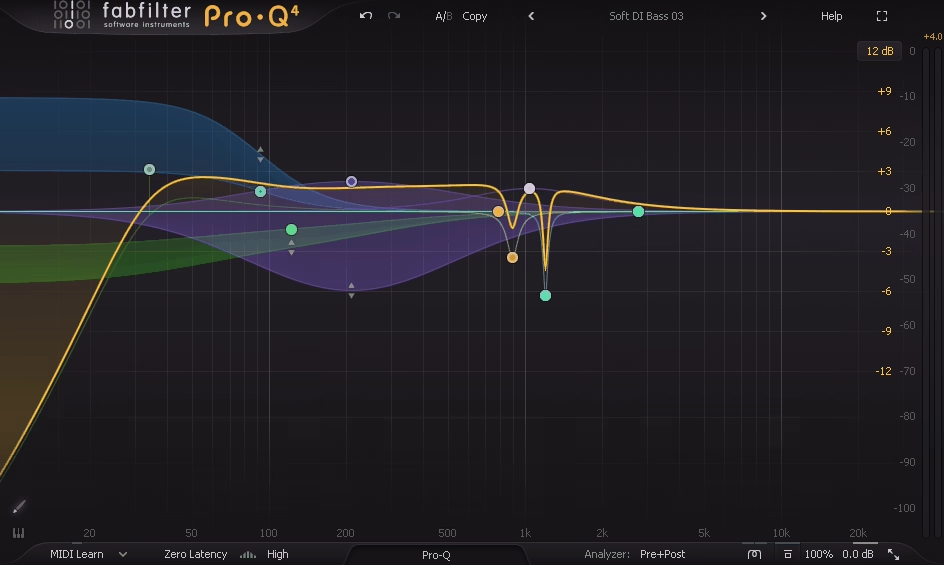
You’ll find FabFilter Pro-Q 4 on nearly every “best EQ” list regardless of the category, and for linear phase work it remains the most complete option available. Pro-Q 4 isn’t exclusively a linear phase EQ, but its per band processing mode selection means you can run individual bands in linear phase while keeping others in natural or minimum phase mode. This gives you more flexibility than a dedicated linear phase EQ because you only apply linear phase processing where it actually matters in the signal.
I use Pro-Q 4 as my primary linear phase EQ specifically because of the per band approach. On a mastering session, I might run a low shelf in natural phase (where the pre ringing of linear phase would be audible on kick drums) while running a high shelf in linear phase (where the phase preservation matters more for stereo imaging). That kind of hybrid processing isn’t possible with most dedicated linear phase EQs, which force you to run the entire plugin in one mode or the other.
- Per Band Mode
Each band can independently switch between Zero Latency (minimum phase), Natural Phase, and Linear Phase modes. This per band flexibility means you can apply linear phase processing only to the bands where phase coherence matters, while using natural or minimum phase on bands where you want to avoid pre ringing artifacts. No other EQ offers this level of granular control over phase behavior.
- Linear Phase Quality
The linear phase processing uses adjustable oversampling to control the quality and latency tradeoff. Higher quality settings produce cleaner results with less pre ringing but add more latency. Lower quality settings reduce latency for situations where tight monitoring is needed. You choose the balance that suits your workflow and monitoring situation.
- Dynamic Linear Phase
Any band running in linear phase mode can also be set to dynamic operation, where the EQ only engages when the signal crosses a threshold. This gives you phase coherent dynamic equalization, which is particularly useful for mastering where you want to address tonal problems that only occur in certain passages without applying permanent changes to the frequency balance.
- Spectral Dynamic
The full spectrum dynamic mode applies intelligent processing across the entire frequency range simultaneously in linear phase, functioning as an adaptive correction tool that addresses broadband tonal issues without requiring you to identify and target specific frequencies manually.
- Instance List
The multi instance overview lets you see all Pro-Q 4 instances across your session in a single window, with the ability to overlay curves and spot frequency conflicts. When running linear phase on your master bus, you can verify that the mastering EQ isn’t conflicting with individual track EQ decisions.
- Surround Support
Pro-Q 4 supports formats up to Dolby Atmos 9.1.6 in all processing modes including linear phase. If you’re mastering immersive audio, having a linear phase EQ that handles surround channel configurations natively is essential.
Available from FabFilter in VST, VST3, AU, AAX, and CLAP formats.
Get the Free Plugin Starter Kit
The genuinely useful free DAWs and plugins worth installing. No filler. Straight to your inbox.
2. Softube Weiss EQ1 (Mastering Linear Phase EQ)
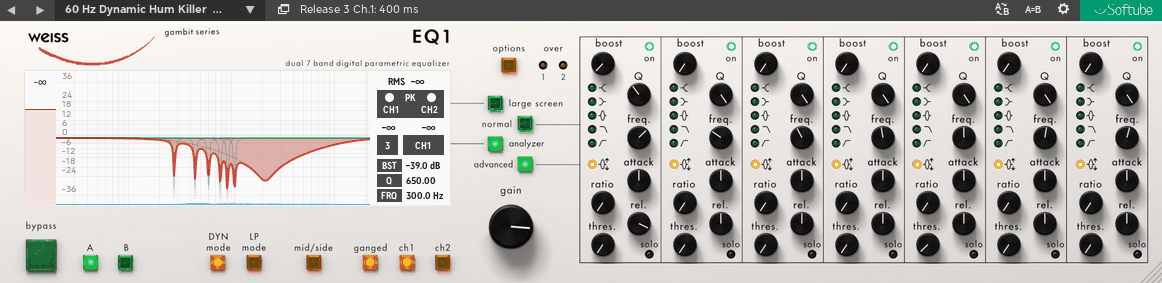
The Weiss EQ1 hardware is one of the most respected mastering EQs in existence, used in some of the world’s best mastering studios on recordings you’ve almost certainly heard. Softube’s plugin version brings the Weiss EQ1 to your DAW with the same linear phase processing and the clean, precise character that made the hardware a mastering reference.
I want to be clear about what the Weiss EQ1 plugin is designed for: this is a mastering EQ first and foremost. It’s not the right choice for creative sound design or aggressive tonal reshaping on individual tracks. What it excels at is making subtle, precise tonal adjustments to finished mixes with a transparency and quality that justifies the premium price. If you’re doing serious mastering work and you want a linear phase EQ with a pedigree that extends to the most respected mastering houses in the world, the Weiss EQ1 is what you’re looking for.
- Weiss Heritage
The plugin models the Weiss EQ1 hardware that has been a fixture in elite mastering studios for decades. The sonic character reflects the precision and transparency of the original hardware, which was designed specifically for the demands of mastering where even tiny imperfections are unacceptable.
- Linear Phase Core
The processing runs entirely in linear phase, preserving the phase relationship across the spectrum during EQ adjustments. For mastering, this means your stereo image remains stable and accurate as you shape the tonal balance, without the subtle image shifts that minimum phase EQ can introduce.
- Seven Bands
Seven fully parametric bands provide enough flexibility for detailed mastering EQ work, with each band offering gain, frequency, and Q controls. The band count is sufficient for addressing specific issues in a finished mix without being so numerous that you’re tempted to over process.
- Precision Controls
The gain resolution is extremely fine, allowing adjustments in fractions of a dB. This precision matters in mastering where a 0.3 dB boost at 3 kHz can make the difference between a vocal sitting correctly in the mix and one that’s slightly too forward. The controls are designed for the small, precise moves that mastering work demands.
- HP/LP Filters
Dedicated high pass and low pass filters handle the frequency extremes with the same linear phase precision as the parametric bands. The filters are useful for removing sub bass content below the audible range and ultrasonic energy that can affect downstream limiting behavior.
Available from Softube in VST, VST3, AU, and AAX formats.
3. Waves Linear Phase EQ
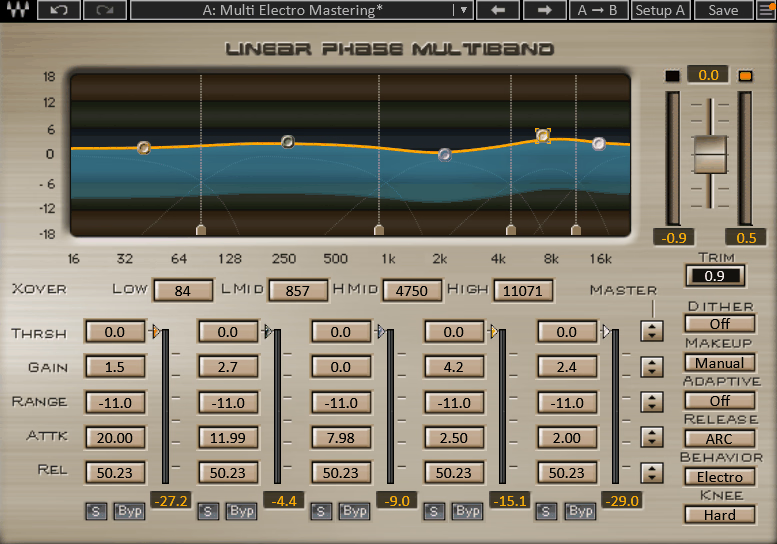
For a long time, the Waves Linear Phase EQ was one of the few affordable options for linear phase equalization, and it remains a practical choice for engineers who want a straightforward, no nonsense linear phase EQ without the complexity of a multipurpose tool like Pro-Q 4. The plugin provides five fully parametric bands plus high and low pass filters, all operating in linear phase, with a clean interface that gets out of the way.
What I find useful about the Waves Linear Phase EQ is its simplicity. You’re not switching modes, adjusting oversampling quality, or thinking about per band phase settings. Every band is linear phase, the controls are the standard gain, frequency, and Q you’d expect from a parametric EQ, and the results are transparent. For mastering engineers who know they want linear phase on the master bus and don’t need the additional features of more expensive plugins, it does the job reliably. The low and high cut filters with selectable slopes are useful for cleaning up the extremes of a mix without phase artifacts.
- Five Bands
The five fully parametric bands each offer standard gain, frequency, and Q controls operating entirely in linear phase. The bands cover the full audible spectrum and provide enough flexibility for typical mastering and bus EQ work without the complexity of a 24 band parametric.
- HP/LP Filters
Dedicated high pass and low pass filters with selectable slopes provide clean frequency cutoffs without the phase distortion that minimum phase filters introduce. These are particularly useful for mastering where you’re trimming sub bass rumble or ultrasonic content from the final master.
- Analyzer Display
A real time frequency analyzer shows the signal spectrum alongside the EQ curve, providing visual feedback on how your adjustments are affecting the frequency balance. The analyzer helps you make informed decisions, especially when your monitoring environment isn’t ideal.
Available from Waves in VST, VST3, AU, and AAX formats.
4. IK Multimedia Linear Phase Equalizer
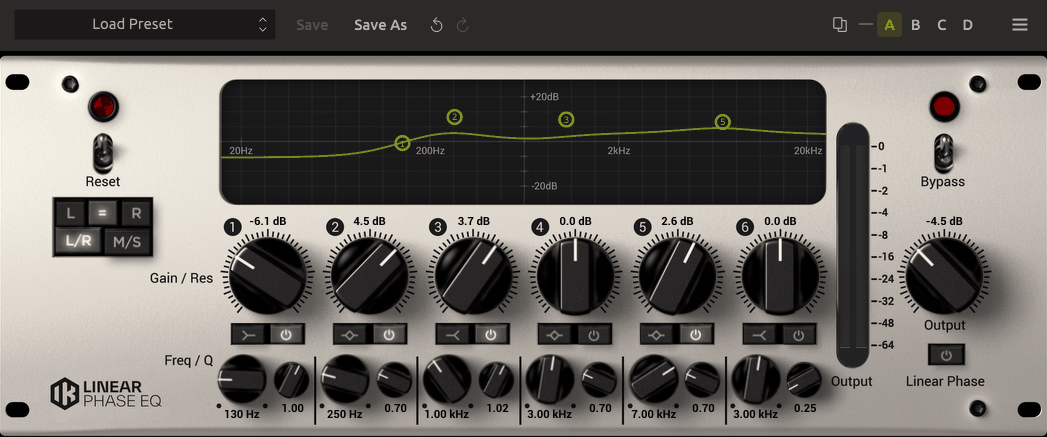
Part of the IK Multimedia T-RackS suite, the Linear Phase Equalizer provides a straightforward approach to linear phase EQ with a focus on mastering applications. The plugin offers six bands of parametric equalization with variable Q, plus adjustable high and low pass filters, all running in linear phase mode. The interface follows the traditional T-RackS visual style with large, clearly labeled controls.
I should be realistic about where the IK Multimedia Linear Phase Equalizer fits in the market. It’s not as flexible as Pro-Q 4 and it doesn’t have the adaptive intelligence of M-EQ. What it provides is a solid, reliable linear phase EQ within the T-RackS ecosystem, which is relevant if you’re already invested in IK Multimedia’s mastering toolkit. The processing is clean and transparent, and the six band layout provides enough flexibility for most mastering EQ tasks without overwhelming you with options.
- Six Bands
The six parametric bands each provide gain, frequency, and Q controls with variable bandwidth from broad shelving to narrow surgical corrections. The six band layout covers the full spectrum with enough overlap and flexibility for detailed mastering work.
- Variable Filters
The high and low pass filters offer adjustable slope steepness, letting you choose between gentle roll offs for subtle trimming and steep slopes for more aggressive frequency limiting. The linear phase operation means these filters don’t introduce the phase rotation that minimum phase filters produce near the cutoff.
- T-RackS Integration
The plugin integrates with the T-RackS mastering suite, allowing it to be loaded alongside IK Multimedia’s other mastering processors in a unified mastering chain. If you’re already using T-RackS for compression, limiting, and metering, having the linear phase EQ within the same environment keeps your workflow consolidated.
- Gain Metering
Dedicated input and output level metering shows the signal levels before and after processing, helping you maintain proper gain staging through the EQ. Accurate metering is essential in mastering where even small level changes can bias your perception of whether the EQ is actually improving the signal.
Available from IK Multimedia in VST, VST3, AU, and AAX formats.
5. Three-Body Technology Kirchhoff-EQ (Linear Phase Mode)
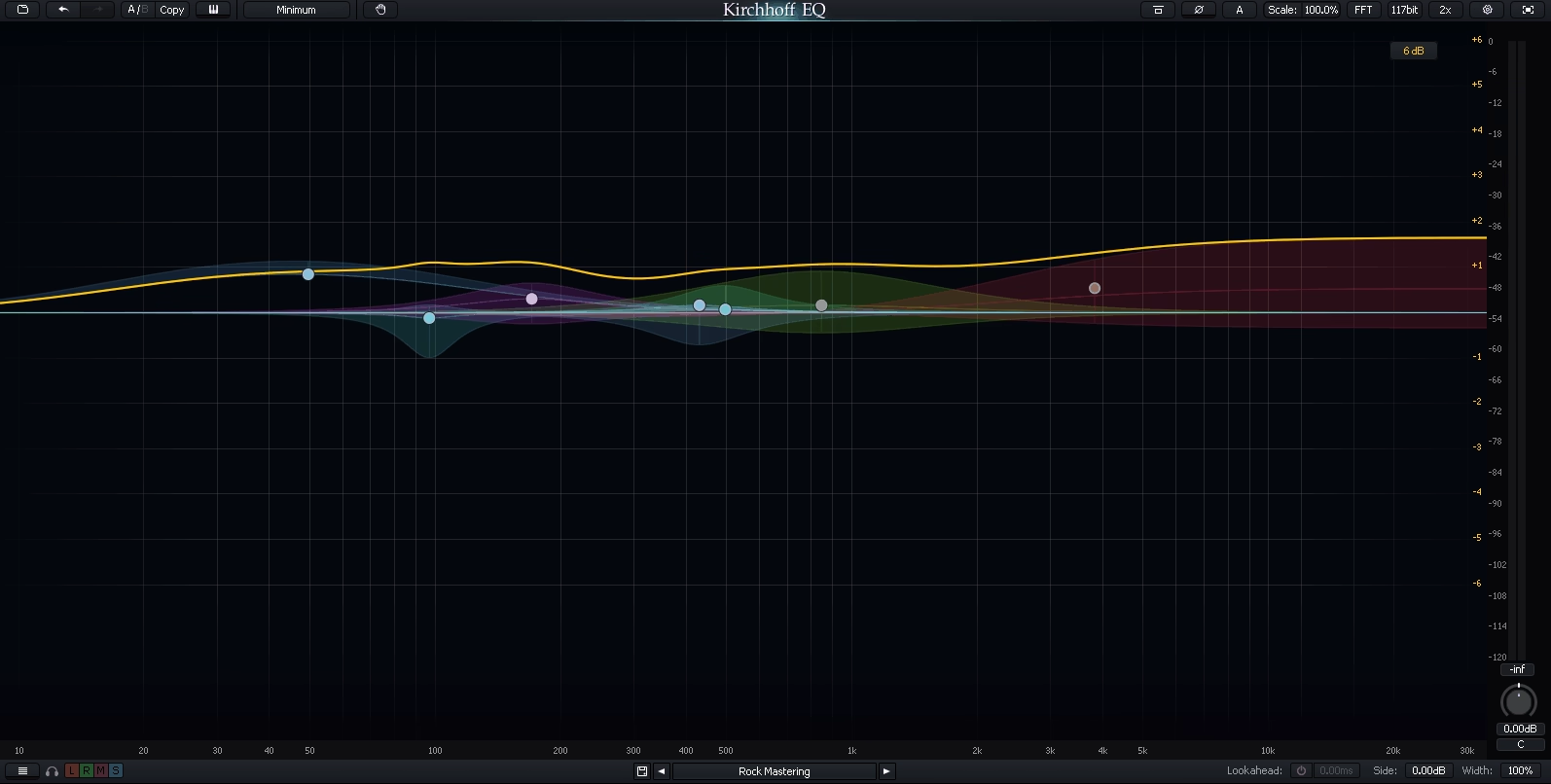
Kirchhoff-EQ is a parametric EQ that earned a devoted following among mastering engineers for its exceptional sound quality and deep technical control over filter behavior. Like Pro-Q 4, it offers both minimum phase and linear phase modes, but Kirchhoff-EQ goes further in the level of technical detail you can access in the linear phase implementation.
Where Kirchhoff-EQ distinguishes itself is in the filter precision and customization. You have control over the exact filter shapes, slopes, and resonance behavior in ways that most EQs don’t expose to the user. For mastering engineers who have specific technical requirements for how their EQ behaves, this level of control is meaningful. The trade off is that the interface is denser and less immediately approachable than something like Pro-Q 4 or the Waves Linear Phase EQ. If you’re willing to invest time learning it, the results justify the effort.
- Filter Precision
Kirchhoff-EQ provides adjustable filter shapes with variable slope steepness and resonance characteristics that go beyond the standard bell, shelf, and cut options. You can fine tune the exact behavior of each filter to achieve results that generic parametric filters can’t produce.
- Linear Phase Quality
The linear phase implementation offers multiple quality settings that control the tradeoff between processing accuracy and CPU usage. Higher quality settings reduce pre ringing artifacts to a minimum at the cost of additional processing power and latency.
- Analog Modeling
Optional analog filter modeling adds the harmonic coloration of classic hardware EQs to the linear phase processing. This means you can get the phase coherence of linear phase combined with the tonal character of analog hardware, which is a combination that few other plugins offer.
Available from Three-Body Technology in VST, VST3, AU, and AAX formats.
6. Techivation M-EQ (Adaptive Linear Phase EQ)
Released in early 2026, Techivation M-EQ takes a fundamentally different approach to linear phase equalization than any other plugin on this list. Instead of presenting you with traditional parametric bands that you position manually on the spectrum, M-EQ uses three adaptive Smart Curve bands (Low, Mid, High) that continuously analyze your audio and redistribute gain within each band’s frequency range based on what the signal actually needs at any given moment.
The concept behind M-EQ is that you stop hunting for specific problem frequencies and instead work in broad strokes, defining general frequency regions and gain amounts while the Smart Curves handle the surgical detail. When you boost, the curves prioritize the less energetic parts of the spectrum within your selected range. When you cut, they focus on the loudest peaks. This adaptive behavior means a single M-EQ band effectively replaces multiple static or dynamic EQ bands, which is a practical advantage for mastering work where you want precise tonal control without cluttering the signal chain.
- Smart Curves
The three adaptive bands continuously measure the energy distribution within their frequency ranges and automatically adjust where the boost or cut is applied in real time. This means the EQ response changes as the audio content changes, producing corrections that follow the material rather than applying a static curve to a dynamic signal. You define the broad target and M-EQ finds the specific frequencies.
- Mix Assistant
A one click analysis tool captures approximately 3.5 seconds of audio and generates a suggested EQ configuration for improved tonal balance. The Mix Assistant provides a professional starting point that you can refine further or use as is. For quick mastering passes or when you’re unsure where to start, this feature saves you the initial guesswork of identifying problem areas.
- Per Band Saturation
Each of the three Smart Curve bands includes an independent saturation control, letting you add harmonic warmth and color to specific frequency regions while keeping others transparent. You can keep the lows clean for mastering precision while adding subtle warmth to the mids, or saturate the highs for presence without affecting the low end.
- Smart Smoothing
A Smoothing parameter controls the speed at which the adaptive curves respond to spectral changes. Lower values produce faster, more surgical corrections that react quickly to changing content. Higher values produce smoother, more musical behavior that responds gradually. This single control lets you choose between aggressive problem solving and gentle tonal shaping.
Available from Techivation in VST, VST3, AU, and AAX formats.
7. Crave EQ (Linear Phase Mode)
Wrapping up with a bonus pick, Crave EQ deserves a mention as a newer entrant that’s generating positive discussion among mixing and mastering engineers. It offers both minimum phase and linear phase modes with a modern, clean interface and a focus on high quality parametric equalization without the feature bloat that some competitors have accumulated over multiple updates.
What drew me to Crave EQ is how it sounds in linear phase mode on the mix bus. The processing is transparent and clean, and the visual interface provides useful feedback without being distracting. It’s a plugin that feels like it was designed by people who actually use EQ for work rather than for marketing feature lists. If you’re looking for an alternative to the established players on this list and want a fresh, modern option that competes on sound quality, Crave EQ is worth auditioning.
- Dual Mode
Switching between minimum phase and linear phase modes is instant, letting you audition how each processing type affects your material. This makes it easy to determine whether linear phase processing is actually benefiting your specific situation or whether minimum phase sounds better on a given source.
- Clean Processing
The linear phase implementation focuses on transparency and accuracy, producing results that affect the tonal balance without introducing audible coloration or artifacts. The processing quality competes with plugins at significantly higher price points.
- Modern Interface
A resizable, high resolution display shows the EQ curve alongside a real time spectrum analyzer with adjustable resolution and response speed. The interface is designed for clarity, making it easy to see what you’re doing without visual clutter or unnecessary decoration.
Available in VST, VST3, AU, and AAX formats.
Get the Free Plugin Starter Kit
The genuinely useful free DAWs and plugins worth installing. No filler. Straight to your inbox.

Hello, I’m Viliam, I started this audio plugin focused blog to keep you updated on the latest trends, news and everything plugin related. I’ll put the most emphasis on the topics covering best VST, AU and AAX plugins. If you find some great plugin suggestions for us to include on our site, feel free to let me know, so I can take a look!