
Drum replacement is one of those tools that a lot of producers think they’ll never need until the day they’re staring at a snare track that sounds like a cardboard box and the session deadline is tomorrow morning.
Whether you’re fixing a poorly recorded kit, augmenting a thin sounding drum to give it more weight, or completely swapping out a sound that doesn’t fit the production, a good drum replacer can save you from hours of manual sample alignment and editing.
The basic concept is straightforward: the plugin listens to a drum track, detects individual hits, and triggers a replacement sample in sync with each one. In practice, though, the quality of that detection and the naturalness of the result vary enormously between products. A bad drum replacer misses ghost notes, false triggers on bleed from other kit pieces, and produces a robotic, machine gun effect that sounds worse than the original problem. A good one handles all of that transparently and gives you a result that sounds like a real drummer played the replacement sample.
I’ve tested these six drum replacement plugins across a range of real world scenarios, from clean, well recorded sessions where I just wanted to fatten a snare to messy live recordings with significant bleed between microphones. Here’s what I found.
1. Brainworx DrumXchanger (SPL Transient Detection)
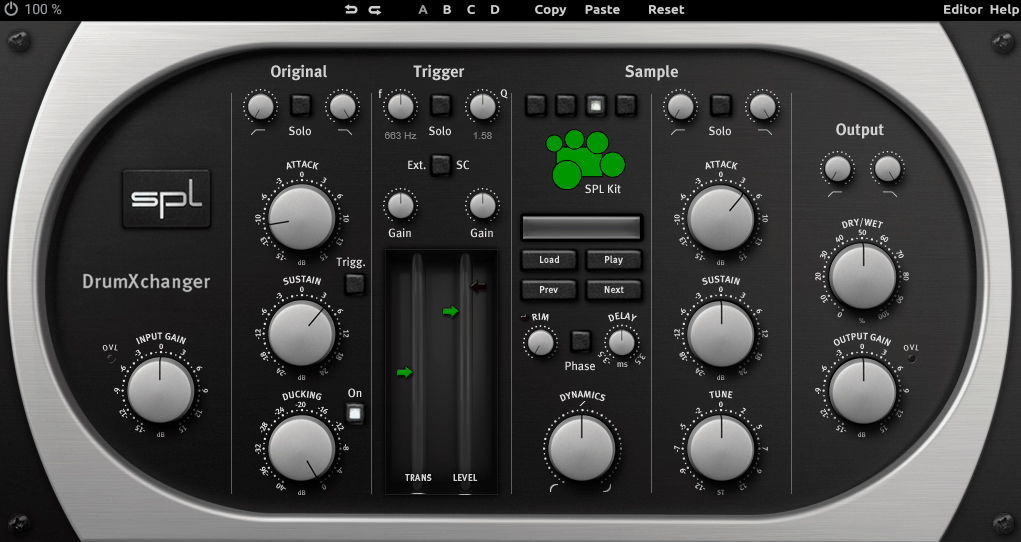
Most drum replacers detect hits based on level alone: if the signal crosses a threshold, the sample fires. The problem with that approach is obvious if you’ve ever tried to trigger a snare sample when the hi hat bleed is almost as loud as the actual snare hits. Brainworx DrumXchanger solves this with a fundamentally different detection method borrowed from SPL’s hardware Transient Designer technology, which uses both level and transient shape to identify drum hits.
I find this dual threshold approach makes a practical difference on real sessions where isolation isn’t perfect. The DrumXchanger reliably catches ghost notes and quiet hits that level only detection misses, while ignoring bleed that would cause false triggers in other plugins. It’s not flashy and the interface looks a bit dated compared to newer competitors, but the detection accuracy is hard to argue with.
- Dual Threshold Detection
The plugin uses two independent thresholds: a level threshold and a transient threshold. A sample only fires when both conditions are met simultaneously. This dual requirement means loud but non transient signals (like sustained cymbal bleed) don’t cause false triggers, while quiet but sharp transients (like ghost notes) still get caught reliably. In my testing, this produced fewer false triggers than single threshold systems across every scenario I tried.
- Dual Transient Designers
Two separate SPL Transient Designer processors are built into the plugin, one for the original signal and one for the replacement sample. The original side helps sharpen detection accuracy by emphasizing transients before the analysis stage. The replacement side lets you shape the attack and sustain of the triggered sample to match the context of the mix.
- Custom Sample Editor
The included DrumXchanger Editor lets you build your own multi sample instruments with up to three sound variations and eight velocity layers, plus separate rim shot sounds for snares and toms. Your custom kits load directly into the plugin. The included library of four complete drum kits at 24 bit/96 kHz provides a decent starting point, though you’ll probably want to supplement it with third party samples eventually.
Available through Plugin Alliance in VST, VST3, AU, and AAX formats.
Get the Free Plugin Starter Kit
The genuinely useful free DAWs and plugins worth installing. No filler. Straight to your inbox.
2. Waves InTrigger (Intelligent Drum Replacer)
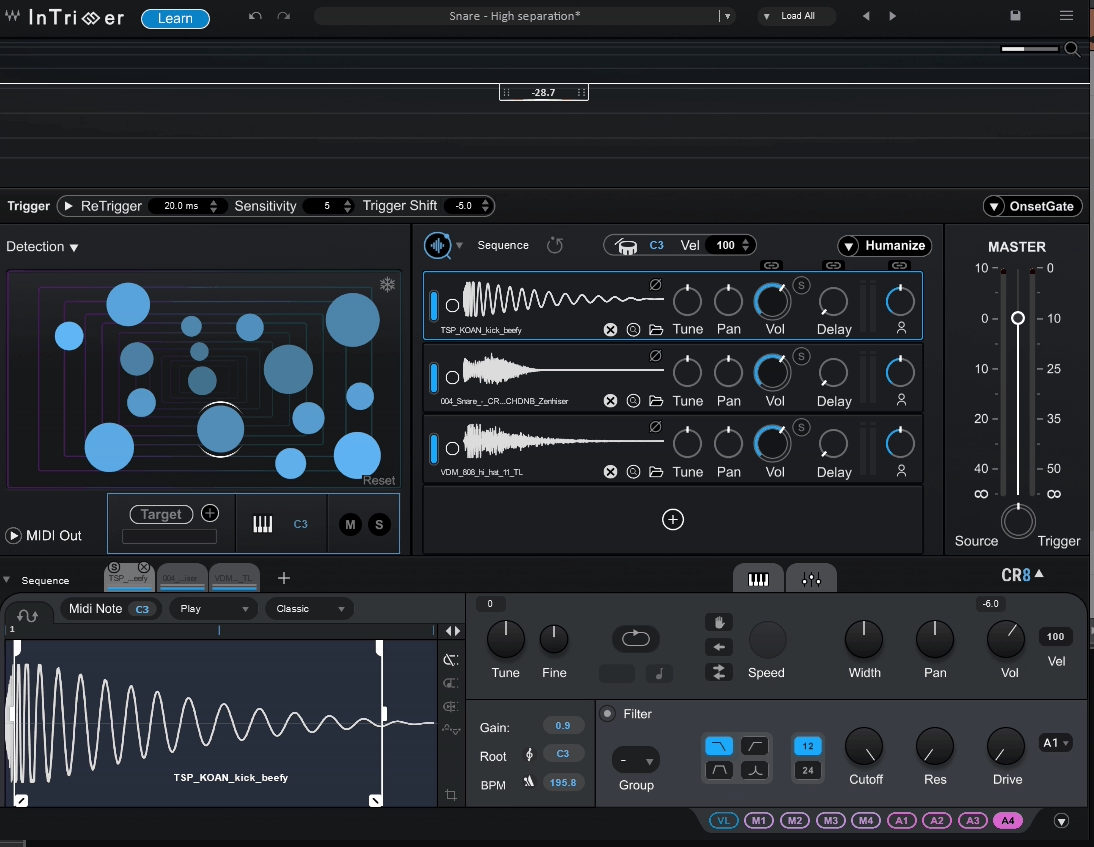
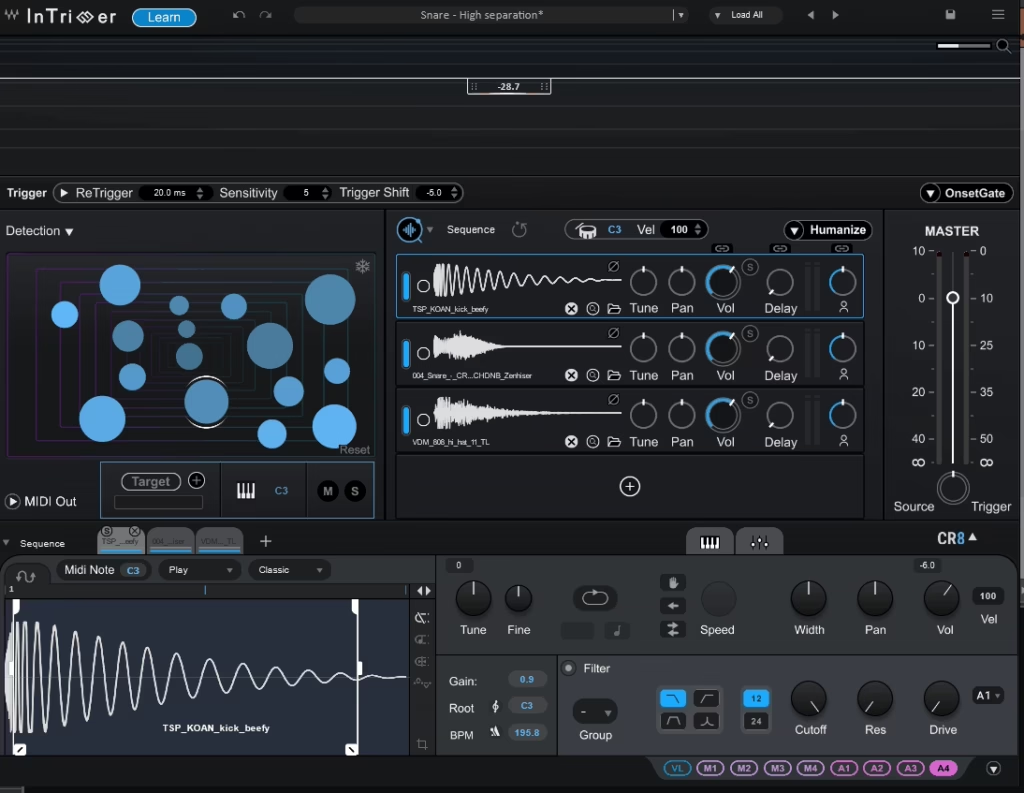
Waves InTrigger is one of the newest drum replacers on the market, released in mid 2025, and it takes aim at the biggest complaint people have about drum replacement: the amount of time you spend tweaking thresholds and cleaning up false triggers. The core pitch is a two step workflow where you click Learn, the plugin analyzes the performance automatically, and then you choose your sample. In practice, it gets you to a working result faster than anything else I’ve tried, though complex recordings still benefit from some manual adjustment.
What I think Waves got right with InTrigger is the integration between detection, sample management, and sound shaping. Instead of bouncing between separate tools for triggering, sample browsing, and editing, everything happens inside one plugin. The inclusion of a live performance version with zero latency is also a meaningful addition for touring engineers, which is something no other plugin on this list offers.
- Learn Detection
The Learn button analyzes the incoming audio and automatically sets detection parameters without manual threshold adjustment. The algorithm differentiates between intended drum hits and bleed, ghost notes, and crosstalk. It works well on clean recordings and reasonably well on messier ones, though I found that heavily bled tom tracks sometimes needed manual refinement through the Onset Gate to clean up stray triggers.
- COSMOS Integration
COSMOS, Waves’ AI powered sample manager, is integrated directly into the plugin, giving you access to your entire sample library plus 1,400 included drum one shots without leaving the interface. You can audition samples in context against the playing track, which speeds up the sample selection process considerably compared to loading samples from a file browser.
- CR8 Sampler Engine
The built in CR8 sampler supports up to eight sample layers with individual level, pan, tuning, and delay controls per layer. Stacking multiple samples gives you the ability to build composite drum sounds, like combining the attack of one snare with the body of another, directly within the triggering plugin.
- Humanize Control
The Humanize knob applies random variation to each triggered hit’s envelope and dynamics, preventing the machine gun effect that makes drum replacement obvious. Each sample playback reacts slightly differently based on the original hit’s characteristics. The effect is subtle but meaningful, especially over longer sections where repetitive identical samples become noticeable.
- InTrigger Live
A dedicated InTrigger Live version is included for use with Waves eMotion LV1 and SuperRack systems, delivering zero latency drum replacement for live performance. It uses manual threshold detection instead of Learn for stage stability, and supports up to four sample layers. This is the only plugin on this list with a purpose built live performance mode.
- MIDI Output
InTrigger can output MIDI note data from its detection, letting you route the triggered hits to any external sampler or virtual instrument. This gives you the option to use the detection engine with drum libraries that aren’t sample based, or to capture the MIDI for further editing in your DAW’s piano roll.
Available from Waves in VST3, AU, and AAX formats. Also included in Waves Ultimate subscription and Mercury bundle.
3. UVI Drum Replacer
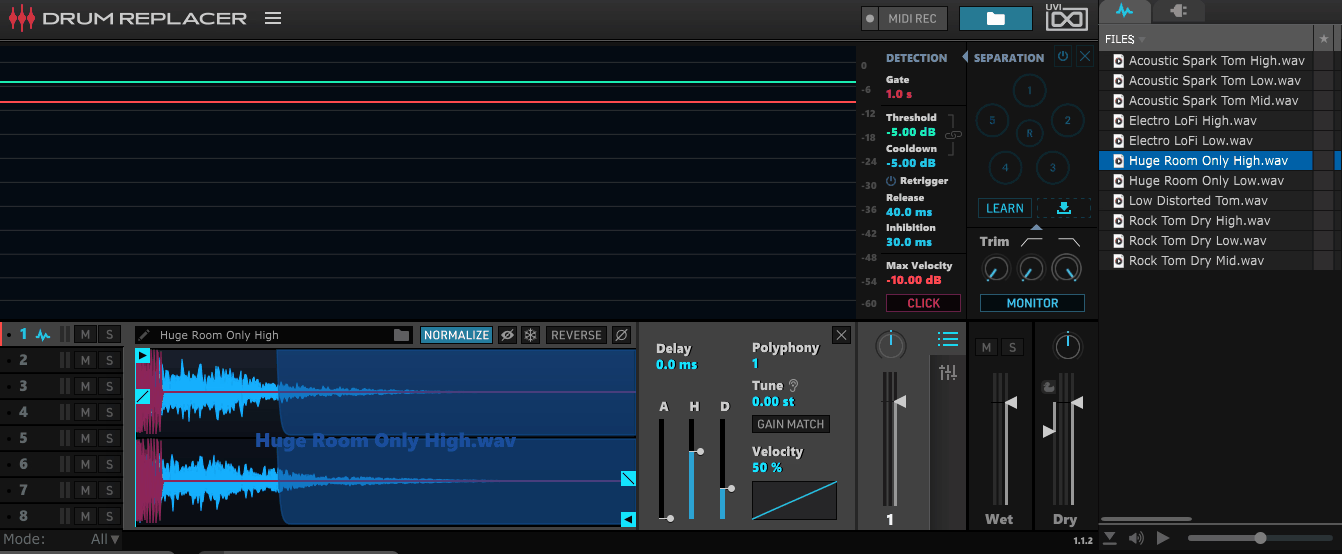
UVI Drum Replacer takes a more analytical approach than most of its competitors. Rather than just detecting transients above a threshold, it uses spectral analysis to understand the tonal character of each hit and match it against the replacement samples more intelligently. This means it’s better at distinguishing between, say, a snare center hit and a rim shot, or a hard kick versus a softer one, and triggering appropriately matched samples for each.
I’ve used UVI Drum Replacer on sessions where the dynamic range of the performance was wide and other replacers were either missing the quiet hits or triggering on bleed during the loud sections. The spectral approach handles these situations more gracefully because it’s looking at what the hit sounds like, not just how loud it is. The included sample library is solid and well organized, and UVI’s pricing tends to be reasonable, especially during their frequent sales.
- Spectral Analysis
The detection engine uses frequency content analysis alongside level detection to identify and classify drum hits. This spectral approach means the plugin can differentiate between drums that occupy different frequency ranges even when their levels are similar, reducing crosstalk triggers that plague simpler detection methods.
- Smart Velocity Mapping
Detected hit dynamics are intelligently mapped to the replacement sample’s velocity layers, preserving the natural dynamic range of the original performance. The mapping can be adjusted with curves and ranges, letting you compress or expand the dynamic response to suit the replacement sample set.
- Multi Sample Support
UVI Drum Replacer supports multi layered samples with round robin variation, ensuring that consecutive hits don’t trigger identical samples. The combination of velocity layered multi samples and round robin selection produces results that sound more natural than single sample triggering, particularly on repetitive patterns like 16th note hi hat parts.
- Visual Hit Confirmation
A waveform display shows detected hits overlaid on the input signal, giving you immediate visual confirmation that the detection is working correctly. Missed hits and false triggers are easy to spot, and the display updates in real time as you adjust detection parameters. This visual feedback makes troubleshooting detection problems much faster than working by ear alone.
Available from UVI in VST, VST3, AU, and AAX formats.
4. XLN Audio Addictive Trigger (Addictive Drums Integration)
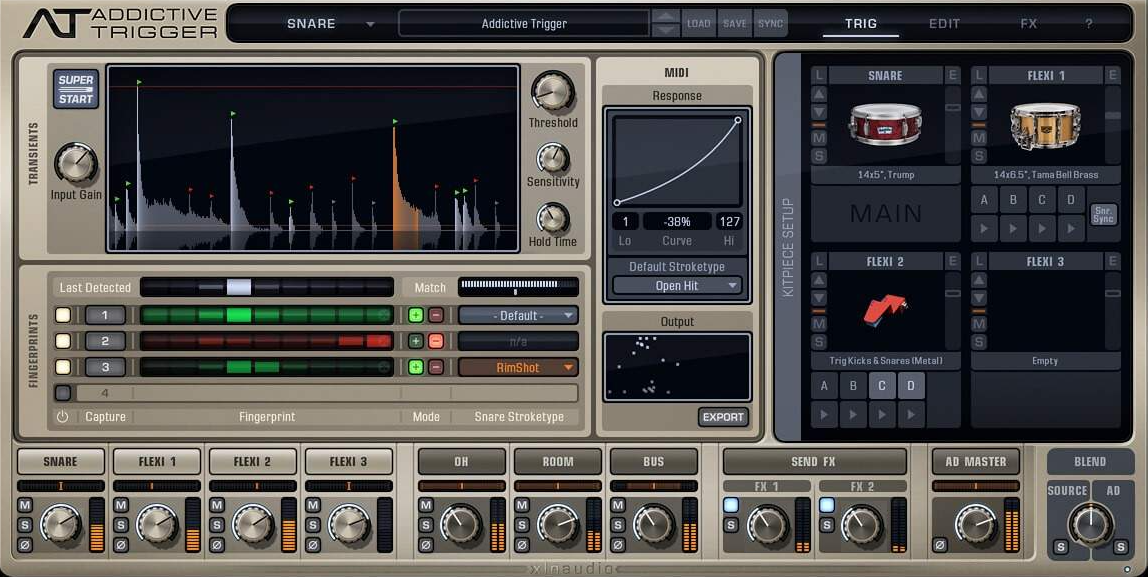
If you already use XLN Audio Addictive Drums 2, then Addictive Trigger is the most natural drum replacement choice for your workflow. It’s designed to work seamlessly with the Addictive Drums sample library, giving you direct access to every ADpak kit you own from within the triggering plugin. This integration means you’re not limited to a small set of included one shots. You have your entire Addictive Drums collection available as replacement sources.
Even if you don’t own Addictive Drums, Addictive Trigger works as a standalone triggering plugin with its own included samples and the ability to load external one shots. The detection is competent and the interface is clean. But the real value proposition is for existing Addictive Drums users who want their triggering and sample libraries to live in the same ecosystem.
- ADpak Integration
Direct access to your entire Addictive Drums library from within the trigger plugin means every kit, every mic channel, and every piece you own is available as a replacement source. You’re not working with compressed one shots. You’re triggering the actual multi sampled, multi mic Addictive Drums instruments, which sound noticeably better than typical trigger samples.
- Detection Tuning
The detection section provides controls for sensitivity, retrigger time, and frequency focus that let you dial in the triggering for specific drum types and recording conditions. A waveform view shows detected hits against the incoming signal for visual confirmation. The controls are straightforward enough that you can get reliable detection in under a minute on most recordings.
- External Sample Loading
Beyond the Addictive Drums integration, the plugin supports loading external WAV and AIFF samples as replacement sources. This means you’re not locked into the XLN ecosystem if you have favorite samples from other libraries. You can mix and match Addictive Drums instruments with third party one shots.
Available from XLN Audio in VST, AU, and AAX formats.
5. MeldaProduction MDrumReplacer
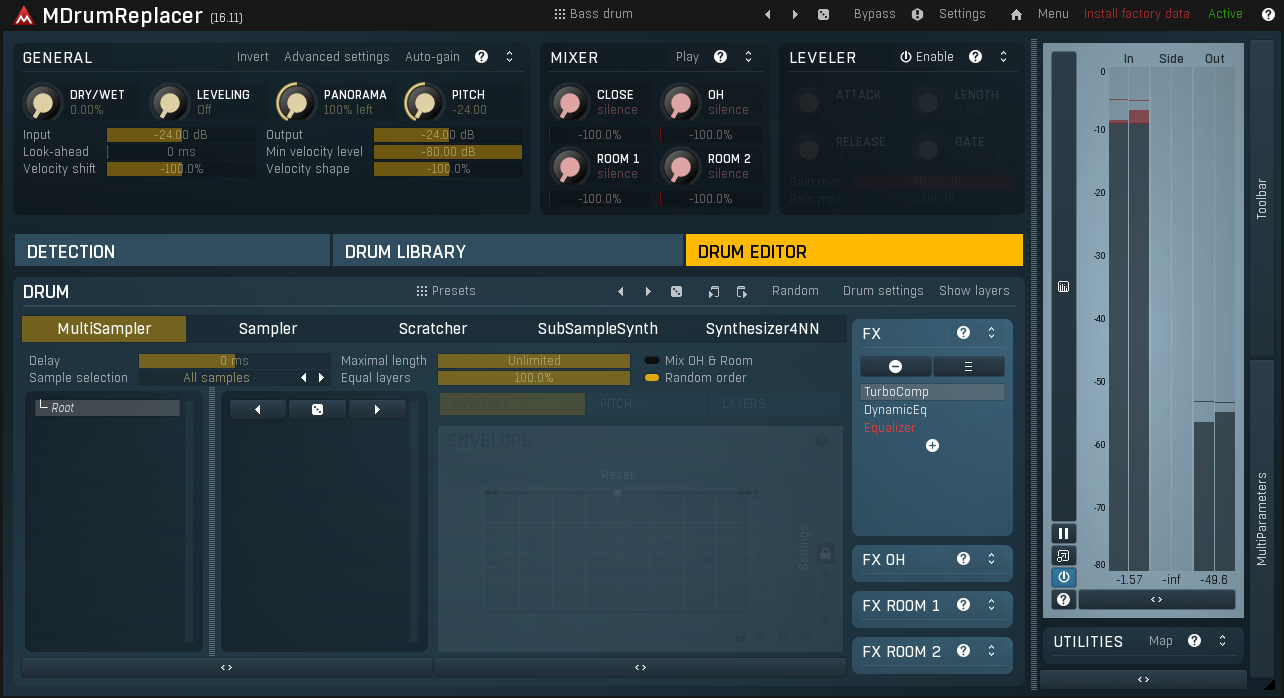
MeldaProduction MDrumReplacer is the deep dive option on this list. Where other drum replacers prioritize simplicity and speed, MDrumReplacer gives you an enormous amount of control over every aspect of the detection and replacement process. It has more parameters, more routing options, and more customization than any other plugin in this category. Whether that’s an advantage or a drawback depends entirely on how you work.
I’ll be honest: MDrumReplacer is not what I reach for when I need a quick snare swap on a deadline. The interface is dense and the learning curve is steeper than the competition. But when I need precise control over a difficult triggering situation, when I need to set up complex velocity curves, custom filter ranges for detection, or detailed sample mapping, MDrumReplacer gives me options that simpler plugins don’t. It’s also part of MeldaProduction’s ecosystem, which means it follows their familiar interface conventions if you already use other Melda plugins.
- Advanced Detection Engine
The detection system offers adjustable filter bands, transient sensitivity curves, and retrigger hold times with more granularity than any competing plugin. You can set up detection filters that focus on specific frequency ranges, which is effective for isolating a snare from heavy cymbal bleed or a kick from floor tom resonance. The tradeoff is that achieving optimal settings takes more time than the one click solutions offered by newer competitors.
- Multi Sample Architecture
Support for multiple velocity layers and round robin groups with detailed mapping controls lets you build sophisticated replacement instruments within the plugin. Each layer has independent gain, pitch, pan, and envelope parameters. The mapping editor is powerful but requires more setup time than the drag and drop approaches in plugins like InTrigger.
- Modular Processing
Built in processing modules for EQ, compression, and saturation can be applied to the replacement samples within the plugin, reducing the need for additional plugins in your signal chain. The processing is flexible and sounds decent, though I typically prefer to use my own processing chain after the fact.
- Extensive MIDI Functionality
MIDI input and output capabilities let MDrumReplacer function as either a trigger source or a trigger receiver. You can use it to generate MIDI from audio for routing to external instruments, or receive MIDI from a drum pad to trigger its internal samples. This bidirectional MIDI support makes it the most flexible option on the list for non standard triggering setups.
- Preset Sharing
MeldaProduction’s community preset system lets you download and share detection and mapping presets with other users. For common triggering scenarios, finding a community preset that’s already been optimized for your situation can save significant setup time. The plugin also supports MeldaProduction’s global preset system for saving and recalling complete configurations.
Available from MeldaProduction in VST, VST3, AU, and AAX formats.
6. Slate Digital Trigger 2 (Free)
If you’re looking for a drum replacer that costs nothing and still works well enough for professional results, Slate Digital Trigger 2 is hard to beat. Slate made it completely free (you just need a free Slate Digital account), which removes any barrier to trying it. The detection is reliable on reasonably clean recordings, the included sample library covers the basics, and it handles straightforward kick and snare replacement without much fuss.
I should be straightforward about where Trigger 2 shows its age compared to newer options like InTrigger. The detection can struggle with heavily bled tracks, the interface feels dated, and the workflow requires more manual threshold adjustment than the learning based systems on newer plugins. For clean, well isolated drum tracks, it does the job fine. For messy live recordings with lots of bleed, you’ll spend more time tweaking. But considering the price (free), the tradeoffs are more than reasonable.
- Dual Sample Slots
Trigger 2 provides two independent sample slots that can be loaded simultaneously and blended together. Each slot has its own level, tuning, and mix controls. This lets you combine two different samples for a composite sound, like layering a punchy close mic sample with a roomier one for depth.
- Instrument Detection
The detection system can be set to recognize specific drum types (kick, snare, tom) which helps the algorithm distinguish between the target drum and bleed from other kit pieces. Choosing the correct instrument type adjusts the detection parameters internally, reducing false triggers without requiring extensive manual tweaking.
- MIDI Output
MIDI output lets you export the detected hits as MIDI note data to your DAW, which is useful for triggering third party drum libraries or for detailed editing of the detection results before committing to a final replacement. I’ve found this particularly handy when Trigger 2’s internal samples don’t have the exact sound I want but the detection itself is working well.
Available from Slate Digital in VST, AU, and AAX formats. Completely free with a Slate Digital account.
Get the Free Plugin Starter Kit
The genuinely useful free DAWs and plugins worth installing. No filler. Straight to your inbox.

Hello, I’m Viliam, I started this audio plugin focused blog to keep you updated on the latest trends, news and everything plugin related. I’ll put the most emphasis on the topics covering best VST, AU and AAX plugins. If you find some great plugin suggestions for us to include on our site, feel free to let me know, so I can take a look!