
Four developers, four completely different philosophies, and between them a collection of plugins that covers nearly every production need you’ll encounter. FabFilter builds precision tools with visual interfaces that make complex processing intuitive.
iZotope leans into intelligent, AI assisted processing that handles technical decisions for you. LANDR applies machine learning to creative and mastering tasks that traditionally required human expertise. And Valhalla DSP delivers world class reverb and spatial effects at a flat $50 per plugin price that makes the rest of the industry look expensive.
What makes these four developers worth grouping together is the way their products complement each other. You might use a FabFilter EQ for surgical precision, an iZotope reverb for versatile spatial processing, a LANDR plugin for AI assisted mastering, and a Valhalla reverb for pure sonic quality on a specific track. None of these companies tries to do everything.
Each focuses on what it does best, and understanding their strengths helps you choose the right tool for each task.
I’ve selected eleven plugins plus a bonus pick that represent the best of what each developer offers, covering EQ, compression, reverb, delay, saturation, de essing, mastering, synthesis, and sampling.
From the Pluginerds Store
Before you get into the plugins on this list, something that changes how reliably reverb and delay decisions translate. The room around you contributes more to what you hear than most producers realise — acoustic treatment at the first reflection points reduces that.


1. FabFilter Pro-Q 4 (Precision EQ)
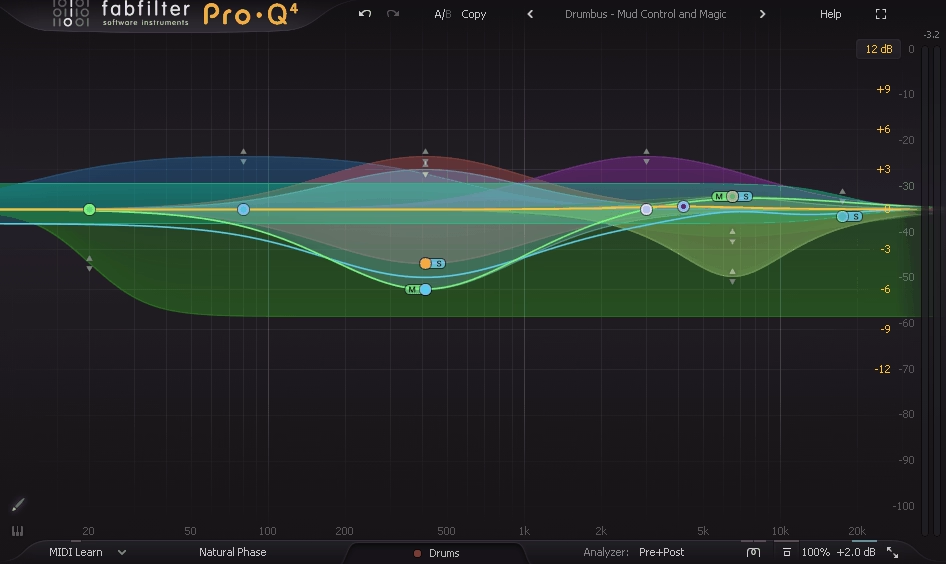
At this point in the series, you’ve seen Pro-Q 4 appear on multiple lists, and there’s a reason it keeps showing up. No other EQ combines parametric, dynamic, mid/side, linear phase, and spectral processing in a single interface with the kind of visual feedback and workflow speed that FabFilter delivers. The interactive spectrum display where you grab and adjust frequencies directly has become the standard that other EQ developers measure themselves against.
What keeps me using FabFilter Pro-Q 4 over the dozens of alternatives isn’t any single feature. It’s the accumulated speed advantage across an entire mixing session. Every EQ decision takes a few seconds less than it would in another plugin. Over the course of mixing 40 or 50 tracks, those seconds add up to a meaningful time savings that lets me focus on creative decisions rather than wrestling with the tools. The Instance List that shows all EQ instances across the session in one window is the kind of feature you don’t realize you need until you’ve used it.
- Dynamic Bands
Every band can switch to dynamic mode, applying EQ only when the signal crosses a threshold. You address problems that occur on specific notes or syllables without permanently changing the tone during quieter moments. I use dynamic cuts on vocals more than static ones at this point because the results sound more natural.
- Instance List
A multi instance overview displays all Pro-Q 4 instances across your session in a single window with overlaid curves. You can spot frequency conflicts between tracks visually, adjust any instance’s settings without switching windows, and maintain a bird’s eye view of your EQ decisions across the entire mix.
- Spectral Dynamic
The full spectrum dynamic mode applies intelligent processing across the entire frequency range simultaneously. Rather than targeting specific frequencies, this mode addresses broadband tonal issues by identifying and reducing whatever frequencies are causing problems at any given moment.
- Per Band M/S
Each band independently processes mid, side, left, or right signal. Boosting air on the sides for width while cutting mud from the mid for a cleaner center, all from one plugin instance, eliminates the need for separate encoding and decoding chains.
Available from FabFilter in VST, VST3, AU, AAX, and CLAP formats.
Get the Free Plugin Starter Kit
The genuinely useful free DAWs and plugins worth installing. No filler. Straight to your inbox.
2. iZotope Neoverb (Versatile Reverb)
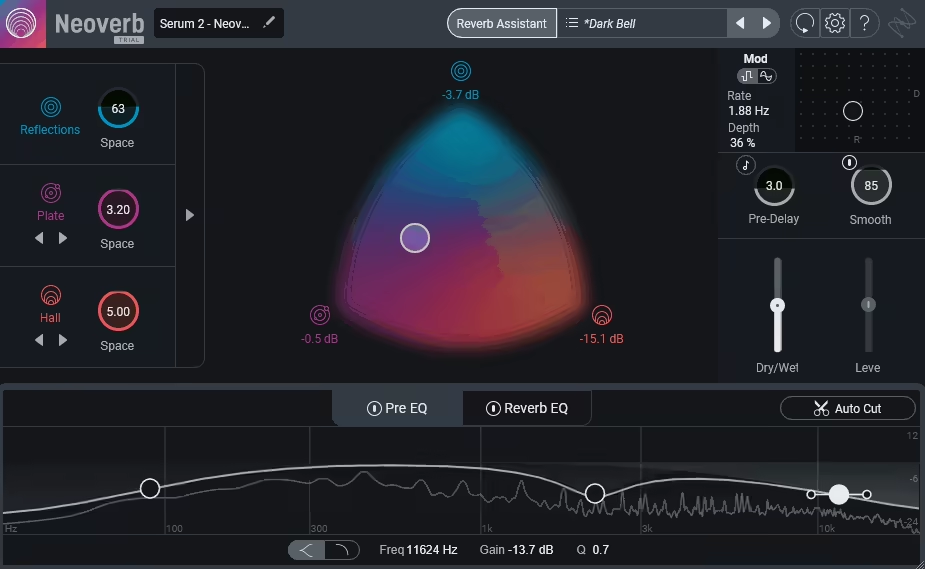
Reverb configuration intimidates a lot of producers, and iZotope Neoverb addresses that directly with a three engine reverb that includes an AI Reverb Assistant for generating starting points. The three engines (early reflections, main reverb, and late tail) operate independently, giving you control over each component of the reverb space that single algorithm plugins don’t offer.
What I find practical about Neoverb for everyday production work is the combination of the AI assistant with full manual control. You can let the assistant analyze your source and suggest settings, then dive into the detailed parameters to refine the result. The built in EQ on the reverb signal lets you shape the frequency content of the reverb tail independently of the dry signal, which is essential for keeping reverb from muddying your mix. For producers who want one reverb that handles everything from tight room ambience to expansive halls, Neoverb covers that range convincingly.
- Three Engines
The early reflections, main reverb, and late tail operate independently with separate controls. You can combine tight, bright early reflections with a long, dark tail, or any other configuration that suits your material. The three part approach gives you more spatial control than single algorithm reverbs provide.
- Reverb Assistant
An AI analysis tool listens to your source and suggests settings based on the input characteristics. The assistant provides a musically appropriate starting point that accelerates the configuration process, which is valuable when you’re setting up reverb on many tracks in a session.
- Reverb EQ
A built in equalizer shapes the frequency content of the reverb independently of the dry signal. Cutting lows from the reverb prevents bass buildup. Reducing highs creates a darker, more distant spatial character. The EQ control is what keeps reverb from degrading your mix clarity.
- Blend Controls
Independent level controls for each engine let you balance the contribution of early reflections, body, and tail to the overall effect. The granular control lets you build spaces that sound natural and intentional rather than generic.
- Pre Delay
An adjustable pre delay with tempo sync separates the dry signal from the reverb onset, maintaining clarity on the source while the reverb fills in behind. On vocals, this keeps consonants clear and intelligible even with longer reverb tails.
- Unmask Feature
A sidechain based unmasking tool ducks the reverb when the dry signal is present, creating space for the source to be heard clearly. When the source stops, the reverb fills back in. This intelligent ducking prevents the reverb from competing with the source material for attention.
Available from iZotope in VST, VST3, AU, and AAX formats.
3. LANDR Mastering Plugin PRO (AI Mastering)
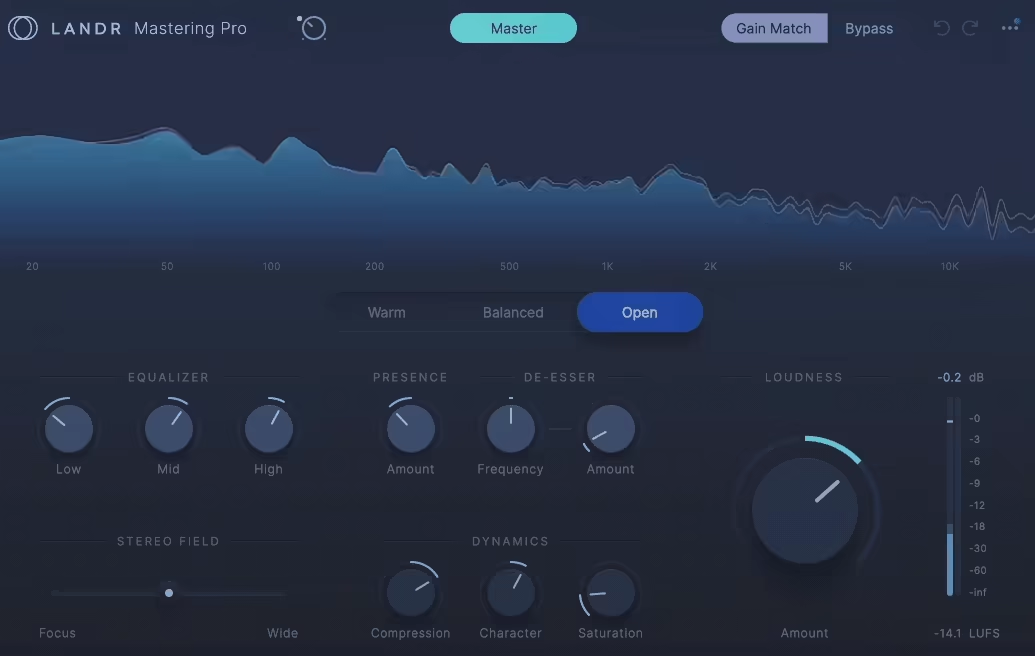
Mastering your own music inside your DAW without external services is what the Mastering Plugin PRO provides, bringing the AI mastering engine from the LANDR online platform directly into your session as a plugin insert. The processor analyzes your mix and applies EQ, compression, stereo enhancement, and limiting calibrated to the specific content of your material.
I should be realistic: AI mastering won’t replace a skilled human mastering engineer for your most important releases. What the LANDR plugin provides is a fast, consistent mastering process for demos, singles, content pieces, and releases where budget or timeline doesn’t justify hiring an engineer. Having the mastering happen inside your DAW means you can adjust the mix and hear the mastered result immediately, which accelerates the back and forth between mixing and mastering decisions.
- AI Analysis
The engine analyzes your mix and determines appropriate processing based on the spectral content and dynamic characteristics. The analysis adapts to each song rather than applying a fixed chain, which means different material receives different treatment.
- Style Selection
Multiple mastering styles bias the processing toward different aesthetic goals: warm, balanced, open, or punchy. The style selection gives you creative direction without requiring you to configure individual parameters.
- Loudness Targeting
The processing targets appropriate LUFS levels for streaming platforms, matching the specifications that Apple Music, Spotify, and other services use for normalization. Your masters meet distribution requirements without manual measurement and adjustment.
Available from LANDR in VST, VST3, AU, and AAX formats. Requires LANDR subscription.
4. Valhalla FutureVerb (Modern Algorithmic Reverb)
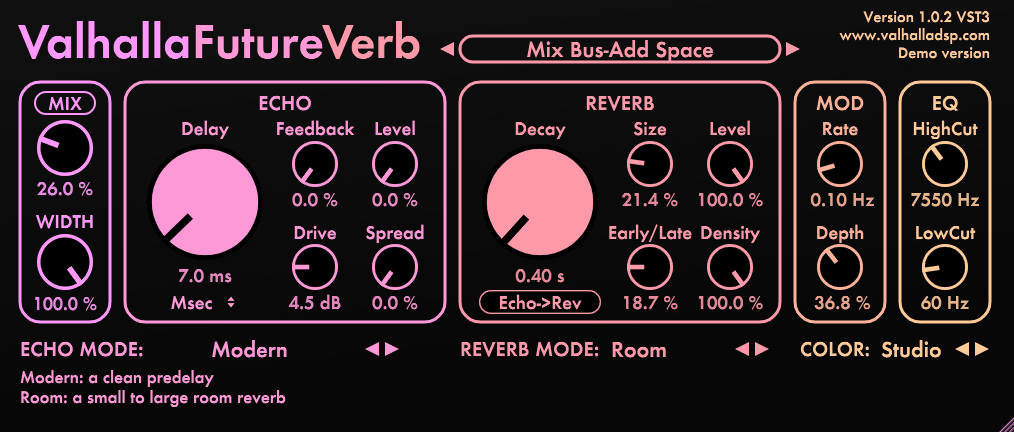
Eight years of research and development went into creating Valhalla FutureVerb, and the result is what many reviewers are calling the most transparent and realistic algorithmic reverb available in any plugin format. Where VintageVerb (also on this list) excels at characterful, colored reverbs, FutureVerb focuses on pristine, natural sounding spaces that add dimension without calling attention to themselves as effects.
The dual engine design combines eight reverb algorithms with twelve echo modes in a single plugin, which means you’re getting both reverb and delay processing from one insert. The reverb modes cover practical spaces (Room, Chamber, Plate, Hall, Cathedral) alongside more experimental options (Space, Frozen, Nonlin). The echo modes include granular delays (Sparkle and Swarm) that bring a sound design dimension that’s new to the Valhalla ecosystem. At $50 with no sales or subscriptions, the value proposition continues Valhalla’s tradition of making the rest of the industry look overpriced.
- Eight Reverb Modes
The reverb algorithms cover Room, Chamber, Plate, Hall, Cathedral, Space, Frozen, and Nonlin, each designed for maximum transparency and realism. The first five handle practical mixing tasks. Space creates massive ambient environments. Frozen generates sustained sonic clouds. Nonlin delivers classic gated reverb for drums and percussion.
- Twelve Echo Modes
The echo section includes Modern, Tape, Digital, Analog, Detune, Reverse (with octave variations), Sparkle, Swarm, and LoFi modes. The Sparkle and Swarm granular delays are particularly interesting, bringing pitch shifted granular processing into the Valhalla world for the first time and creating textures that standard delays can’t produce.
- Color System
Four color modes (Bright, Neutral, Dark, Studio) change the overall tonality and high frequency decay of both the reverb and echo. The color system provides a high level tonal control that lets you match the reverb character to your mix quickly. The GUI colors shift to match the selected mode for instant visual feedback.
- $50 Price
Continuing Valhalla’s tradition of flat $50 pricing with no sales, subscriptions, or upgrade fees, FutureVerb represents extraordinary value for a reverb plugin that competes with tools costing five to ten times as much. The price makes it accessible to every producer regardless of budget.
Available from Valhalla DSP in VST, VST3, AU, and AAX formats. $50.
5. FabFilter Pro-C 3 (Versatile Compressor)
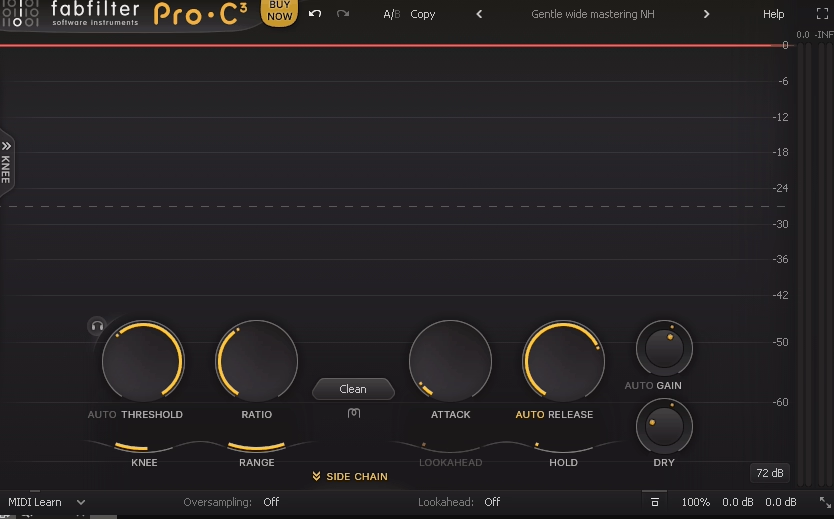
Rather than offering a single compression character, FabFilter Pro-C 3 gives you fourteen distinct algorithms that cover everything from transparent bus glue to aggressive pumping to warm optical leveling. If you could own only one compressor plugin and needed it to handle every dynamic control task you’d encounter, this would be the rational choice.
The practical advantage for mixing is how quickly you can audition different compression characters on the same material. A vocal might want smooth optical compression. A drum bus might need aggressive VCA pumping. An acoustic guitar might benefit from gentle vari mu leveling.
Pro-C 3 lets you switch between all of these approaches in seconds without loading a different plugin, and the new Character panel adds harmonic saturation that further extends the sonic range.
- 14 Algorithms
The compression styles include Versatile, Smooth, Punchy, Classic, Op El, Vari Mu, and others. Each responds differently to the same input, producing dramatically different compression flavors from identical settings. Switching between them on the same track is the fastest way to find the right compression character.
- Character Panel
The new saturation section adds Tube, Diode, and Bright harmonic flavors routable pre or post compression. A touch of tube saturation after gentle compression adds warmth and presence to vocals that sounds polished and intentional.
- Sidechain EQ
A 6 band sidechain EQ with Pro-Q style filter shapes controls exactly which frequencies trigger the compression. High passing the sidechain prevents bass energy from causing unnecessary gain reduction, and de emphasizing sibilant frequencies prevents the compressor from clamping down on bright consonants.
Available from FabFilter in VST, VST3, AU, AAX, and CLAP formats.
6. iZotope Trash (Creative Distortion)

Distortion and saturation in a mixing context usually means subtle warmth and harmonic enhancement. iZotope Trash goes further, providing a multiband distortion and creative destruction toolkit that can do subtle saturation but also handles extreme sound design, aggressive processing, and experimental audio mangling.
The plugin combines distortion algorithms, multiband processing, convolution, and filtering in a single interface.
What makes Trash practical beyond just being a distortion plugin is the multiband architecture. You can apply different distortion types to different frequency ranges, which means you can add aggressive crunch to the midrange of a synth while keeping the sub bass clean, or saturate the top end of a vocal for presence while leaving the body transparent.
The convolution section adds an unusual dimension by running the distorted signal through impulse responses of physical objects and spaces, creating textures that standard distortion can’t produce.
- Distortion Algorithms
Multiple distortion types cover tape, tube, transistor, fuzz, digital destruction, and more extreme algorithms. Each type produces different harmonic content and responds differently to input dynamics, giving you a broad palette from subtle warmth to extreme mangling.
- Multiband Processing
Up to four frequency bands with independent distortion type and amount per band let you apply different distortion characters across the spectrum. The multiband approach is what separates professional saturation work from just “making everything louder and grittier.”
- Convolution
A convolution engine runs the distorted signal through impulse responses of physical objects, spaces, and vintage equipment. The convolution adds textural qualities that algorithmic distortion alone doesn’t produce, creating unique, characterful processing.
- Filter Section
Pre and post distortion filtering shapes what goes into and comes out of the distortion stage. Filtering before distortion changes what frequencies get distorted. Filtering after shapes the final tone. The filter placement dramatically affects the character of the output.
- Trash Modes
Multiple processing modes configure the overall signal flow between the distortion, convolution, and filter sections. Different routing orders produce dramatically different results from the same parameter settings, which multiplies the creative range of the plugin.
Available from iZotope in VST, VST3, AU, and AAX formats.
7. LANDR Synth X (AI Synthesizer)

Most synthesizers require you to understand oscillators, filters, envelopes, and modulation before you can create the sounds you’re hearing in your head. LANDR Synth X flips that process by letting you describe or browse the sound you want, and the AI engine generates a patch that matches your intent.
The approach is designed for producers who know what they want to hear but don’t have deep synthesis knowledge.
I should set clear expectations: Synth X doesn’t replace a premium synthesizer like Serum or Pigments for detailed sound design work. What it provides is a fast, accessible path to usable synth sounds for producers whose primary focus is composition and arrangement rather than sound design.
If you spend more time writing songs than programming patches, the AI assisted approach saves you from scrolling through thousands of presets or learning synthesis theory to get the sounds your tracks need.
- AI Patch Generation
The AI engine creates synth patches based on descriptive input, generating sounds that match your creative intent without requiring you to program oscillators and filters manually. The generation produces starting points that you can use directly or refine further.
- Sound Browsing
An intelligent browsing system organizes sounds by character, mood, and musical context rather than technical synthesis categories. You search for “warm pad” or “aggressive bass” rather than navigating oscillator types and filter settings.
- Layering System
Multiple sound layers can be combined and balanced within the plugin, building complex textures from simpler generated components. The layering extends the range of sounds beyond what single patch generation produces.
Available from LANDR in VST, VST3, AU, and AAX formats. Requires LANDR subscription.
8. Valhalla VintageVerb (Character Reverb)
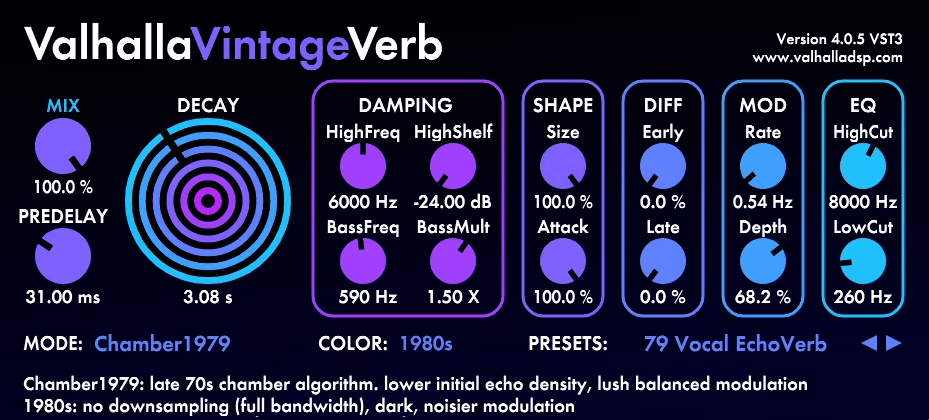
Before FutureVerb arrived, VintageVerb was the plugin that put Valhalla DSP on the map, and it remains essential despite the newer release.
Where FutureVerb pursues transparency and realism, VintageVerb deliberately embraces coloration, modeling the character of 1970s and 1980s digital reverb hardware with the metallic shimmer, warm decay, and slightly lo fi quality that defined the spatial processing of those eras.
The two Valhalla reverbs serve different purposes, and owning both makes sense because they cover different sonic territory. I use FutureVerb when I want the reverb to be invisible, adding space without drawing attention.
I use VintageVerb when I want the reverb to be part of the character, adding the specific flavor of vintage digital processing that suits synth heavy, retro, dream pop, and synthwave productions. The $50 price makes owning both a reasonable investment.
- Vintage Algorithms
Multiple reverb modes model different eras and styles of digital reverb hardware from the 1970s through 1980s. Each mode has a specific coloration and decay character that references particular hardware designs, giving you access to the spatial processing that defined the records of those decades.
- Color Modes
Three color settings (1970s, 1980s, Now) change the overall tonal character and artifacts of the reverb. The 1970s mode is darker and grainier. The 1980s mode is brighter with more shimmer. The Now mode provides a cleaner, more modern interpretation of each algorithm.
- Modulation
Rich, lush modulation is available for every algorithm, adding the chorused, swimming quality that characterized the most beloved vintage reverb hardware. Valhalla’s modulation is consistently praised as some of the best in any reverb plugin, and the VintageVerb modulation is particularly effective for creating immersive, dreamy textures.
- Simple Interface
The minimal, focused interface provides essential controls without unnecessary complexity. You choose a mode, set the size, adjust the decay, and dial in the color. The simplicity encourages experimentation because you’re not overwhelmed by parameters that distract from listening.
Available from Valhalla DSP in VST, VST3, AU, and AAX formats. $50.
9. FabFilter Timeless 3 (Creative Delay)
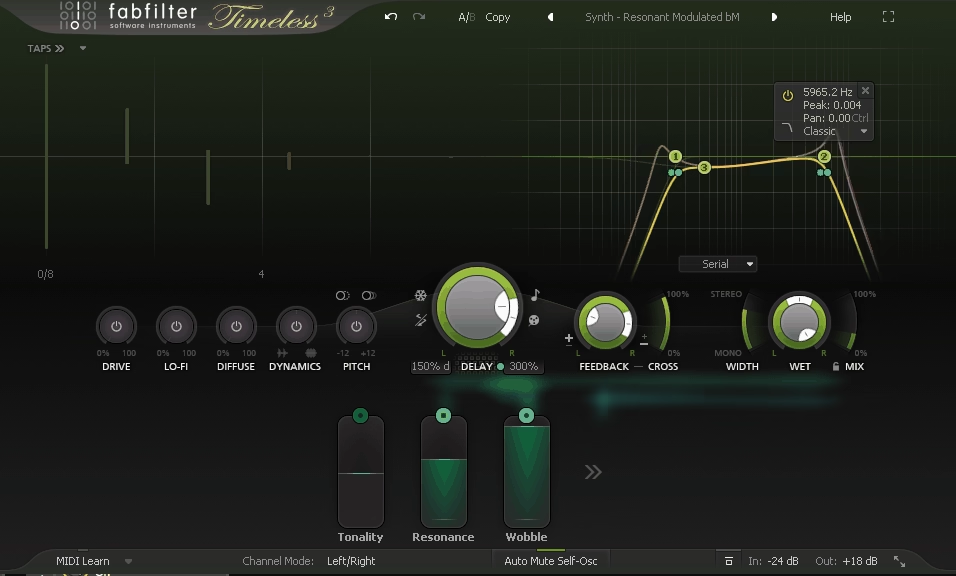
Standard delays produce echoes. Timeless 3 produces echoes that evolve, sing, and transform through its combination of tape style delays, filters in the feedback path, diffusion, and an extensive modulation system.
The plugin is beautiful for conventional echo effects, but where it truly earns its reputation is in the space between delay and sound design.
For producers working in electronic, ambient, experimental, or cinematic genres, what makes Timeless 3 special is how the feedback filtering and modulation interact. Each delay repeat passes through filters that progressively reshape the frequency content, and the modulation can animate those filters over time.
The result is delays that darken, brighten, narrow, or morph with each repetition rather than simply fading away as quieter copies of the original. I’ve started entire tracks from just feeding a simple sound into Timeless 3 and exploring what the feedback path produces.
- Tape Mode
A tape delay emulation adds warm, slightly degraded character to the repeats, with subtle pitch wobble, saturation, and progressive high frequency loss on each repetition. The tape behavior produces delays that feel organic rather than digitally precise.
- Feedback Filters
Filters in the delay feedback loop reshape each repeat as it recirculates. Low pass filtering creates increasingly dark, distant echoes. Band pass produces focused, resonant repetitions. The progressive filtering is what makes the delay tails evolve rather than just fade.
- Modulation System
A drag and drop modulation engine with multiple LFOs, envelopes, and XY controllers can animate virtually any parameter. The modulation transforms Timeless 3 from a standard delay into a sound design instrument where delays shift, evolve, and mutate over time.
- Diffusion
A diffusion control smears delay repeats into reverb like washes without a separate reverb algorithm. Higher settings blur distinct echoes into ambient textures, filling the space between obvious delay and conventional reverb.
- Feedback Control
Precise feedback amount determines repetition count and how quickly resonance builds. At higher settings, the delay approaches self oscillation, producing sustained tones that can become creative instruments in their own right.
Available from FabFilter in VST, VST3, AU, AAX, and CLAP formats.
10. iZotope Velvet (Precision De-Esser)
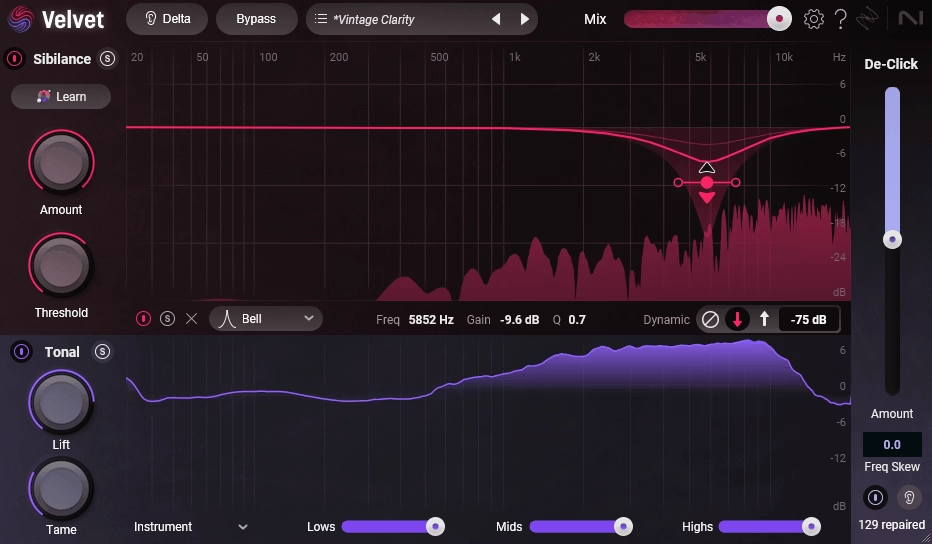
De essing is a problem every vocal mix needs to address, and most de essers are either too aggressive or too gentle. Velvet approaches sibilance reduction with a level of precision and transparency that puts it in a different category from the de essers built into channel strips or bundled free with DAWs.
What I appreciate about Velvet is that you genuinely cannot hear it working when it’s set correctly. The vocal sounds smoother and less harsh, but there’s no obvious ducking or dulling on the “s” and “t” sounds.
The processing is surgical and transparent enough that I leave it active on virtually every vocal chain now. It handles one job, and it handles it well enough that you stop thinking about sibilance and focus on everything else.
- Precision Detection
The sibilance detection identifies harsh frequency content with enough accuracy to distinguish between a problematic “s” and a bright “t” that sounds fine. The detection responds to spectral character rather than just monitoring a fixed frequency range.
- Transparent Reduction
The gain reduction engages with a smoothness that avoids pumping and ducking artifacts. The reduction feels gradual and natural, maintaining the flow and intelligibility of the performance without drawing attention to itself.
- Spectral Processing
Beyond simple level reduction, Velvet uses spectral techniques to address sibilance at the harmonic level, reducing harsh energy without turning down the entire frequency range. This preserves the brightness and air of the vocal while removing only the problematic harshness.
- Listen Mode
A solo function lets you hear exactly what the de esser is removing, which is invaluable for setting the threshold and frequency range accurately. If the soloed signal contains vocal content rather than just sibilance, you know the settings need adjustment.
Available from iZotope in VST, VST3, AU, and AAX formats.
11. LANDR Sampler (AI Powered Sample Instrument)

Turning raw audio samples into playable instruments usually requires a dedicated sampler with mapping, zone editing, and envelope configuration. LANDR Sampler simplifies this by using AI to automatically analyze, map, and process audio files into playable instruments.
You drop in samples and the plugin handles the configuration that would normally require manual setup in a traditional sampler.
The target audience for LANDR Sampler is producers who work with samples extensively but don’t want the complexity of configuring a full sampler like Kontakt for every new sound.
If you download sample packs, record your own textures, or work with found sounds, the automatic mapping and processing saves time on the technical setup so you can focus on playing and arranging. The results are functional instruments rather than deeply programmed libraries, but for many production contexts, functional and fast is exactly what you need.
- Auto Mapping
The AI automatically analyzes audio files and maps them across the keyboard with appropriate pitch detection, zone assignment, and velocity layering. The automatic mapping handles in seconds what would take minutes of manual configuration in a traditional sampler.
- Sample Processing
Built in processing tools (filtering, envelope shaping, effects) let you shape the mapped samples into finished instruments within the plugin. The processing is designed for quick results, giving you enough control to adjust the sound without the depth of a full sampler’s editing environment.
- Drag and Drop
You drop audio files directly into the plugin and the AI processes them into a playable instrument immediately. The drag and drop workflow eliminates the configuration steps that make traditional samplers feel slow for quick creative work.
- Sound Transformation
AI assisted sound manipulation can stretch, repitch, and transform imported samples into textures and instruments that go beyond the original audio content. The transformation tools extend the creative range of any sample you feed into the plugin.
- Layer Blending
Multiple sample layers can be combined and blended, building complex instruments from simple individual samples. The layering adds depth and complexity to instruments that would sound thin as single sample playback.
- LANDR Integration
The plugin connects to LANDR’s sample library for accessing additional content directly within the instrument. The integration means you can browse, preview, and load samples from LANDR’s catalog without leaving the plugin interface.
Available from LANDR in VST, VST3, AU, and AAX formats. Requires LANDR subscription.
Extra: FabFilter Twin 3 (Synthesizer)

Most producers know FabFilter for their mixing and mastering tools, but the company also makes a capable synthesizer. Twin 3 is a three oscillator subtractive/FM synth with FabFilter’s signature visual interface and the same drag and drop modulation approach found in their effects plugins.
The synth provides clean, precise synthesis with enough depth for serious sound design.
What distinguishes Twin 3 from the crowded synth market is the FabFilter workflow philosophy applied to synthesis. The same visual, interactive approach that makes Pro-Q 4 intuitive for EQ work makes Twin 3 intuitive for sound design.
The modulation system where you drag from source to destination and see the modulation displayed directly on the target parameter is the same system used across all FabFilter products, which means if you already use their effects, the synth feels immediately familiar.
- Three Oscillators
Three oscillators with classic and modern waveforms provide the harmonic foundation. Each oscillator supports standard analog waveforms alongside FM and waveshaping modes, which expands the timbral range beyond what pure subtractive synthesis offers.
From the Pluginerds Store
Worth repeating before you go: no reverb plugin above will sound consistent if the room you're mixing in is working against you. Acoustic treatment is the unglamorous fix most producers put off longest.


- Visual Modulation
The drag and drop modulation system displays modulation assignments directly on the parameters they control, showing depth and range visually. The system is identical to what FabFilter uses in their effects plugins, creating a consistent workflow across the entire FabFilter product line.
- Filter Quality
FabFilter’s filter modeling provides the same quality found in Pro-Q 4, with multiple filter types and smooth, musical resonance behavior. The filter quality in a synth context means your patches have a polished, professional character from the oscillator stage onward.
Available from FabFilter in VST, VST3, AU, AAX, and CLAP formats.
Get the Free Plugin Starter Kit
The genuinely useful free DAWs and plugins worth installing. No filler. Straight to your inbox.

Hello, I’m Viliam, I started this audio plugin focused blog to keep you updated on the latest trends, news and everything plugin related. I’ll put the most emphasis on the topics covering best VST, AU and AAX plugins. If you find some great plugin suggestions for us to include on our site, feel free to let me know, so I can take a look!