
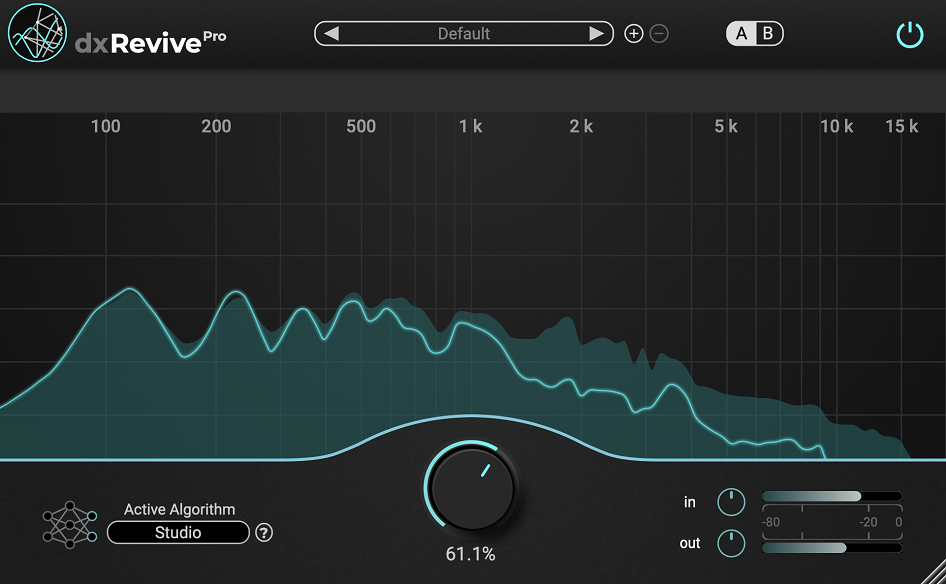
Most audio restoration tools approach the problem from a subtractive angle: they listen for noise, and then they try to remove it. The results are often functional but carry that unmistakable sound of processing, a slightly metallic quality, a thinness in the top end, or that classic chirpy artifact that signals heavy noise reduction to anyone who knows what to listen for. dXRevive Pro works differently, and that difference is what makes it genuinely interesting to anyone dealing with problematic recordings on a regular basis.
Developed by Accentize, a company that has built a solid reputation in the audio post-production space, this is an AI-powered speech restoration plugin that focuses on actively restoring what’s missing from a recording rather than just subtracting what shouldn’t be there.
It identifies and reintegrates absent frequency components, addresses codec artifacts from Zoom or Skype recordings, recovers clipped audio, handles reverb suppression, and elevates the overall perceived quality of dialogue to sound closer to something captured in a properly treated studio environment.
It won a blind listening test run by Production Expert, outperforming Waves Clarity VX, iZotope RX Dialogue Isolate, Acon Digital Extract: Dialogue, Supertone CLEAR, and Hush Pro, which gives you a sense of where it stands competitively.
At $299 for the Pro version, I think dXRevive Pro is genuinely worth it for anyone working in post-production, podcasting, or any workflow where dialogue quality is critical and you regularly deal with recordings that weren’t captured under ideal conditions. The standard version at $99 is a reasonable starting point, but the Pro version’s additional algorithms, Spectral Focus mode, and extra presets make it a meaningfully more powerful and flexible tool.
What Makes the AI Approach Different
I want to spend some real time on this because it’s the most important thing to understand about this plugin. Most noise reduction tools work by analyzing a noise profile and then attenuating the frequencies where that noise lives. The problem is that those same frequencies often contain parts of the signal you want to keep, which is why aggressive noise reduction so often damages the material it’s supposed to clean up.
What dXRevive does instead is use its neural network to essentially model what a clean version of the recording should sound like, and then it moves the audio toward that target state rather than simply cutting things away. That means it can actually restore low-end that a phone mic never captured, recover presence and clarity in band-limited recordings, and address the lossy compression artifacts from VOIP systems that conventional noise reduction tools can’t touch at all.
I found this particularly impressive on Zoom recordings, where the combination of background noise, reverb, and codec artifacts creates a kind of layered problem that traditional tools struggle with and dXRevive handles in a single pass.
All processing happens 100% locally on your machine, with no audio sent to the cloud, which matters for anyone working with sensitive client material or in environments with strict data compliance requirements.
Algorithms and Presets
The Pro version ships with multiple algorithms, each designed for a different approach to the restoration problem:
- Studio: the flagship algorithm, designed to make dialogue sound like it was recorded up close in an acoustically treated room, with a large-diaphragm microphone; it applies spectral corrections and EQ alongside the noise and reverb suppression
- Studio 2 and Studio 3: refined variations on the Studio algorithm that provide different balances between restoration aggressiveness and naturalness
- Neutral: similar to Studio but without the heavy EQ component, staying truer to the original tonal character of the recording while still handling noise and reverb
- Retain Character: the more conservative algorithm, designed to preserve the essence of the original recording while eliminating noise and improving perceived quality; it avoids the heavy-handed EQ changes of the Studio modes
I love how the Retain algorithm handles situations where you don’t want the result to sound like it was recorded somewhere it wasn’t. For documentary work or journalism where authenticity matters, a recording that sounds like it was suddenly made in a different acoustic space can feel wrong even if it sounds clean. Retain gives you quality without that kind of disconnect, and I found it particularly useful on interview material where the voice’s natural character needs to be preserved even as the surrounding noise gets cleaned up.
The preset library in the Pro version includes dedicated options for “Restore Phone,” which addresses the band-limited frequency response of phone call recordings and aggressively brings back absent low and high-end content, and “Restore Low End,” which focuses specifically on bringing back the weight and fullness that was never captured in the first place. These aren’t just parameter snapshots. They’re specific tunings of the algorithm for well-defined use cases, and they work impressively well right out of the box.
Spectral Focus Mode
This is the feature that really separates the Pro version from the standard version for more demanding work, and I appreciate how thoughtfully it’s been implemented. Spectral Focus mode splits your audio into up to four independent frequency bands, each of which has its own threshold control so you can dial in different amounts of processing across the spectrum.
I realized this is critical for situations where the noise or artifact problem isn’t uniform across the frequency range. A recording with a strong HVAC hum in the low-mids but relatively clean high-end doesn’t need the same amount of processing everywhere, and applying uniform full-spectrum restoration to it often creates artifacts in the clean areas while you’re chasing the problem frequencies. Spectral Focus lets you be surgical about where you push hard and where you hold back, which dramatically improves the results on complex real-world material.
The Pro version also includes individual bypass buttons for each frequency band, making A/B comparison of your adjustments genuinely easy, and a dedicated quick A/B comparison feature at the plugin level so you can flip between processed and unprocessed in a single click.
Honest Notes on Performance and Limitations
I want to be straight with you about where this plugin has limits, because a few things are worth knowing before you buy. CPU usage is significant, more so than conventional noise reduction tools, because the neural network algorithms are computationally demanding. Accentize recommends Apple Silicon-based systems for best performance, and on those machines the plugin runs smoothly. On older Intel-based systems or heavily loaded sessions you may need to render rather than run it in real time, which is standard practice for restoration work anyway but worth factoring in.
The plugin is also not a complete solution for every noise problem. Heavy, dynamic noise and severe room reverb can push the algorithms into territory where you start hearing artifacts in the high frequencies, particularly on very compressed or lossy VOIP audio.
In those cases the best approach is often to run a light pass of spectral denoising in something like iZotope RX first, then let dXRevive handle the deeper restoration work, and the combination produces better results than either tool alone. It also can’t undo overcompression from VOIP auto-gain systems, so recordings that have been dynamically squashed before they even reached the plugin present a ceiling that no restoration tool can fully address.
These aren’t dealbreakers by any means. They’re just the realistic boundaries of what the technology can do right now, and within those boundaries the plugin consistently delivers results that would have been very difficult or time-consuming to achieve otherwise.
Formats: VST3, AU, AAX
Works with: macOS, Windows (Apple Silicon recommended for best performance)
Price: $299 Pro / $99 Standard
Check here: Accentize dXRevive Pro

Hello, I’m Viliam, I started this audio plugin focused blog to keep you updated on the latest trends, news and everything plugin related. I’ll put the most emphasis on the topics covering best VST, AU and AAX plugins. If you find some great plugin suggestions for us to include on our site, feel free to let me know, so I can take a look!