
Sub bass can be tricky to get right. Sometimes it’s so clean that it disappears on smaller speakers, or it’s too heavy and makes your whole mix sound muddy. Over the past few days, I tried out different sub bass plugins to see which ones actually fix these issues without making your workflow harder.
In this guide, I’ll go over what I think are the best sub bass plugins for producers who want reliable low-end that works well on any speakers.
I’m focusing on dedicated tools like ujam Subcraft, AIR Sub Factory, SSL SubGen, SubLab XL, and a few others. These plugins help you create sub bass and low end from scratch or enhance what you already have.
I’m not here to say which plugin sounds the “best” since that really depends on your music and how you work. Instead, I’ll show you what makes each plugin unique so you can pick the right one for your low-end needs.
After spending a few hours s testing these plugins, here’s a quick comparison table:
| Plugin Name | Best For | Engine Type | Key Strength | My Verdict | Pros | Cons |
|---|---|---|---|---|---|---|
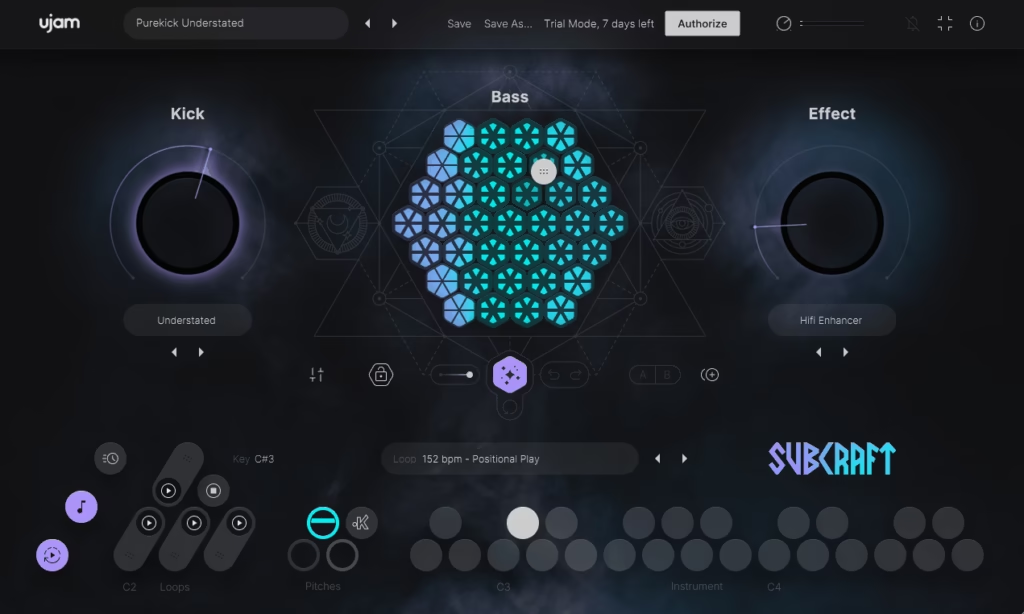
| 1. ujam Subcraft | Pure sub bass | Sine / triangle synth | Kick-locked low end | Best dedicated sub layer | Side-chain, CPU efficient | No midrange shaping |
| 2. AIR Sub Factory | Hip-hop & trap | Analog-modeled synth | Controlled harmonic depth | Best analog-style sub | Saturation, envelope control | No audio input tracking |
| 3. SSL SubGen | Kick & bass enhancement | Harmonic synthesis | Envelope-following sub | Cleanest mix reinforcement | Accurate pitch tracking | No MIDI triggering |
| 4. SubLab XL | 808 production | Hybrid synth + samples | Glide & sub harmonics | Most complete 808 tool | Slides, presets, FX | Large interface |
| 5. Denise Audio Bass XXL | Low-end enhancement | Multiband processing | Frequency-focused sub | Best surgical bass control | Dynamic harmonics | Learning curve |
| 6. Waves Submarine | Octave-Down Sub Creation | Dual sub oscillators | Octave-layered depth | Studio Standard | Pitch-following engine | Best on monophonic audio |
| 7. Denise Audio Sub Generator | Adaptive Low-End | Real-time synthesis | Adaptive sub harmonics | Minimal pick | Accurate tracking | Minimal tone shaping |
1. ujam Subcraft – Best dedicated sub
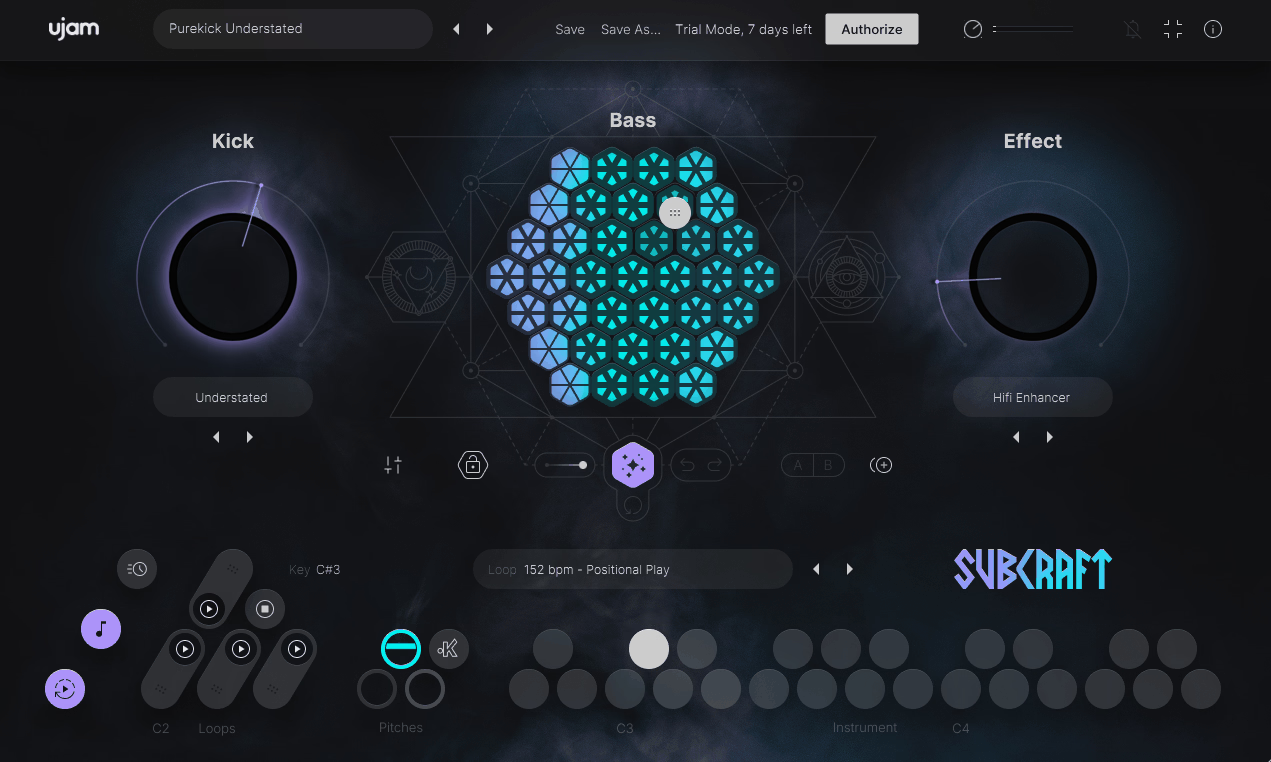
Ujam created a specialized sub bass plugin that generates pure low-frequency content designed to sit beneath your main bass lines and kick drums.
Subcraft is practical because it focuses only on sub frequencies below 100Hz, so it doesn’t add midrange or high-end sounds that could clutter your mix. Its built-in side-chain compression also helps it fit in with your kick drum without competing for space.
- Focused Sub-Frequency Generation
It creates pure sine and triangle waves tuned for sub-bass. I think this focus makes it more effective than trying to be a general bass synth. The waveforms give you a clean, steady low end without extra harmonics that can make sub bass sound muddy in a mix.
The frequency range is intentionally limited, so the output stays in the true sub range. This keeps it from interfering with your main bass or other melodic parts.
The tone control lets you choose between pure sine waves for deep, clean sub or triangle waves for a bit more harmonics. This simple setup means you don’t waste time searching presets or adjusting lots of settings when you just want strong low-end support.
- Built-In Side-Chain Compression
The plugin has automatic side-chain compression that lowers the sub bass when your kick drum hits. I think this is key for keeping the low end tight and punchy. The side-chain stops the sub and kick from piling up and making your mix sound muddy.
The side-chain controls are simple, with amount and release settings so you can choose how much the sub is lowered and how fast it comes back after each kick. This creates the pumping feel common in modern electronic music and helps the kick drum stand out. You can set it for gentle ducking in smoother genres or stronger pumping for EDM and trap.
- Pattern Sequencer for Rhythmic Programming
Subcraft has a built-in step sequencer so you can program rhythmic sub bass patterns instead of playing notes by hand. This really speeds up your workflow when making electronic tracks. The sequencer has several pattern slots with different rhythms, and you can trigger or switch patterns using MIDI in real time.
- Preset Library Organized by Style
The plugin comes with factory presets sorted by genre and intensity, which makes it easy to find starting points for different styles. The presets range from deep, steady sub for trap and hip-hop to rhythmic, pumping patterns for house and techno.
I found the presets very useful, and the browser lets you quickly try out different sounds. You can also save your own presets with names and tags for easy recall. This is great if you work on several projects in similar styles and want consistent sub bass.
- CPU Efficient
Finally, the plugin uses very little CPU.
2. AIR Sub Factory – Best analog-style sub
Sub bass synthesizers should give you clean, powerful low-end without extra features that make things harder when you just want a solid foundation. Many full-featured synths can make sub bass, but all the added options often slow you down when you just need a simple, focused sound.
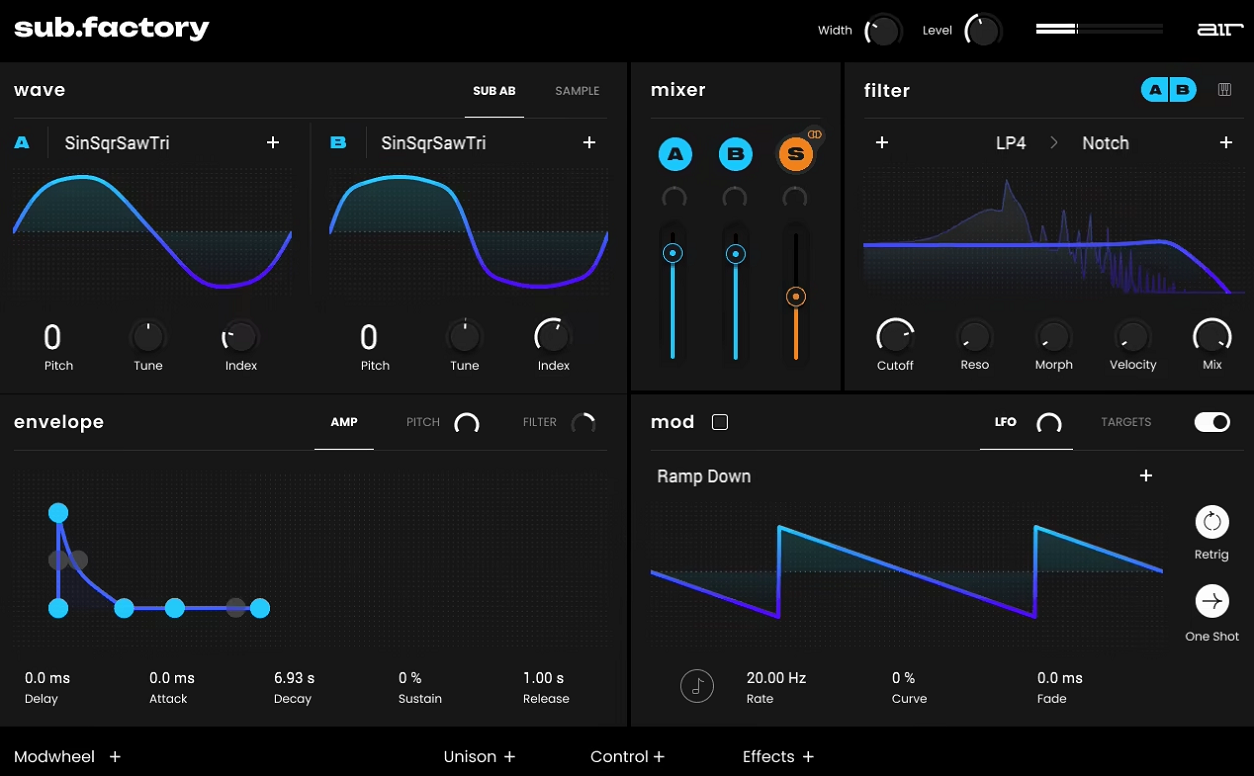
AIR Sub Factory is a straightforward sub bass generator with analog-style oscillators and built-in processing. It’s made for deep, controlled low frequencies that work well with your kick drums and bass lines. I think it balances simplicity and sound options nicely. I recommend it for hip-hop, trap, and electronic music when you want steady sub bass without the hassle of a full synth.
- Analog-Modeled Oscillator Section
It uses analog-style oscillators that create classic waveforms like sine, triangle, and sawtooth. I think the analog modeling gives the sub bass more warmth and character than digital oscillators. The sine wave gives you the cleanest, deepest sub sounds with very few extra harmonics, while triangle and sawtooth waves add some overtones that help the sub come through better on smaller speakers.
The oscillator tuning is stable and accurate, which is important for sub bass since even small pitch changes stand out in low frequencies. You can use the octave controls to move the pitch up or down to fit your music, and you can mix different waveforms for sounds that have both depth and clarity. The oscillator section keeps things simple and focused, without extra features you probably won’t need for sub bass.
- Built-In Filter and Envelope Shaping
The plugin has a low-pass filter that lets you control how much high-end comes through, which helps you shape the sub to fit your mix. The filter is resonant, so you can boost the cutoff point if you want the sub to stand out more.
The envelope controls let you adjust attack, decay, sustain, and release, so you can shape how the sub bass reacts to your MIDI notes.
- Drive and Saturation Module
Sub Factory also has a saturation circuit that adds harmonic distortion, which helps the sub bass come through on smaller speakers. I think this is one of its most useful features for real-world mixing. The drive adds subtle overtones, making the sub easier to hear on laptops, earbuds, and car stereos that can’t play the lowest notes well.
You can adjust how much saturation you add, so you get enough harmonics for better playback without making the sub sound harsh or distorted. I noticed that even a little saturation really changes how the sub bass sounds on different speakers, making the low end feel more even whether someone is listening in a club or on their phone. The saturation stays musical and doesn’t add unwanted noise or digital artifacts.
- Output Filtering
The plugin has high-pass and low-pass filters at the output, so you can set the exact frequency range for your sub. I like having these built in. The high-pass filter cuts out extra low frequencies that take up space but don’t add anything musical, while the low-pass filter keeps the sub from overlapping with bass guitars or synth bass in the midrange.
3. SSL SubGen – For Kick & bass enhancement
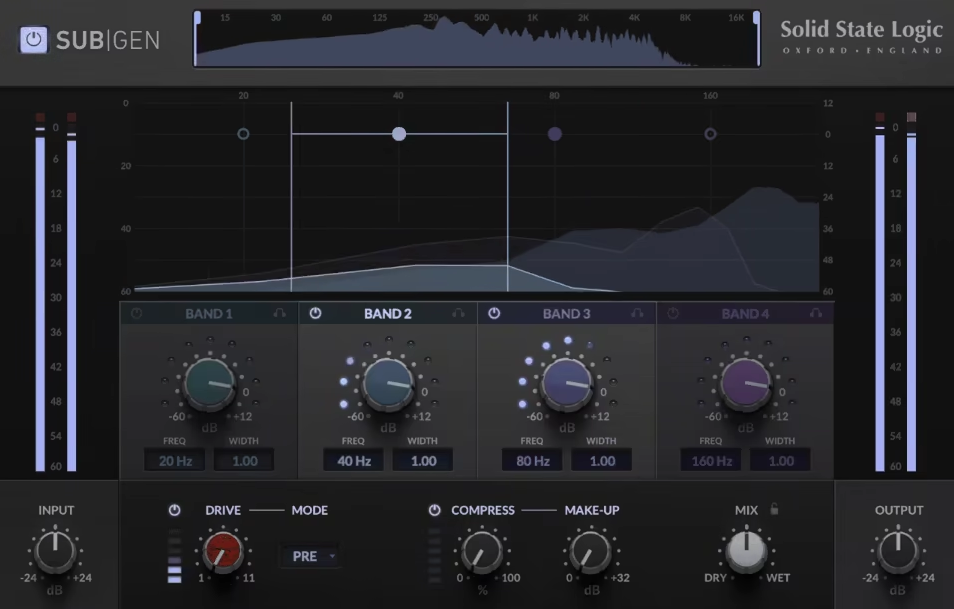
SSL SubGenis a harmonic sub-bass generator that lets you create low-frequency sounds from your existing audio instead of working like a regular synthesizer. I found this really useful for adding weight to recorded kick drums or bass lines.
You don’t need to program MIDI notes or add new instruments. SubGen analyzes your audio and creates sub harmonics that match your tracks, so the new low end fits musically and rhythmically with what you already have.
I used it to make thin kick drums punchier, add depth to DI-recorded bass guitars, and strengthen 808s in hip-hop tracks where the sub needs more impact. Unlike synth-based sub plugins, SubGen reacts to your input signal, so the sub follows the timing and shape of your audio automatically, without extra programming or MIDI.
- Harmonic Sub Generation
The main feature of SubGen is that it analyzes your audio and generates sub frequencies an octave or two below the original sound. This makes it great for adding natural-sounding low end. The plugin tracks the pitch and shape of your audio, so the sub bass moves with your track instead of staying static or needing separate MIDI.
It works on kick drums and bass instruments because the generated sub automatically matches the rhythm and dynamics of your playing. The frequency tracking is accurate, so the sub stays in tune with your source even when the pitch changes or you’re processing complex bass lines with melodic movement. You can adjust how many octaves below the source the sub is generated, which gives you control over how deep the reinforcement goes without making the low end feel disconnected from the original material.
- Frequency Range and Tuning
SubGen lets you choose the frequency range where the sub is generated, which gives you control over which part of the low end gets boosted. You can also use the tuning controls to shift the sub up or down to match your track’s key or fix small pitch changes in your audio.
I found that adjusting the frequency range is important when working with different instruments, since kick drums and bass guitars sit in different parts of the low end. This way, you can boost only the frequencies that need it without changing parts that already sound good.
The visual display also shows where the generated sub sits in the frequency range, which helps you see how the plugin fits with the rest of your low end.
- Envelope and Dynamics Control
The plugin has envelope controls that let you shape how the sub responds to your audio’s dynamics, which is key for getting natural results. The attack and release settings control how fast the sub reacts to hits and how long it lasts after the sound stops.
I noticed that a tighter envelope makes the sub punchy, hitting and releasing quickly with each kick or bass note. Longer settings give you a more sustained sub that fills out the low end. The plugin tracks dynamics, so louder hits create more sub and quieter notes create less, keeping the musical feel instead of making the low end sound flat.
- High-Pass Filtering
SubGen has a built-in high-pass filter that cuts out ultra-low frequencies below a set point. This helps keep the sub bass focused and controlled. The filter removes rumble and sub-bass that can take up space in your mix without adding anything useful.
4. SubLab XL – Best 808 & Analog Bass
Making professional 808s and sub bass from scratch often takes hours of programming synths and layering samples to get a sound that hits hard and works well on any speakers.
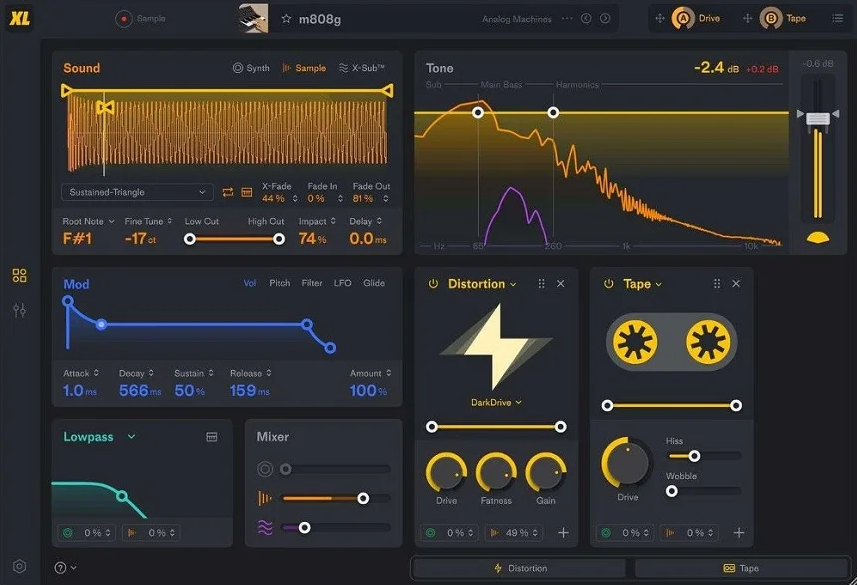
SubLab XL is a dedicated sub bass synthesiser built specifically for producing 808s, sub bass, and low-frequency elements for hip-hop, trap, and electronic music, and I can only say it delivers punchy, controlled low end right out of the box without the complexity of full-featured synths that include features you’ll never use for bass.
SubLab XL uses a two-layer system that lets you combine synthesized waveforms with samples. This hybrid setup is what makes the plugin so versatile for different bass styles.
The synthesis layer creates clean, tunable sub frequencies using sine, triangle, and custom waveforms. The sample layer adds character and texture from a library of processed 808s, bass hits, and analog recordings.
Blending both layers gives you richer, more complex bass tones. You get the depth of pure synthesis along with the character and punch from well-recorded samples.
You can easily adjust the mix between synthesis and samples. Use more synthesis for a clean, deep sub, or add more samples for extra midrange grit and harmonics. Each layer has its own pitch, filter, and envelope controls, so you can shape them separately and create movement between the two.
- Pitch Glide for 808 Slides
The plugin has pitch glide controls that are key for making smooth 808 slides in trap and hip-hop tracks. This feature alone makes SubLab XL worth a look. You can adjust the glide time from quick pitch changes to slow, smooth slides between notes.
From what I’ve seen, the glide tracking is smooth and free of artifacts, even with big jumps between notes. Cheaper plugins often have trouble with this. You can choose different glide curves to make the pitch change straight or add acceleration and deceleration, which changes how your 808 slides feel. The per-note glide option lets you pick which notes slide and which ones hit right away without pitch movement.
- Sub-Harmonic Generator
SubLab XL has a sub-harmonic synthesis engine that creates overtones above the main bass note. This is important for making your bass heard on smaller speakers that can’t play the lowest frequencies. The harmonics are tuned to help the sub bass come through clearly without adding muddiness or harshness.
You can adjust how much harmonic content is added, so your bass is clear on laptop speakers and earbuds, but you still keep the deep, clean sub on good monitors.
- Comprehensive Effects Section
The plugin comes with built-in effects like distortion, compression, and filtering, all tuned for bass. I like having these tools included instead of needing extra plugins. The distortion adds saturation and grit to help the bass stand out in busy mixes, and the compression keeps the levels even.
- CPU Efficiency and Workflow
The plugin uses CPU efficiently. I’ve used several instances in busy projects without any major performance problems.
- Extensive Preset Library
SubLab XL comes with hundreds of factory presets sorted by style and bass type. The presets range from clean, deep 808s for trap to distorted, aggressive bass for dubstep and drum & bass.
- MIDI Performance Features
The plugin supports velocity sensitivity and aftertouch, so you can add expression and dynamics to your bass playing instead of just programming static MIDI notes. Velocity can control filter cutoff, volume, and harmonics. Harder hits give you brighter, more aggressive bass, while softer touches make the sound darker and smoother.
5. Denise Audio Bass XXL – Best surgical bass control
Getting the low end right is crucial for a good mix, but adding sub bass incorrectly can cause phase problems, muddiness, and frequency masking that leaves your mix sounding unclear and bloated. Most sub bass plugins either create new sounds or process your existing audio, but it’s surprisingly tough to find one that does both well while staying simple and musical.
Bass XXL by Denise Audio is a hybrid sub bass enhancer that brings together harmonic generation, sub synthesis, and frequency shaping in one easy-to-use plugin. In my experience, it works just as well for adding weight to existing bass sounds as it does for creating new sub-harmonic content that fits perfectly with your low end.
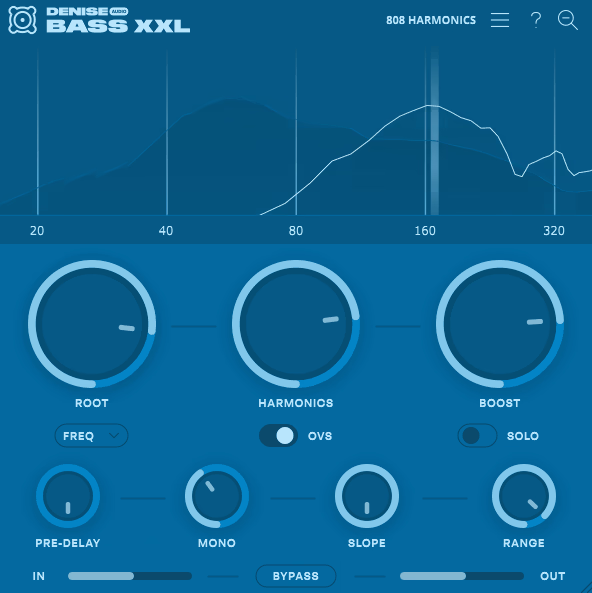
I recommend using it on kick drums, bass guitars, 808s, and synth bass when you want more depth and power without having to layer extra tracks or spend time on complex programming. The visual frequency display also helps you see exactly how the plugin is shaping your low end.
- Sub Harmonic Generation Engine
Bass XXL uses sub-harmonic synthesis to create low frequencies below your original sound, and this is the main feature that gives the plugin its real depth. It analyzes your audio and generates octave-down content that matches your source, so the added sub stays musical instead of just adding random low-end noise.
The sub frequency control lets you choose how deep the generated bass goes, which I found essential for fitting the plugin to different songs and playback systems. You can add just enough sub to give weight without muddying your mix, or push it further for tracks that need a huge low end. The sub mix control blends the new frequencies with your original sound, so you get more depth without losing clarity.
I noticed that the sub generation reacts to your input, so louder parts of your track create more sub content while quieter sections produce less. This keeps the effect musical and stops the low end from feeling flat or separate from the rest of your mix.
- Harmonic Enhancement and Saturation
The plugin also adds harmonics above the main bass note, which is really important for making bass sound good on smaller speakers that can’t play deep sub frequencies well. The saturation adds upper harmonics, so listeners can still hear the bass on laptops, earbuds, and car stereos.
You can adjust how much harmonic content is added, so you can keep it subtle for better translation or turn it up for a more aggressive, distorted bass sound. I found the saturation stays musical and controlled, blending smoothly with the original tone instead of sounding harsh or separate.
The harmonic shaping controls let you highlight certain overtones, giving you more tonal options for different bass styles and genres.
- Frequency-Specific Processing
Bass XXL has multiband processing, so you can target certain frequency ranges with different levels of enhancement and saturation. This precise approach means you can boost the lowest frequencies with more sub while keeping the mids clean and clear.
You can adjust the crossover controls to choose exactly where the processing affects your audio, depending on your source and mix. This frequency-specific method sets Bass XXL apart from simpler bass enhancers that treat the whole signal the same way. The visual frequency analyzer lets you see what’s happening to your low end in real time, making it easier to set up the plugin so it works well with your existing bass.
- Stereo Width and Imaging Control
The plugin lets you adjust stereo width for the mid and high frequencies while keeping the sub bass in mono. This keeps the low end focused but adds width where it sounds good. The width control lets you make the upper frequencies wider or narrower without changing where the sub bass sits.
6. Waves Submarine – Studio Standard
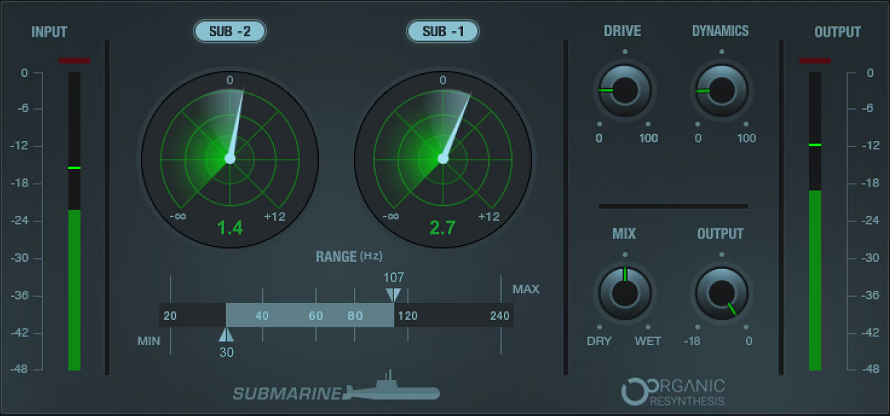
Most sub bass plugins either create new low-end sounds or boost what’s already in your track. The best choice depends on whether you want to build bass from scratch or fix recordings that feel thin. Waves Submarine is a sub-harmonic generator that adds synthesized low frequencies to your audio by tracking pitch and dynamics. I found it especially useful for giving kick drums, bass guitars, and electronic bass more weight and presence in club and large venue sound systems.
Submarine has two separate sub oscillators that can create frequencies one or two octaves below your original sound. You can use both at the same time, set to different octaves, to make a layered sub that feels richer and deeper than just using one tone.
The oscillator balance control lets you mix the two sub generators. I found this helpful for making sub tones that sound full but not boring or flat. You can boost the deeper octave for more low-end, or use more of the higher octave if you want the sub to work better on different speakers.
- Waveform Selection and Tone Shaping
The plugin gives you several waveform choices for each oscillator, like sine, triangle, and square waves. I think having these options is important for matching the sub sound to different music styles. Sine waves give you the cleanest, purest sub, while triangle and square waves add overtones that help the sub come through on smaller speakers.
- Pitch Tracking and Frequency Range
Submarine uses smart pitch tracking to analyze your input and create sub harmonics that fit the music. I found the tracking to be accurate, even with complex sounds. It can handle polyphonic sources pretty well, but it works best on single-note bass and kick drum parts where pitch is easier to detect.
The frequency range controls let you choose which part of your input gets analyzed for pitch tracking. I like having this option because it stops the plugin from making sub from midrange or high-frequency sounds that shouldn’t trigger low-end synthesis.
You can set the analysis to focus on the main frequencies of your bass or kick, which gives you cleaner and more accurate sub. The output’s low-pass filter shapes the sub by removing any unwanted upper harmonics that could clash with your main bass sounds.
- Envelope Following and Dynamics
The plugin has envelope controls that shape how the generated sub reacts to your input’s dynamics. I think this is key for getting natural-sounding results. The attack and release settings control how fast the sub responds to hits and how long it lasts after the sound stops.
I found that setting the envelope right keeps the sub from bleeding between notes or overlapping, which can make the low end sound muddy and unclear.
Fast attack times make the sub punchy and percussive, hitting right away with each kick or bass note. Slower settings give you smoother, more sustained sub that fills out the low end all the time.
- Drive and Harmonic Enhancement
Submarine has a drive control that adds saturation to the sub, which helps the low end come through on systems that can’t play the deepest notes. The saturation adds upper harmonics, making the sub bass easier to hear on laptops, earbuds, and smaller speakers.
The drive amount is adjustable, so you can add subtle overtones without making the sub sound obviously distorted, or push it harder for more aggressive, colored bass character.
7. Denise Audio Sub Generator – Best Minimal
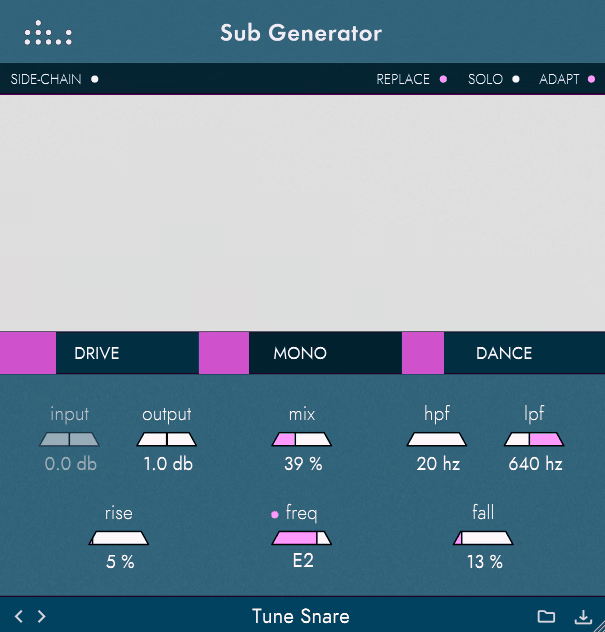
Sub Generator is a sub-harmonic synthesizer you can use on anything from single drum hits to full mixes when you want more weight and consistency in the low end. Its real-time harmonic generation means the sub follows your source’s pitch and rhythm automatically, so you don’t need to program MIDI or adjust timing by hand.
- Real-Time Sub-Harmonic Synthesis
Sub Generator analyzes your audio and creates sub frequencies one or two octaves below your original sound. This smart process is what makes the plugin good for natural-sounding bass. It tracks the pitch and shape of your audio, so the sub moves with your music instead of just adding static tones.
You can choose if the sub sits one or two octaves below your input. This flexibility is useful for different styles of music and frequency needs.
Use one octave down to add weight to bass guitars or synths without making them too deep. Go two octaves down for kick drums or low bass when you want real sub-frequency support.
The tracking stays accurate even with complex or layered sounds. This means you can use Sub Generator on full mixes or busy arrangements without it getting confused or making mistakes with the pitch.
- Frequency Range and Filtering
Sub Generator has controls to set which part of your input gets analyzed for sub generation. This targeting is key for musical results. You can focus on the frequency bands where your bass lives, so the plugin doesn’t try to make sub from midrange or high frequencies that shouldn’t trigger low-end sounds.
The high-pass and low-pass filters let you shape the frequency range of the sub. These controls help you carve out the exact low-end space for the sub without clashing with other parts of your mix.
You can remove ultra-low frequencies that take up headroom but don’t add anything musical, or cut the upper range of the sub so it doesn’t overlap with your main bass instruments. The visual frequency display shows where the sub sits compared to your source, making it easier to set up your low end.
- Drive and Saturation
There’s also a drive circuit that adds harmonic saturation to the sub. This helps the low end come through on smaller speakers. The saturation adds upper harmonics, making the sub bass easier to hear on laptops, earbuds, and car stereos that can’t play the deepest notes.
You can adjust the drive amount. Add just a little for subtle overtones and better translation, or turn it up for a more aggressive, colored bass sound.
I also noticed that moderate saturation really changes how the sub sounds in different listening environments. It helps the low end feel more present and consistent, whether someone is listening on a club system or a phone. The saturation stays musical and blends smoothly with the clean sub, instead of sounding separate or harsh.

Hello, I’m Viliam, I started this audio plugin focused blog to keep you updated on the latest trends, news and everything plugin related. I’ll put the most emphasis on the topics covering best VST, AU and AAX plugins. If you find some great plugin suggestions for us to include on our site, feel free to let me know, so I can take a look!