11 Best Neural DSP Plugins (Amps & Effects)

Archetype Gojira X
When you purchase through the links on my site, you support the site at no extra cost to you. I always link to website where trial/demo version is available, if not available, it means that plugin does not offer trial. Here is how it works.

If you work with modern metal, prog rock, or experimental ambient sounds, Neural DSP plugins offer more than just basic amp simulation. In this guide, I’ll look at plugins like Mantra, Archetype: Rabea X, Soldano SLO-100 X, Archetype: Tim Henson X, and Darkglass Ultra, plus others that help solve real production problems instead of just adding another vintage amp model. 

I’m not here to promote every plugin, but to show what makes each one unique so you can find the right fit for your workflow and sound. Some focus on signature artist tones, others on effects like pitch shifting or multiband distortion, and a few are made for bass players who want clarity and punch in heavy mixes. 

Here I made a detailed table showing features of each plugin, you can scroll to each plugin by clicking on its name: 

Comparison of Neural DSP guitar and bass plugins focused on amp modeling, creative effects, routing flexibility, and modern production workflows.
Plugin Name Best For Engine Type Key Strength My Verdict Pros Cons
1. Mantra Ambient textures Polyphonic pitch FX Multi-voice harmonies Creative sound design tool 4 voices, clean tracking No amp simulation
2. Archetype: Rabea X Versatile guitar tones Amp + FX modeling Wide tonal range All-round guitar rig 3 amps, full pedalboard Not metal-focused
3. Soldano SLO-100 X Classic high-gain Amp modeling Authentic saturation Legendary lead tone Natural compression Limited clean variety
4. Archetype: Petrucci X Prog & shred Multi-amp modeling Tight high-gain clarity Precision-focused rig 5 amps, signature pedals Dense interface
5. Archetype: Tim Henson X Modern guitar sounds Amp + poly FX Hi-fi articulation Experimental tone machine Pitch FX, shimmer reverb Not vintage-styled
6. Archetype: Nolly X Modern metal Amp + studio FX Tight low end Mix-ready metal tones Gate, transient shaper Aggressive voicing
7. Fortin Nameless Suite X Extreme metal Multi-amp modeling Brutal gain control Pure high-gain focus 3 amps, Fortin pedals No clean emphasis
8. Archetype: Tom Morello Creative FX guitar Amp + experimental FX Signature pitch effects Effects-driven rig Whammy, talk box Style-specific
9. Archetype: Gojira X Extreme metal riffs Amp + pitch FX Massive low end Crushing modern tone Octaver, tight gate Heavy genre bias
10. Darkglass Ultra Aggressive Bass Tones Emulation of Vintage & B7K Vintage/B7K Algorithms Modern bass weapon Microtubes algos No guitar support
11. Parallax X Prog metal bass Multiband amp engine Mix-ready bass Studio bass solution Compression, routing Learning curve

1. Mantra – Best sound design tool

Neural DSP Mantra

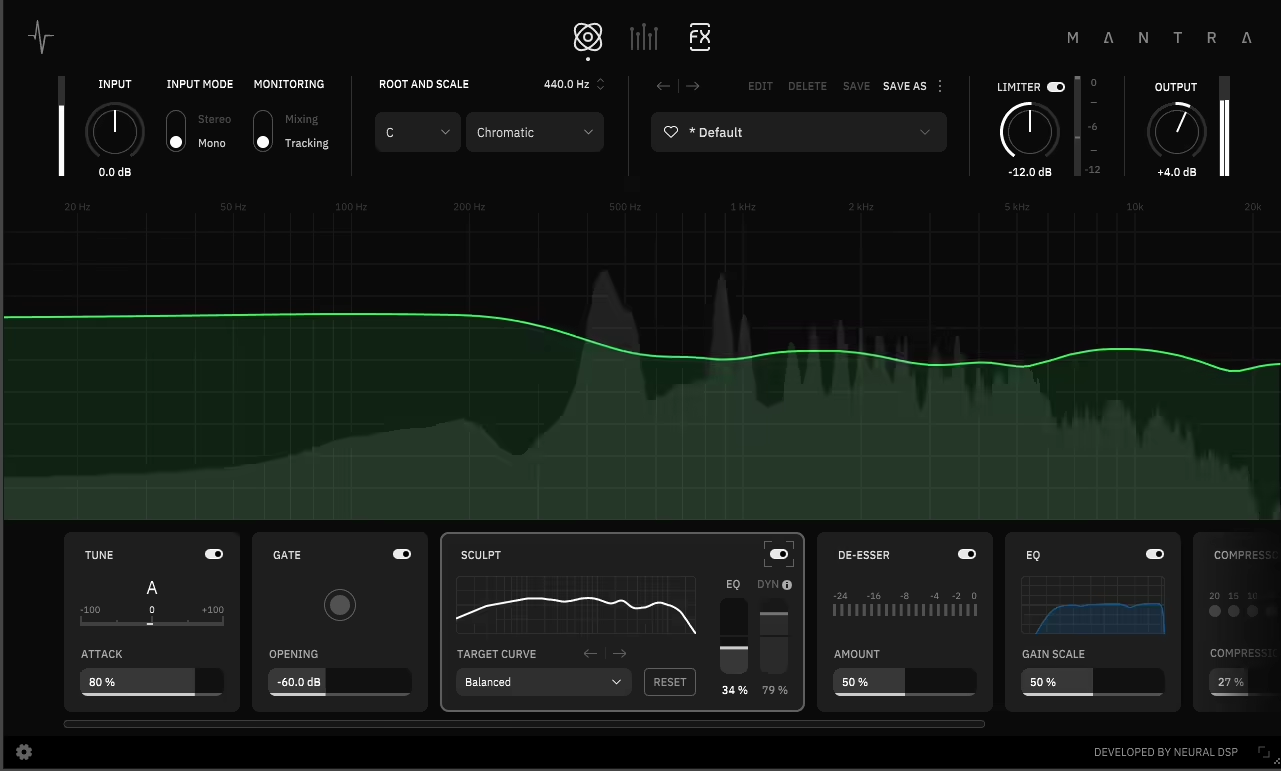
This FX isn’t just another amp sim, which is exactly why it stands out in Neural DSP’s lineup. Mantra by Neural DSP is a multi-voice harmonizer and effects processor made for guitar and bass. I found it opens up creative options you can’t get from regular amp modeling or overdrive pedals. 

Mantra stands out because its polyphonic pitch shifting engine can create up to four separate voices from one input, and each voice can be pitched, delayed, and processed on its own. I recommend it for building big, layered textures from simple guitar parts. The pitch shifting quality is impressive, with none of the warbling or artifacts you get from cheaper algorithms. 

The plugin also has modulation, delay, and reverb built in, so you can create full soundscapes without loading lots of separate effects. 

I quickly found that Mantra is best when you want to go beyond standard guitar tones. It’s now my go-to for making ambient pads, octave-stacked leads, and experimental textures that still sound musical and controlled. 

  • Polyphonic Pitch Shifting  

The polyphonic pitch engine can makup to four separate voices from your input, and each one can be pitched independently in semitones and cents. This is the main feature that makes the plugin powerful, since you’re not limited to just octave doubling or fixed intervals. 

You can build complex harmonies by stacking thirds, fifths, octaves, or even unusual intervals that aren’t possible with regular harmony pedals. 

I found the pitch tracking accurate and responsive, even with complex chords, which cheaper pitch shifters often can’t handle. Each voice has its own level, pan, and delay controls, so you can place them in the stereo field and create space between layers. 

Also, the pitch shifting stays clean and free of artifacts, even with large interval shifts. This makes Mantra good for professional recording, not just for experimenting. 

  • Modulation Effects 

The plugin has chorus, flanger, and phaser effects that you can use on individual voices or the whole mix. This adds more movement and depth to your sound. The modulation effects are high-quality and musical, not just extras. 

  • Integrated Delay and Reverb 

Mantra includes delay and reverb in the signal chain, which makes it much more complete for creating atmospheric textures. The delay can sync to tempo or be set freely, and it works on individual voices or the whole mix, depending on your routing. 

The reverb is spacious and smooth, great for making ambient washes and long sustain that go beyond your guitar’s natural decay. Having these effects built in means you can create full soundscapes in Mantra without using extra plugins. Both delay and reverb have pre-delay, size, and damping controls, giving you flexibility to shape your sound. 

I found this especially useful for making pad-like textures from single notes or chords, since the reverb and delay work together to fill out the sound and make it feel big. 

  • Flexible Routing & Voice Control 

Each voice in Mantra can be routed through the effects chain in its own way, which gives you control over which voices get modulation, delay, or reverb. You can keep one voice dry and direct while sending others through more processing, creating contrast and depth. 

2. Archetype: Rabea X – All-round guitar rig
Archetype: Rabea X

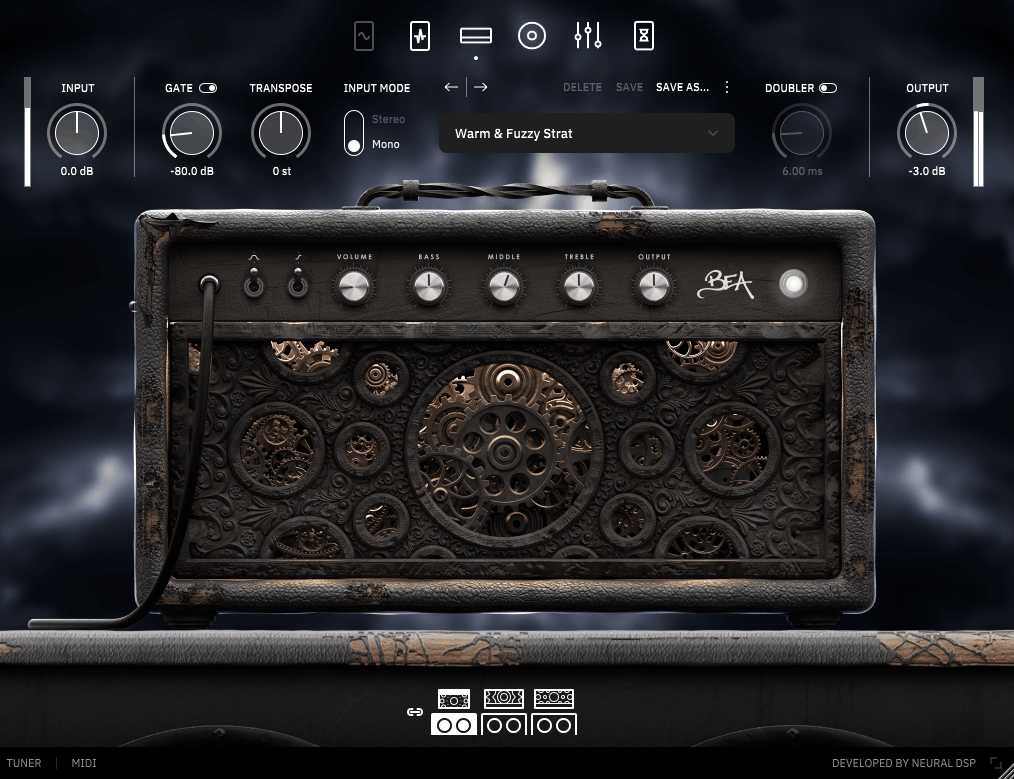
I’ve tried many high-gain amp sims, and most only work well for metal, lacking flexibility for other genres. The Neural DSP Archetype: Rabea X plugin stands out because it offers three different amp models, covering clean, edge-of-breakup, and modern high-gain tones. This variety makes it much more useful for sessions where you need different sounds without changing plugins. 

Developed with guitarist Rabea Massaad, this plugin delivers British-inspired rock tones alongside aggressive modern distortion, and the signal chain includes a full pedalboard and effects rack that lets you build complete guitar sounds from scratch. I’d recommend it for recording clean rhythm parts, crunchy leads, and heavy riffs, and the tonal flexibility means you can cover an entire song without feeling like you’re forcing the plugin to do something it wasn’t designed for. 

  • Three Versatile Amp Models 

Archetype: Rabea has three amp channels: Clean, Crunch, and Lead. Each one has its own sound for different styles. The Clean channel is bright and clear, with enough headroom for chords and ambient parts. The Crunch channel sits between clean and full distortion, making it great for classic rock and blues. 

The Lead channel gives you modern high-gain sounds with a tight low end and strong midrange that stands out in a mix. Each amp reacts well to how you play, so you can clean up your sound by turning down your guitar’s volume, just like with a real amp. Each channel has its own EQ controls for bass, mid, and treble, so you can shape your tone easily. 

Having three truly different amp sounds in one plugin means you don’t have to load several plugins or switch products for different parts when recording. 

  • Comprehensive Pedalboard Section 

The plugin includes a pedalboard with overdrive, boost, and gate pedals that you can place before the amp in the signal chain. I find the Horizon Drive pedal especially helpful because it adds clear midrange without making the sound muddy. This helps lead tones stand out without needing to turn the amp gain up too high. 

The boost pedal gives a clean volume increase to push the amp harder. I noticed this creates a different kind of saturation compared to just turning up the amp’s gain knob. 

The noise gate is important for high-gain settings and works well to reduce noise between notes without cutting off your sustain. Each pedal has simple controls like real hardware, so it’s easy to use if you’re familiar with physical pedals. 

  • Post-Amp Effects Rack 

After the amp, there’s a full effects rack with delay, reverb, chorus, and phaser. This makes Archetype: Rabea feel like a complete guitar setup, not just an amp sim. The delay can sync to tempo and works for both short slapback and long, ambient repeats. The reverb goes from small room sounds to big hall effects. 

The modulation effects add movement and width but keep your tone natural. The chorus is great for making clean tones and leads sound fuller, and the phaser gives a swirling effect that works well on rhythm parts. You can turn each effect on or off as needed. 

  • Advanced Cab Simulation and IR Loading 

Also, the cabinet section has Neural DSP’s high-quality impulse responses with different mic positions and cabinet types. They sound much more realistic than older cab sims, which often felt boxy or fake. You can blend two microphones at once and adjust their positions to get the tone you want for your mix. 

You can also load your own impulse responses, so if you have third-party IRs or want to use specific cabinet sounds, you have endless options. I found that the cab sim is a big reason why Archetype: Rabea sounds professional right away, and being able to adjust mic placement helps you get tones that fit well in your mix. 

  • Free Trial 

Like other Neural DSP plugins, you can try it free for 14 days. 

3. Soldano SLO-100 X – Best Classic high-gain
Soldano SLO-100 X

The Soldano SLO-100 is a legendary amp that shaped high-gain rock and metal sounds in the late ’80s and ’90s. Getting the real thing is expensive and rare. I’ve always wanted those thick lead tones and tight rhythms, but the originals are tough to find and keep running. 

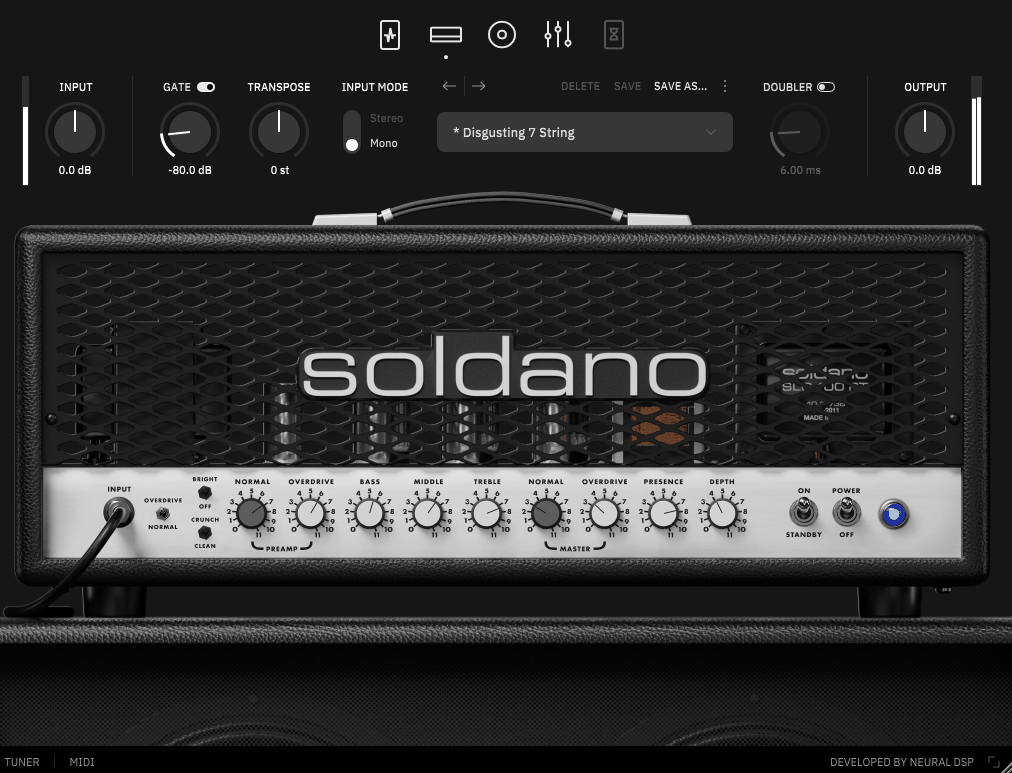
The Soldano SLO-100 X from Neural DSP does a great job of recreating the original amp’s sound, and it adds modern features like MIDI switching, more effects, and better routing. These updates make it much more practical for studio use than the old hardware. 

I’ve used it to record heavy rhythm parts and lead lines, and the natural compression and rich harmonics feel true to the amp’s reputation. It doesn’t have the usual drawbacks of digital modeling. 

  • Authentic SLO-100 Channel Models 

The plugin includes both the Normal and Overdrive channels from the original Soldano SLO-100. These are the main sounds that made the amp famous. The Normal channel gives you clean to mid-gain tones with clarity and punch, great for rhythm and edge-of-breakup playing. 

The Overdrive channel is where the SLO-100 stands out, with thick, sustaining saturation and enough gain for modern metal. It still stays clear enough for complex chords. The amp responds well to your pick attack and guitar volume, so you can clean up the sound by playing softer or turning down your volume knob. 

The three-band EQ, along with presence and depth controls, lets you shape your tone precisely. The controls work together just like on the real amp. The midrange is especially well done, with the focused, vocal quality that made the SLO-100 popular for lead playing. 

  • Expanded Effects Section 

The X version adds a full effects rack with boost, gate, EQ, delay, and reverb. This is where the plugin really goes beyond just copying the original amp. The pre-amp boost lets you push the front end for tighter palm mutes and more aggressive saturation, but the low end stays clear. 

The noise gate is a must for high-gain settings, and it removes hiss between notes without cutting off your sustain. The delay and reverb come after the amp, so you can build full tones without extra plugins. Both effects are good enough for pro recordings. Having everything in one place makes it easy to get finished tones quickly. 

  • Advanced Cabinet Simulation 

The plugin uses Neural DSP’s impulse response technology with several cabinet and microphone options. The cab sim is a big reason why it sounds so real. You can pick different Soldano cabinets and place multiple microphones to blend different tones. 

The mic controls let you move the virtual mic closer to the cone or toward the edge of the speaker. This changes the tone a lot, from bright and aggressive to warm and smooth. 

With this much control over the cab section, you can shape the high end and overall sound to fit your mix, without needing extra IR loaders. The plugin also lets you load third-party impulse responses if you want to use your own cabinet sounds. 

4. Archetype: Petrucci X – Best Precision-focused
Archetype: Petrucci X

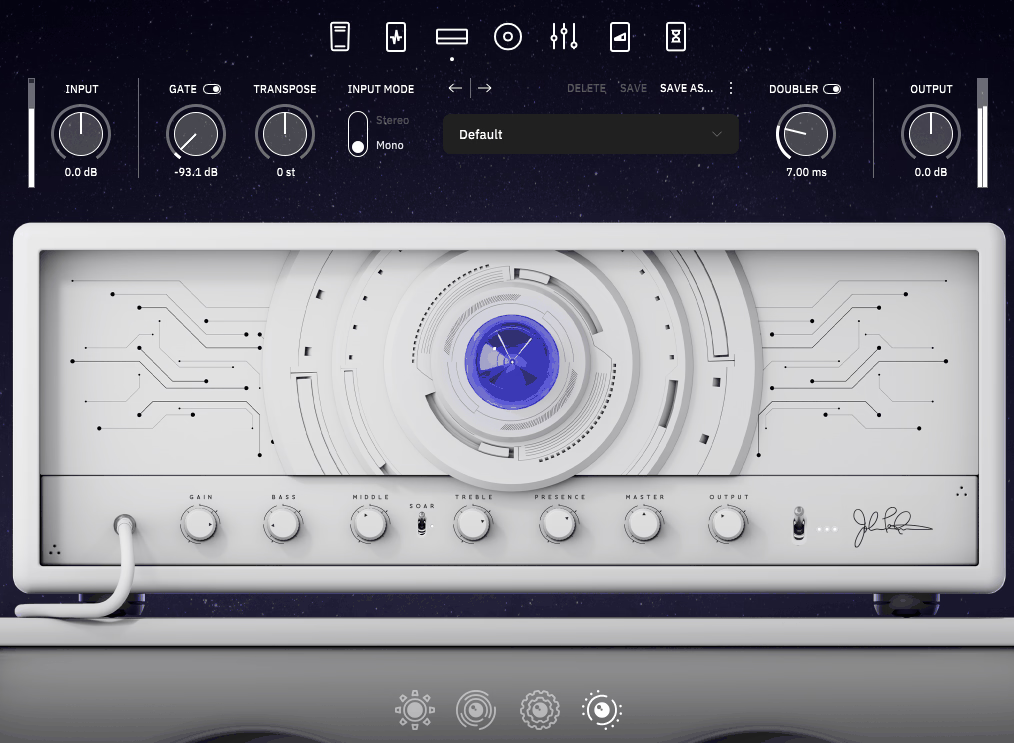
John Petrucci’s tone is known for its precision, clarity, and tight low end, which suits both complex prog metal riffs and soaring leads. The Neural DSP Plugin Archetype: Petrucci X recreates his full rig, including signature amp tones, effects, and pedalboard. In my experience, it delivers the articulate high-gain sound that Dream Theater fans will recognize right away. 

The X version adds better routing, more effects, and improved MIDI control compared to the original. I’ve used it for everything from detailed seven-string rhythms to smooth lead lines that need sustain without losing clarity. 

What impresses me most is how the plugin keeps its definition and clarity, even with high gain and complex chords. This is important when you play technical music and need every note to be heard. 

  • Five Distinct Amp Channels 

Archetype: Petrucci X has five amp channels that cover everything from clean to heavy high-gain sounds. This range makes the plugin very versatile for different styles. The Clean channel is clear and has lots of headroom for chords and ambient parts, while the Crunch channel is great for classic rock and blues-inspired playing. 

The three high-gain channels, Gain 1, Gain 2, and Gain 3, each have their own sound. Gain 1 gives tight, focused distortion for rhythms. Gain 2 adds more sustain and compression for leads. Gain 3 offers the most saturation for heavy riffs. Each channel has its own three-band EQ, plus presence and depth controls, so you can shape your tone exactly how you want. 

I noticed the gain stays tight and controlled on every channel. You get strong saturation without the loose low end that some high-gain amp sims have. 

  • Comprehensive Post-Amp Effects 

When it comes to the effects rack, it includes delay, reverb, chorus, flanger, and phaser. The quality is excellent for built-in amp sim effects. The delay has tempo sync and tap tempo, so you can match repeats to your project’s timing. It can go from a quick slapback to big ambient sounds, depending on your settings. 

The reverb has several types, like room, hall, and plate, so you can get anything from a tight sound to a huge space. The modulation effects are well done, adding width and movement without making your tone sound fake. In addition, the chorus thickens clean tones and adds depth to leads, while the flanger and phaser give a swirling effect that works well in certain parts of a song. 

All effects can be engaged or bypassed independently, and the routing lets you place them in the optimal position within the signal chain. 

  • Signature Overdrive and Boost Pedals 

The plugin also has Petrucci’s real overdrive and boost pedals in the pre-amp section. These are key for getting his signature sound because they shape the signal before it reaches the amp. The overdrive pedal adds a focused midrange punch, helping lead tones stand out without sounding harsh. 

The boost pedal provides a clean gain increase that pushes the amp’s front end harder for tighter palm mutes and more aggressive attack on rhythm parts. I found that using both pedals together creates the stacked-gain sound Petrucci uses for his most intense rhythm tones, and the interaction between the pedals and the amp feels natural rather than artificial. Each pedal has straightforward controls that mirror the real hardware, so you can dial them in quickly without overthinking parameters. 

  • Advanced Cabinet Section with IR Loading 

The cabinet simulation uses high-quality impulse responses with different mic positions and cabinet setups. The cabs sound very realistic and three-dimensional. You can blend two microphones at once and adjust where they are placed near the speaker, giving you control over the brightness and closeness of your tone. 

5. Archetype: Tim Henson X – Best Experimental
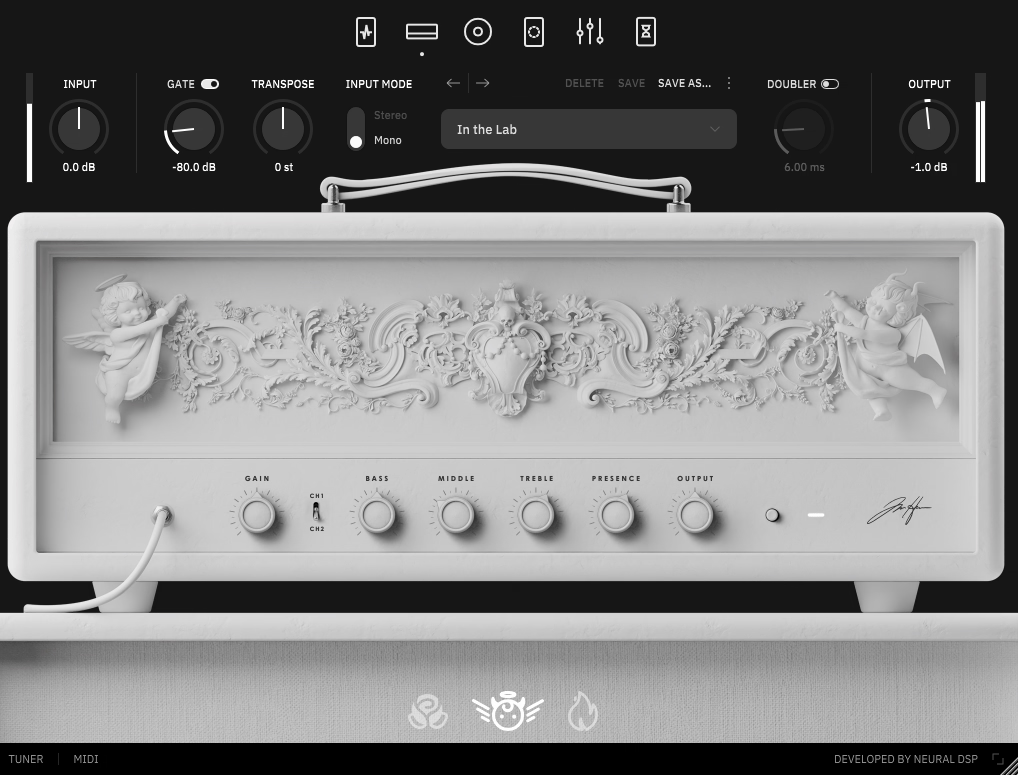
Archetype: Tim Henson X


I’ve always liked Henson’s unique sound because it lets you get creative in ways that go beyond standard amp modeling. Usually, getting those tones means stacking several plugins and effects in complicated setups. 

Archetype: Tim Henson X gives you Henson’s full signal chain, including his signature tones, pitch shifting, modulation, and ambient effects. I found it great for making modern, polished guitar sounds that fit well in progressive music, R&B-inspired playing, and experimental production. 

The X version adds enhanced routing flexibility, additional effects modules, and improved MIDI control compared to the original, and I’ve used it for everything from clean, glassy chord work to heavily layered soundscapes that blur the line between guitar and synthesizer. 

  • Three Distinct Amp Voices 

The plugin now has three amp channels: Clean, Crunch, and Lead. These are made for Henson’s style instead of copying old amp sounds. The Clean channel gives you clear, hi-fi tones with tight bass and bright highs, which are great for detailed fingerstyle and tapping. 

The Crunch channel gives you light to medium gain that stays clear, even with fast playing and complex chords. I think it hits a nice balance between clean and fully saturated sounds. 

The Lead channel gives you smooth, compressed saturation with long sustain that doesn’t sound harsh or brittle. This is important for Henson’s legato and melodic playing. Each channel also has its own EQ controls so you can adjust the sound to fit your style and mix. 

I noticed all three channels stay clear and defined, even when handling complex harmonies. This is key for the big interval jumps and chord extensions that are part of Henson’s style. 

  • Polyphonic Pitch Shifting and Harmonizer 

Archetype: Tim Henson X has a polyphonic pitch shifter that can create several harmonized voices from your playing. I think this is one of its best features for making Henson’s layered sounds. You can set pitch intervals in semitones to get anything from simple octave doubling to complex harmonies. 

The pitch tracking is accurate and quick, even with fast playing and chords. I was impressed because cheaper pitch shifters often glitch or sound weird with polyphonic parts. 

  • Comprehensive Modulation Section 

The plugin comes with chorus, flanger, and phaser effects that add movement and width to your sound. These effects are well-tuned for modern, polished production. The chorus gives you lush, shimmering textures for clean and ambient parts, while the flanger can go from gentle sweeps to strong, metallic sounds. 

The phaser adds a swirling, psychedelic feel that Henson uses in certain songs. All three effects have controls for rate, depth, and feedback, so you can fine-tune the modulation. 

  • Ambient Effects with Delay and Reverb 

In short, the effects rack has high-quality delay and reverb, which are key for Henson’s spacious, atmospheric sounds. The delay can sync to tempo and does everything from short slapback to long, ambient repeats. I like how clean the repeats sound, even with high feedback. 

The reverb has several types, like plate, hall, and shimmer, which adds octave overtones for dreamy sounds. I found the shimmer reverb especially good for making pad-like sustain from simple chords, a trick Henson often uses. Both delay and reverb have controls for pre-delay, damping, and mix, so you can adjust how they blend with your dry sound. You can use them lightly for a polished tone or turn them up for more experimental effects.

6. Archetype: Nolly X – Best for Modern metal
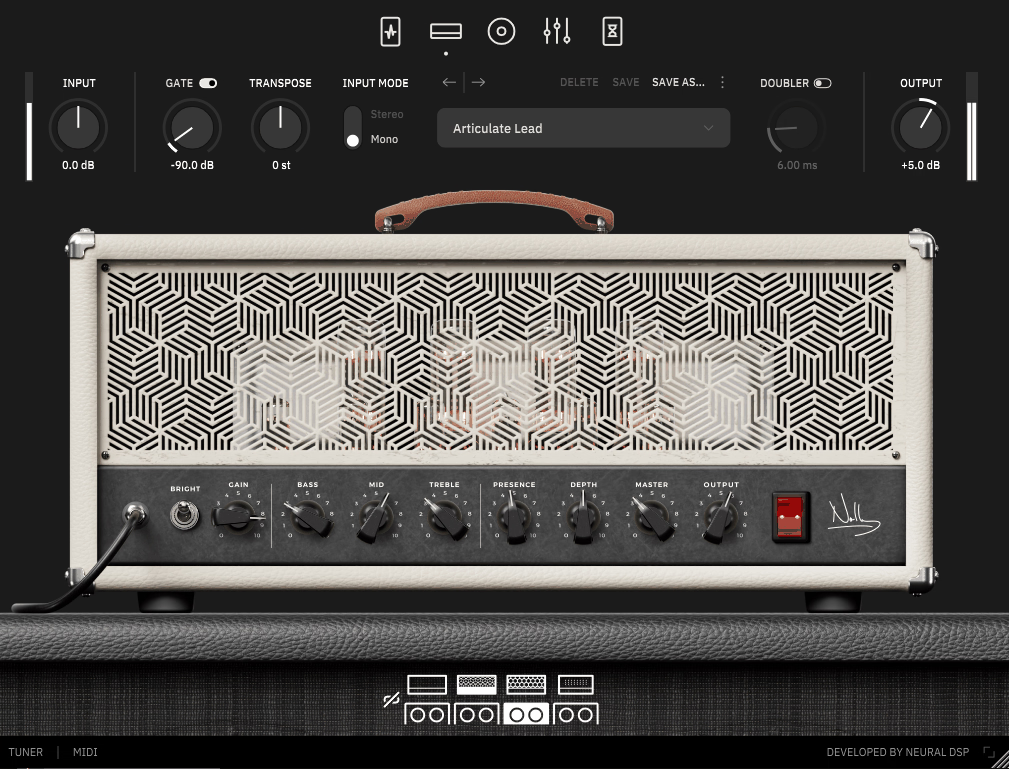
Archetype: Nolly X

Nolly X recreates Getgood’s full studio setup with amp models, effects, and tools made for modern metal and progressive music. I noticed it keeps notes clear and tight, even on seven or eight-string guitars tuned very low. 

The X version includes expanded routing capabilities, additional effects modules, and comprehensive MIDI control that weren’t in the original release, and I’ve used it for tracking everything from djent-style palm-muted riffs to clean, ambient passages that need pristine clarity without any muddiness or low-end bloom. 

  • Two High-Gain Amp Channels 

It has two high-gain amp channels and a clean channel. In my experience, the gain channels are where this plugin truly shines for modern metal tones. 

Channel 1 gives tight, focused saturation with a controlled low end that stays clear, even with drop-tuned guitars and fast palm-muting. Channel 2 has a looser, more aggressive distortion that works well for lead parts and sections needing more sustain. 

  • Precision Gate and Transient Shaper 

The plugin has a very responsive noise gate, which is essential for recording modern metal with high gain. I think this gate is one of the best I’ve tried in any amp sim. It cuts noise between notes without killing your sustain or making the sound choppy, and the threshold and release controls let you adjust it for different playing styles. 

The Transient Shaper is a unique feature that lets you boost or soften the attack of your notes. I found this really helpful for making rhythm guitars stand out in busy mixes without just raising the volume. 

  • Studio-Grade Effects Rack 

Archetype: Nolly X comes with delay, reverb, and modulation effects that feel as good as dedicated studio plugins, not just extras. The delay syncs to tempo and offers dotted or triplet note divisions, making it easy to create tight, rhythmic repeats. Even with high feedback, the repeats stay clear and don’t get muddy. 

The reverb has several types, like room, plate, and hall, so you can get anything from a tight sound for tracking to huge spaces for leads. I like that the reverb stays clear and doesn’t blur your notes, even with long decay times. The modulation section has chorus and flanger, which add width and movement without making your tone sound too processed. Both effects can be used subtly for mixing or turned up for creative sounds. 

  • Comprehensive Bass Processing 

Nolly has a lot of experience with bass production, and Archetype: Nolly X shows this with dedicated bass amp models and processing that work really well for modern metal bass sounds. 

The bass amps give a tight low end and clear mids, so the bass stands out without clashing with the guitars. 

  • MIDI Control and Session Integration 

The X version has full MIDI support for switching channels, turning effects on and off, and recalling presets. This makes it useful for live shows and complex studio setups. You can assign MIDI controllers to almost any setting, so foot switches and expression pedals work easily without a complicated setup. 

The preset browser has factory presets sorted by instrument and style, and I found these are actually useful starting points, not just over-the-top demos. You can also save your own presets with custom tags and organization, which helps speed up your workflow when working on different projects. 

The plugin works both as a standalone app and inside a DAW. I’ve found the standalone version handy for practice and pre-production, since you don’t have to load your whole recording setup. 

7. Fortin Nameless Suite X – Pure high-gain focus
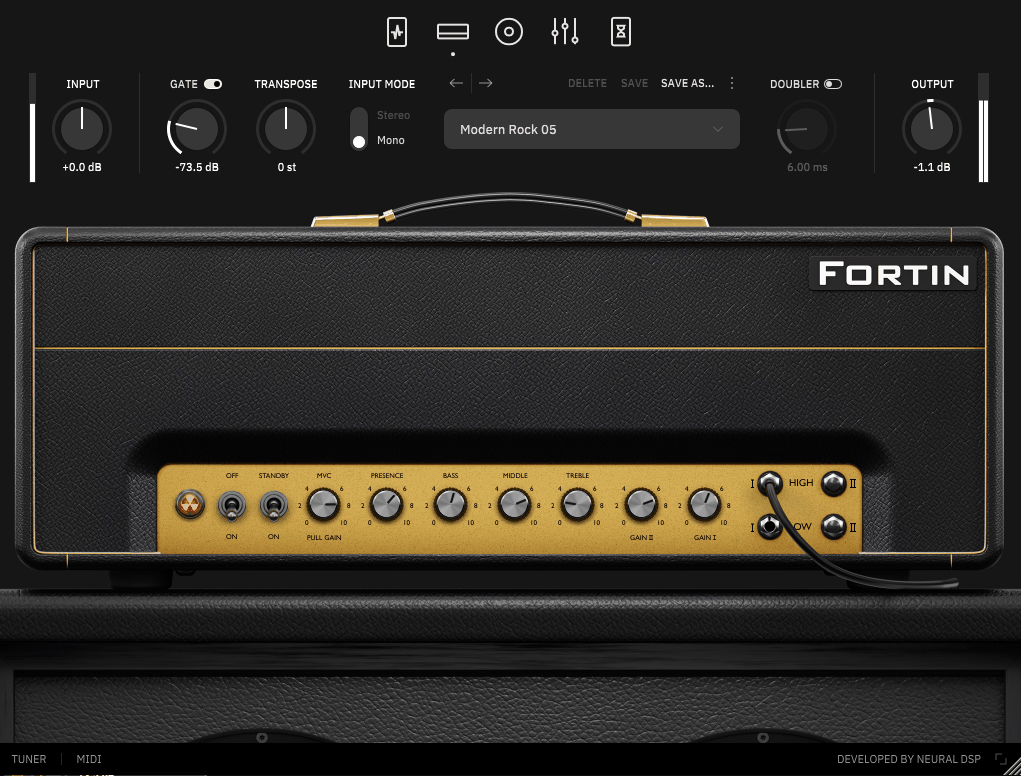
Fortin Nameless Suite X

Getting the right high-gain metal tone can be tricky. It’s easy to end up with either too much chaos or not enough aggression, and usually, you need pricey gear or a lot of trial and error to find the sweet spot. 

The Fortin Nameless Suite X from Neural DSP gives you three signature Fortin amps in one plugin: the Nameless, NTS, and Cali models. I found that this setup offers much more tonal variety than most single-amp plugins, while still keeping the tight, heavy distortion Fortin is known for. 

What stands out to me is that each amp has its own unique sound. Instead of just small tweaks on the same tone, you get three truly different options that work for a wide range of heavy music styles. 

The NTS amp has a looser, more natural saturation and a rawer feel. I found it works well for death metal and thrash, especially when you want aggressive tones without too much polish. 

The Cali amp is more like classic American high-gain tones, with scooped mids and bright highs that fit metalcore and melodic death metal. Each amp has its own gain, three-band EQ, and presence controls for detailed tone shaping. I also noticed the amps respond well to your playing style, instead of sounding flat or overly compressed. 

The plugin comes with a full pedalboard, including boost, overdrive, and gate pedals you can place before the amps in your signal chain. The Fortin Grind boost pedal adds a focused midrange push without making the low end muddy. I think this is key for helping lead tones stand out in a busy mix, without just turning up the amp gain.king the amp gain. 

The 33 Drive overdrive gives you extra saturation and compression. It’s great for tightening up rhythm parts or adding sustain to your leads. 

When I stacked the boost and overdrive, I got aggressive gain that still kept things clear and defined. The noise gate is precise and musical, cutting out noise between notes without any awkward cuts or losing sustain too soon. 

Each pedal has simple controls, just like real hardware. You can set them up quickly without having to worry about too many settings or reading the manual. 

  • Post-Amp Effects Rack 

The effects section has delay, reverb, and modulation, all good enough for pro-level production. The delay can sync to your project’s tempo, making it easy to match your timing. You can get anything from a quick slapback to big, ambient repeats, depending on your settings. 

The reverb offers multiple algorithms, including room, hall, and plate, that cover everything from tight tracking spaces to massive ambient environments. I love how the reverb adds space without washing out the tone or making transients feel sluggish. 

The chorus and flanger add width and movement. I found they work especially well on clean parts or leads when you want more depth without a lot of extra effects. 

You can turn each effect on or off by itself, and the X version lets you move them around in the signal chain to get the best sound. 

  • Flexible Routing and Signal Flow 

Finally, the X version gives you more routing options, so you can change the order of effects and processing modules. I think this flexibility sets it apart from simpler amp sims that only let you use fixed signal paths. 

You can position the gate before or after the boost pedals, run modulation before or after the delay, and experiment with unconventional chains that wouldn’t be possible with traditional hardware rigs. 

8. Archetype: Tom Morello – Best for Creative FX Guitar
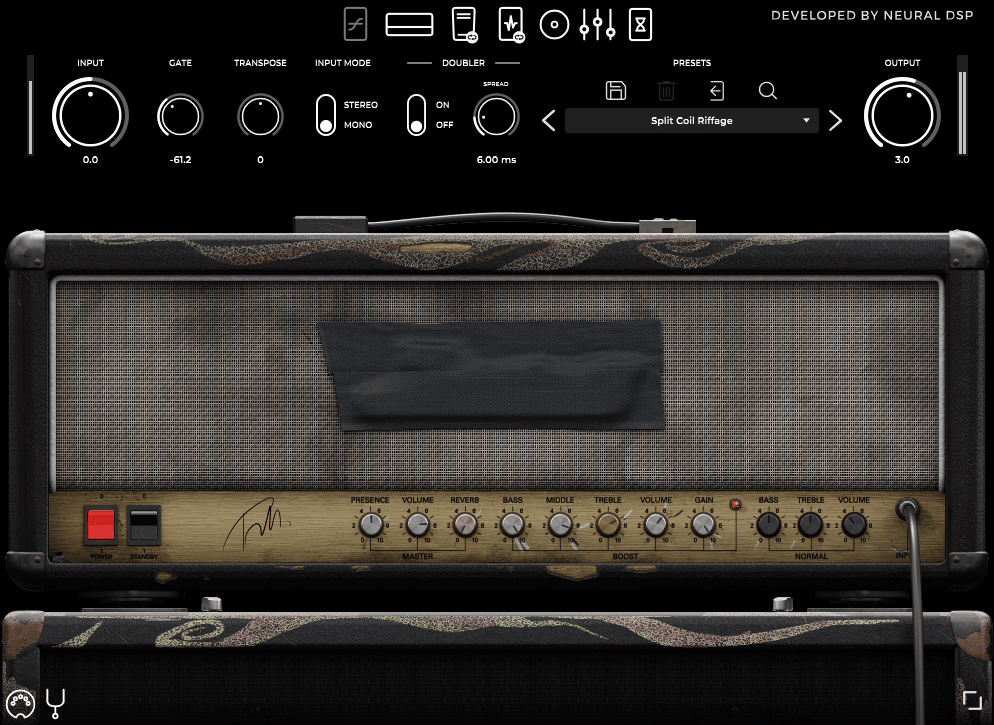
Archetype Tom Morello

Archetype: Tom Morello captures Morello’s complete effects arsenal and signal chain, including his signature whammy effects, delays, and the unconventional processing techniques that made songs like “Killing in the Name” and “Bulls on Parade” instantly recognizable. 

This plugin offers much more than basic amp modeling. It focuses on creative effects and sound shaping, not just distortion and gain. 

With pitch shifting, modulation, and rhythmic effects, you can make the scratch solos, harmonic squeals, and feedback sounds that defined ’90s alternative rock. I’ve used it for everything from heavy rhythms to experimental leads that go beyond normal guitar tones. 

  • Signature Whammy and Pitch Effects 

The plugin has Morello’s famous whammy pedal, which shifts pitch up or down by several octaves. This is the main effect behind many of his signature sounds. 

The whammy tracks accurately and responds well, even with fast playing and big interval jumps. This is key for dive-bomb effects and harmonic squeals. You can choose from several pitch intervals, like octaves and fifths, for anything from subtle doubling to wild pitch sweeps. 

  • Three Distinct Amp Channels 

The plugin has Clean, Crunch, and Lead channels that cover Morello’s full range, from clear tones to heavy distortion. The Clean channel gives a bright, clear sound with tight lows, great for funky rhythms and the clean parts in RATM songs. 

The Crunch channel gives mid-gain saturation that stays clear, even with complex chords and syncopated rhythms. The Lead channel has strong high-gain distortion with enough sustain for feedback and wild sounds. All three channels keep their clarity, which is important when you add heavy effects. 

Each channel has its own EQ controls for bass, mid, treble, and presence, so you can shape your sound for any style. The EQ responds musically and doesn’t sound harsh or digital. 

  • Delay and Echo Effects 

The plugin has several delay types that are key for Morello’s rhythmic and ambient sounds. The delay syncs to your DAW’s tempo, and you can set dotted or triplet notes to make patterns that fit your rhythms. 

  • Talk Box and Vocal Effects 

A standout feature is the talk box emulation, which lets you make vowel-like effects like Morello’s vocal guitar sounds. It uses filters that copy human speech, giving the plugin an experimental feel. 

  • Modulation and Filtering 

The effects rack has phaser, flanger, and wah, all important for Morello’s style. The phaser gives sweeping, psychedelic sounds on both clean and distorted tones. The flanger can go from soft jet-like effects to strong metallic sounds. 

  • Noise Gate and Dynamic Control 

The plugin has a precise noise gate, which is important for high-gain and heavy effects. It cuts noise between notes but keeps your sustain smooth. You can adjust the threshold and release to fit your playing style. 

The gate is especially useful for feedback techniques, since it lets you control noise without needing to automate volume. You can also place the gate at different spots in the signal chain, which changes how it works with your effects and tone. 

  • Preset System  

Archetype: Tom Morello comes with factory presets that showcase his signature tones from different periods of his career. The preset browser is sorted by song and style, so it’s easy to find the right sound for your music. 

9. Archetype: Gojira X – Best Crushing modern tone
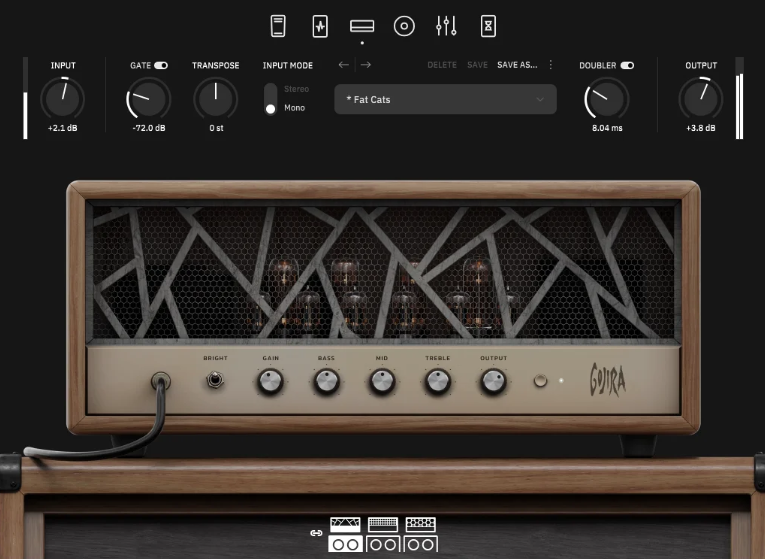
Archetype Gojira X

French metal band Gojira is known for their massive, heavy guitar tones that mix technical skill with a raw, natural power that feels almost primal. 

Archetype: Gojira X captures Duplantier’s complete studio rig, including his signature amp tones, effects chain, and the specific processing techniques that define Gojira’s sonic identity, and I found it excels at delivering massive, articulate high-gain tones that stay tight and focused even with down-tuned guitars and blast beat sections. 

The plugin has two high-gain channels and a clean channel. The gain channels are clearly designed for modern extreme metal, with tight palm muting and fast picking in mind. 

Channel 1 gives you heavy saturation with a tight low end that stays clear, even when playing the lowest notes on a seven-string guitar. Channel 2 has a more aggressive midrange, which helps leads and parts that need to stand out. 

The Clean channel is versatile, with enough headroom for complex chords and dynamic playing. I found it stays clear, even with heavily down-tuned guitars. 

Each channel has its own three-band EQ, plus presence and depth controls, so you can shape your tone precisely. The EQ works smoothly and doesn’t add any harsh digital sounds. 

The low-end response is well-balanced, giving you power without the muddiness that can make fast riffs sound messy. This is important for technical death metal, where every note needs to be clear. 

  • Signature Overdrive and Gate Pedals 

This Neural DSP plugin includes Gojira’s real overdrive and noise gate pedals in the pre-amp section. I think these are key for getting Duplantier’s signature sound, since they shape the signal before it reaches the amp. The overdrive adds a strong midrange that helps rhythm parts stand out without sounding harsh, and it tightens the low end for punchy palm muting. 

  • Pitch Shifter and Octave Effects 

It also has a polyphonic pitch shifter that can create octave-down and harmony effects. This is important for recreating some of Gojira’s signature sounds. The pitch tracking stays accurate, even with heavy distortion and fast playing, which impressed me since cheaper pitch shifters often glitch with saturated signals. 

The octave-down effect adds deep sub-bass, making your low strings sound even heavier. You can also set harmonies to create layered lead parts. 

  • Comprehensive Effects Rack 

The effects section has delay, reverb, chorus, and phaser, all good enough for professional use. The delay can sync to tempo and supports dotted and triplet notes, making it easy to create tight, rhythmic repeats. The delay stays clear, even with long feedback settings. 

The reverb has several options, like room, hall, and plate. These range from tight, subtle ambience for tracking to big, spacious sounds for atmospheric parts and leads. 

  • Advanced Cabinet Simulation 

The plugin uses Neural DSP’s impulse response technology with multiple cabinet configurations and microphone positions, and I have to say the cab sim is a major part of why Archetype: Gojira X sounds professional right out of the box. You can blend two microphones simultaneously and adjust their relative positioning to the speaker cone, giving you control over brightness, proximity, and overall tonal character. 

In the end. The X version supports loading third-party impulse responses, which I found essential when you want to match specific cabinet sounds from your IR library or use captures from particular recording sessions. The cab section includes high-pass and low-pass filters that help you carve out frequency space for bass and other instruments without compromising the core guitar tone or making it sound thin and weak. 

10. Darkglass Ultra – Best Aggressive Bass Tones
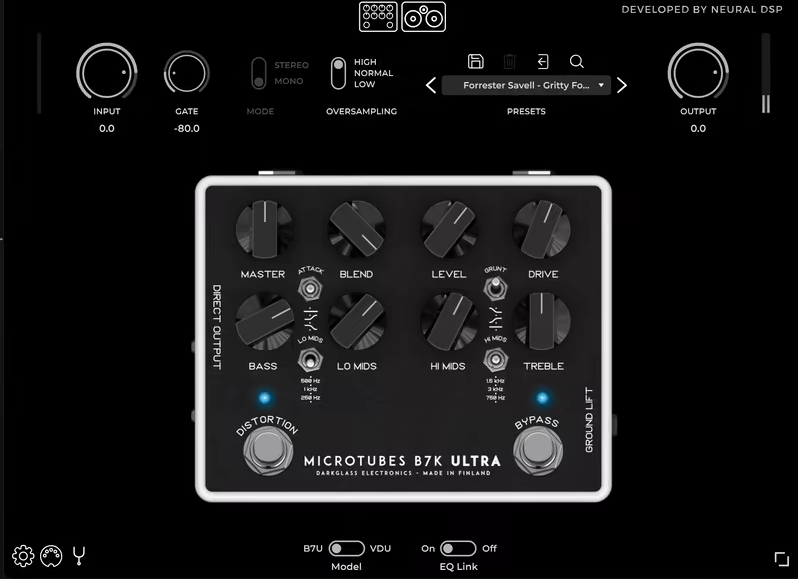
Darkglass Ultra

Getting bass distortion right can be tough. You want aggression and rich harmonics, but you also need to keep the deep low end that works with the kick drum. Darkglass Ultra gives you the full Darkglass Electronics signal chain, including their well-known Microtubes algorithms, a compressor, and cabinet simulation. It’s all designed for modern metal and rock bass tones that need clarity, punch, and controlled saturation. 

You can record anything from aggressive picked bass lines to slap techniques that need extra brightness and definition. The multiband distortion lets you add grit to the higher frequencies while keeping the low end tight and focused. 

What sets Darkglass Ultra apart from other bass amp sims is that it keeps the core weight and clarity of your sound, even with heavy distortion. This is important when your bass needs to stand out among distorted guitars without getting lost or muddy. Plus, there’s a free trial version available. 

  • Multiband Distortion Engine 

Darkglass Ultra uses multiband processing to split your bass signal into different frequency ranges, and each band can be distorted on its own. This is what makes the plugin so effective for modern bass tones. You can add heavy saturation to the mids and highs for more aggression and presence, while keeping the low end clean and punchy. This avoids the muddy, undefined sound you get when you distort the whole bass signal. 

You can also adjust the crossover frequency, so you control exactly where the split happens based on your bass tuning and playing style. I found this works great for five and six-string basses, where you want the extended low range to stay tight and the upper strings to get more saturation for pick attack and string noise. 

The blend control lets you mix the clean and distorted signals however you like. This gives you parallel processing without having to set up complicated routing in your DAW. 

  • Darkglass Microtubes Algorithms 

The plugin comes with several Microtubes distortion algorithms based on Darkglass’s famous hardware pedals. Each one has its own character and works well for different playing styles and music. The algorithms go from warm, tube-like saturation to aggressive, modern clipping that adds brightness and edge. 

I found the B3K algorithm is great for rock and punk, where you want strong mids and aggression. The Vintage algorithm gives you smoother, more musical distortion for melodic bass lines. 

Each algorithm has drive and blend controls, so you can adjust the amount of saturation and the amount of effect you mix with your clean tone. The algorithms also respond to your playing: play harder for more distortion, or play lighter for cleaner tones, all without changing any settings. 

  • Built-In Compression 

Darkglass Ultra has a studio-quality compressor made just for bass frequencies. This makes the plugin much more useful for real mixing. The compressor smooths out your dynamics, so your playing stays even whether you’re playing hard in heavy sections or softer during verses and breakdowns. 

  • Tone Shaping and EQ 

Darkglass Ultra also has a full EQ section with several bands, so you can shape your bass tone before and after distortion. The EQ is tuned for bass, with musical curves that enhance your sound instead of just boosting or cutting. I noticed the controls respond naturally and don’t add harsh digital artifacts. 

You can use the EQ to bring out pick attack in the upper mids, add more low-end, or cut frequencies that clash with guitars or kick drums. The EQ before distortion shapes what goes into the saturation, while the EQ after distortion helps your bass fit in the mix. Having both EQ stages gives you more control than most bass amp sims, so you can get a finished sound without needing extra EQ plugins. 

11. Parallax X – Best Multiband distortion for bass
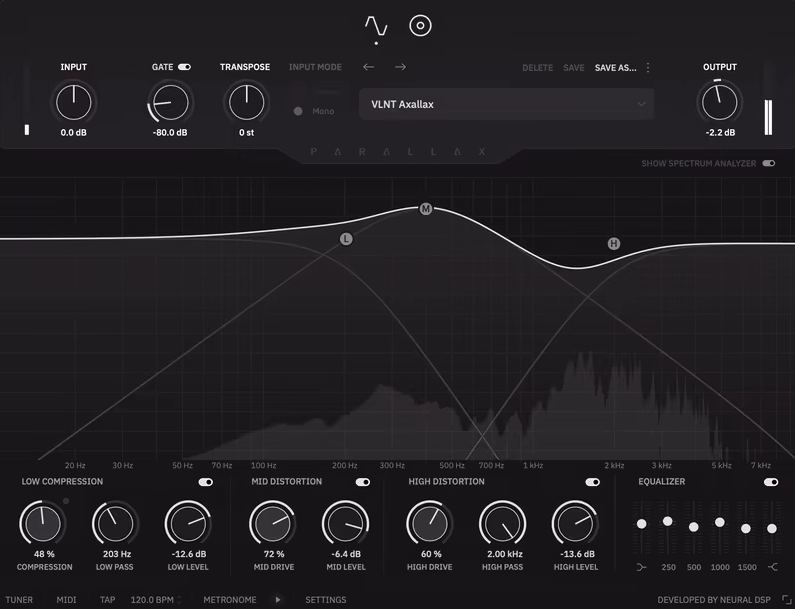
Parallax X by Neural DSP

In modern metal, bass tone has to combine deep low-end power with enough clarity and definition to stand out against distorted guitars and busy drum parts. 

Parallax X gives you Neural DSP’s full bass processing suite, including several amp models, effects, and mixing tools made for modern progressive metal and djent. I found it great for making clear, punchy bass tones that stay defined even in busy mixes. 

This Neural DSP plugin has three bass amps, each with its own sound for different playing styles and music. You get a clean, clear amp for fingerstyle, and more aggressive, saturated amps for heavy pick playing that needs extra edge. 

The clean amp keeps your sound clear and punchy, even with extended-range basses in drop tunings. The gain amps add harmonics but keep the low end strong. Each amp has its own EQ controls for bass, mid, treble, and presence, so you can easily shape your tone. The EQ sounds natural, without harsh digital noise. The amps also react to how you play, so playing harder gives more saturation, while playing stays clean. 

I noticed all three amps keep your sound clear across all frequencies. This is important for technical parts where every note needs to be heard clearly and not get lost. 

  • Darkglass-Style Distortion Module 

The plugin has a multiband distortion engine, which I think is one of its best features for modern bass. It splits your signal into bands, so you can add grit to the mids and highs while keeping the low end clean and tight. 

You can adjust the crossover frequency, letting you decide exactly where the distortion hits your tone, depending on your tuning and playing style. This approach works perfectly for maintaining low-end punch while adding the brightness and aggression that helps bass cut through heavy guitar layers. The blend control provides parallel processing, so you can mix the distorted signal with your clean tone to achieve the exact balance you need. 

  • Studio-Quality Compression 

Parallax X also includes professional-grade compression calibrated specifically for bass, and I must say this makes the plugin way more practical for finished mixes. The compressor evens out dynamics, so your playing stays consistent whether you’re attacking strings hard during heavy sections or playing softer during cleaner passages. 

You get controls for threshold, ratio, attack, and release, giving you flexibility without too many options. The compressor is already set up well for bass, so you don’t have to spend a lot of time tweaking settings. 

  • Comprehensive Effects Rack 

The effects section has chorus, flanger, delay, and reverb, all good enough for pro use. The modulation effects add width and movement without making your bass sound muddy. I found the chorus especially good for thickening clean tones and adding depth. 

The delay syncs to tempo and offers dotted and triplet note options, making it easy to create tight rhythmic patterns. The delay stays clear and doesn’t break up your sound. The reverb has several options, from small rooms to big spaces, and keeps your sound clear without muddying the low end. You can turn each effect on or off, and the X version lets you move effects around in the signal chain for the best results. 

  • MIDI Control and Performance 

You also get full MIDI support for switching presets, turning effects on and off, and controlling settings in real time. This is great for live shows and detailed studio setups. You can map any parameter to a MIDI controller, so foot switches and expression pedals work smoothly. 

Frequently Asked Questions (FAQs):

[sp_easyaccordion id=”10038″]

Leave a Reply