
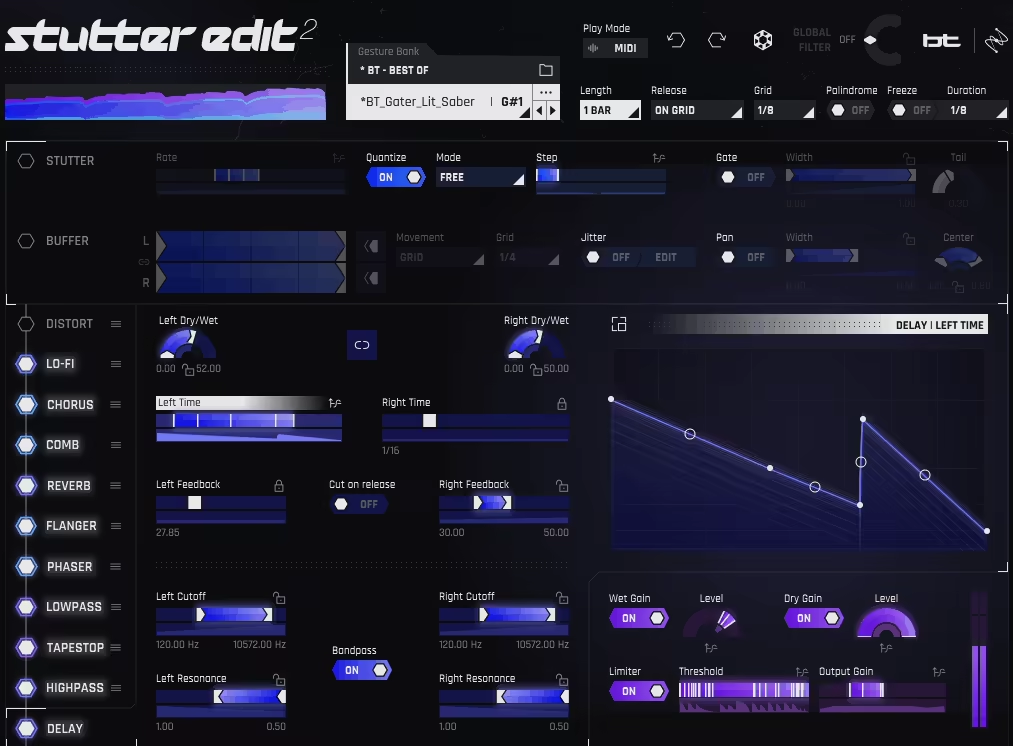
If you’ve ever spent hours manually chopping up audio in your DAW trying to nail that perfect stutter effect, slicing, nudging, quantizing, pulling your hair out, then iZotope Stutter Edit 2 is going to feel like someone handed you a cheat code. And honestly, I think that’s exactly what it is, in the best possible way.
Born from a collaboration between iZotope and GRAMMY-nominated producer BT, who literally invented the stutter edit technique as a production style, this plugin takes what used to be an extremely tedious, time-consuming process and collapses it down into a single keystroke.
The original Stutter Edit came out back in 2011 and became a staple for electronic producers, sound designers, and even live performers. Taylor Swift‘s live show used it, which tells you something about how far this thing reaches beyond just underground club music. Version 2 doesn’t throw out what made the original great at all. It builds on it in some genuinely smart ways.
Gestures, Banks, and more
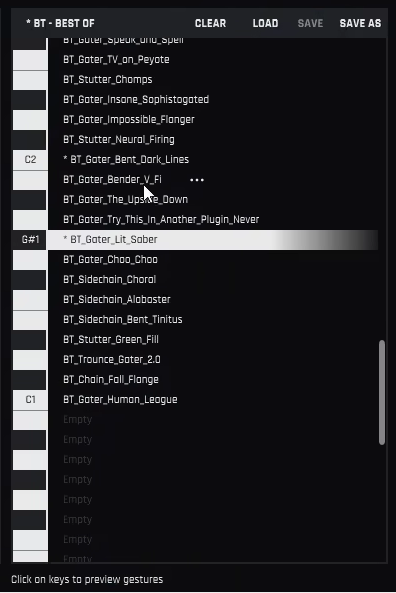
The whole system revolves around what iZotope calls Gestures, which are essentially presets for rhythmic effects that you trigger in real time either via MIDI or through the plugin’s Auto Mode. Each Gesture lives inside a Bank, and those Banks auto-map directly to your MIDI keyboard, so you’ve got dozens of effects ready to fire off across the keys without any additional routing setup whatsoever.
I love how intuitive this is once it clicks. You’re not scrolling through a dropdown list. You’re literally playing effects like an instrument. Drop it on a vocal, hit a key, and you’ve got a synced rhythmic glitch happening in tempo with your track. Hit a different key and you’re in completely different territory, maybe a sweeping filter build, or a tape-stop effect, or a pitched repeat that turns your drum loop into something almost melodic.
The preset library that ships with Stutter Edit 2 is genuinely useful, which isn’t always the case with plugins like this. BT and iZotope’s sound design team crafted hundreds of Gestures across categories that cover pretty much any use case you can think of:
- Cinematic rises and sweeps for trailer-style builds
- Trap-style rhythmic chops for modern hip-hop and pop
- IDM-style chaos for glitchy, experimental stuff
- Dubstep breakdowns with that signature shred-everything energy
- Club-ready filter effects for transitions and drops
Even if you never build a single custom Gesture from scratch, there’s enough here to keep you busy for a long time.
Get the Free Plugin Starter Kit
The genuinely useful free DAWs and plugins worth installing. No filler. Straight to your inbox.
The Curve Editor Is Where Things Get Really Deep
Here’s where Stutter Edit 2 separates itself from the first version in a meaningful way. Every single parameter in the plugin now has its own Time-Variant Modifier curve (TVM curve), which is basically a programmable envelope that lets you control exactly how any effect behaves over the duration of a Gesture.
I mean, think about what that actually means in practice. You’re not just setting a reverb amount and leaving it there. You can draw a curve that sweeps the reverb tail in over the first half of the Gesture and pulls it back out at the end. You can make a filter open up gradually and then slam shut right on the downbeat. You can make distortion melt in and fade out in whatever shape you want. Click any slider to see its curve, or double-click to open the full-screen editor for more detailed work. You can draw freehand, snap to the grid, place multiple nodes and curve the lines between them however you like, or choose from 12 premade curve shapes for faster results.
I’d say this is genuinely the most powerful part of the plugin, and it’s also where a lot of users probably underuse it. It takes some time to wrap your head around, but once you start building custom Gestures with precise TVM curves dialed in on each parameter, the results are on a completely different level than just firing off factory presets.
11 Effects Modules
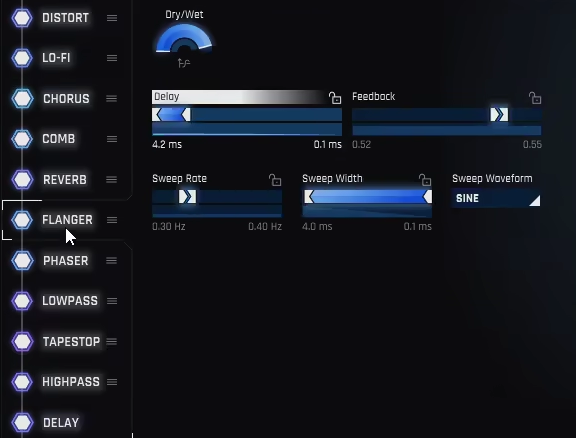
The effects section is where a lot of the sonic character comes from beyond the core stutter and buffer mechanics. You’ve got 11 modules total, and version 2 added four new ones that make a real difference:
- Reverb pulled from BT’s personal collection, and it sounds genuinely great on glitched material
- Comb filter, one of the highlights, creating fantastically strange pitched resonances that turn simple repeats into something almost tonal
- Chorus, which adds width and movement to stuttered material in a way that feels organic rather than processed
- Limiter, useful for keeping things under control when the chaos gets intense
The rest of the suite covers your lowpass and highpass filters, gate, pan, distortion, pitch, width, and the core stutter and buffer modules themselves. The upgraded two-band Distort module is worth calling out specifically since it gives you a lot more control over how saturation and clipping hit the signal, which matters a lot when you’re layering it with other effects.
I noticed the comb filter and reverb in particular can do things to audio that would be genuinely difficult to replicate with any other plugin. Running a snare through the comb filter with a slow TVM curve sweep while the buffer chops it into sixteenth notes gives you this weird, pitched, evolving percussion texture that feels like something between a drum hit and a synth stab. It’s the kind of happy accident that makes you stop and just sit with it for a minute.
Worth your money or not?
For me, Stutter Edit 2 sits in a pretty specific and well-defined lane. It’s not trying to be a general-purpose effects plugin and it doesn’t pretend to be. What it does, it does extremely well, and I’d say it’s essentially unmatched for live performance and real-time glitch effects. If you’re playing live sets, doing DJ performances, or working in genres where drops, transitions, and rhythmic tension are central to what you make, this plugin is going to become a regular part of your chain.
A fair criticism is that building your own Gestures from scratch takes time. There’s a real learning curve to the TVM system, and the absence of preset curve shapes, something competitors like Cableguys ShaperBox include, means you’re doing more manual work when you want custom modulation. It’s not a dealbreaker by any means, but it’s worth knowing going in. I would recommend grabbing the free trial first to make sure it fits your workflow, because this is definitely a plugin where hands-on time tells you far more than any review can.
Formats: VST3, AU, AAX (64-bit only)
Works with: Logic Pro, Ableton Live, Cubase, Pro Tools, FL Studio, Studio One, REAPER, Bitwig, Digital Performer
Price: $199
Get the Free Plugin Starter Kit
The genuinely useful free DAWs and plugins worth installing. No filler. Straight to your inbox.

Hello, I’m Viliam, I started this audio plugin focused blog to keep you updated on the latest trends, news and everything plugin related. I’ll put the most emphasis on the topics covering best VST, AU and AAX plugins. If you find some great plugin suggestions for us to include on our site, feel free to let me know, so I can take a look!