Instead of giving you raw samples and expecting hours of programming, great Kontakt libraries for sound design are built around evolving textures, motion engines, and layered behaviors.
Whether it’s Kithara transforming guitars into aggressive cinematic material, Gravity 2 blending junkyard mayhem with analog synths, or Straylight generating continuously shifting atmospheres, each library tackles sound design challenges that would normally require stacking multiple plugins and automation lanes.
For those working on trailers, games, or hybrid scoring, these Kontakt libraries deliver production-ready results immediately – no modular expertise or extensive processing chains needed. They’re purpose-built sound design tools that understand what modern composers actually need.
I tested these libraries to see which ones deliver production-ready cinematic textures and rhythmic motion without requiring extensive sound design knowledge or complex processing chains, and here’s what I found out:
| Plugin Name | Best For | Engine Type | Key Strength | Pros | Cons |
|---|---|---|---|---|---|
| 1. Native Instruments & Imperia Kithara | Dark underscore, trailer tension, hybrid textures | Dual-Layer Motion | Performance-Reactive Textures, Organic Harmonics | Layered modulation, Velocity-sensitive, CPU efficient | Not suitable for clean melodic guitar, requires restraint |
| 2. Native Instruments Playbox | Fast sketching, chord generation, evolving progressions | Probabilistic Cube Engine | Algorithmic Harmony, Randomized Slot Layers | Chord locking, Drag-and-drop sample import, Tempo-aware | Limited precise composition control, abstracted workflow |
| 3. Heavyocity Gravity 2 | Trailer pulses, hybrid soundscapes, rhythmic textures | Multi-Engine Layering | 144 Tempo-Synced Pedal Loops, Designer Mixer | Drift/Scatter control, Snapshot presets, Layerable FX | High CPU demand on dense layers, premium pricing |
| 4. Native Instruments Low End Modular | Cinematic subs, ambient drones, tension layers | Layered Modular Architecture | Controlled Low-End, Slow Evolution | Zero-latency, Stable across monitoring, Moderate CPU | Not melodic, Narrow tonal range |
| 5. Native Instruments Schema: DARK | Pulse-driven underscore, rhythmic beds, tension cues | Three-Layer Pulse Engine | Interlocking Dynamic Layers, Clock-Locked Timing | Density control, Tempo-synced, Production-ready | Limited pattern flexibility, Not for syncopated grooves |
| 6. Native Instruments Kinetic Toys | Mechanical motion, playful textures, hybrid underscoring | Three-Layer Motion System | Continuous Re-Triggering, Non-Traditional Sources | Macro responsive, Low CPU, Layerable | Not melodic, Short sound palette |
| 7. Heavyocity Symphonic Destruction | High-impact cinematic scoring, trailer hits | Hybrid Layered Engine | Processed Orchestral Layers, Aggressive Transients | Tempo-synced, Macro control, Layer-friendly | High CPU usage, Limited melodic clarity |
| 8. Native Instruments Straylight | Ambient beds, cinematic textures, evolving atmospheres | Multi-Layered Evolution Behaviors | Macro-driven Motion, Continuous Texture Evolution | CPU efficient, Layerable, Organic motion | Limited melodic precision, Abstract control interface |
| Extra: Native Instruments Kinetic Metal | Industrial textures, mechanical hybrid scoring, evolving metal | Multi-Vector Motion System | Dynamic Layer Interaction, Continuous Rhythmic Evolution | Macro focused, Non-linear evolution, Layer-friendly | Non-melodic, Predictability limited without automation |
1. Native Instruments & Imperia Audio Kithara – Best cinematic textures

Kithara approaches sound design from a completely different angle by starting with electric guitar performances and pushing them far beyond traditional musical use. This collaboration between Native Instruments and Imperia Audio is clearly aimed at composers working in trailers, dark underscore, hybrid scoring, and tension-driven sound design.
NI Kithara is not a guitar library in the usual sense but a cinematic texture instrument that happens to use guitar as its raw material. Kithara does not try to sound clean, realistic, or polite. Its focus is on motion, density, and aggression, often blurring the line between music and sound effects.
The library is built around a dual-layer architecture where each layer contains processed guitar-based material with its own modulation, filtering, distortion, and spatial processing. These layers are designed to interact dynamically rather than sit statically, which is why the instrument feels alive even when holding a single note.
The most important thing to understand is that presets are performance-reactive textures designed to change based on velocity, key range, and macro movement.
This makes it effective for long cues where tension needs to evolve over 30-120 seconds without manually programming automation across multiple plugins. Because the guitar source is already rich in harmonics, distortion and modulation tend to feel organic rather than synthetic.
Here is what you get:
- Dual-Layer Architecture with Dynamic Interaction
Each layer contains processed guitar-based material with independent modulation, filtering, distortion, and spatial processing. The layers interact dynamically instead of sitting statically, making the instrument feel alive even when holding a single note.
When you are building tension cues for trailers or dark underscore, this dynamic behavior evolves naturally over 30-120 seconds without requiring extensive automation programming. The guitar source’s rich harmonics make distortion and modulation feel organic, helping Kithara sit naturally alongside orchestral libraries like strings and low brass without feeling disconnected.
- Performance-Reactive Textures with Macro Control
Presets change based on velocity, key range, and macro movement rather than providing finished static sounds. This performance-reactive design means you can shape movement in real time while playing.
The interface prioritizes macro control over deep parameter access, keeping workflow fast for cinematic sessions. Many presets include internal rhythmic motion that’s either tempo-synced or free-running, letting you add movement without sequencing complex rhythms manually. I really like this because you focus on harmony and structure while the engine handles micro-detail.
- Low to Mid Register Optimization for Controlled Density
Kithara works best in low to mid register ranges where density and harmonic content feel controlled rather than chaotic. The library shines most when used for beds, pulses, tonal noise, and rhythmic pressure instead of exposed foreground elements.
When layered quietly under orchestral cues or electronic tracks, it adds energy and instability without demanding attention. The tonal palette leans heavily toward distortion, saturation, filtering, and modulation with very few neutral or clean sounds, giving the instrument a strong personality.
- Midrange Density and Harmonic Movement
Many presets emphasize midrange density and upper harmonic movement, helping them cut through large arrangements. This makes Kithara particularly effective for adding texture without occupying the same frequency space as melodic elements. The guitar-based source material provides organic complexity that would otherwise require multiple plugins and processing chains to achieve from scratch.
The limitations: Kithara is not suitable for traditional guitar writing, melodic leads, or harmonic clarity. I don’t think chord-based writing works well because it quickly becomes muddy.
The aggressive sound palette may require filtering or EQ to fit subtle cues. Some presets can feel overpowering if used without automation or restraint. CPU usage varies by preset, with denser sounds demanding more resources, so stacking multiple instances requires planning.
Some users report clicks or pops when pushing modulation or playing rapid note changes, which suggests Kithara benefits from moderate buffer sizes and restrained macro movement.
2. Native Instruments Playbox – Chord generation & harmony

NI Playbox flips the traditional instrument workflow by generating harmony, rhythm, and sound selection together instead of asking you to design a sound and then write notes. The library includes over 900 samples packed into six cubes, 200+ chord sets, and 320+ presets that combine algorithmically to break creative stalls.
This makes it particularly relevant for those who need momentum rather than precision. The core idea is that your role is more about steering outcomes than programming details, which I think suits producers who often work alone and want fast idea generation.
This sound design Kontakt library runs in Kontakt Player and centers on a randomized note and chord generator that operates within defined harmonic boundaries. Instead of playing single notes, each key triggers a cluster of notes derived from a scale or chord set. The engine uses sound slots where up to six sound sources are layered and triggered probabilistically.
Each slot can have its own octave range, rhythmic density, and playback chance, which means even when holding a single key, the output evolves over time. The randomness is constrained by musical rules, keeping results usable. You can load up to 450 of your own samples by dragging and dropping them into user libraries.
- Six Sample Cubes with Over 900 Immersive Samples
The cubes are organized into Synths (deep pads, shimmering stabs, dynamic pulses, multilayered swells), Instruments (bowed and plucked strings, organs, pianos, treated percussion), Bass (subs, rumbles, gritty low end), Voices (ethereal vox with warped human sounds), Noises (slamming doors, clinking ice cubes, igniting flames, atonal timbres), and User (up to 450 of your own samples).
When you drag and drop audio files (.wav, .aif, Kontakt’s .ncw formats), the engine automatically analyzes them and sets correct pitch values. The sounds are intentionally neutral in isolation, designed to blend well when layered instead of clashing.
- 200+ Chord Sets with Single-Key Playability
Chords are mapped to white keys in the octave from C3 to C4, meaning you can play complex harmonies with just one finger without needing deep music theory knowledge. Each chord contains up to six notes.
You can explore over 200 included chord sets, tweak individual notes, import MIDI files directly, or play your own chords using piano mode. Once you find the perfect progression, all chords can be exported as MIDI and used with any instrument in your DAW.
- Probability-Based Sound Slots with Independent Control
Each sound slot has independent octave range, rhythmic density, and playback chance settings. This creates organic evolution where output changes over time rather than repeating mechanically.
The density and timing controls determine how often notes trigger, giving a more natural feel than fixed step sequences. This works well for evolving cues and background layers, especially in ambient, cinematic, or downtempo material. The probabilistic layering means even simple chord progressions develop unexpected character.
- Scale and Chord Locking for Musical Constraint
The harmonic engine uses scale and chord locking to ensure generated notes stay musically related. You can switch scales or chord sets globally and the engine immediately recalculates note choices without stopping playback.
This separates Playbox from generic random MIDI tools because the randomness stays within musical boundaries. When sketching progressions quickly, you can audition different harmonic contexts in real time without rewriting MIDI.
- 14 High-Grade Effects with Customizable Chain Order
Choose from up to 14 effects including Arp, Strum, and Grain for adding rhythm and texture, plus over 50 Ambience samples (forest sounds, busy stations, vinyl crackle). You can experiment with the order of effects in your processing chain for unique results.
The XY pad provides expressive control of effect parameters in two dimensions. Humanized velocity and timing controls dial in depth and feeling with assignable modulation sources.
- Randomization System with Dice Controls
Roll the dice to randomize the entire preset or individual elements (chords, samples, effects). The randomization blends between 905 samples, 224 chord sets, and 217 effects presets to spark new musical ideas. You can lock specific elements to exclude them from randomization while keeping other parameters changing. This embraces happy accidents while maintaining some control over the creative direction.
The limitations: Playbox is not well suited for detailed sound design or precise composition. The abstraction that makes it inspiring can feel frustrating when exact control is needed. The sound library may feel stylistically narrow for producers working in aggressive electronic or genre-specific contexts. Because randomness is central to the workflow, recreating an exact performance later can be difficult unless MIDI is captured early.
The harmony is suggested rather than authored, so if you need precise voicings or voice leading, this isn’t the right tool.
I’ll search for information about Heavyocity Gravity 2 to write a comprehensive entry.Now I have comprehensive information about Heavyocity Gravity 2. Let me write the entry following the format.
3. Heavyocity Gravity 2 – Rhythmic hybrid sound design
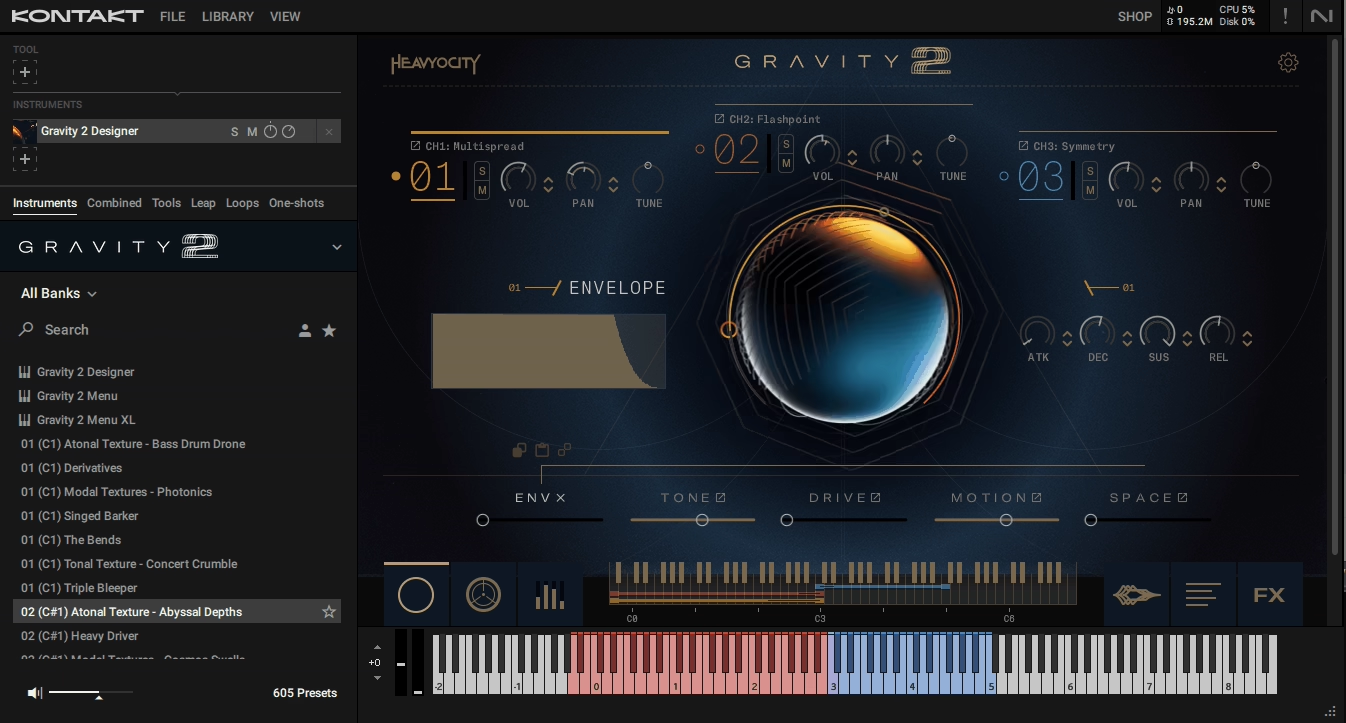
This one blurs the line between music and sound design in ways most libraries don’t attempt. Heavyocity built Gravity 2 around over 1,000 distinct sound sources ranging from junkyard mayhem and mechanical noises to bowed strings on trash cans, obscure radio signals, and analog synths.
What’s cool is that you get over 600 presets divided into three distinct engines (Designer, Menu, and Menu XL) that handle different workflows depending on whether you need instant bank-based access or deep creative layering.
What I really like is the 144 tempo-synced rhythmic pedal loops that Heavyocity created specifically for this library. Half of them are built with triplet feel for 12/8 meters common in epic trailer cues, which shows they understand how composers actually work.
The library downloads to 9.55GB and runs in Kontakt 7.6.0 or the free Kontakt Player. I think the 3-channel mixer in the Designer engine is where the power sits because each channel has independent effects and mix controls, letting you craft evolving textures or randomized mixes by blending layers in real time.
- Three Distinct Engines for Different Workflows
The Designer engine gives you three separate channels with individual effects for layering custom textures. Menu and Menu XL engines provide instant bank-based workflows with 36 or 72 individual sound sources mapped across one keyboard octave. I like the Menu XL approach when I need quick access to multiple sounds without diving into deep editing. The “expand source to keys” function maps a selected sound over the full keyboard range for melodic and chordal work.
- 144 Tempo-Synced Rhythmic Pedal Loops
These loops cover light percolating pulses to massive riffs with powerful low end. Half are straight-time and half have triplet feel for 12/8 meters.
The loops are multisampled over a wide pitch range and feature processed analog synths like Moog Minitaur, Sub 37, Lyra 8, and Make Noise Strega augmented by mutated acoustic sources. When you are building momentum in trailer cues, these pedals provide you with a rhythmic foundation without additional programming.
- Over 250 Single-Shot Sounds Across Five Categories
The library organizes sounds into Rhythmic Pedals, Textures, Stings, Transitions, and Impacts. You get tonal variations for melodies and harmonies, atonal for eerie atmospheres, and modal for clear chordal backgrounds. I would recommend the Transitions section for risers, swells, and reverses that create heart-pounding epic moments. Each category has enough variety to avoid repetitive trailer templates.
- Advanced Mixer with Drift, Scatter, and Writable Automation
The mixer section includes drift and scatter controls that add organic movement to static sounds. Writable automation lets you record parameter changes directly into the engine.
The Master FX page has a signal chain with EQ, compressor, reverb, and other modules you can arrange in your preferred order. I’ve found this particularly useful for shaping impacts and transitions without routing to external plugins.
- 600+ Meticulously-Crafted Snapshot Presets
Presets are divided into categories like Cue Creators, Rhythmic Beds, Tonal Textures, Atonal Textures, Modal Textures, Stings, Transitions, and Impacts. These serve as cue starters rather than finished products. When creativity stalls, I can load a preset and tweak it instead of building from scratch.
The limitation: the regular price sits at $449, which is toward the high end. Some users reported minor bugs with graphics rendering and legato/pitch-bend behavior, though Heavyocity typically addresses these quickly.
The Designer engine’s sample browser isn’t accessible via NKS, so you’re tweaking existing presets rather than building from the full sample pool if working within Komplete Kontrol.
4. Native Instruments Low End Modular – Cinematic subs and drones

This instrument is built almost entirely around low-frequency sound design, especially subs, drones, pressure tones, and slow-moving textures that live below or around 200 Hz. Developed in collaboration with 10 Phantom Rooms, it clearly reflects a cinematic mindset rather than traditional synthesis workflows.
For many producers, this fills a gap that many synths don’t address well because most instruments can generate bass, but few are designed to make controlled, cinematic low-end that feels intentional rather than boomy or undefined.
Low End Modular uses a layer-based modular architecture where each sound source is already heavily shaped before you touch it. Instead of starting from oscillators, you’re starting from curated low-end material that has been processed through modular chains.
The interface encourages subtle changes rather than drastic redesign, where small filter shifts, modulation depth changes, or envelope adjustments have big impact. This makes it suitable for slow cinematic cues and ambient work.
The core content focuses on subs, rumbles, drones, and pressure textures designed to sit underneath orchestral, hybrid, or ambient material without masking midrange detail. It runs in Kontakt Player and avoids the complexity of real modular systems.
Features:
- Sub-Focused Sound Sources Below 200 Hz
The core content emphasizes subs, rumbles, drones, and pressure textures rather than basslines. These sounds are designed to sit underneath orchestral, hybrid, or ambient material without masking midrange detail.
The subs feel intentionally restrained, avoiding sudden spikes or unpredictable distortion. This helps when working on headphones or smaller speakers where low-end control is critical. The library focuses on felt low-end rather than audible bass notes, making it effective for tension beds and cinematic transitions.
- Layer-Based Modular Architecture Without Cables
Each sound source is already heavily shaped through modular chains before you interact with it. You’re shaping modular-style sounds without dealing with cables, calibration, or technical overhead.
The practical choice here is that real modular low-end can be unpredictable and difficult to mix, especially in untreated rooms. Low End Modular reduces unpredictability while shifting focus to controlled movement and tone weight. Small parameter adjustments have significant impact on the final sound.
- Slow Modulation and Long-Form Evolution
Movement is designed to happen over several bars rather than per note. Instead of rhythmic LFOs, you’re dealing with evolving shifts in tone, width, and intensity. This makes it useful for underscore and sound design where repetition would be distracting.
The motion is subtle enough to layer well with other instruments, letting you run it underneath a cue without constantly adjusting automation. The emphasis on long envelopes means textures develop gradually across extended sections.
- Mix-Aware Tone Control with Focused Low End
The low end stays focused and extreme resonance is avoided by default. This reduces the need for corrective EQ compared to raw modular bass sources. There’s enough filtering and saturation control to adapt sounds to different contexts, but the range is intentionally limited to keep the instrument from becoming unstable or overly aggressive.
For producers working in small rooms, this predictability is a real advantage because the instrument behaves consistently across different monitoring situations.
- Efficient Preset Browsing with Minimal Adjustment Needed
Most presets are usable with minimal tweaking, which keeps workflow moving. The instrument integrates easily into cinematic templates and doesn’t demand constant attention once set. CPU usage is moderate, though complex patches can add up in larger sessions.
Preset browsing is straightforward and most sounds are production-ready without extensive parameter diving.
- Support Layer Design for Gravity and Depth
Low End Modular works best when treated as a support layer rather than a featured instrument. It shines when placed under drones, pads, or orchestral textures to add gravity and depth without competing for sonic space.
The instrument fills the frequency range that many cinematic libraries leave empty, providing weight that’s felt more than heard. This supportive role means it complements other instruments instead of replacing them.
The limitations: this is not a melodic instrument. Pitch control exists, but writing basslines or harmonic movement feels unnatural. The tonal range is intentionally narrow, so if you need bright bass, rhythmic synths, or expressive modulation, this will feel limiting.
Because many presets rely on similar motion concepts, variety depends on how much time you spend shaping parameters. The focus on sub-frequencies means it won’t suit producers needing mid-bass punch or melodic low-end movement.
5. Native Instruments Schema: DARK – Pulse-driven rhythmic underscore

Schema: DARK sits in a very specific lane as a pulse-driven composition tool designed to generate evolving rhythmic beds from layered acoustic and electronic sources. I would say it’s not a sound design playground in the traditional sense and definitely not a synth meant for freeform experimentation.
The focus is on structure, timing, and mood rather than flashy textures or extreme modulation. Also, it removes decision-making around rhythm and motion. You’re not building sequences step by step but shaping how an already-organized system behaves.
When it comes to this sound design Kontakt library, it’s built around a three-layer pulse engine where each layer plays a role in the overall rhythmic texture. These layers are not meant to be treated independently like tracks in a DAW. Each layer pulls from curated sound sources and pattern behaviors that are pre-aligned rhythmically.
You control density, emphasis, and interaction rather than exact note placement, which makes maintaining coherence easy when working fast or sketching cues under time pressure.
The three layers occupy different rhythmic and spectral roles where one typically handles lower or mid-low movement, another sits in the midrange, and the third adds higher-frequency articulation or transient detail.
- Three-Layer Pulse Engine with Interlocking Components
Each layer pulls from curated sound sources with pre-aligned rhythmic behaviors. One layer handles lower or mid-low movement, another sits in the midrange, and the third adds higher-frequency articulation or transient detail. This separation keeps the pulse readable in a mix even when all layers are active.
You can thin the texture by muting or reducing one layer instead of redesigning the entire sound. The layers function as interlocking components of a single rhythmic organism rather than independent tracks.
- Pattern Logic with Subtle Variation Over Time
Schema: DARK uses pattern logic systems that introduce variation over time instead of traditional step sequencing. The variations are subtle and designed to avoid obvious looping, which works well for longer cues where repetition would become distracting.
Changes are usually textural or rhythmic emphasis shifts rather than new motifs, helping maintain tension without drawing attention to the mechanism. Pattern changes can be automated or switched live, making it practical for building cue arcs like rises, plateaus, and pullbacks.
- Clock-Locked Engine for Tight Timing
Because the engine is clock-locked and pattern-based, the output stays tight even when modulation is active. This is useful when layering Schema: DARK under other rhythmic elements without worrying about phase or timing drift.
The tempo synchronization ensures pulses align perfectly with your project’s BPM and adapt when tempo changes occur during the session. The structural approach makes it easy to adapt the instrument to different tempos and cue intensities without breaking internal balance.
- Dark, Muted Sound Palette for Background Tension
The sound palette leans dark, muted, and controlled with processed acoustic elements, damped metallic hits, and subdued electronic textures. There are no bright leads or wide tonal extremes. The sounds are designed to sit behind dialogue, orchestral layers, or drones without fighting for space.
For bedroom producers working on headphones, this makes the instrument easier to manage. The narrow tonal range creates consistency across presets, reducing surprise but increasing reliability.
- Density and Emphasis Controls for Dynamic Shaping
You control rhythmic density and emphasis rather than exact note placement. This lets you shape how busy or sparse the pulse feels without manually programming sequences. When building tension in underscore, you can increase density gradually to create momentum.
When pulling back for dialogue or quieter moments, you reduce density without stopping the pulse entirely. The control scheme focuses on musical results rather than technical programming.
- Efficient Preset Browsing with Production-Ready Sounds
Most presets are usable as-is with small adjustments to intensity and layer balance. Preset browsing is efficient and the interface avoids deep menu diving. CPU usage is moderate and the instrument integrates cleanly into cinematic templates without requiring external processing to sound finished.
The presets are designed to work immediately in context rather than needing extensive tweaking before they’re usable.
The limitations: Schema: DARK is not flexible in a traditional sound design sense. You can’t fully redesign patterns or sound sources. The rhythmic language is specific, so if you need syncopated grooves, aggressive pulses, or tempo-driven EDM-style motion, this will feel too restrained.
Because much of the movement is subtle, it may feel underwhelming if placed too prominently in a mix. The instrument is clearly aimed at tension cues, underscore, and darker hybrid scoring where rhythm needs to exist without turning into a drum track.
6. Native Instruments Kinetic Toys – Mechanical motion textures
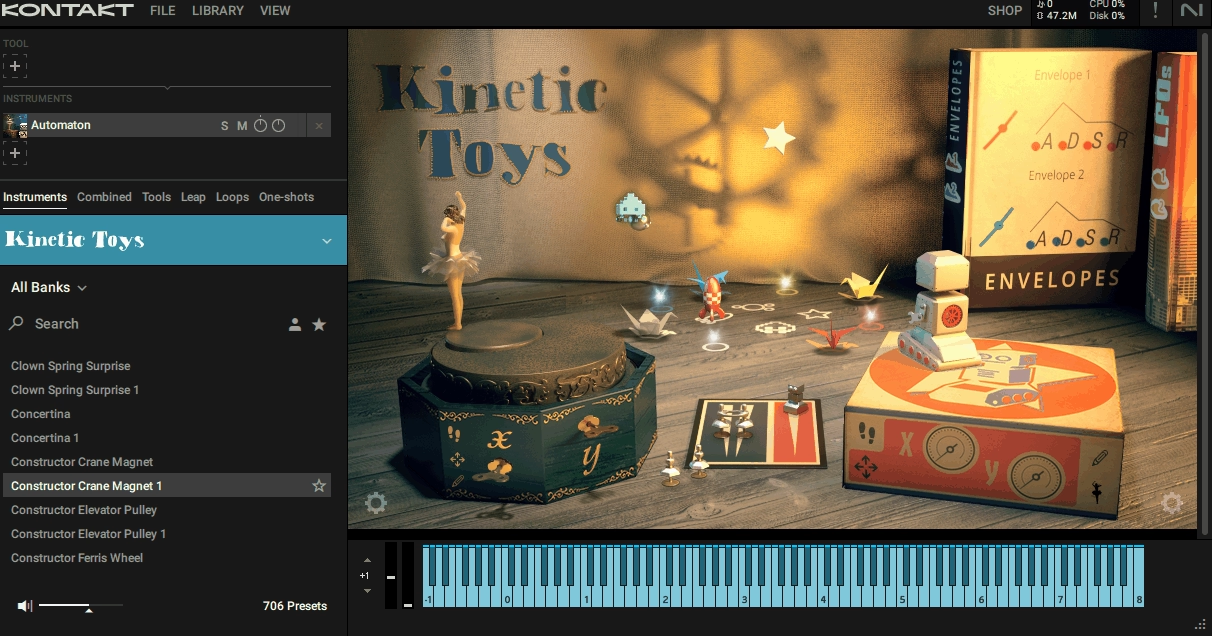
This one comes from a very different mindset by building around toy-based sound objects recorded and organized into a motion-focused engine instead of starting with traditional instruments or synthetic sources.
Kinetic Toys is less about creating themes or harmony and more about generating playful, unsettling, or mechanically organic movement that sits between sound design and rhythm. What matters here is not realism or musical range but behavior.
The engine is designed to create evolving patterns from small, imperfect acoustic sounds like rattles, wind-up toys, clicks, and plastic mechanisms.
At the core is a three-layer motion system that continuously re-triggers and reshapes short toy-based samples. These layers are rhythmically related but not locked in a rigid grid, which gives the output a slightly unstable, human quality.
Even when holding a single note, the engine keeps generating micro-variation through timing shifts, amplitude movement, and texture changes. This makes Kinetic Toys useful for scenes or tracks that need energy without obvious beats
You interact with the instrument more like a controller than a sequencer, adjusting speed, density, and interaction between layers, which keeps workflow fast and avoids deep technical editing.
The sound sources are entirely non-traditional including small mechanical noises, plastic impacts, springs, and wind-up elements. It runs in Kontakt Player and is lightweight enough to drop into experimental, cinematic, or hybrid projects.
- Three-Layer Motion System with Continuous Re-Triggering
The layers are rhythmically related but not locked in a rigid grid, giving output a slightly unstable, human quality. Motion is always present even when holding a single note, with the engine generating micro-variation through timing shifts, amplitude movement, and texture changes.
This makes the library useful for scenes or tracks needing energy without obvious beats. You interact with it more like a controller than a sequencer, adjusting speed, density, and layer interaction instead of programming individual steps.
- Toy-Based Sound Palette with Non-Traditional Sources
The sound sources include small mechanical noises, plastic impacts, springs, and wind-up elements instead of pitched instruments. This limitation is intentional and useful because the sounds are narrow in spectrum and short in duration, layering well under pads, drones, or dialogue without masking key frequencies.
If you are mixing on headphones, this makes placement much easier. The palette leans toward unsettling and curious rather than cute, making it suitable for darker cues, abstract underscore, or experimental electronic tracks.
- Balanced Randomness with Tempo Synchronization
Kinetic Toys introduces variation in timing and triggering behavior but never fully breaks tempo relationships. You get evolving motion without losing synchronization with your project, which makes it practical for scoring work where unpredictability needs boundaries.
Small changes over time through automation can turn a static cue into something that feels alive without adding new instruments. The controlled randomness maintains musical coherence while avoiding mechanical repetition.
- Fast Preset Browsing with Minimal Adjustment
Most presets are immediately usable with minor adjustments. Preset browsing is fast and the interface keeps workflow moving without deep menu diving. CPU usage is quite modest, which matters for laptop-based setups where processing power is limited.
The presets are designed to work as support layers behind primary musical elements, adding nervous energy, tension, or texture without requiring extensive tweaking.
- Layering Compatibility with Tonal Instruments
Kinetic Toys pairs well with more tonal instruments like Straylight or analog pads, filling the rhythmic gaps those tools often leave. Because the sounds occupy specific frequency ranges and avoid midrange density, they sit comfortably alongside melodic and harmonic elements.
When you are after hybrid cues, the toy-based textures add organic movement without competing with synths or orchestral layers for sonic space.
- Automation-Responsive Motion Control
Automation works exceptionally well with this library. Small changes in speed, density, or layer balance over time create significant variation in the output. You’re shaping how the engine behaves rather than programming exact sequences, which keeps creative flow going.
The motion controls respond naturally to MIDI CC or DAW automation, making it straightforward to build evolving tension arcs or rhythmic development across longer cues.
The limitations: Kinetic Toys is not suited for melodic writing or harmonic content. Pitch control is secondary and tonal predictability is limited. The sound palette is very specific, so if toy-based textures don’t fit your aesthetic, this instrument won’t adapt far outside its concept.
Long exposure can feel repetitive if motion controls are not automated or varied over time. The library works best as a support layer behind primary musical elements rather than as a centerpiece.
7. Heavyocity Symphonic Destruction – Best High impact orchestral hybrid
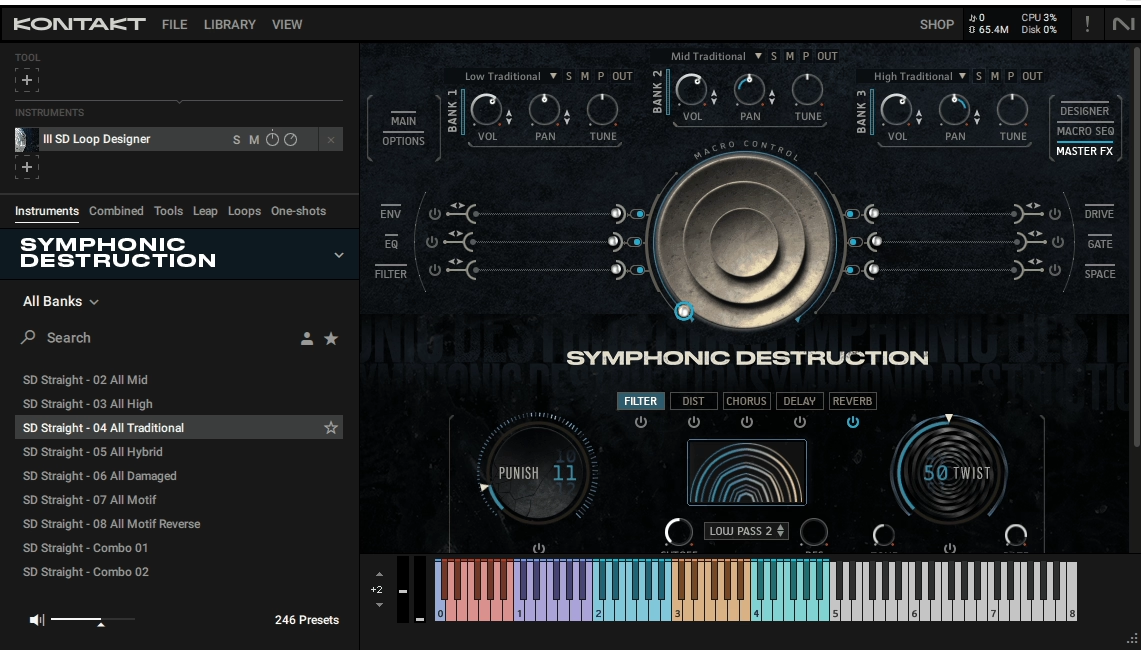
Rather than offering a straightforward orchestral palette, Symphonic Destruction bridges orchestral force and sound design energy by layering processed recordings with hybrid elements in a way that feels intentional for high-impact scoring.
It’s built as a purpose-driven cinematic instrument that blends orchestral sample material with heavy sound design, engineered to deliver impact, tension, and density with minimal setup.
I like that almost all content is designed to push energy forward or pull it taut rather than simply sit as background warmth. If you are working on trailers, games, or dramatic underscore, this can supply powerful impact layers, rhythmic hits, and evolving textures that would otherwise require extensive layering of multiple libraries and processing chains.
The engine is structured more like a modular designer instrument than a typical sampled orchestra. At its core, it works by combining multiple layers of sound sources including tonal orchestral sources (processed strings, brass), non-tonal impact material, and hybrid synthesized or designed elements.
Rather than presenting these as separate tracks, Heavyocity’s scripting blends them to emphasize timbre shaping and dynamic control over individual instrument behavior. Patches are often complex by design with internal routing, distortion, convolution, filtering, and modulation baked into presets.
The interface prioritizes macro controls mapping multiple internal parameters to one knob (Intensity/Drive, Timbre/Mix Balance, Motion Depth) rather than exposing every individual filter, envelope, or effect. It runs inside Kontakt with NKS support.
- Layered Engine Architecture with Processed Sound Sources
Each patch combines multiple layers including tonal orchestral sources, non-tonal impact material, and hybrid synthesized elements. Heavyocity’s scripting blends them to emphasize timbre shaping and dynamic control rather than individual instrument behavior.
The internal routing includes distortion, convolution, filtering, and modulation baked into presets. Instead of triggering discrete samples, you’re triggering evolving behaviors that respond to velocity and macro controls. This means patches often deliver the sense of scale without additional layering, which is useful when mixing on headphones or nearfields.
- Heavy Transients and Aggressive Processing
The orchestral content isn’t clean or neutral but captured and processed to emphasize aggression, resonance, decay, and harmonic disruption. You get distorted and ring-modulated textures that blur orchestral and synthetic elements, heavy transients that punch through mixes without excessive EQ, and reverberant tails tailored for tension and ambience.
The tonal character is unmistakably cinematic but not classical in a pure sense. The harmonic content tends to be dark and dense, focusing on weight, cluster intervals, or spectral thickness rather than clear tonal lines.
- Tempo-Synced Rhythmic Behavior with Internal Variations
The library includes tempo-synced rhythmic patches and impacts where rhythmic behavior is embedded into the layered patches themselves. You get impact layers that sync to project tempo but maintain internal variations, evolving rhythmic textures that avoid obvious repetition, and stuttered or gated motion built into sound sources.
This makes it useful for transitions, hits, rises, and stabs that feel alive rather than repetitive loops. The rhythmic content adapts to your project’s BPM automatically.
- Macro Control Interface for Fast Workflow
The interface keeps workflow fast by letting you steer behavior instead of editing structure. Typical controls include Intensity/Drive, Timbre/Mix Balance, and Motion Depth that each control multiple internal parameters simultaneously. This makes generating variety across a cue simpler, though deep tweaking requires patience and experimentation.
Many patches are intentionally dense, so dialing back elements rather than building up tends to be the common workflow. Preset browsing is straightforward and organized around impact, texture, and hybrid roles.
- Hybrid Layering Compatibility with Traditional Orchestral Libraries
Because most presets are processed for power and motion, they sit well beside traditional orchestral libraries rather than replacing them.
The library is particularly effective as layers under drums to add body and tension, for transitional cues (risers, falls, hits) in cinematic trailers, as an aural bed supporting soprano or orchestral themes, or to add dark hybrid energy under more traditional orchestral instruments. The processing makes it complement cleaner orchestral sounds instead of competing with them.
- Dense Processing for Immediate Cinematic Scale
The library’s internal processing already gives a sense of scale without requiring additional plugins or layering. Heavy transients, reverberant tails, and harmonic disruption are built into the samples.
For those wanting something that translates well across different monitoring situations, this pre-processed approach delivers usable results immediately. The patches are designed to sound big enough without extensive external processing chains.
The limitations: this library is not designed for traditional orchestral scoring or exposed melodic writing. If your project requires clean string articulation, classical brass lines, or counterpoint, Symphonic Destruction will feel too heavy and processed.
The internal processing and layering means patches can be CPU-intensive, especially with multiple instances. Some users report that dense presets can introduce momentary clicks or artifacts if buffer settings are low.
Check our detailed review of Symphonic Destruction here.
8. Native Instruments Straylight – Evolving cinematic atmospheres
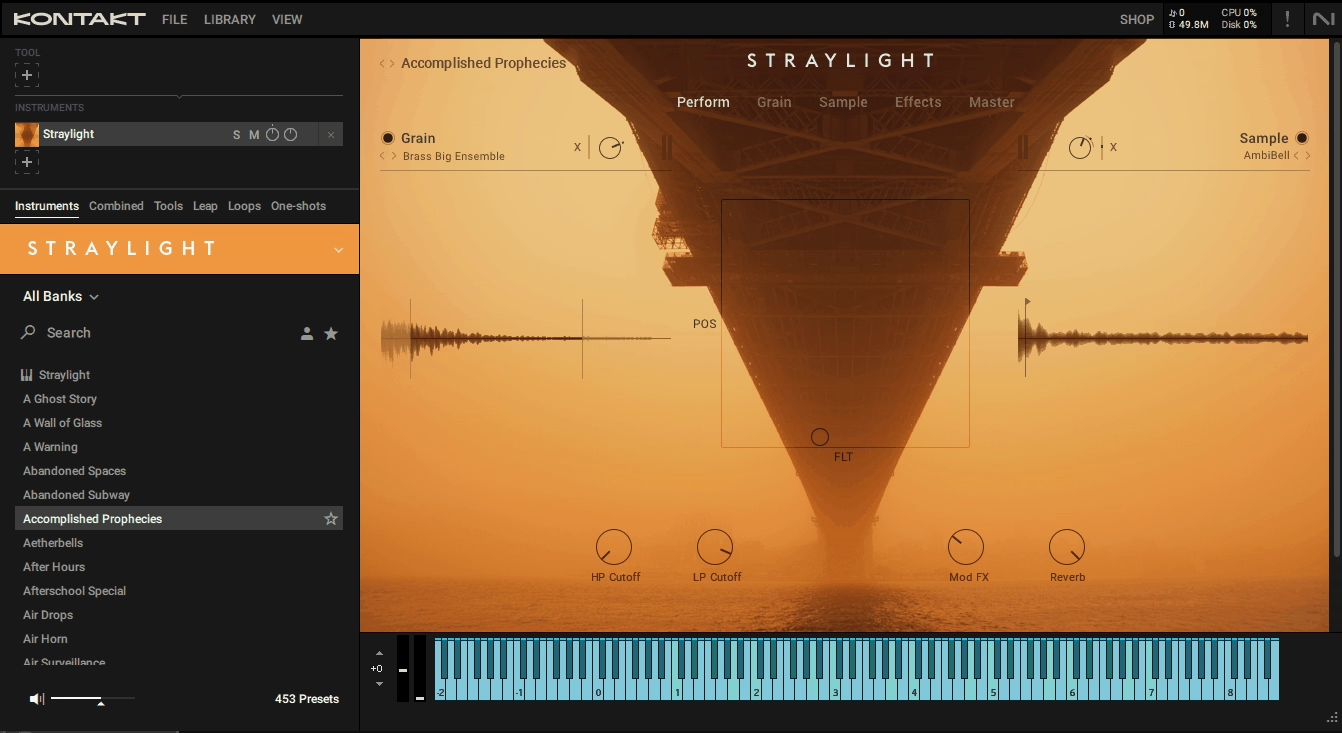
I would describe Straylight as a performance-oriented cinematic engine that focuses on movement, depth, and atmosphere, making it perfect Kontakt library for sound design. The instrument is structured more like an internal ecosystem of sound behavior than a palette of static patches, housed in Kontakt with free Kontakt Player compatibility. It doesn’t fit the mold of a traditional synthesizer or sample library because it’s built around dynamic motion and evolving textures that unfold over time rather than static sounds triggered as notes.
What separates it from standard pads or ambient synths is that every patch is designed to evolve automatically, often in ways that would take dozens of automation lanes to replicate manually.
The strength lies in its internal movement logic where you’re playing shifting sonic terrains rather than flat, repeatable tones. The motion logic deploys multi-layered evolution behaviors that continuously reshape timbre, amplitude, and spectral content as long as notes are held.
These behaviors are not always periodic, so patches rarely feel looped or mechanical even after extended durations. You interact with this motion primarily through macro controls that adjust parameters like density, shimmer, and spatial depth. Rather than tweaking envelopes and filters directly, you steer how the texture evolves as a whole.
The source content is a mix of processed acoustic samples and synthetic elements that have been intentionally captured and mangled to maximize textural richness with no dry instrument tones.
- Multi-Layered Evolution Behaviors for Continuous Motion
The engine deploys multi-layered evolution behaviors that continuously reshape timbre, amplitude, and spectral content as long as notes are held. These behaviors are not always periodic, so patches rarely feel looped or mechanical even after extended durations.
Even simple intervals or drones develop complexity quickly without manual automation. This is particularly useful when scoring underscore or creating ambient beds where motion is more important than harmonic complexity. The sound evolves internally, making texture layers that support vocals, dialogue, or orchestral writing without creating frequency clashes.
- Macro-Driven Control for Organic Steering
Instead of tweaking envelopes and filters directly, you steer how the texture evolves as a whole through macro controls.
Parameters like density, shimmer, and spatial depth adjust multiple internal behaviors simultaneously. Small adjustments can create wide emotional shifts, making Straylight suitable for live performance tweaks and fast sketching.
The controls respond musically to real-time adjustments without requiring detailed MIDI sequencing or complex automation. This keeps workflow moving when you need evolving beds or tension layers without hours of sound design.
- Processed Source Content Optimized for Cinematic Layering
The source content mixes processed acoustic samples and synthetic elements captured and mangled to maximize textural richness. Everything is already optimized for cinematic layering with no dry instrument tones.
The result is a sound library full of ambiguous, evolving timbres including moving noise clouds, shifting harmonic spectra, and smearing textures that sway between tonal and atonal. The tonal identity leans toward mid to low-mid spectrum with controlled high-end that avoids harshness, helping integration into mixes without heavy corrective EQ.
- Behavior-Based Preset Organization
The preset browser is organized around behavior rather than obvious genres. Many presets are grouped by motion type (slow evolution, rhythmic smear) which helps when chasing a specific textural direction rather than a static sound.
This organization makes finding the right evolving texture faster because you’re selecting based on how the sound moves instead of what instrument category it belongs to. The browsing system aligns with creative intent rather than technical classification.
- Implied Motion Without Traditional Sequencing
Straylight is not designed as a rhythmic instrument with sequencers, arpeggiators, or groove engines. Instead, rhythmic content arises organically through interaction between motion parameters and how the underlying samples were captured. You get texture with implied motion rather than sequenced beats or loops. This organic approach to rhythm makes the library feel alive without mechanical repetition, though it means you won’t get precise rhythmic patterns for beat-driven material.
- Reasonable CPU Efficiency for Layering
While CPU efficiency is reasonable, dense patches with multiple evolving behaviors can become resource-intensive when stacked. The performance overhead is manageable for most modern systems but requires attention when using multiple instances in large sessions.
For producers working on laptops or smaller setups, careful instance management helps maintain smooth playback. The CPU load is proportional to the complexity of internal motion rather than sample size.
The limitations: Straylight is not ideal for precise melodic work because chords can feel smeared or indistinct. There’s limited traditional editing as deep synthesis controls are abstracted under macros. If your workflow thrives on exact repeatability, the internal motion may feel unpredictable. Harmonically, patches tend to be open and ambiguous, making Straylight feel more like a texture layer than a solo instrument.
Extra: Native Instruments Kinetic Metal – Industrial metallic motion
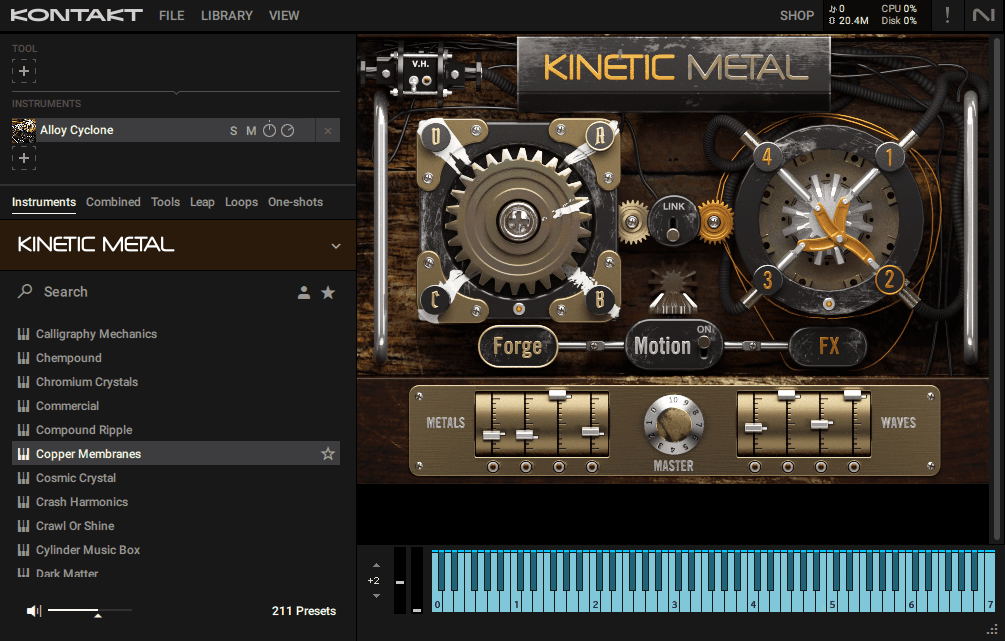
At the heart of Kinetic Metal is a layered motion system that continuously alters the output after keys are played. Unlike simple LFO-based modulation, the engine applies multi-vector motion where amplitude, spectral content, and rhythmic density all shift over time based on internal behavior logic.
It departs from conventional sample libraries by focusing on metallic acoustic sources and engineered motion rather than pitched instruments or traditional synthesis. The library is built to generate evolving textures, rhythmic motion, and industrial-leaning sound design directly within Kontakt.
The sources are predominantly metal noise, percussive hits, scrapes, and rattles recorded from physical objects including sheet metal, cookware, chains, springs, and tools. These raw elements are not presented as random sound effects but as building blocks for a motion engine that reinterprets them as musical texture and rhythmic impulse.
This results in textures that evolve even with static MIDI, creating movement without external automation. The motion system is not grid-locked but feels organic and somewhat unpredictable. Kinetic Metal patches often combine several sound layers that interact dynamically, responding to one another through shared motion controls.
When using the instrument, you’re adjusting blend, motion depth, and intensity controls rather than fine-tuning each layer separately. It runs in Kontakt Player and is designed to be played like an instrument where pressing keys activates evolving layers rather than triggering static samples.
- Physically Recorded Metal Objects as Source Material
The raw material comes from sheet metal, cookware, chains, springs, and tools captured with multiple microphones and processed to behave musically without becoming harsh or indistinct in a mix. Instead of tuned notes, many patches use pitched noise or harmonic content derived from resonances in the recorded objects.
This allows the engine to produce evolving harmonic layers that are not strictly noise and not traditionally melodic either. For producers working on cinematic or hybrid scoring, these elements sit under other instruments without competing for tonal space. The emphasis on metallic timbres gives the content a mechanical, industrial edge.
- Multi-Vector Motion System for Continuous Evolution
The engine applies multi-vector motion where amplitude, spectral content, and rhythmic density all shift over time based on internal behavior logic.
You can hold a chord and the sound will change internally, creating movement without external automation. This is practical when you want depth without building complex automation lanes.
The motion system feels organic and somewhat unpredictable rather than grid-locked, making it effective at creating amorphous rhythmic tension where sounds feel alive or mechanically shifting without strict alignment to tempo grids.
- Dynamic Layer Interaction Through Shared Controls
Patches combine several sound layers that respond to one another through shared motion controls. Subtle changes in one layer can affect the perception of others, creating organic complexity without manual layering.
Even a single instance can generate depth and density that would normally take several tracks to achieve. You adjust blend, motion depth, and intensity controls rather than fine-tuning each layer separately, which suits producers wanting macro-level behavior without micro-editing.
- Midrange Weight with Controlled High Frequencies
The tonal range leans toward midrange weight with controlled highs. Metallic sounds can easily become harsh on small speakers or headphones, but the Kontakt scripting applies filtering and dynamic shaping to keep elements usable in a mix without heavy corrective EQ.
This makes placing the library’s output under dialogue or orchestral elements easier without frequency masking. Because many sources are noise-based rather than tuned, pitch control is more about texture than harmonic content.
- Organic Rhythmic Emergence Without Fixed Patterns
Rhythmic elements emerge from the motion system and internal playback logic rather than fixed patterns. This makes it especially effective at creating amorphous rhythmic tension where sounds feel mechanically shifting without strict tempo alignment.
For underscore, ambient soundscapes, and cinematic beds, this organic motion is often more useful than rigid patterns. The evolving patterns develop naturally as textures unfold rather than following pre-programmed sequences.
- Macro-Focused Interface for Fast Integration
The interface prioritizes macro controls for motion and intensity, helping you stay focused on musical decisions rather than technical settings. CPU usage is moderate, though dense patches with multiple motion vectors can add up in large sessions.
The library integrates well with other Kontakt instruments, especially those focused on pads or tension textures, adding an industrial or mechanical layer that enriches hybrid scores. Freezing or bouncing is often necessary when layering multiple instances.
The limitations: this is not a melodic library and does not replace pitched instruments or traditional synth bass/lead tools. Its motion focus means precise rhythmic or harmonic control can be challenging without exporting to MIDI and editing externally. Because the tonal character is metallic and textural, applying it in genres outside cinematic, ambient, or hybrid contexts may be difficult. The organic motion can feel unpredictable when you need repeatable rhythms or patterns.
To me, this instrument likely the most relevant pick for the sound design Kontakt libraries roundup.

Hello, I’m Viliam, I started this audio plugin focused blog to keep you updated on the latest trends, news and everything plugin related. I’ll put the most emphasis on the topics covering best VST, AU and AAX plugins. If you find some great plugin suggestions for us to include on our site, feel free to let me know, so I can take a look!