

Getting your voice to sound professional in a podcast or voice over doesn’t require a $5,000 microphone or a treated studio that costs more than your car. What it requires is the right chain of plugins that clean up problems, control dynamics, add polish, and deliver a consistent, broadcast ready result every time you hit record.
The challenge with voice work is that every imperfection is audible. In a dense music mix, a bit of room reverb or an inconsistent level might get buried under guitars and drums. In a podcast or narration, there’s nowhere to hide.
Your listener is hearing every breath, every room reflection, every sibilant spike, and every volume inconsistency at close range through headphones. That’s why the tools you choose matter more for spoken word than for almost any other audio application.
What you’ll find here are nine plugins that cover the complete voice over and podcasting signal chain from initial cleanup through final limiting. Some are specialized tools that do one thing brilliantly. Others are versatile workhorses that earn their place through sheer flexibility. Together, they’ll take a raw voice recording and turn it into something that sounds like it came out of a professional broadcast facility.
1. Acon Digital Extract:Dialogue 2 (Dialogue Cleanup)
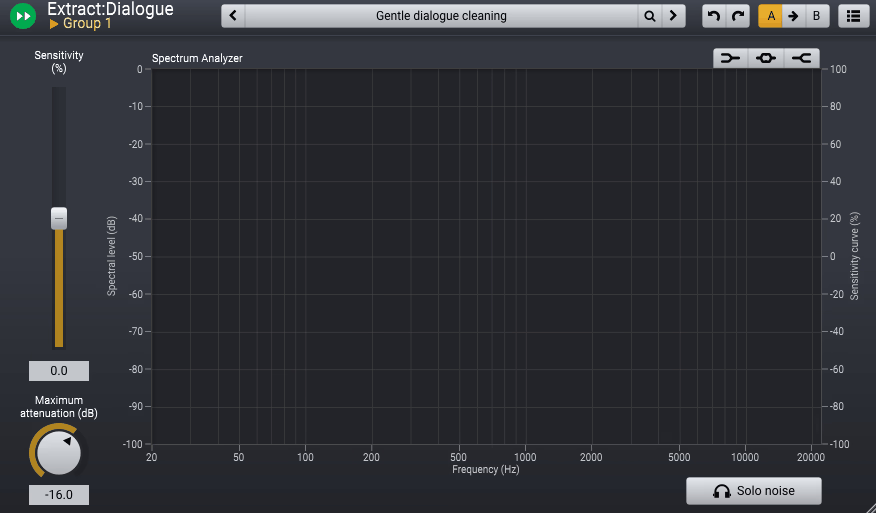
If you record in anything less than a perfectly treated room, and let’s be honest, most podcasters and voice over artists do, then Extract:Dialogue 2 should be the very first plugin in your chain.
It uses next generation AI models to separate your voice recording into three distinct components: the voice itself, room reverb, and background noise. Each component gets its own fader, solo button, and mute, so you have complete control over exactly how much cleanup to apply.
What makes Dialogue 2 different from other noise reduction tools is that it doesn’t just reduce noise. It actually understands the difference between your voice, the reverb in your room, and the noise from your air conditioner or street traffic.
I’ve used plenty of noise reduction plugins that either leave artifacts when pushed hard or dull the voice trying to remove the background. Extract:Dialogue 2 handles both problems with a transparency that genuinely surprised me the first time I loaded it up.
- Three Channel Separation
The AI engine splits your audio into Voice, Reverb, and Noise channels, each with independent volume faders, mute, and solo buttons. This means you can reduce room reverb without touching the noise floor, or remove background hum without affecting the natural room ambience. The mixer style interface makes balancing these elements as intuitive as riding faders on a console.
- Per Channel EQ
Each of the three separated channels has its own dedicated EQ section, which is a genuine game changer. You can cut low frequency rumble from the noise channel without affecting the warmth of the voice, or soften harsh reflections in the reverb channel without dulling the overall tone. This level of independent tonal control within each separated component is something I haven’t seen in any competing product.
- Frequency Sensitive Detection
The sensitivity controls feature frequency dependent curves that let you focus the processing on specific parts of the spectrum. If your main noise problem is a high frequency hiss, you can increase sensitivity in that range while leaving the midrange untouched. This prevents the over processing that makes voices sound artificial and hollow.
- Multi Output Routing
In Pro Tools and other compatible DAWs, Extract:Dialogue 2 can route the Voice, Reverb, and Noise stems to separate tracks for independent processing with your own plugin chains. This gives you the option to treat each component with specialized tools rather than relying solely on the plugin’s internal controls.
Available in VST, VST3, AU, and AAX formats. Priced at $99.
Get the Free Plugin Starter Kit
The genuinely useful free DAWs and plugins worth installing. No filler. Straight to your inbox.
2. FabFilter Pro-Q 4 (Pro EQ)
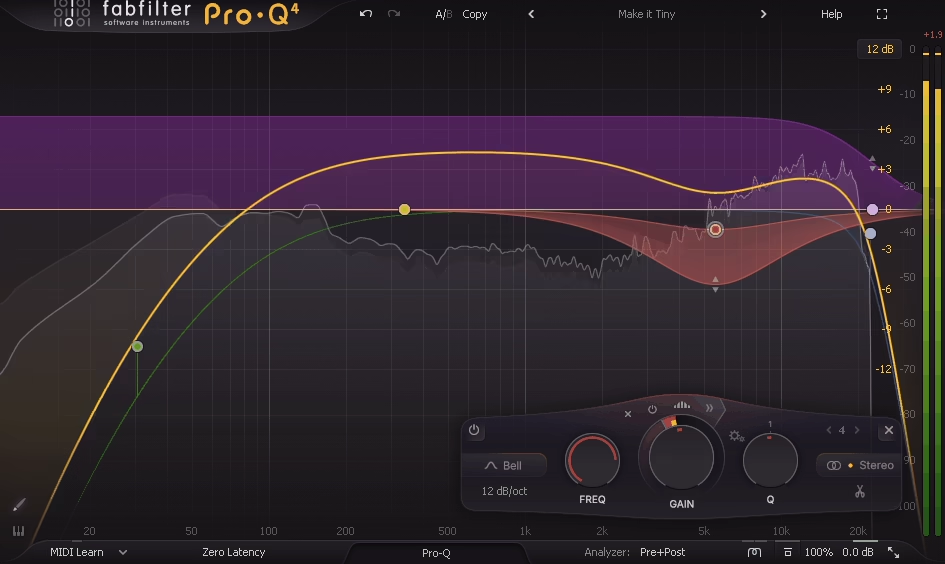
You might wonder why a podcaster needs a professional parametric EQ when there are simpler options available. The answer is that your voice is the only instrument in the mix, which means every frequency problem is front and center with nothing to mask it. Pro-Q 4 gives you the surgical precision to fix problems that simpler EQs can’t address, and the visual feedback to see exactly what’s happening in your signal at all times.
FabFilter Pro Q 4 lets me see and fix things that I can hear but can’t always pinpoint by ear alone. A resonance at 320 Hz that makes the voice sound boxy. A buildup at 2.5 kHz that causes fatigue over long listening sessions. A dip in the presence range that makes the voice sound distant. Pro Q 4’s analyzer shows me exactly where these problems live, and the interactive display lets me fix them with a click and a drag.
- Dynamic EQ Bands
Every band in Pro Q 4 can switch to dynamic mode, where the EQ only engages when the signal crosses a threshold. For voice work, this is invaluable. You can set a dynamic cut at a problematic resonance that only activates when you hit that frequency hard on certain words, rather than permanently carving out that range and losing body on every syllable. I use dynamic bands on almost every voice session now.
- Spectrum Analyzer
The real time spectrum analyzer shows you exactly what frequencies your voice is producing at any moment. For podcasters who are still developing their ear for EQ, this visual feedback is an incredible learning tool. You can literally see the problem frequencies spike on the display and create a band right where you see the issue.
- Mid/Side Processing
Each band can be set to process mid only, side only, left, or right independently. For stereo podcast recordings or voice over work where the room tone differs between channels, this lets you fix spatial problems without affecting the center image of the voice.
- Brickwall Filters
Filter slopes extend to brickwall for absolute frequency cutoffs, which is essential for voice work where you want to completely remove everything below 60 Hz or above 16 kHz without any bleed through. The high pass filter at a steep slope removes rumble, handling noise, and mechanical vibration cleanly.
- Linear Phase Mode
A linear phase option eliminates the phase shift that standard EQ introduces, which matters when you’re making precise cuts and boosts on a solo voice where even subtle phase artifacts can be audible. For final mastering of podcasts and audiobooks, linear phase mode ensures the EQ changes the frequency balance without introducing any unwanted coloration.
- Instance List
The Instance List lets you see and control every Pro Q 4 instance across your entire session from a single window. For podcast editors working with multi track recordings, dialogue from different guests, and music beds, this overview is a massive workflow improvement.
Available in VST, VST3, AU, AAX, and CLAP formats.
3. Waves Clarity Vx Pro (Noise Reduction)
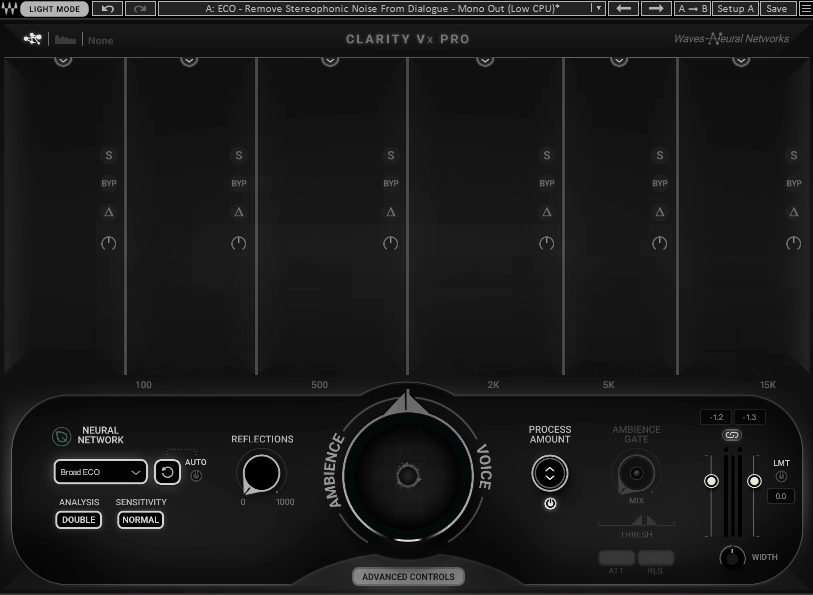
Background noise is the single most common problem in podcast and voice over recordings, and Clarity Vx Pro tackles it with a focused, efficient approach that’s hard to beat. It uses neural network processing to separate voice from noise in real time, and it does so with remarkably few artifacts even when you push the reduction fairly hard. Where some noise reduction plugins require careful parameter tuning to avoid making your voice sound like it’s underwater, Clarity Vx Pro gets excellent results from its default settings.
I’ve compared Vx Pro against several competing noise reduction tools, and what keeps me coming back is the balance between effectiveness and simplicity. There’s essentially one main control for how much noise to remove, and it works. For podcasters who don’t want to become audio engineers just to get a clean recording, that simplicity is a huge selling point.
- Neural Network Separation
The core engine uses trained neural networks to distinguish between human voice and environmental noise, operating on the actual content of the signal rather than a simple frequency threshold. This means it can remove noise that occupies the same frequency range as your voice without dulling the voice itself, something traditional noise gates and static noise reduction tools struggle with badly.
- Real Time Processing
Clarity Vx Pro runs in real time with minimal latency, making it usable during live recording, streaming, and monitoring sessions. You don’t need to record first and clean up later. The processing can be active on your input chain so you hear the cleaned signal while you’re performing.
- Broadband and Steady Noise Handling
The plugin handles both broadband noise (hiss, fan noise, air conditioning) and more complex ambient sounds (traffic, outdoor environments, room chatter) effectively. A secondary control adjusts the aggressiveness of the separation for situations where the noise is particularly challenging or where you want to preserve some natural ambience.
Available from Waves in VST, VST3, AU, and AAX formats.
4. United Plugins Voxessor (Vocal Dynamics & Tone)
Most podcasters end up loading four or five separate plugins to process their voice: an EQ, a compressor, a gate, a de esser, and maybe a leveler. Voxessor replaces that entire chain with a single, intelligently designed interface that’s specifically built for spoken word. It’s not trying to be a general purpose channel strip. Every control is tuned and optimized for the human voice, and the results reflect that focused design philosophy.
What I appreciate most about United Plugins Voxessor is how fast it is to get good results. I can go from a raw recording to a polished, broadcast ready voice in about 15 seconds, and that’s not an exaggeration. For podcasters who produce daily or weekly content and don’t have time to tweak individual plugin parameters for every episode, this kind of speed without sacrificing quality is genuinely transformative.
- Intelligent Matching
The Match Ideal function analyzes your voice for about five seconds, identifies problematic resonances, and generates an EQ curve that smooths them out automatically. Resonances in the human voice sit at fixed frequencies and can cause intelligibility problems or make certain voices sound unpleasant on close miked recordings. This feature eliminates the need to manually hunt for those frequencies with a parametric EQ.
- Gender Sweep EQ
The Mode control sweeps through a range of voice specific EQ profiles from deeper male voices to higher female voices, adjusting which frequencies get emphasized and shaped. Instead of setting up individual EQ bands for different voice types, you sweep a single control until the voice sounds balanced and present. The Intensity knob controls how aggressively the EQ curve is applied.
- Auto Leveling
The automatic volume correction smooths out level inconsistencies caused by the speaker moving closer to or further from the microphone, or varying their delivery energy throughout a recording. For long form content like audiobooks and documentary narration, this feature alone saves enormous amounts of time compared to manually riding levels or setting up complex automation.
- One Knob Dynamics
The compressor and gate are each reduced to single knob controls that are internally tuned for voice frequencies. The compressor tightens dynamics without the pumping artifacts that general purpose compressors often introduce on speech. The gate cleanly removes background noise between phrases without cutting off the beginnings or endings of words.
Available in VST, VST3, AU, and AAX formats. No iLok required.
5. Waves Clarity Vx DeReverb Pro (Reverb Reduction)
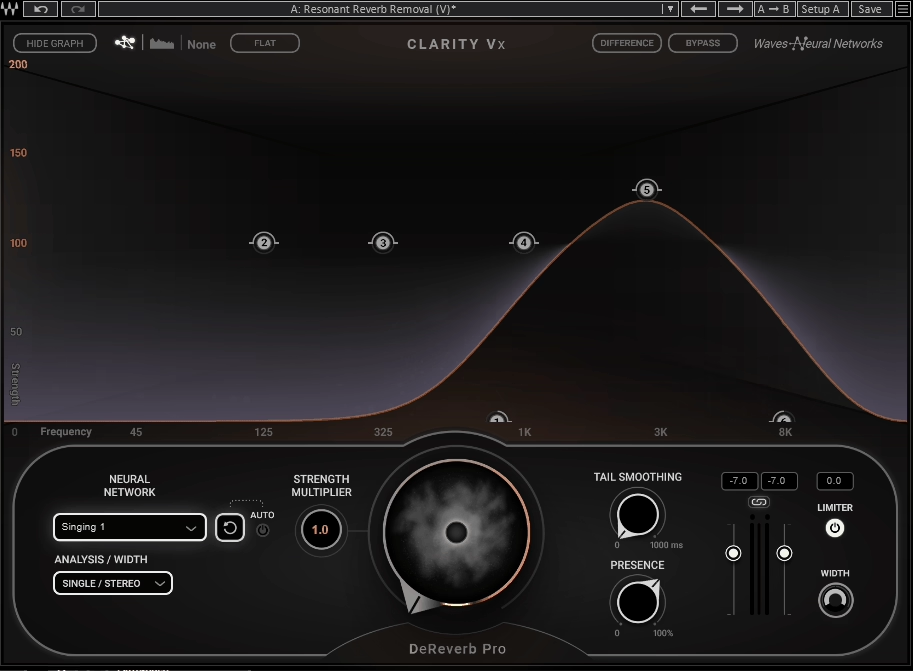
Room reverb is the other major enemy of clean voice recordings, and it’s arguably harder to fix than noise because reverb is acoustically intertwined with the voice itself. Vx DeReverb Pro uses the same neural network approach as its noise reduction sibling but applies it specifically to separating direct voice from room reflections. If you’re recording in a bedroom, home office, or any untreated space, this plugin can make your recordings sound like they were captured in a proper vocal booth.
I’ve tried fixing reverb problems with traditional methods like gating, dynamic EQ, and standard de reverb plugins, and the results are usually a compromise. You either leave some reverb or you damage the voice trying to remove it all. Waves Clarity Vx DeReverb Pro handles this better than anything else I’ve used because the neural network genuinely understands the difference between the direct voice and the reflected energy, even when they occupy the same frequency range.
- Neural De Reverb
The AI engine separates direct voice from room reflections using neural network analysis rather than traditional spectral subtraction. This produces cleaner, more natural results because the processing is content aware rather than frequency based. The voice retains its full body and presence even with significant reverb reduction applied.
- Tail and Early Reflections
Separate controls for early reflections and reverb tail let you address different aspects of the room sound independently. Early reflections cause the “boxy” quality of small rooms. The reverb tail creates the washy, distant quality of larger spaces. Being able to treat them separately gives you much finer control over how much “room” you want to keep or remove.
- Real Time Neural Processing
Like Clarity Vx Pro, the de reverb processing runs in real time with low latency, making it suitable for live streaming, recording monitoring, and post production workflows. The processing can be active during recording so you hear the de reverbed signal in your headphones while performing.
Available from Waves in VST, VST3, AU, and AAX formats.
6. iZotope Velvet (De Esser)
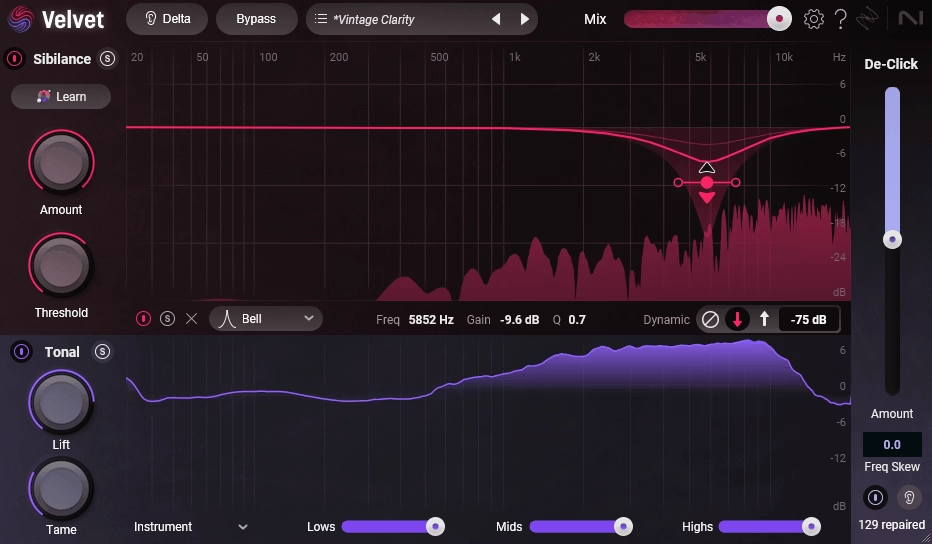
Sibilance is one of those problems that sounds minor until you try to listen to an hour long podcast where every “s” and “sh” sound stabs you in the ear. Traditional de essers solve this by compressing the high frequency range whenever sibilance is detected, but the problem is they often compress the natural brightness and air of the voice along with the harsh sounds.
iZotope Velvet takes a smarter approach by splitting your audio into separate sibilance and tonal channels and processing each independently.
I’ve never been a fan of most de essers because they always seem to choose between two bad options: either they leave enough sibilance to still be distracting, or they remove so much that the voice sounds dull and lispy. iZotope Velvet is the first de esser I’ve used that actually eliminates harsh sibilance while keeping the voice sounding naturally bright and present. The dual channel approach genuinely works, and it’s changed how I handle sibilance on every project.
- Sibilance Channel
The upper processing lane provides a 6 band dynamic EQ dedicated entirely to the sibilant portions of the signal. The Learn button automatically identifies the specific sibilant frequencies in your voice and sets up intelligent EQ nodes, removing the guesswork that makes manual de essing tedious. Each band can operate as either dynamic or static, with full control over frequency, gain, Q, and filter type.
- Tonal Channel
The lower processing lane handles the non sibilant portions of the vocal with Lift and Tame controls that shape the tonal balance toward one of 8 target profiles. This lets you add presence, warmth, or air to the voice independently of what’s happening with the sibilance processing. The separation means boosting brightness in the tonal channel won’t bring the sibilance back.
- De Click
A dedicated De Click fader transparently removes mouth sounds, lip smacks, pops, and clicks that are particularly distracting in close miked voice over work. This uses iZotope’s RX technology in a simplified single control format. For podcasters who record close to the mic, this feature alone saves significant editing time that would otherwise be spent manually removing clicks.
- Channel Soloing
Independent solo buttons for the sibilance and tonal channels let you hear exactly what each channel is doing, making it easy to verify that the processing is only affecting the sounds you want to change. A Delta button lets you hear only the difference between the processed and original signal, which is the fastest way to confirm the de esser isn’t removing anything it shouldn’t.
- 50 Pro Presets
The included 50 professionally designed presets cover a range of voice types and use cases, and each preset can be further customized using the Learn function to adapt to your specific voice. Part of iZotope’s Catalyst Series, Velvet is lightweight and affordable at $49.
Available in VST3, AU, and AAX formats.
7. Waves Vocal Rider (Volume Consistency)
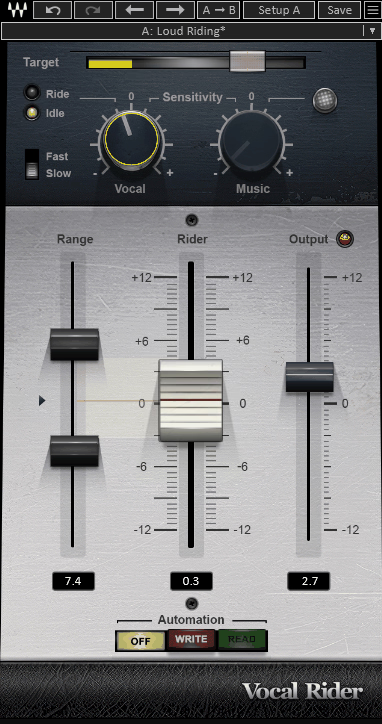
Level consistency is one of the biggest differences between amateur and professional sounding voice recordings, and Vocal Rider handles it more naturally than any compressor can. Instead of applying gain reduction to loud passages, Vocal Rider continuously adjusts the fader level to keep your voice at a consistent volume, mimicking what a skilled audio engineer would do with their hand on a physical fader during a mix.
The distinction between what Waves Vocal Rider does and what a compressor does matters enormously for spoken word. A compressor changes the dynamic range of the signal, which can alter the natural feel of speech delivery. Vocal Rider simply turns you up when you’re too quiet and turns you down when you’re too loud, preserving the natural dynamics of your performance while eliminating the distracting volume jumps that make podcasts sound unprofessional.
- Automatic Gain Riding
The plugin continuously analyzes your voice level and writes real time fader automation to maintain a consistent target volume. You set the range and target, and Vocal Rider handles the rest. The adjustments happen smoothly and naturally, without the pumping or breathing artifacts that aggressive compression introduces.
- Sidechain Input
A sidechain input lets Vocal Rider respond to the level of a background music bed, automatically bringing the voice up when the music is louder and reducing the ride when things are quieter. For podcasters who use music beds under their narration, this feature handles the voice to music balance dynamically without manual automation.
- Writable Automation
Vocal Rider can write its gain adjustments as automation data to your DAW’s fader, giving you a visual record of every level change and the ability to manually adjust any point after the fact. This is incredibly useful for quality control because you can see exactly where the plugin made adjustments and override any moves that don’t sound right.
Available from Waves in VST, VST3, AU, and AAX formats.
8. FabFilter Pro-C 3 (Compression)
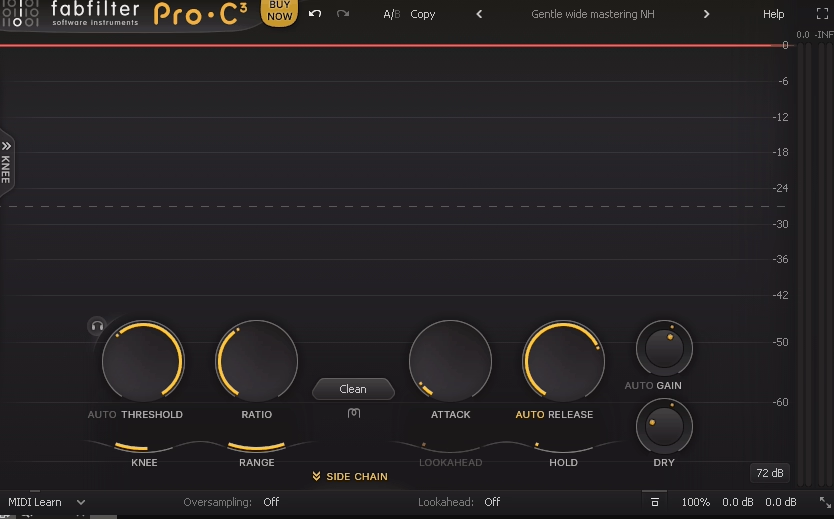
After Vocal Rider handles the broad level consistency, FabFilter Pro C 3 adds the polished dynamic control that gives a voice that professional, “glued together” quality you hear on broadcast radio and high end podcasts. With 14 compression algorithms covering everything from transparent limiting to warm optical character to aggressive pumping, Pro C 3 gives you more flavors of compression in a single plugin than most engineers have in their entire collection.
What I find particularly valuable about FabFilter Pro C 3 for voice work is how quickly you can audition different compression characters. Voice over narration might benefit from the smooth, transparent algorithm. A high energy podcast intro might want something punchier. Interview dialogue might need gentle optical style compression that you can barely hear working. Pro C 3 lets you switch between all of these approaches in seconds without loading a different plugin.
- 14 Algorithms
The 14 distinct compression styles include Versatile, Smooth, Punchy, Classic, Op El (warm optical), Vari Mu (rich tube character), and more. Each responds differently to voice material, and switching between them changes the sonic character of the compression without adjusting any other parameters. For voice work specifically, I find the Smooth and Op El algorithms produce the most natural results.
- Character Panel
The new Character section adds harmonic saturation with Tube, Diode, and Bright flavors, each routable pre or post compression. A touch of tube saturation after gentle compression adds warmth and presence to a voice in a way that sounds expensive and polished. This eliminates the need for a separate saturation plugin in your chain.
- Sidechain EQ
A 6 band sidechain EQ controls exactly which frequencies trigger the compression. For voice, I typically add a high pass filter to the sidechain so plosives and low frequency handling noise don’t cause the compressor to react unnecessarily. You can also de emphasize sibilant frequencies in the sidechain to prevent the compressor from clamping down on bright consonants.
- Knee and Range
Adjustable knee controls how gradually the compression engages, and a range limiter sets the maximum amount of gain reduction. For voice over, a soft knee with a limited range of 3 to 6 dB produces gentle, transparent compression that tightens the delivery without making it sound obviously processed.
Available in VST, VST3, AU, AAX, and CLAP formats.
9. Slate Digital FG X 2 (Final Limiter & Loudness)

The last plugin in your voice over chain needs to do two things: make your audio loud enough to compete with other podcasts and voice over content, and do so without introducing distortion or squashing the natural dynamics of your delivery. Slate Digital FG X 2 handles both tasks with a transparency that’s earned it a permanent spot at the end of my master chain.
What separates Slate Digital FG X 2 from generic limiters is the ITP (Intelligent Transient Preservation) technology. Most limiters reduce the level of everything that exceeds the ceiling, which includes the natural transients in speech, the consonant attacks and emphasis that give spoken word its clarity and energy.
FG X 2 preserves those transients while still controlling the overall loudness, which means your voice sounds loud and present without sounding flat and lifeless.
- ITP Technology
The Intelligent Transient Preservation algorithm identifies and protects the natural transients in your audio while limiting the sustained energy. For speech, this means consonant attacks, plosive energy, and vocal emphasis are preserved while the overall loudness is increased. The result is voice that sounds louder and more present without the dull, squashed quality that heavy limiting typically produces.
- Dynamic Perception
The Dynamic Perception control adjusts the perceived loudness independently of the actual peak limiting, letting you make the audio sound subjectively louder without pushing the limiter harder. For voice over, this is useful for achieving competitive loudness on streaming platforms while maintaining the natural dynamic feel of speech.
- Lo Punch Control
The Lo Punch parameter adjusts how the limiter handles low frequency content, which is particularly relevant for voice recordings where proximity effect or room resonance can cause excess bass energy. Adjusting this control lets you tighten the low end during limiting without needing a separate EQ stage.
- True Peak Metering
Built in true peak detection ensures your output never exceeds the set ceiling even after digital to analog conversion. For podcasts distributed through platforms like Spotify and Apple Podcasts, true peak compliance is essential to prevent distortion during format conversion and playback. The metering display shows both peak and RMS levels for quick visual confirmation that your levels are where they need to be.
- Constant Gain Monitoring
A constant gain monitoring function removes the loudness increase from the output so you can hear whether the limiter is actually improving the sound or just making it louder.
Our ears naturally prefer louder signals, and this feature prevents you from being fooled into thinking more limiting sounds better when it’s really just more volume. For voice work, honest limiting decisions are critical because over limited speech sounds noticeably worse than properly dynamic speech.
Available from Slate Digital in VST, VST3, AU, and AAX formats.
Get the Free Plugin Starter Kit
The genuinely useful free DAWs and plugins worth installing. No filler. Straight to your inbox.

Hello, I’m Viliam, I started this audio plugin focused blog to keep you updated on the latest trends, news and everything plugin related. I’ll put the most emphasis on the topics covering best VST, AU and AAX plugins. If you find some great plugin suggestions for us to include on our site, feel free to let me know, so I can take a look!