Finding the right key shouldn’t get in the way of your creativity. If you’re layering samples, tuning vocals, or starting a remix, knowing the key and scale helps everything fit together and sound good.
That’s why key detection plugins are now a must in my workflow. Each plugin works a bit differently, but they all aim to help you stay in tune, work faster, and spend more time making music instead of searching for notes.
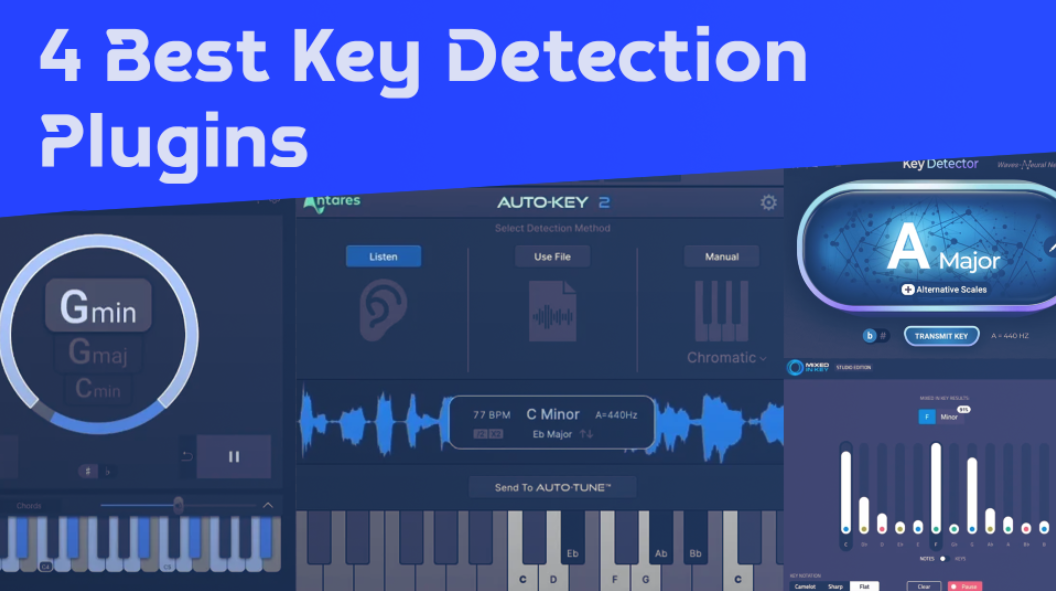
I’ve tried out these key finder VST tools to see if they can find the right key and scale on the first try, so you don’t have to guess. Here’s a simple table that shows the features of each one:
| Plugin Name | Best For | Engine Type | Key Strength | My Verdict | Pros | Cons |
|---|---|---|---|---|---|---|
| 1. Antares Auto-Key 2 | Fast-paced vocal and sample-based sessions | Real-time spectral analysis with tempo inference | Simultaneous key, scale, and BPM detection with zero-latency monitoring | Ideal for producers already relying on Auto-Tune for pitch correction | One-click Auto-Tune data transfer, supports multiple audio formats, reliable tempo reads | Best results depend on relatively clean harmonic material |
| 2. zplane TONIC | Creative composition and harmonic exploration | Adaptive pitch-class profiling with tuning offset detection | Interactive keyboard and chord auditioning in detected scales | Strong choice for musicians who want theory assistance during writing | Displays multiple key candidates, detects non-A440 tuning, encourages musical experimentation | Does not transmit key data directly to external pitch-correction plugins |
| 3. Waves Key Detector | Analyzing full mixes, stems, and complex material | Neural-network-driven harmonic analysis | Accurate root and scale detection even with dense arrangements | Well-suited for Waves-centric vocal and harmony workflows | Fast analysis, handles off-key or layered audio, direct sync with Waves Tune and Harmony | Less visual feedback compared to interactive key tools |
| 4. Mixed In Key Studio Edition | In-DAW key monitoring and harmonic awareness | Proprietary Mixed In Key detection algorithm | Real-time key tracking with active note and modulation display | Reliable option for producers who want constant harmonic feedback while arranging | Highly accurate detection, shows key changes, works directly on DAW tracks | No direct integration with pitch-correction plugins for automatic syncing |
1. Antares Auto-Key 2
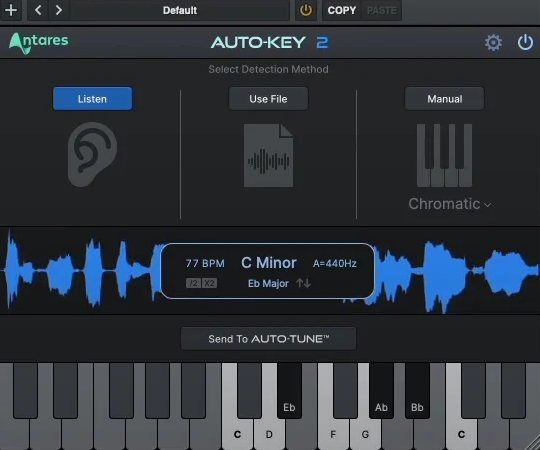
It can be tough to figure out the key and scale of a song by ear, especially if you’re working with music you don’t know well or trying to add a synth part to a track you didn’t make.
Auto-Key 2 analyzes your audio and finds the key and scale in real time. Just load a track, click analyze, and within seconds you’ll know if you’re working in C major, A minor, or any other key and scale.
The detection algorithm works well with complex tracks that have many instruments, vocals, and dense arrangements. This is impressive because simpler tools often get confused by layered productions.
The plugin recognizes major, minor, and modal scales, so you get more detailed information than just the root note. I like that its accuracy stays strong even with heavily produced music that uses effects, compression, and processing, which can confuse basic pitch detection.
- Automatic Plugin Communication
The plugin sends key and scale information straight to other Antares plugins like Auto-Tune Pro, Harmony Engine, and AVOX tools. This integration makes Auto-Key 2 more than just a standalone analyzer. Once Auto-Key finds the key, your connected plugins set themselves to the right scale automatically, so you don’t have to adjust settings by hand.
This automatic routing saves time and helps prevent mistakes, since you don’t have to copy key information between plugins or risk setting the wrong scale, which can make pitch correction sound off. This integration really speeds up your workflow when you’re working on vocal production that needs pitch correction, harmonies, or other scale-based effects.
- BPM Detection
Auto-Key 2 also includes tempo detection, so it can find the BPM of your audio. I like that it gives you both rhythmic and harmonic information. Knowing the tempo is important when you’re programming drums, adding synth parts, or setting delay times to match the track’s groove.
The BPM detection works with both steady and variable-tempo material and handles most modern production styles without getting confused. The tempo information displays clearly in the interface, and you can use it to set your DAW’s project tempo or sync time-based effects. I realized that having key and tempo information in one plugin is more convenient than running separate analysis tools for harmonic and rhythmic content.
- Reference Track Analysis
Auto-Key 2 lets you analyze reference tracks to see their harmonic structure. This is helpful when you want to match the vibe or sound of tracks you like. You can load commercial songs, check their key and scale choices, and use similar ideas in your own music.
You can also buy Auto key 2 here and support this website.
2. zplane TONIC
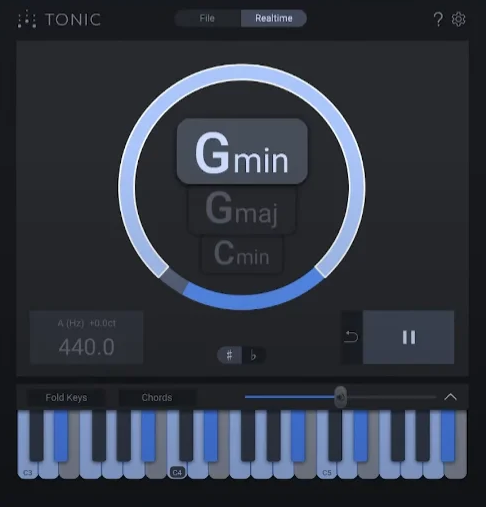
zplane TONIC is a key detector plugin that quickly analyzes audio files to find their key, scale, and other musical details. Its speed and accuracy make it useful for DJ sets, music libraries, and production work.
If you play the wrong key while DJing or try to match tracks without checking their keys, your mix can fall apart quickly. Manually testing the keys of a whole music library could take days or even weeks, depending on its size.
When you’re getting ready for a DJ set or sorting your samples, it’s important to know the key of each track. This helps you make mixes or layer samples that sound good together. TONIC can process whole folders of audio files at once and export the key info as tags or text files that work with DJ software, music managers, and DAWs.
- Batch Processing for Large Libraries
This key detector VST can analyze whole music folders at once, which sets it apart from plugins that only process one track at a time. You can drag in hundreds or thousands of audio files, start the analysis, and let it run while you do other things or even leave it overnight.
- Multiple Key Notation Formats
The app shows keys in several notation systems, like Camelot, Open Key, traditional notation, and custom formats. This flexibility fits different workflows and preferences. DJs often use Camelot notation for harmonic mixing because its numbered wheel makes key relationships easy to see.
Producers may prefer traditional notation like C major or A minor, since that matches how they think about music theory and composition. TONIC supports both styles and lets you switch between notations instantly, so you’re not stuck with just one. It’s best to use the format that matches your DJ software or production tools, so the key info transfers directly.
The app can export key data in all these formats, so you’re set no matter which system your other tools use.
- Accurate Detection Algorithm
TONIC key finder VST uses advanced pitch detection algorithms to analyze the harmonic content of tracks and find the key accurately. From my experience, the results are reliable even with complex or dense productions. The algorithm works well with electronic music, rock, hip-hop, and classical tracks, and isn’t thrown off by different production styles.
I’ve found that TONIC’s accuracy works well across many musical styles, better than some other key detection tools that only do well with certain genres. It looks at both melodic and harmonic content, not just the strongest frequencies, so the key identification is more musically useful.
- Metadata Tagging and Export
The app writes key information directly into audio file metadata tags, which makes TONIC practical for real-world use. The key data goes into ID3 tags for MP3s or similar metadata for other formats, so DJ software like Rekordbox, Traktor, and Serato can read it automatically.
3. Waves Key Detector
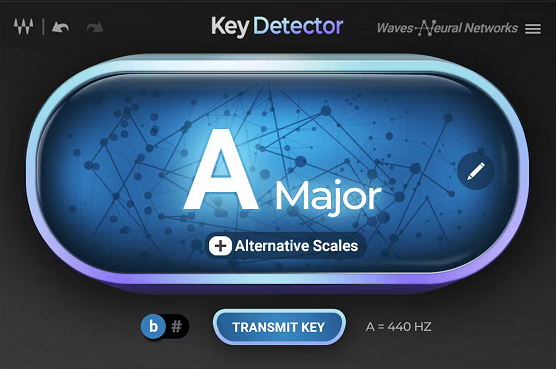
Key detection should be simple when you just want to find out the key of a track so you can add a synth part or write a melody that fits. Waves Key Detector is an easy-to-use VST plugin that analyzes your audio and shows the key in standard notation. I think its straightforward design is perfect when you’re working on a session and don’t want to deal with complex settings or extra steps.
Waves Key Detector displays the key in real time as your track plays. This instant feedback makes it practical for music production. You just add the plugin to a track, press play, and within seconds, the key appears in standard notation like C major or A minor.
With real-time analysis, you can move through different parts of a track and see if the key changes. This is helpful for songs that modulate or have different harmonies. I like that it works right in your DAW, so you don’t have to export audio or use other apps. The detection stays quick even with complex songs, and the simple design means you don’t waste time on setup or learning a new interface.
- Plugin Format Integration
The plugin works as a standard VST, AU, or AAX insert and fits easily into your usual workflow. You use it like any other plugin, just add it to the track you want to analyze and get instant results.
The plugin’s format lets you use Waves Key Detector on individual stems, full mixes, or reference tracks you’ve imported into your session. Having key detection available as a regular plugin insert is way more convenient than bouncing audio files to standalone applications every time you need key information. The integration is seamless enough that it feels like a native DAW feature rather than a third-party tool.
- Works with Any Audio Source
This key detection plugin also analyzes any audio you feed it, including vocals, instruments, loops, or full mixes, and from what I can tell, the detection algorithm handles different source types without needing adjustment.
You can analyze a vocal stem to find its key, check a drum loop for melodic content, or figure out the tonality of a complex instrumental arrangement.
The flexibility means you’re not limited to analyzing complete tracks or specific instrument types. I feel like this broad compatibility makes Waves Key Detector useful for various production scenarios, from remixing to sound design. The algorithm adapts to different source materials rather than being calibrated for one specific type of audio.
4. MIXED IN KEY “Studio Edition”
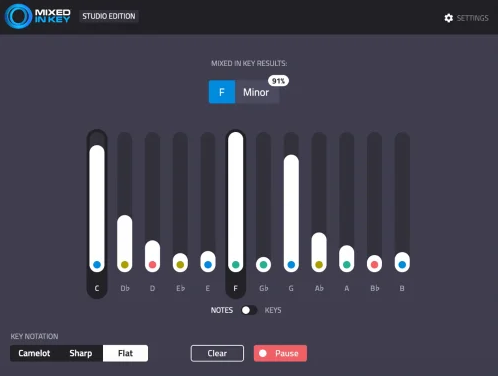
DJs have relied on Mixed In Key for years to analyze their music libraries and mix tracks in harmony. But many producers wanted these features built right into their DAW, so they wouldn’t need to export files or use extra programs.
When you work with samples, loops, and stems, you often need to know the key so you can layer sounds without causing clashes in your mix. Mixed In Key Studio Edition is a plugin version of the well-known DJ software, and it brings key detection straight into your production process.
With that said, you are getting:
- Camelot Wheel Integration
The Studio Edition key detector plugin shows keys using the Camelot Wheel notation system. This feature is especially helpful for harmonic mixing. The Camelot system uses numbers and letters to show keys, making it easy to see which ones work well together at a glance.
The wheel display highlights nearby keys that mix well, so you don’t have to guess when layering synths or samples. I appreciate how this visual tool makes music theory easier for producers who may not have formal training but still want their tracks to sound good together. DJs have used this system for years, so adding it to production tools is a logical step.
- Energy Level Detection
This plugin analyzes energy levels in addition to key, and this extra info is valuable for DJ-style production and arrangement decisions. The energy rating shows whether a track or sample is high-energy or laid-back, helping you organize material by intensity and build dynamic arrangements.
This analysis goes beyond basic key detection to give you insight into the overall vibe and intensity of your audio. I realized that combining key and energy information makes it easier to find complementary samples and loops that match not just harmonically but also in terms of groove and intensity. The energy detection works well across different genres from EDM to hip-hop.
- Proven Detection Algorithm
The Studio Edition key detector VST uses the same algorithm that DJs have trusted for years. In my experience, it’s accurate across many musical styles. DJs around the world have tested it on millions of tracks, so you can count on its reliability.
I believe this track record matters because you need to trust your key detection when you’re making production decisions based on the results. The algorithm handles electronic music, rock, hip-hop, and other genres without favoring specific production styles. Overall, Mixed In Key Studio Edition delivers professional key detection with organizational tools that make sense for modern production workflows.
FAQs:
[sp_easyaccordion id=”10023″]

Hello, I’m Viliam, I started this audio plugin focused blog to keep you updated on the latest trends, news and everything plugin related. I’ll put the most emphasis on the topics covering best VST, AU and AAX plugins. If you find some great plugin suggestions for us to include on our site, feel free to let me know, so I can take a look!