
Sixty-one keys is the sweet spot for most producers, and I genuinely believe that. Five octaves gives you enough room for two-handed playing where your left hand covers bass while your right handles melody, and you can voice full chords without running out of keys mid-progression.
You don’t need to hit octave buttons every thirty seconds like you do on a 25-key, and you’re not sacrificing half your desk to an 88-key monster that you only use the middle three octaves of anyway. For the reality of how most of us actually work in a DAW, 61 keys covers it.
The real question isn’t how many keys to get. It’s what you need around those keys. Some of these controllers come loaded with faders, pads, encoders, and displays that turn them into full production command centers.
Others strip all of that away and just give you the best possible keyboard they can build at the price. Both approaches are valid depending on how you work.
If you’re the type who maps every parameter to a physical control, you want the loaded version. If you prefer to keep your hands on the keys and do everything else with a mouse, the clean keyboard makes more sense and costs less. I’ve picked twelve 61-key controllers that cover both ends and everything between.
1. Native Instruments Kontrol S61 MK3
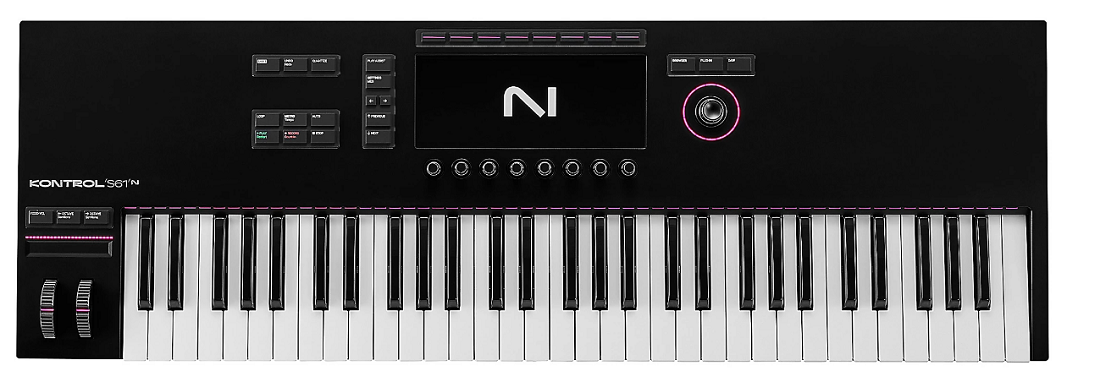
If you’ve built your production around Kontakt libraries and Komplete instruments, this controller was literally designed for you. Native Instruments Kontrol S61 MK3 hooks into the NI ecosystem so deeply that loading a Kontakt library automatically assigns the hardware encoders to that specific library’s most useful parameters. You don’t set anything up. You load an instrument and the knobs just know what to control.
The Fatar keybed underneath is what separates this from controllers that feel like they’re fighting you. I find that the semi-weighted action responds well to both gentle synth parts and more dynamic piano playing, and the consistency across the range is noticeably better than what you get from generic keybeds at lower price points.
- NKS Mapping
Every NI Komplete instrument and NKS-compatible third-party plugin automatically assigns its key parameters to the eight encoders the moment you load it. You’re not sitting there with a MIDI learn menu trying to figure out which CC number controls the filter. You load Massive, and the knobs control Massive’s macros. You switch to a Kontakt string library, and they control expression, dynamics, and vibrato. The mapping saves you an absurd amount of setup time across hundreds of instruments.
- Light Guide
The per-key RGB LEDs are more useful than they sound on paper. They show you which notes are in your selected scale, where drum triggers are mapped, and where split zones start and end, all directly on the keys where you’re already looking. I find the scale display particularly handy for quick composition when I don’t want to think about theory. You pick a key, pick a scale, and the lit keys keep you from playing wrong notes.
- Fatar Feel
The semi-weighted Fatar keybed feels like a proper instrument rather than a plastic toy. Fatar supplies keybeds to a bunch of premium synth manufacturers for a reason, and the action here has a weight and consistency that cheaper controllers don’t match. If you’re going to spend hours playing and recording parts, the keybed quality matters more than any other spec on the list.
- Color Screen
A high-res color display shows you presets, parameters, waveforms, and browsing info right on the controller. I appreciate not having to look at my computer screen to check which preset I’ve loaded or what value a parameter is sitting at. It keeps your eyes on the instrument while you work.
2. Arturia KeyLab Essential 61 Mk3
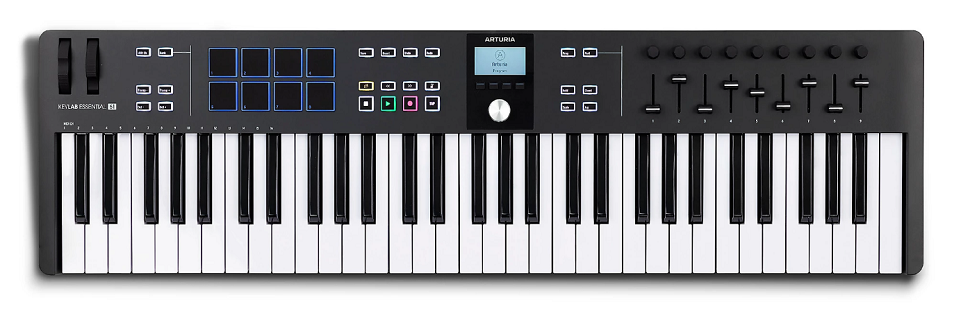
This is the controller I’d recommend to someone who asks “what should I get that has a bit of everything without costing a fortune?” The Arturia KeyLab Essential 61 Mk3 gives you nine faders, nine encoders, sixteen pads, and a display alongside the keyboard, plus it comes bundled with Analog Lab and its thousands of presets. That’s a lot of gear and software in one box for what you’re paying.
The white version looks sharp on a desk if you care about that sort of thing, and functionally it’s identical to the standard colorway. What makes the Essential line work is how the Analog Lab integration pre-maps all those hardware controls to actually useful parameters in every preset, so you’re not spending your first session manually assigning knobs.
- Analog Lab
You get access to thousands of Arturia preset sounds from their V Collection engines, and every single one has the faders and encoders pre-mapped to that preset’s most important parameters. Load a Jupiter-8 patch and the knobs control filter, resonance, and envelope. Switch to a Wurlitzer and they control tremolo speed, drive, and tone. The library is genuinely massive and I find myself reaching for it constantly because the sounds are production-ready out of the box.
- Control Count
Nine faders plus nine encoders means you have physical hands-on access to both your mixer levels and your plugin parameters at the same time. I can ride a vocal fader with one hand and tweak a synth filter with the other, which is the kind of simultaneous control that makes hardware controllers worth having in the first place. Most controllers at this price give you one or the other, not both.
- Pad Grid
Sixteen velocity-sensitive RGB pads handle drum programming, sample triggering, and clip launching. They’re responsive enough that I can finger drum with decent dynamics, and the four pad banks give you 64 total assignments. For producers who work with FPC, Battery, or any drum sampler, having pads alongside your keys means you don’t need a separate controller for beats.
- DAW Profiles
Pre-built control profiles for Ableton, Logic, FL Studio, Cubase, and other major DAWs configure the transport, mixer, and navigation buttons automatically. You install the Arturia MIDI Control Center, pick your DAW, and the buttons work. No manual MIDI learn for the basic stuff.
- Chord Mode
A chord mode generates full chords from single key presses, which I find surprisingly useful for sketching progressions quickly. You hold a voicing, the controller remembers it, and you transpose that chord across the keyboard with one finger. It’s not a substitute for learning voicings, but it speeds up the initial composition phase.
- White Finish
The white chassis is a genuine aesthetic alternative that looks clean and modern on a light-colored desk. If your studio has a particular visual vibe you’re going for, the color option matters, and the white Essential photographs well for content creators.
3. Novation FLkey 61
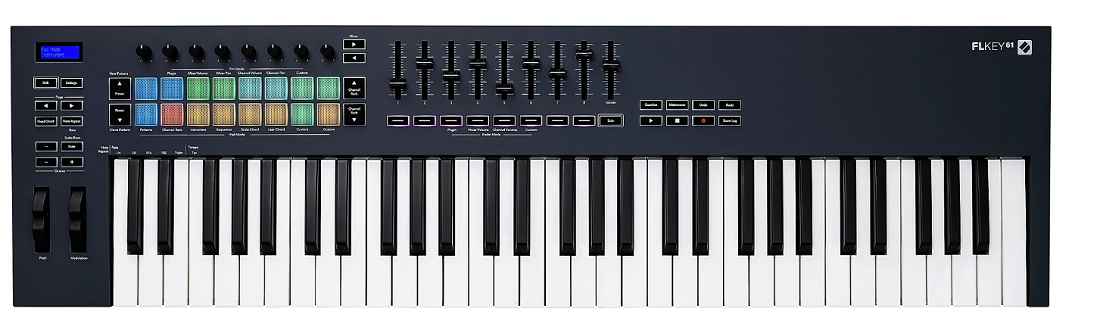
Built for FL Studio users, period. The Novation FLkey 61 maps directly to FL Studio’s Channel Rack, mixer, piano roll, and playlist with dedicated hardware buttons for functions that no generic controller handles natively. If FL is your DAW, this controller speaks its language without translation.
The integration goes beyond basic MIDI CC mapping. You get dedicated buttons for Channel Rack navigation, preset browsing, score logging, and undo/redo that are wired into FL Studio’s specific architecture. Novation worked with Image-Line on this, and the difference between purpose-built integration and generic mapping is obvious the moment you start using it.
- FL Native
The dedicated FL Studio integration gives you hardware access to Channel Rack browsing, mixer control, step sequencer programming, and transport without any manual setup. You plug in, open FL Studio, and everything works. The integration is specific enough that you get buttons for FL-only features like the Score Log, which generic controllers can’t access at all.
- Score Log
A score logging button captures notes you played even when you weren’t recording, so you can recover spontaneous ideas that happened while you were just noodling around. I find this is one of those features that saves a musical idea maybe once a week, but when it does, you’re genuinely grateful it exists.
- Full Keys
61 full-size velocity-sensitive keys give you five octaves of comfortable playing. The full-size keybed makes the FLkey 61 suitable for actually performing parts rather than just step-entering notes, which matters if you record melodies and chord progressions live into FL’s piano roll.
4. M-Audio Keystation 61 MK3
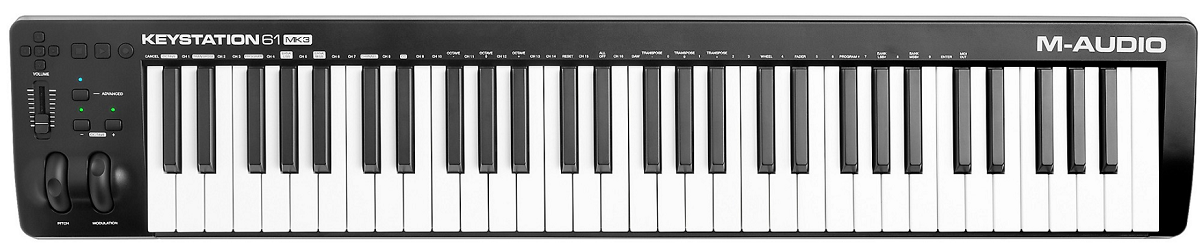
Sometimes you just need a keyboard. No pads, no banks of encoders, no eight layers of shift functions. Just good keys, pitch and mod wheels, and a USB cable. M-Audio Keystation 61 MK3 is that keyboard, and it does the simple thing well.
I appreciate the Keystation for what it doesn’t try to be. It’s a quality playing surface for note input with basic transport controls, and it costs less because you’re not paying for features you might never use. For producers who already have a pad controller or who handle all their DAW manipulation with the mouse, the Keystation gives you 61 semi-weighted keys at a fair cost.
- Semi-Weighted
The semi-weighted keybed has enough resistance that you can play dynamically without feeling like you’re pressing on a trampoline, but it’s light enough that fast synth runs don’t tire your fingers. The middle ground works well for producers who play a mix of piano-style parts and synth performances.
- Clean Panel
The uncluttered layout means the controller is narrower front-to-back than feature-loaded alternatives, which saves desk depth. If your desk is shallow or your monitor sits close, the reduced depth makes the Keystation fit where busier controllers won’t.
- USB-C
USB-C with bus power means one modern, reversible cable handles everything. No power brick, no USB hub, no adapter needed. You plug it in and play.
- Wheels
Proper pitch bend and modulation wheels feel smooth and responsive. I know that sounds basic, but some budget controllers either skip the wheels entirely or implement them as awkward touch strips. Having real wheels makes a difference for expressive playing.
5. Arturia KeyLab 61 Mk3
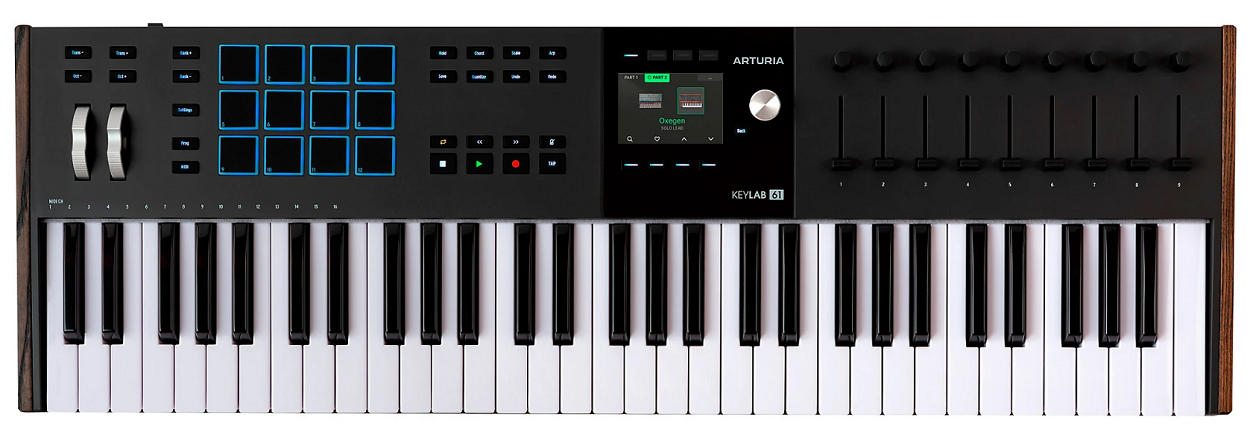
This is the premium choice, and you feel it the moment you touch it. Arturia KeyLab 61 Mk3 has motorized faders that physically snap to match your DAW’s current mixer positions, polyphonic aftertouch that detects pressure independently per key, and a build quality that makes you think “this is a serious instrument” rather than “this is a plastic controller.”
The motorized faders are the headline feature because they solve the most annoying problem with non-motorized controllers: the value jump when a physical fader doesn’t match the software position. Here, the faders move to the correct position automatically when you switch tracks. That alone justifies the premium for producers who mix extensively from hardware.
- Motor Faders
Nine motorized faders move automatically to reflect your DAW’s actual parameter values when you change tracks or recall sessions. No more guessing where the fader should be, no more sudden volume jumps. The faders show you the real value by their physical position, which is how mixing on a console works and how it should work on a controller.
- Poly Aftertouch
Polyphonic aftertouch lets you apply different pressure to individual keys within a chord. Press harder on one note and it gets vibrato while the others stay clean. It’s a genuinely expressive capability that channel aftertouch can’t do, and instruments that support it respond in ways that feel musical and organic.
- Build Quality
Everything about the construction feels substantial and precise. The knobs have smooth resistance, the faders travel cleanly, and the chassis doesn’t flex or creak. For an instrument you’ll use daily for years, the build quality is an investment in long-term satisfaction rather than an unnecessary luxury.
6. Novation Launchkey 61 MK4
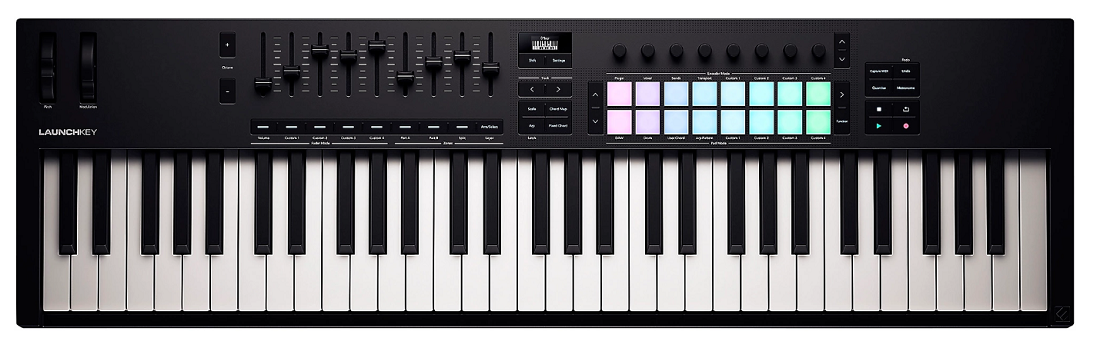
Novation built the Launchkey line around Ableton Live, and it shows. The Novation Launchkey 61 MK4 gives you automatic Session View clip control, device parameter mapping, and mixer access the moment you connect to Live, with visual feedback on the pads and display that reflects what Ableton is actually doing.
But here’s the thing I appreciate about the Launchkey: it works well with other DAWs too. The Ableton integration is the headline, but the general MIDI implementation is solid enough that Logic, FL Studio, and Cubase users get a functional production controller as well. You’re not locked in.
- Live Integration
The Ableton mapping is developed jointly with Ableton and goes deeper than MIDI CC assignment. Pads light up to match your clip colors. Encoders follow the active device. Faders control your mixer. It’s the kind of integration where you stop thinking about the controller and just interact with your music.
- Nine Faders
Nine physical faders for mixer control is uncommon on keyboard controllers, and having them makes a genuine difference. Dragging a fader on screen with a mouse is functional but uninspiring. Pushing a physical fader with your finger while your other hand plays a part is how mixing should feel.
- Aftertouch
Channel aftertouch on the full-size keys adds pressure-based expression that you control by leaning into held notes. It’s not poly aftertouch, but for filter sweeps, vibrato, and basic expression control, it adds a performance dimension that velocity alone doesn’t provide.
- Pads & OLED
Sixteen RGB pads and an OLED display add clip launching, drum programming, and visual feedback alongside the keyboard. The pads are large enough for comfortable finger drumming, and the display shows you what you’re controlling without looking at your computer screen.
- Scale Mode
A scale lock constrains the keyboard to notes within your selected scale, which speeds up melodic composition and prevents wrong notes during recording. I use it more often than I expected, especially when I’m working quickly and don’t want to second-guess every note choice.
7. Nektar SE61
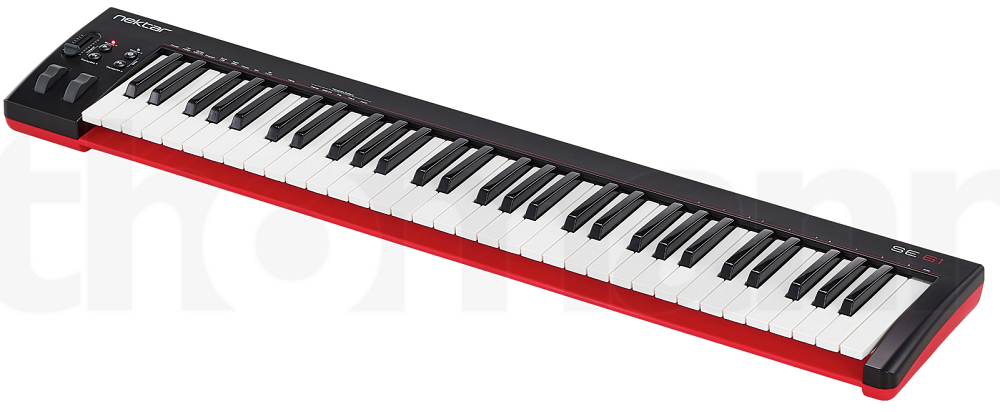
I’m including this because not everyone has the budget for a loaded controller, and the Nektar SE61 proves you can get 61 velocity-sensitive keys on your desk for very little money. It’s minimal by design: no pads, no faders, no encoders, just the keyboard with octave buttons and basic DAW transport through shift functions.
Is it going to wow you with features? No. Will it reliably translate your playing into your DAW with velocity sensitivity across five octaves? Yes, and sometimes that’s genuinely all you need. Save the fancy stuff for later when your budget allows.
- Budget Five
61 velocity-sensitive keys at the bottom of the market means five-octave range is accessible even if you spent most of your budget on software, monitors, or an audio interface. The SE61 exists for producers who need range but can’t justify a bigger investment on the controller right now.
- DAW Basics
Nektar’s integration software maps basic transport and navigation to the controller’s buttons, which means play, stop, and record work without manual MIDI learn. It’s not deep integration, but having transport control from the keyboard saves constant mouse-grabbing.
- Slim Depth
Without all the extra controls, the SE61 is shallower front-to-back than most 61-key controllers. On a small desk, the reduced depth is a practical advantage that lets you keep your monitor closer.
8. M-Audio Oxygen 61 MK5
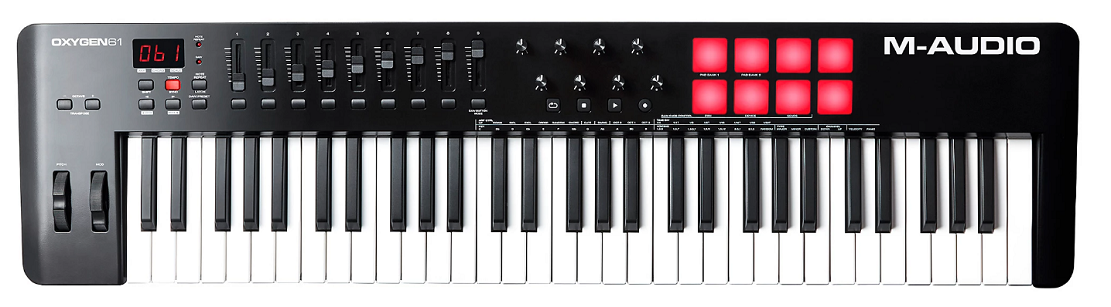
A solid mid-range controller that gives you the production basics without overcomplicating things. Oxygen 61 MK5 has keys, pads, faders, encoders, and auto-mapping for major DAWs in a package that covers the practical needs of most producers at a fair cost.
I think of the Oxygen as the sensible choice. It’s not flashy, doesn’t have any standout headline feature, but it covers all the bases competently. Faders for mixing, knobs for parameters, pads for drums, keys for notes. It does the job.
- Auto-Map
DAW profiles for the major platforms assign the Oxygen’s controls to mixer, transport, and instrument parameters out of the box. You’re not spending your first session with a MIDI learn menu. You pick your DAW and the controls work.
- Pad Banks
Eight pads with four banks give you 32 assignable pad slots for drums, samples, and triggers. The velocity sensitivity captures your finger dynamics, which matters for programming drum parts that don’t sound like a machine gun.
- Fader/Knob Mix
Nine faders and eight encoders give you both level control and parameter tweaking from the hardware simultaneously. The dual control types cover the two most common physical control needs in production.
- Smart Modes
Chord and scale lock modes keep your playing harmonically coherent by constraining notes to scales and generating chords from single presses. The smart modes speed up composition for producers who want to explore harmonic ideas without worrying about hitting wrong notes.
9. Nektar Impact GX 61
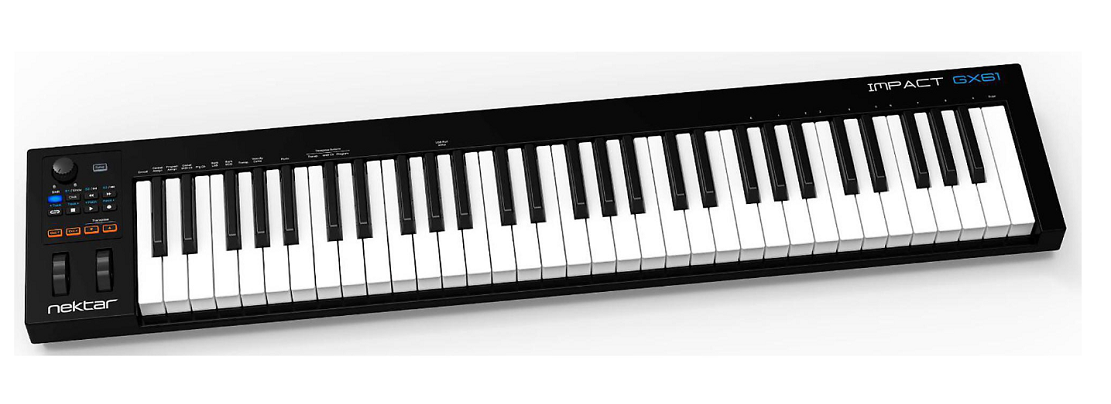
A step up from the SE61 that adds the controls the bare-bones model leaves out, without jumping to mid-range pricing. Nektar Impact GX 61 gives you proper pitch and mod wheels, a better-feeling keybed, and deeper DAW integration while staying in the affordable category.
I’d recommend this over the SE61 for anyone who can stretch their budget slightly, because the pitch and mod wheels alone make a meaningful difference for expressive playing. Having sustain pedal input is the other practical upgrade that matters.
- Pitch/Mod Wheels
Dedicated pitch bend and modulation wheels are the most obvious upgrade over the budget SE model. Real wheels give you smooth, continuous expression control for vibrato, filter sweeps, and pitch bends that buttons or touch strips handle less naturally. If you play lead lines or sustained pads, you’ll use the mod wheel constantly.
- Better Response
The velocity sensitivity is more consistent and responsive than the ultra-budget SE series. Your dynamics translate more accurately, which means your recorded parts carry the expression you intended rather than a rough approximation.
- Expanded DAW
Nektar’s DAW integration at this level covers more ground than the basic SE mapping, with mixer control, instrument parameters, and navigation handled from the hardware. The expanded integration turns the GX 61 into a functional production controller rather than just a note input device.
- Sustain Jack
A sustain pedal input lets you hold notes with your foot, which is essential for piano parts and useful for any sustained playing. The pedal input is something the ultra-budget models skip, and its absence genuinely limits what you can do with the keyboard.
- USB Power
Bus power through a single USB cable means no external adapter cluttering your desk. One cable handles everything, which keeps the setup simple and portable.
10. Novation 61SL MKIII
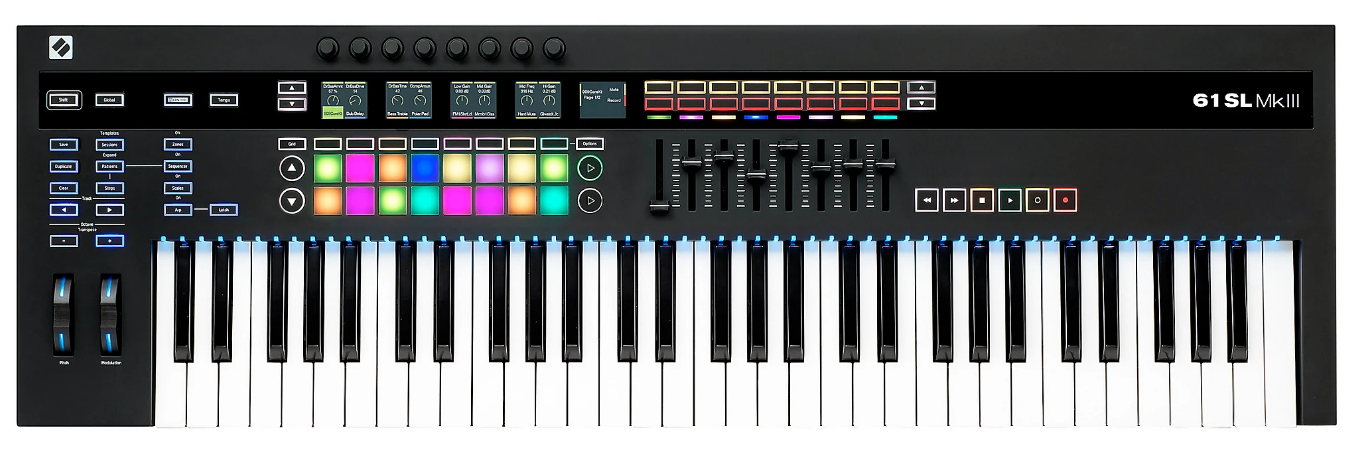
This is the one for producers running hybrid setups where a DAW coordinates with external analog synths, drum machines, and Eurorack gear. Novation 61SL MKIII includes CV/Gate outputs, an 8-track internal sequencer, and 5-pin MIDI alongside its DAW integration, making it the bridge between your software and your hardware.
I wouldn’t recommend the SL MKIII to someone who works purely in the box, because you’d be paying for connectivity features you’ll never use. But if you’ve got a Moog, a couple of Behringers, and some Eurorack modules sitting next to your computer, this controller ties everything together from one keyboard.
- CV/Gate Outs
Dedicated CV, gate, and modulation outputs connect directly to analog synths and Eurorack without a separate MIDI-to-CV converter. You play the SL MKIII’s keyboard and the pitch and gate data drives your hardware synth with tight, jitter-free timing.
- Internal Sequencer
An 8-track sequencer runs independently of your DAW, driving external hardware with stable timing while your computer handles the software side. The sequencer can also sync to your DAW’s clock, so everything stays locked even though the hardware patterns run independently.
- Synth Templates
Pre-built control templates for hardware from Korg, Elektron, Roland, and Moog configure the SL MKIII’s controls to match specific synths. You pick a template, connect a cable, and the encoders control that synth’s parameters without manual mapping.
- Quality Keybed
A semi-weighted 61-key keybed with aftertouch provides the playing quality that matches the SL MKIII’s positioning as a serious studio centerpiece. The keys feel good enough for extended sessions, and the aftertouch adds expression for both software instruments and CV-controlled hardware.
11. Midiplus X-6 III
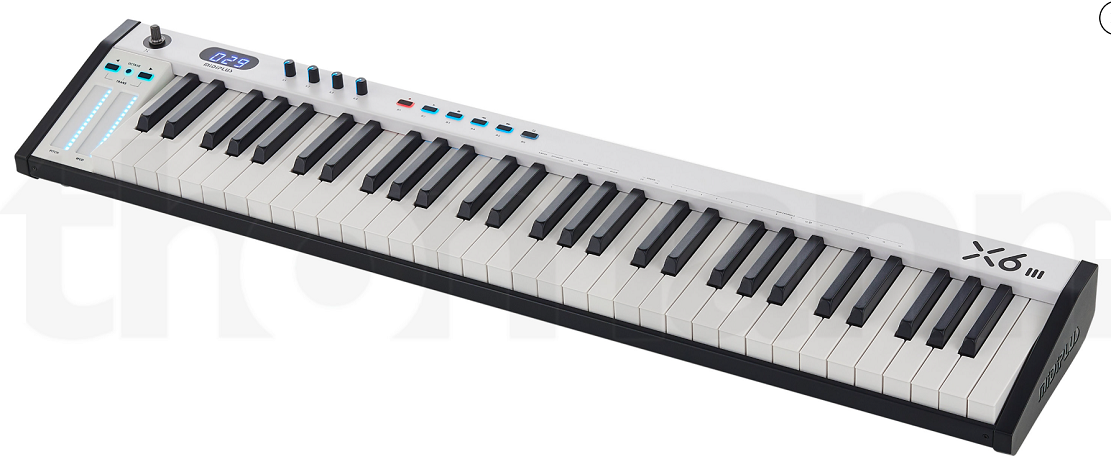
The deep budget pick for producers who need 61 full-size keys and a few basic controls without spending much at all. Midiplus X-6 III isn’t going to win any awards for build quality or feature depth, but it gets five octaves of velocity-sensitive keys, some assignable knobs, and pitch/mod control onto your desk for less than most competitors charge.
I’ll be honest: the feel isn’t premium and the build is light. But if your budget is tight and you need the range, the X-6 III does the basic job. You can always upgrade later when your finances allow, and in the meantime you’ve got five octaves to work with rather than being stuck on 25 keys.
- Budget Keys
61 full-size velocity-sensitive keys at the lowest cost in this roundup mean you’re not compromising on range because of budget constraints. The keys get the job done for note input and basic dynamic playing, even if they don’t have the feel of premium controllers.
- Knobs
Assignable rotary encoders give you physical parameter control for your DAW instruments. Map them to filter cutoff, reverb send, or whatever parameters you tweak most, and you’ve got hands-on adjustment without the mouse.
- Touch Strips
Capacitive touch strips for pitch and modulation keep the controller’s profile slim by replacing physical wheels. They’re less satisfying than real wheels, but they provide the essential pitch bend and mod functionality in a compact form.
- MIDI Out
A hardware MIDI output connects the X-6 III to external synths and sound modules directly. Having the MIDI out adds hardware connectivity that purely USB controllers don’t provide.
- Display
A segmented LED display shows your current octave and transpose setting, which saves you from guessing where you are on the keyboard after hitting the octave buttons.
- Sustain
A sustain pedal input rounds out the feature set with the foot control that piano-style playing requires. For a budget controller, including the sustain jack is a practical decision that makes the X-6 III more useful than its price suggests.
12. Korg microKEY 61 MkII
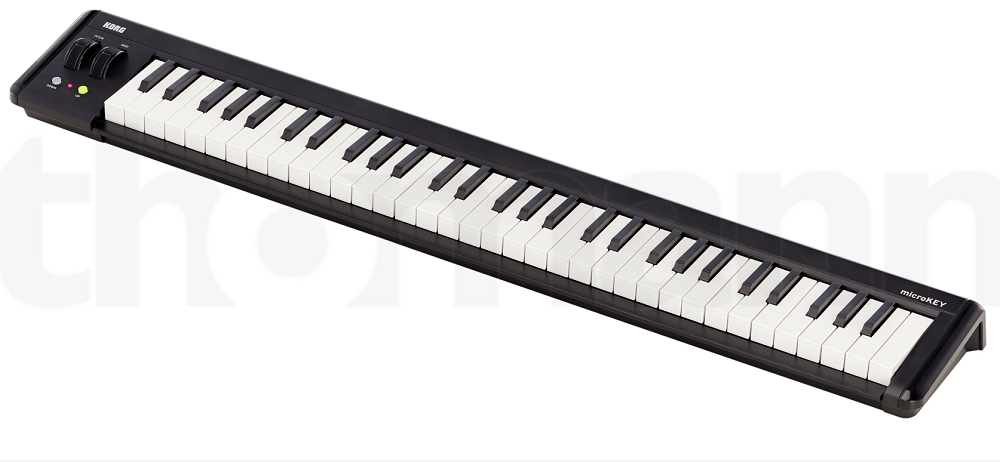
I’m ending with something unusual: a 61-key controller with mini keys. The Korg microKEY 61 MkII gives you five octaves of range in roughly the physical footprint of a standard 49-key full-size controller, because the mini keys compress the same note count into a significantly smaller width.
The Natural Touch mini keybed is the draw here. Korg’s mini keys feel different from the generic mini mechanisms found on cheap controllers. There’s a cushioned response and a consistency across the range that makes them more playable than you’d expect. They’re still mini keys, and you won’t mistake them for a piano, but for note input and basic performance in tight spaces, they work better than most.
- Natural Touch
Korg’s Natural Touch mini keybed has a specific cushioned feel that sets it apart from generic mini keys. The action is more responsive, more consistent, and generally more pleasant to play than the stiff, clacky mini mechanisms you find on budget controllers. I’ve tried a lot of mini-key controllers, and the Korg feel is genuinely my preference.
- Compact 61
The mini-key format means 61 keys fits in the desk space that a full-size 49-key controller normally occupies. If your desk can handle a 49-key but not a 61-key, the microKEY gives you that extra octave of range without demanding more room than you have.
- Featherweight
The microKEY 61 is one of the lightest five-octave controllers you can buy, which makes it genuinely portable if you need to move it between spaces or store it when not in use. Picking it up with one hand is easy, which isn’t something you can say about most 61-key controllers.

Hello, I’m Viliam, I started this audio plugin focused blog to keep you updated on the latest trends, news and everything plugin related. I’ll put the most emphasis on the topics covering best VST, AU and AAX plugins. If you find some great plugin suggestions for us to include on our site, feel free to let me know, so I can take a look!