
Mac users working in Logic Pro, GarageBand, Ableton, or any AU compatible DAW have access to a genuinely impressive selection of free plugins that cost nothing but deliver quality that competes with paid alternatives. The Audio Unit (AU) format is native to macOS, and while many free plugins are developed primarily for Windows with AU support added as an afterthought, the plugins on this list all run natively and reliably on Mac systems without compatibility issues or workarounds.
What surprised me when putting this list together is how much the free plugin landscape has improved. Five years ago, most free plugins were basic utilities or stripped down demos. In 2026, you can build a complete production toolkit from free AU plugins that covers synthesis, saturation, tape emulation, de-essing, vocoding, delay, and creative effects processing.
Some of these plugins are passion projects from independent developers. Others are free offerings from established companies that use them as entry points into their paid product lines. Either way, the quality is there, and your Mac is the only investment required.
I’ve selected eleven free AU plugins that I’ve actually used in projects and can recommend based on genuine experience rather than marketing claims.
1. Matt Tytel Vital

If you’re going to own one free synth, this is the one. Vital is a wavetable synthesizer that offers a level of sound design depth and quality that genuinely competes with paid synths costing $150 or more. The synth has earned its reputation through a combination of excellent sound quality, intuitive workflow, and a feature set that doesn’t feel limited despite being free.
What makes Vital special isn’t just that it’s free. It’s that the synthesis engine and modulation system are legitimately world class. The drag and drop modulation framework lets you connect any modulation source to any parameter visually, which makes complex sound design accessible even if you’re still learning synthesis.
I’ve used Vital alongside Serum in professional projects, and the output quality holds up in direct comparison. The wavetable editor lets you create custom wavetables from audio imports or manual drawing, and the filter section includes unique types that produce tonal characters you won’t find elsewhere.
- Wavetable Editor
A fully featured wavetable creation and editing system lets you draw waveforms manually, import audio files as wavetable sources, and morph between frames using modulation. The editor gives you the same wavetable design capability that paid synths like Serum provide, which means you’re not limited to the included wavetables and can create entirely custom tonal material.
- Drag Modulation
The visual drag and drop modulation system lets you connect LFOs, envelopes, and other sources to any parameter by simply dragging. The visual approach shows you exactly what’s modulating what, with color coded connections that make even complex patches readable. This modulation workflow is one of the most intuitive available in any synth at any price.
- Filter Section
The filter engine includes unique filter types that go beyond standard low pass and high pass configurations, providing tonal characters that are distinctive to Vital. The filters respond particularly well to modulation, producing evolving timbral changes that are useful for sound design across every genre.
- Free Full Engine
The free version provides the complete synthesis engine without feature limitations. You get all the oscillators, filters, effects, and modulation capabilities. The only restrictions on the free tier are the number of included wavetables and presets, which you can supplement with your own or with free community content.
2. Sinevibes Skew v2
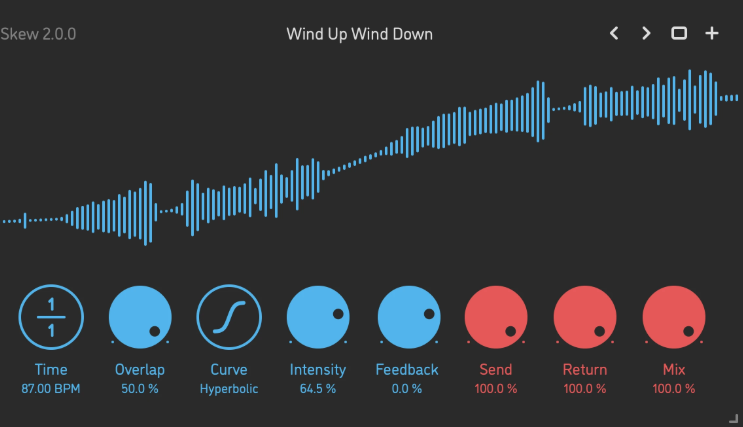
A creative effect that doesn’t fit neatly into any conventional category, Skew v2 is an asymmetric waveshaping processor that transforms your audio through nonlinear distortion curves in ways that standard saturation and distortion plugins don’t replicate.
The waveshaping algorithms produce harmonic content and tonal transformation that ranges from subtle enrichment to aggressive mangling.
The reason Skew v2 earned a place on this list is the unique sonic territory it covers. Every producer has saturation plugins, but asymmetric waveshaping produces different harmonic relationships than symmetric distortion.
The practical result is tonal coloration and distortion character that sounds different from your other drive plugins, which gives you options when your existing saturation tools aren’t producing the right character. The modulation capabilities add movement to the waveshaping, creating dynamic distortion that evolves over time rather than applying a static character.
- Asymmetric Shaping
The nonlinear waveshaping algorithms process positive and negative signal halves differently, generating asymmetric harmonic content that standard symmetric distortion can’t produce. The asymmetry creates even harmonics alongside odd harmonics, giving you a tonal richness and warmth that’s different from conventional saturation.
- Multiple Curves
Several waveshaping curves provide different distortion characters, from gentle harmonic enrichment to aggressive tonal transformation. Each curve produces a distinct harmonic fingerprint, which means you can find the specific distortion character that suits each element in your mix.
- Modulation Engine
Built in LFO and envelope modulation can animate the waveshaping parameters, creating dynamic distortion that moves and evolves rather than sitting static on your signal. The modulated waveshaping produces tonal movement that’s particularly effective on pads, bass, and sustained sounds.
- Mac Native
Designed specifically for macOS and the AU format by a developer who focuses exclusively on Apple platforms. The Mac native development means optimized performance and reliable compatibility without the cross platform compromises that Windows first developers sometimes introduce.
- Visual Feedback
A real time waveform display shows you how the waveshaping is transforming your signal visually. The display helps you understand the relationship between your parameter settings and the resulting harmonic transformation.
3. TBProAudio GSat+
A straightforward, no nonsense saturation plugin that does one thing well: adding harmonic warmth and density to your audio. TBProAudio’s GSat+ provides tube style saturation with a clean interface that makes it easy to dial in the right amount of coloration quickly.
The value of GSat+ in your free plugin toolkit is the focused simplicity. Many free saturation plugins try to do too much and end up with cluttered interfaces and mediocre results.
GSat+ concentrates on delivering quality tube saturation with minimal controls, which means you spend less time tweaking parameters and more time making music. I use it on vocal chains, drum buses, and bass processing where I want warmth without complexity.
- Tube Character
The saturation algorithm models tube style harmonic generation that adds warmth and density to your signal. The tube character enriches the tonal content in a way that sounds musical rather than harsh, which makes it usable on sensitive material like vocals and acoustic instruments.
4. Techivation T-De-Esser 2
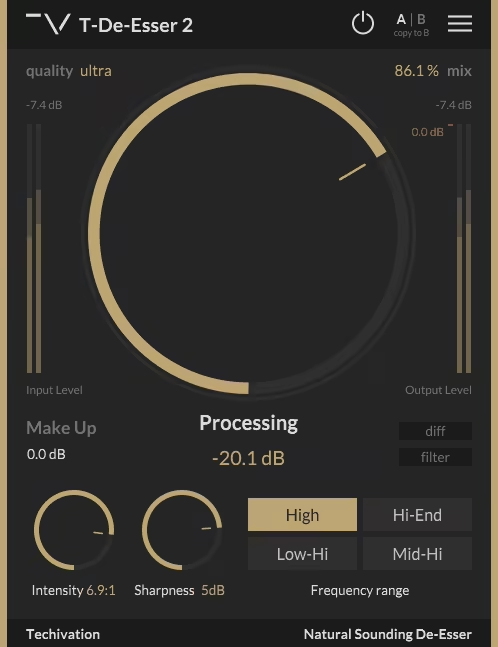
De-essing is a mixing task that every producer encounters, and the quality of your de-esser directly affects how natural your processed vocals sound. Techivation’s T-De-Esser 2 provides transparent sibilance reduction with a visual interface that shows you exactly what’s being reduced and where in the frequency spectrum the processing is acting.
What I appreciate about T-De-Esser 2 compared to basic stock de-essers is the visual precision. You can see the sibilant frequencies being detected and reduced in real time, which helps you set the threshold and frequency range accurately rather than guessing.
The processing is smooth enough that your vocals don’t develop the lisping artifacts that aggressive de-essing with lesser tools produces. For a free de-esser, the quality genuinely matches mid range paid alternatives.
- Visual Detection
A real time frequency display shows you exactly which frequencies are being detected and reduced, helping you target sibilance precisely. The visual feedback prevents the common de-essing mistake of setting the frequency range too wide and affecting non sibilant content.
- Smooth Processing
The gain reduction algorithm applies transparent, artifact free sibilance reduction that doesn’t introduce lisping or unnatural tonal changes. The processing quality is what separates this from basic de-essers that simply duck volume whenever high frequency content exceeds a threshold.
- Free Quality
Despite being completely free, the processing quality and interface design match paid de-essers in the $50 to $100 range. The quality level makes this a genuine replacement for paid alternatives rather than a compromise.
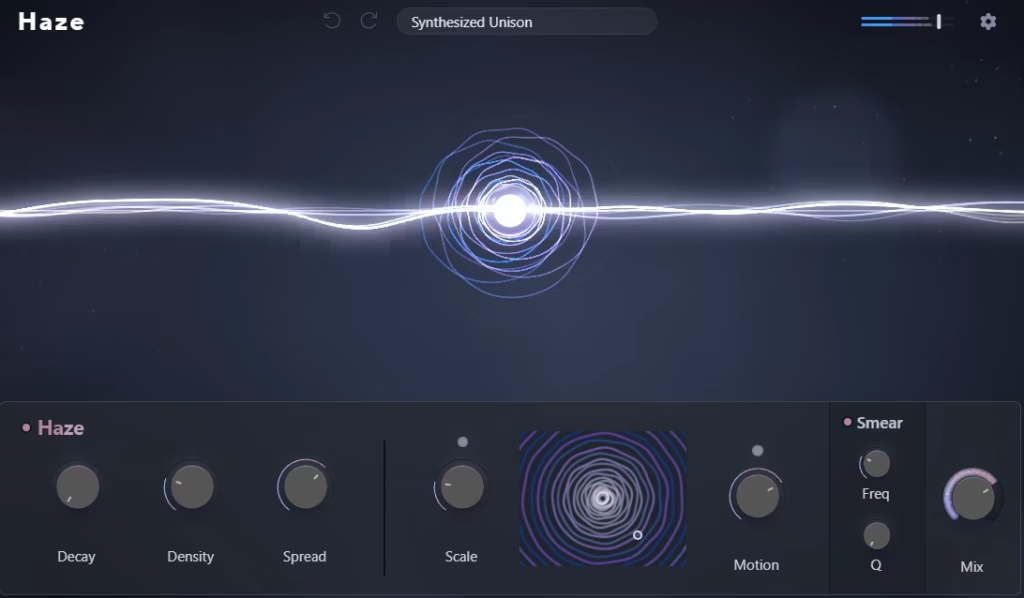
5. Lunacy Haze

A multi effects processor that combines saturation, filtering, modulation, and spatial effects into a single interface designed for creative sound mangling. Lunacy Haze is oriented toward producers who want to transform and degrade audio in musically interesting ways rather than applying transparent, corrective processing.
The creative orientation of Lunacy Haze fills a gap that most free plugin collections don’t cover. Free plugins tend to be utility tools (EQs, compressors, limiters) rather than creative effects. Haze provides the experimental, destructive processing that you’d normally need paid plugins to access.
The combination of effects in a single interface encourages experimentation, and the results range from subtle lo fi degradation to complete sonic transformation.
- Multi Effects
Multiple effect types (saturation, filtering, modulation, spatial processing) combined in a single interface provide creative processing depth that would otherwise require several separate plugins. The combined approach encourages you to use the effects together in ways you wouldn’t discover using them separately.
- Creative Focus
The effects are designed for sound transformation and creative degradation rather than transparent corrective processing. The creative orientation makes Lunacy Haze a tool for producing interesting sounds rather than fixing problems.
- Single Interface
All effects are accessible from one consolidated interface without needing to switch between separate plugin windows. The single window workflow keeps you focused on the creative result rather than managing multiple plugin instances.
6. Caelum Audio Tape Cassette 2

Tape emulation has become essential in modern production for adding warmth and character to digital recordings, and Tape Cassette 2 provides cassette tape degradation rather than the studio reel to reel character that most tape plugins model.
The distinction matters because cassette tape sounds fundamentally different from professional tape machines, with more noise, more frequency rolloff, and more obvious distortion characteristics.
The lo fi aesthetic that Tape Cassette 2 produces is exactly what you need for lo fi hip hop, bedroom pop, vaporwave, and any production where you want that deliberately imperfect, nostalgic sound. I reach for this plugin when I want audio to sound like it was recorded on a cheap cassette deck rather than processed through a professional tape machine.
The controls let you adjust tape speed, wow and flutter, noise level, and saturation independently, giving you detailed control over the specific character of the degradation. For creating the warm, hazy, slightly broken sound that defines lo fi production, this is one of the best free options I’ve found.
- Cassette Character
The emulation specifically models consumer cassette tape rather than professional reel to reel machines, producing the distinct lo fi degradation that cassettes are known for. The cassette specific modeling gives you the imperfect, nostalgic character that studio tape emulations don’t provide.
- Wow & Flutter
Adjustable pitch instability models the speed variations of cassette playback mechanisms. The wow and flutter add the characteristic wavering pitch that makes cassette recordings sound warm and human rather than digitally precise.
- Tape Noise
Configurable tape hiss and noise adds the background character of real cassette playback. The noise is adjustable from subtle background warmth to prominent, obvious hiss that puts the lo fi aesthetic front and center.
- Speed Control
Tape speed adjustment affects the frequency response and saturation behavior, simulating different recording and playback speeds. Slower speeds introduce more frequency rolloff and saturation, while faster speeds produce a cleaner, brighter sound.
- Saturation Drive
An independent saturation control determines how hard the virtual tape is driven, affecting the harmonic content and compression characteristics independently from the other tape parameters. The separate saturation control gives you more precise control over the overall character than plugins that tie all the tape parameters together.
7. ChowDSP CHOW Tape Model
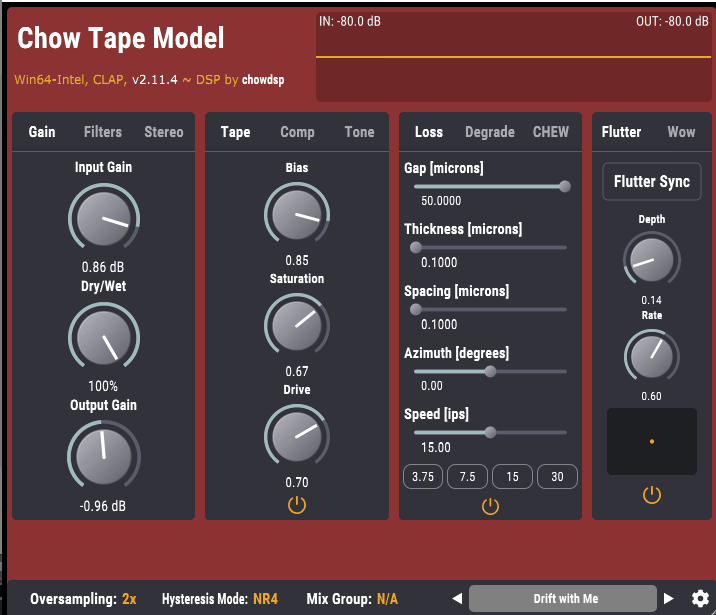
Another tape emulation, but with a completely different approach. Where Caelum Audio’s Tape Cassette 2 models consumer cassette degradation for lo fi aesthetics, CHOW Tape Model is an open source, physically modeled tape machine emulation that aims for accurate reproduction of professional tape recording behavior based on actual physics equations rather than approximation.
The physical modeling approach is what makes CHOW Tape Model technically interesting. Rather than using impulse responses or algorithmic approximation, the plugin models the magnetic properties of tape, the mechanical behavior of the transport, and the electrical characteristics of the record and playback heads using mathematical models derived from real tape machine physics.
The result is tape saturation and compression that responds dynamically to your input in the nuanced way that real tape does. The open source nature means the code is publicly available and community maintained, which ensures ongoing development and transparency about how the processing works.
- Physical Modeling
The tape emulation uses mathematical models of real tape physics rather than algorithmic shortcuts, producing saturation and compression that responds to dynamics in the same nonlinear way that real tape does. The physical modeling approach produces more authentic tape behavior than static saturation curves.
- Open Source
The plugin is fully open source with publicly available code that anyone can inspect, modify, and contribute to. The open source development ensures transparency about the processing and enables community contributions that improve the plugin over time.
- Transport Controls
Modeled tape speed, flutter, and mechanical behavior affect the audio in physically accurate ways. The transport modeling adds the subtle pitch and tonal variations that tape machines introduce through their mechanical operation.
8. Surge XT

For Mac users who want a free synthesizer with the depth of a premium product, this open source synth delivers capabilities that rival paid instruments costing $200 or more.
Surge XT is a hybrid subtractive/wavetable synthesizer with an enormous feature set that includes multiple oscillator types, a deep modulation system, a comprehensive effects section, and a large community maintained preset library.
I’ll be direct: Surge XT is one of the most capable free synthesizers ever made, and the fact that it’s free doesn’t make intuitive sense given what it offers. The synth provides multiple oscillator algorithms (classic analog, wavetable, FM, string modeling, twist, and more), each with distinct tonal capabilities that would justify a separate plugin.
The modulation routing system is deep enough for serious sound design, and the effects section includes high quality reverbs, delays, chorus, distortion, and more. The community has built thousands of presets, which means you can start using it productively immediately while learning the deeper features over time.
- Oscillator Types
Multiple synthesis algorithms (classic subtractive, wavetable, FM, window, sine, twist, and others) give you access to fundamentally different types of sound generation from a single plugin. The algorithm variety means Surge XT can produce tonal characters that would normally require several different synths.
- Modulation Depth
A comprehensive modulation routing system with multiple LFOs, envelopes, and random sources provides the complex modulation architecture that serious sound design demands. The routing depth matches or exceeds what many paid synths offer.
- Effects Suite
A built in multi effects section with reverb, delay, chorus, flanger, phaser, rotary speaker, distortion, and more lets you process your sound design within the synth. The effects quality is high enough that you can use them as your primary processing rather than needing external effects plugins.
- Community Presets
Thousands of community contributed presets provide immediate access to usable sounds across every genre. The community library grows continuously and covers everything from classic analog patches to experimental sound design.
9. Integraudio Deelay

A delay plugin with a playful name and a feature set that goes beyond basic echo effects. Integraudio’s Deelay provides stereo delay with filtering, saturation, modulation, and creative routing options that make it useful as both a standard delay and a creative effects tool.
What makes Deelay worth installing alongside your DAW’s stock delay is the additional processing available within the delay engine. The built in filtering and saturation let you shape the character of your delay repeats without needing to route the delay send through separate processing plugins.
The modulation adds movement to the delay tails, and the overall quality of the delay engine produces clean, musical repeats that sit well in a mix. For a free delay, the feature depth and sound quality are impressive.
- Stereo Control
Independent left and right delay times with stereo offset create wide, spatially interesting echo patterns. The stereo control produces delay effects that fill the stereo field more effectively than mono or linked stereo delays.
- Built In Filter
Filtering within the delay feedback path lets you shape the tonal character of repeats, creating echoes that darken, brighten, or change character with each repetition. The internal filtering eliminates the need for a separate EQ plugin on your delay send.
- Saturation Drive
A saturation stage within the delay engine adds warmth and harmonic content to the delay repeats. The saturation makes the echoes sound more analog and musical, which helps them sit behind the dry signal naturally.
- Ping Pong Mode
A ping pong delay mode bounces echoes between left and right channels, creating rhythmic stereo movement from a single input. The ping pong adds spatial interest that works particularly well on vocals, synths, and percussive elements.
- Tempo Sync
Delay times can be synced to project tempo with standard note division options. The sync ensures your delay rhythms stay locked to the groove of your track.
10. Caelum Audio Flux Mini 2
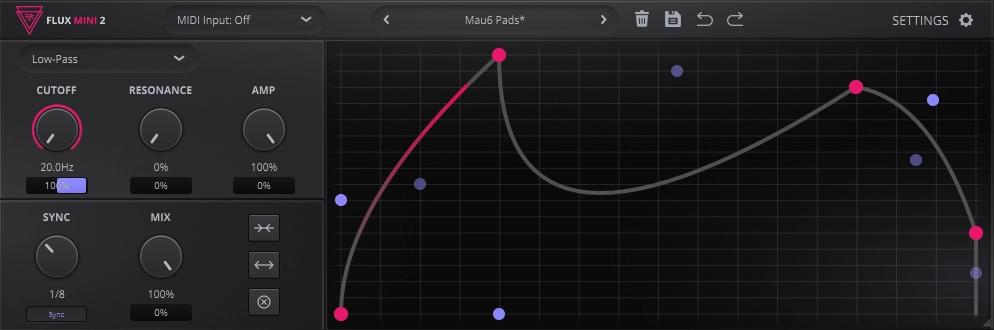
A multi effects processor that combines distortion, filtering, and modulation in a compact interface designed for quick creative processing. Caelum Audio’s Flux Mini 2 provides the kind of sound mangling and tonal shaping tools that make it useful as a go to creative insert for adding character and movement to any signal.
Where I find Flux Mini 2 most useful is on sources that sound too clean or static and need some life and character injected into them. A flat synth pad that’s boring becomes interesting after running through Flux Mini’s distortion and modulation. A drum loop that sits too politely in the mix gains attitude through the filtering and drive.
The modulation options are what elevate this beyond a simple distortion plugin, adding rhythmic movement and tonal variation that static processing doesn’t provide.
- Distortion Modes
Multiple distortion algorithms provide different harmonic characters, from subtle warming to aggressive digital destruction. The variety means you can find the specific drive character that suits each source material.
- Filter Section
A resonant filter with multiple types (low pass, high pass, band pass) provides tonal shaping that works alongside the distortion. The filter interaction with the distortion creates tonal results that neither processor achieves independently.
- LFO Modulation
A built in LFO can modulate filter cutoff, distortion amount, and other parameters for rhythmic, evolving effects. The modulation turns static processing into dynamic, tempo synced movement that adds groove and interest.
- Compact Design
The small, focused interface keeps the controls accessible without overwhelming you with options. The compact design encourages you to insert Flux Mini quickly and experiment rather than spending time learning a complex interface.
11. TAL-Vocoder
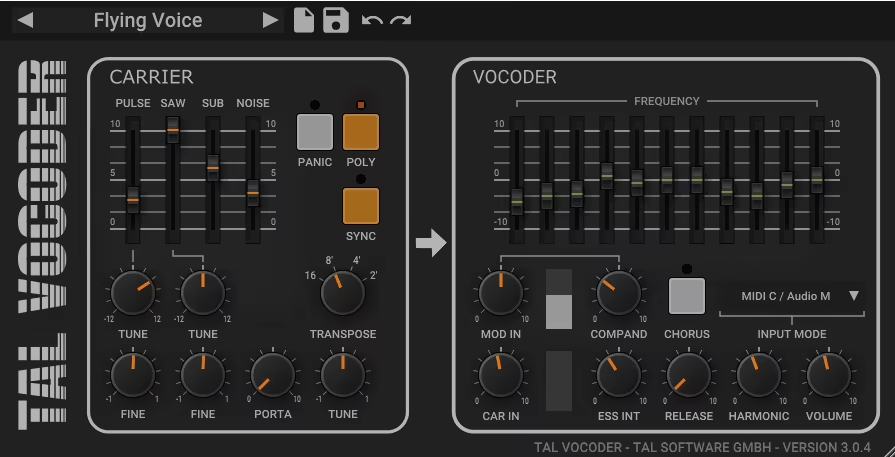
Closing the list with a plugin that fills a very specific creative niche: TAL-Vocoder is a vintage style vocoder that uses a carrier/modulator architecture to impose the spectral characteristics of one signal (typically voice) onto another (typically a synth). The result is the classic robotic, synthesized vocal effect that defined electronic music from Kraftwerk through Daft Punk and beyond.
The vocoder effect isn’t something you use on every track, but when you need it, you really need it, and having a quality vocoder available for free saves you from purchasing a specialized plugin for occasional use.
TAL-Vocoder produces the warm, analog flavored vocoder sound that the vintage hardware units were known for, rather than the cold, digital vocoding that some modern implementations produce.
The 11 band filterbank provides enough spectral resolution for intelligible vocoded speech while maintaining the characteristic vocoder texture. The built in carrier synth means you don’t need to route a separate synthesizer signal into the plugin, which simplifies the setup process in your DAW.
- Vintage Character
The vocoder algorithm produces warm, analog flavored vocoded sound that captures the character of vintage hardware vocoders. The warmth comes from the filter bank design and the internal processing, which avoids the cold, sterile quality that purely digital vocoder implementations produce.
- Built In Carrier
An internal synthesizer provides the carrier signal without requiring you to route a separate synth into the plugin. The built in carrier simplifies the vocoder setup from a multi track routing exercise to a single plugin insert, which makes the effect accessible to producers who aren’t familiar with complex routing.
- Filterbank
An 11 band filterbank divides the modulator signal (your voice) into frequency bands that control the corresponding bands of the carrier. The band count provides enough spectral detail for intelligible vocoded speech while maintaining the characteristic vocoder texture.
- Adjustable Bands
You can adjust the bandwidth and distribution of the filter bands to change the character and intelligibility of the vocoded output. Wider bands produce a smoother, less intelligible effect while narrower bands increase speech clarity at the expense of the classic vocoder texture.
- Noise Generator
A noise source blended with the carrier adds consonant sounds (S, T, F) that the vocoder filterbank alone can’t reproduce. The noise injection significantly improves the intelligibility of vocoded speech by reintroducing the high frequency transient content that unvoiced consonants require.
- Simple Routing
The plugin handles all carrier/modulator routing internally, which means you don’t need to set up sidechain inputs or auxiliary sends to use it. You insert it on your vocal channel, and the built in carrier and routing handle the rest.

Hello, I’m Viliam, I started this audio plugin focused blog to keep you updated on the latest trends, news and everything plugin related. I’ll put the most emphasis on the topics covering best VST, AU and AAX plugins. If you find some great plugin suggestions for us to include on our site, feel free to let me know, so I can take a look!