
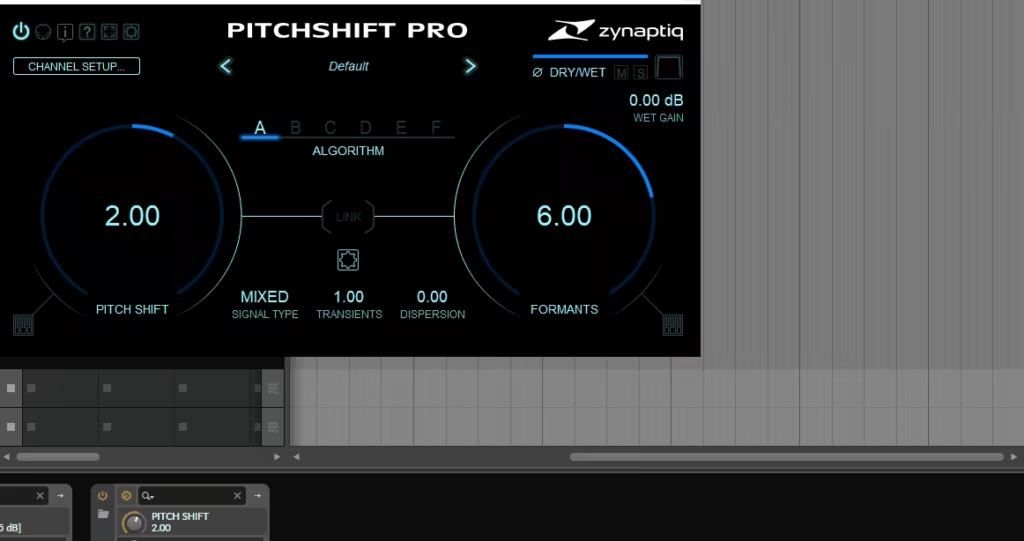
The plugin claims to offer high-quality pitch changes with few artifacts. After trying it in different production settings, I can share what it really does and if it’s worth adding to your setup.
Zynaptiq Pitchshift Pro isn’t meant to be a vocal tuning tool like Melodyne or Auto-Tune. Instead, it’s a creative pitch processor for sound design, mixing, and production when you want clear pitch-shifting or special effects. The real question is whether it does these jobs better than the pitch-shifters that come with your DAW or other plugins.
Sound Quality and Processing Algorithms
Zynaptiq’s experience really shows in the main pitch-shifting algorithm. The processing sounds much cleaner than many standard pitch-shifters. I’ve tried it on vocals, drums, synths, and full mixes, and it keeps the sound clear without adding metallic artifacts or phase problems, even when making bigger pitch changes.
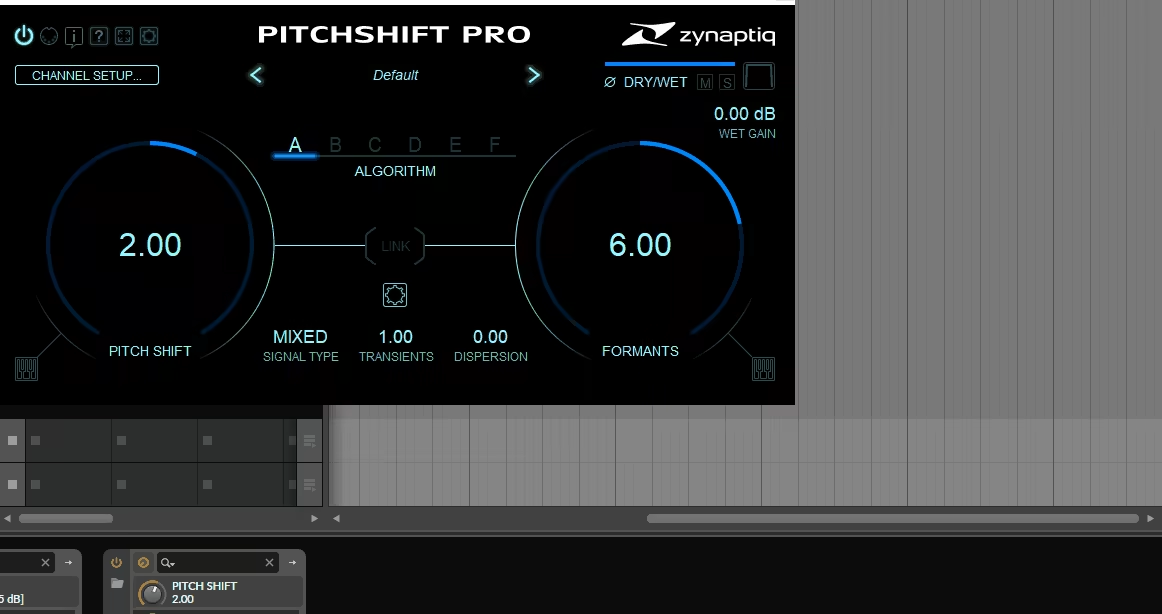
Formant preservation works well, which is important when you want to shift vocals without making them sound too thin or too thick. You can use it to fix vocal takes that are just a bit off in pitch but don’t need full correction, and the formant control helps keep the natural sound. You can also use formant shifting creatively to change vocal character in ways that feel intentional.
The way Pitchshift Pro suppresses artifacts is impressive, especially compared to basic pitch-shifters. I noticed this most when working with full mixes or complex instrument parts. Usually, pitch-shifting a whole mix doesn’t sound good, but this plugin handles it surprisingly well when you need to change the key. I still wouldn’t use it for big pitch changes on complex material, but it does better than I expected in tough situations.
Processing latency is fine for most uses, but it’s not low enough for live monitoring unless you compensate for it. In recording and mixing, where you can adjust for latency, it’s not a problem. I like that Zynaptiq is upfront about the processing needs instead of sacrificing quality for zero-latency.
You can choose between different quality settings, trading off processing detail for CPU usage. I like being able to work in lower quality while arranging and then switch to maximum quality when bouncing. The difference between settings is clear, especially on solo vocals or acoustic instruments, so it’s best to use the highest quality for final processing.
- Interface and Workflow
The interface is clean and practical, not flashy or over-designed. Zynaptiq clearly focused on making the controls easy to use, which is what matters for a professional tool. The main pitch control stands out and is simple to adjust, and the other settings are organized well without making things messy.
You get real-time visual feedback for pitch and formants, which helps you see how your changes affect the sound. Since you can’t always guess how pitch-shifting will sound from numbers alone, these visuals make it easier to choose the right settings before processing.
The plugin comes with presets for common uses, like “Vocal Up Semitone,” “Drum Transpose,” and “Creative Shifting,” and their names make it clear what they’re for. These are real starting points worth trying, not just random settings. About a third of them fit my work, which seems fair for a specialized plugin.
Parameter automation works well in your DAW. I found it especially useful for pitch effects that change over time or for making small pitch corrections during a performance. The automation is reliable and doesn’t cause glitches or sudden jumps that could mess up smooth transitions.
CPU usage ranges from moderate to heavy, depending on your quality settings and how complex your material is. Running several instances at once, especially at the highest quality, can really tax your system. I’ve found it’s better to bounce tracks to audio after processing, instead of running many real-time instances in big projects.
Practical Applications
This plugin is a good fit for mixing engineers and producers who need high-quality pitch-shifting for both fixing and creative work, beyond what basic tools can do. I’ve used it to fix backing vocals that were a bit off, where full correction wasn’t needed, and it kept the natural sound of the performance.
For sound designers, this plugin lets you transform sounds to create new textures and tones. With pitch-shifting, formant control, and high processing quality, you can make variations that don’t sound fake or over-processed. I’d recommend it to anyone working in film, TV, or game audio who needs to change sounds while keeping them professional.
Electronic music producers can use Pitchshift Pro for creative sound changes where you want the pitch effect to stand out, not just fix mistakes. The plugin can add interesting textures to synths, drums, and samples, giving your tracks more character. It also works well on percussive sounds, where many pitch-shifters have trouble keeping the attack clear.
Comparisons and Context
Compared to standard DAW pitch-shifters, Zynaptiq Pitchshift Pro gives you much better quality, especially for bigger pitch changes or complex sounds. Most built-in tools start to struggle after 5-7 semitones, but Pitchshift Pro stays usable even with bigger shifts. Whether it’s worth the investment depends on how often you need top-notch pitch-shifting.
Compared to Melodyne, these tools do different things even though both change pitch. Melodyne is great for detailed melodic editing and correction, while Pitchshift Pro is better for clear or creative pitch changes on whole performances or mixes. I use both, depending on the job, rather than seeing them as direct competitors.
Serato Pitch ‘n Time is probably the closest competitor, and both plugins are aimed at similar professional uses. Pitchshift Pro gives you more creative control with its formant and processing features, while Pitch ‘n Time is all about maximum transparency. Your choice depends on whether you want more creative options or the cleanest possible sound for your workflow.
Pitchshift Pro fits right in with Zynaptiq’s other specialized tools. If you already use their plugins and like their approach, this one will feel familiar. Zynaptiq focuses on advanced algorithms rather than basic DSP, so their plugins often handle tough tasks better than standard options.
- Limitations and Considerations
The plugin uses a lot of CPU at the highest quality setting, so you’ll need good hardware for smooth performance. It’s practical to work at lower quality while arranging, then switch to maximum quality for the final output, but this adds a few extra steps to your workflow.
The plugin uses iLok for authorization, which is reliable but requires the iLok License Manager and either a physical dongle or machine authorization. This is common for pro plugins, though some people prefer simpler systems.
The plugin supports VST3, AU, and AAX formats, so it works with all major DAWs. You shouldn’t have any compatibility problems, and it fits into your workflow without needing special setup.
The learning curve is pretty easy for basic pitch-shifting, though you’ll need to experiment to get the most out of the advanced features. Most users should be up and running within an hour, which is fair for a specialized plugin.
Final Assessment
Pitchshift Pro offers high-quality pitch changes that go beyond what most standard tools can do, especially when you need clear processing on complex sounds or want creative control over formants. The algorithm handles tough jobs well, and the interface gives you access to its power without being too complicated.

Hello, I’m Viliam, I started this audio plugin focused blog to keep you updated on the latest trends, news and everything plugin related. I’ll put the most emphasis on the topics covering best VST, AU and AAX plugins. If you find some great plugin suggestions for us to include on our site, feel free to let me know, so I can take a look!