
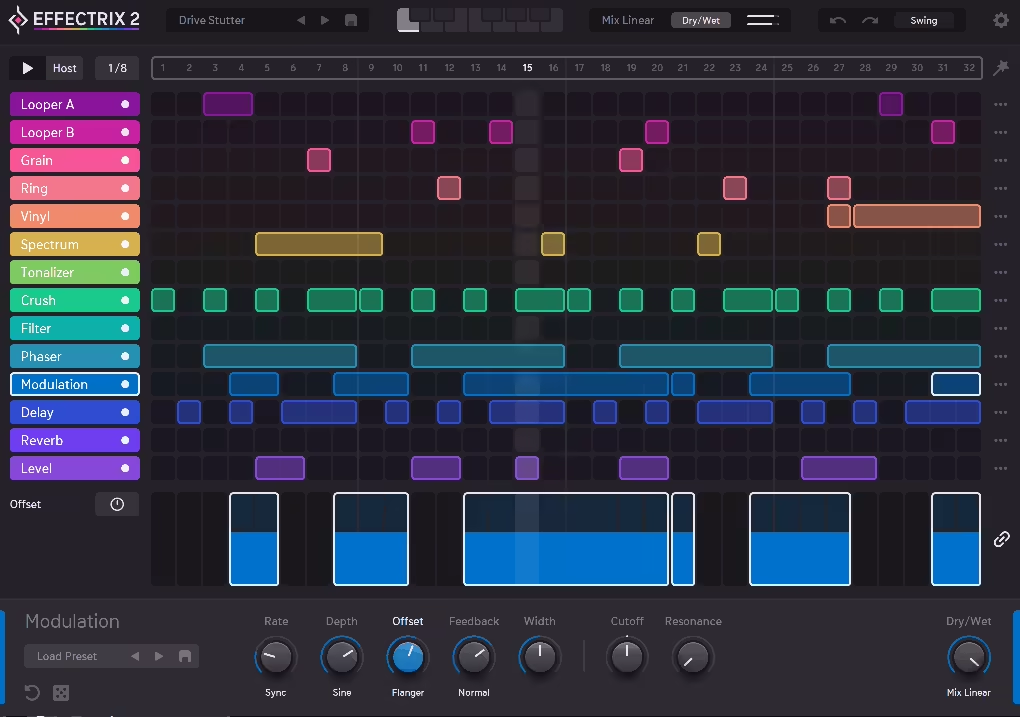
The original Effectrix came out back in 2008 and quietly became one of those plugins that producers kept coming back to for over a decade, which says a lot about how strong the core idea was. The concept is deceptively simple on paper: instead of applying effects statically, you sequence them rhythmically across a grid, turning what would otherwise be a flat audio signal into something that moves, stutters, reverses, and transforms in sync with your track.
Effectrix 2 takes that foundation and builds on it in ways that make the whole system feel genuinely modern and expanded.
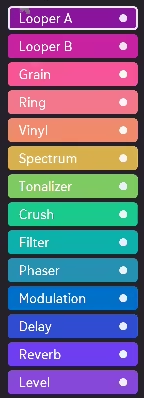
Sugar Bytes has always had a reputation for releasing plugins that are equal parts technical and fun, and this sequel follows that pattern closely. The interface is built around a 32-step sequencer grid with 14 effect modules stacked down the side, each color-coded so you can read the layout at a glance.
Below the grid sits a vastly improved modulation lane where you can dial in per-step parameter values using a range of modulators that go well beyond what the original offered. For anyone who used the first version, the layout is immediately familiar, but the engine underneath has been meaningfully upgraded.
I think at $129 this is a solid investment for producers who regularly work with loops and samples and want a faster, more performative approach to adding rhythmic movement and texture to their tracks. It’s not the deepest plugin in any single category, but the combination of 14 effects under sequencer control with this level of modulation flexibility is genuinely hard to replicate any other way without spending a lot more time automating things by hand.
Grid & Effects
The sequencer grid is the entire personality of this plugin, and I mean that in the best possible way. Each of the 14 effect modules gets its own horizontal lane on the grid, and you draw in cells across the 32 steps to determine exactly when each effect is active during the loop. The effects available include:
- Looper A and B with time-stretching, swing, repeat patterns, and gradual pitch and size changes
- Grain for granular processing that can go from subtle texture to full disintegration
- Ring modulator for metallic, FM-adjacent tonal mangling
- Vinyl for that scratched, pitch-bent record feel
- Spectrum delay, which is a new addition and one of the more distinctive effects in the lineup
- Tonalizer, Crush, Filter, Phase, Modulation, Delay, Reverb, and Level rounding out the full suite
I love how the looper modules in particular have been expanded compared to what the original offered. Being able to apply swing to a loop, define a custom repeat pattern, or gradually shift the pitch or loop size over the course of a sequence creates these evolving, almost organic rhythmic transformations that sound like something you’d spend hours building through conventional automation. Here, you’re setting it up in a few minutes and moving on to the next idea.
The signal routing is dynamic and can be reordered freely, which means the order in which effects process your audio is completely up to you and can change how dramatically different the results sound. Running a crush into a reverb versus a reverb into a crush are genuinely different sonic outcomes, and having that flexibility built into the routing system rather than locked into a fixed chain makes a real difference when you’re exploring.
Modulation System
I have to say the modulation lane underneath the main sequencer grid is probably the biggest functional upgrade in this version, and it’s something that takes the plugin from a straightforward effect sequencer into genuinely expressive territory. For every effect parameter, you can assign one of several different modulation types that apply independently per step:
- From To, which starts at your parameter value and transitions to a target over the duration of the step
- Step Sequencer modulation for creating rhythmic parameter changes that stack on top of the main grid
- LFOs for smooth, repeating patterns that lock to your project tempo
- Envelope Follower that reacts directly to the amplitude of your incoming audio, so the effect intensity tracks the dynamics of whatever you’re processing
- Steptrain, a specialized step sequencer variant designed specifically for creating stutter effects when connected to the volume parameter
- Randomizer for injecting controlled unpredictability into any parameter
I found the envelope follower especially useful on filter cutoff and reverb mix, where having the effect intensity rise and fall with the energy of the source material creates a result that feels reactive and alive in a way that static parameter settings never quite achieve. The ability to actually sequence the modulation type itself across different steps, so that one section of a pattern uses an envelope and another uses an LFO on the same parameter, is the kind of layered control that separates this from simpler effect tools.
I want to note that the one thing missing here that some competitor plugins include is a freehand drawing mode for modulation, which would make it even faster to sketch in custom shapes. It’s not a dealbreaker by any stretch, but it’s a feature you’ll notice if you’re coming from something like Cableguys ShaperBox where that kind of drawing is central to the workflow.
Live Performance
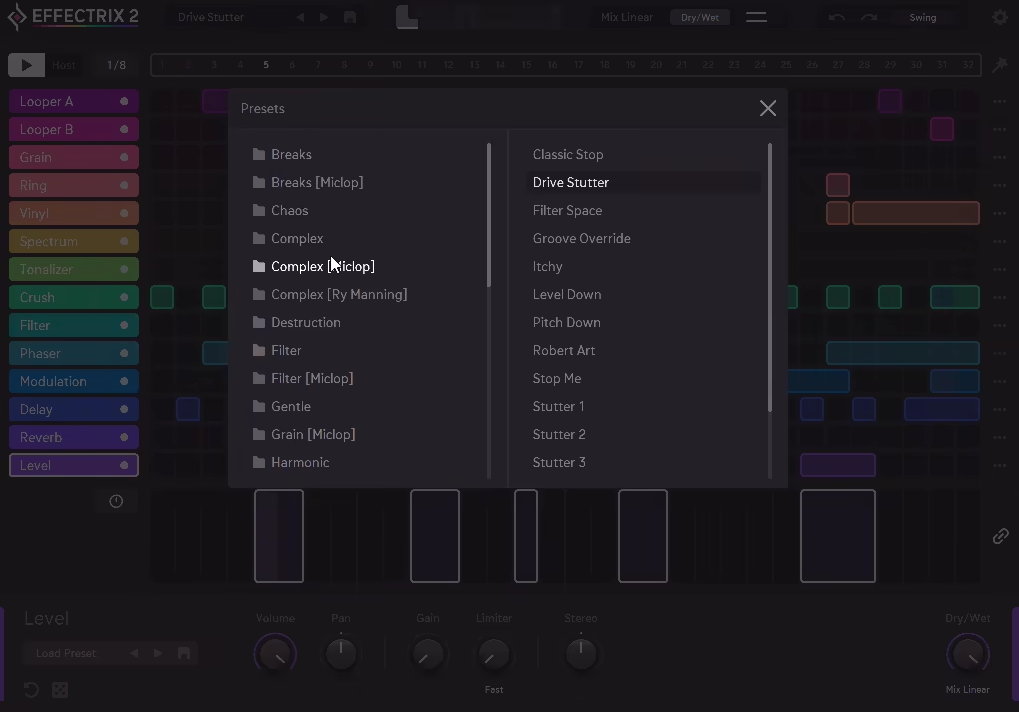
For me, one of the more practical and underappreciated features here is the ability to store up to 12 different sequencer setups within a single preset and switch between them in real time via MIDI or host automation. This is genuinely transformative for live performance and arrangement work, because it means you can have a whole collection of variations on how an effect sequence runs ready to go, and switch between them instantly without any gaps or glitches.
I believe this is what pushes the plugin beyond just being a studio sound design tool and into something that actually works on a stage or in a DJ set. Triggering a completely different effect pattern on a loop mid-performance with a single MIDI note, and having that switch happen cleanly and in sync, is the kind of thing that takes years of practice to replicate any other way and here you’re setting it up in an afternoon.
The randomization system is worth spending time with too, because Sugar Bytes built it to work at several different scales. You can randomize the entire pattern at once for something completely different, randomize just a single effect track to shake up one element while keeping everything else intact, or randomize the parameter settings for a specific effect without touching the grid pattern at all.
Each level of randomization is genuinely useful for different situations, and I suggest spending a session just cycling through random variations and resampling the ones that surprise you because that workflow alone can fill a sample library with usable material pretty quickly.
Caveats
I’d say the main limitation to be aware of is that all effect lanes share the same overall sequencer length, which means you can’t set individual step counts per effect for polymetric patterns. If you want, say, the filter running on a 5-step cycle while the reverb runs on a 7-step cycle, you’d need separate instances of the plugin to pull that off. It’s a workflow limitation that probably won’t affect most users, but for producers who think in polyrhythmic terms it’s worth knowing upfront.
The effects themselves are also solid rather than class-leading in isolation. I mean, the reverb here isn’t going to replace your dedicated reverb plugin, and the delay isn’t going to outperform a purpose-built delay unit. What makes everything work is the combination of effects under sequencer control, which is a very different value proposition from individual effect quality, and it’s one that Effectrix 2 delivers on very well.
Formats: VST, VST3, AU, AAX, Standalone
Works with: macOS 10.13 or higher (Intel and Apple Silicon), Windows
Price: $129 (upgrade from original Effectrix: $79)
Check here: Effectrix 2

Hello, I’m Viliam, I started this audio plugin focused blog to keep you updated on the latest trends, news and everything plugin related. I’ll put the most emphasis on the topics covering best VST, AU and AAX plugins. If you find some great plugin suggestions for us to include on our site, feel free to let me know, so I can take a look!