Choir OMNIA comes from a partnership between Native Instruments and Strezov Sampling. The library captures 40 singers recorded over six weeks at Sofia Session Studio, using microphones from AEA, Neumann, DPA, and Sanken. The recordings are split into four independent sections: soprano, alto, tenor, and bass, which I appreciate because it gives you genuine control over traditional choir arrangements.
The recording quality itself is impressive when you listen to the raw material. The dynamic range spans from intimate whispers to powerful fortissimo passages, and I found the quieter dynamics particularly beautiful. Not many choir libraries handle the soft end of the spectrum this well, and that alone makes certain types of scoring possible that other libraries struggle with.
Here’s what you need to know about system requirements: each individual choir section consumes over 5GB of RAM when loaded. If you want to use all four sections together, you’re looking at more than 20GB of RAM usage before adding any other instruments. I’ve read about users upgrading from 16GB to 40GB of RAM to use this library comfortably which is substantial, but the flip side is you’re getting a lot of content and detail for that memory footprint.
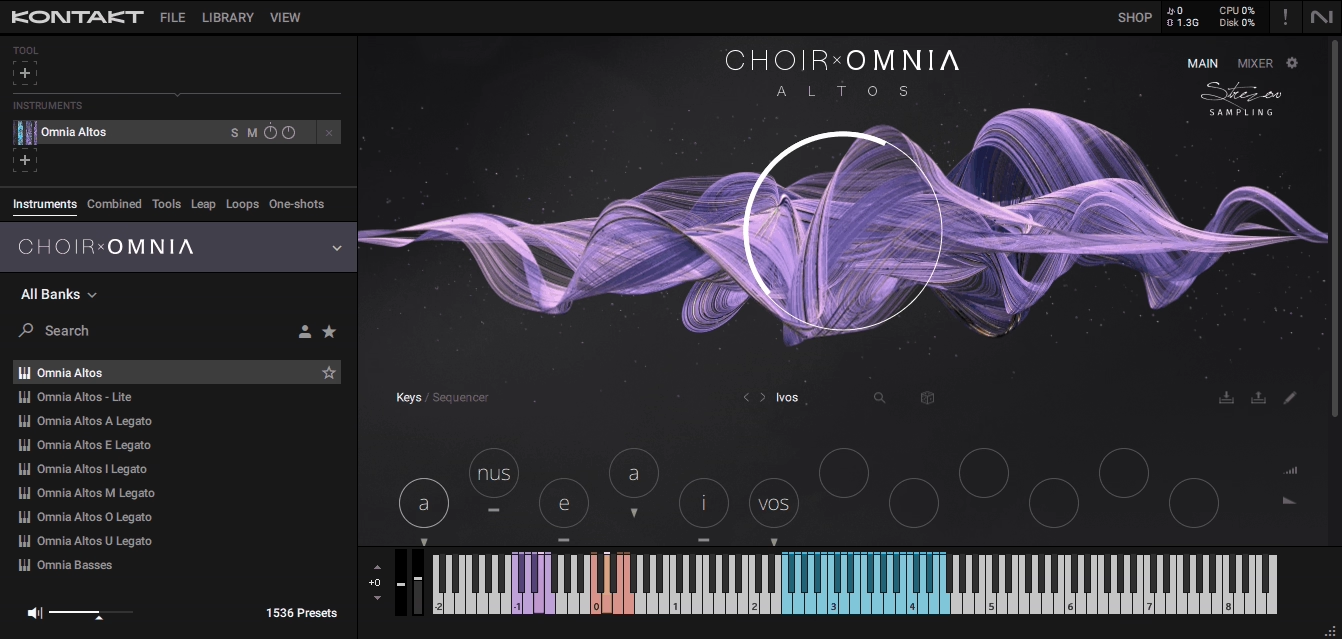
Choir OMNIA Kontakt library includes 189 presets that I found genuinely useful, spanning natural choral sounds to hybrid cinematic textures, and unlike some libraries where presets feel like afterthoughts, these actually work as starting points. You also get 16 available syllables that form the foundation of the Syllabuilder system, with five microphone positions you can mix and match. I spent time with the mic positions and appreciate the flexibility they offer for placing the choir in different spaces.
The articulations cover sustain, marcato, staccato, and staccatissimo, which provides good coverage. I particularly liked the staccato articulations, which have nice attack and definition that cuts through busy arrangements. When it comes to size, Over 70GB of disk space is required for installation.
The Syllabuilder Opens Creative Possibilities
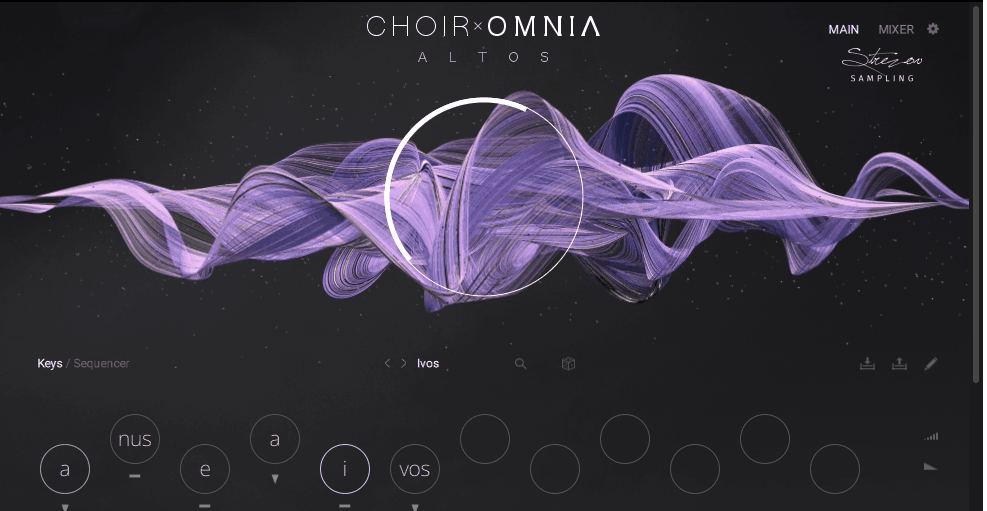
The Syllabuilder engine is genuinely innovative, and I think it’s worth understanding what it brings to the table. The system lets you construct custom sequences using 16 syllables with two transform modes and multiple round-robins per syllable. You can merge phonemes, create variations, and build phrases that other choir libraries simply can’t do because they’re locked into pre-recorded material.
I found this particularly valuable when I needed specific syllable patterns that don’t exist in traditional phrase libraries. Being able to construct exactly the sequence I wanted, rather than compromising with the closest available phrase, opened up creative options I hadn’t considered before.
The learning curve is real though. I spent time figuring out which syllables blend well together and which combinations create problems. Some syllables sound natural and expressive, while others stick out with characteristics that volume balancing doesn’t always fix. But once you learn which syllables to favor, you could work more efficiently.
The keyswitching behavior works in a specific way: unless you’re actively holding down the keyswitch key, the library defaults back to staccato. This took me time to get used to, but I understand the logic once I adapted my workflow. It’s designed for a specific way of working that may or may not match how you like to compose.
You get two performance modes: Keys mode and Sequence mode. I found Keys mode great for sketching basic ideas quickly, especially when you are just trying to get the harmonic structure down. Sequence mode is where the real power lives, letting you program note intervals, syllable transformations, and timing divisions. I would use Sequence mode when I have time to craft detailed passages, and Keys mode when I need speed.
The randomize function generates new syllable sequences automatically and I’ve gotten some interesting starting points from it, though the results usually need adjustment. I think of it as an idea generator rather than a finished solution.
The Polyphonic True Legato system from Strezov Sampling works really well as the script automatically tracks melodies and harmonies to create natural voice-leading transitions, which saved me considerable time. The transitions are smooth, which I appreciate when I want polished results, though I sometimes add a bit of additional expression to bring back some human character…
Sound Quality Has High Points And Challenges
When Choir OMNIA hits the sweet spot, it sounds genuinely beautiful. The five mixable microphone positions give you real flexibility in shaping the spatial character and I particularly love the close mics for intimate passages and the room mics for larger orchestral contexts. The ability to blend these positions gives you control over the choir’s placement in your mix.
The recordings capture some really expressive performances. I’ve gotten great results with sustained passages where the choir builds from quiet to loud, and the dynamic range is impressive when you’re working within each syllable’s strengths. The breath sounds and natural imperfections in the recordings add realism that I value.
Syllable consistency varies across the library, which is something you’ll need to work with. Some syllables deliver rich, expressive performances that I really like. Others require more attention to blend properly. The sopranos sound gorgeous in their mid-range but can sound strained in the highest velocities. I’ve learned to work around this by choosing different syllables or adjusting dynamics.
I spend time adjusting individual syllable volumes to get balanced phrases, which the library allows you to do. Once you have dialed in a sequence that works, you can save it and reuse it, which makes the effort worthwhile. Some passages hit the sweet spot immediately and sound excellent. Others need refinement, but that’s true of most complex sample libraries.
The articulation transitions work well in some contexts. I’ve had good results with sustain to marcato changes, which feel musical and responsive. The staccato to staccatissimo transitions sometimes need attention, but when I program them carefully, they deliver the crisp, defined attacks I’m looking for.
Technical Realities You Should Know About
I need to be honest about some technical issues that affect workflow. Mod wheel functionality can stop working after saving and reopening projects in some cases. I’ve experienced this a few times, and while it’s frustrating, I’ve learned to check my mod wheel programming when I reopen sessions. It’s a known issue that hopefully gets addressed in updates.
Articulations sometimes need to be refreshed after reopening sessions. The articulation shows in your MIDI data, but moving the mod wheel doesn’t always trigger the changes immediately. I’ve found that reloading the patch usually resolves this, though it adds steps to my workflow.
Some users report synchronization problems with playback timing. I haven’t experienced this consistently, but I’ve read about it enough to mention. The library generally performs well on my system with an NVMe SSD and adequate RAM.
You need an SSD for the content drive to get good performance. I keep my content on an NVMe drive and loading times are reasonable. The library streams samples efficiently once everything is properly configured.
The CPU usage stays manageable in most situations, which I appreciate. Even with multiple sections loaded, I can run other instruments in my template without hitting CPU limits. The efficiency here is actually quite good considering how much content is loaded.
Whether This Library Fits Your Needs
If you’re part of the Komplete ecosystem and get Choir OMNIA as part of Komplete 15 Collector’s Edition, it’s absolutely worth exploring. As a bundled addition, you’re getting substantial value, and you can take time to learn its workflow without feeling like you made a separate investment.
For standalone purchase, think about what you actually need. The combination of SATB section separation, Syllabuilder flexibility, and dynamic range makes this valuable if those features match your workflow. I would recommend it for projects where you need that level of control and customization.
You need realistic expectations about the time investment. I spent some time learning which syllables work best, how to balance phrases, and how to work efficiently with the Syllabuilder. That investment paid off because I now have workflows that deliver results other libraries can’t match. But if you need immediate results, the learning curve is real.
If you have less than 32GB of RAM, consider whether you’re willing to upgrade. The RAM requirement is substantial, but if you’re serious about this library, the investment makes sense. Also, the 189 presets provide immediate value while you’re learning the deeper features.
I think the library has genuine strengths that make it worth considering. The SATB separation, Syllabuilder capabilities, wide dynamic range, and recording quality offer things that other libraries don’t. But it requires time investment, adequate system resources, and willingness to learn.

Hello, I’m Viliam, I started this audio plugin focused blog to keep you updated on the latest trends, news and everything plugin related. I’ll put the most emphasis on the topics covering best VST, AU and AAX plugins. If you find some great plugin suggestions for us to include on our site, feel free to let me know, so I can take a look!