
 Once you own more than two or three hardware synths, the question of how to hear them all at once becomes a real problem.
Running each synth into a separate audio interface input works, but you quickly run out of inputs, and the workflow of switching between sources in your DAW just to jam on your hardware is clunky and slow.
A dedicated mixer solves this by giving you a physical fader for every synth, the ability to blend everything together in real time, and the kind of hands-on control that makes working with hardware feel like playing an instrument instead of managing a computer.
The right mixer for a synth setup isn’t necessarily the same as the right mixer for a band. You need enough stereo line inputs to handle synths that output in stereo (which is most of them), a low enough noise floor that quiet patches and subtle effects aren’t buried in hiss, and ideally some form of USB audio interface so you can record the mix or individual channels into your DAW.
Effects are a bonus rather than a necessity since your synths likely have their own, but built-in reverb and delay can save you from needing outboard processors.
I’ve selected eight mixers that serve hardware synth setups well, covering different scales from compact desktop units for small rigs through to full-size consoles for larger collections.
1. Allen & Heath ZED-22FX
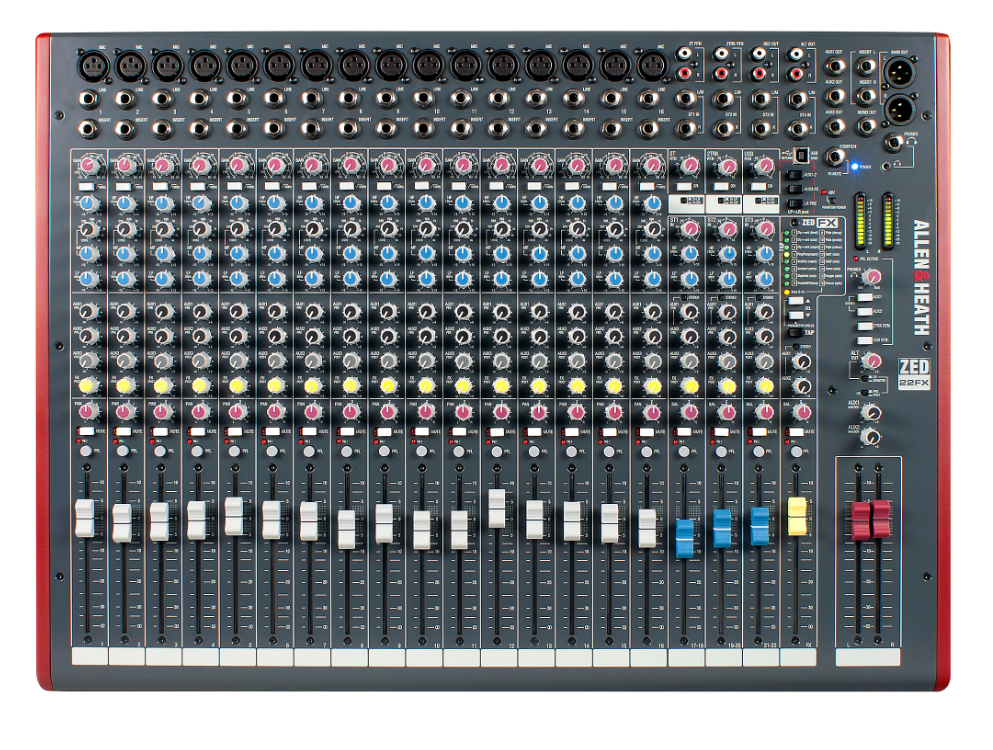
A proper full-size analog mixer from one of the most respected console manufacturers in the world.
Allen & Heath ZED-22FX gives you 22 channels, 16 mic/line inputs with A&H’s renowned preamps, three stereo inputs for synths and drum machines, a built-in USB audio interface, and onboard effects with 16 presets in a mixer built with the kind of headroom and signal quality that Allen & Heath has been delivering to professional studios for decades.
For a large synth setup where you’ve accumulated enough gear to fill a desk, the ZED-22FX provides the channel count and signal quality to handle everything without compromise. The analog signal path means your synths maintain their character through the mixer rather than being converted to digital and back.
- Channel Count
22 channels give you enough physical inputs to connect a serious hardware collection without constantly replugging cables.
You get 16 mono mic/line channels and three dedicated stereo channels, which means you can have a dozen synths, a couple of drum machines, and a sampler or two all connected permanently and ready to play. The channel count eliminates the workflow friction of patching and repatching that smaller mixers force on larger setups.
- A&H Preamps
The Allen & Heath preamp design provides the clean gain, headroom, and low noise floor that premium synth signals deserve. The preamps handle everything from hot line-level outputs to quieter instrument signals without adding coloration or hiss.
For hardware synths where the audio quality starts at the synth’s output converters, the mixer’s preamp quality determines whether that quality is preserved or degraded on the way to your speakers and DAW.
- Built-In FX
16 onboard effect presets including reverbs, delays, and modulation effects let you add spatial and time-based processing to your synth mix without external gear.
The effects are routed via a dedicated aux send and return, meaning you control how much effect each channel receives independently. For jamming and live performance with synths, the onboard effects add dimension to your sound without requiring a separate effects processor.
- USB Recording
The built-in USB audio interface allows you to record the stereo mix directly into your DAW while maintaining the analog workflow of the mixer.
The USB connection captures the summed output of your entire synth setup, which means you can record jams, performances, and composition sessions without additional hardware. For producers who want to capture ideas quickly while working with hardware, the integrated recording path eliminates the extra step of routing to a separate interface.
Get the Free Plugin Starter Kit
The genuinely useful free DAWs and plugins worth installing. No filler. Straight to your inbox.
2. Zoom LiveTrak L-8
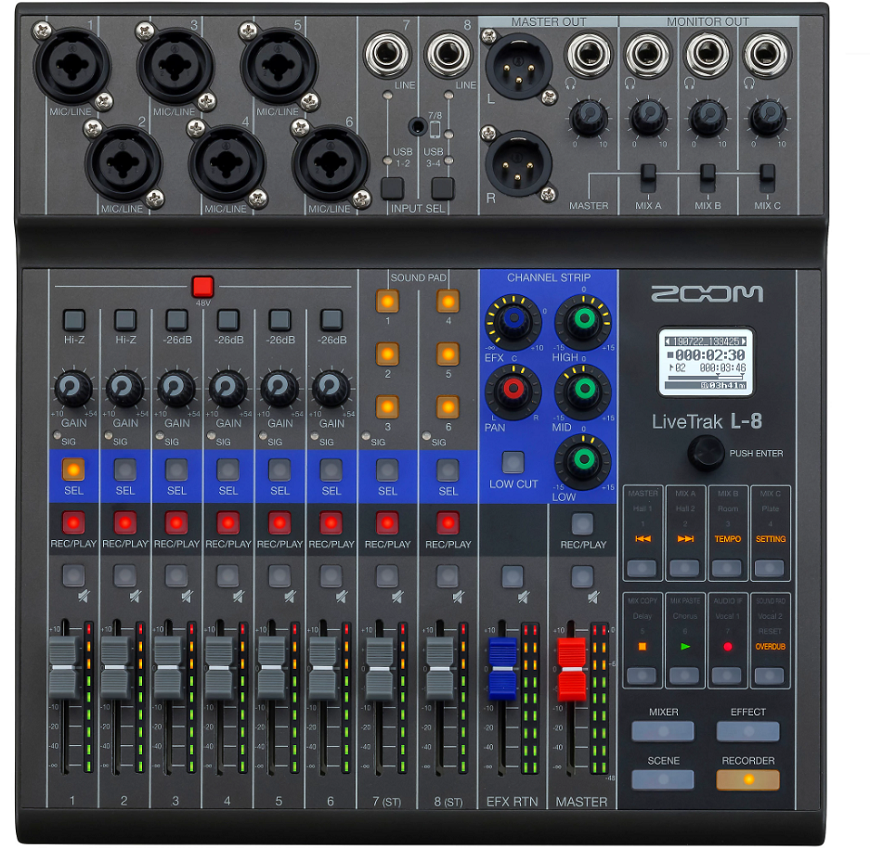
A compact digital mixer built for versatility, combining mixing, multitrack recording, and audio interfacing in a portable format that works surprisingly well as a synth hub.
Zoom LiveTrak L-8 features 8 input channels, built-in multitrack recording to SD card at 24-bit, a 12-in/4-out USB audio interface, onboard effects, and sound pads that can trigger samples or effects, all in a battery-capable design that you can take anywhere.
I think the L-8 occupies an interesting position for synth users who don’t have a massive collection but want more than a basic mixer. The multitrack recording means you capture each synth on its own track to the SD card, which gives you the flexibility to remix later without needing a computer running during the session.
- SD Recording
Built-in multitrack recording to SD card captures each input channel as a separate audio file at up to 24-bit resolution, giving you individual tracks for every synth in your setup. The standalone recording means you don’t need a computer running to capture a jam session.
You plug in your synths, hit record, and every channel gets its own file that you can import into your DAW later for editing, mixing, and production. For spontaneous sessions where you want to capture ideas without setting up a full recording chain, the SD recording is genuinely useful.
- Sound Pads
Six assignable sound pads can trigger samples, sound effects, or jingles during a session. For synth users, the pads add a performance element where you can layer one-shot samples, drum hits, or ambient textures over your synth jam without needing a dedicated sampler.
The pads respond to velocity, so you get some expressive control over how the triggered sounds blend with your synth mix.
- Battery Power
The ability to run on AA batteries makes the L-8 genuinely portable for synth jams outside the studio.
You can take it to a park, a friend’s house, or a rehearsal space without worrying about power outlets. For synth meetups and collaborative sessions where you need a mixer that travels, the battery operation combined with the SD recording means you have a completely self-contained recording setup.
- Monitor Mixes
Three independent headphone outputs with individual level controls let multiple performers monitor their own mix during collaborative synth sessions. Each headphone output can receive a different balance of the input channels, which means one player can hear more of their synth while another focuses on the drum machine. The independent monitoring is a practical advantage for synth jams with other musicians.
- USB Interface
The 12-in/4-out USB audio interface connects the L-8 to your DAW for recording, streaming, or using DAW playback alongside your hardware synths. The USB interface captures individual channels to your computer, which gives you the same multitrack flexibility as the SD recording but with the added capability of recording directly into your production software.
- Compact Format
The portable size and lightweight construction means the L-8 fits on a crowded desk alongside your synths without demanding the space that full-size mixers need. For bedroom setups where desk real estate is shared between a computer, synths, and controllers, the L-8’s compact footprint lets you add mixing capability without reorganizing your entire workspace.
3. Mackie Onyx24
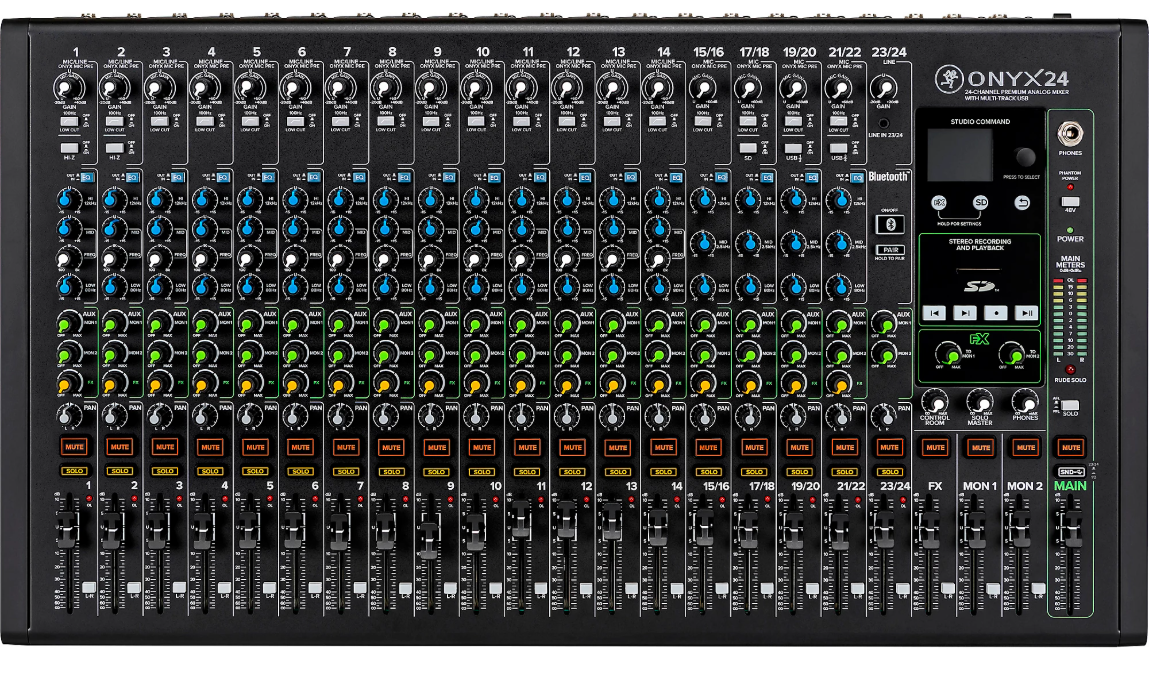
A professional-grade analog mixer with enough inputs for even the most ambitious hardware collection. Mackie Onyx24 delivers 24 channels, Onyx microphone preamps, a 24-in/4-out USB audio interface with per-channel recording capability, and the build quality that Mackie has been known for since they defined the affordable professional mixer category.
If your synth collection has grown to the point where smaller mixers can’t keep up, the Onyx24 provides the channel count to accommodate everything with room to spare. The per-channel USB recording is the key feature here, because it means you can capture every synth on its own track in your DAW.
- Per-Channel USB
The 24-in/4-out USB audio interface records each individual channel as a separate track in your DAW, not just the stereo mix.
For synth users, per-channel recording means you capture every instrument independently, giving you full control over levels, EQ, and effects in post-production. You play a synth jam through the mixer’s faders and simultaneously record each synth on its own track for later editing.
- Onyx Preamps
Mackie’s Onyx microphone preamps provide clean, detailed gain with low noise and generous headroom that handles the full dynamic range of hardware synths without clipping or adding artifacts.
The Onyx preamp has been one of Mackie’s most acclaimed designs, and the signal quality means your synths sound like themselves through the mixer rather than taking on the coloration that lower-quality preamps introduce.
- Channel Scale
24 channels provide the physical connectivity for a large hardware setup without compromise. You get mono and stereo channels in sufficient quantity to keep your entire collection connected, patched, and ready to play at all times.
The scale of the Onyx24 means you stop thinking about which synths to connect and start thinking about how to use them all together.
4. Behringer X Air XR18
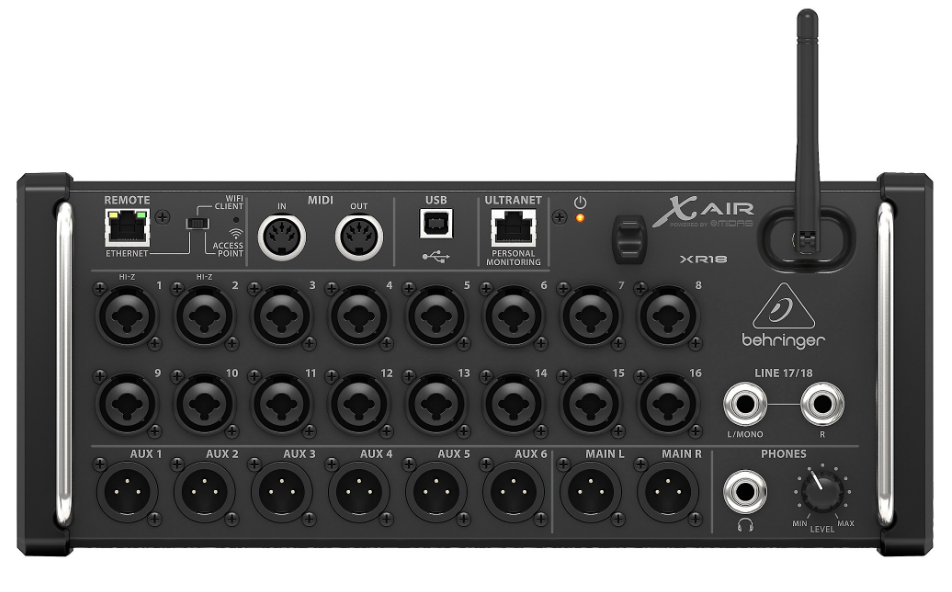
A rack-mount digital mixer that you control entirely from a tablet, keeping the bulky console off your desk while putting every mixing parameter at your fingertips through a detailed app interface.
Behringer X Air XR18 packs 18 channels, 6 aux sends, Midas-designed preamps, built-in effects, and a USB audio interface into a 19-inch rack unit with no physical faders or knobs on the unit itself, because all control happens wirelessly through Behringer’s X Air app.
The XR18 is the choice for synth users who want serious digital mixing capability without sacrificing desk space.
The entire mixer sits in a rack or under your desk, and you mix from your iPad or laptop. For studios where desk space is shared between synths, controllers, and a computer, removing the physical mixer from the desk is a significant advantage.
- Tabletop Free
The rack-mount, headless design puts all 18 channels of mixing capability in a unit that sits in a rack or on a shelf, freeing your desk surface entirely for synths and controllers. All mixing happens through the X Air app on a tablet, phone, or computer, which means you adjust levels, EQ, effects, and routing from wherever you’re sitting.
For synth setups where every inch of desk space is occupied by keyboards and modules, the XR18’s approach of hiding the mixer away while controlling it wirelessly solves a real physical space problem.
- Midas Preamps
The Midas-designed microphone preamps provide the signal quality that the X Air series inherited from Behringer’s professional X32 console platform.
The preamp quality handles hot line-level synth outputs cleanly and quietly, preserving the audio fidelity of your hardware. The Midas preamp design is one of the reasons the XR18 has been adopted by both live sound engineers and studio producers.
- Digital FX
Built-in effects include reverbs, delays, chorus, and other processors that you apply to individual channels or buses through the app interface. The effects quality draws from the same DSP platform as the Behringer X32, which means you get studio-usable processing without external hardware.
For synth sessions where you want reverb on a pad, delay on a lead, and compression on a bass, the built-in effects handle all of it within the mixer.
- 18-Channel USB
The 18-in/18-out USB audio interface records every channel individually into your DAW at 24-bit/48kHz. The full multitrack capability means your synth sessions are captured with complete flexibility for post-production, because each instrument gets its own track.
The 18 channels of USB audio make the XR18 function as both your mixer and your primary audio interface, replacing two pieces of gear with one.
5. Allen & Heath ZED60-14FX
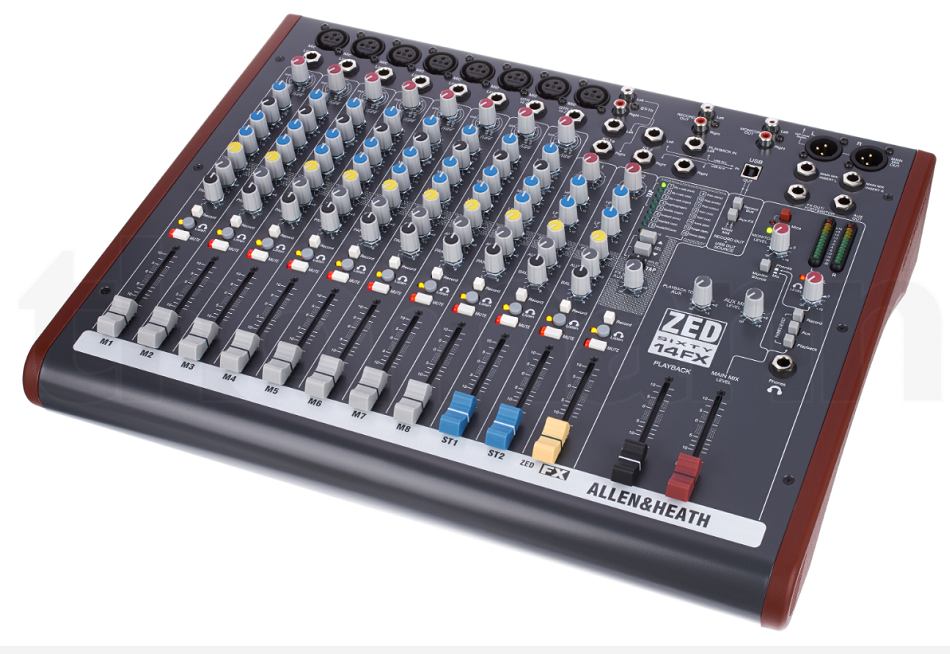
A more compact option from Allen & Heath for producers who want the company’s renowned preamp quality and build standards without the bulk of a full-size console.
It provides 14 channels, 60mm faders, A&H’s GSPre preamp design, built-in effects, and a USB audio interface in a format that fits comfortably alongside a modest synth collection.
The ZED60-14FX hits the middle ground between compact mixers that feel like toys and full-size consoles that dominate your workspace. The 60mm faders are shorter than full-size 100mm faders but long enough to make precise level adjustments, and the overall footprint is manageable for a desk that also holds a few synths and a computer.
- GSPre Quality
The Allen & Heath GSPre preamp design delivers the clean gain, low noise, and wide headroom that the company’s professional consoles are known for.
The preamp quality is the primary reason to choose an Allen & Heath mixer over cheaper alternatives, because the signal path preserves the full fidelity of your synth outputs without adding the hiss, coloration, or distortion that budget preamps introduce.
- Compact A&H
The 14-channel format with 60mm faders provides Allen & Heath quality in a footprint that fits on a standard desk alongside your synths and computer. The compact layout means you get the signal quality and build standards of a professional console manufacturer without the physical size that normally accompanies that quality.
For producers whose synth collection fits in four to six units, the ZED60-14FX provides exactly the right number of channels without wasting space on inputs you don’t need.
- Onboard Effects
Built-in effects with reverb, delay, and modulation presets provide spatial processing for your synth mix through a dedicated aux send. The effects are accessible without external hardware, which keeps your setup simple and reduces the cable count.
For quick sessions where you want to add some atmosphere to a synth pad or space to a lead, the onboard effects deliver usable results without complicating your signal flow.
6. Zoom LiveTrak L-12next
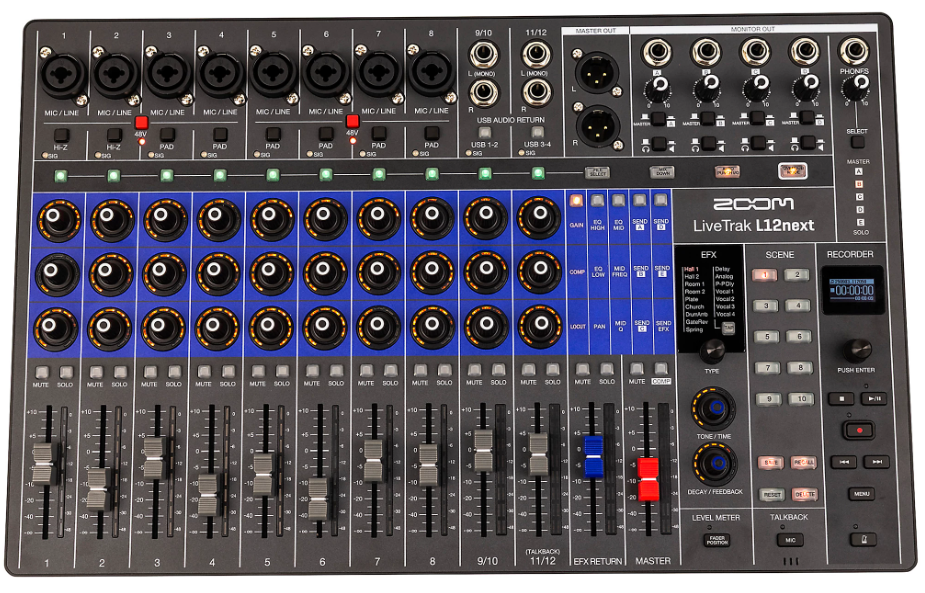
The next generation of Zoom’s popular all-in-one digital mixer and multitrack recorder, upgraded with better preamps, an OLED display, and 32-bit float recording on the master track.
Zoom LiveTrak L-12next delivers 12 channels, upgraded preamps with +70dB clean gain, 14-track simultaneous recording at 24-bit/96kHz, a 32-bit float master track, scene memories, and a 14-in/4-out USB audio interface in a design that combines digital mixer, recorder, and interface in one unit.
The L-12next is the upgraded version of the popular L-12, and the improvements matter for synth users.
The upgraded preamps handle a wider range of signal levels with less noise, the OLED display makes navigating settings easier in dim studios, and the 32-bit float master recording means your stereo mix capture is virtually clip-proof.
- 14-Track Recording
The simultaneous 14-track recording to SD card at up to 24-bit/96kHz captures every channel individually alongside a stereo mix, giving you complete multitrack flexibility without a computer. For synth sessions, each instrument gets its own recorded track that you can import into your DAW later for detailed editing and production.
The recording happens in the background while you focus on playing and performing, which keeps the creative workflow uninterrupted.
- Upgraded Preamps
The new preamp design with +70dB of clean gain and -128 dBu equivalent input noise is a significant upgrade over the original L-12.
The improved noise floor means quiet synth patches, subtle effects tails, and low-level details are captured cleanly rather than being buried in preamp hiss. The additional gain headroom handles everything from quiet ambient patches to hot mono synth outputs without clipping.
- Scene Memories
10 scene memories save your complete mixer state including fader positions, EQ settings, pan, mutes, and effects, allowing you to instantly recall different configurations for different synth setups or songs.
If you use different synth combinations for different projects, the scene memories let you switch between complete mixer configurations without manually resetting every channel. The new fader position button shows you where your saved fader levels should be when recalling a scene.
- 32-Bit Master
The 32-bit float recording on the master stereo track provides virtually unlimited dynamic range on your stereo mix capture.
If your synth jam has unexpected volume spikes from resonant filter sweeps or layered sequences building in volume, the 32-bit float format captures everything without clipping, even if the signal exceeds 0dBFS. For synth sessions where dynamics are unpredictable, the 32-bit safety net means you never lose a great take to digital clipping.
- OLED Display
A new OLED display replaces the original L-12’s LCD, providing clearer visibility of recording status, channel parameters, and menu navigation in the low-light conditions that many studios operate in. The improved display makes it easier to confirm settings, monitor recording, and navigate the mixer’s features without straining to read a dim screen.
7. Soundcraft Notepad-12FX
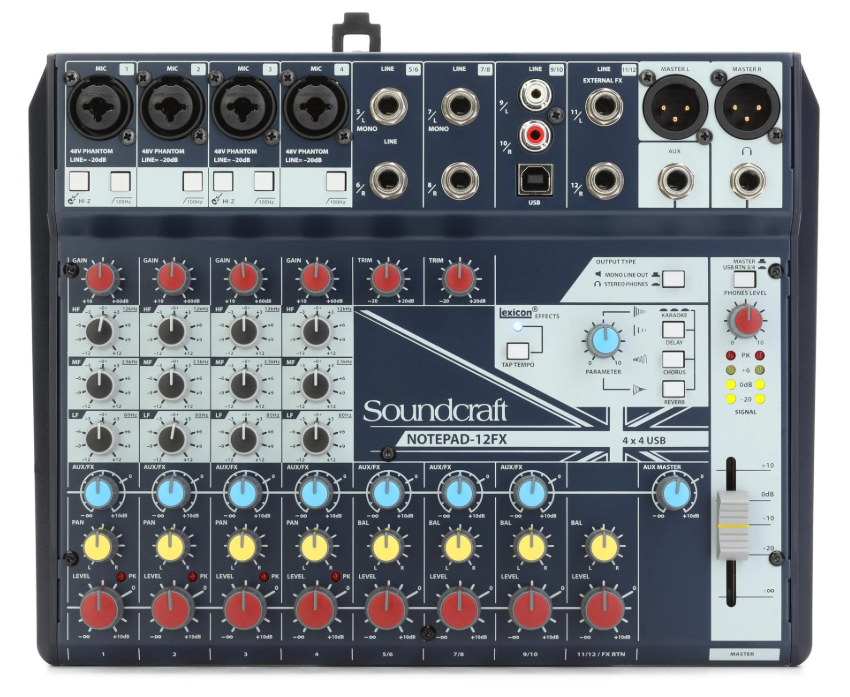
A straightforward analog mixer from the company that’s been building studio consoles since the 1970s, offering clean signal quality and onboard effects in a compact, affordable format.
Soundcraft Notepad-12FX features 12 inputs, Soundcraft preamps, Lexicon effects, and a 4-in/4-out USB audio interface in a simple layout that prioritizes getting good sound without complexity.
The Notepad-12FX is the choice for producers who want a reliable analog mixer that handles a small to medium synth setup without the feature density and menu-diving that digital mixers require. You plug in your synths, adjust the faders, and you’re mixing. The Lexicon effects add quality spatial processing without external gear.
- Lexicon Effects
The built-in Lexicon effects processor provides reverb, delay, and modulation effects from one of the most respected names in professional audio effects.
Lexicon reverbs have been used on countless records, and having that processing built into an affordable mixer means your synth pads, leads, and sequences get professional-quality spatial effects without a separate processor. The Lexicon name isn’t just branding here. The effects sound genuinely good for the cost of the mixer.
- Soundcraft Signal
The Soundcraft preamp and signal path delivers the clean, transparent audio quality that the company has built its professional reputation on since the 1970s. The signal path preserves the character of your synths faithfully, without adding the noise or coloration that budget mixers introduce.
For producers who value the purity of their hardware synth outputs, the Soundcraft signal quality is a meaningful step above the cheapest alternatives.
- Simple Layout
The straightforward analog layout with physical knobs and faders for every function means you never menu-dive or scroll through screens to make an adjustment. Every control is visible, accessible, and does exactly one thing. For synth sessions where the goal is to focus on playing rather than navigating software, the analog simplicity keeps you in the creative flow.
8. Behringer Flow 8
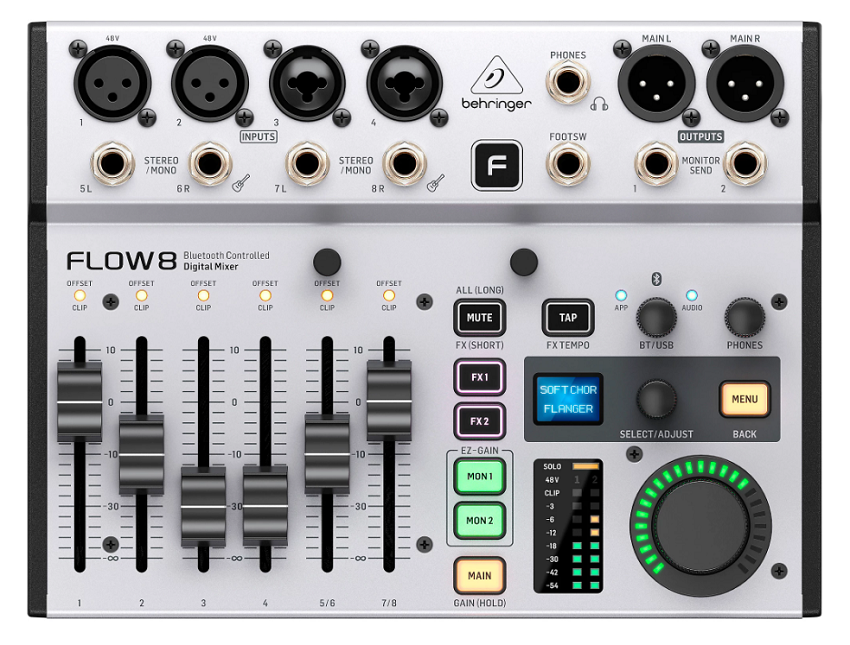
The ultra-compact digital option for producers with a small synth setup who need mixing capability, effects, and USB recording in the smallest possible footprint.
Behringer Flow 8 gives you 8 input channels, Midas-designed preamps, 4-band EQ and compression on every channel, two independent effects engines, a 10-in/2-out USB audio interface, and Bluetooth app control in a mixer that weighs 1.4 kg and fits in a laptop bag.
The Flow 8 is designed for producers who need a mixer but don’t have room for one. The compact size means it sits beside your laptop or between two desktop synths without demanding dedicated desk space. The app control lets you adjust everything from your phone when the mixer is tucked behind your gear.
- App Control
The Bluetooth app control lets you adjust every mixer parameter from your phone or tablet, including channel levels, EQ, compression, effects, and routing.
When the Flow 8 is physically positioned behind your synths or in a tight space where reaching the hardware controls is awkward, the app gives you full mixing control from wherever you’re sitting. The app also provides unlimited snapshot storage, so you save and recall different mixer configurations for different synth setups instantly.
- EZ-Gain
The EZ-Gain assisted gain staging automatically analyzes the signal level on each channel and sets the preamp gain for optimal headroom.
For producers who aren’t confident about gain staging or who want to get mixing quickly without manually optimizing each channel, the automatic gain function ensures your synth signals are level-matched and operating with appropriate headroom from the start.
- Per-Channel Processing
Every channel gets 4-band EQ and a compressor, while the main and monitor buses have 9-band graphic EQ and a limiter. The channel processing means you shape each synth’s tone and dynamics individually within the mixer, which is processing power that most mixers at this size and cost don’t provide. For synth sessions where you want to roll off bass on a pad, compress a bass synth, and brighten a lead, the per-channel processing handles it without external gear.
- Snapshot Recall
15 internal snapshot presets (with unlimited app-stored snapshots) save your complete mixer state and recall it instantly. The snapshot system means you save a configuration for your ambient setup, another for your techno rig, and another for your modular sessions, then switch between them in seconds.
For producers who use different synth combinations for different projects, the instant recall eliminates the tedious process of manually setting up the mixer each time.
Get the Free Plugin Starter Kit
The genuinely useful free DAWs and plugins worth installing. No filler. Straight to your inbox.

Hello, I’m Viliam, I started this audio plugin focused blog to keep you updated on the latest trends, news and everything plugin related. I’ll put the most emphasis on the topics covering best VST, AU and AAX plugins. If you find some great plugin suggestions for us to include on our site, feel free to let me know, so I can take a look!