
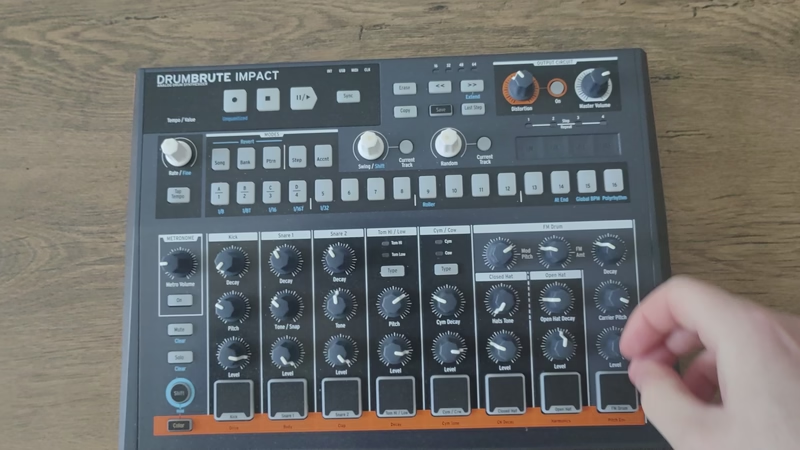
The DrumBrute Impact is a smaller, punchy analog drum machine from Arturia. It leaves out some features from the original one and focuses on electronic and techno sounds. It’s not meant to cover every genre, so knowing its focused design is important when deciding if it suits your music and workflow. But the question is..
Is DrumBrute Impact worth buying in 2026?
In 2026, the DrumBrute Impact remains solid for techno and electro producers wanting affordable analog drums with hands-on control around $300. It excels at aggressive sounds and immediate sequencing but feels limited for versatile production, so it works best as a specialized tool rather than your only drum source.
The sound character
It delivers 10 analog drum voices with a distinctly aggressive, punchy character that leans heavily toward electronic music rather than emulating acoustic drums or providing neutral sounds. I’ve found the overall sonic palette works particularly well for techno, industrial, electro, and harder electronic styles where you want drums that cut through dense mixes with attitude and presence.
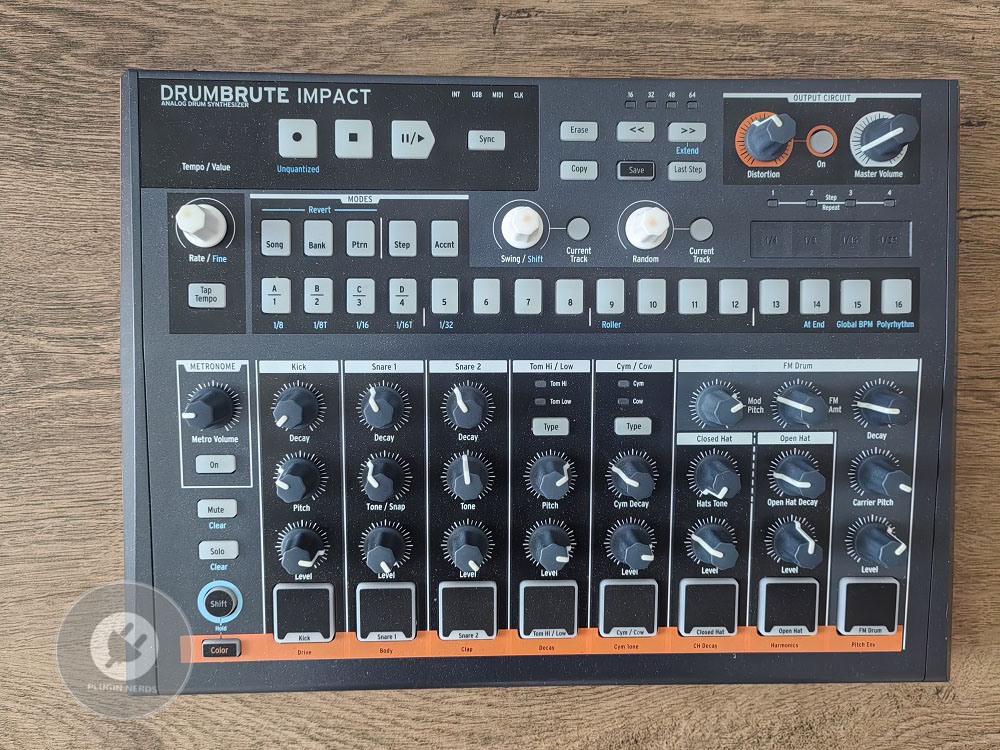
The kick drums really highlight what this machine does best. You get two different kick sounds that you can layer or use on their own.
They have solid weight and punch, with enough low-end for club tracks, though they aren’t the deepest kicks out there. In my mixes, they fit well without much EQ, and the tone control lets you adjust them from tight and punchy to more open and boomy, depending on your track.
The snare and clap are sharp and aggressive, giving you that classic analog edge that suits electronic music. They might be too harsh if you want softer or more natural percussion. The snare stands out in a mix and doesn’t get buried, but it’s clearly designed for electronic styles, not to mimic a real snare. The clap is bright and works well for accents or layering with the snare for more interesting rhythms.
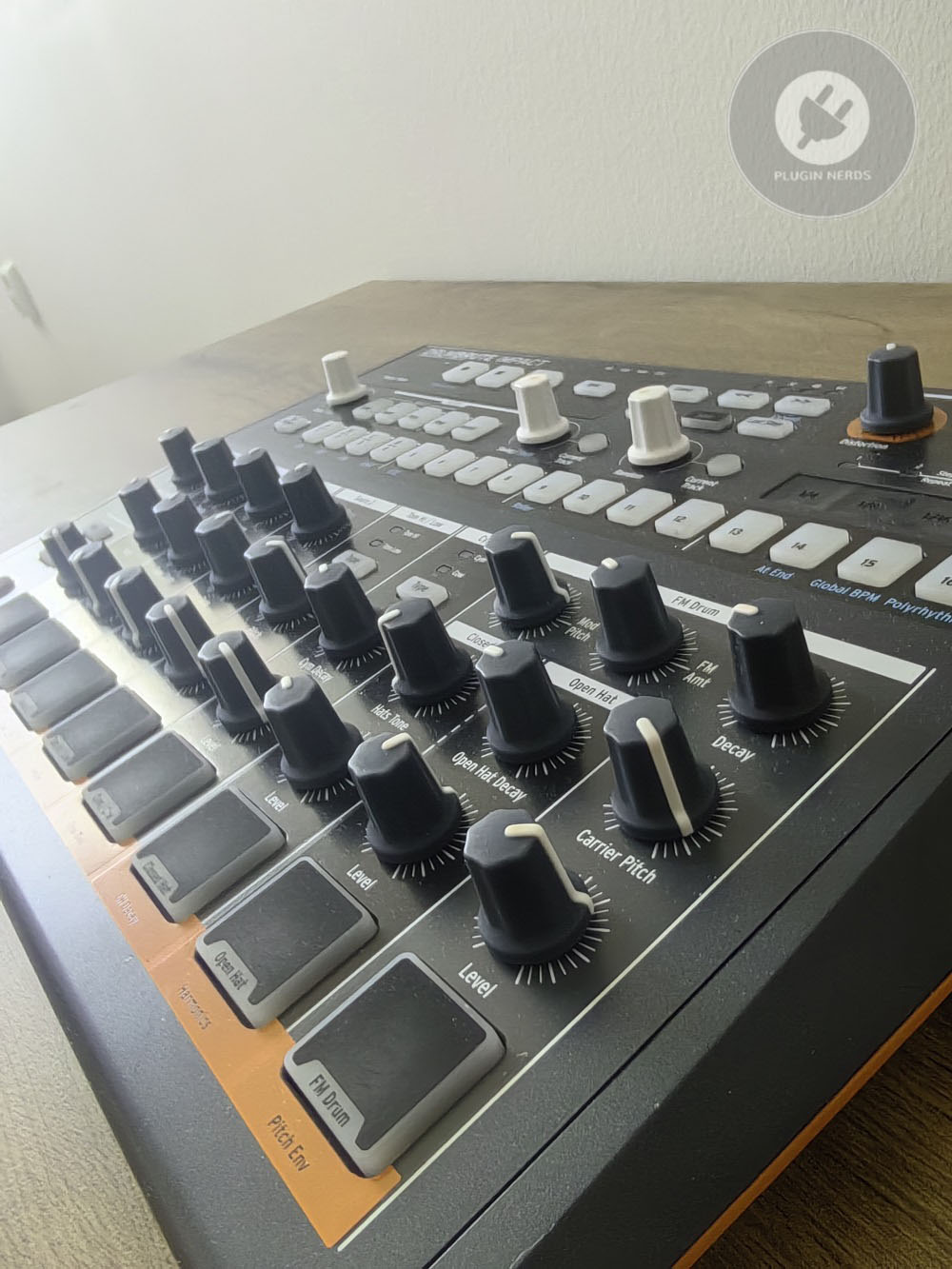
The hi-hats come in open and closed versions and sound decent, though they aren’t the most detailed I’ve used. They do the job and fit well in patterns, giving you the basic rhythm you need for most electronic music. If you want lots of subtle changes or very realistic hi-hats, these might feel a bit limited.
For most uses where hi-hats aren’t the main focus, they work just fine. The toms are usable but are probably the weakest sounds here.
I don’t use them as much because they lack the character and punch of the other voices. They’re fine if you need toms, but they don’t stand out or inspire me much compared to toms on other drum machines..
The cymbal and cowbell give you more sound options for your patterns, and I like having them to make rhythms more interesting. The cymbal has a gritty, aggressive sound that’s great for accents and fills, while the cowbell brings that classic electronic vibe for certain grooves and breaks.
The FM drum voice is a standout feature. It uses frequency modulation to make more complex and unusual sounds, going beyond standard drum tones. I find it great for adding weird percussion, noise, and textures that make your patterns more interesting when you want something different from regular drum programming.
Sequencing and programming
The 64-step sequencer is long enough for full patterns and evolving sequences, and I think this is where the DrumBrute Impact really shines for creativity. You can set different loop lengths for each drum voice, letting you build polyrhythms and patterns that shift and change as they play.
You program steps using the 16 pads on the front, switching between banks to reach all 64 steps over four pages. Once you get used to the page system, it’s quick and easy, but you can’t see the whole pattern at once like on some other machines. I’ve gotten used to it, but it does mean you have to keep track of your place in longer patterns. Performance controls like swing, randomness, and roller add variety and a human touch to your patterns. I like that swing changes the groove without extra work, and randomness can bring anything from small changes to wild chaos, depending on how much you use it.
The roller is great for quick fills and drum rolls, especially during live sets or transitions.
Pattern chaining lets you link patterns to build song structures, which works well enough for arranging, but it’s pretty basic compared to more advanced sequencers. I use it for live sets to move between sections, though for detailed studio arrangements, I usually record the DrumBrute into my DAW and arrange there instead of using the internal chaining. Looper mode is a cool feature that lets you record drum hits in real time instead of step programming.
It’s great for making patterns that feel more loose and natural. I don’t use it all the time, but when I want a more human feel, the looper is a handy option.
Build and controls
The build quality is solid for the price, with a metal body that stands up to regular studio use and some travel. The knobs and buttons feel good and give decent feedback, though they aren’t the most high-end. The unit is heavy enough that it stays put on your desk, which is nice when you’re playing the pads with some force.
The pads are sensitive enough for step programming and playing, but they aren’t as responsive as those on higher-end controllers. They do respond to how hard you hit them, which adds some expression, but the range feels a bit limited compared to more advanced pad controllers or samplers.
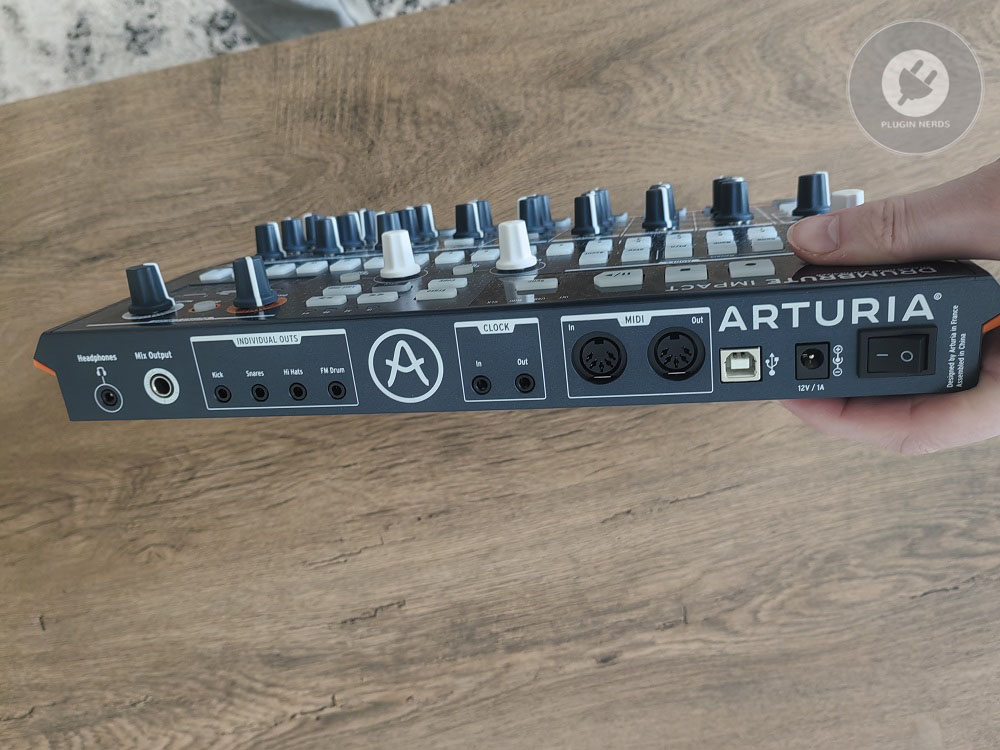
You get individual outputs for each drum sound and a main stereo output, which is great for mixing, even if most people just use the stereo out. MIDI in and out work well for syncing with other gear or using the DrumBrute as a MIDI sequencer. It also supports MIDI, USB, and analog clock sync, so you can connect it to almost anything.
The interface is easy to understand after some time with the machine. Sections are clearly labeled, and the workflow from creating patterns to performing is logical. Most features are right on the front panel, so you don’t have to dig through menus, though a few secondary functions need button combos that take a bit to remember.
Practical use in different contexts
For making techno, electro, or industrial music, Impact gives you strong drum sounds that work well as a base or even a full rhythm section. Its aggressive style fits these genres, but since the sound options are limited, you might want to add other percussion for longer tracks to keep things interesting.
For live shows, it’s great for building and changing patterns on the fly. The hands-on controls make it easy to add variety and transitions without stopping the music. You can mute each drum sound separately, and the touch strip lets you do filter and pitch sweeps to add movement and energy.
In setups without a computer, the DrumBrute Impact works well as the main rhythm source. It can sync with modular gear, synths, and other hardware using different clock options. I’ve used it as the backbone in hardware jams, and being able to run it without a computer is a real plus, though you’re limited to the sounds it offers since editing is basic. When working with a DAW in the studio, it’s good for making patterns you can record and edit later. Its sound is unique, but if you want more flexibility, software drum machines might be better.
I use it when I want fast, characterful drum parts without loading up software, but for detailed control, I usually stick to the DAW.
Limitations/drawbacks
Sound editing is pretty limited, with only a few controls for each drum sound. You can’t shape the sounds as much as you can on drum machines with more advanced synthesis. If you like the built-in sounds, this is fine, but it can feel restrictive if you want more options.
You can save up to 64 patterns, which seems like a lot until you use the machine often. Complex projects can fill up the memory fast. I’ve had to delete old patterns or carefully manage banks when working on several tracks at once, which adds some extra work.
Most drum sounds can’t be tuned individually, so you can’t easily make melodic patterns or match keys. Only the FM drum has pitch control, while the others have little or none. This limits your options compared to drum machines that let you play each sound across different notes. The preset/save system doesn’t let you save individual sound tweaks, only patterns, which means if you dial in a particular kick sound you like, you can’t save it as a preset to recall later.
You’re always starting from the default sound and tweaking from there, which isn’t terrible but does slow down workflow compared to machines with comprehensive preset management.
Value you get
The DrumBrute Impact usually costs about $300-350, putting it in the affordable analog drum machine range. It’s a good value if you want hands-on control and like its unique sound, but it’s not the best fit for everyone because of its focused features and limitations.
With hardware like this, you’re paying for the hands-on feel and analog sound, not for a huge range of sounds or deep editing. Whether that’s worth it depends on your workflow and what you value. Software gives you more sounds and flexibility for less money, but you lose the direct, screen-free experience of hardware.
Compared to other hardware like the Korg Volca Beats or Behringer RD-6, Impact actually has better build quality and more advanced sequencing, but it costs more. Machines like the Elektron Model:Samples give you more sounds and sequencing options for about the same price, but you don’t get the pure analog sound.
Final thoughts
The Arturia DrumBrute Impact gives you bold analog drum sounds, solid build, and easy sequencing in a focused package that’s great for electronic music and live shows. Its sound is unique and fits harder styles, the hands-on workflow is fast and creative, and it connects easily with other gear.
If you produce techno, electro, or industrial and want an affordable analog drum machine with personality and a good workflow, Impact is a solid pick. But if you need drums for many genres, deep editing, or lots of pattern memory, its limits might frustrate you, and you may prefer something more flexible.

Hello, I’m Viliam, I started this audio plugin focused blog to keep you updated on the latest trends, news and everything plugin related. I’ll put the most emphasis on the topics covering best VST, AU and AAX plugins. If you find some great plugin suggestions for us to include on our site, feel free to let me know, so I can take a look!