

Let’s talk about some of the best plugins for vocals you can get for mixing in 2026.
Vocals are easily the most defining part of a track, but getting them to sound clean, powerful, and mix-ready is still one of the biggest challenges in music production..
From all-in-one vocal suites like Neural DSP Mantra and UAD Topline, to smart processors like Waves Silk Vocal and sonible smart:deess, every plugin here solves a specific problem with clarity and precision.
Whether you’re recording in a treated studio or a spare bedroom, these are the plugins that’ll help you get professional-sounding vocals fast, without killing creativity in the process. I’ve tested these tools, ensuring they deliver a polished, radio-ready vocal that sits perfectly in any mix. That said, here is a detailed table of features, pros and cons of each plugin in a nutshell:
1. Neural DSP Mantra (All-in-one Tool)
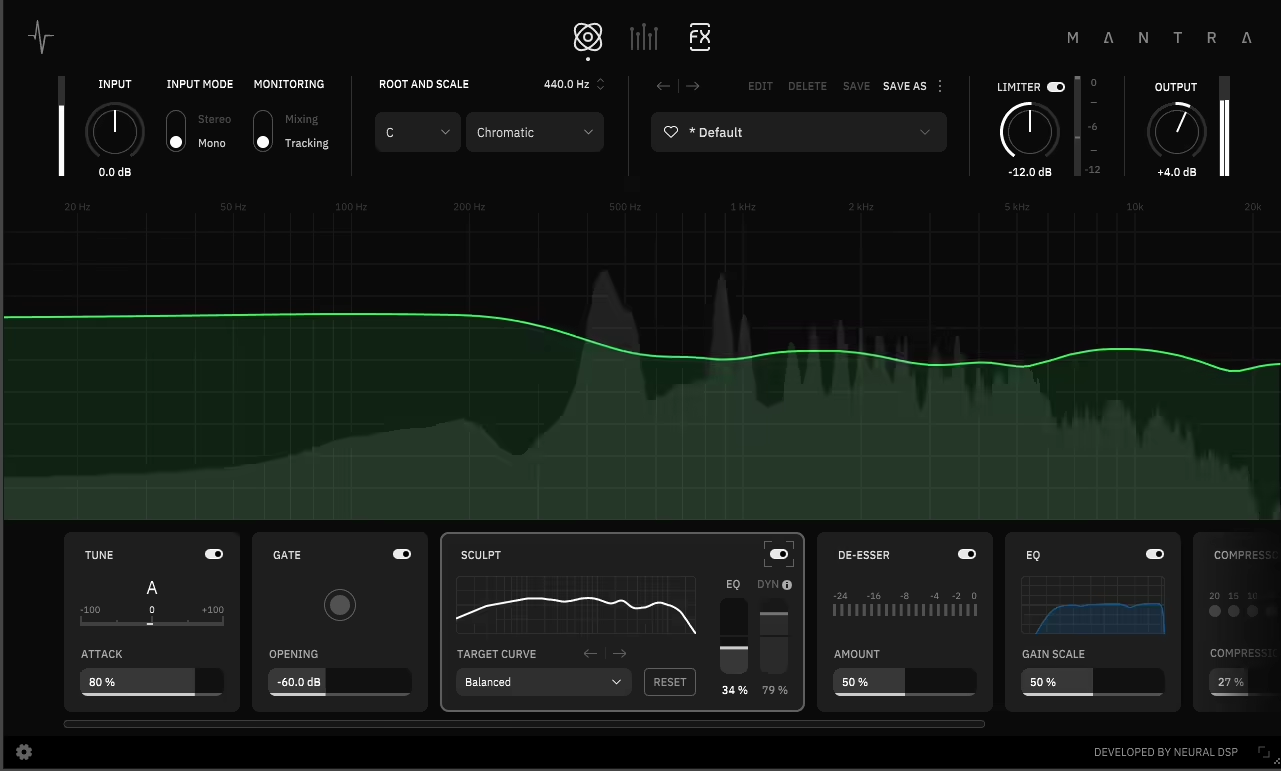
I’ve been using Mantra lately, and it really feels like someone finally made a vocal plugin that gets how producers work. Everything you need is right there: tuning, compression, EQ, de-essing, harmonies, and effects. It never feels overloaded or confusing. I can record and mix with the same chain, with no latency or complicated routing.
Sculpt handles about 80% of my EQ work before I even touch anything else. It sounds clean and musical, and it really speeds up vocal production without limiting creativity.
- Mantra is an all-in-one vocal suite that combines pitch correction, EQ, compression, de-essing, gating, saturation, harmonies, and effects in one interface. It replaces the 6-8 separate plugins you’d normally use in a vocal chain.
- The Sculpt module uses smart, adaptive processing to handle about 80% of EQ work automatically. It analyzes your voice and adjusts the tonal balance in real time, giving you instant clarity and presence.
- Mantra has two workflow modes. Tracking Mode gives you zero-latency, real-time processing for recording, while Mixing Mode offers full-resolution quality for fine-tuning later. You can use the same chain for both.
- Mantra is built with Neural DSP’s analog modeling skills, so it captures the warmth and musical feel of classic studio gear. At the same time, it keeps the precision, consistency, and quick recall of modern digital tools.
It’s easily one of the best vocal plugins you can get in 2026.
2. SSL SSL Native Vocalstrip 2 (Vocal Channel Strip)
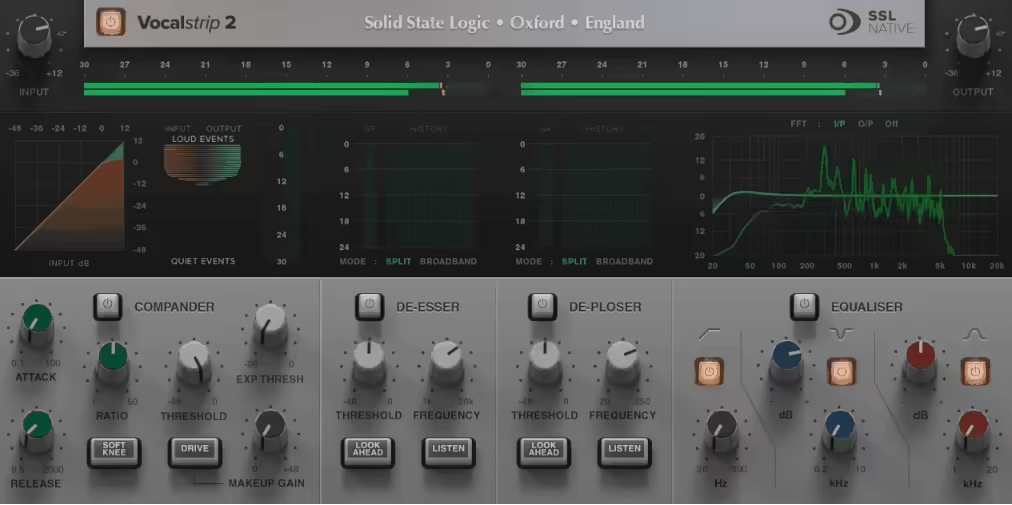
Vocalstrip 2 is a plugin made for vocals, offering four main tools in one: EQ, de-esser, de-ploser, and compander, all designed for vocal tracks. The EQ sounds smooth and musical, and the de-esser and de-ploser work quietly without harming the tone. I also appreciate how visual the plugin is, with clear feedback and curves that show exactly what’s happening to the sound.
- SSL Vocalstrip 2 brings together four vocal processing modules, like EQ, De-Esser, De-Ploser, and Compander, so you have all the key vocal shaping tools in one easy-to-use plugin.
- Intelligent De-Esser and De-Ploser with dynamic detection: Uses comparative analysis and envelope tracking to detect and remove harsh sibilance and plosive bursts automatically while keeping the vocalist’s tone natural and consistent.
- The three-band SSL EQ is made for vocals, with high-pass, asymmetric notch, and air bands that help you adjust presence, clarity, and warmth without adding harshness or phase problems.
- The Compander module combines compression and downward expansion, helping to smooth out vocal performances and keep the dynamics balanced between quiet and loud parts.
- Real-time visual feedback and flexible processing order: Includes EQ curve displays, FFT overlays, and gain-reduction meters, with the ability to reorder the modules to fit the specific needs of each vocal performance.
3. UAD Topline Vocal Suite (Vocal Channel Strip)
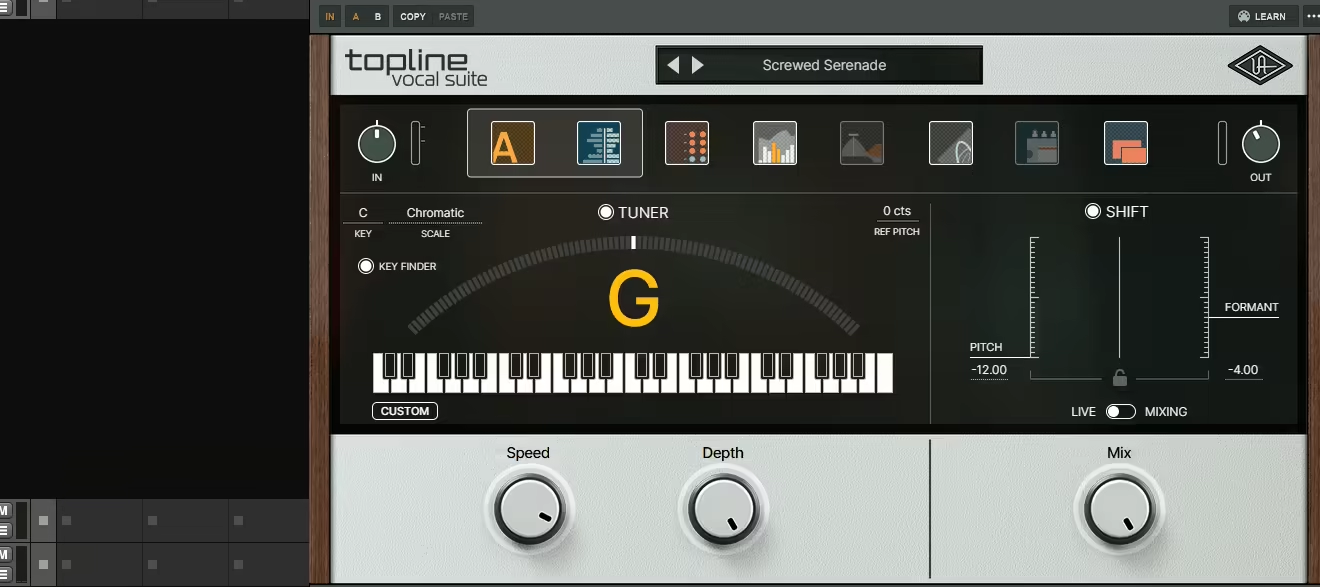
Topline Vocal Suite hits the balance between analog warmth and modern polish without making things complicated. The pitch correction sounds natural instead of robotic, and the built-in analog-style EQ and compressor quickly give vocals a finished, record-ready sound.
I’ve used it in low-latency mode, and it really feels like you’re hearing the final mix as you record, which helps keep the energy up. It’s straightforward, musical, and one of the fastest ways to get professional-sounding vocals.
- This is a full vocal production suite that combines an analog-modeled channel strip, compressor, EQ, and tape saturation with accurate real-time pitch correction. It gives vocals warmth and polish right away.
- You can use creative pitch and formant shifting to make layered harmonies or unique vocal textures, all while keeping control over the tone and clarity.
- The effects section includes classic reverb, tape delay, and modulation based on vintage hardware. These tools make it easy to shape vocals so they fit well in any mix.
- With low-latency workflow and a built-in Topline Key Finder, recording and tuning are simple. This keeps sessions smooth and in key, so you can focus on your performance and creativity.
4. Pulsar Vocal Studio (Vocal Channel Strip 2)
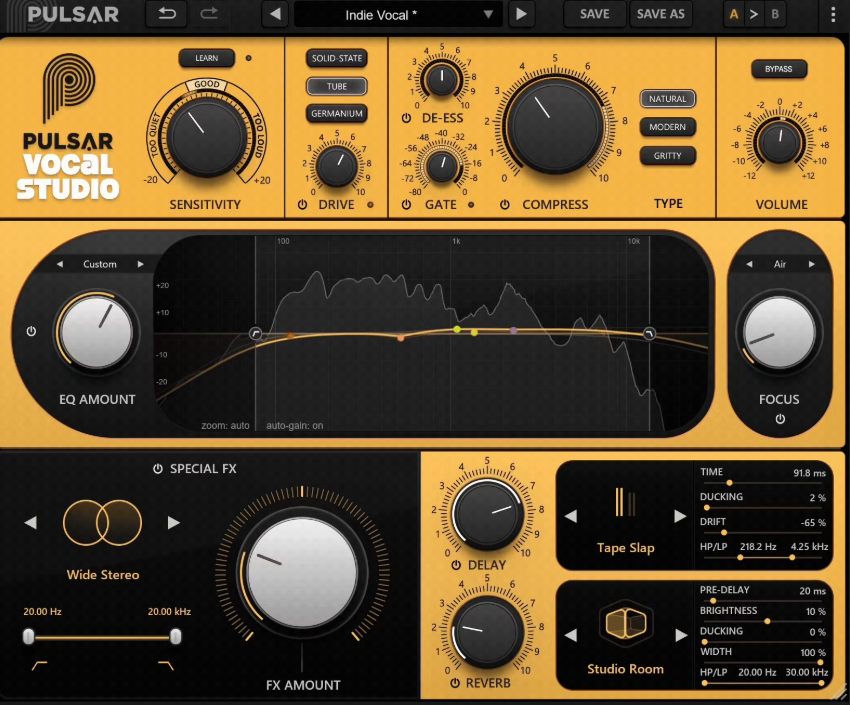
Pulsar Vocal Studio is a plugin made just for vocals. I was surprised by how polished it felt right away. It gives you the sound of a full, high-end vocal chain, but you don’t have to use several plugins or mess with complicated routing.
It automatically balances compression, EQ, saturation, and de-essing, so vocals sound stable and fit smoothly into the mix right away.
- Its multi-stage dynamic control uses a push-pull processing setup, letting compression, EQ, and de-essing work together to keep vocals balanced and consistent without sounding over-processed.
- The plugin offers an analog-style vocal chain with saturation, EQ, de-esser, delay, reverb, and modulation, all in one easy-to-use interface for quick, musical results.
- An advanced Focus EQ band with constant gain monitoring helps keep vocals clear and precise. You can adjust presence and tone without causing harshness or sudden changes in volume.
- There are 11 built-in special effects, including vintage widening, octave modulation, and spectral algorithms. These are great for adding depth, stereo width, or subtle movement to any vocal style.
- The plugin comes with over 80 mix-ready presets made by top engineers like Chris Tabron, Matt Sim, and John Nathaniel. This gives you instant access to professional vocal sounds for pop, rap, rock, and more.
5. Waves Curves AQ (First Autonomous EQ)
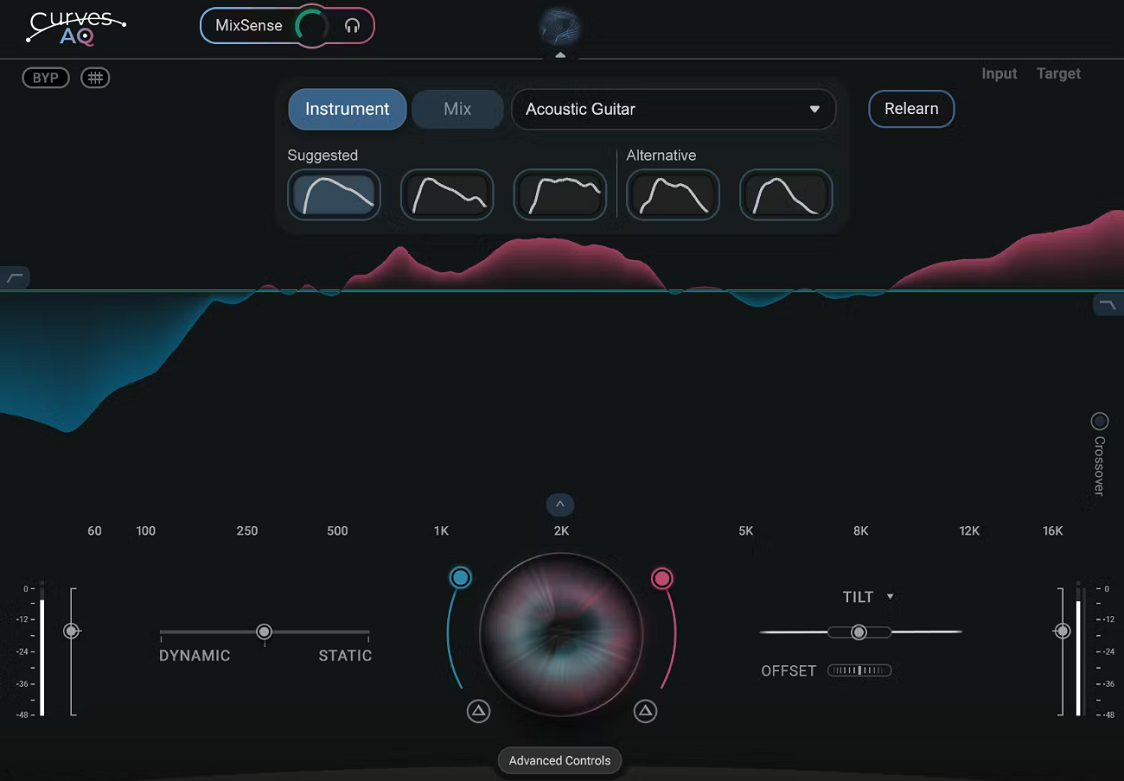
Curves AQ stands out from other EQ plugins because it listens to your audio and creates custom EQ profiles. You just press Learn, and it analyzes your track, then offers a few curve options that sound natural and musical. The plugin is also very flexible, so you can adjust boosts, cuts, or mix static and dynamic processing, and it never feels automated or rigid.
No matter if you’re working with vocals, guitars, or a full mix, this plugin quickly finds a clean, balanced tone and saves you from the usual trial-and-error with EQ.
- The plugin uses AI to analyze your audio and automatically creates five unique EQ profiles. Each one is tailored to the natural tone and balance of your track, instead of relying on fixed presets.
- With Spectral Targeting Technology, you can shape your sound by adjusting a target curve. The EQ then adapts its processing to reach your chosen tone accurately.
- MixSense processing helps your mix stay clear by finding frequency clashes between tracks and automatically making space for each part with sidechain input.
- The hybrid static and dynamic EQ control lets you combine precise tone shaping with an adaptive response, so it works well for both steady and changing sounds.
- Curves AQ also has a Live mode with zero latency, designed for tracking and live shows. It gives you instant EQ feedback without losing any quality.
6. sonible prime:vocal (Vocal Processor)
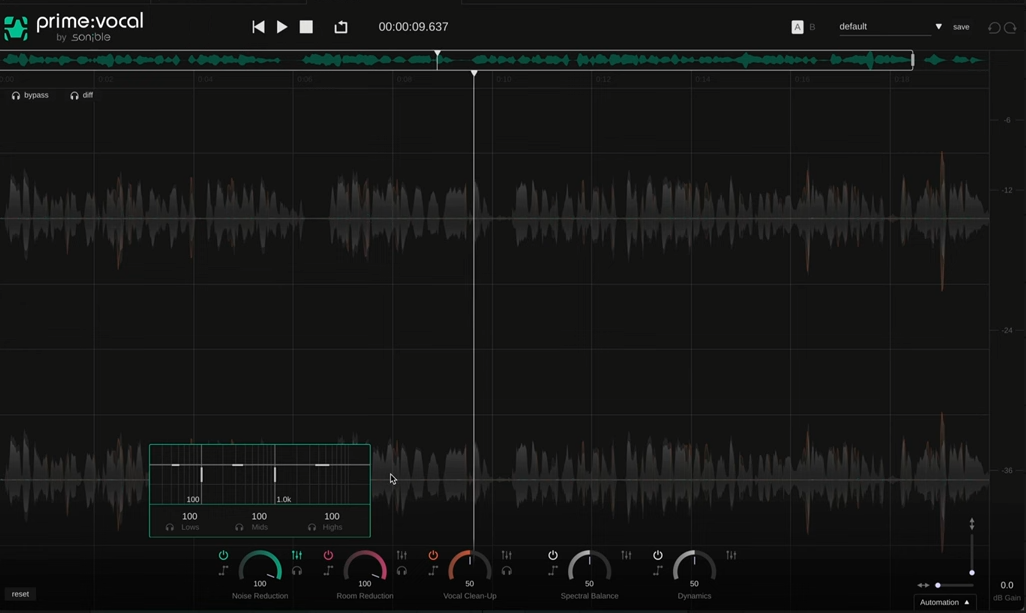
An AI-driven vocal processor that handles the full vocal chain in a single plugin, prime:vocal processes EQ, dynamics, de-essing, reverb, and saturation automatically based on what it hears in your vocal track. You guide the result with simple controls rather than dialling in individual parameters.
It’s aimed at producers who want a finished vocal sound quickly. Engineers who prefer detailed manual control will find it limiting, but for fast workflow it does its job.
- AI Analysis
prime:vocal analyses your vocal and creates a complete processing chain automatically. EQ, dynamics, de-essing, reverb, and saturation are all set based on the input, not random presets.
- Macro Controls
The interface uses macro controls like Body, Air, Presence, and Punch instead of separate parameters for each effect. You describe what you want musically and the plugin handles the technical adjustments.
- Integrated FX Chain
You get EQ, compression, de-essing, saturation, reverb, and delay in one signal flow, all tuned by the AI to work together rather than being applied as separate effects.
- Trained on Vocals
Unlike general-purpose AI mixing tools, prime:vocal is trained specifically on vocal recordings. The analysis and suggestions are tuned for vocals across different genres.
- Genre Targets
You can pick a target style, including pop, hip-hop, and rock, and prime:vocal adjusts its processing to match. Useful when you have a specific genre sound in mind.
7. Waves Curves Equator (Resonance Supressor)
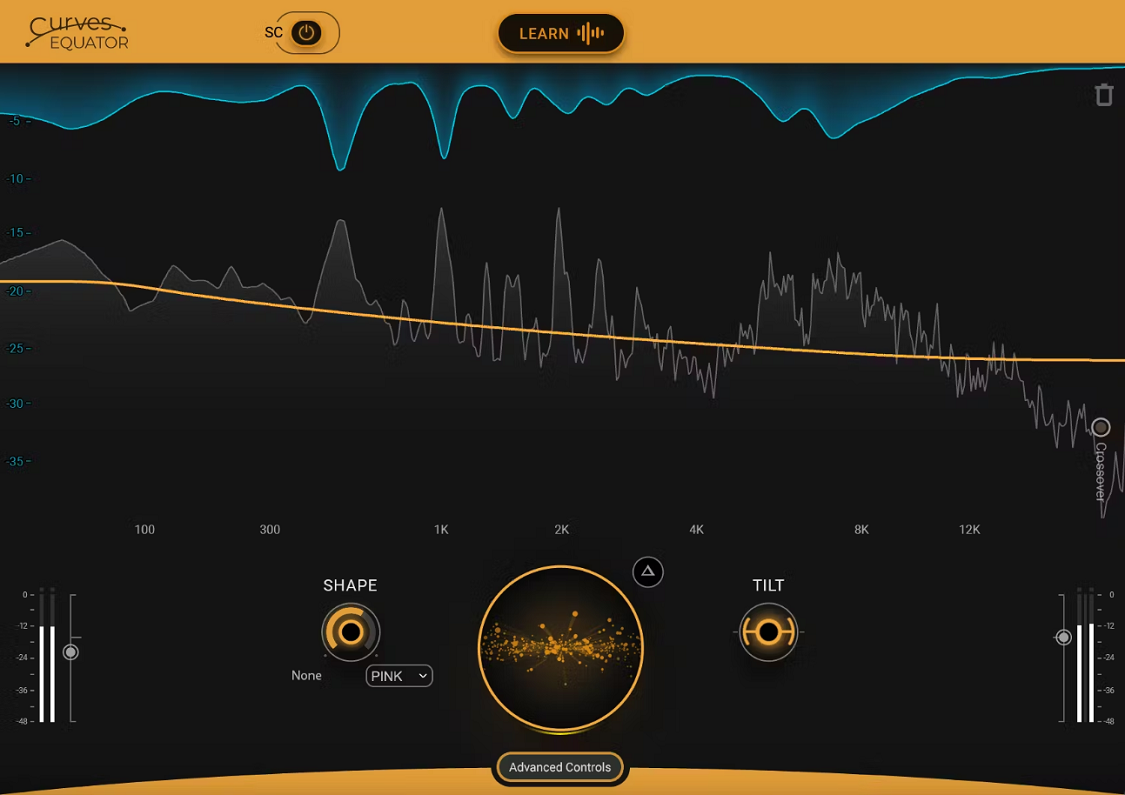
I used Curves Equator on a few of my mixes, and it really made everything sound clearer. It finds and controls harsh frequencies, fixes resonances, and balances the mix without making it dull. I also like that it can learn your track or a sidechain to help separate sounds like vocals and synths.
If you’re a bedroom producer dealing with muddy or harsh mixes, this plugin makes cleaning up your sound much easier.
- Personalized resonance suppression: Equator can learn your track and create a custom curve to fix resonances, muddiness, and harshness without hurting your tone.
- Smart frequency unmasking: With sidechain learning, it finds sounds that clash, like vocals and instruments, and uses an inverse EQ curve so each part fits better in the mix.
- Dynamic Auto Makeup Gain: It keeps your mix’s energy and loudness steady by matching the input level, so you don’t lose punch when you fix frequencies.
- Deep control options: You get 3 adjustable crossovers, 8 editable nodes, and Shape and Tilt controls to fine-tune your sound just the way you like.
8. Devious Machines Pitch Monster (Pitch Shifter)
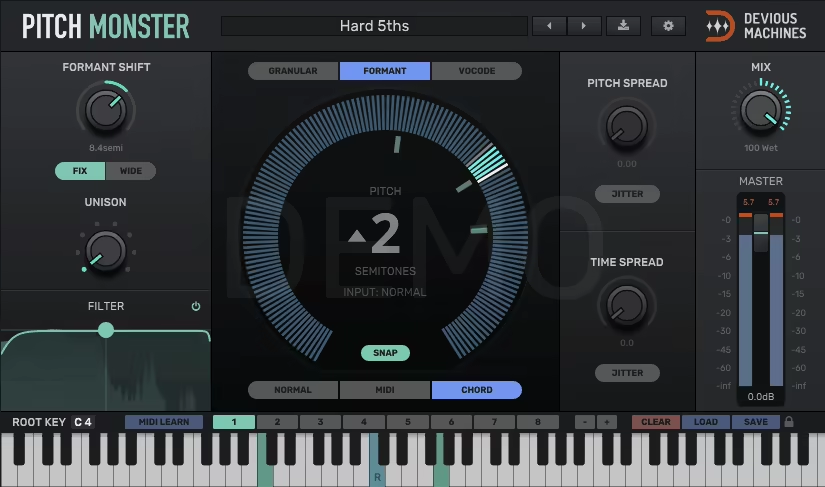
I’ve used Pitch Monster to transform simple vocals into full choirs, robotic hooks, and unique cinematic textures. The granular and vocoder engines let you shape the tone and character, and stacking voices quickly creates a massive sound.
Pitch Monster isn’t just a pitch shifter. It acts as a creative instrument that can completely change any sound you put into it.
- With up to 64 voices stacked in unison, you can turn a single vocal or synth line into a lush choir, a robotic texture, or even an orchestral layer.
- It features three advanced processing engines: granular, formant-shifting, and vocoder. These can reshape the tone and character for anything from subtle harmonies to bold sound design. You can control it in real time with MIDI and save chord memories, making it feel like a real instrument. This is great for live shows or expressive studio sessions.
- With a 6-octave pitch range and low-latency processing, it stays smooth and responsive. Whether you’re making wide stereo harmonies or experimenting with new sounds, it keeps up.
9. Waves Vocal Rider (For consistent vocal levels)
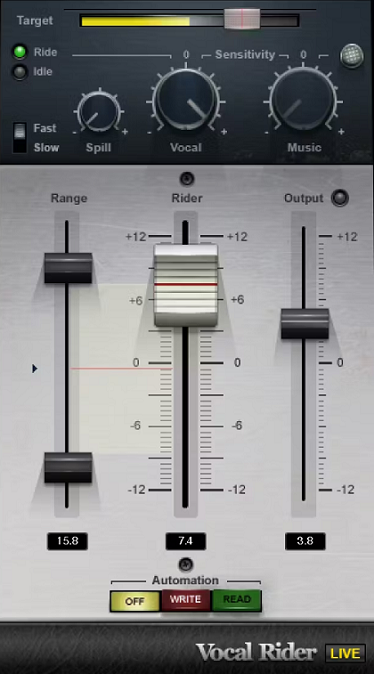
It can be tough to get vocals to fit well in a mix, especially when the singer moves between softer and louder sections.
I used to rely on compression or endless automation, but that always took too long or messed with the tone. Vocal Rider handles that perfectly by automatically adjusting vocal levels in real time, keeping everything balanced without adding any unwanted color. It’s simple, fast, and honestly one of the most reliable tools for clean, consistent vocals.
- Automatic gain riding keeps vocals balanced as the song plays, without needing compression or manual automation. This helps keep the natural sound and feel of the performance.
- Adaptive sidechain control reacts to the music’s changes, so the vocal fits naturally in the mix and stays clear and focused throughout the track.
10. Waves CLA-2A (Opto Compressor)
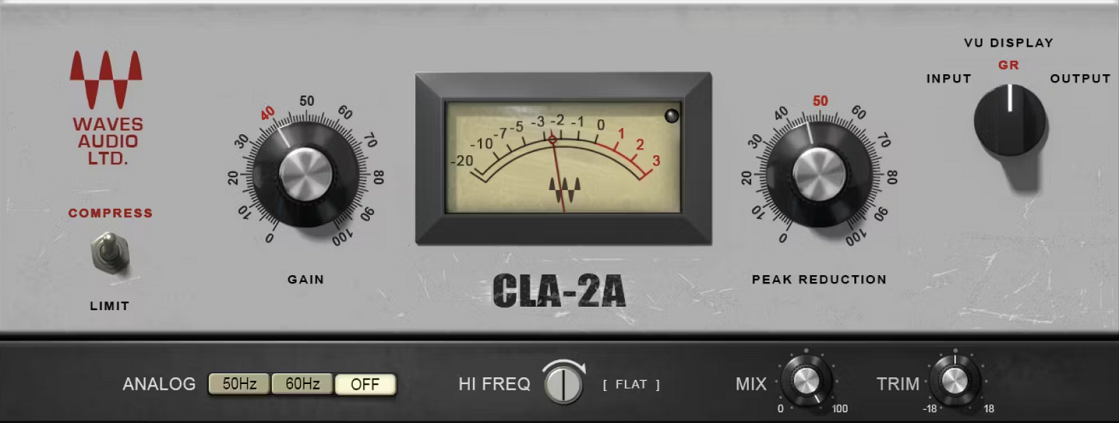
The first thing you notice is how easily it smooths out vocals and instruments while keeping their natural sound. It works musically, softening sharp sounds and adding a gentle tube warmth that helps everything fit together. The CLA-2A really captures that classic optical compression feel, soft but controlled, almost as if the fader moves with the music.
It’s the kind of plugin that you can throw on almost anything, and it just sounds finished.
- This plugin uses electro-optical tube compression modeled after Chris Lord-Alge’s own vintage unit. It gives you the same smooth and musical sound that made the original hardware famous.
- Its unique attack and release settings adjust themselves to your audio, keeping the details and adding a smooth, natural fade that works well on both vocals and instruments. With zero-latency processing, you get reliable performance in both studio and live settings. It keeps your sound warm, punchy, and clear, all without any delay.
- The mix and trim controls let you easily blend compressed and dry sounds, so you can use gentle parallel compression or quickly balance your levels.
11. Slate Digital Metatune (Auto-Tune & Pitch Correction)
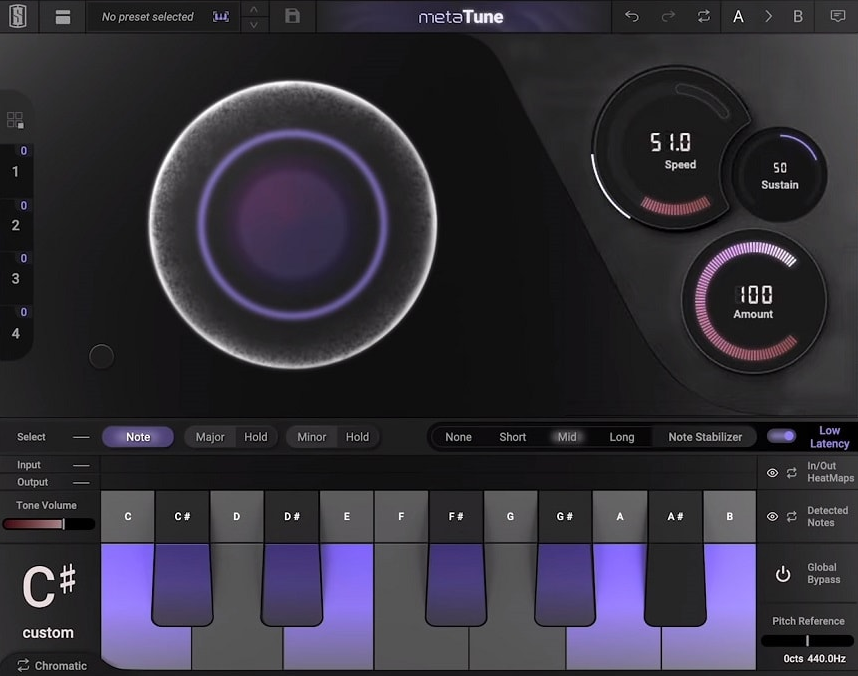
What I like about MetaTune is how quickly it delivers a modern-tuned sound without killing the tone or vibe of the vocal. You can go from subtle correction to full-on robotic pitch effects in seconds, and the Group feature makes it easy to apply key changes across multiple tracks at once.
- MetaTune’s advanced pitch correction uses Negative Speed and Note Stabilizer to give you the tight, modern tuning found in today’s top pop and hip-hop songs, without any note flutter or unwanted sounds.
- With the Group control system, you can link several MetaTune tracks together. This way, you can change the key or retune all your vocals at once with just one move.
- The HeatMap visual feedback shows you exactly where each note lands and how it’s being corrected, so you get a clear, easy-to-understand view of pitch changes as they happen.
12. Waves Silk Vocal (EQ & Dynamics)
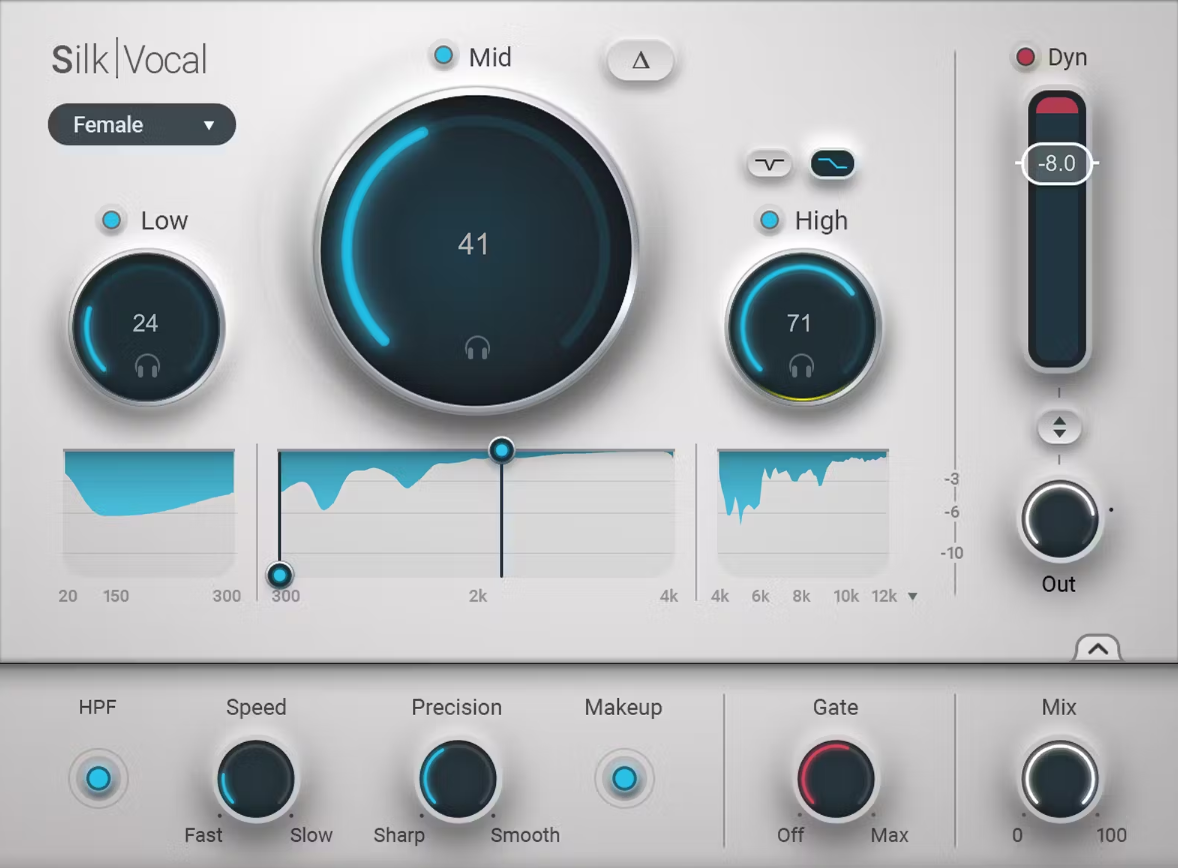
In my opinion, Silk Vocal definitely belongs on any list of top plugins for mixing vocals.
I used to dread mixing vocals, especially when harsh mids or sibilance wouldn’t sit right. After trying Silk Vocal, it felt like having an assistant who knows exactly what to fix without ruining the feel of the performance.
Silk Vocal checks thousands of frequency bands and controls boominess and harshness in real time. This lets me focus on being creative instead of spending hours chasing problem frequencies.
- Smart Vocal Engine with 2000 Analysis Bands: Silk Vocal constantly checks your vocal signal across two thousand frequency bands. It automatically finds resonances and problem spots, so you don’t have to spend time searching for harshness, boominess, or sibilance yourself.
- Adaptive EQ and Dynamics in One Tool: Instead of using several plugins, Silk combines smart EQ and musical compression in one place. It reacts to your voice and keeps it sounding natural and consistent in the mix.
- Precision Controls for Real-World Mixing: You can adjust Speed and Precision settings to control how quickly and sharply the processing works. The Mix, Gate, and High-Pass Filter give you direct control to fit any vocal setup.
- Real-Time Version Included (Silk Vocal Live): There’s also a low-latency live version that uses minimum phase curves. This lets you record or monitor in real time with the same polished sound you’d get after post-production.
13. Waves Harmony (Harmonizer)
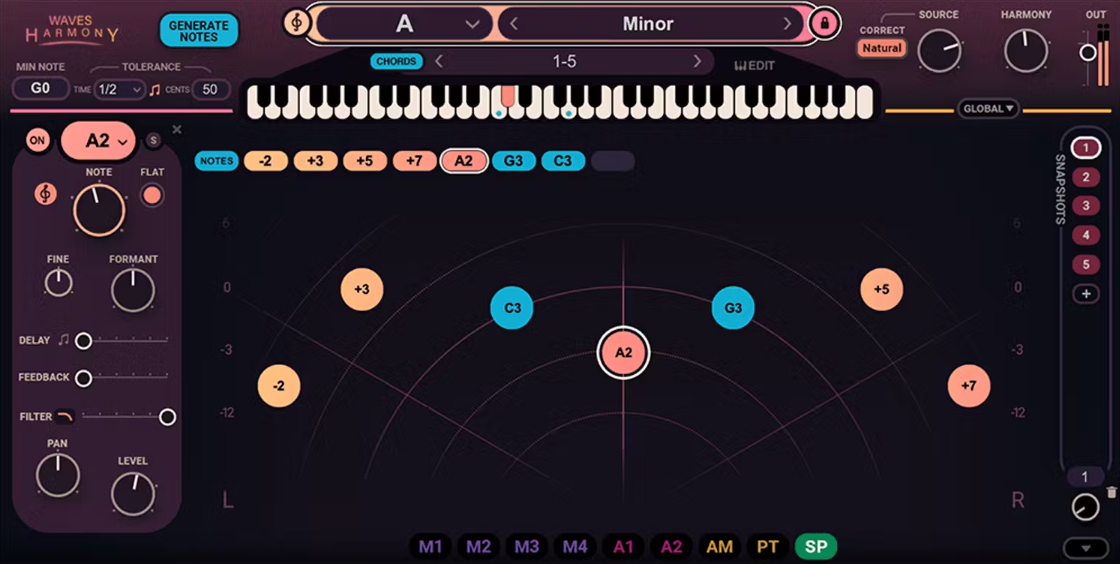
Sometimes I want quick, natural-sounding harmonies without having to record a bunch of extra vocal takes. That’s where Waves Harmony really shines. It creates up to eight voices from one vocal in real time, and you can adjust each one’s pitch, formant, delay, and panning.
I also like that it gives me different ways to work. I can play harmonies on a MIDI keyboard, use chord presets, or draw them in by hand. This plugin quickly makes vocals sound bigger, richer, and more musical, and it doesn’t slow down your workflow.
- You can create up to eight harmonized voices from one vocal with Waves Harmony. It instantly builds full vocal stacks in real time, so you can turn a single lead take into a layered choir or a rich harmony section without having to double anything by hand.
- There are three workflow modes to fit any producer. You can use Automatic Mode for instant harmonies with chord presets, MIDI Mode to play harmonies live on a keyboard, or Graphic Mode to draw and edit each voice for full creative control.
- Waves Harmony comes with plenty of sound-shaping tools. You can fine-tune each generated voice with pitch, formant, delay, panning, and filtering controls, so you have full control over the tone, width, and placement in your mix.
- It also has over 450 artist and factory presets, making it easy to get great harmonies fast. The real-time engine keeps everything tight and latency-free, whether you’re in the studio or playing live.
I wanted to include Harmony on my list of the best vocal plugins. If you’re interested, try the free trial and see what you think!
14. sonible smart:deess (Intelligent De-esser)
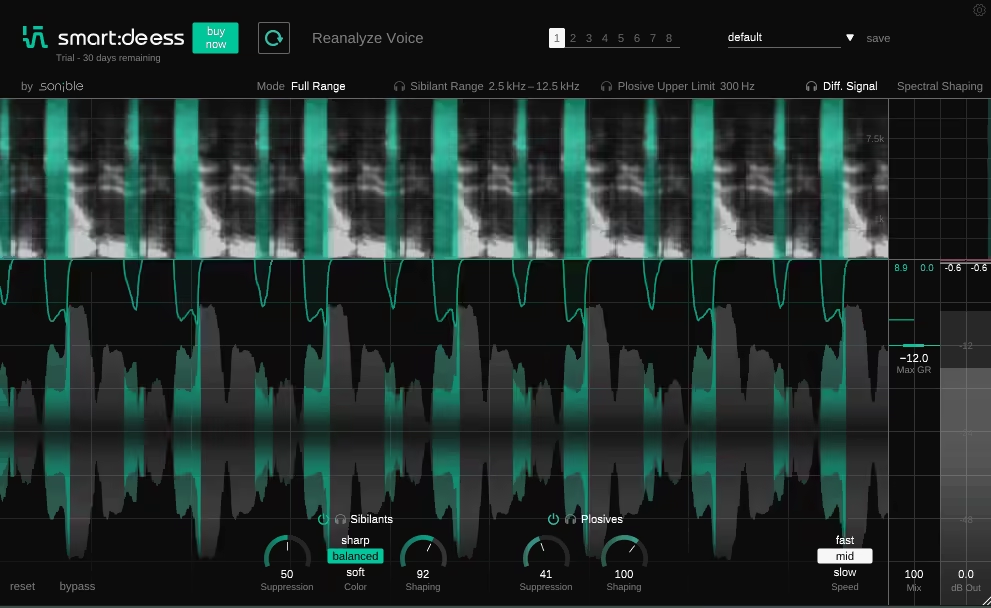
The first thing I noticed about smart:deess is that it really understands what it’s fixing, not just lowering the volume. It listens to the voice, picks out real phonemes like S, T, and P, and uses spectral processing to smooth out sibilance and plosives while keeping the natural tone.
I like that it doesn’t need a threshold or constant adjustments. It reacts intelligently to the vocal you give it. It’s almost like having a vocal assistant who knows when to step in and when to hold back, making mixing much faster and cleaner.
- AI-powered phoneme detection gives you precise control. smart:deess uses a neural network to recognize and process specific phonemes like S, T, and P in real time. It finds their exact start and end points, so it doesn’t just rely on a fixed threshold.
- Spectral processing gives you natural, detailed control. Instead of only reducing harsh frequencies, it uses broadband and spectral shaping across the whole phoneme. This lets you soften, balance, or bring back sibilants while keeping the vocal’s natural tone.
- Content-aware voice analysis adapts right away. The plugin creates a unique voiceprint of the signal as soon as it loads. It automatically balances sibilants and plosives based on the real content, not just the frequency level.
- Custom tone shaping with Color controls lets you fine-tune the vocal character. You can choose soft, balanced, or sharp modes to control how bright or smooth the sibilance sounds in the mix, without making it dull or causing lisping.
15. iZotope Nectar 4 Advanced
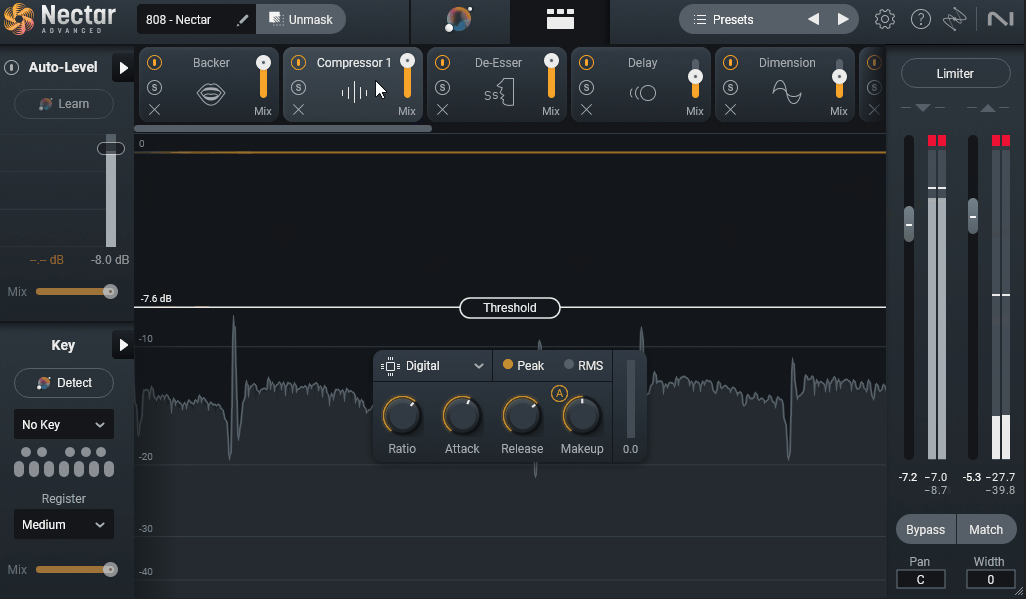
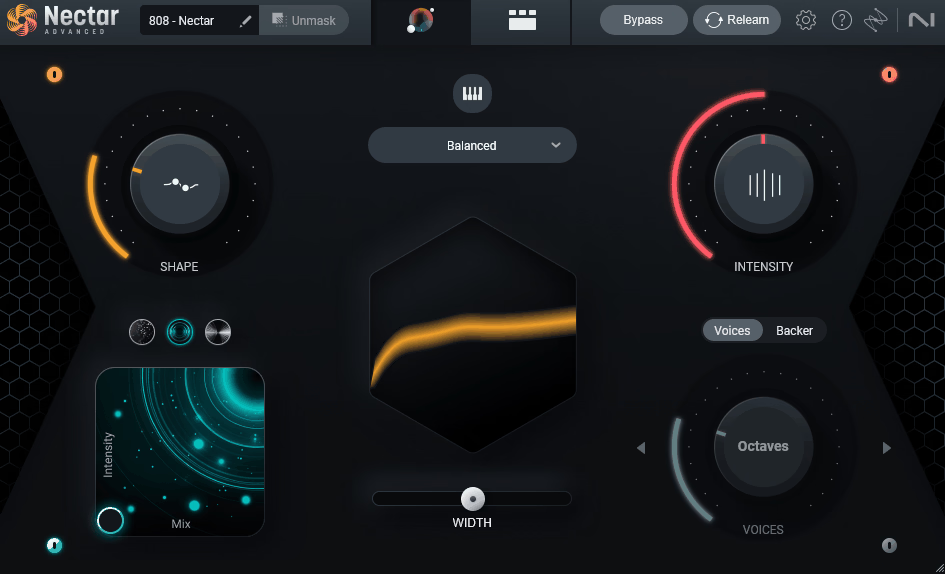
The vocal channel strip most engineers default to, Nectar 4 Advanced has been around for years and the 2023 version brought significant AI improvements. It covers corrective and creative vocal processing in one plugin, with 10 modules from EQ and pitch correction to backing vocal generation.
The Advanced version includes more modules than the standard version. For most vocal work it removes the need to stack multiple plugins, though it’s heavier on CPU than dedicated single-purpose tools.
- Vocal Assistant
Vocal Assistant analyses your vocal and builds a processing chain based on the style you pick (intimate, vibrant, dialogue, etc.). EQ, compression, de-essing, and saturation are set automatically.
- 10 Modules
Includes EQ, Compressor, De-Esser, Pitch correction, Harmony, Reverb, Delay, Saturation, Dimension, and Backer. Each is built for vocals, and you can reorder them in the signal chain freely.
- Pitch Correction
You get pitch correction with natural and hard-tuned modes, plus manual note editing. It’s not as deep as Melodyne but covers most pitch correction needs.
- Backer Module
The Backer module generates backing vocals from your lead using AI and pitch shifting. Output covers doubles, harmonies, and stacks built from the original performance.
- Harmony Module
For pitched harmonies, the Harmony module generates them based on your track’s chord progression. You can detect chords from a reference and have Nectar harmonise the lead vocal to fit.
- Visual Mixer and Unmask
Integrates with iZotope’s Visual Mixer and Unmask features, which automatically duck other tracks to make space for the vocal. Useful in busy mixes where vocals struggle to cut through.
16. Waves Sync Vx
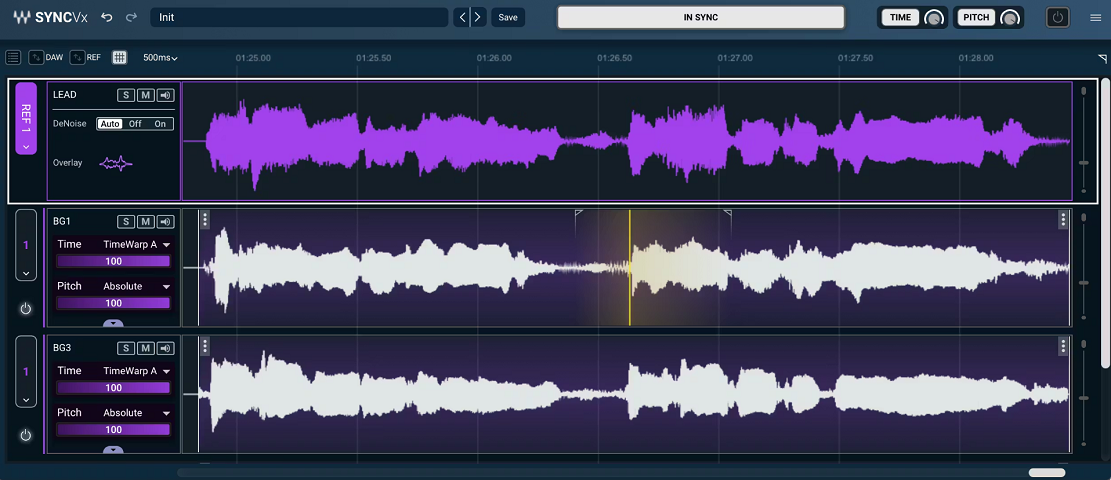
A specialised tool for automatically aligning multiple vocal takes to a reference, Sync Vx does one thing and does it well. If you work with stacked vocals, doubles, or harmonies, the manual alignment work this plugin replaces would otherwise take a long time.
Outside of vocal stacking, the plugin doesn’t have much use. But for that specific job, it’s faster than manual editing in any DAW.
- AI Vocal Alignment
The AI analyses the timing of your reference vocal and aligns secondary takes to match. Doubles, harmonies, and ad-libs lock to the lead automatically.
- Real-Time Operation
Sync Vx works in real-time inside your DAW. No bouncing or rendering required, you hear the alignment immediately and can adjust strength while playback runs.
- Adjustable Alignment Strength
You can dial in how tightly the secondary vocals lock to the reference. Higher settings give surgical, locked stacks. Lower settings give natural, slightly-loose doubling that retains some character.
- Tone Preservation
Unlike basic time-stretching, Sync Vx preserves the natural tone and character of the secondary vocals. There are no formant shifts, warbling, or stretching artifacts in the output.
- Multi-Track Alignment
You can run Sync Vx across multiple vocal tracks at once, all referenced to the same lead. So if you’ve got 8 stacked harmonies, they all align to the lead in one pass rather than individually.
17. Waves Renaissance Vox (Minimal Compressor)
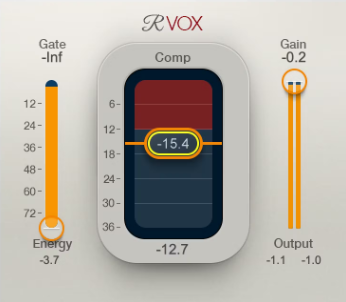
I use Renaissance Vox whenever I want vocals to fit well in the mix without any hassle. It only has three controls, but the compression and gating work so smoothly that vocals sound fuller and more even right away, without sounding overprocessed. RVox looks simple, but it works great and is easily one of the best vocal plugins available today.
- Renaissance Vox makes mixing easy with just three controls: Gate, Compression, and Output Gain. Its internal engine takes care of dynamics, limiting, and noise, so you get a clean, professional vocal sound right away.
- The plugin uses a soft-knee curve to gently apply compression, so vocals stay strong and controlled without sounding squashed. This makes it great for lead vocals, podcasts, and voiceovers.
Extra 1: United Plugins VoxDucker (For Voiceovers & Podcasts)
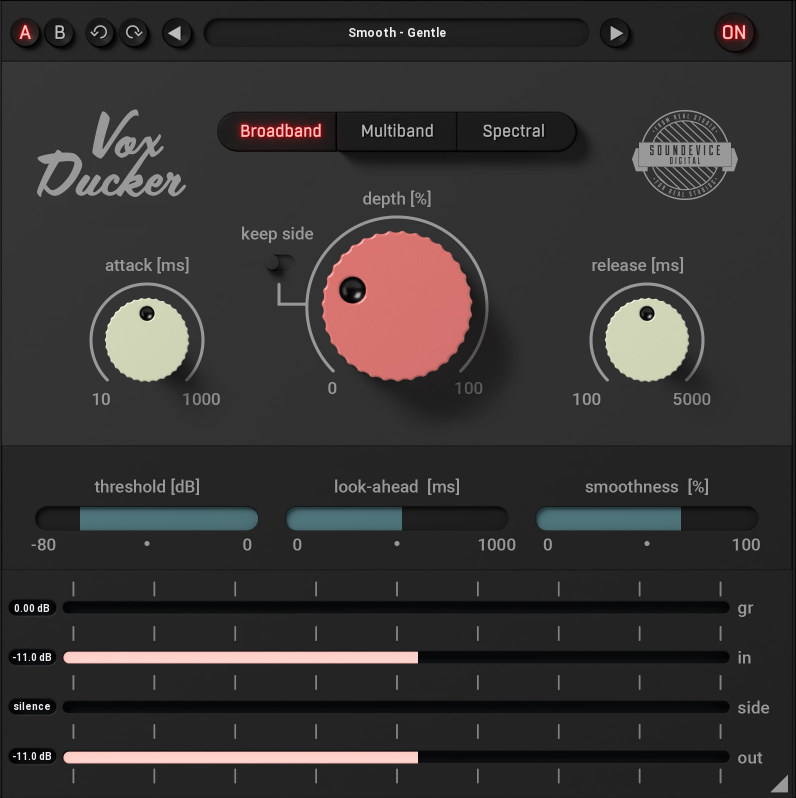
VoxDucker automatically lowers the music when a voice is detected, so everything stays clear and balanced while the mix keeps its energy.
Here’s what you get:
- Automatic ducking with smart sidechain detection: VoxDucker listens to the voice input through the sidechain and lowers the background music or other elements in real time. This keeps dialogue or vocals clear, so you don’t have to automate it yourself.
- Three ducking modes for precise control: Choose from three ducking styles that focus on transparency and frequency-based control. You decide how much of the backing track stays audible while the voice remains clear.
- Fast workflow with visual feedback: Depth control and real-time meters for input, output, and sidechain signals show you exactly how much ducking is happening, all in a clean and simple interface.
Extra 2: Dreamtonics Vocoflex (Voice Creation & Transformation)
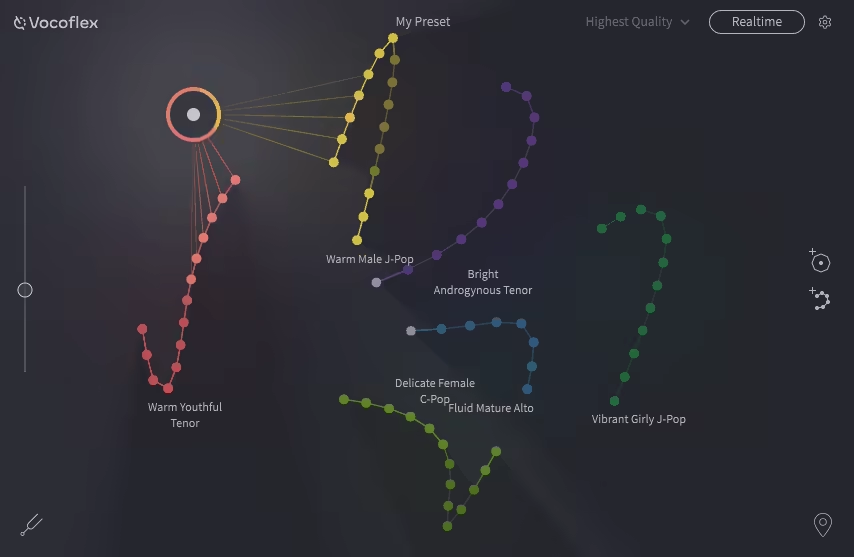
What stood out to me about Vocoflex is how it lets me change my voice in real time into something totally different, and it still sounds natural. I can bring in a vocal sample or make a custom voice, then blend between them live with the X/Y pad, which is really easy to use.
It responds quickly, so whether I’m performing or just trying things out in the studio, the transitions are always smooth and musical. It’s one of the most creative tools I’ve used for sound design and changing vocals in a while.
- With Vocoflex, you can record, import, or create voices and instantly change your vocals to any tone or style you want, all with real-time control and smooth transitions.
- You can use the X/Y pad to move the cursor or automate settings to blend between different voices, or connect a MIDI controller for more expressive control during performances.
- There are 40 built-in voice templates to choose from, or you can make your own by importing samples and changing things like gender, tone, and timbre with the color-based customization tools.
- Vocoflex adds a hidden watermark to every generated voice, so creators can protect their work and help prevent misuse of voice data.
Frequently Asked Questions (FAQs):
How to make my vocals sound better?
Start with a clean recording in a treated room, then build your vocal chain with subtractive EQ to cut muddiness around 200-400 Hz, a compressor to even out dynamics, a de-esser to tame sibilance, and a touch of reverb or delay for depth. Small fixes at each stage add up to a big improvement overall.
Should I mix vocals in mono or stereo?
Mix your lead vocal in mono. A mono vocal sits firmly in the center of the stereo field, cuts through the mix clearly, and translates well on every playback system from headphones to phone speakers. Save stereo processing like widening, chorus, or stereo delays for backing vocals and ad-libs instead.
Should vocals be panned?
Your lead vocal should almost always stay panned dead center so it remains the focal point of the mix. Backing vocals, harmonies, and doubles are where panning gets useful. Spread them left and right to create width while keeping the lead anchored in the middle for clarity and impact on every system.
Should vocals be sidechained?
Sidechaining vocals is not standard, but sidechaining other elements to the vocal is. You can sidechain pads, synths, or reverbs so they duck slightly when the vocal comes in, carving out space and keeping the voice upfront without pushing its volume. It is a subtle but very effective mixing technique.
Should vocals be louder than the beat?
Yes, in most genres the vocal should sit slightly above the beat since it carries the melody and lyrics listeners connect with. A good starting point is having the vocal about 1-3 dB above the loudest instrument. Trust your ears over meters because the right balance depends on the genre and the vibe.
How to use compressor for vocals?
Set a medium attack around 10-15 ms so the initial transient of each word comes through, and a medium release around 40-60 ms so it lets go naturally between phrases. Use a ratio between 2:1 and 4:1 and lower the threshold until you see about 3-6 dB of gain reduction then add makeup gain to compensate.
How to use EQ to isolate vocals?
To isolate vocals with EQ, cut everything below 80-100 Hz with a high-pass filter to remove rumble, dip the low mids around 200-400 Hz to reduce muddiness, and boost the presence range around 3-5 kHz to bring the voice forward. This won't fully isolate a vocal from a mix but it will make it stand out.

Hello, I’m Viliam, I started this audio plugin focused blog to keep you updated on the latest trends, news and everything plugin related. I’ll put the most emphasis on the topics covering best VST, AU and AAX plugins. If you find some great plugin suggestions for us to include on our site, feel free to let me know, so I can take a look!