
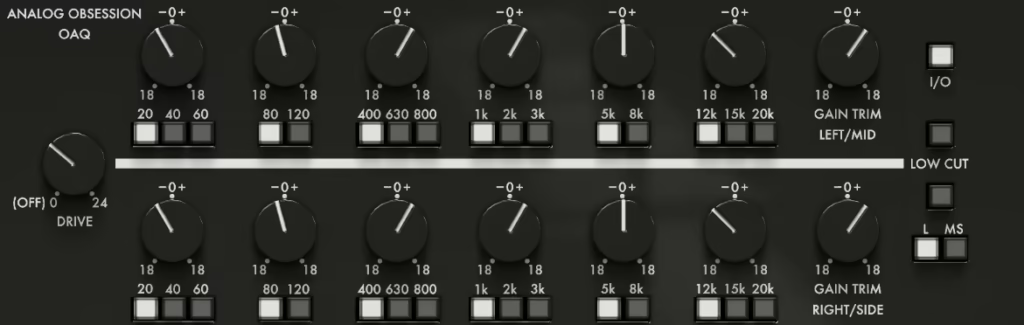
Finding the right free EQ plugin can be a game-changer when you’re mixing or mastering at home. That’s why I listed some of the top free eq plugins you can get online.
There’s a huge difference between something that just moves frequencies around and a tool that actually helps you shape tone, control dynamics, and bring out the best in a mix. This roundup focuses on free EQs that actually hold their ground against paid options – from warm, analog-style tone shapers like Analog Obsession’s OAQ and Kiive Audio’s Warmy EP1A, to precise digital tools like TDR Nova and iZotope Mastering EQ.
Each one brings something unique to the table: some make your low end bloom, others tame harsh mids, and a few even double as full-blown dynamic processors. Whether you’re polishing a final master, sculpting your drums, or just learning to trust your ears, these EQs give you everything you need to get pro-level results without spending a dime.
I tested and benchmarked these free EQ plugins to see which ones can actually rival expensive paid software and here is what I found out:
| Plugin Name | Best For | Engine Type | Key Strength | My Verdict | Pros | Cons |
|---|---|---|---|---|---|---|
| 1. iZotope Mastering EQ | Final mix & mastering EQ | Linear / Minimum Phase Digital | Phase-coherent precision | Best Mid/Side | Match EQ, surgical Q, spectrum view | Higher latency in linear mode |
| 2. Analog Obsession OAQ | General mixing tone shaping | Analog-modeled parametric | Musical broad curves | Best CPU-Efficient Analog | Forgiving boosts, low CPU load | Limited surgical accuracy |
| 3. Soundly Shape It | Creative sound design | Resonant digital filtering | Extreme resonance behavior | Best Experimental | Unique filter shapes, low latency | Not suited for corrective EQ |
| 4. Acustica Audio Jet | Console-style bus processing | Sampled analog engine | British console coloration | Best Console Emulation EQ | Preamp saturation, cohesive tone | Heavier CPU usage |
| 5. Outobugi Toner | Fast tonal balancing | Phase-linear tilt EQ | One-knob spectrum rebalancing | Best Tilt | Transparent, mastering-safe | No band-level control |
| 6. Analog Obsession HLQ-SE | Bus & vocal EQ | Passive analog emulation | Interactive boost/cut curves | Best Passive EQ Character | Musical frequency interaction | Fixed frequency points |
| 7. Analog Obsession MAXBAX | High-end air enhancement | Analog-modeled shelving EQ | Smooth top-end lift | Best High-Freq Focused | No harshness, musical shelves | High-frequency only |
| 8. Analog Obsession BLENDEQ | Layered EQ coloration | Multi-model analog blend | Hybrid tonal shaping | Best EQ Color Blender | Multiple EQ flavors in one | Less predictable results |
| 9. Samsara Cycle Audio P-T-Q | Vintage parametric shaping | Analog-modeled parametric | Proportional Q response | Best Vintage Parametric | Musical curves, warm harmonics | Narrow workflow flexibility |
| 10. AO & BPB Rare Program EQ | Bus & mastering coloration | Vintage program EQ model | Unique frequency voicing | Best Rare Hardware Emulation | Distinct tonal signature | Not suited for surgical work |
| 11. Analog Obsession FIVER | Quick mix decisions | Fixed-band analog EQ | Fast workflow EQ | Best Simple Analog | Low CPU, musical points | No continuous frequency control |
| 12. Sonimus SonEQ | Surgical corrective EQ | Clean digital parametric | Transparent processing | Best Clean | Precise bands, low artifacts | No harmonic coloration |
| 13. Fuse Audio Labs RS-W2395C | Console-style mixing | Analog console emulation | Broad musical curves | Best British Console Tone | Warm saturation, cohesive sound | Less surgical precision |
| 14. DDMF ColourEQ | Vintage EQ variety | Multi-model hybrid EQ | Multiple tonal characters | Best Multi-Flavor | Model switching, low latency | Requires tonal familiarity |
| 15. AudioThing Blindfold EQ | Ear training & mixing discipline | Parametric EQ (no visual) | Bias-free EQ decisions | Best Minimal Choice | Improves critical listening | Slower workflow initially |
| 16. Kiive Audio Warmy EP1A | Tube-style bus EQ | Tube & transformer model | Warm program shaping | Best Tube Program EQ | Rich harmonics, smooth curves | Not designed for precision |
| 17. ProduceRNB AMP LEQS | R&B & hip-hop production | Modern digital EQ | Genre-optimized curves | Best For Beginners | Fast presets, clean response | Limited outside urban styles |
| 18. Ignite Amps PTEq-X | Mix bus & mastering tone | Pultec-style program EQ | Boost/attenuation interaction | Best Pultec-Style | Weighty lows, smooth air | Broad control only |
| 19. TDR Nova | Dynamic frequency control | Dynamic / parallel EQ | Frequency-dependent dynamics | Best Dynamic | Linear phase, sidechain, M/S | Steeper learning curve |
| 20. Melda MEqualizer | Advanced corrective & creative EQ | Modular digital EQ engine | Unlimited bands & filters | Best Feature-Rich | Extreme flexibility, M/S, LP | Complex interface |
1. iZotope Mastering EQ – Best Mid/Side Equalizer
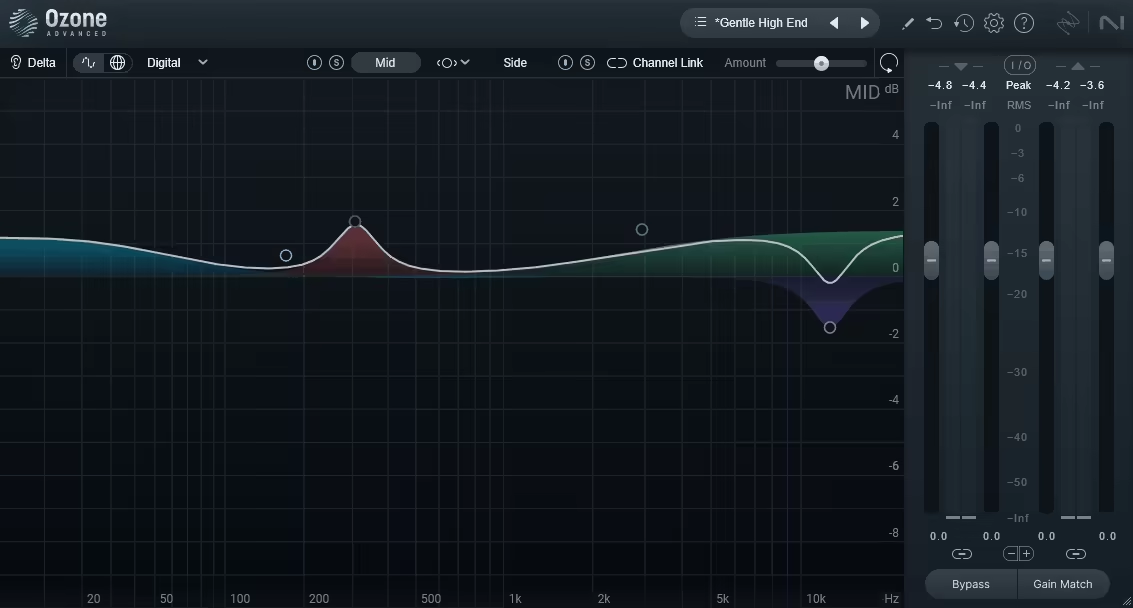
iZotope Mastering EQ is a free mastering-grade equalizer with linear phase processing and spectrum analysis. It’s awesome on final mixes, synth buses, and stems where small, transparent adjustments make big differences.
In addition, it includes linear phase processing that eliminates phase distortion when making EQ adjustments, and I’d say this is crucial for mastering where phase coherence affects stereo imaging and transient response. Linear phase keeps the spatial characteristics of your mix intact, preventing the smearing or image shifts that can happen with minimum phase EQs.
The phase response stays consistent across all frequencies, which means boosts and cuts don’t introduce timing offsets between different frequency bands. I found that this transparency is especially important on full mixes where phase distortion could collapse the stereo width or make the low end feel loose and undefined. The trade-off is slightly higher latency compared to minimum phase, but for mastering applications where you’re not tracking in real time, this isn’t an issue.
That being said, the plugin also offers minimum phase mode for situations where you want the phase characteristics of analog EQs or need lower latency. Having both options means you can choose the right tool for each specific task rather than being locked into one processing approach.
- Match EQ Functionality
The plugin provides Match EQ analysis that compares your track’s frequency balance to reference material and suggests EQ curves to achieve similar tonal characteristics. This feature is pretty helpful when you’re trying to match the general vibe of commercial releases without manually analyzing and replicating their frequency response.
- Surgical Filter Precision
The plugin offers extremely narrow Q settings for surgical corrections when you need to target specific problem frequencies without affecting surrounding content. The filter precision is what separates mastering EQs from broader mixing tools, because mastering often requires removing specific resonances or harshness without altering the overall tonal balance.
The frequency selection is continuous and precise, letting you dial in exact frequencies down to fractional Hz when needed. I found that this precision is essential when dealing with room modes, monitor resonances, or other frequency-specific issues that need targeted correction. The gain range is also calibrated for subtle adjustments, preventing you from making overly aggressive moves that would damage the mix.
At the same time, Mastering EQ handles broad tonal shaping well with wider Q settings and shelving filters for adjusting the overall frequency balance. The flexibility to switch between surgical and broad approaches in one plugin means you don’t need to load multiple EQs for different tasks.
2. Analog Obsession OAQ – Best CPU-Efficient Analog
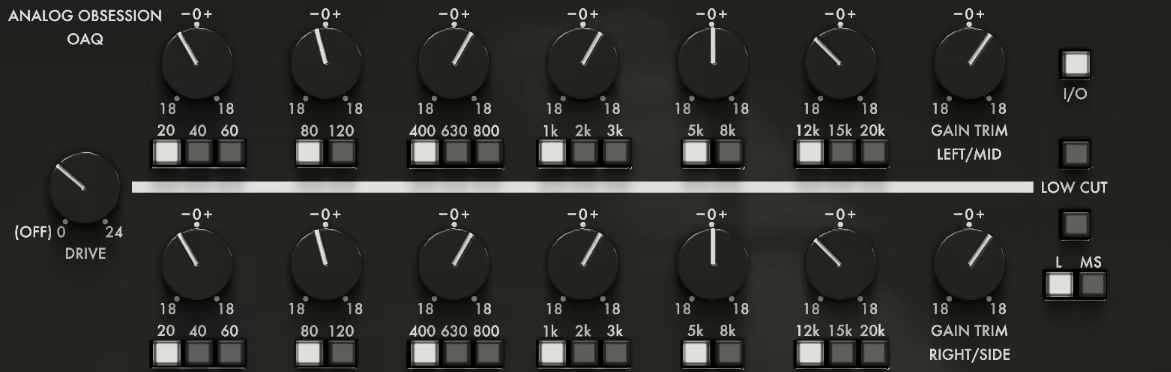
OAQ emulates classic analog EQ circuits with the harmonic distortion and frequency response characteristics that made vintage hardware sound musical and forgiving. The modeling captures how analog components interact, creating smooth, broad EQ curves that feel natural rather than surgical. I’d say this is what separates it from purely digital EQs that can sound clinical.
The harmonic content added by the analog modeling helps processed signals sit better in mixes, and I noticed that even aggressive boosts don’t immediately sound harsh or unpleasant. The EQ curves are gentle and musical, which means you can make significant adjustments without things sounding obviously processed. From my experience, this forgiving character is perfect when you’re learning EQ or need to make quick tonal decisions without overthinking every move.
- Efficient CPU Performance
The plugin is really light on system resources, and I love how you can load dozens of instances across a full mix without any performance impact. This efficiency matters when you’re running OAQ on every track in a session, which is realistic for mixing workflows where you need consistent tonal shaping across multiple sources.
The stability is solid, and I haven’t experienced crashes or glitches even when stacking multiple instances on single tracks for complex EQ shaping. The low CPU usage means OAQ works well on older computers or laptops where resource management is critical for maintaining workflow without constant buffer adjustments or freezing tracks.
3. Soundly Shape It – Best Experimental
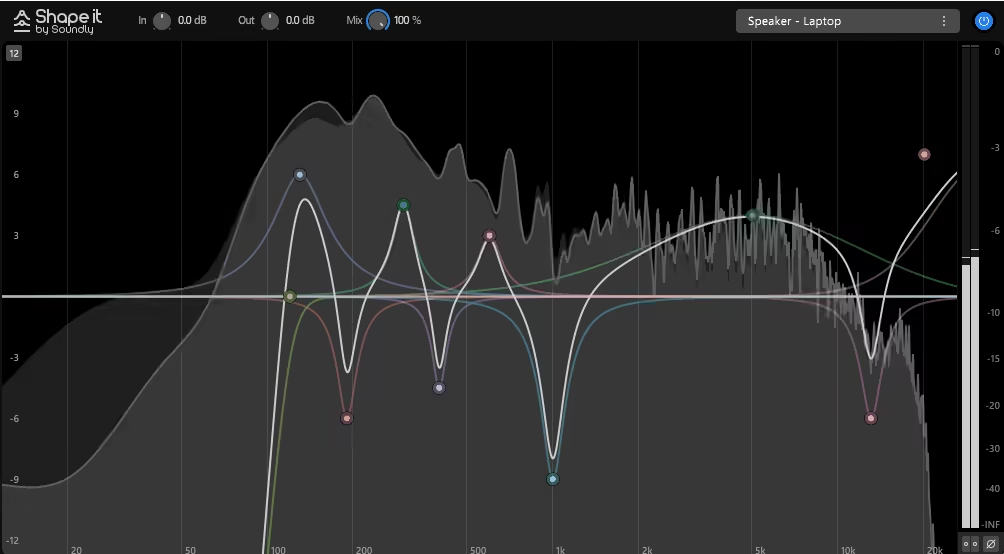
Soundly Shape It free eq plugin features highly resonant filters that emphasize specific frequencies with character and color, perfect for creative sound design rather than transparent correction. The resonance parameter can be pushed to extreme levels, creating self-oscillating peaks that add harmonic content and transform the timbral character of your source material.
I’d say the resonant behavior is what makes Shape It interesting for experimental processing, because you’re not just cutting or boosting frequencies, you’re adding new harmonic content that interacts with your source in musical ways. The filters can create vowel-like formants, metallic ringing, or subtle emphasis depending on how you set the resonance and frequency parameters.
From my experience, high-resonance filtering works great on synth pads where you want to emphasize specific overtones, on percussive elements where you want to add tonal characteristics, and on textural layers where dramatic frequency sculpting helps elements occupy unique sonic spaces. The resonance stays musical even at extreme settings, which is what separates quality resonant filters from basic parametric EQs with Q controls.
- Unconventional Filter Curves
Shape It offers creative filter shapes beyond standard bells and shelves, giving you options for dramatic frequency sculpting. The filter types include asymmetric curves, multi-peak responses, and other unconventional shapes that create tonal characteristics impossible with traditional parametric EQs.
I found that these creative curves are perfect for sound design applications where you want processing that sounds obviously affected rather than transparent. The filter shapes can create comb filtering effects, formant-like resonances, or spectral notches that transform familiar sounds into something new and interesting. The unconventional responses encourage experimentation rather than following standard mixing practices.
At the core of it, Shape It is designed for creative exploration rather than corrective work, and the filter options reflect that philosophy by providing tools that push sounds in unexpected directions.
- Low Latency Real-Time Performance
The CPU efficiency is reasonable considering the visual feedback and complex filtering, and I haven’t experienced performance problems even with multiple instances in dense sessions.
4. Acustica Audio Jet – Best Console Emulation EQ
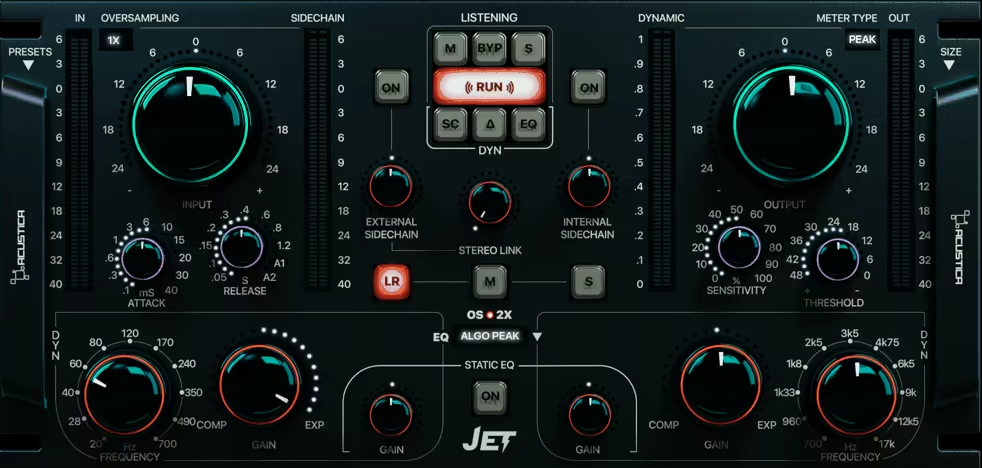
Vintage British console EQs have a specific warmth that’s hard to replicate digitally. I was mixing a vocal with my MIDI keyboard controller playing a synth layer when I needed that smooth analog character.
Acustica Audio Jet is a free British console EQ emulation with musical curves and analog coloration. I’ve used it on vocals, drum buses, and synth pads where vintage warmth helped everything blend naturally.
- British Console Character Modeling
Jet emulates classic British mixing console EQs with the frequency response curves and harmonic characteristics that made these desks famous for rock, pop, and electronic music production. The modeling captures the transformer-coupled circuits and Class A amplification that contributed to the warm, slightly colored sound of vintage consoles.
I’d say the console character is what makes Jet sound different from clean digital EQs, because you’re getting subtle harmonic enhancement and gentle compression just from passing signal through the plugin even before making any EQ adjustments. The frequency response isn’t perfectly flat like modern digital designs, which adds a gentle coloration that many producers find pleasing and musical.
The EQ curves have that broad, gentle shape characteristic of console EQs rather than the surgical precision of parametric designs. I noticed that this forgiving behavior means you can make significant boost or cut moves without things immediately sounding harsh, processed, or unnatural. The console modeling creates a cohesive sound across multiple instances, which is perfect when you’re using Jet on many tracks and want that unified “mixed through a console” character.
- Integrated Preamp Saturation
Jet includes preamp modeling that adds subtle harmonic distortion and compression characteristics from vintage console input stages. The preamp section isn’t just passive coloration but an active part of the tone shaping that interacts with your source material dynamically.
The saturation behavior responds to signal level, adding more harmonic content and compression when you drive the input harder. This dynamic response is what makes the preamp modeling feel alive and musical rather than like static processing applied uniformly. You can use the input drive to add warmth and thickness to thin sources, or keep it clean for more transparent processing.
When it comes to preamp saturation, it is particularly effective on drums, vocals, and bass where a bit of harmonic richness helps elements feel more present and three-dimensional in the mix. The saturation adds even-order harmonics that enhance rather than distort, maintaining clarity while adding warmth.
5. Outobugi Toner – Best Tilt EQ
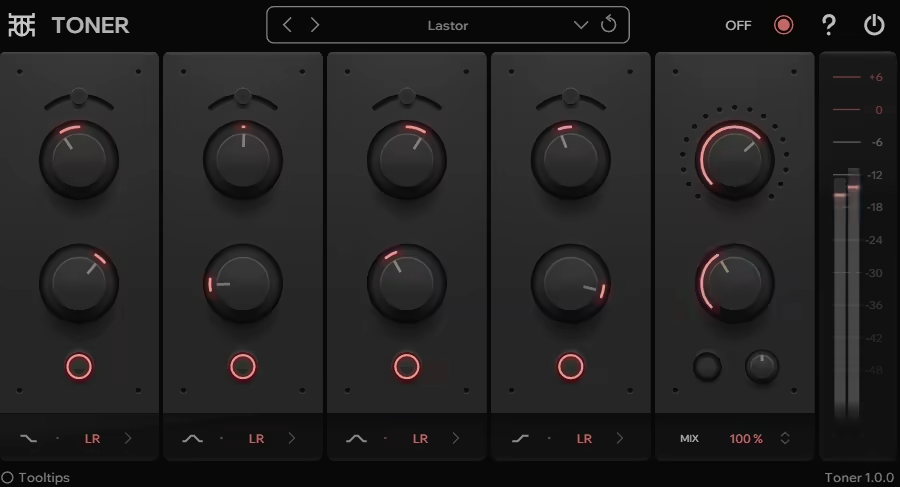
Broad tonal adjustments sometimes work better than detailed parametric moves. I was mixing with my MIDI keyboard controller nearby, working on a synth bus when I realized I needed overall brightness rather than surgical EQ.
Outobugi Toner is a tilt EQ with single-knob operation that adjusts tonal balance from dark to bright. I’ve used it on full mixes, synth buses, and individual tracks where quick tonal shifts were needed.
- Tilt EQ Topology
Toner uses a tilt EQ design that simultaneously boosts high frequencies while cutting lows (or vice versa) around a central pivot frequency, creating broad tonal shifts with one control. The tilt approach is fundamentally different from parametric EQs because you’re rebalancing the entire frequency spectrum rather than adjusting individual bands.
I’d say the tilt topology is perfect for quick “warmer” or “brighter” adjustments that affect the overall character without getting into detailed frequency work. The pivot frequency determines where the tilt rotates, and everything above gets boosted while everything below gets cut (or reversed depending on direction). From my experience, this creates natural-sounding tonal shifts that feel like turning a tone control on a guitar amp or stereo rather than surgical EQ work.
The tilt approach is particularly useful on full mixes or buses where you want to adjust the overall tonal balance without affecting individual elements independently. I noticed that tilt EQ often sounds more musical than trying to achieve similar results with multiple parametric bands because the frequency changes are proportional and interconnected rather than independent adjustments that might not work together cohesively.
- Transparent Processing
Toner operates cleanly without adding coloration beyond the frequency balance changes, which is perfect when you want tonal adjustments without additional harmonic content or saturation. The processing is phase-linear, meaning it doesn’t introduce phase distortion that could affect stereo imaging or transient response.
I appreciate how the transparency means you’re only changing what you intend to change rather than adding unexpected character or artifacts. The clean operation makes Toner suitable for mastering applications where you need subtle tonal balance adjustments without altering the fundamental character of the mix. The transparency also makes it easy to hear exactly what the tilt adjustment is doing without other processing variables complicating your evaluation.
6. Analog Obsession HLQ-SE – Best Passive EQ Character
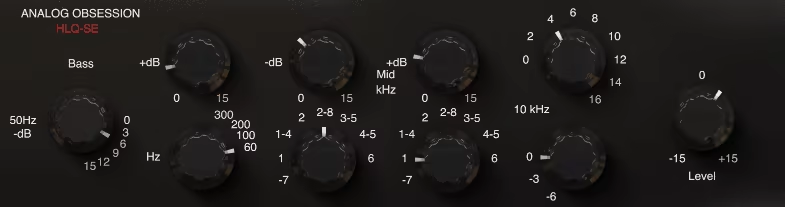
Passive EQs interact differently than active parametrics. I was working on a mix bus with my MIDI keyboard controller playing a synth part when I wanted that vintage passive EQ character.
Analog Obsession HLQSE is a passive EQ emulation with interactive boost and cut behavior. I’ve used it on mix buses, vocals, and drums where the smooth, musical response added vintage vibe.
- Passive EQ Circuit Modeling
HLQSE emulates passive EQ topology where boost and cut controls interact with each other through the circuit’s impedance characteristics, creating frequency responses that change depending on how you set multiple bands. This interaction is fundamentally different from active EQs where each band operates independently.
I’d say the interactive behavior is what gives passive EQs their distinctive musical character, because adjustments in one frequency band affect the response of other bands in subtle ways. The impedance loading between sections creates gentle frequency response shifts that feel organic and natural rather than surgical and precise.
From my experience, passive EQs encourage you to think about the overall tonal balance rather than fixating on individual frequency problems. The musical frequency interactions mean that your EQ moves tend to sound cohesive and balanced rather than disjointed or overly processed. I noticed that passive EQ often requires fewer adjustments to achieve pleasing results because the circuit behavior naturally creates smooth, complementary frequency curves.
- Musically Chosen Frequency Points
HLQSE offers fixed frequency points selected for musical relevance rather than continuous frequency adjustment, and honestly, this limitation is what makes the plugin fast and effective to use. The frequency selections cover the essential tonal shaping zones without overwhelming you with infinite options.
The fixed points are chosen based on decades of studio experience, representing frequencies that consistently work well for various mixing tasks. I found that having limited choices actually speeds up decision-making because you’re working with proven frequency points rather than endlessly hunting for the “perfect” frequency that might not even exist.
The frequency selection encourages you to work with what’s available rather than obsessing over precise frequency targeting, which often leads to more musical results than surgical digital EQ work. At the same time, the available frequencies cover enough range that you can shape the entire spectrum effectively without feeling constrained.
- Vintage Transformer Coloration
The EQ includes input and output transformer modeling that adds subtle harmonic richness, compression, and saturation characteristic of vintage passive equalizers. The transformers aren’t just static coloration but respond dynamically to signal level and frequency content.
7. Analog Obsession MAXBAX – Best High-Freq Focused
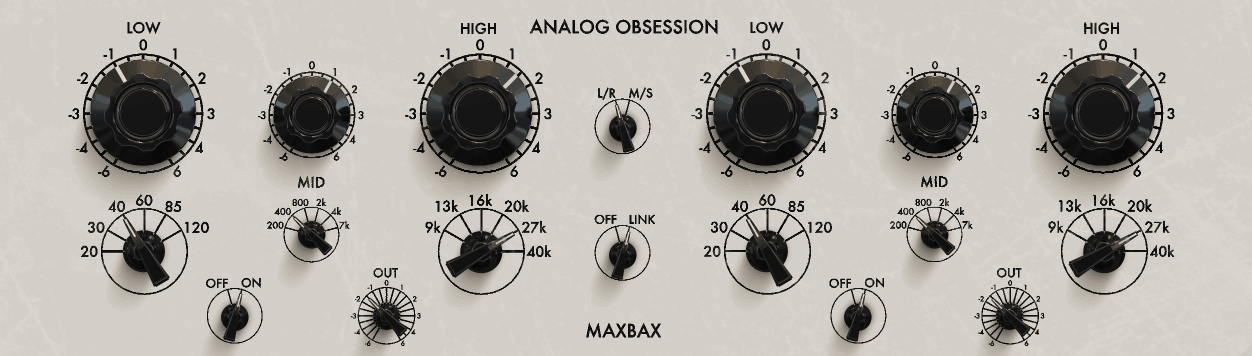
Adding high-frequency air without harshness requires the right tool. I was mixing a vocal with my MIDI keyboard controller nearby, adjusting a synth layer, when I needed smooth top-end enhancement.
Analog Obsession MAXBAX is a high-frequency enhancer modeled after mastering EQs with gentle shelving curves. I’ve used it on vocals, synth pads, and full mixes where subtle brilliance was needed.
- High-Frequency Focused Design
MAXBAX specializes in high-frequency enhancement with shelving curves optimized specifically for adding air, presence, and brilliance to sources that need top-end lift. The EQ isn’t a full parametric but rather a dedicated high-frequency tool designed to do one thing exceptionally well.
I’d say the focused design is what makes MAXBAX effective, because the curves and frequencies are specifically chosen for musical high-end enhancement rather than trying to cover all EQ tasks. The shelving filters are gentle and smooth, letting you add significant high-frequency boost without the harshness or sibilance that aggressive treble boosts can create.
The frequency points are fixed at musically relevant positions that work well for adding air to vocals, sparkle to acoustic instruments, and polish to full mixes. From my experience, the limited frequency selection actually speeds up workflow because you’re choosing from options that consistently deliver good results rather than hunting for the perfect frequency across the entire high range.
- Smooth, Musical Boost Curves
The EQ uses carefully designed boost curves that emphasize frequencies in a way that sounds natural and musical rather than harsh or artificial. The curve shape is what separates quality mastering EQs from basic treble controls, because the boost is distributed smoothly across the high frequencies rather than creating sharp peaks or unnatural emphasis.
I noticed that the smooth curves let you add substantial high-frequency boost without vocals becoming sibilant or cymbals becoming piercing. The gentle slope means the boost blends naturally with the existing frequency content rather than sitting on top as an obvious, disconnected layer. The curves are modeled after vintage hardware that achieved smooth high-frequency enhancement through careful circuit design and transformer coupling.
One thing I’ve noticed is that MAXBAX’s curves work particularly well on sources that need subtle enhancement rather than dramatic transformation, making it perfect for mastering and final mix processing where transparency is important.
- Analog Circuit Emulation
MAXBAX includes analog modeling that adds subtle harmonic content and smoothness to the boosted frequencies, preventing the brittle digital sound that cheap high-frequency processing can create. The modeling captures how analog components respond to high-frequency signals, including the gentle saturation and phase characteristics of vintage circuits.
The analog character means the high-frequency boost feels warm and natural rather than harsh and digital, which is crucial when adding significant top-end enhancement. I appreciate how the harmonic content fills out the boosted frequencies, creating a sense of richness and depth rather than just making things louder and brighter in a one-dimensional way.
From what I can tell, the analog modeling is particularly effective when pushing the boost amount harder, because the saturation and compression characteristics prevent the enhancement from becoming unpleasant or fatiguing even at extreme settings.
8. Analog Obsession BLENDEQ – Best EQ Color Blender
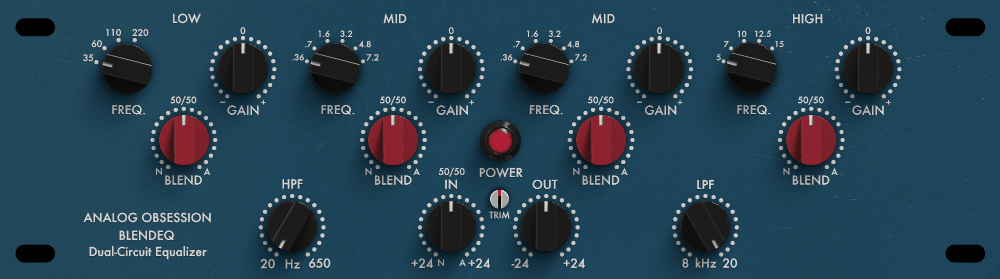
Combining different EQ characters creates complex tonal shaping. I was working on a vocal bus with my MIDI keyboard controller playing a synth pad when I wanted to blend multiple EQ flavors.
Analog Obsession BLENDEQ free eq plugin lets you blend multiple EQ models in one plugin with mix controls for each. I’ve used it on vocals and buses where I needed layered EQ character without loading multiple instances.
- Multiple EQ Model Blending
BLENDEQ provides several vintage EQ models that can be blended together in varying amounts, letting you combine the characteristics of different hardware units in one plugin. The models represent different analog EQ designs with distinct frequency curves, harmonic content, and tonal signatures.
I’d say the blending capability is what makes BLENDEQ unique, because you’re not limited to one EQ flavor but can create hybrid tones that combine the best aspects of multiple vintage designs. The mix controls for each model let you dial in the exact balance you want, from subtle hints of character to equal blends or dominant emphasis on one particular EQ type.
From my experience, blending EQs creates more complex and interesting tonal results than using a single EQ in isolation, because you’re layering frequency responses and harmonic characteristics in ways that wouldn’t occur naturally. I noticed that certain model combinations work particularly well together, creating synergistic results where the whole is greater than the sum of the parts.
- Individual Model Characteristics
Each EQ model in BLENDEQ has distinct tonal characteristics based on different vintage hardware designs, and honestly, understanding what each model brings helps you make informed blending decisions. The models range from smooth and warm console-style EQs to aggressive and colorful boutique designs.
The frequency response curves differ between models, with some emphasizing certain ranges or having signature boosts and cuts built into their basic topology. The harmonic content also varies, with different models adding different types and amounts of saturation, compression, and coloration. I appreciate how this variety gives you a palette of tonal colors to work with rather than just variations on the same basic EQ design.
One thing I’ve noticed is that experimenting with different blend ratios reveals unexpected tonal possibilities that you might not discover using traditional EQ workflows.
9. Samsara Cycle Audio P-T-Q – Best Vintage Parametric
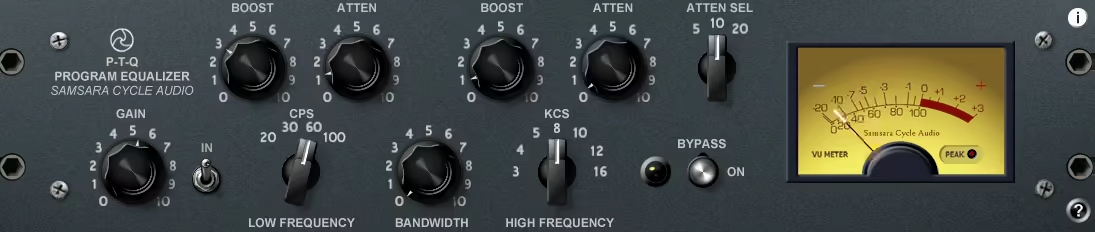
Vintage parametric EQs have a specific workflow and sound. I was mixing drums with my MIDI keyboard controller playing a synth bass when I wanted that classic parametric character.
Samsara Cycle Audio P-T-Q is a vintage parametric EQ emulation with analog modeling. I’ve used it on drums, vocals, and synth layers where musical parametric shaping was needed.
P-T-Q emulates classic parametric EQ topology from vintage studio hardware, capturing the frequency response curves and control interactions that made these units popular for detailed tonal shaping. The parametric design offers full control over frequency, gain, and Q for each band, giving you precise adjustment capabilities.
I’d say the vintage parametric approach is what makes P-T-Q feel different from modern digital EQs, because the controls interact in ways that reflect analog circuit behavior rather than purely mathematical frequency manipulation. The frequency selection has a specific range and resolution that matches vintage hardware, and the Q control behaves proportionally rather than offering infinite precision.
From my experience, vintage parametric EQs have a musicality that comes from their limitations and design compromises, and P-T-Q captures that character well. The EQ curves are smooth and forgiving, letting you make significant adjustments without things immediately sounding harsh or obviously processed. I noticed that the vintage character encourages you to make bolder EQ moves because the curves remain musical even at extreme settings.
- Analog Circuit Emulation
The plugin includes analog modeling that adds subtle harmonic distortion and frequency response characteristics from vintage parametric equalizers. The modeling captures how analog components like transformers, amplifiers, and passive networks color the signal beyond just the intentional frequency adjustments.
The harmonic content varies with signal level and frequency, creating dynamic coloration that responds to your source material rather than applying static processing. I appreciate how this adds life and character to the EQ, making it feel more like hardware than purely digital processing. The analog modeling contributes to that warm, musical sound where EQ adjustments enhance rather than just correct.
One thing I’ve noticed is that the analog character is particularly effective on sources that benefit from warmth and body like vocals, acoustic instruments, and drums where a bit of harmonic richness helps elements feel more present and three-dimensional.
- Musical Frequency Ranges
P-T-Q offers frequency ranges optimized for musical relevance rather than covering the entire audible spectrum with unnecessary precision. The frequency selection focuses on ranges where EQ adjustments typically happen in music production, avoiding ultra-low or ultra-high frequencies that rarely need parametric adjustment.
The range optimization actually makes the EQ faster to use because you’re not scrolling through irrelevant frequencies or accidentally setting bands in ranges where they won’t be effective. I found that the musical frequency focus encourages you to work within proven ranges rather than experimenting with extreme frequency points that might not deliver useful results.
- Proportional Q Behavior
The Q control in P-T-Q exhibits proportional behavior where the bandwidth changes in musical ratios rather than offering continuous, arbitrary precision. The Q steps are calibrated to useful musical widths, from broad tonal shaping to relatively narrow surgical corrections.
10. Analog Obsession & BPB – Rare Program Equalizer – Best Rare Hardware Emulation
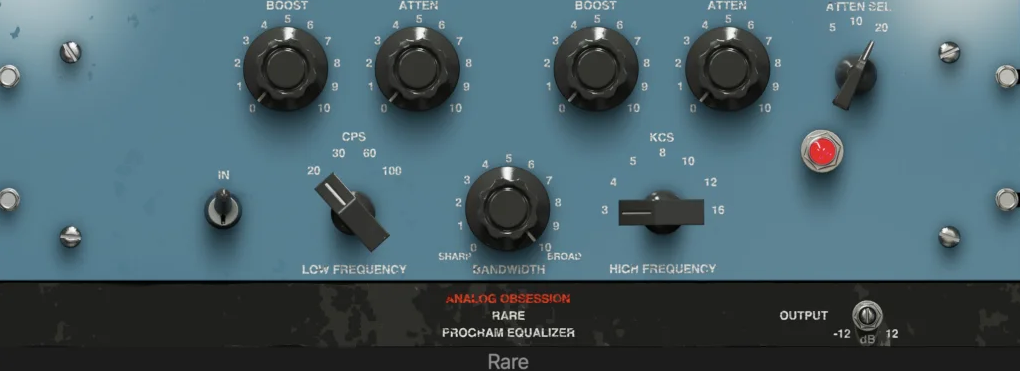
Some vintage EQs are rare and hard to find. I was working on a mix with my MIDI keyboard controller nearby, tweaking a synth melody, when I wanted access to unique vintage EQ character.
Analog Obsession’s Rare Program Equalizer emulates uncommon vintage hardware with distinctive tonal characteristics. I’ve used it on vocals and mix buses where unique coloration set elements apart.
This free eq VST plugin emulates vintage program equalizers that were produced in limited quantities or used in specific studio contexts, making the hardware difficult or impossible to access for most producers. The emulation captures unique frequency response curves and harmonic characteristics that differ from more common vintage EQ designs.
I’d say the value here is getting access to distinctive sonic flavors that aren’t well-represented in other plugins, even paid ones. The rare hardware being emulated has specific tonal signatures that can add character and interest to sources that sound generic or uninspiring with standard EQ processing. From my experience, having access to uncommon EQ colors expands your tonal palette and helps you create mixes that don’t sound like everyone else’s.
The program equalizer designation indicates this was designed for bus and mastering applications rather than individual track processing, which influences the design philosophy toward broad, musical adjustments rather than surgical correction.
- Distinctive Frequency Response
The Rare Program Equalizer has specific frequency points and curves that reflect the original hardware’s design intentions and circuit topology. The frequency selections aren’t generic but rather carefully chosen for the type of program material the original unit was designed to process.
The EQ curves have a particular shape and interaction that creates the unit’s signature sound, and I noticed that these curves work differently than standard parametric or console EQs. The response might emphasize certain frequency relationships or have built-in compensations that make adjustments feel balanced and musical automatically.
One thing I’ve noticed is that using EQs with distinctive frequency responses can inspire different mixing decisions because you’re working with a unique set of tonal possibilities rather than familiar curves you’ve used hundreds of times.
- Vintage Coloration
The plugin includes harmonic distortion and saturation modeling based on the original hardware’s amplification and output stages. The coloration isn’t just static but responds to signal level and frequency content, creating dynamic character that interacts with your source material.
I appreciate how the vintage coloration adds warmth, depth, and dimension that helps processed material feel more analog and less sterile. The harmonic content fills out the frequency spectrum in subtle ways that make sounds feel richer and more complete. From what I can tell, the coloration is particularly effective on digital sources like software synths and samples that can benefit from analog-style enhancement.
11. Analog Obsession FIVER – Best Simple Analog
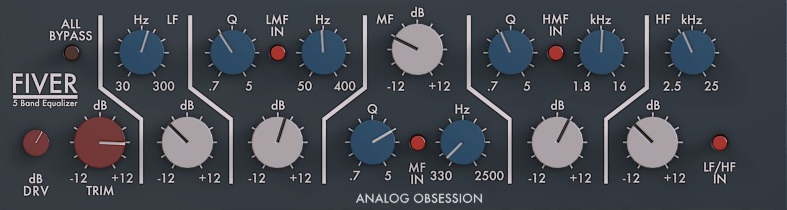
Sometimes you need simple, focused EQ. I was mixing with my MIDI keyboard controller, working on a synth arpeggio, when I wanted straightforward tonal control without complexity.
Analog Obsession FIVER is a simple five-band EQ with fixed frequency points and analog modeling. I’ve used it on various sources where quick, musical EQ was needed without detailed parametric work.
FIVER VST offers five EQ bands at fixed frequency points chosen for musical relevance and broad applicability across different source materials. The fixed frequencies cover essential tonal shaping zones from low end through presence without overwhelming you with choices or requiring frequency hunting.
I’d say the five-band configuration hits a sweet spot between simplicity and capability, giving you enough control to shape the entire frequency spectrum without the complexity of full parametric EQs. The fixed frequency approach speeds up workflow because you’re selecting from proven frequency points rather than scrolling through continuous ranges trying to find the right spot.
From my experience, fixed-frequency EQs encourage you to make decisions quickly and move forward rather than obsessing over finding the “perfect” frequency that might only be marginally different from the fixed options available. I noticed that the frequency selections in FIVER work well across different source types, so you’re rarely in a situation where you wish you had a frequency point that isn’t available.
- Analog Character
FIVER includes analog modeling that adds subtle harmonic content and saturation characteristic of vintage hardware, making the EQ processing feel warm and musical. The analog character means you’re getting tonal enhancement beyond just frequency adjustment, with the modeling adding body and presence that helps sources sit better in mixes.
The harmonic distortion is subtle and musical, enhancing rather than obviously coloring your sound. I found that the analog character makes FIVER particularly effective on digital sources like software synths and programmed drums that can benefit from analog-style warmth. The modeling responds dynamically to signal level, adding more character when you push the input harder.
12. Sonimus SonEQ – Best Clean
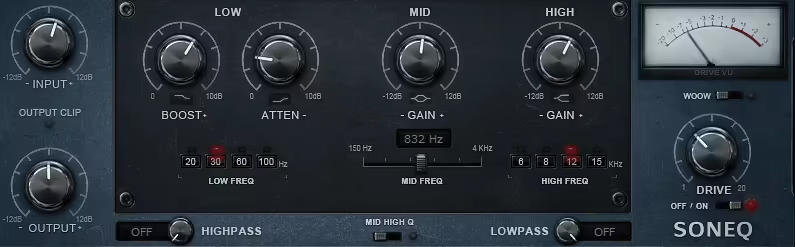
Clean, transparent EQ has its place in modern production. I was working on a synth stack with my MIDI keyboard controller when I needed precise correction without added color.
Sonimus SonEQ is a transparent free EQ plugin with flexible band configuration and minimal coloration. I’ve used it on sources where surgical correction was needed without altering the fundamental character.
- Transparent Digital Processing
SonEQ is designed for transparency and accuracy rather than vintage coloration, making it perfect when you need corrective EQ without adding harmonic content or character. The processing is phase-coherent and introduces minimal artifacts, so you’re only changing what you intend to change.
I’d say the transparent approach is valuable when working with sources that already have the right character and just need frequency balance correction. The lack of coloration means SonEQ works well on pristine recordings or carefully crafted software synth patches where you don’t want additional processing affecting the core tone.
From my experience, transparent EQs are particularly useful in mastering and final mix processing where you need surgical corrections without altering the overall sonic signature. I noticed that SonEQ’s clean operation makes it easy to hear exactly what your EQ adjustments are doing without other variables complicating your evaluation.
- Flexible Parametric Bands
SonEQ provides multiple fully parametric bands with continuous control over frequency, gain, and Q, giving you the precision needed for detailed tonal shaping. The band count is sufficient for handling complex EQ tasks without feeling limited, and each band offers full parametric control.
The Q range extends from very broad to extremely narrow, covering both gentle tonal adjustments and surgical corrections. I appreciate how the flexible bands let you tackle any EQ task from broad tonal shaping to targeting specific resonances or feedback frequencies. The continuous frequency selection means you can dial in exactly the frequency you need without being constrained to fixed points.
One thing I’ve noticed is that having full parametric control is essential when dealing with specific frequency problems that don’t align with fixed-frequency EQ points, making SonEQ more versatile than simpler designs.
- Multiple Filter Types
The plugin offers various filter types including bells, shelves, and high/low-pass filters, giving you the right tool for different EQ tasks. The filter selection covers all standard EQ needs from gentle tonal shaping with shelves to surgical corrections with narrow bells.
The high and low-pass filters are useful for removing unwanted low-frequency rumble or high-frequency noise without affecting the musical content. I found that having different filter types available in one EQ means you don’t need to load multiple plugins for different tasks, streamlining your workflow and reducing CPU usage.
13. Fuse Audio Labs RS-W2395C – Best British Console Tone
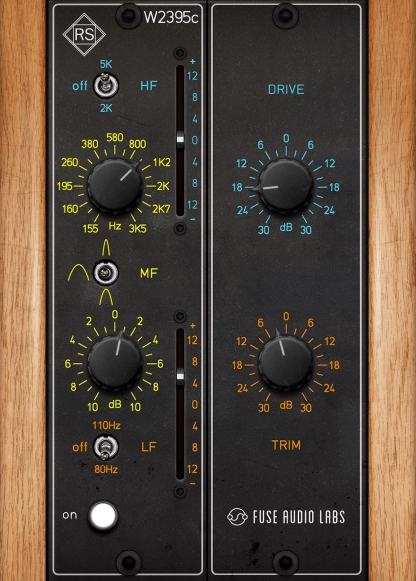
Vintage EQ units from specific eras have recognizable sounds. I was mixing a vocal with my MIDI keyboard controller playing a synth pad when I wanted that specific vintage console character.
Fuse Audio Labs RS-W2395C emulates a classic British console EQ with musical curves and analog warmth. I’ve used it on vocals, drums, and synth buses where vintage character enhanced the material.
- British Console EQ Emulation
RS-W2395C models a specific British mixing console channel EQ section known for its musical sound and broad, forgiving curves. The emulation captures the frequency response and harmonic characteristics that made this console popular for rock, pop, and electronic music production throughout several decades.
I’d say the British console character is what makes this EQ distinctive, with that smooth, slightly colored sound that adds warmth and cohesion to processed material. The curves are gentle and musical, meaning you can make significant boost or cut moves without things sounding harsh or obviously processed. From my experience, console EQ emulations work particularly well on multiple tracks in a mix because using the same EQ character across many sources creates a unified, cohesive sound.
The modeling includes the transformer coupling and Class A amplification that contributed to the original console’s sonic signature, so you’re getting authentic vintage character beyond just the EQ curves.
- Analog Saturation
The plugin includes subtle saturation from the console’s preamp and output stages, adding harmonic richness that enhances beyond just frequency adjustment. The saturation responds to signal level, adding more character when you drive the input harder.
I love how the saturation adds warmth and body to thin or digital-sounding sources, helping them feel more analog and three-dimensional in the mix. The harmonic content is primarily even-order harmonics that enhance rather than distort, maintaining clarity while adding richness. From what I can tell, the saturation is particularly effective on sources that benefit from analog warmth like vocals, acoustic instruments, and software synths.
14. DDMF ColourEQ – Best Multi-Flavor
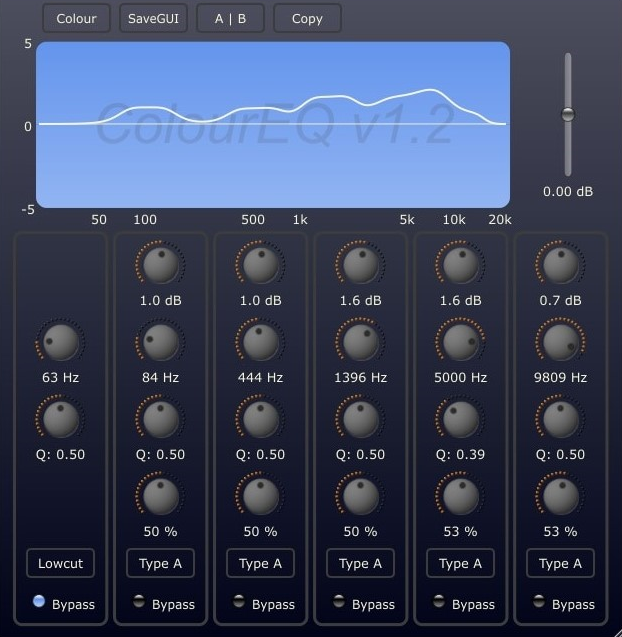
Vintage EQs from different manufacturers have distinct sounds. I was working on a mix bus with my MIDI keyboard controller nearby, programming a synth bass, when I wanted to blend different EQ characters.
DDMF ColourEQ lets you switch between multiple vintage EQ models with different tonal characteristics. I’ve used it when I needed specific vintage flavors without loading separate plugins for each.
- Multiple Vintage EQ Models
ColourEQ includes several vintage EQ emulations representing different hardware designs and manufacturers, giving you access to various tonal colors in one plugin. The models range from clean and transparent to heavily colored and characterful, covering a wide spectrum of vintage EQ behaviors.
I’d say the variety is what makes ColourEQ valuable, because you can audition different vintage flavors on your source material and choose the one that works best. The model switching is instant, letting you compare different EQ characters quickly without loading and unloading multiple plugins. From my experience, different sources respond better to different EQ types, and having multiple models available means you can match the right tool to each specific application.
The models aren’t just variations on the same basic EQ but represent fundamentally different design philosophies and circuit topologies, so you’re getting genuinely distinct tonal options.
- Characteristic Tonal Signatures
Each EQ model in ColourEQ has a distinctive sonic signature based on the original hardware’s frequency response, harmonic content, and circuit behavior. The differences aren’t subtle but represent meaningful tonal variations that affect how your sources sound and sit in the mix.
I noticed that some models emphasize certain frequency ranges or add specific types of coloration that work particularly well on certain source types. For example, one model might add warmth and smoothness perfect for vocals, while another might provide presence and aggression better suited for rock guitars or aggressive synth leads. The characteristic signatures give you a palette of tonal colors to work with rather than one generic “vintage EQ” sound.
- Flexible Parametric Controls
Despite being based on vintage hardware, ColourEQ offers modern parametric flexibility with continuous frequency selection and adjustable Q for detailed control. The combination of vintage character with modern flexibility gives you the best of both worlds – authentic analog sound with contemporary workflow efficiency.
The parametric controls let you target specific frequency issues that might not align with fixed-frequency points on the original hardware, making ColourEQ more versatile than strict hardware emulations. I appreciate how this hybrid approach maintains the musical character of vintage EQs while removing the limitations that would make them impractical for modern production workflows.
- Low Latency Processing
ColourEQ maintains minimal latency even with vintage modeling active, which matters for real-time tracking and monitoring applications.
15. AudioThing Blindfold EQ – Best Minimal Choice
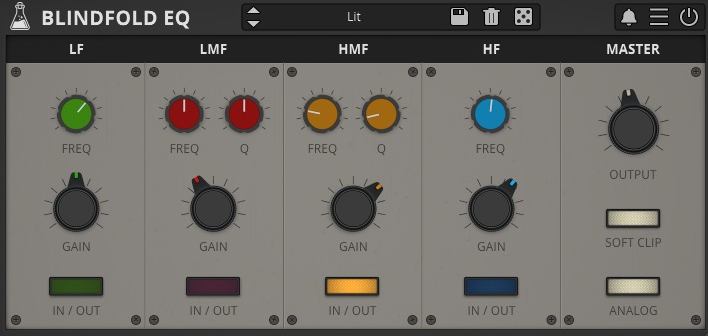
Sometimes removing visual feedback forces better listening. I was mixing with my MIDI keyboard controller, working on a synth lead, when I realized I was making EQ decisions based on the display rather than my ears.
AudioThing Blindfold EQ is a parametric EQ that hides the frequency response curve, forcing you to use your ears. I’ve used it when I wanted to develop better listening skills or avoid visual bias in EQ decisions.
- Full Parametric Control
Despite the hidden visual feedback, Blindfold EQ offers complete parametric control with adjustable frequency, gain, and Q for each band. The controls work normally, you just don’t see the resulting frequency curve displayed visually.
The parametric flexibility means you’re not limited in your EQ capabilities, you’re just working without visual confirmation of what you’re doing. I noticed that this forces you to develop a better intuitive understanding of how frequency, Q, and gain interact to create different EQ effects. The learning process might be slower initially but results in deeper knowledge that transfers to all your EQ work.
- Training Mode Features
Blindfold EQ includes training features that help you develop frequency identification skills and learn to hear different EQ adjustments more accurately. The training modes present frequency problems that you need to identify and correct without visual assistance.
I appreciate how these features turn the plugin from just an EQ into a learning tool that actively helps you improve your mixing skills. The training approach is more engaging than passively reading about frequencies or watching videos, because you’re actively practicing and getting immediate feedback on your decisions. From what I can tell, regular practice with the training features noticeably improves your ability to identify frequencies and make appropriate EQ decisions in normal mixing contexts.
- Reveal Option
The plugin includes an option to reveal the frequency curve when you need to verify your adjustments or understand what’s happening technically. The reveal feature means you’re not permanently working blind but can choose when to use visual feedback strategically.
I’d recommend using the reveal option sparingly, primarily for learning purposes when you want to see how your ear-based decisions translated to actual frequency curves. The goal is developing confidence in your listening rather than becoming dependent on visual displays, and strategic use of the reveal feature supports that learning process.
16.Kiive Audio Warmy EP1A Tube EQ – Best Tube Program EQ
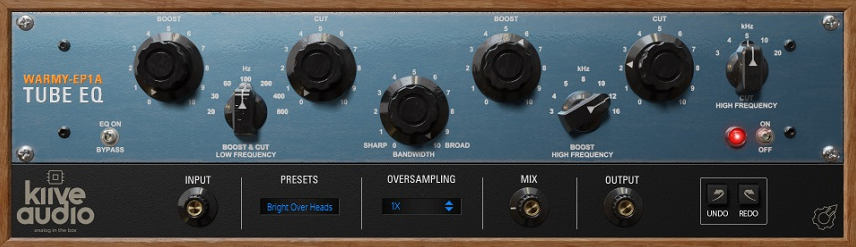
Tube EQs add warmth and character beyond frequency adjustment. I was mixing a vocal with my MIDI keyboard controller playing a synth layer when I wanted that tube saturation alongside EQ shaping.
Kiive Audio Warmy EP1A is a tube EQ emulation with vintage warmth and musical curves. I’ve used it on vocals, drums, and synth buses where tube character enhanced the material.
- Tube Circuit Emulation
Warmy EP1A emulates tube-based EQ circuits with the harmonic distortion and compression characteristics that vacuum tubes add to audio signals. The tube modeling captures how real tubes respond to different signal levels and frequencies, creating dynamic coloration that interacts with your source material.
I’d say the tube character is what makes this EQ distinctive, adding warmth, depth, and harmonic richness that helps sources feel more analog and three-dimensional. The tubes add primarily even-order harmonics that enhance rather than distort, maintaining clarity while adding body and presence. From my experience, tube EQs work particularly well on sources that benefit from warmth like vocals, acoustic instruments, and software synths that can sound sterile without analog-style processing.
The tube saturation responds to signal level, adding more character when you drive the input harder, which gives you control over how much coloration gets applied.
- Program EQ Topology
The EP1A free eq plugin uses program EQ design intended for bus and mastering applications rather than detailed track-level correction. The EQ is calibrated for broad, musical adjustments that affect overall tonal balance without surgical precision.
The program approach means the frequency points and curves are chosen for their effectiveness on complex program material like full mixes or submixes rather than individual tracks. I noticed that this design philosophy encourages you to think about overall tonal balance and vibe rather than fixing individual frequency problems. The broad curves and limited controls prevent overthinking and encourage committed, musical EQ decisions.
- Fixed Frequency Points
Warmy EP1A offers fixed frequency selections at musically relevant points optimized for the type of broad tonal shaping the plugin is designed for. The fixed points eliminate decision paralysis and speed up workflow when you need quick tonal adjustments on buses or full mixes.
The frequency selections represent proven choices for program EQ work, covering essential tonal zones without unnecessary options. I appreciate how the limited choices force you to work with what’s available and make it sound good rather than endlessly hunting for perfect frequencies. The fixed-point approach matches vintage hardware workflow where you accepted the available frequencies and focused on getting good results within those constraints.
- Output Transformer
The plugin includes output transformer modeling that adds final-stage coloration and helps glue the EQ processing together with your source material. The transformer adds subtle compression and harmonic content that contributes to the overall analog character.
The transformer saturation is the final piece of the analog modeling chain, and I noticed it adds a sense of cohesion and finish that makes processed material feel complete and polished. The transformer response is frequency-dependent, affecting different ranges with varying amounts of coloration that adds complexity and interest to the final tone.
17. ProduceRNB AMP LEQS – Best For Beginners
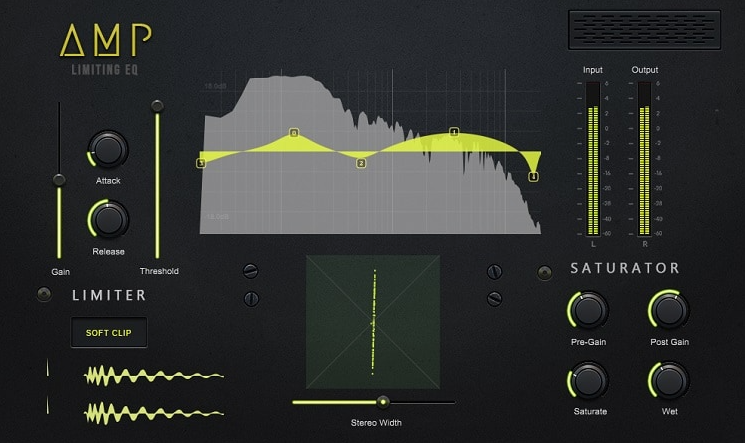
Genre-specific tools can provide focused solutions. I was producing an R&B track with my MIDI keyboard controller when I needed EQ designed specifically for modern urban production.
ProduceRNB AMP LEQS is an EQ designed for R&B and hip-hop with presets and curves optimized for these genres. I’ve used it on vocals, 808s, and synth pads where the genre-focused approach provided relevant starting points.
AMP LEQS is built specifically for R&B, hip-hop, and urban music production, with frequency selections and presets tailored to the needs of these genres. The design philosophy recognizes that different genres have different EQ needs, and a tool optimized for one style can be more effective than generic all-purpose EQs.
I’d say the genre focus is valuable because the plugin “speaks your language” if you’re producing urban music, with presets and default settings that make sense for typical sources in these genres. The frequency points are chosen for relevance to R&B and hip-hop mixing, covering ranges that matter most for 808s, trap hi-hats, vocal ad-libs, and other genre-specific elements. From my experience, genre-focused tools often provide better starting points and faster workflows than trying to adapt general-purpose tools to specific styles.
- Modern Processing
The plugin uses clean, modern processing optimized for contemporary digital production rather than vintage analog emulation. The transparency means you’re getting precise frequency control without added coloration, which works well for modern urban music where clarity and punch are priorities.
The modern approach suits digital production workflows where sources are often already carefully crafted and just need precise adjustment rather than vintage warmth. I noticed that the clean processing lets the character of your synths, samples, and software instruments come through without additional coloration that might clash with intentional production choices.
- Workflow Integration
AMP LEQS is designed to integrate smoothly into modern urban production workflows, with features and interface choices that reflect how producers in these genres actually work. The plugin recognizes that urban producers often work quickly with loops and samples, so the workflow is optimized for fast decision-making rather than detailed analytical work.
I found that the genre-focused approach means the plugin fits naturally into urban production sessions rather than requiring workflow adaptation. The preset organization, frequency ranges, and control layout all reflect urban production practices, making AMP LEQS feel like it was made specifically for your type of music rather than being a general tool you’re trying to adapt.
18. Ignite Amps PTEq-X – Best Pultec-Style
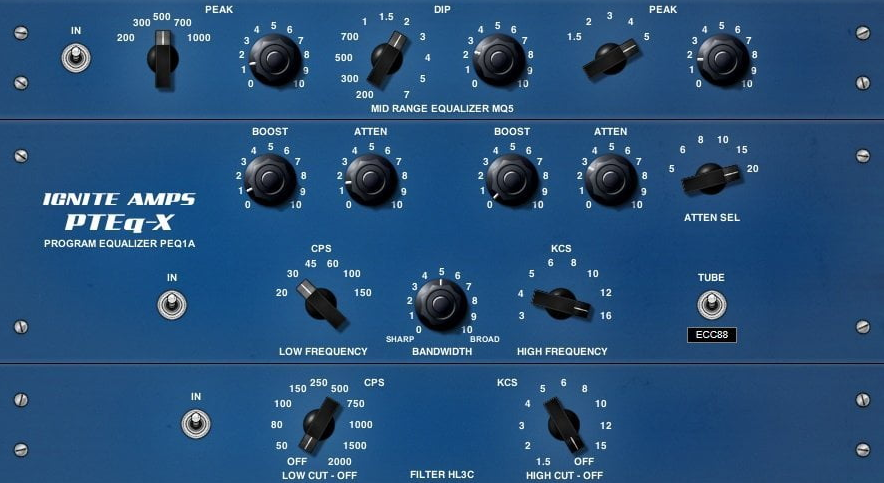
Vintage program EQs have specific applications. I was mastering a track with my MIDI keyboard controller nearby, adjusting a synth outro, when I needed broad tonal shaping without surgical precision.
Ignite Amps PTEq-X is a vintage program EQ emulation designed for bus and mastering applications. I’ve used it on mix buses and full masters where broad, musical EQ worked better than parametric precision.
PTEq-X emulates Pultec-style program equalizers known for their unique topology where boost and cut controls can work simultaneously on overlapping frequency ranges. The Pultec design is famous for creating musical EQ curves that enhance sources in ways that wouldn’t be possible with standard parametric designs.
I’d say the Pultec approach is what makes this EQ interesting, because the overlapping boost and cut create complex frequency interactions that add character beyond simple frequency adjustment. The ability to boost and cut the same range simultaneously creates sounds and feelings that conventional EQs can’t achieve. From my experience, Pultec-style EQs excel at adding weight and air simultaneously, creating full-range enhancement that feels cohesive rather than disjointed.
The program EQ philosophy means PTEq-X is designed for broad tonal shaping on complex material rather than surgical corrections on individual tracks.
- Low-End Boost and Attenuation
PTEq-X features the classic Pultec low-frequency section with separate boost and attenuation controls that can work together to create unique bass responses. The low-end boost adds weight and power while the attenuation provides control and tightness, and using both simultaneously creates bass enhancement that’s powerful yet controlled.
- High-Frequency Air and Presence
The high-frequency section provides classic Pultec-style air and presence with bandwidth and frequency controls that shape how the top-end enhancement affects your material. The high boost adds air, sparkle, and openness without harshness, which is perfect for mastering and bus processing where you want polish without fatigue.
The bandwidth control determines how broadly the high-frequency boost affects the spectrum, from narrow presence peaks to broad air enhancement. I noticed that the high-frequency section stays smooth and musical even with significant boost, never becoming brittle or harsh like cheaper EQs can. The ability to add substantial high-end enhancement while maintaining smoothness is what makes Pultec-style EQs valuable for mastering work.
- Tube and Transformer Modeling
PTEq-X free eq VST plugin includes tube amplification and transformer coupling modeling that adds harmonic richness and subtle compression to the EQ processing. The tubes and transformers aren’t just static coloration but respond to signal level and frequency content, creating dynamic character.
I appreciate how the tube and transformer modeling contributes to the overall analog feel, making EQ adjustments sound smooth and musical rather than harsh and digital. The harmonic content adds warmth and body that helps EQ’d material feel more complete and finished. From what I can tell, the analog modeling is particularly effective in mastering applications where you want every stage of processing to add positive character.
- Stereo and Mid-Side Processing
PTEq-X offers stereo and mid-side processing modes, giving you options for how the EQ affects your stereo image. The mid-side capability lets you EQ the center and sides independently, which is valuable for mastering where you might want to enhance stereo width without affecting center-panned elements.
I found that mid-side EQ is particularly useful for adding air and space to the sides while keeping the center tight and focused, or for adding low-end power to the center while keeping the sides clean. The processing mode flexibility makes PTEq-X more versatile than basic stereo-only EQs.
19. TDR Nova Parallel Dynamic Equalizer – Best Dynamic
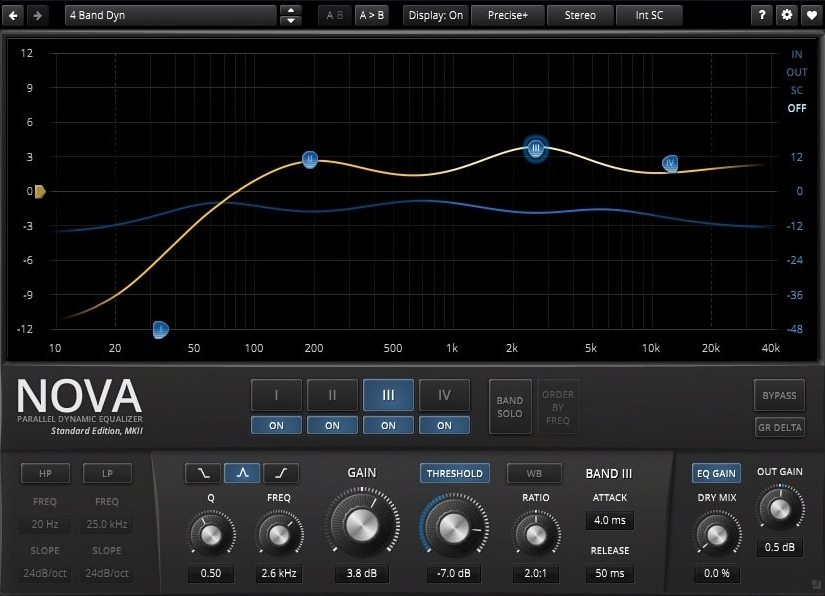
Dynamic EQ responds to signal level rather than applying static processing. I was mixing drums with my MIDI keyboard controller playing a synth bass when I needed frequency-specific dynamics control.
TDR Nova implements dynamic equalization where frequency boosts and cuts respond to the signal level in each band, creating processing that adapts to your audio rather than applying fixed adjustments. The dynamic approach means you can control specific frequency ranges only when they become problematic, leaving them unaffected when they’re balanced.
I’d say dynamic EQ is incredibly powerful for solving frequency problems that come and go rather than being constant. For example, vocal sibilance that only appears on certain words, or kick drum resonances that only ring out on hard hits. Static EQ would affect the entire performance, but dynamic EQ only processes when needed, maintaining more natural sound. From my experience, dynamic EQ is what separates amateur and professional mixing because it handles real-world dynamic sources better than static processing.
- Parallel Processing Architecture
Nova uses parallel compression within each EQ band, blending the dynamically processed signal with the original rather than replacing it completely. The parallel approach maintains natural dynamics while adding control, which sounds more musical than heavy-handed dynamic processing.
The dry/wet mix for each band lets you dial in the exact amount of dynamic processing, from subtle control to obvious compression. I love how parallel processing gives you the benefits of dynamic control without the squashed, over-processed sound that aggressive dynamic EQ can create. The ability to blend processed and unprocessed signals means you can be more aggressive with the dynamics settings because you’re mixing it back rather than applying it at 100%.
- Multiple Band Configuration
TDR Nova offers four fully parametric bands that can each operate dynamically or statically, giving you flexibility to combine dynamic and static EQ in one plugin. Each band has independent threshold, ratio, attack, and release controls, so you can tailor the dynamic behavior to each specific frequency range.
The band flexibility means you can use Nova as a static EQ, dynamic EQ, or hybrid depending on what your source needs. I noticed that having both capabilities in one plugin simplifies workflows because you don’t need to chain separate EQ and dynamic EQ instances. The ability to assign dynamic processing to only the bands that need it while leaving others static gives you surgical control over which frequencies get dynamic treatment.
- Advanced Features
Nova includes linear phase mode for mastering applications where phase coherence is critical, and mid-side processing for independent control over stereo center and sides. The plugin also offers external sidechain input for frequency-dependent ducking controlled by external signals.
These advanced features make Nova suitable for complex mixing and mastering tasks beyond basic dynamic EQ. I found that the external sidechain is particularly useful for creative effects like making synth pads duck around vocal frequencies or controlling bass resonances in response to kick drum hits. The feature set positions Nova as a professional-grade tool rather than a simplified beginner-focused plugin.
Extra: Melda MEqualizer – Best Feature-Rich
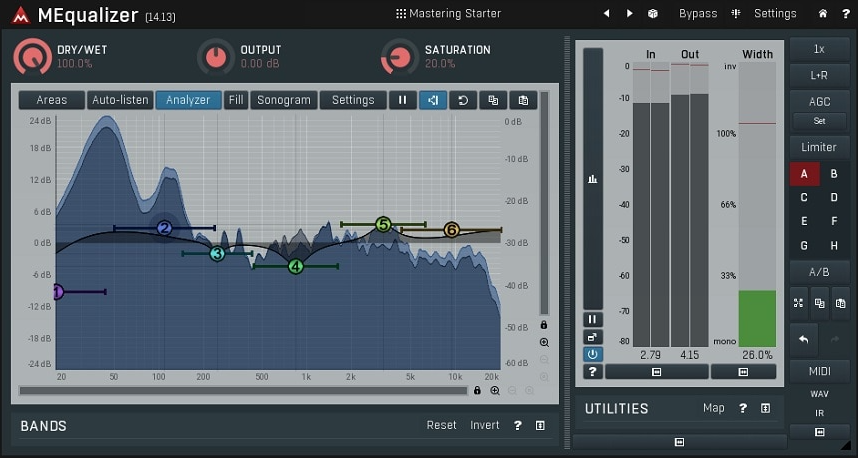
Comprehensive EQ suites offer maximum flexibility. I was working on a complex mix with my MIDI keyboard controller when I needed an EQ that could handle any task from surgical correction to creative shaping.
MEqualizer offers virtually unlimited EQ bands, letting you create as many parametric points as needed for complex frequency shaping. The unlimited approach means you’re never constrained by band count when dealing with sources that have multiple frequency issues requiring individual attention.
I’d say the unlimited bands are what makes MEqualizer suitable for extremely detailed correction work that would require stacking multiple EQ instances with limited-band designs. You can create complex frequency responses with dozens of bands if your source demands it, or keep things simple with just a few bands for straightforward tasks. From my experience, having unlimited bands available is reassuring even if you rarely use more than 6-8, because you know the tool won’t limit you when you encounter unusual situations.
- Extensive Filter Types
The plugin provides dozens of filter types beyond standard bells and shelves, including brickwall filters, resonant filters, tilt EQ, and various specialized curves. The filter variety means you can choose the exact right tool for each specific EQ task rather than compromising with limited options.
The specialized filters include options for creative sound design and unusual correction scenarios that standard parametric filters can’t handle effectively. I love how the filter selection encourages experimentation because you can try unconventional approaches to frequency shaping that wouldn’t be possible with basic EQ designs. The variety also makes MEqualizer suitable for both mixing and sound design applications where creative filtering is part of the artistic process.
- Linear Phase and Minimum Phase
MEqualizer offers both linear and minimum phase processing modes, letting you choose the right approach for each application. Linear phase prevents phase distortion but introduces latency, while minimum phase maintains natural phase response with minimal latency.
The mode selection gives you professional-grade flexibility to use linear phase for mastering and critical mixing where phase coherence matters, and minimum phase for tracking and less critical applications where latency is a concern. I noticed that having both options means MEqualizer can handle any mixing or mastering scenario without needing to switch to different EQ plugins for different processing types.
- Mid-Side Processing
The plugin includes comprehensive mid-side capabilities, letting you EQ the stereo center and sides independently with complete band flexibility. The mid-side processing extends to all of MEqualizer’s features, so you get unlimited bands and all filter types available for both mid and side channels.
I appreciate how the mid-side implementation is thorough rather than being a tacked-on feature, giving you the same powerful EQ capabilities for stereo processing that you have for standard stereo operation. The mid-side flexibility is essential for mastering work where you often need to treat the center and sides differently to achieve proper stereo balance.

Hello, I’m Viliam, I started this audio plugin focused blog to keep you updated on the latest trends, news and everything plugin related. I’ll put the most emphasis on the topics covering best VST, AU and AAX plugins. If you find some great plugin suggestions for us to include on our site, feel free to let me know, so I can take a look!