
Here are the best VCA compressor plugins I recommend for getting your mixes to actually hold together.
VCA compression is one of those things that sounds straightforward until you actually try to use it. You know you need it because individual tracks sound fine but the whole mix feels loose and disconnected. But then you add compression and either nothing happens or everything gets squashed and lifeless. There’s this narrow zone where it actually glues things together without destroying the dynamics, and finding that zone takes way longer than it should.
I’ve tried all sorts of VCA compressors to know which ones actually help. Some are genuinely smart about what they do. Others look impressive but end up slowing you down because you’re spending more time tweaking parameters than actually finishing the mix. The ones I’m covering here are the ones that either solve a specific problem really well or just stay out of the way and let you work.
Just to mention few, I’m covering Pulsar IPA 25, Softube VCA Compressor, SSL LMC+, Waves dbx 160, Brainworx bx_glue and more including freebies.
Some of these are built for surgical bus work with proper sidechain shaping and multiple character modes. Others as I said are one-trick ponies that do that one trick really well. A couple are completely free and do a great job as well. I’m not saying you need all of them, but depending on whether you’re gluing drum buses, controlling vocals, or trying to make your whole mix feel cohesive, at least one of these will probably make sense for your workflow.
No hype, no claims about exhaustive testing. Just what these compressors actually do and when you’d reach for them. Let’s get started with the first one, which is:
From the Pluginerds Store
Before you get into the plugins on this list, something most mixing and mastering guides do not mention. A compact IEM pair as a second reference at low volume catches what your main headphones are smoothing over.


1. Pulsar IPA 25
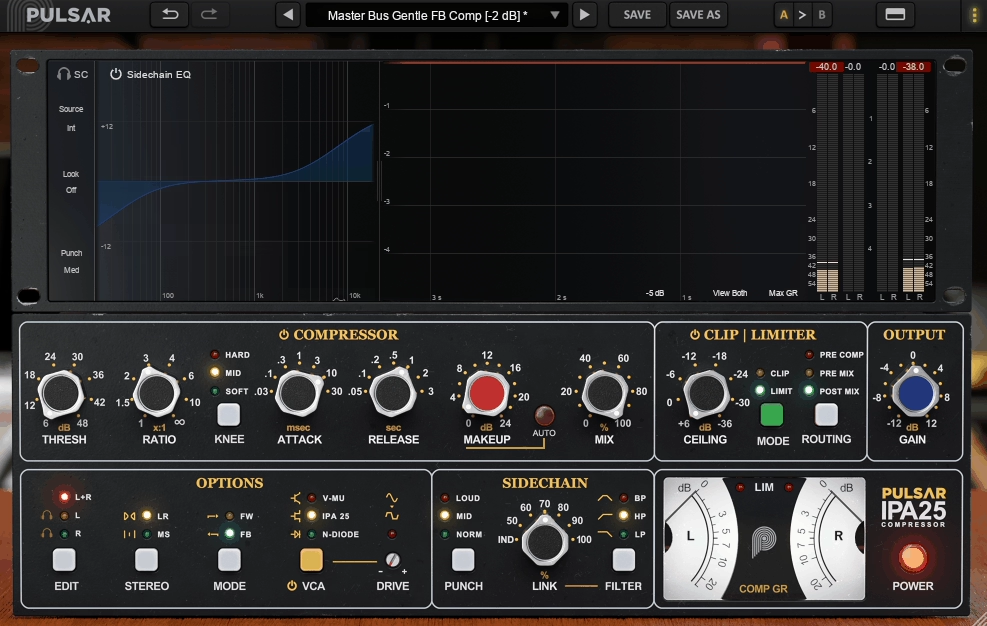
VCA compressors have reputation for being the glue that holds mixes together, but most of them force you to choose between clean control and character. Pulsar IPA 25 takes a different approach by giving you both in one plugin, built around that familiar VCA punch and timing but with the kind of modern control that actually matters in 2026 sessions. You’re moving fast, working across multiple buses, and you need compression that can adapt to different material without reaching for a completely different compressor every time.
It gives you multiple compression characters, proper sidechain shaping, integrated peak control, and stereo options that work for both mixing and mastering. In my opinion, this is exactly the kind of flexibility a workhorse VCA should have without turning into a complicated mess that slows you down..
Features you get:
- 4 Compression Characters for Different Tonal Attitudes
This is the biggest one. IPA 25 gives you 4 switchable compression characters: Clean VCA, Original VCA, V-Mu, and N-Diode. These aren’t just post-saturation flavors, they’re different harmonic behaviors tied to the gain reduction stage, so the compressor actually feels different under the same settings.
Clean VCA is your pure control option with minimal color. Original VCA delivers that recognizable punchy bus compressor vibe that people expect from VCA designs. V-Mu leans into smoother, thicker tube-style bloom when you want more warmth. Lastly, N-Diode brings edge and forward mid presence with that gritty, energized tone without needing extra saturation plugins. I like how you can keep your envelope settings consistent and just swap the character until the track starts breathing the right way.
In my opinion, this is what separates IPA 25 from single-flavor VCA clones. For instance, you might use Clean VCA on a mastering chain where transparency matters, then switch to Original VCA on a drum bus where you want audible attitude.
- 3 Punch Modes Plus 4-Band Visual Sidechain EQ
The Punch selector gives you 3 modes: Norm, Mid, and Loud. These effectively change what the compressor pays attention to, letting you steer the gain reduction toward the part of the spectrum that should drive the action. This is the difference between a compressor that just clamps down and one that reacts to the actual groove of the record.
Then you get a 4-band visual sidechain EQ, which is exactly the kind of feature that makes this plugin feel modern without being gimmicky. Instead of a single high-pass filter and hoping for the best, you can shape the detector with real intent.
You can tighten low-end pumping, make the compressor react more to vocal presence, or keep sub energy from dragging the whole mix down. I would say having 4 bands is enough to be powerful without turning into a mini mastering EQ that slows you down. In addition, the visual feedback makes it easy to see what you’re doing instead of guessing.
- Integrated Clip/Limiter with 2 Modes and 3 Routing Positions
IPA 25 includes a Clip/Limiter module with 2 modes: Clipper and Limiter. What makes this practical is the 3 routing positions that let you place the module where it actually makes sense for your workflow.
- 2 Stereo Modes and 2 Response Types
You get 2 stereo processing modes: L/R and M/S. Standard L/R is for classic stereo bus compression, while M/S lets you stabilize the center without flattening width, which is exactly what you need for mastering moves. This alone makes IPA 25 more flexible than most bus comp emulations that stay locked to standard stereo operation.
On top of that, the plugin includes switchable Feed-Forward and Feedback behavior, giving you 2 distinct response modes. Feed-Forward delivers cleaner precision, while Feedback provides more glue-like movement depending on the material. I would say these are subtle but powerful options for dialing in exactly how the compressor reacts to dynamic content.
- 3 Knee Options and Auto Makeup Gain
IPA 25 gives you 3 knee options: Hard, Mid, and Soft. This seems simple, but it completely changes how the compressor transitions into gain reduction. Soft knee makes mastering moves feel natural instead of obviously clamped.getting without opening it. The interface is functional but not visually inspiring compared to some modern plugins with animated meters and sleek designs.
Get the Free Plugin Starter Kit
The genuinely useful free DAWs and plugins worth installing. No filler. Straight to your inbox.
2. Softube VCA Compressor
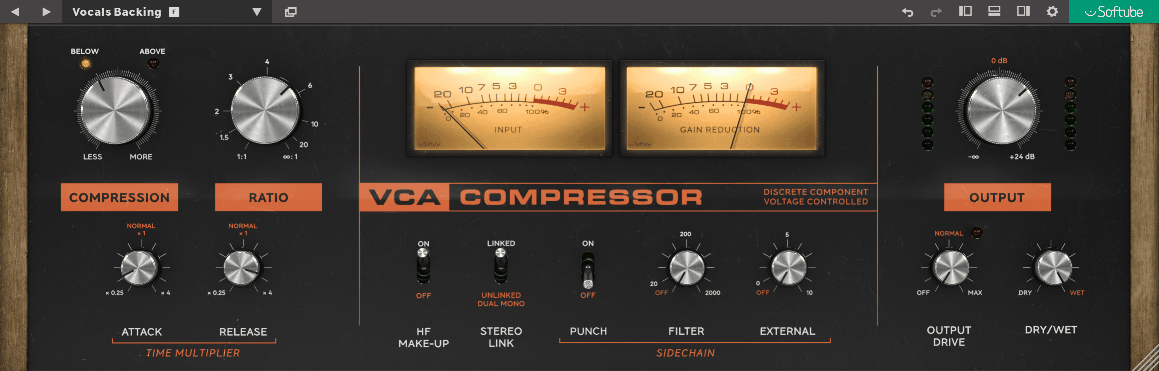
Some VCA compressors try to do everything, but Softube VCA Compressor focuses on doing one thing extremely well: giving you that punchy, confident VCA grab without overwhelming you with options.
It’s modeled on a mid-1970s hardware design that uses true RMS detection and feed-forward gain reduction, and Softube keeps the get-results-fast spirit of the original while adding a small set of modern controls that actually matter in daily mixing.
I would say this is the compressor you reach for when you need drums to snap, bass to sit, or a bus to feel more controlled without spending twenty minutes tweaking parameters. In my opinion, the simplicity here is the strength, not a limitation.
- 33 Factory Presets for Quick Starting Points
The plugin includes 33 factory presets based on verified preset folder exports. While Softube doesn’t publish an official count in their documentation, the shared factory folder contains this number of usable starting points. For the most part, you’ll find drum bus presets, bass presets, and mix bus options that work immediately without heavy tweaking.
Softube VCA is focused on one VCA personality, so if you want multiple compressor styles or characters in one plugin, this isn’t that. The interface is also very utilitarian with minimal visual feedback, which might feel uninspiring compared to plugins with animated meters and modern graphics.
- 2 Stereo Modes for Flexible Bus Control
Softube gives you 2 stereo modes via the Stereo Link control. When channels are linked, the compressor behaves like a typical stereo unit where both sides share gain reduction so the image stays stable. When unlinked, it runs as dual mono so left and right can react independently.
Linked mode is what you want on mix buses and mastering situations where image stability matters. Dual mono can feel more natural on some material when you’re doing gentle control and want the stereo field to breathe more organically.
- 3 Sidechain Tools That Solve Real Problems
You get 3 separate sidechain tools: Sidechain Punch, Sidechain Filter, and External Sidechain. These aren’t filler features, they each do different jobs that solve common compression headaches.
Sidechain Punch changes the detector’s emphasis so low frequencies are less likely to dominate, making the compressor react in a more punch-forward way. Sidechain Filter lets you decide how much bass energy should trigger compression in the first place.
External Sidechain lets you feed another signal into the detector and control how strongly it drives gain reduction. I mean, these three tools cover the most common “why is my compressor reacting weirdly” moments: kick and bass making the whole bus clamp too much, or wanting one element to rhythmically control another without complicated routing.
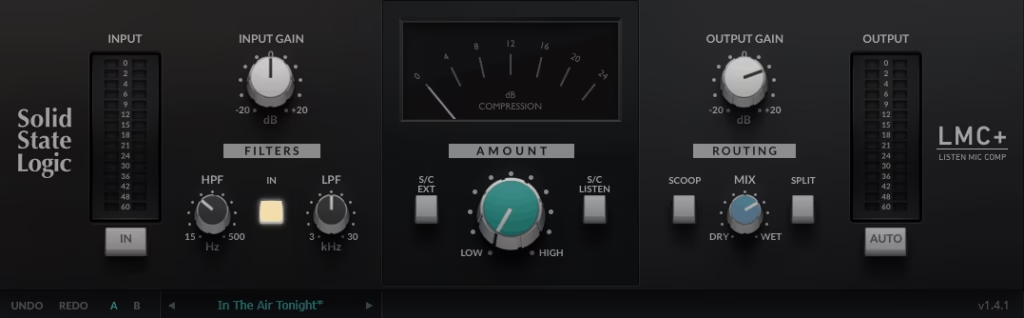
3. SSL LMC+
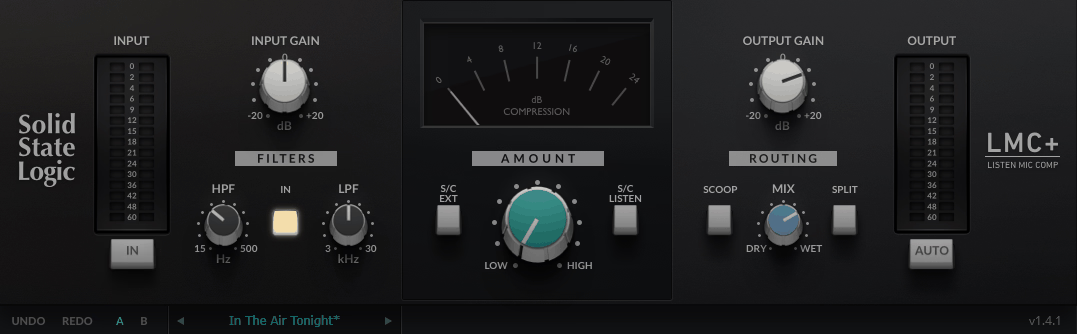
Most VCA compressors want to be polite and transparent. SSL LMC+ takes the opposite approach by being a character compressor based on the infamous SSL Listen Mic Compressor that was originally a practical utility but turned into a creative weapon. It’s not about gentle bus glue or mastering precision, it’s about going from “this needs energy” to “this is exploding out of the speakers” without burning your whole session chasing settings.
I think this is the wild card in any VCA compressor list because it’s the one you grab when you want a result fast, not when you want forty parameters to tweak. To be honest, that directness is exactly why it shows up on drums, parallel buses, and aggressive mix moments way more often than you’d expect.
- Amount Control for Direct Results
The core of LMC+ is built around 1 main compression control: Amount. That’s the entire philosophy here. Instead of dialing threshold, ratio, attack, and release separately, you push Amount and the plugin goes from subtle pressure to full destruction. When it comes to parallel processing and “make it sound like a record” moments, having one decisive control keeps you moving instead of second-guessing every parameter.
To me, this is also the kind of plugin you can hand to someone mid-session without explaining anything. If they can turn 1 knob, they can get a usable aggressive sound. That being said, the simplicity doesn’t mean it’s limited, it just means the workflow stays fast and creative.
- 2 Variable Filters for Detector Shaping
This VCA compressor plugin gives you 2 variable filters to shape what triggers the compression: 1 high-pass filter and 1 low-pass filter. You can toggle the entire filter section in or out with 1 Filters In switch.
This matters because the biggest problem with aggressive compression is the wrong frequency range hijacking the movement. I found that having these 2 filters means you can keep the effect from being driven by rumble or stop harsh top-end from making the compressor react ugly.
In fact, being able to shape the detector quickly without reaching for extra plugins is what makes LMC+ more usable than the old “listen mic” hardware approach. I’d suggest using the high-pass filter aggressively on drum buses to keep kick energy from dominating the compression behavior.
- 2 Creative Modes That Combine Into 3 Distinct Behaviors
LMC+ includes 2 signature creative functions built for parallel chaos and larger-than-life effects. The first is Scoop, which phase-inverts the wet signal and can take the sound from compressed to strange, hollow, and huge, especially when blended in parallel.
The second is Split, which engages a bandpass subtraction mode that changes how the processed signal interacts with the dry path. SSL encourages combining them, so you’ve got 2 switches that can be used independently or together, creating 3 distinct creative behaviors.
To me, this is where LMC+ goes from being just an aggressive compressor to being a sound design tool. I found that using Scoop on room mics or parallel drum buses creates that massive, hollowed-out vibe you hear on modern rock and metal records. That being said, these modes can get extreme quickly, so start subtle and push until it sounds right.
4. Waves dbx® 160 Compressor / Limiter
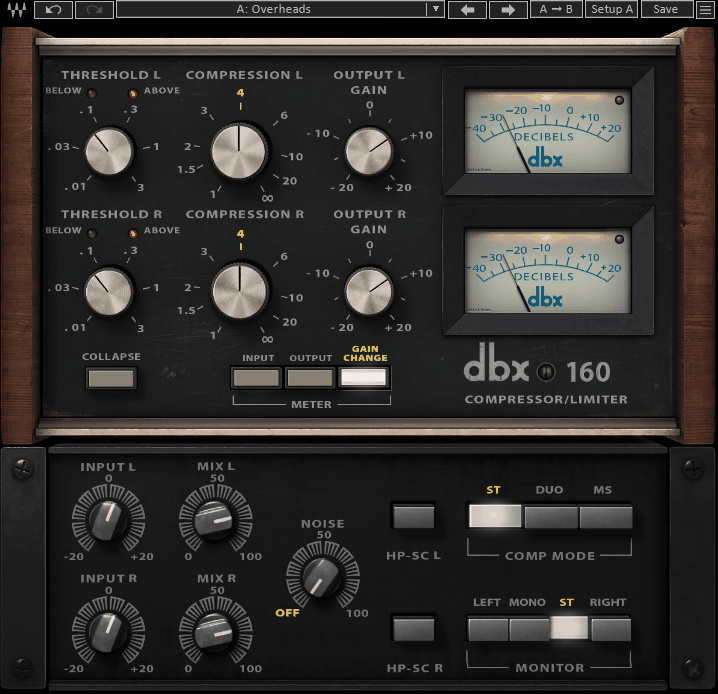
Some compressors make you work for results. Others give you instant payoff the moment you turn a couple of knobs. Waves dbx 160 Compressor / Limiter falls squarely in the second category, delivering that classic tight, punchy, forward dynamics that made the original hardware famous, with modern additions that make it way more flexible in actual mixing and mastering sessions.
I love how this isn’t trying to be transparent mastering glue. It’s a compressor that can go from subtle control to full attitude quickly, especially on sources that need to feel locked and energetic. In my opinion, that directness is what keeps it relevant decades after the original hardware became a studio staple.
- 2 Separate Plugin Components for Mono and Stereo Work
Waves ships the dbx 160 as 2 separate components: Mono and Stereo. I noticed that this matters more than it sounds because the stereo version isn’t just two channels at once, it unlocks the plugin’s more advanced stereo behaviors, while the mono version stays dead simple for track-level work.
- 5 Modern Upgrades Over the Original Hardware
The Waves version adds 5 modern features that the original hardware didn’t have: an Input control for gain staging into the compressor, a Mix control for built-in parallel compression, a Noise control if you want hardware vibe in the signal path, a Mid-Side matrix in the stereo version for surgical bus work, and a Sidechain High-Pass switch to stop low end from bullying the detector.
I love how these 5 upgrades dramatically expand how usable the dbx 160 becomes in modern sessions without turning it into a complicated multi-page compressor. The Mix control alone makes parallel compression instant instead of requiring aux send routing.
On top of that, the Mid-Side matrix transforms this from just a drum and bass punch box into something you can confidently use on stereo buses and mastering chains. As a result, you’re getting classic character with genuinely modern flexibility.
- 3 Stereo Compression Modes for Different Bus Scenarios
The stereo component gives you 3 stereo compressor modes that cover basically every real-world scenario. There’s a linked Stereo mode when you want stable image control, a Duo mode when you want left and right to behave independently like dual-mono processing, and a true Mid-Side mode when you want separate control of center versus sides.
I noticed that having 3 stereo modes is what makes the dbx 160 bus-ready rather than just being a tracking compressor. With that being said, Stereo mode is probably what you’ll use most on mix buses where image stability matters.
Mid-Side mode is where things get interesting for mastering-style work, letting you compress the center differently from the sides. I assume most people will use this on full mixes or complex stereo sources where you need surgical control over width versus center content.
- 6 Core Controls That Keep Workflow Fast
At the heart of the plugin, you’re working with 6 main controls: Input, Threshold, Compression, Output, Mix, and Noise, plus the Sidechain High-Pass switch when you need it. In my opinion, this minimal control set is exactly why the dbx 160 stays so loved.
- 4 Monitor Modes and 3 Metering Views
The stereo version includes 4 monitor modes: Left, Mono, Stereo, and Right, so you can sanity-check what the compressor is doing without leaving the plugin. For metering, you get 3 meter views: Input, Output, and Gain Reduction.
5. Brainworx bx_glue
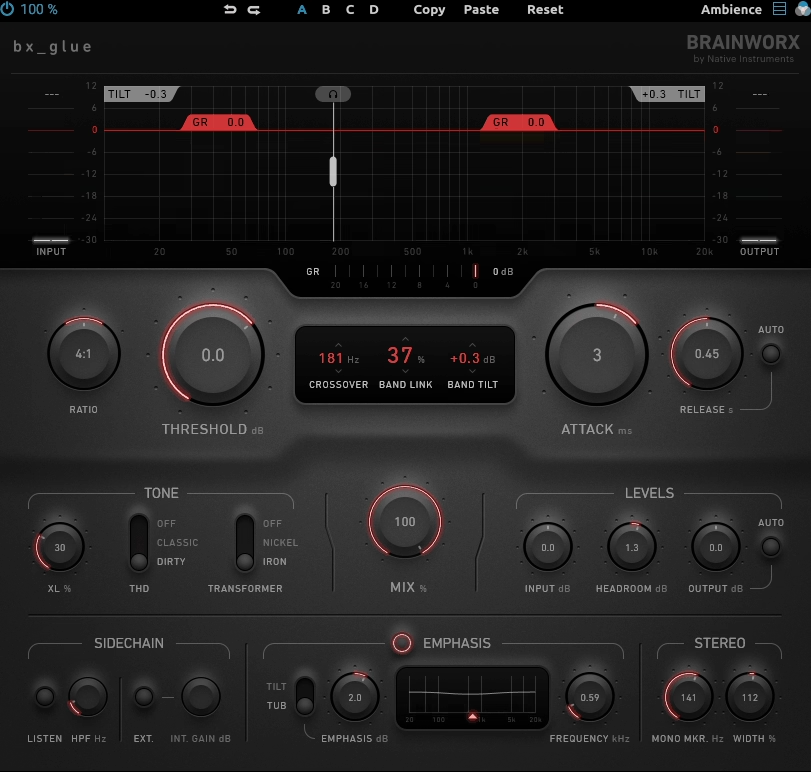
Mix engineers hit this point in every session where individual tracks sound great but the whole thing doesn’t feel like one cohesive record. That’s the exact problem Brainworx bx_glue was designed to solve, delivering that classic British VCA bus compressor feeling of snap and cohesion, but with modern controls that let you push harder without the mix collapsing on itself.
I feel like what makes bx_glue stand out is how it’s not just another bus compressor clone. It’s a dual-band VCA compressor that can behave like two compressors working together through one shared control set, plus it gives you integrated tone shaping and stereo tools without turning into a complicated mess.
- 2 Band Compression with Shared Controls
bx_glue VCA compressor plugin is built around 2 bands that let you compress low and high content independently or link them for classic broadband behavior. I like how you’re not juggling separate attack, release, and threshold sets across bands, you decide how much the low and high parts should move together or react independently, then steer the whole thing like one cohesive compressor.
This is why it works so well on mix bus and subgroup duties. Instead of the usual bus compressor dilemma where you either keep the low end stable but lose excitement, or keep the top end punchy but the bass starts pumping, bx_glue gives you a built-in way to manage both sides of the spectrum.
For instance, on a drum bus you can let the kick and bass drive compression in the low band while keeping cymbal transients controlled in the high band. From my experience, this dual-band approach is what separates bx_glue from single-band VCA clones that force everything to react the same way.
- 3 THD States and 3 Transformer States for Tone Shaping
The character section is where it becomes more than just dynamics control. You get 3 THD states because the Total Harmonic Distortion can be Classic, Dirty, or Off, which is a musical way to decide how clean versus gritty the glue should feel.
You also get 3 transformer states with Nickel, Iron, or Off options. Nickel gives you airy openness, Iron brings more aggressive grit, and Off removes transformer coloration entirely.
I found that having these tone options integrated means you can make the same compression move feel warm, aggressive, or transparent without stacking extra saturation plugins. At the same time, these aren’t overwhelming choices, they’re quick personality decisions that change the vibe instantly.
On the other hand, if you want completely clean compression, you can turn both THD and transformer to Off and get transparent control. I can only say this flexibility is exactly what modern mixing needs.
- 4 Internal Setting Banks for Fast Comparison
bx_glue includes 4 internal setting banks labeled A, B, C, and D so you can keep multiple versions of your compression approach ready without saving and loading presets constantly. This is perfect for the “version A is punchy, version B is smoother, version C is dirtier” way real sessions actually go.
I feel like having 4 banks encourages experimentation because you’re not afraid of losing a good setting when you try something different. For instance, on a mix bus you might have one bank for aggressive rock glue, another for cleaner pop transparency, and a third for something in between.
From my experience, this internal comparison system is way faster than traditional preset browsing. You can flip between four completely different compression characters in seconds and commit to the one that serves the song best.
- 32 Step Undo/Redo for Safe Experimentation
The plugin includes 32-step undo/redo history, which sounds boring until you’re deep in a mix bus decision and want to explore aggressively without losing your way back. I like how this removes the fear of pushing settings too far.
At the same time, 32 steps is deeper than most plugins offer, giving you plenty of room to experiment with different attack times, ratios, and tone settings. I found that having this much history encourages bolder moves because you know you can always step back through your changes.
On the other hand, if you prefer snapshot comparison over linear history, the 4 internal banks serve that purpose better. Both features work together to make decision-making faster and less stressful.
- Auto Output Leveling for Honest A/B Testing
bx_glue includes Auto output leveling for level-matched listening, which keeps you from choosing settings just because they’re louder.
6. Tone Empire Model 5000
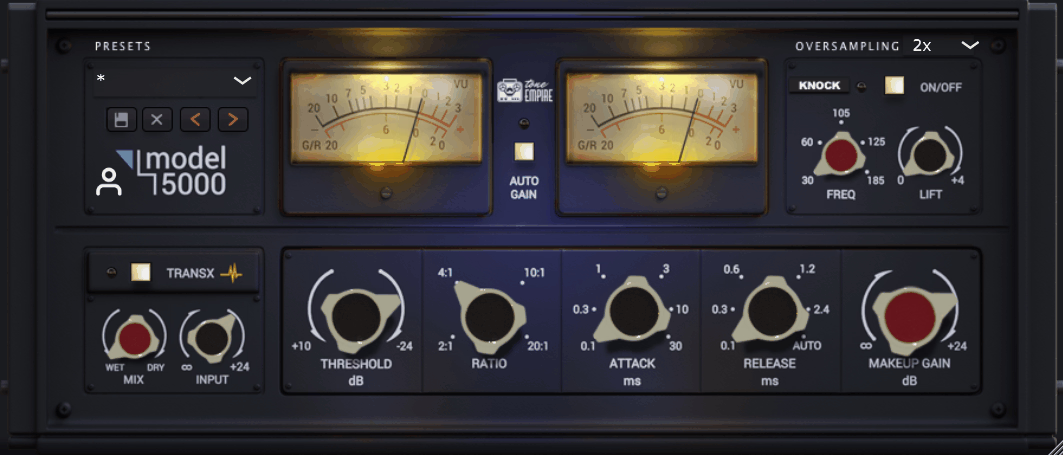
Most VCA compressors pick a lane and stay there, either going for British bus glue or American punch. Tone Empire Model 5000 is a hybrid VCA compressor that intentionally blends 2 classic lineages: the thrusting American-style compressor response and the British console bus compressor behavior. The practical promise is straightforward: you get the familiar mix-ready behavior people expect on drums and buses, but with a couple of modern switches that make it easier to push harder without the low end immediately becoming a problem.
I would say this isn’t trying to be a do-everything dynamics workstation. It’s more like a focused bus-style compressor with a few targeted extras that solve real mixing problems. When it comes to VCA plugins, I think Model 5000 shows up on best-of lists because it addresses the exact issue many bus compressors struggle with: keeping the bottom end feeling strong and forward without it hijacking the entire compression behavior.
- 2 Classic Design Inspirations Blended Into One Workflow
Model 5000 says it derives its compression ratios and timing behavior from the British model while bringing a dedicated American-style low-end emphasis into the detector path.
On the other hand, British side gives you that glue and cohesion people expect from bus compressors. The American influence keeps things punchy and aggressive, especially in how the compressor reacts to low frequencies. From my perspective, this combination is what makes Model 5000 versatile across different genres without feeling like a one-trick plugin.
In other words, you’re getting the best characteristics of two different VCA schools in one interface. I suggest trying it on drum buses first to hear how it balances punch with control, then moving it to your mix bus to see how the low-end behavior translates.
- 1 Dedicated KNOCK Circuit for Low-End Emphasis
The headline feature is the KNOCK circuit, which gives you a more “thrust-style” response in the sidechain with additional low-end lift behavior that Tone Empire positions as the heavy weight part of the plugin. In fact, this is where Model 5000 becomes most useful for modern productions.
- 4 Oversampling Choices for Clean Processing
This VCA compressor VST plugin includes 4 oversampling settings: Off, 2x, 4x, and 8x.
7. Cytomic The Glue
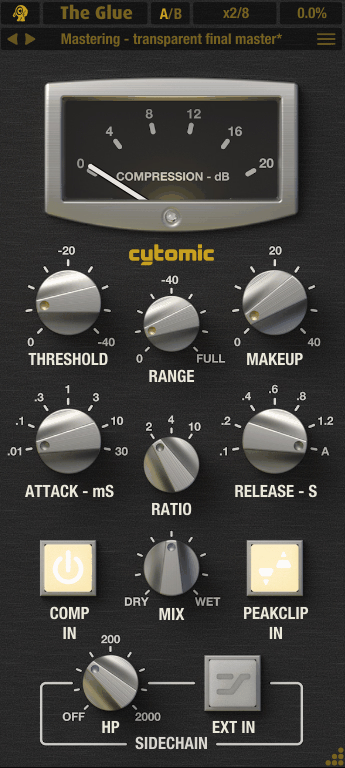
Cytomic The Glue VST takes the classic SSL VCA bus compressor workflow and adds the exact features that actually matter in modern mixing: built-in parallel blend, compression depth limiting, and sidechain filtering that keeps low end from hijacking the detector.
At first glance, it might look like just another SSL clone, but right off the bat you’ll notice it’s built around practical workflow improvements rather than endless options. I appreciate how The Glue sticks to one core sound and makes it genuinely easier to use in real sessions instead of trying to be a multi-model compressor with a dozen circuit types. What stands out to me is how it covers mix bus, drum bus, and subgroup duties without needing different presets or plugins for each role.
- 80 Factory Presets with 2 A/B Comparison Slots
The Glue comes with 80 factory presets stored in the included “Factory Bank 1” folder. As a matter of fact, this is a large enough preset library to cover common mixing tasks across drums, subgroups, and full mixes without feeling like you’re scrolling forever.
The preset system also gives you 2 comparison slots (A/B) so you can keep two versions of a setting loaded and flip between them while deciding. I think this is especially useful on buses where you’re often choosing between “more punch” and “more smoothness” rather than trying to find one perfect setting immediately.
- 3 Ratio Options with 7 Attack and 7 Release Positions
The Glue offers 3 ratio options, which is enough to cover gentle bus compression, firmer control, and aggressive limiting-style behavior without turning the plugin into a menu-diving exercise. I appreciate how this limitation is actually a strength because it keeps decisions repeatable and fast.
Attack gives you 7 positions, and release gives you 7 positions including an Auto option. What stands out to me here isn’t the exact millisecond timings, it’s that you can quickly pick a feel that matches the groove of the track.
The Auto release is available when you want the compressor to adapt rather than forcing one single release behavior across the entire song. As a matter of fact, Auto release is what I use would recommend on mix buses because it lets the compressor breathe with the arrangement instead of feeling static. Having 7 distinct positions for both attack and release is the sweet spot between too few options and analysis paralysis.
- Mix, Range, and Sidechain High-Pass for Practical Control
The plugin adds 3 workflow knobs that solve real mixing problems: Mix, Range, and Sidechain High-Pass. Mix gives you built-in parallel compression without extra routing, which is huge for keeping transients intact while still getting density.
Range lets you cap how deep the compression is allowed to go, so you can keep the movement you like without letting the compressor flatten the signal completely. Sidechain High-Pass helps stop low end from dominating the detector, which is often the difference between nice glue and “why is the bass pumping everything?”
I think these three additions are what make The Glue more practical than bare-bones SSL emulations. In addition to that, the plugin supports external sidechain for situations where you want one signal to rhythmically control another.
8. SSL Bus Compressor
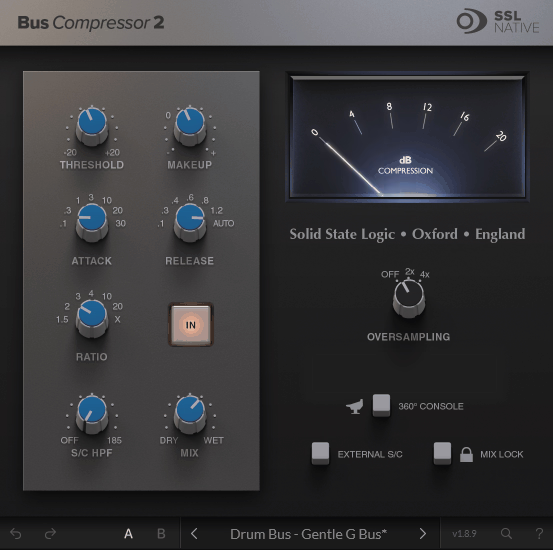
Bus compression is one of those things that separates decent mixes from professional ones, but most plugins either give you too many options or not enough practical control for modern material. You want something that tightens transients without destroying them and pulls everything together without making the mix feel flat or lifeless.
SSL Bus Compressor stays close to the familiar SSL-style workflow that’s been trusted on mix buses and drum buses for decades, but with modern additions that solve real problems like bass-heavy material pumping too hard or needing parallel blend without extra routing.
I think what makes this VCA VST plugin work is how it doesn’t try to be a Swiss army knife dynamics suite with fifteen different modes and endless parameters. It’s a straight-ahead VCA bus compressor designed to do the two things people actually want: tighten things up and make groups feel cohesive. Maybe that sounds simple, but when it comes to bus compression, simple and reliable beats complicated and impressive almost every time.
The value here is getting that official SSL design and clean interface plus a short list of extras that actually matter in real sessions. I must say the Bus Compressor 2 update added practical options rather than flashy features, giving you more flexibility where it counts without changing the core sound or making the workflow complicated.
- 7 Ratios, 7 Attack Positions, and 7 Release Options
SSL Bus Compressor 2 gives you 7 ratio options total, which includes the classic SSL-style ratios plus 5 new ratios added in the second version. This is a good range for bus work because it covers gentle glue, firmer control, and aggressive limiting-style behavior without turning the ratio switch into an endless list.
Attack gives you 7 selectable positions with 1 new option added in Bus Compressor 2. That’s enough variety to cover “keep things punchy” through “clamp it down” while still feeling like a classic bus compressor instead of a surgical mastering tool.
Release offers 7 selectable positions including Auto with 3 new options added in the update. I found that Auto release is a big part of why SSL-style bus compression works well across entire tracks, because you can get smooth musical movement without babysitting the release parameter as the arrangement changes.
- Built-In Mix Control for Parallel Compression
- 3 Oversampling Choices and 2 A/B Comparison Slots
The plugin also offers 3 oversampling choices: Off, 2x, and 4x. The practical use is simple: stay on Off while mixing fast and building the session, then flip to 2x or 4x when you’re pushing the compressor harder or printing final bounces for cleaner processing.
- Sidechain High-Pass Filter and External Sidechain
SSL includes a Sidechain High-Pass Filter (S/C HPF) that stops low end from over-triggering the compressor. I must say this is the practical difference between a bus compressor that works on modern bass-heavy mixes versus one that makes everything pump uncontrollably whenever the kick hits.
The plugin also supports 2 sidechain sources: internal detection or External Sidechain when you want another signal to drive the compression. In fact, having external sidechain makes “kick drives bus movement” setups easy without needing helper plugins or complicated routing.
I think the combination of HPF and external sidechain is what makes SSL Bus Compressor work across different genres and production styles. Maybe you’re mixing hip hop where the low end is massive, or modern EDM where sidechaining is fundamental to the groove, this plugin handles both scenarios without fighting you.
I would recommend using the Sidechain HPF aggressively on mix buses to keep kick and bass energy from dominating the compression behavior. When it comes to external sidechain, feeding a kick drum into the detector creates that pumping effect that’s essential for a lot of electronic music and modern pop production.
Freebies:
1. Analog Obsession BUSTERse

I’m not gonna lie, what caught my attention is how BUSTERse doesn’t try to compete with expensive plugins by offering everything, it stays focused on bus compression and adds just the right detector shaping tools to make it genuinely useful on modern material!
Here is what it offers:
- 4 Interface Sections for Clear Workflow Organization
BUSTERse VCA compressor plugin is laid out in 4 labeled sections: Compressor, FLT, TR, and Control. I love how this tells you exactly what the plugin is about at a glance: one core compressor, two detector-shaping modules, and a small control strip for global behavior.
At the core of it, this organizational approach makes the plugin easy to learn and easy to revisit later without getting lost in a maze of unlabeled controls. The Compressor section handles your standard bus compression workflow with attack, release, ratio, threshold, and makeup gain.
I really like that the Mix control lives right in the main compressor section for instant parallel compression without extra routing. That being said, having these four sections clearly separated means you can work systematically: set your compression, shape the detector if needed, adjust transient response, then tweak global behavior.
I noticed that this layout encourages you to think about detector shaping as a separate creative step rather than just guessing why the compressor is reacting weirdly.
- FLT Section with 3-Part Detector Shaping
The FLT section is a sidechain filter section that shapes what the compressor listens to rather than directly EQing your audio. This is more than a single high-pass toggle, it’s effectively a 3-part detector shaping tool with high-pass style control plus mid and high shaping.
I think that having proper detector shaping is what makes BUSTERse easier to manage than plain bus compressors, especially on modern mixes where low end can dominate and cause jumpy, heavy compression behavior. You can stop bass energy from over-driving the compressor and keep harsh top-end from triggering obvious movement.
- TR Section and 3 Behavior Switches for Character Control
The TR section includes 1 transient boost control that changes how much the detector emphasizes attacks. I really like how this isn’t a separate transient shaper bolted on the output, it’s a detector behavior change that makes the compressor react more strongly to attacks and peaks.
2. Analog Obsession COMPER
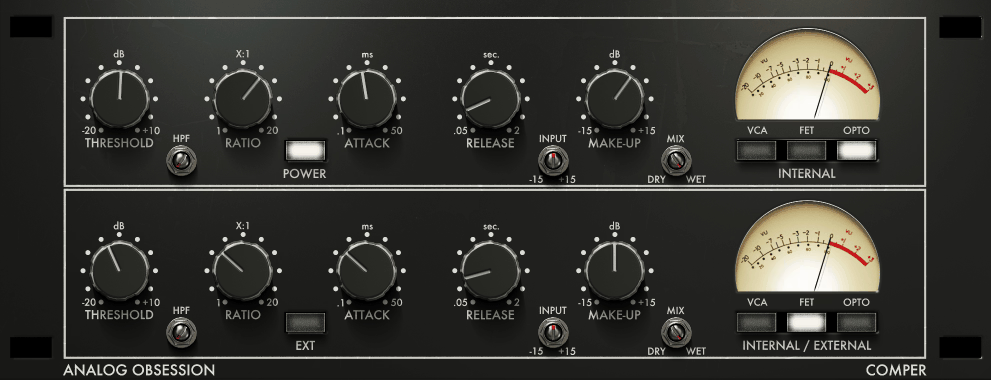
Analog Obsession COMPER stacks wo compressors in series while keeping the workflow simple enough for everyday mixing, giving you dedicated stages for peak control up front and tone and leveling after without building a long plugin chain.
At first glance, this might seem complicated, but the layout makes it really straightforward. I would say COMPER is designed for people who want flexibility without complexity, and being free makes it even easier to justify keeping in your toolkit!
- 2 Compressor Stages with 3 Circuit Types Each
COMPER is laid out as 2 compressors in one instance. The top section is the first compressor labeled Internal, and the bottom section is the second compressor labeled Internal / External, meaning the second stage can also be driven by an external sidechain signal.
Each compressor stage has 3 compression circuit types: VCA, FET, and OPTO. I like how these circuit buttons are blendable, meaning you can run one circuit, two circuits together, or all three together within the same compressor stage.
This gives you 7 possible circuit combinations per stage: VCA only, FET only, OPTO only, VCA+FET, VCA+OPTO, FET+OPTO, or VCA+FET+OPTO. To be honest, you don’t need to treat this like a math problem, it just means you can steer each stage toward clean control, faster grab, smoother leveling, or a mix of those behaviors without swapping plugins.
Since there are 2 stages, you can keep stage one focused on taming peaks and stage two focused on shaping body and glue.
- External Sidechain on Second Stage Only
One thing I’ve noticed is that only the second compressor includes the External Sidechain option, which keeps the first stage simple and predictable. From what I can tell, this design choice makes sense because external sidechain is most useful in the main shaping stage where you might want to duck, pump, or follow another signal.
From the Pluginerds Store
Before you commit to any mix decision made with the plugins above, it's worth checking it on a second reference. A compact IEM pair at low volume catches things your main headphones smooth over.


If you like routing tricks like kick controlling a bass bus, vocal pushing down synth pads, or rhythmic sidechain effects, having external sidechain built into the second stage makes COMPER easier to integrate without extra helper plugins. This targeted placement is smarter than giving both stages external sidechain capability, which would just add unnecessary complexity.
To be honest, most serial compression workflows only need sidechain capability on one stage anyway. I suggest using the first stage for straightforward peak control and reserving the second stage for creative sidechain ducking when the production needs it.
- 4x Oversampling and 50-200% Resizable UI
Lastly, COMPER keeps quality settings simple with 1 oversampling option: 4x, enabled by clicking the Analog Obsession label in the UI. It’s an easy on/off choice rather than a long list of quality modes, which keeps decision-making fast.
The interface is resizable using a corner handle from 50% to 200%, and it supports touchscreen control.
Get the Free Plugin Starter Kit
The genuinely useful free DAWs and plugins worth installing. No filler. Straight to your inbox.

Hello, I’m Viliam, I started this audio plugin focused blog to keep you updated on the latest trends, news and everything plugin related. I’ll put the most emphasis on the topics covering best VST, AU and AAX plugins. If you find some great plugin suggestions for us to include on our site, feel free to let me know, so I can take a look!