
Trailer scoring demands tools that deliver immediate impact, evolving tension, and cinematic scale without drowning you in complexity.
Whether you need granular textures that morph with picture, tempo-synced rhythmic pedals for momentum, or phrase-based string engines that generate motion in seconds, the library you choose shapes how quickly you move from concept to finished cue.
Most producers don’t have time to program every detail from scratch or layer dozens of instruments to achieve cinematic depth. What matters is playability, tempo sync, and whether patches sound production-ready without extensive mixing. Some libraries excel at dark atmospheric textures and risers. Others focus on hybrid orchestral destruction or vocal-based granular synthesis. A few specialize in pre-recorded ensemble phrases that adapt to your chord progressions instantly.
I’ve tested various libraries ranging from sound design platforms to phrase-driven engines and hybrid synth workstation and here is what I found:
| Plugin Name | Best For | Engine Type | Key Strength | My Verdict | Pros | Cons |
|---|---|---|---|---|---|---|
| 1. UNITY Modern Trailer Synth | Modern synth-driven cinematic scoring | Hybrid Analog/Synthetic | Tempo-synced pulses, macro controls, layerable textures | Exceptional for fast cinematic motion and adaptive scoring | 350+ source samples, assignable macros, analog-hybrid blend, CPU efficient layering | Focused on synth content; limited orchestral coverage |
| 2. Heavyocity Gravity 2 | Hybrid sound design and rhythmic trailer textures | Sample Engine (Designer, Menu, Menu XL) | Rhythmic pedal loops, multi-channel mixer, dynamic snapshots | Flexible texture layering with extensive rhythmic control | 1,000+ sound sources, 144 tempo-synced pedals, drift/scatter effects, triplet meter support | High resource usage; minor UI bugs; NKS limitations for Designer engine |
| 3. Native Instruments Ashlight | Granular atmospheric textures and tension-building pads | Grain + Sample Module | Deep granular synthesis, XY pad, MPE, tempo-synced playback | Dark, evolving soundscapes with precise cue timing | Grain length & scan controls, modulation matrix, arpeggiator, sample import | Steep learning curve; CPU-heavy; not ideal for melodic/orchestral leads |
| 4. Native Instruments Action Strings 2 | Pre-recorded ensemble phrases for fast cinematic motion | Phrase-based Engine | Tempo-synced phrases, editable rhythm & density, MIDI export | Ideal for action and hybrid trailer cues without deep programming | 1,300+ phrases, multiple playback modes, fast-loading interface | Limited traditional orchestral realism; repetition risk without MIDI layering |
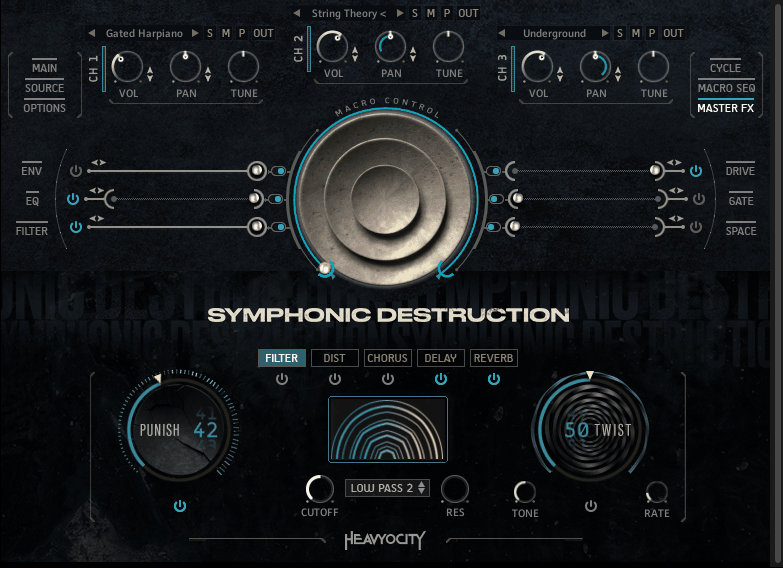
| 5. Heavyocity Symphonic Destruction | Orchestral chaos and hybrid destruction scoring | SD Designer + Braam Designer | Tempo-synced pedals, hybrid hits, pre-designed melodic motifs | Best for cinematic tension | 100 dynamic pedals, hybrid orchestral-sound design layering, customizable braams | CPU intensive; best when layered with traditional libraries; complex workflow |
| 6. Native Instruments Straylight | Granular + sample sound design for evolving transitions | Dual-Layer (Granular + Sample) | Tempo-synced granular motion, X-Y modulation, 14 effect slots | High control over evolving textures for cinematic scoring | 360+ sound sources, independent layer shaping, intelligent randomization, sample import | CPU-heavy; not suited for traditional orchestral projects; complex interface |
| 7. Native Instruments Pharlight | Vocal-based granular cinematic textures | Grain + Sample Module | Tempo-synced grains, XY pad, hybrid layering | Organic yet cinematic textures from vocal sources | 350+ snapshots, 319 source samples, real-time XY performance, four effects per layer | CPU-intensive; dense layers require careful mixing; not melodic-focused |
1. UNITY Modern Trailer Synth – Best for fast cinematic motion
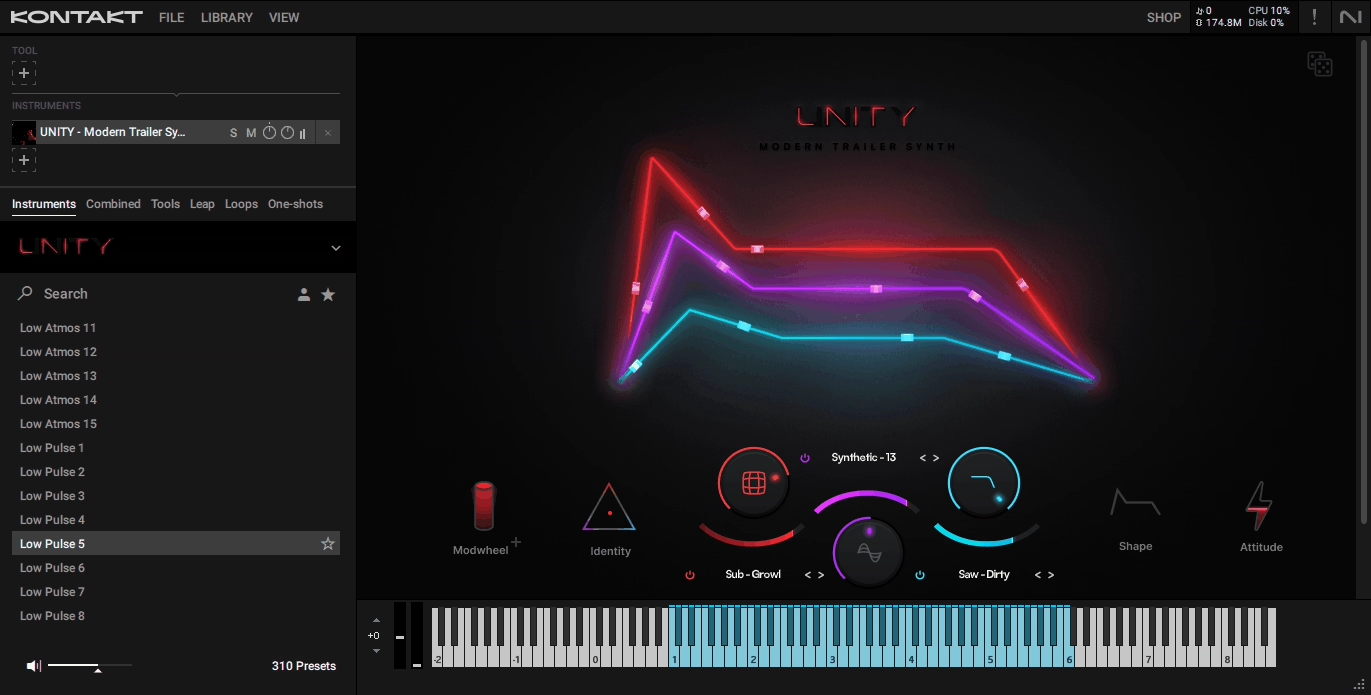
UNITY Modern Trailer Synth targets modern synth-driven cinematic scoring instead of focusing on strings, brass, or orchestral hits like most trailer libraries. You get 350+ unique source samples and around 250-300 factory presets that fuse analog-style synths, hybrid textures, and cinematic pulses into a workflow optimized for fast scoring.
What sets this apart is how you can create both subtle underscore tension and aggressive trailer hits without needing additional layers. The tempo-synced elements and playable macros allow for dynamic and flexible experiences, which I’ve found especially valuable where you need cinematic motion quickly.
The preset organization makes finding usable sounds straightforward. You get dedicated presets for braams and low-impact hits, rhythmic pulses and sequences, analog and hybrid basses, lead synth textures, and atmospheric pads.
What I like is how each preset includes assignable macro knobs that control volume, filters, modulation, and reverb simultaneously. This streamlines sound shaping in real-time instead of forcing you to dive into menus or external automation. I would say the motion engine is particularly useful for trailer scoring because you can create intense build-ups, rhythmic tension, or atmospheric risers without extensive MIDI programming.
Here is what you get:
- 350+ Source Samples with Layerable Complexity
The library includes analog-inspired synths, hybrid basses, risers, pulses, and evolving textures that layer together for cinematic depth. You can start with a pulse preset, layer a braam underneath, then modulate pitch or filter sweeps using macros to produce organic, evolving textures.
When you are building hybrid trailer cues, the layerable sources provide complexity without loading multiple separate instruments, which keeps your CPU usage manageable and workflow clean.
- Macro Controls for Streamlined Real-Time Shaping
Each preset has macro knobs assigned to control multiple parameters at once. Instead of adjusting individual filter cutoffs, reverb sends, and modulation depths separately, you turn one knob that affects all related parameters musically.
I would recommend this for live scoring or direct-to-picture work where you need to adapt intensity on the fly. The macro system keeps creative flow going instead of stopping to automate individual parameters.
- Tempo-Synced Pulses, Braams, and Risers
Rhythmic elements follow your DAW tempo automatically, enabling precise rhythmic scoring without manual timing adjustments. When you change your project BPM, the pulses and sequences adjust accordingly.
This matters for trailer pacing where rhythmic motifs need to lock perfectly to scene changes or cue cuts. The tempo sync eliminates the frustration of manually stretching or quantizing patterns to match tempo shifts.
- Hybrid Texture Focus with Analog and Synthetic Blend
The library integrates analog-style synths with cinematic sound design layers seamlessly. This gives you modern trailer textures that complement orchestral and percussion libraries without sounding purely synthetic or purely acoustic.
When layering UNITY with libraries like Symphonic Destruction or Action Strings 2, the hybrid textures occupy their own sonic space instead of competing for the same frequency ranges.
The limitation: UNITY focuses specifically on synth-driven cinematic content, so I don’t think it replaces orchestral or acoustic libraries. It works best as a complement to traditional orchestral tools rather than a standalone solution for full trailer scores. Which makes it more focused so if that’s what you need, perfect!
2. Heavyocity Gravity 2 – Best flexible
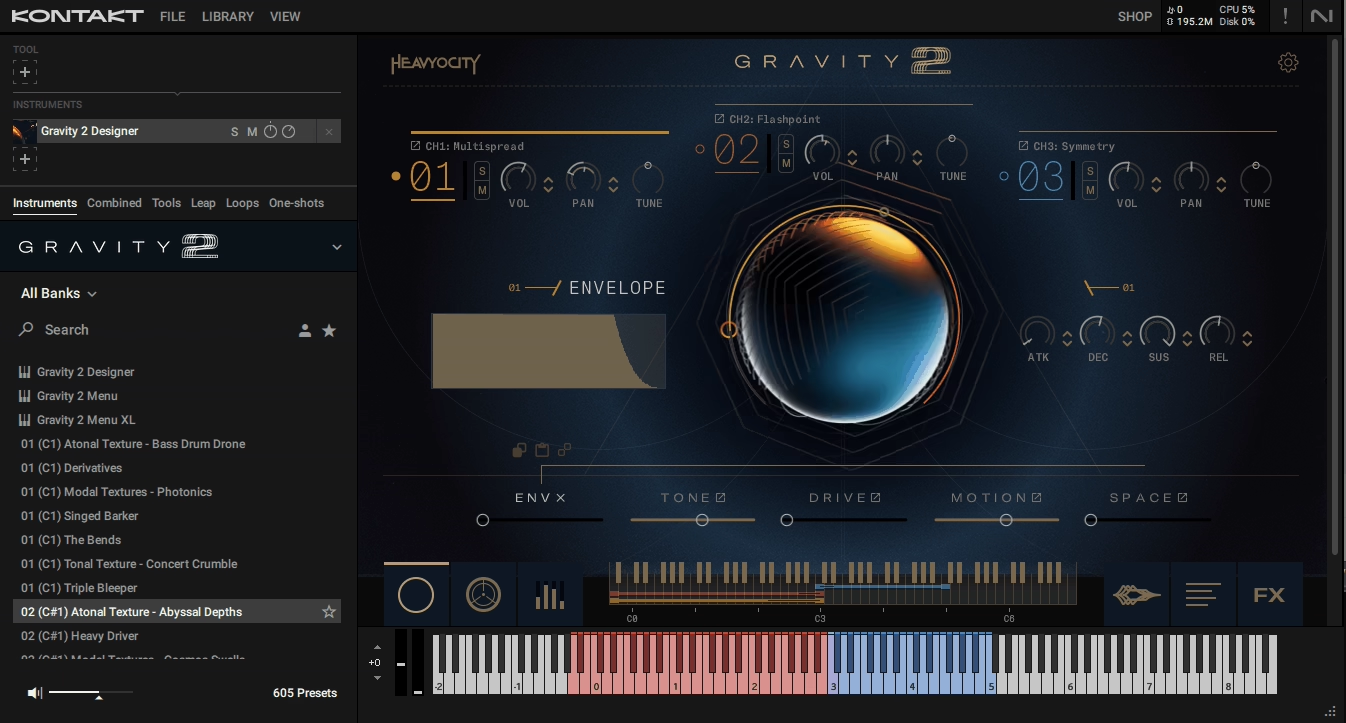
I must say Gravity 2 stands out because it blurs the line between music and sound design in ways most libraries don’t attempt. Heavyocity built this around over 1,000 distinct sound sources ranging from junkyard mayhem and mechanical noises to bowed strings on trash cans, obscure radio signals, and analog synths.
With this trailer Kontakt library, you get over 600 presets divided into three distinct engines (Designer, Menu, and Menu XL) that handle different workflows depending on whether you need instant bank-based access or deep creative layering.
What I really like is the 144 tempo-synced rhythmic pedal loops that Heavyocity created specifically for this library. Half of them are built with triplet feel for 12/8 meters common in epic trailer cues, which shows they understand how composers actually work.
The library downloads to 9.55GB and runs in Kontakt 7.6.0 + or the free Kontakt Player. I think the 3-channel mixer in the Designer engine is where the power sits because each channel has independent effects and mix controls, letting you craft evolving textures or randomized mixes by blending layers in real time.
Main features I found:
- Three Distinct Engines for Different Workflows
The Designer engine gives you three separate channels with individual effects for layering custom textures. Menu and Menu XL engines provide instant bank-based workflows with 36 or 72 individual sound sources mapped across one keyboard octave.
I like the Menu XL approach when I need quick access to multiple sounds without diving into deep editing. The “expand source to keys” function maps a selected sound over the full keyboard range for melodic and chordal work.
- 144 Tempo-Synced Rhythmic Pedal Loops
These loops cover light percolating pulses to massive riffs with powerful low end. Half are straight-time and half have triplet feel for 12/8 meters. The loops are multisampled over a wide pitch range and feature processed analog synths like Moog Minitaur, Sub 37, Lyra 8, and Make Noise Strega augmented by mutated acoustic sources.
When I’m building momentum in trailer cues, these pedals provide rhythmic foundation without additional programming.
- Over 250 Single-Shot Sounds Across Five Categories
The library organizes sounds into Rhythmic Pedals, Textures, Stings, Transitions, and Impacts. You get tonal variations for melodies and harmonies, atonal for eerie atmospheres, and modal for clear chordal backgrounds. I would recommend the Transitions section for risers, swells, and reverses that create heart-pounding epic moments. Each category has enough variety to avoid repetitive trailer templates.
- Advanced Mixer with Drift, Scatter, and Writable Automation
The mixer section includes drift and scatter controls that add organic movement to static sounds. Writable automation lets you record parameter changes directly into the engine.
The Master FX page has a signal chain with EQ, compressor, reverb, and other modules you can arrange in your preferred order. I’ve found this particularly useful for shaping impacts and transitions without routing to external plugins.
- 600+ Meticulously-Crafted Snapshot Presets
Presets are divided into categories like Cue Creators, Rhythmic Beds, Tonal Textures, Atonal Textures, Modal Textures, Stings, Transitions, and Impacts. These serve as cue starters rather than finished products. When creativity stalls, I can load a preset and tweak it instead of building from scratch.
The limitation: the regular price sits at $449, which is toward the high end. Some users reported minor bugs with graphics rendering and legato/pitch-bend behavior, though Heavyocity typically addresses these quickly.
The Designer engine’s sample browser isn’t accessible via NKS, so you’re tweaking existing presets rather than building from the full sample pool if working within Komplete Kontrol.
3. Native Instruments Ashlight – Best dark textures, pads & drones
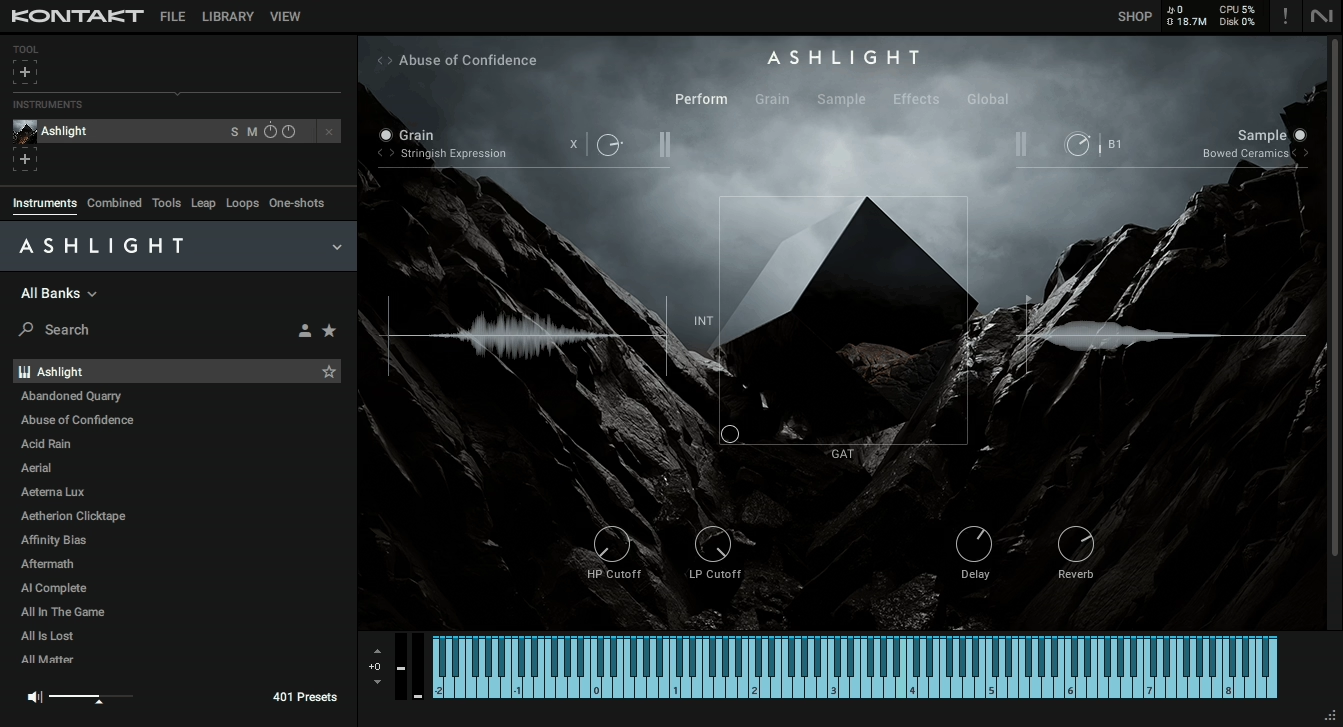
Instead of sampling orchestral instruments or ensembles, Ashlight is built around granular texture synthesis using unconventional source material like bowed and rubbed metals, waterphones, feedback loops, and cymbals. It creates dark, immersive atmospheres, pulsing textures, and cinematic soundscapes that feel dynamic and unpredictable without extensive layering or external synthesis.
The core is a grain-based synthesis engine that analyzes and redistributes tiny snippets of sound (grains) from the sample set. It lets you stretch, layer, and transform subtle resonances into expansive pads, sweeping risers, or tension-laden drones.
The grain engine offers tempo-synced playback, so transitions and evolving textures perform in sync with your project’s BPM, which matters for trailer spots that need precise timing. XY pad and macro controls on the front panel let you shape multiple parameters at once, making intensity shifts feel organic and responsive rather than static.
- Grain Module with Deep Granular Engine
The engine provides control over grain length, scan direction, jitter/randomization, start position, and envelope curves. Instead of hearing the original transient, the engine reshapes it into a living, evolving sound that adapts to performance input and modulation.
If you are after atmospherics that need to breathe with on-screen action, these parameters give you detailed control over texture motion and intensity. The tempo-synced playback means risers and crescendos land exactly on cue cuts or scene changes.
- Sample Module for Layered One-Shots and Instruments
This operates alongside the grain engine, letting you combine granular textures with multisampled instruments, one-shots, synth pulses, noise elements, and melodic sources. You can integrate pianos, vibraphones, keyboards, or percussive layers to anchor textures in a musical context.
I like this because it gives granular pads defined attacks or tonal centers when scenes need both atmospheric depth and rhythmic reference points. The built-in arpeggiator sequences rhythmic patterns that animate static soundscapes without extensive DAW editing.
- Real-Time XY Pad and MPE Support
The XY pad lets you sweep between states (calm to intense) by shaping grain intensity, sample blend, effects density, or spectral character simultaneously. This mimics narrative ups and downs in trailer edits without writing automation lanes.
The library supports MIDI Polyphonic Expression (MPE) for note-by-note modulation of granular parameters, which turns static textures into dynamic, rhythmically engaging elements you can perform in real time.
- Integrated Effects and Modulation Matrix
Built-in effects include reverb, delay, distortion/overdrive, filters, EQ, and compression per layer and globally. These are tightly coupled with the grain and sample engines, so you shape both texture and spatial presence directly within the instrument.
The modulation matrix routes LFOs and envelopes to almost any parameter, creating subtle motion on long pads or aggressive modulation on risers. I would recommend assigning effects to XY pads or macros for sweeps, impacts, or wash-outs that evolve organically.
- Custom Sample Import Capability
You can bring your own audio into the grain and sample engines for personalized texture design. This broadens the instrument’s applicability beyond its stock library when you need bespoke textures from your own recordings.
The limitations: Ashlight’s granular engine and sound palette are intentionally dark and atmospheric. I don’t think it’s suited as a standalone melodic engine or drop-in orchestral library.
The learning curve for the grain engine and modulation routing requires time and experimentation, which can slow workflow if you’re expecting pre-baked orchestral results. The complex grain processing and effects can tax older systems, so a reasonably powerful CPU is recommended.
4. Native Instruments Action Strings 2 – Best action/hybrid trailer cues
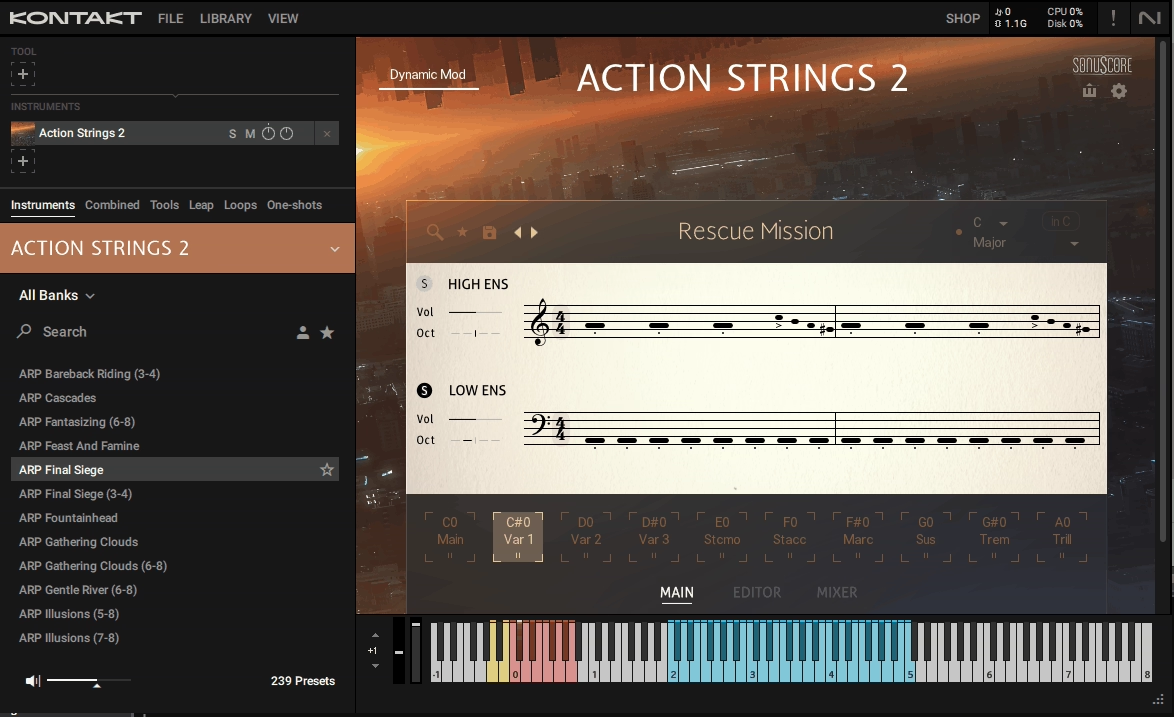
Action Strings 2 focuses on kinetic energy, pacing, and immediacy instead of competing with deep, articulation-heavy orchestral libraries. Developed with Sonuscore, this library is built around over 1,300 phrases across roughly 160 themes, each representing a musical idea you can reshape rhythmically and harmonically.
What got me is how it’s designed for pre-recorded ensemble phrases that generate momentum quickly rather than requiring you to build string motion from scratch. I think this makes it especially useful for action, thriller, and hybrid trailer cues where speed and intensity matter more than nuanced realism.
The phrase-based engine loads entire rhythmic or melodic patterns that already feel musical and cinematic because they were recorded as ensemble performances. What I really like is how phrases are grouped by energy level, rhythmic density, and musical function, letting you think in terms of what the cue needs rather than how to program it.
The phrases are tempo-synced and dynamically responsive, locking tightly to modern trailer rhythms. I must say the Phrase Editor gives you control over note density, rhythmic subdivisions, and phrase playback direction, allowing you to simplify or intensify a performance without changing patches.
Here is what you get:
- Over 1,300 Phrases Across 160 Themes
Each theme represents a musical idea performed by a full string ensemble. These aren’t static loops. They respond to tempo changes and can be re-harmonized via MIDI input, making them adaptable to different keys and chord progressions.
When I’m building rising tension sections, I can quickly switch between low-energy pulses and high-intensity rhythmic runs without rewriting parts from scratch. This drastically reduces setup time while leaving room for customization.
- Phrase Editor for Internal Behavior Control
Adjust note density, rhythmic subdivisions, and phrase playback direction to simplify or intensify performances. This is particularly useful when shaping transitions between trailer acts. I like this because you’re not locked into the exact performance as recorded. You can dial the intensity up or down to match the scene without loading a completely different phrase.
- MIDI Export for Compositional Flexibility
Drag phrases out as MIDI to drive other string libraries, synths, or layered hybrid elements. This turns Action Strings 2 into a phrase generator where you use it for rhythmic ideas, then refine the sound with other instruments while keeping the rhythmic identity intact.
I would recommend this for producers who want control but don’t want to start from zero. The MIDI export means you’re not trapped in a closed system.
- Multiple Playback Modes for Musical Adaptability
Free Play mode allows phrases to follow the chords you play, adapting pre-recorded material to custom harmonic progressions. Melody mode extracts melodic content from phrases. Arpeggiator mode introduces rhythmic reinterpretation.
These modes help phrases fit different musical contexts without breaking their rhythmic integrity. When trailer cues need to shift mood quickly, this adaptability saves time.
- Fast Loading and Playable Interface
Themes load quickly, phrases are immediately playable, and the interface encourages experimentation rather than deep programming. This means you don’t need a massive orchestral template to get cinematic string movement. Action Strings 2 can act as the backbone of a cue, later reinforced with percussion, brass, or sound design libraries.
The limitations: this isn’t a traditional orchestral strings library. I don’t think it’s the right tool on its own if you need detailed legato writing, exposed melodic lines, or classical realism. The phrases are stylistically focused on action and momentum, which means softer or lyrical cues may feel constrained.
Because it relies on ensemble phrases, it can sound familiar if overused without modification, so MIDI export and layering become essential to avoid repetition.
5. Heavyocity Symphonic Destruction – Ideal for cinematic tension
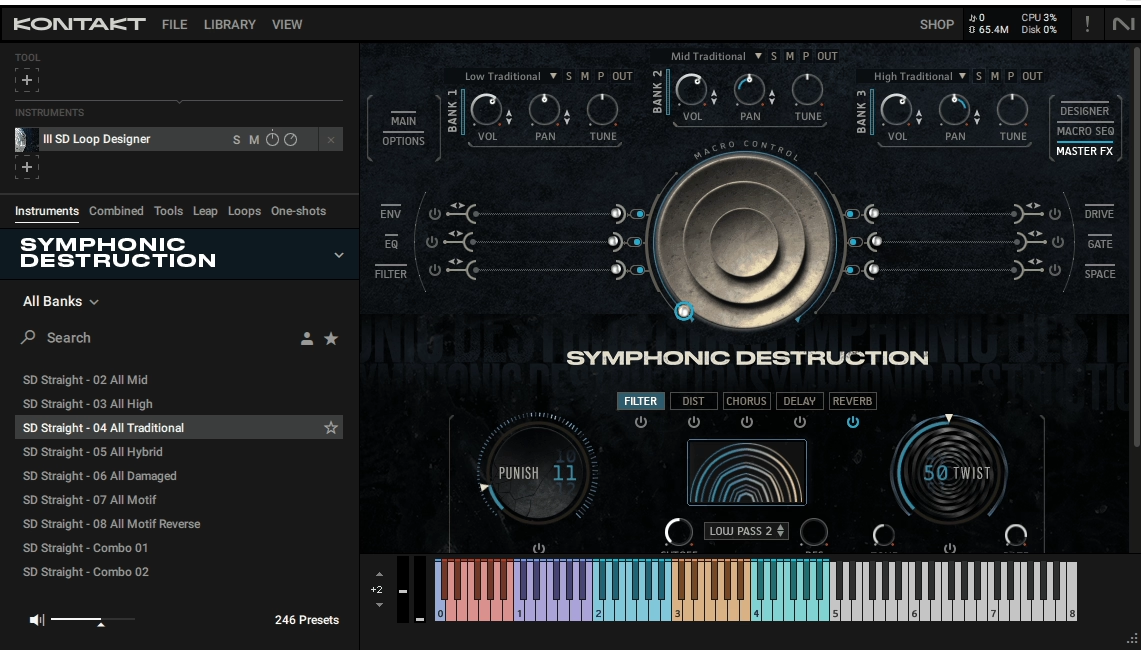
Heavyocity reimagines the orchestra as raw sonic material for controlled chaos rather than realistic mockups. They combined traditional orchestral elements with heavy sound design, rhythmic patterns, and analog saturation to create something specifically for modern trailer composition and action scoring.
What sets Symphonic Destruction apart is how it treats orchestral components as sources for creative destruction, letting you layer, distort, saturate, and modulate instruments independently. I think this approach makes it more of a sound design workstation for orchestral music than a typical sample library.
The core is the SD Designer engine that shapes both acoustic and hybrid elements with deep control. Braam Designer lets you deconstruct and rebuild cinematic braam sounds by manipulating tone, duration, texture, and intensity for infinite combinations.
The library includes nearly 100 dynamic, tempo-synced pedals and ostinatos suitable for action scoring, plus pre-designed hybrid melodic loops for quick implementation. The patches are built to be cue-ready, minimizing setup time while still allowing layering, modulation, and sound sculpting.
What you get:
- Braam Designer with Infinite Combinations
This dedicated engine deconstructs the iconic low cinematic braam sounds into manipulatable components. You control tone, duration, texture, and intensity to produce braams that maintain impact and cinematic clarity.
You’re not stuck with static braam samples that all sound the same. Each braam can be tailored to specific visual moments, whether you need massive low-end tension for climactic hits or shorter, tighter impacts for quick cuts.
- Nearly 100 Tempo-Synced Rhythmic Pedals and Ostinatos
These dynamic pedals stay aligned with your project tempo automatically, supporting fast-paced scenes without manual timing adjustments. The rhythmic elements range from subtle percolating pulses to aggressive, driving patterns with powerful low end.
I would recommend these for action scoring where momentum needs to build without extensive MIDI programming. The tempo sync means you can drop a pedal into your session and it locks immediately to your BPM.
- Hybrid Hits and Full Orchestral Portatos
The library combines orchestral instruments, synths, and sound design elements into dramatic impact layers. Full orchestral portatos are saturated and hybridized to punch through dense mixes. When I’m layering these with traditional orchestral libraries, the saturation and analog-style processing add aggression and urgency that cleaner samples lack.
The hybrid textures occupy their own sonic space instead of competing with conventional strings or brass.
- Pre-Designed Melodic Motifs for Quick Cue Building
Hybrid melodic loops provide instant cinematic content without building from scratch. These motifs combine traditional and processed elements, giving you starting points that sound production-ready. I’ve found these particularly helpful when creativity stalls or deadlines are tight because you can load a motif, tweak it, and move forward instead of staring at an empty timeline.
The limitations: Symphonic Destruction is resource-intensive and requires solid CPU and memory for complex layers. I don’t think it’s ideal for purely classical or orchestral productions because many patches are heavily processed.
The hybrid nature means it works best layered with cleaner orchestral libraries rather than as a standalone solution. Beginners might find the layering and modulation options overwhelming initially, requiring time to understand the Braam Designer and patch customization workflow.
6. Native Instruments Straylight – Perfect for cinematic scoring
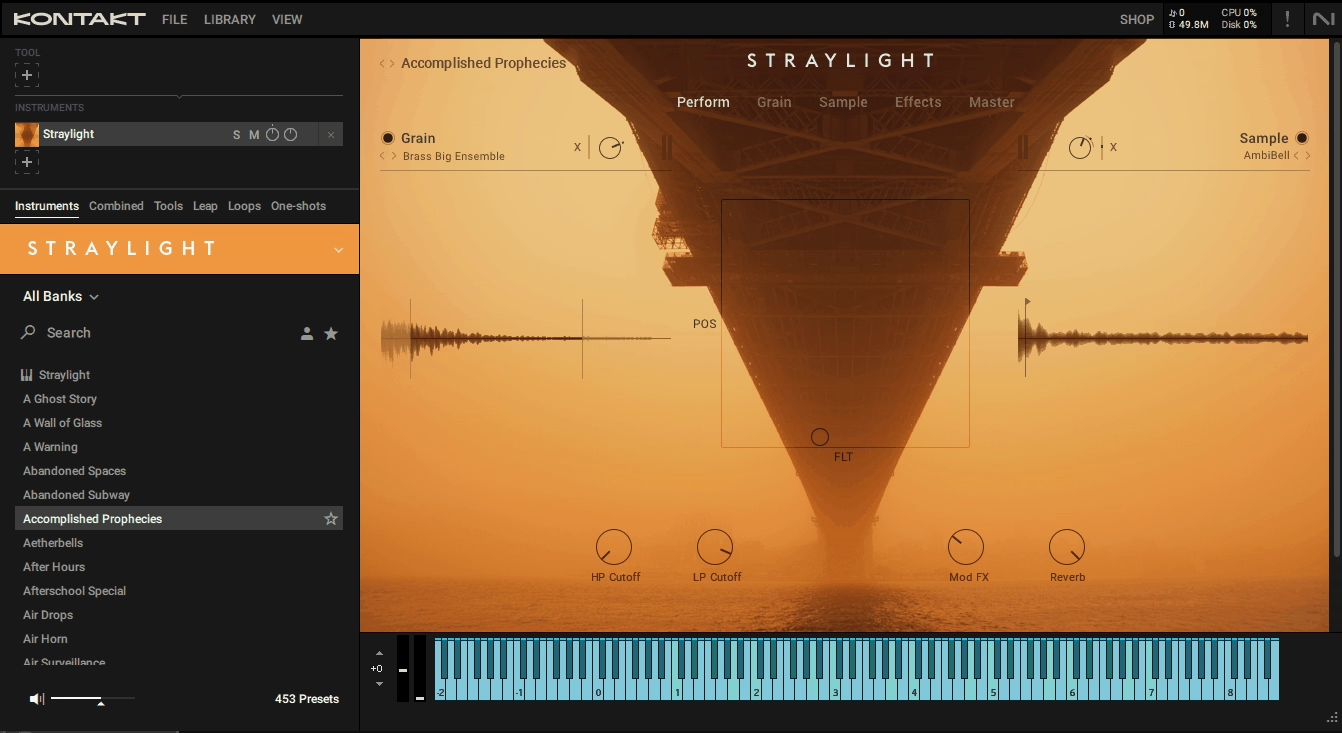
This one operates as a dynamic sound design platform rather than a traditional sample library. Developed with Frank Elting and composer Paul Haslinger, this instrument combines granular synthesis, layered sample playback, and extensive modulation controls specifically for evolving textures and transitional elements.
Straylight gives you over 360 unique sound sources and 300+ presets covering granular textures, transitional sounds, hybrid leads and pads, and percussive elements. I think what makes this stand out is the two interactive layers (granular module and sample module) that can be independently shaped, modulated, and effected.
The granular engine magnifies small source sounds ranging from strings and glass to membranes and synthetic tones, stretching or compressing time and pitch without losing timbral integrity. What I really like is the tempo-synced grain cursor speeds that create perfectly aligned transitions, risers, and pulses that remain in sync with your DAW.
The X-Y modulation matrix allows expressive manipulation of parameters like grain density, speed, filtering, and effects, which I’ve found particularly useful for live scoring or adaptive cues.
I dare to say the up to 14 effects per patch (filters, dynamics, EQs, delays, reverbs, modulation effects) give you enough processing power to shape sounds completely within the instrument.
- Dual-Layer Architecture with Granular and Sample Modules
Both layers operate independently with separate shaping, modulation, and effects routing. The granular layer transforms small source sounds into immersive, evolving timbres while maintaining clarity and mix-ready character.
The sample layer complements this with pre-recorded cinematic textures for seamless blending. When I’m building complex soundscapes for post-apocalyptic or sci-fi scoring, this dual-layer approach lets me combine organic grain textures with defined sample attacks without external layering.
- X-Y Modulation Matrix for Real-Time Performance
Assign MIDI CC or macros to modulate multiple parameters simultaneously, including grain density, speed, filtering, and effects. This allows direct-to-picture performance without extensive post-processing. I like this because you can perform dynamic shifts in intensity while scoring, adapting to scene changes in real time.
The expressive control makes it feel more like playing an instrument than programming a synth.
- Tempo-Synced Granular Motion for Precise Timing
Grain cursor speeds sync to your project tempo, so risers, pulses, and transitions align perfectly with your DAW timeline.
This ensures transitional sounds bridge scenes or cue changes without manual timing adjustments. I would recommend this for trailer work where every swell and riser needs to land exactly on specific frames.
The sync eliminates the guesswork of manually stretching or shifting audio to match tempo changes.
- Custom Sample Import for Personalized Content
Drag and drop your own recordings into the granular or sample modules to extend the library’s capabilities. This turns Straylight into a personalized cinematic content generator instead of limiting you to factory sounds.
When you have unique field recordings or custom sound design elements, importing them into the granular engine transforms them into evolving textures that fit the instrument’s workflow.
- Tag-Based Navigation with Intelligent Randomization
Preset browsing uses tags to enable rapid selection by category, timbre, or type. Intelligent randomization lets you experiment with new textures while retaining musical cohesion. I’ve found this especially useful when creativity stalls because you can generate variations quickly without starting from scratch.
The tag system means you’re not scrolling through hundreds of presets hoping to find something appropriate.
The limitations: Straylight is CPU-intensive, especially when multiple layers and effects run simultaneously. I don’t think it suits traditional orchestral projects where acoustic realism is paramount because the focus is cinematic textures and hybrid scoring.
The interface and modular control can overwhelm beginners, particularly those unfamiliar with granular synthesis. You’ll need time to explore the modulation routing and layer architecture to unlock the full potential.
7. Native Instruments Pharlight – Best Vocal-based Textures
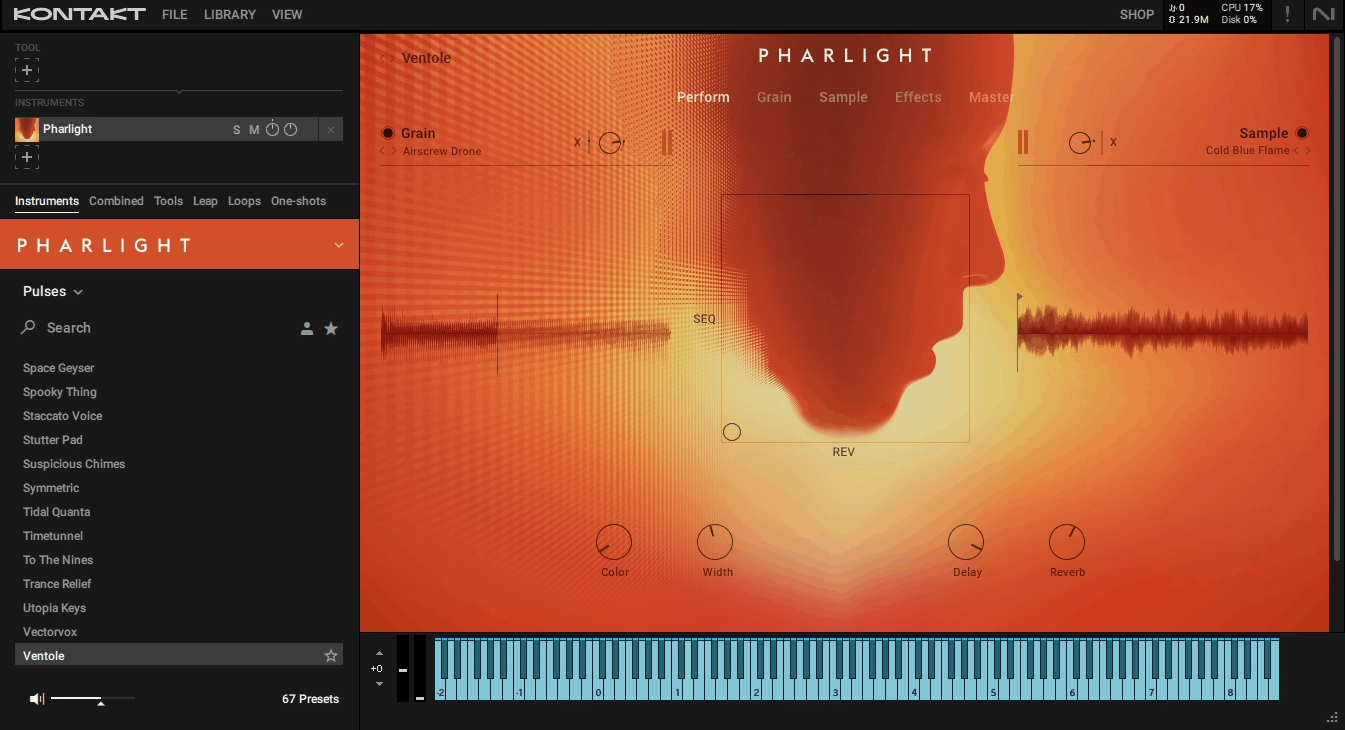
Developed with Frank Elting and Overklang, Pharlight library is built entirely around vocal timbres transformed through granular synthesis. It includes 319 source samples featuring unconventional vocal recordings like invented phrases, beatboxing, choral textures, and experimental vocal noises.
With over 350 curated snapshots that combine both grain and sample modules for flexible sound shaping, this is particularly useful for trailer music and cinematic underscoring where you need organic yet cinematic material that doesn’t sound like typical synth pads. The granular engine transforms short vocal samples into playable pads, pulses, and melodic layers. What I really like is how grain size, speed, density, and pitch adjust independently, letting you stretch or compress vocal material without losing detail.
Each patch allows layering of up to four effects per layer plus master and send effects, enabling complex, evolving textures directly inside the instrument. The tempo-synced grains allow perfectly timed transitions, risers, and drops, which I’ve found critical for trailer work where everything needs to land exactly on cue cuts.
- Granular Engine with Vocal-Based Source Material
The engine splits 270 grain samples and 59 sample module sources that transform human voices into cinematic textures. You adjust grain size, speed, density, and pitch independently to stretch or compress vocal material.
When you are building tension or creating atmospheric pads, the granular processing keeps the organic quality of the voice while providing cinematic depth. The Sample Module complements this with multi-sampled atmospheric hits and one-shots that combine with grains for hybrid textures.
- X-Y Pad for Real-Time Performance Control
The X-Y pad modulates multiple parameters simultaneously, including grain density, pitch, filter cutoff, effect intensity, and panning. This lets you perform dynamic transitions or evolving textures in real time while scoring to picture.
I like this because you can sweep from calm atmospheric textures to intense rhythmic pulses without stopping to automate individual parameters. Macros simplify complex modulation routings for faster workflow.
- Tempo-Synced Playback for Precise Timing
Risers, pulses, and dynamic transitions stay aligned with your project BPM automatically. This provides consistent and predictable timing even under rapid DAW automation. I would recommend this for trailer composers who need sweeps and transitions that lock perfectly to scene changes without manual adjustment.
The intelligent randomization features let you quickly generate new textures from existing patches, which accelerates experimentation when deadlines are tight.
- Tag-Based Browsing with Over 350 Snapshots
The library organizes content into atmospheres and pads, pulses and transitions, leads and melodic textures, effects and hooks, and subs and low-end textures. Tag-based browsing lets you identify suitable textures quickly instead of scrolling through hundreds of presets. When you need a specific type of riser or tension bed, you can filter by tags and find options immediately.
- Hybrid Layering System for Dense Soundscapes
Combine grain and sample layers to create evolving soundscapes or tension beds without external processing. The four effects per layer plus master and send effects give you enough processing power to shape textures completely within the instrument. This reduces CPU load compared to stacking multiple plugin instances and keeps everything contained in one interface.
The limitations: Pharlight is CPU-intensive and requires a modern processor for smooth performance. I don’t think it replaces melodic instruments or traditional orchestral libraries because its focus is vocal and textural sounds. Beginners may find the granular engine and X-Y pad system complex, requiring exploration to fully utilize modulation possibilities. Dense layering can occupy significant stereo space, which needs careful EQing and mixing in busy trailer arrangements.

Hello, I’m Viliam, I started this audio plugin focused blog to keep you updated on the latest trends, news and everything plugin related. I’ll put the most emphasis on the topics covering best VST, AU and AAX plugins. If you find some great plugin suggestions for us to include on our site, feel free to let me know, so I can take a look!