
I’ve put together a list of my favorite mixing plugins. There are tons out there, so I spent some time picking out the ones I think stand out.
Each plugin on this list has a real use in a modern producer’s workflow, and several of them rank among the leading tone-shaping plugins for full mixes, whether you need to clean up vocals, shape saturation, or control width. What they all have in common is practicality. Each one does something specific to make mixing faster, easier, or more musical.
Some of these plugins bring the warmth of analog gear, others use smart DSP or AI to fit your mix, and a few make creative sound design easy.
If you want to make lifeless tracks sound lively, control vocals without overdoing it, or give your mix the depth of a pro studio, these plugins really work. They aren’t about hype or big promises; they’re about workflow, tone, and results you can count on in real sessions.
1. Plugin Alliance Black Box Analog Design HG-2MS (saturation)
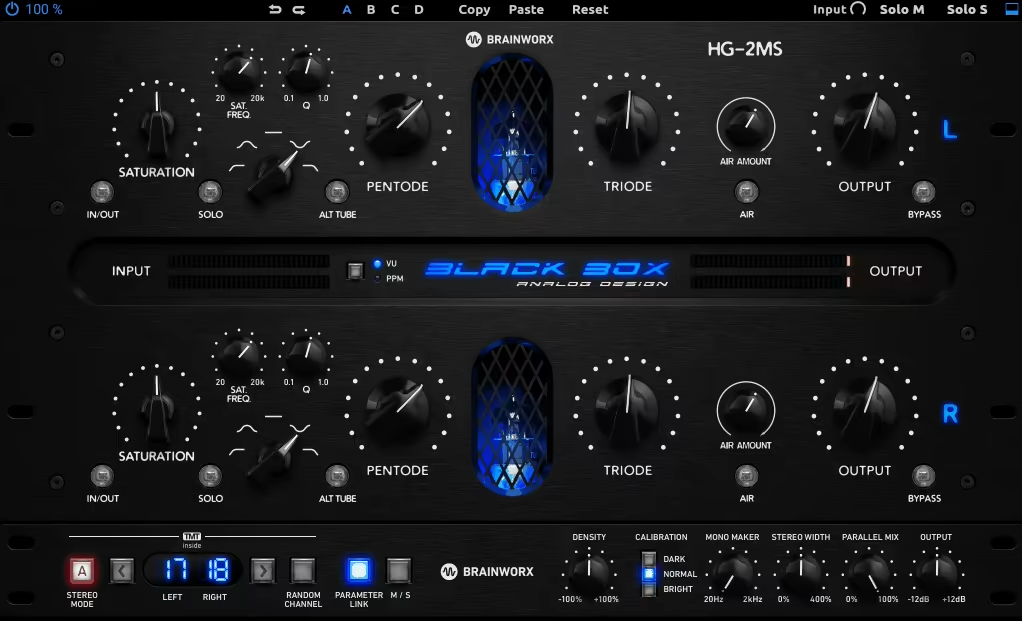
This plugin gives you analog-style saturation without the hassle of using real tubes.
I use the Black Box Analog Design HG-2MS when a mix sounds too clean or flat. It has four virtual tube stages that go from gentle tone shaping to strong color, but its real strength is how much control you get.
You can adjust the pentode and triode stages separately, push them harder with the Density control, and still keep your levels steady. The latest version also has mid-side processing, so you can warm up the center or keep the sides light, depending on what you need.
There’s also filtering now, which lets you focus saturation on a specific range, great for thickening lows or smoothing out the top end without wrecking your balance. It’s not just a “vibe” tool anymore; it’s a flexible tone shaper that genuinely fits into modern workflows.
- Four modeled tube stages: You get emulations of 6U8A pentode and triode tubes, along with a pair of 12AX7 tubes in a parallel circuit. This setup gives you everything from gentle warmth to heavy drive.
- Mid-side processing built in: You can process the center and sides separately, adding focus to the middle or more width and brightness to the edges.
- Targeted saturation: The updated filter section includes low-pass, high-pass, bandpass, bandstop, and flat modes, so you can add harmonics only to the part of the frequency range you choose.
- TMT engine under the hood: Brainworx’s Tolerance Modeling Technology brings subtle analog variation, copying the small differences you’d find between real hardware units.
- Air and Density controls: Air boosts the high-end above 10kHz, while Density pushes both tube stages evenly. This gives you more harmonics without changing your gain.
- Simple but smart mix tools
2. FabFilter Pro-L 2 (limiter)
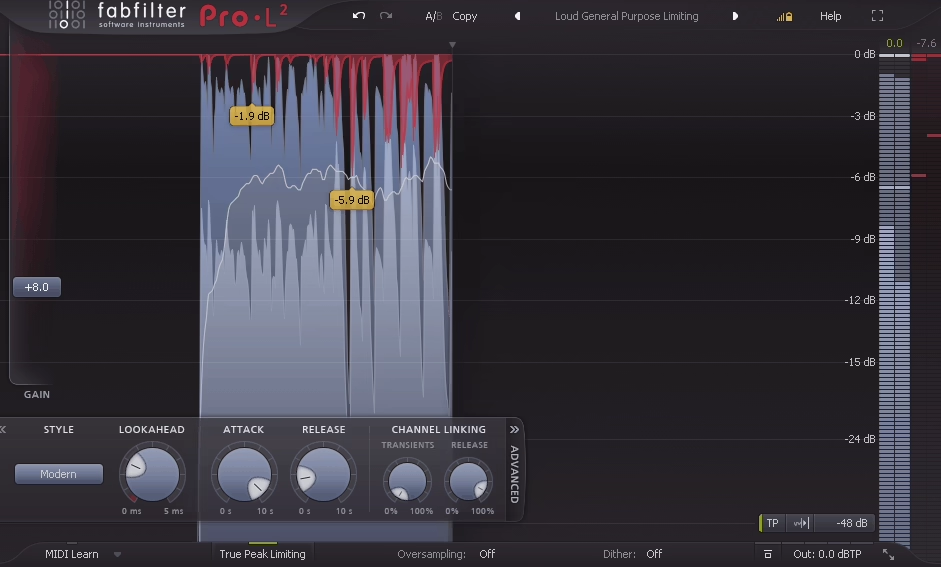
If you’re mixing or mastering, this is a solid, straightforward limiter that gets the job done. I trust the FabFilter Pro-L 2 to finish a track cleanly, whether I want modern loudness or need to keep things open for streaming.
You can push it hard and it still keeps the transients intact without messing up the mix. The loudness meters show EBU and ITU standards right on the screen, so hitting streaming levels is much easier. I often use Unity Gain mode to compare what the limiter is really doing, without being tricked by volume changes.
The display and controls seem designed for people who take mastering seriously, not just for looks. This plugin blends into your workflow and lets you focus on the mix instead of getting distracted by the interface.
- You can keep your loudness under control. Built-in EBU R128, ITU-R BS.1770, and ATSC meters make it easy to hit the right LUFS for streaming without guessing.
- True peak limiting that actually works – Keeps inter-sample peaks in check, so you avoid distortion when converting to MP3 or streaming formats.
- There are eight limiting algorithms. Each one responds differently, from transparent mastering styles to punchy, aggressive options that work well for drums or electronic mixes.
- High-quality oversampling lets you go up to 32x linear-phase for cleaner limiting and fewer digital artifacts when you push the gain.
- It’s surround ready and handles everything up to Dolby Atmos 9.1.6. With flexible channel linking and low CPU load, it’s just as useful for stereo mastering as it is for immersive formats.
- There are useful workflow tools like Unity Gain and Audition Limiting, which let you hear exactly what’s changing, not just what’s louder. The smart interface design makes it quick to adjust settings without digging through menus.
3. sonible smart:reverb 2 (AI reverb)
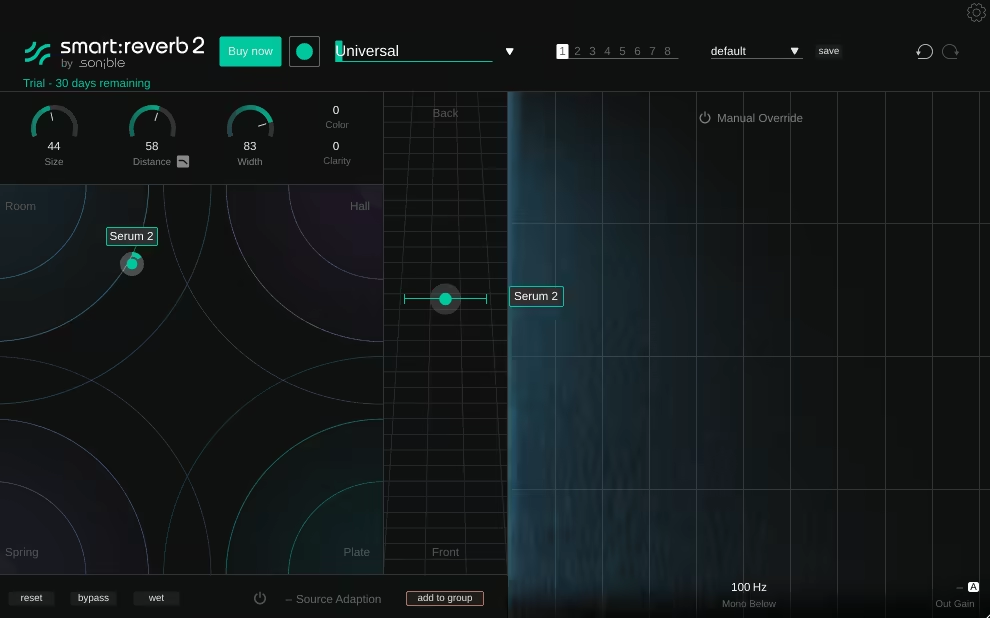
The sonible smart:reverb 2 isn’t flashy, but it’s practical and smart. It works differently from most other reverb plugins, and it really saves you time.
It analyzes your audio and creates a reverb that fits naturally, so you don’t have to spend a lot of time tweaking decay or tone to make it work in your mix. I recommend using it on vocals, guitars, and drum buses because it keeps everything clear and avoids muddiness.
Group mode is also great because you can control depth for several tracks from one window, which really speeds up mixing. It’s the kind of tool that doesn’t get in your way and just helps you finish your work.
- Fits your source automatically: The plugin listens to your track and creates a reverb that matches its tone and timing, so you don’t have to struggle with presets.
- Group mode makes staging quick: You can control depth for several tracks in one place with a single Distance slider, which is perfect for keeping vocals, drums, and instruments together in the same space.
- There are four reverb styles, so there’s no guesswork. You can switch between Room, Hall, Plate, and Spring using a visual matrix, which makes it easy to adjust width and tone without digging through menus.
- Keeps the mix tight: The cross-channel processing stops reverbs from overlapping or making the mix muddy, which is especially helpful in busy sessions.
- It’s beginner-friendly and has a straightforward interface.
You should definitely give it a try!
4. Lunacy Audio Haze 2 (chorus)
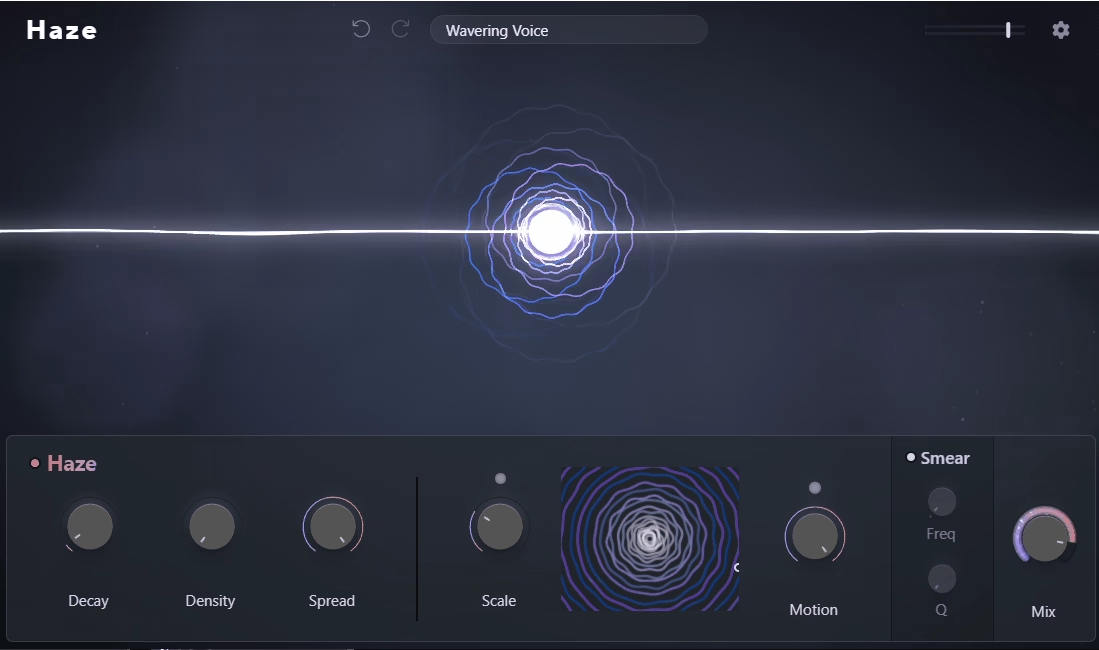
- You can build your own chains by dragging effects into a visual layout, connecting them in any order, and shaping your signal path just the way you like.
- There are plenty of sound tools in one place. Space gives you convolution reverbs, Grains adds granular textures, and Haze offers wide, smooth modulation. Each effect also works on its own if you don’t need the full rack.
- You get real modulation control with three LFOs, macro control, and an envelope follower, making it easy to automate movement. You can draw shapes, add sources, and create evolving patches without searching through menus.
- There’s a big preset pool with over 300 global presets and 200 impulse responses from artists like Venus Theory and Dash Glitch. This gives you a solid starting point you can tweak as you like.
- It has helpful workflow features, like locking your global mix, searching presets by author, or setting a default patch so you don’t have to rebuild your setup each time you open a session.
5. RC-20 Retro Color (Add Vintage Color)
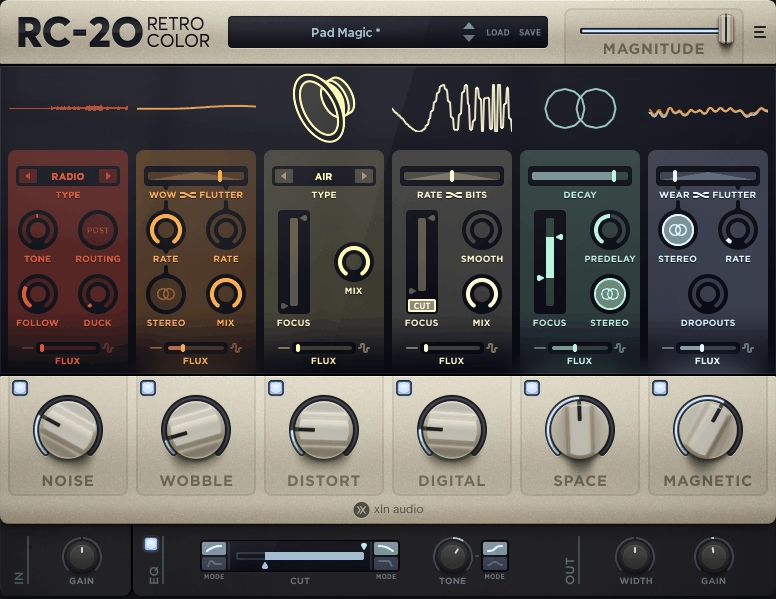
If a mix sounds too flat or digital, I run a few tracks through something that adds some musical grit. That’s when I usually grab RC-20 Retro Color. It can make drums hit harder, basslines sound dirtier, and keys feel like they’re playing from an old cassette. Guitars also get a nice, hazy depth.
It’s great for gluing sounds together without needing a compressor. The wobble, distortion, and noise modules do this naturally. This plugin can turn a sterile mix into something more emotional, as if it has more character and life.
Here are some of the main features:
- There are six dedicated FX modules that let you shape texture and tone. Noise adds vinyl crackle or tape hiss. Wobble brings in analog pitch drift. Distort covers everything from tube warmth to heavy fuzz. Degrade brings back crunchy sampler grit. Space adds vintage-style ambience, and Magnetic simulates tape wear and volume drops. You can use each effect on its own or stack them for more layered color.
- The Flux Engine lets you add unpredictable analog fluctuations, making everything sound more lively.
- The Magnitude slider brings all the processing together in one control. You can push the whole effect chain harder or pull it back for a subtle touch. Automating this slider can change the energy of your arrangement without adjusting anything else.
- With module mix control, you can adjust the wet/dry balance of each section separately. This lets you keep your transients clean while still adding warmth or wobble underneath.
- There are presets for drums, bass, guitars, keys, and full mixes.
- Built-in Reverb
6. SSL Native Bus Compressor 2 (smooth compressor)
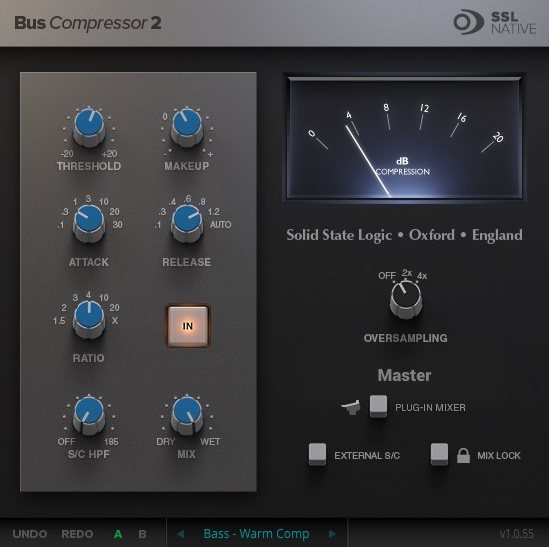
The SSL Native Bus Compressor 2 is one of the leading tone-shaping plugins for full mixes because it helps your tracks fit together naturally, almost as if you mixed them on a big studio console. You get punch, clear sound, and a more polished feel right away.
I usually add it to my mix bus near the end, set a slow attack, turn on Auto release, and it brings everything together in a natural way. It’s not flashy or overdone; it just gives that classic SSL glue and helps the mix feel more unified. Here are some main features:
- Real SSL sound: You get the same compression style as the famous G-Series consoles that shaped many hit records. Just add it, and your mix comes together right away.
- You can adjust the Attack, Release, and Ratio settings to shape your sound. Go gentle for a clear boost, or push it for a tight, punchy feel that helps drums and vocals work together. It responds quickly and musically, just like a good mix bus compressor should.
- Sidechain high-pass filter: This feature stops the kick and bass from making the compressor work too hard.
This is definitely a compressor VST worth trying. It works great on the mix bus, drum bus, guitars, synths, vocals, or even for mastering.
7. FabFilter Pro-DS (vocal de-esser)
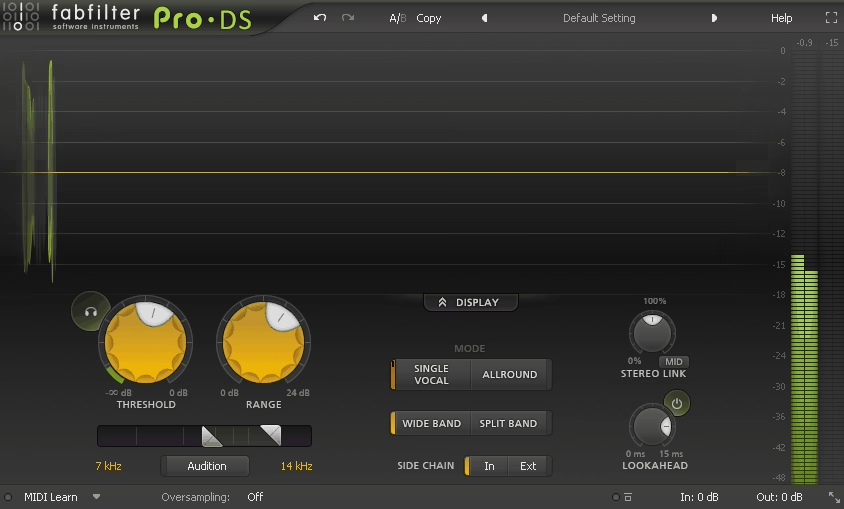
FabFilter has released another great-looking plugin. This time, I want to talk about their de-esser.
Even with high-quality microphones, harsh “S” sounds can stand out after you add compression or saturation. That’s where Pro-DS helps. It’s a smart, clear de-esser that automatically finds sibilance and controls it without making the sound dull.
I like how naturally it responds, almost as if an engineer is listening and adjusting in real time. It’s one of those plugins that you barely notice, but it instantly makes everything sound more polished.
Here’s what it offers:
- The Single Vocal detection algorithm targets sibilance in vocal recordings with precision and adapts to each phrase as it goes.
- Allround mode is useful for more than just vocals. You can de-ess overheads, guitars, or even a full mix without unwanted side effects.
- It offers up to 15 milliseconds of look-ahead.
- You can choose between Wide Band or Split Band processing, giving you natural or more focused control over high-frequency reduction.
- Stereo linking and mid/side options let you process only the center or the sides, which is great for mastering or working with group vocals.
- It features four times linear-phase oversampling.
- There’s also a built-in real-time spectrum analyzer.
8. Waves IDX Intelligent Dynamics (add energy to your mix quickly)
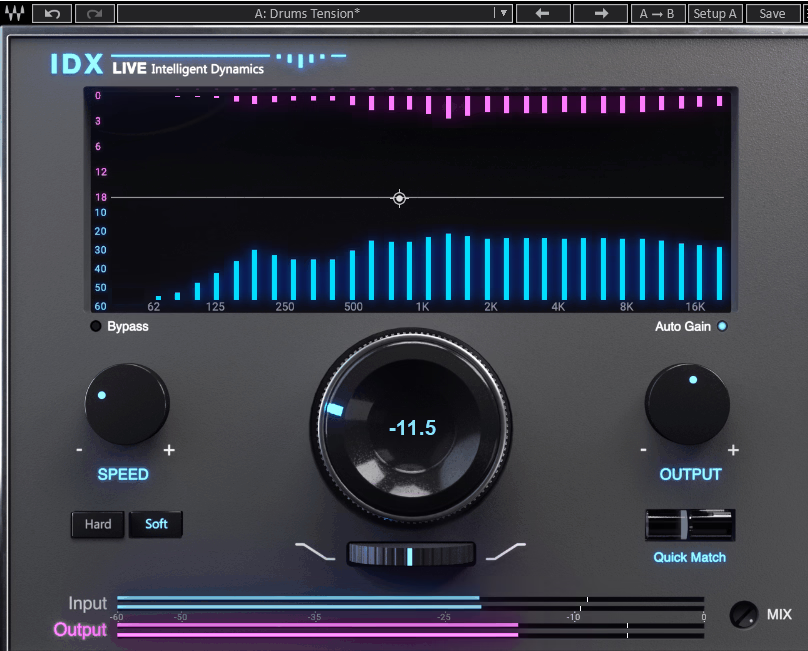
Sometimes your mix sounds flat. All the parts are there, but nothing stands out. That’s when IDX Intelligent Dynamics comes in. It listens to your track as it plays, finds which frequencies are taking over, and balances the energy so your mix feels tighter and more lively.
No more struggling with the compressor. Just turn one knob, and everything falls into place.
- Smart energy optimization checks your audio with up to 32 frequency detectors. It adds compression only where needed, giving your mix instant punch and focus.
- The progressive attenuation algorithm responds to energy build up as it happens. This prevents harsh over-compression and keeps your mix sounding natural.
- Quick Match control lines up your input and output levels automatically. It balances the gain in less than a second, so you get consistent A/B comparisons.
- You get two response styles: Hard mode for sharp sounds like drums and percussion, and Soft mode for vocals, bass, and instruments that need smoother control.
- There’s also a zero latency version.
- You can use it anywhere from on individual tracks, buses, or even the master chain.
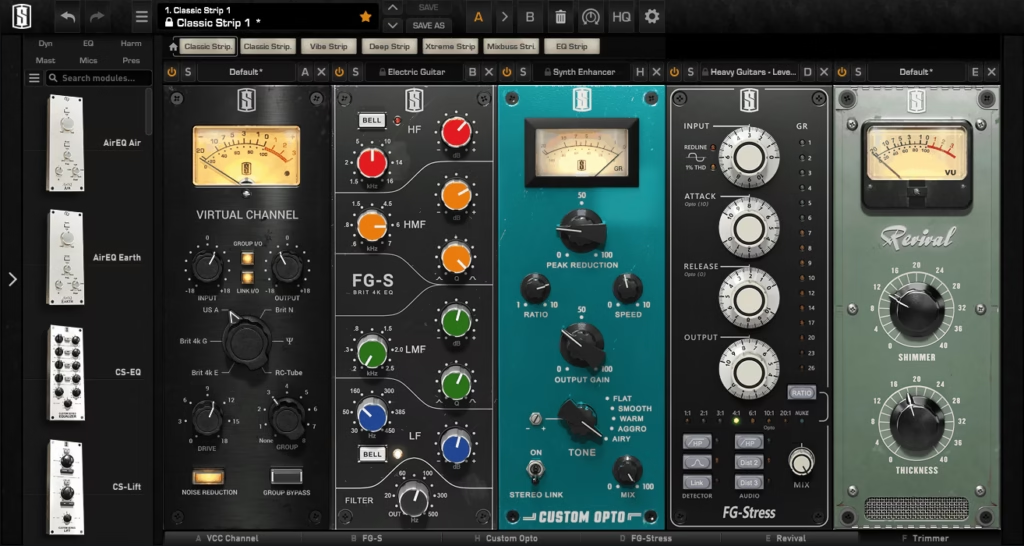
9. Slate Digital Virtual Mix Rack 3 (ultimate analog channel strip)
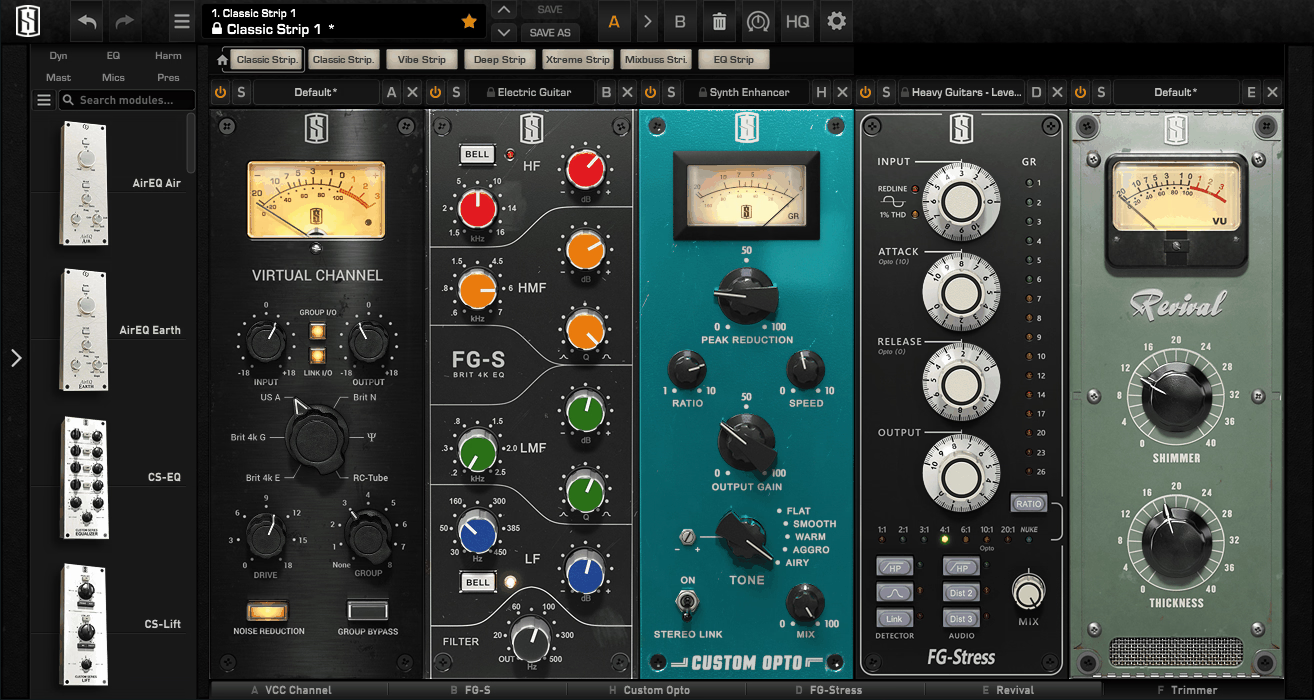
Do you spend hours shaping your sound, trying to make every track fit together? With the right tools, that process becomes faster and more enjoyable. Virtual Mix Rack 3.0 is designed to help you do just that.
VMR 3 puts a complete analog-style channel strip in your DAW, filled with compressors, EQs, saturators, and gates that sound just like real hardware.
Here’s what’s included:
- Modular Channel Strip Ecosystem: Build your ideal signal chain with a growing set of analog-modeled EQs, compressors, preamps, gates, and saturators. Each module accurately captures the tone, harmonics, and feel of real hardware.
- Dream Strips (Custom Chains): Save your favorite module combinations as Dream Strips for quick access. Perfect for creating your own go-to vocal, drum, or mix bus chains you can load in seconds.
- The Preset Browser gives you instant access to over 500 curated channel strip chains, searchable by instrument, genre, or creator. Load full professional setups in seconds, no need to build from scratch.
- Macro Controls let you link and automate up to 24 parameters in a single chain, giving you powerful control with just one or two easy-to-use knobs.
- Sidechain Input
- Module Gain Trimming keeps your gain staging perfect across up to 8 loaded modules, so your signal won’t clip or lose headroom.
- Interface Scaling
- Drag-and-Drop Workflow
10. Native Instruments Guitar Rig 7 Pro
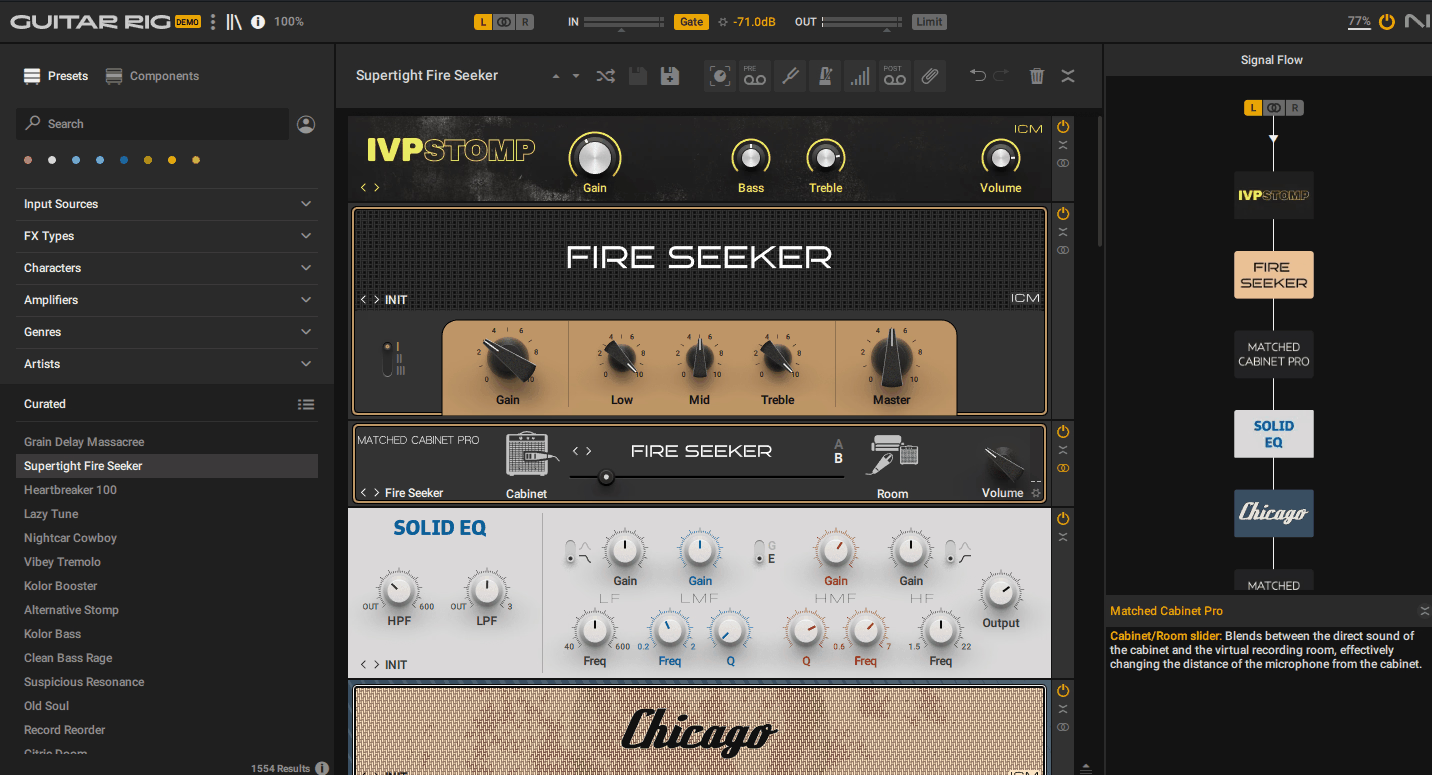
Now, let’s talk about Guitar Rig from Native Instruments.
Trying out different guitar tones is always exciting. You can go for vintage warmth or try out modern, wild sounds; there’s always something new to find. Guitar Rig 7 Pro makes the whole process feel like pure creative freedom.
And it’s not just about amps anymore. It’s a full sound design playground that works for synths, drums, and vocals, not just guitars. Every session feels like a sandbox where I can shape and reinvent my sound without limits.
- ICM Amp Modeling captures how real analog gear behaves, right down to the circuits. It doesn’t just copy the tone; it responds to your playing just like real hardware.
- There are four new amps, each one big, bold, and full of character.
- Lo-Fi features like Tape Wobble and Noise Machine can totally change the vibe of a track. You can add warble, grit, or a VHS-style nostalgia to guitars, vocals, or drums in just seconds.
- Loop Machine Pro makes it great for live use. You can build, layer, and jam on ideas endlessly without ever stopping playback.
- With the Cabinet IR Loader, you can load your own impulses or try curated IRs from producers like Jens Bogren and Kristian Kohle for authentic, mix-ready tones.
- Ozone Maximizer adds instant polish to your sound. It’s perfect for bringing your tone up to final volume without leaving the plugin.
- The signal flow view makes routing really easy. You can see everything, drag modules around, and experiment faster than ever.
This plugin is so deep that it’s easy to get lost in all its features. Still, I recommend checking it out; it’s free to try!
11. FabFilter Pro-Q 4 (ultra flexible mixing EQ)
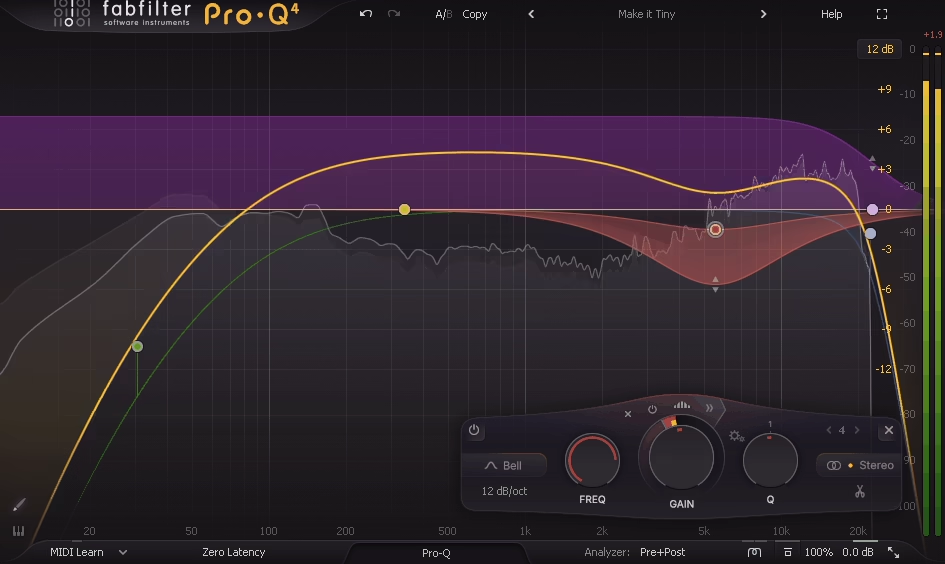
Nailing your EQ can really make or break your mix.
It’s easy to get lost in the details and end up chasing small moves that don’t really help, which is why I like FabFilter Pro-Q 4. It’s clean, quick, and incredibly smart, giving you precision and creativity without overcomplication. The interface feels like it’s built for humans, not just engineers, and it sounds as transparent as digital EQ gets.
There are a ton of features, but here are some of the highlights:
- Spectral Dynamics automatically responds to small, shifting resonances across frequencies. It reduces harshness only when needed and leaves everything else alone.
- The new EQ Sketch feature lets you draw your EQ curve in one go, which really speeds up your workflow.
- The Instance List lets you control every Pro-Q 4 in your session from a single window, so you can manage EQs on multiple tracks without switching between plugins.
- You also get a huge number of presets for almost every category, including both mixing and mastering.
- Character modes add a subtle analog feel, giving sterile mixes some warmth and depth.
- Dynamic EQ on each band responds to the signal level, tightening your tone without over-compressing or making your mix sound dull.
I really think this EQ deserves a spot on the list!
12. Waves Curves Equator (resonance supressor)
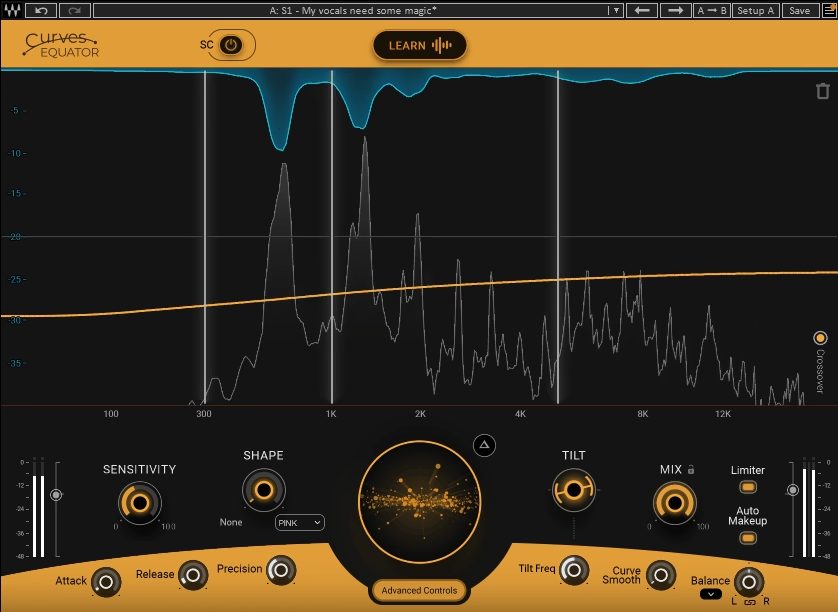
Making a mix sound clean without losing its energy is tougher than it seems. You fix one problem, and another shows up, and soon the mix can feel flat. That’s what made Curves Equator stand out to me. It goes beyond regular EQ by learning from your audio and removing unwanted noise while keeping the character intact.
I recommend using it when you want clarity that sounds natural, not artificial. It works quickly, is transparent, and does a great job making everything fit together.
It has a lot of features, but here are some of the most important ones.
- Smart Learn: With one click, Equator creates a custom suppression curve for your track. There are no templates or guesswork involved.
- The sidechain unmasking engine is impressive. It finds the clashing frequencies between two sources and automatically applies the opposite curve, so vocals and instruments fit together as if mixed manually.
- Shape & Tilt gives you quick control over your tone. Move it for a darker sound, or raise it for more brightness and openness.
- Dynamic Auto Makeup Gain gently boosts the parts that aren’t being reduced, so your mix keeps its energy and the volume stays consistent.
- There’s a zero-latency live version included, which is great for recording or streaming clean vocals in real time without changing your buffer settings.
Honestly, Waves plugins keep improving their user interfaces. My favorite used to be FabFilter’s GUI, but Curves Equator and Clarity Vx Pro have taken things to the next level.
13. Brainworx bx_console amek 9099 (Ultimate Channel Strip)
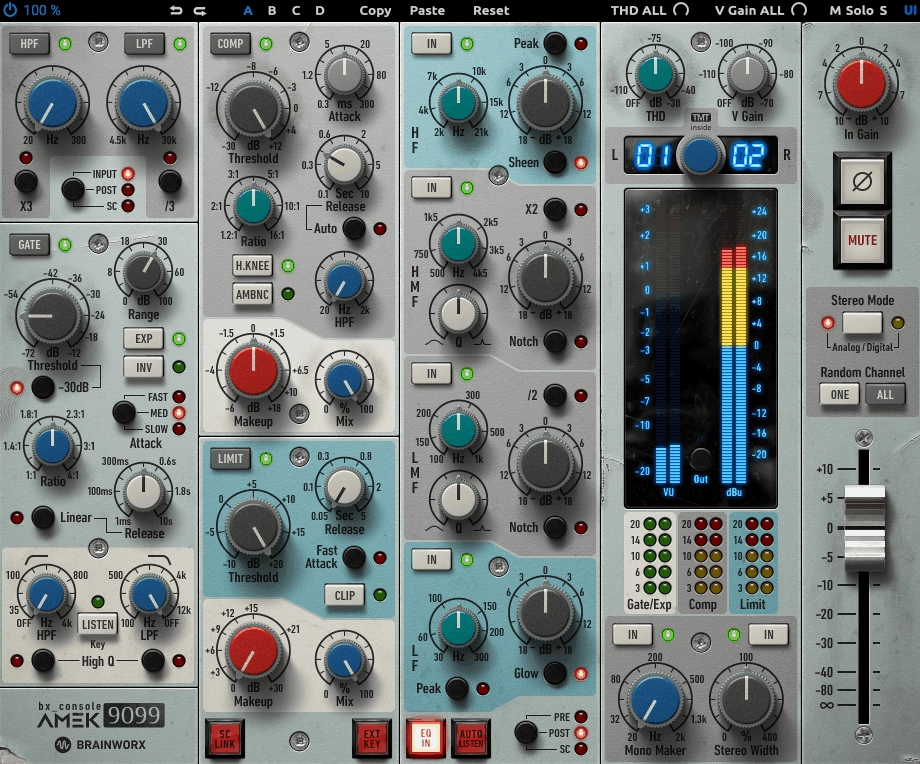
It can be tough to get an analog-style mix on a computer, especially if you want real depth and warmth that digital tools often lack. That’s why I turn to bx_console AMEK 9099.
This plugin captures the sound and workflow of Rupert Neve’s classic Amek 9098i console, but adds features that are useful for today’s mixing. I like that it gives me full control over EQ, dynamics, and stereo image, all while keeping that smooth analog feel.
Honestly, this is one of those channel strips that feels alive. It adds subtle movement, width, and detail you rarely get from other plugins.
- The EQ range is huge. There are four fully parametric bands plus high and low filters, each designed to respond like a real Rupert Neve circuit. The result is a wide, musical sound that’s hard to mess up.
- The Sheen and Glow shelves add smooth highs and lows that instantly make your mix sound more polished.
- The dynamics section is incredibly versatile. It includes a compressor, limiter, expander, and gate, all with flexible sidechains. There’s also an Ambience mode that lets you solo just the compression signal. It can be precise when needed and musical when you want a softer touch.
- There are built-in stereo tools too. Mono Maker centers your low end, and Stereo Width opens up the top end, giving you big, airy mixes.
- TMT technology means each channel acts a bit differently, just like a real console. This gives your mix subtle movement and a natural analog width.
14. Neural DSP Mantra (vocal chain)
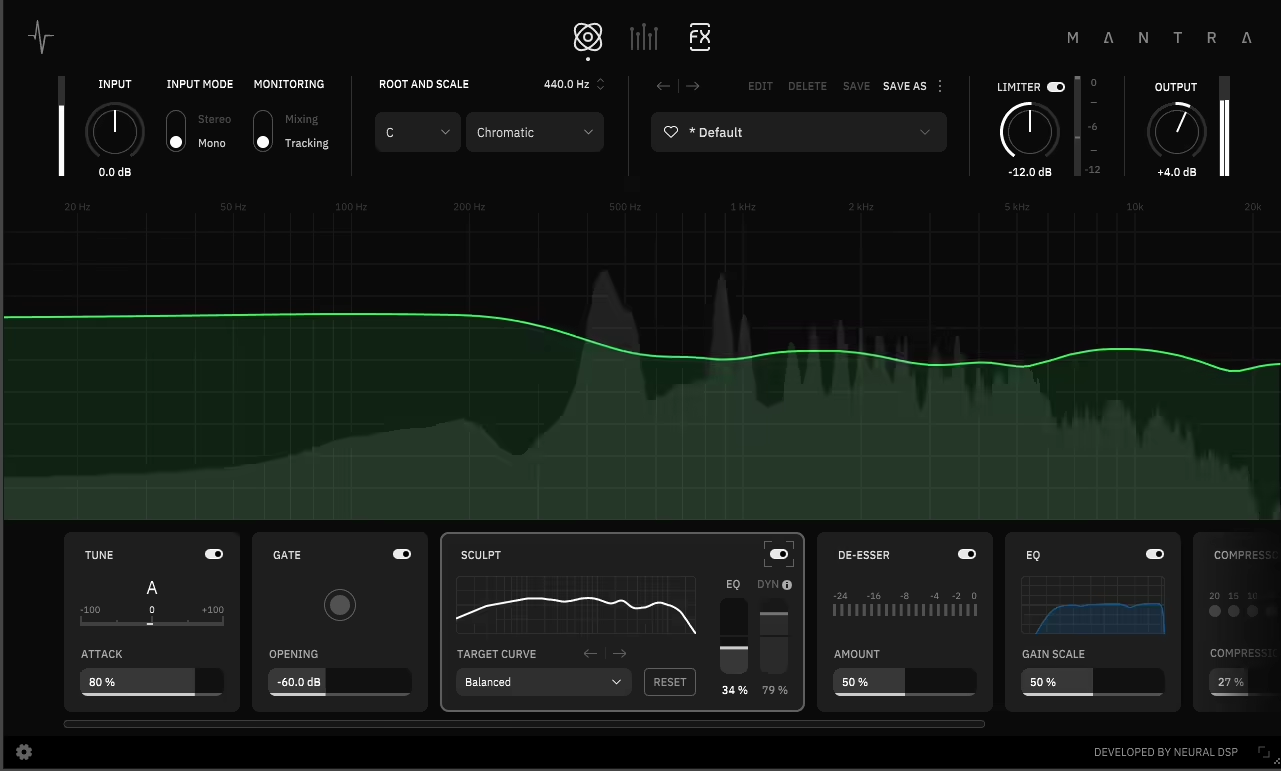
Most of us have spent half a session stacking a tuner, gate, compressor, EQ, and reverb just to get one vocal chain right. By the time it’s done, the creative spark is gone.
Mantra VST changes all of that. It puts a full vocal studio into one plugin, and the best part is that it really sounds like real hardware.
You can record, tune, compress, and build harmonies without adding any extra inserts. This keeps your workflow clean, fast, and focused, so you stay creative instead of getting stuck in your DAW. Here’s what you get:
- The Correction Section handles tuning, gating, de-essing, and tone shaping in one place. This means you get clean, controlled vocals without needing to stack multiple processors.
- The Multimode Compressor offers three types of compression: Tube, Stress, and Multi. These cover everything from warm vintage sounds to modern, tight control.
- The harmonies engine lets you layer up to eight extra voices instantly. You can create natural doubles or full choirs, with built-in pitch and timing variation.
- Tracking and Mixing modes keep latency low while you record, and then unlock full-resolution processing when you’re ready to polish your vocals.

Hello, I’m Viliam, I started this audio plugin focused blog to keep you updated on the latest trends, news and everything plugin related. I’ll put the most emphasis on the topics covering best VST, AU and AAX plugins. If you find some great plugin suggestions for us to include on our site, feel free to let me know, so I can take a look!