
Hey metalheads, here are my top picks for metal plugins to help you create killer tracks in 2026.
Metal mixes can fall apart quickly if the foundation isn’t right; you likely ruined enough riffs to learn that the hard way. If the gain smothers the mids, the riff goes ghost. If the bass gets muddy, the whole track sounds unclear. And if the drums don’t hit hard, everything feels flat.
For me, the real challenge isn’t just making things heavy. It’s about keeping the sound clear and aggressive at the same time.
These plugins are my go-to choices because they hold up under pressure. They let me turn things up without losing clarity, add distortion without making everything messy, and keep the low end big without it taking over the mix.
I use these tools when I want guitars to sound sharp, bass to hit hard, and drums to feel energetic instead of just loud. That being said, let’s dive into the 17 plugins that help keep your metal mixes clear, powerful, and hard to ignore.
1. Solemn Tones Odin III
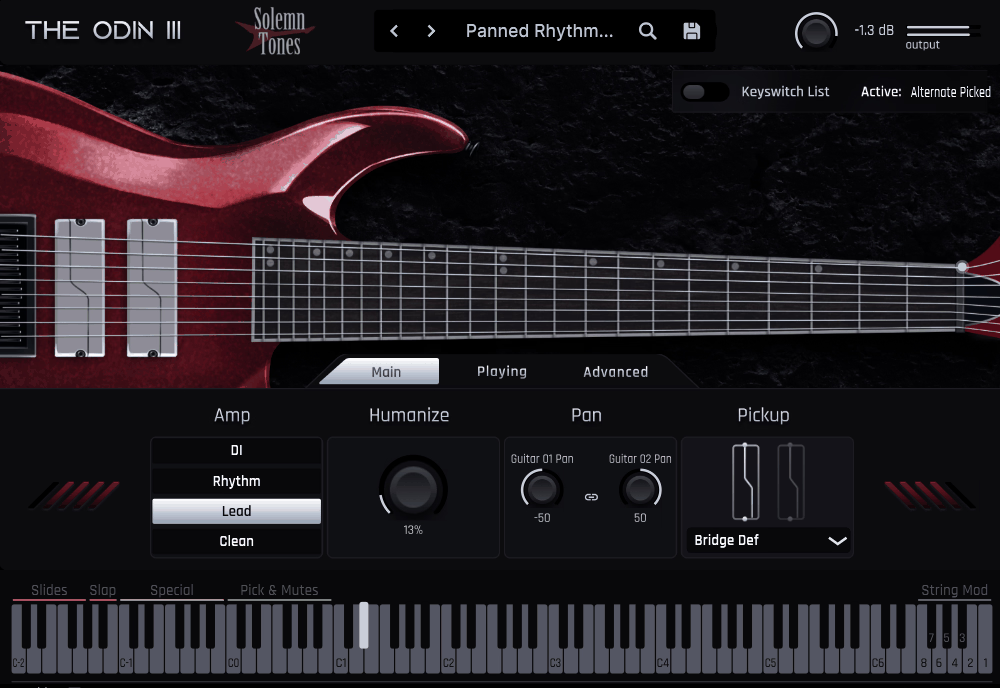
ODIN III responds quickly, has convincing accents, and delivers great tones. It doesn’t just imitate metal guitars but feels like you’re playing one.
Odin III is perfect when you want to start riffing right away and edit later, without dealing with tricky velocity layers or stiff, robotic phrasing.
The interface is simple and easy to use. You get four tone modes at the top, including DI, Rhythm, Lead, and Clea, plus an articulation preview and a clear view of each string’s activity. I didn’t need a manual because it feels like it was designed by someone who actually writes guitar parts in a DAW.
- 31 Articulations
Unlike most plugins where you just hit a keyswitch and hope for the best, ODIN III handles slides, scrapes, palm mute variations, bends, and harmonics with a rare level of nuance for sampled guitars.
Fast alternate picking stays tight, sustained chords sound full instead of flat, and pinch harmonics really stand out.
- Voicing Control Across the Neck
You can choose which string ODIN III uses for each note, which makes a bigger difference than you might think. Keeping riffs on the lower strings changes the tone’s weight, especially for 7- and 8-string parts. Auto mode is good, but manual string control makes it sound even more realistic.
- Human Error That Adds Personality, Not Sloppiness
The Human Error panel doesn’t just add random messiness. It introduces small details like finger repositioning, pick inconsistencies, and left-hand noise. These subtle touches help avoid the flat, lifeless sound of MIDI guitars. I usually set it lightly, just enough to add some life.
- Use the Built-In Amps or Go DI
The amp modes (Rhythm / Lead / Clean) are ready to use and punchy. When I want more control, I flip to the Clean DI and run it through my own amp chain, which works great with Neural DSP, STL, Taranov, Ampenstein, etc.
The only downside is that the built-in amp tones are more preset-focused than deeply customizable. Switching to DI mode fixes this right away.
If you write metal in your DAW, whether it’s breakdowns, tremolo picking, prog chugs, or long, heavy chords, ODIN III quickly becomes your go-to tool.
Available in VST2, VST3, AU, and AAX for macOS (including Apple Silicon) and Windows.
2. Ample Metal Hellrazer
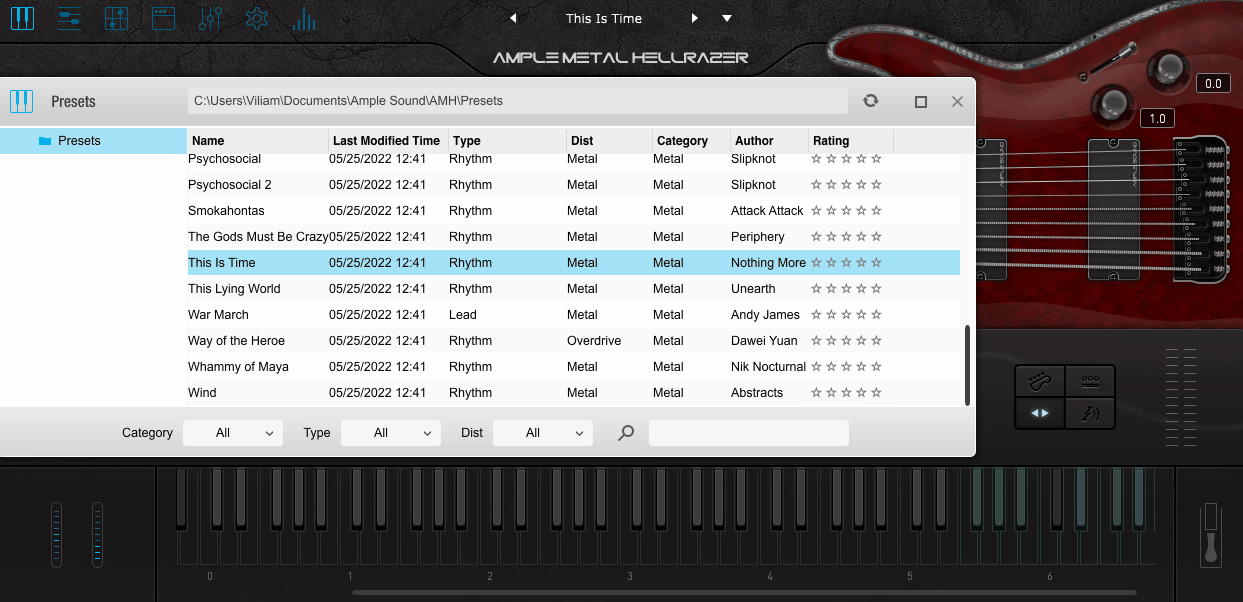
Most guitar libraries make you focus on programming before you can get musical, but Hellrazer does the opposite.
With a MIDI keyboard, I can play riffs, bends, slides, chugs, and harmonics, and Hellrazer responds like a real guitarist, not just a sampler. When I want more control, I can edit every string, articulation, tuning, amp, and mic.
The interface has a lot going on, but it’s designed for guitarists. I didn’t need to learn the GUI—I just followed the instrument, picked a tone, shaped the performance, and used the Riffer or TAB editors when I wanted something exact.
- Riffer Editor
This editor displays the performance by string instead of just pitch. I can program riffs and leads that look like real guitar parts, not just piano roll blocks. Vibrato, picking direction, palm-mutes, slides, and even handling noise are easy to adjust. Dragging the performance into the DAW is a one-step process with no MIDI cleanup required.
- TAB Import + Performance Engine
Importing Guitar Pro tabs and having the playstyle, articulations, and string choices mapped automatically is a big advantage. I’ve brought in full riffs from GP files and they play back with the right accents and mutes, without needing to fix anything by hand.
- Amp Section
There are six amp models (Mesa, Marshall, JC120, Fender, and more), plus cabinet and mic options, so I can go from heavy metal rhythms to clean post-rock sounds with the same instrument. If I want to use my own amp sims, the DI mode works well too.
- Ray 5 Bass Integration
The bass version uses the same workflow, so building full arrangements is faster. It has the same articulation options and interface, so there’s no need to adjust when switching instruments.
The only thing I sometimes miss is a stompbox chain. The built-in effects cover the basics, but if you like stacking boosts, compressors, or unusual modulation, you’ll probably want to use DI with third-party effects.
I use this series when I need realistic rhythm guitars and bass for demos, songwriting, or full productions, and I want convincing, playable tones without spending a lot of time on MIDI details.
Available as standalone, VST2/3, AU, and AAX (64-bit) for macOS & Windows.
3. Aurora DSP Mammonth
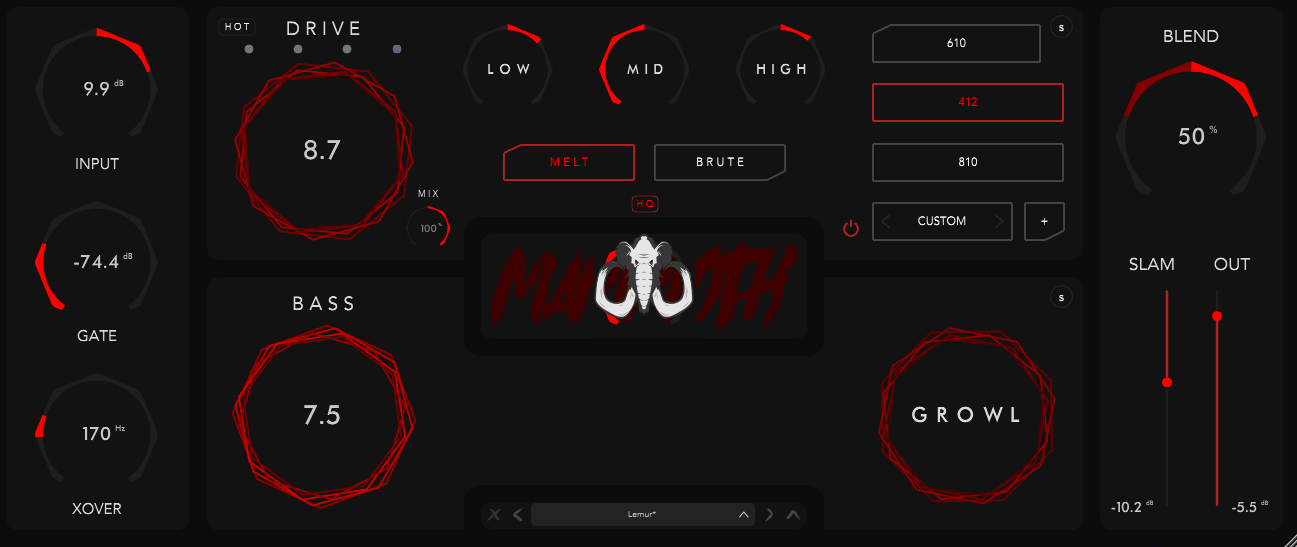
Mammoth is one of my favorite bass plugins because it takes the place of a whole bass processing chain in just one plugin.
I usually split the bass into a clean low end, distorted mids, and sometimes a parallel high grind bus, but Mammoth handles all of that inside the plugin. There’s no need for complicated routing or stacking five plugins. Everything is in one window, with one workflow, and it sounds mix-ready much faster than I expect.
The interface seems made by someone who really plays and mixes heavy music. The main view gives me all the tools I need to shape my tone quickly, and if I want more control, the advanced panels let me dig deeper without making things confusing.
- 3 Distortion Characters
I like that the three drive modes aren’t just small changes; they really alter the bass’s feel. One delivers a sharp, modern metal midrange, another a fuzzier doom growl, and the third fits a gritty punk or alternative sound. I pick between them based on how much room the guitars leave.
- Two-Band Split Processing
The crossover is a standout feature in Mammoth because I can choose exactly where the low end stays clean and where the distortion starts. This keeps the sub frequencies steady so the mix stays solid, while the upper mids cut through the guitars. I usually set the distortion just above the kick’s main punch for a tight, punchy sound.
- Cab/IR Section
The included Aurora IRs blend really well without me having to hunt for them. I’ll pick one punchy cab and one more textured one, blend with the XY panel, and suddenly the sound feels finished. If I want my usual go-to IRs, loading them in is easy, too.
I use Mammoth when I want bass that fits well in the mix but still sounds energetic and aggressive. It works great for modern metal, hardcore, deathcore, and even bass-heavy post-rock and sludge.
Mammoth is available in VST, AU, and AAX formats for both macOS and Windows.
4. Native Instruments Electric Storm (Kontakt Instrument)

Native Instruments’ Electric Storm Deluxe is a virtual guitar that lets you create modern metal riffs, even if you haven’t spent years practicing 8-string polyrhythms.
What caught my attention first is how quickly Electric Storm produces that tight, low-tuned “djenty” rhythm language, without feeling locked inside preset loops. It adapts to your chords and phrasing, so riffs actually feel like they’re reacting to your ideas rather than being pasted in.
The interface is familiar if you’ve used Session Guitarist before. It has a clean layout, patterns assigned to key switches, and gives you instant feedback on what the virtual guitarist is playing.
Melody mode gives you even more options. You can sketch a riff with patterns, switch to a playable mode, and change individual notes or add slides and vibrato, all without changing instruments.
- 270 Modern-Metal Patterns
The riffs included range from tight chugs to syncopated djent rhythms and spacious, reverb-heavy chords. If you want to change something, you can drag the MIDI into your DAW and easily rewrite the rhythms.
- Playable Lead/Single-Note Mode
You can start soloing or write harmonized leads without loading another instrument. Techniques like bends, hammer-ons, pull-offs, and palm-mutes all respond naturally, as if someone really played them instead of just using samples.
- Guitar Rig 7 Pro Integration & 3 Parallel Signal Paths
Tone shaping is especially fun here. You can set up three different amp chains at the same time: a tight high-gain rhythm, a wider cabinet for more depth, and a clean shimmer layer for atmosphere. If you prefer, you can also send the DI signal to Neural DSP or STL.
Electric Storm Deluxe offers modern metal guitar parts that remain expressive, especially for cinematic metal, djent-leaning prog, and textural ambient heaviness.
Runs in the free Kontakt Player and supports macOS and Windows with full NKS integration.
5. Audiority Klirrton Grindstein
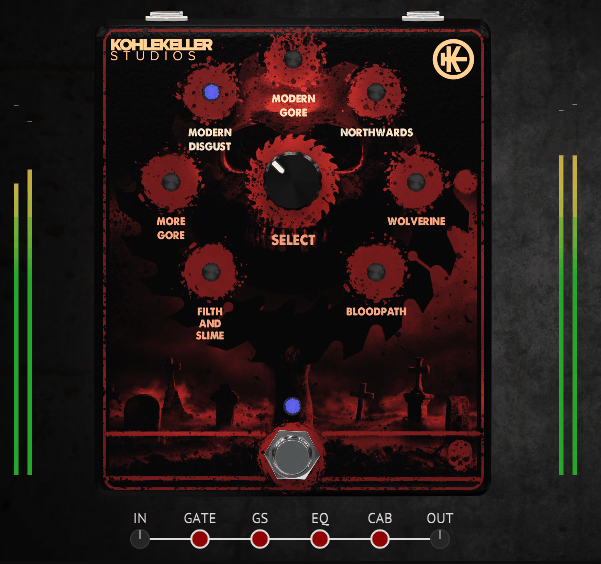
What I like about Klirrton Grindstein is that it doesn’t try to clean up the Swedish chainsaw tone. It keeps it filthy, jagged, nasal, and wild, but still gives you control over it.
Most plugins try to make the HM-2 sound more polite. Grindstein takes a different approach and sticks to the original sound. Somehow, it still fits in a mix without ruining it.
The interface is simple and clear. One distortion path gives you the standard metal crunch, another gives you the wild chainsaw sound, and a blend control in the center lets you choose how intense you want it.
The layout is modular, and once you figure out which controls go with each side of the distortion, it’s quick to set up your sound.
- The Dual Distortion Engine
The real magic is in the parallel routing. The grind channel gives you that sawblade or broken FM radio texture, while the standard channel keeps the tone grounded. I like to push the grind until it gets unstable, then bring back the standard side for more body. This way, you get the wild character without losing punch.
- The Grind Knob
This is where the sound really comes to life. Sustained chords start to gargle, palm mutes get rough around the edges, and chugs have a haunted howl you usually only hear when a pedal is pushed too hard. It’s not just more distortion; it adds movement within the distortion.
- FX Loop Blend for Custom Distortion Chains
Here’s the cool part: if you use the FX Loop switch, you can swap the normal channel for any amp sim you want. For example, you could have a Dual Rec on one side and pure Swedish distortion on the other. This turns Grindstein into more than just a pedal sim, it’s a whole distortion setup.
I use Grindstein when a song needs bite. When riffs should sound like they’re coming from inside a chainsaw mill. When guitars need to snarl instead of shimmer. It’s perfect for death metal, crust, d-beat, blackened thrash, anything that sounds better when it’s ugly in a musical way.
Grindstein comes in VST, VST3, AU, and AAX formats for macOS and Windows.
6. Ampenstein: Black Metallier Amp Sim
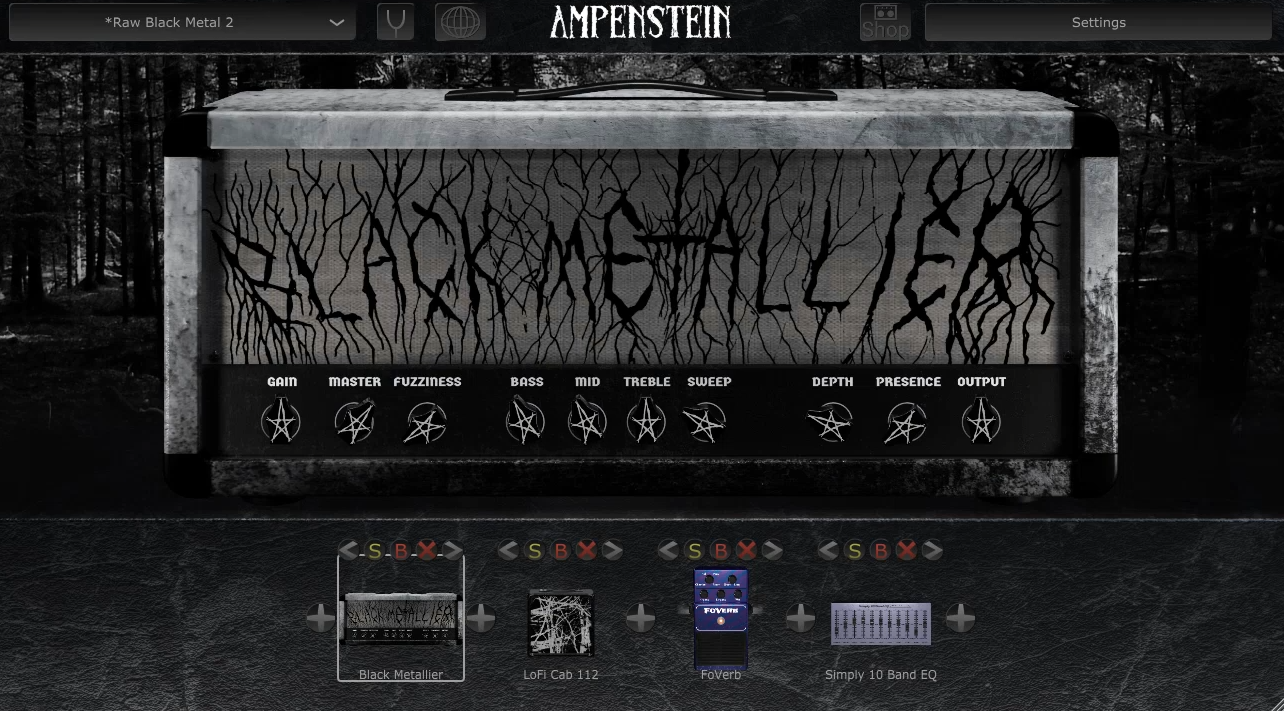
Most amp sims aim to be versatile, but Black Metallier focuses on delivering a raw, sharp black metal sound that feels real, not forced.
When I want that cold, harsh tremolo sound, Black Metallier delivers it in seconds without needing a lot of adjustments.
The interface is very simple, which I appreciate. I can quickly set up the main sound and add pedals, cabinets, or effects without losing the feel. It doesn’t try to look like fancy studio gear; it just focuses on the sound, which is a nice change.
- Black Metallier Amp Core
This is the main part of the plugin and it sounds just right. It’s not too scooped or fizzy, and the focused high-mids help it cut through heavy drums without overpowering the rest. I hardly need to adjust the EQ in the mix.
- 10 Pedals
The pedal section is actually useful. Chugatron adds attack, T-Scream tightens the low end, and the gate and noise suppressor keep things clear even with high gain. I usually run T-Scream into the amp, then gate, then reverb, and it creates that classic second-wave sound right away.
- Cab Section and Built-in IR Loader
There are seven cabinets, from gritty lo-fi sounds to clear modern metal tones. If I want a more personal touch, I use my favorite IRs, which are easy to load into the IR player.
- Post-FX
The High/Low-Cut, 10-band EQ, and Exciter work well together, so I don’t need extra plugins. They’re especially helpful for making tremolo-picked guitars stand out over the bass without sounding like white noise.
If you love black metal, DSBM, crusty thrash, raw punk, depressive atmospheres, or anything that benefits from guitars that feel like a blizzard hitting your face, this one absolutely nails it for me.
Available as VST, AU, and AAX for macOS and Windows.
7. Ugritone Northern Artillery Drums
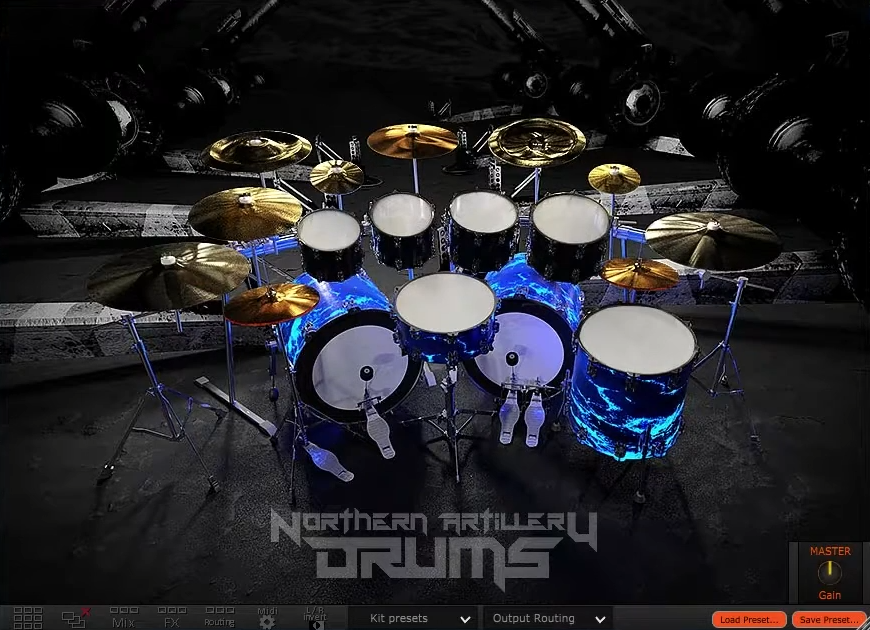
Stratovarius recordings have a certain weight and bite, and you can hear that same character right away in Artillery Drums.
Sharp transient definition on the snare, focused low-mid energy in the kicks, and cymbals that stay clear even when you’re throwing 260 BPM blast beats at them… Artillery Drums is one of those metal plugins that does not offer “generic metal drums,” it’s a very specific northern steel atmosphere baked right in.
The UI uses Ugritone’s usual modular, clickable, and easy-to-use layout. Routing is flexible, kit pieces swap quickly, and resizing works well, which is uncommon. This interface helps you work fast, just write your parts and fine-tune them later.
- Finnish Metal Tone
These kits are set up for clarity, even in dense mixes. The kicks stay punchy, the snares cut through heavy guitars, and the cymbals shimmer instead of getting lost. If you’ve tried making fast double-kick metal sound clear, you know how important this is.
- Two Full Kits
3 kicks, 6 snares, 2 sets of toms, and 19 cymbals means there’s real tonal variety, and not just “louder” or “brighter,” but different character and movement. I found it easy to swap snares mid-session without losing the kit’s identity.
- Load & Layer One-Shots
You don’t need any extra routing. Just drag in your favorite crack, room, or thump samples, or use the 62 included one-shots. It’s easy to layer sounds without opening a bunch of extra plugin windows.
- Flexible Routing + Custom MIDI Mapping
If you want to process shells and cymbals separately, this plugin makes it easy. Multi-out routing works well, and remapping is simple, which is great if you use e-kits, samplers, or MIDI packs.
You can use Northern Artillery for fast drums in melodic death metal, power metal, tech thrash, industrial blast beats, or any style where clarity and aggression are important.
It’s available in VST, VST3, AU, and AAX formats for macOS and Windows (64-bit only).
8. Ablaze Scream (for Screaming Metal Vocals)
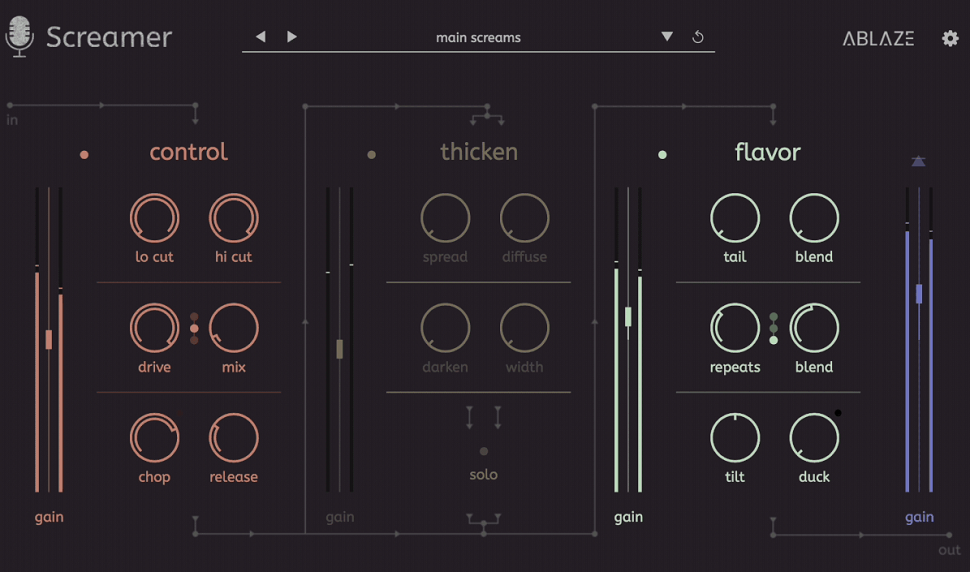
I like how Screamer shapes aggressive vocals while keeping them fitting nicely in the mix.
I’ve tried plenty of chains for metal vocals over the years, and this is one of the few that feels intentionally built for the techniques we use: gutturals, high fry, pig squeals, tunnel throats. It handles all of it without needing eight plugins to glue things together.
The Ablaze VST’s interface is laid out in three modules, left to right, and I appreciated how logical it felt the first time I opened it. Zero-latency means I can monitor with effects on while recording, which makes tracking feel more inspiring than listening to dry mic input.
- Control Module
This section handles shaping and gain structure, with filters to clear mud, clipping and saturation for grit, and a dynamics section that tightens the performance without flattening it. I use the drive almost like a preamp: just enough edge to bring out texture, without collapsing the low end in gutturals.
- Thicken Module
The stereo widening here doesn’t smear the vocal like typical doubling plugins. It uses a comb-filter-based spread that adds size while keeping the consonants centered. It’s one of the few wideners I trust for extreme vocals because it doesn’t turn everything into phase soup.
- Flavor Module
The auto-ducked reverb and delay is the smart part. Ambience pulls back when I scream and blooms when I release. That means I can get atmosphere without losing articulation. I like using this for blackened sections or for the “cavern” effect on spoken growls.
I reach for Screamer when I want finished, punch-ready harsh vocals without building long chains. It’s quick enough for writing sessions and controlled enough for final mix stages.
Available in VST, VST3, AU, and AAX formats for Windows and macOS.
9. TBT Heavier7Strings
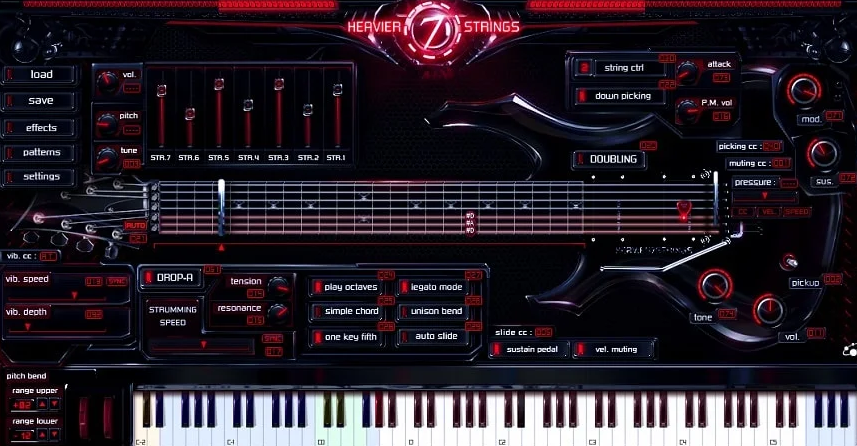
Heavier7String isn’t just another virtual guitar. It really feels like having a rhythm guitarist right inside your DAW.
A lot of guitar VSTs sound stiff or need endless tweaking to feel real. Heavier7String, though, responds with weight, nuance, and that tight modern metal attack, even when I’m just playing chords on a MIDI keyboard.
The amp, cab, and effects rack do most of the work here, and they’re so good that I don’t feel the need to use third-party amp sims like I usually do. The instant double-tracking feature is especially satisfying, with thick rhythm walls that require no editing or copy-paste.
- Real-Time Playability
Hammer-ons, pull-offs, slides, tremolo, chugs, and vibrato all respond naturally to how you play. The plugin tracks articulation in a way that actually feels like a guitar, not just a sampler. When I play palm-mutes or want pinch harmonics to stand out, it reacts right away, no need to dig through menus.
- Deep Performance Control
There are key switches and CC controls for nearly everything: string selection, mute intensity, chord shaping, unison bends, pickup switching, and even string tension.
It’s the rare “deep system” that doesn’t punish you for not mastering it on day one. I can get convincing riffs quickly and refine realism later.
- Full Amp and Effects Suite
16-amp models, 66 cabinets, and a full effect rack (including a Screamer, flanger, ping-pong delay, etc.) make it a full, record-ready chain. I’ve run the FX rack by itself on real guitars; it holds up shockingly well.
- Groove and Pattern System
300 MIDI patterns organized by style, all drag-and-drop. The best part is analyzing how they program realism: note length, ghosting, micro-timing, etc. It’s like free guitar arrangement lessons baked into the plugin.
If you produce metal and want tight, downtuned rhythm guitars without recording, this thing delivers the “7-string djent wall” sound with almost zero fuss. I reach for it when I need precision and weight, especially for modern metal, deathcore, groove metal, and industrial rhythm stacks.
Comes in VST2/VST3, AU, and AAX (64-bit) for macOS & Windows.
10. Bogren Digital Krimh Drums
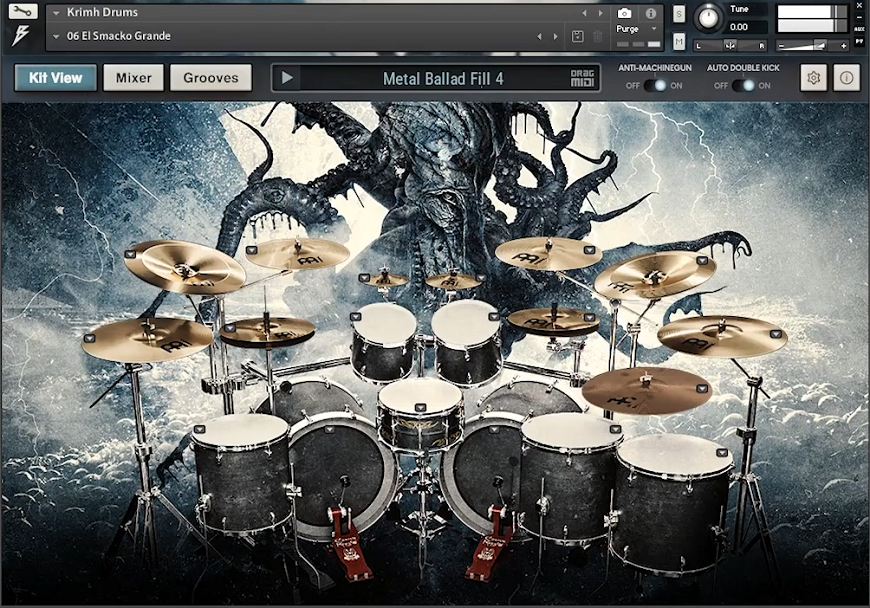
Krimh Drums doesn’t have the stiff, over-edited sound you often hear in sample libraries. Instead, it brings real impact and movement, with small timing shifts and tone changes that make metal drums sound alive.
Once you load it and play a few notes, the groove already feels like there’s a real drummer playing.
The Krimh Drums layout puts everything you need up front like mixer, articulation controls, and humanization tools, so you don’t have to search through menus. I didn’t have to worry about routing or setup. I could just shape the drums as I would on a real console.
- Kerim “Krimh” Lechner’s Playing Captured in Detail
These aren’t generic metal drum hits. There’s weight in the kicks, the snares crack without turning plasticky, and the cymbals decay in a way that stays clear in blast beats. Fast parts don’t smear, everything holds together, even when tempos get ridiculous.
- Mixing Tools Built In
The compressor is set up for heavy music, not just basic compression. The saturation ranges from a slight thickness to a strong tape-like growl. Transient shaping gives the drums a real sense of attack, not just more volume. All of these tools feel built-in and work together like a well-set drum chain.
- Groove Library That Actually Helps
The included MIDI grooves aren’t just filler. They’re well-structured, fit the style, and are easy to edit. Sometimes I use one in a song sketch to see how a riff feels with different drum patterns, and it often changes how I write.
One thing to keep in mind is that Krimh Drums runs inside Kontakt. If you haven’t used Kontakt before, there’s a short learning curve, but it’s not difficult.
Krimh Drums works best for modern death metal, blackened styles, progressive metal, or any genre that needs speed and power but still sounds human.
It works in the free Kontakt Player on both macOS and Windows, and supports multi-out and NKS features.
11. Shreddage 3 Hydra
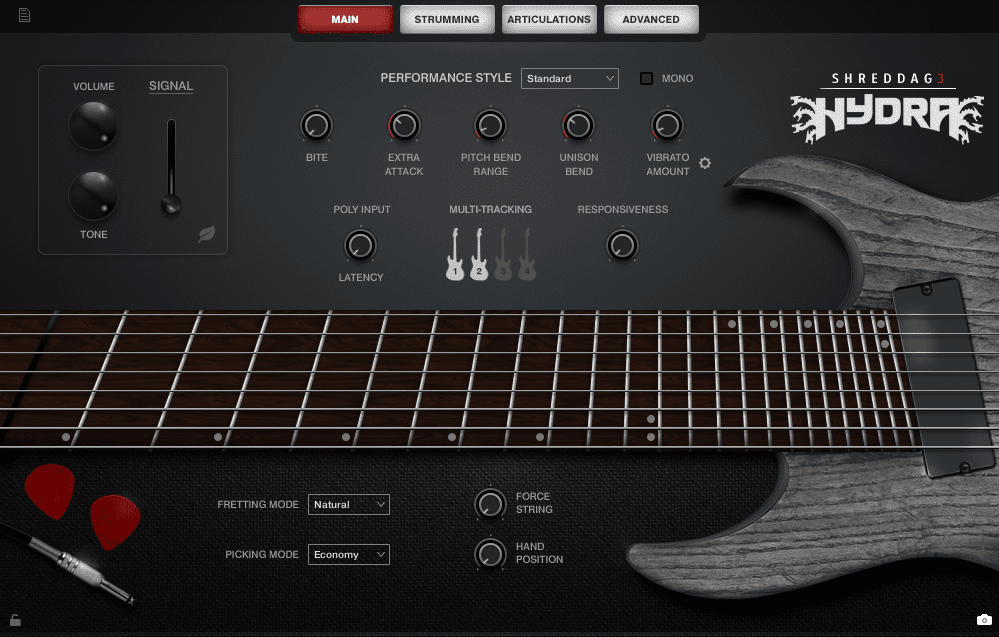
Shreddage 3 Hydra hits the perfect balance between the power of an 8-string guitar and realistic sound.
The pickups sound very clean, so even low-tuned riffs stay clear instead of getting muddy. When I load Hydra, the first thing I notice is how natural it feels to play. Fast palm-mutes, smooth slides, and long leads all respond like a real guitar, not just a collection of samples.
The interface is easy to use and lets me make changes quickly. I can see and adjust articulations and string behavior easily, and the Console FX rack means I don’t need to switch between different plugins to shape my tone.
- Two Distinct Fluence Pickups
The bridge pickup sounds tight and punchy, which is great for rhythm parts where every note needs to stand out. The neck pickup gives leads a smooth, clear sound that stands out in a busy mix without being harsh.
- Full Articulation Depth (Without FeHydra covers everything: palm mutes in different strengths, power chords, harmonics, slides, tapping, and vibrato, all sampled for each string. Once I learned the controls, writing dynamic parts felt natural. felt really natural.
- Riffer, Poly Input & TACT 3.0
Instead of just triggering notes, Hydra interprets the guitarist’s logic behind them. Chords voice themselves realistically, legato transitions sound fluid, and TACT makes remapping articulations super straightforward when I want a custom workflow.
- Console Effects Rack and Cabinet System
The built-in amps, distortions, EQs, and cabinets are strong enough that I often don’t even reach for third-party amps. When I do want my own chain, DI mode plays perfectly with external sims like Neural DSP or STL.
The only learning curve is getting used to the articulation system for smooth leads. Once you get the hang of it, the realism really stands out.
Hydra is my go-to guitar when I need both weight and clarity in a track, especially for prog metal, djent grooves, or cinematic rock layers.
It works in the free Kontakt Player and is fully compatible with both macOS and Windows.
12. Nembrini Audio EN Hardball Metal Head
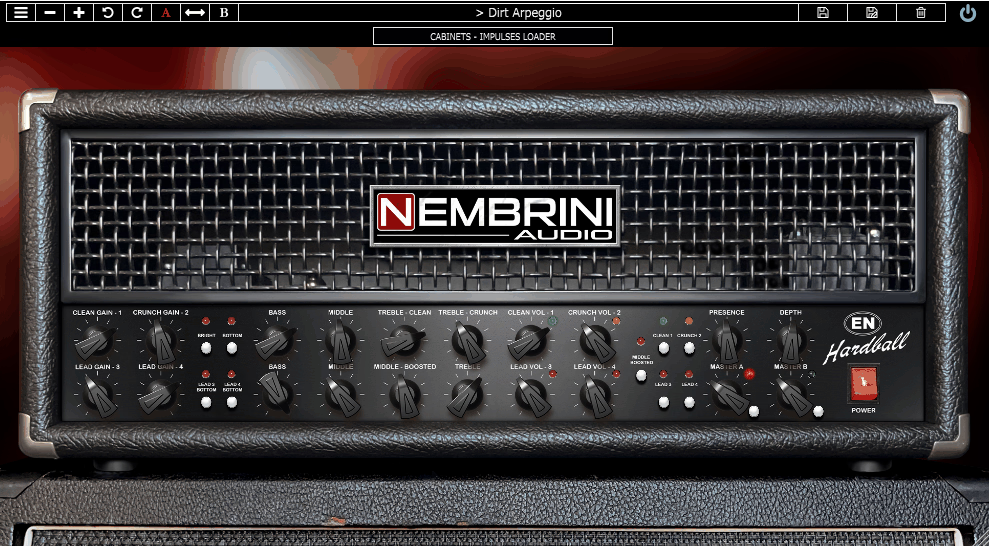
En Hardball Metal Head delivers the ENGL Powerball II sound for modern metal, with tight, punchy, and aggressive tones that stand out in a mix.
What stood out to me first in EN Hardball Metal Head is how steady the gain response is on all four channels. You can switch from clean to Crunch to heavy distortion, and the tone stays solid without getting fizzy.
Drop-tuned guitars really shine with this amp. Notes stay clear, palm-mutes hit hard, and the low end remains tight.
The interface is straightforward, with everything easy to see and adjust. With four channels, shared power amp controls, and a clear cabinet/mic page, shaping your tone is quick. You spend time dialing in sounds, not searching through menus.
- 4 Matched Gain Channels
Each channel transitions smoothly to the next, with no sudden volume changes or loss of tone. The Clean channel is bright, Crunch has edge, and the high-gain modes give you the tight aggression needed for modern metal.
- Targeted Tightening Filters
The Tight, Rumbling, and Harsh filters let you shape the lows and highs without losing your main sound. The Tight filter is especially helpful for 7- and 8-string guitars, keeping chugs sharp instead of loose.
- Practical, Fast Noise Gate
The noise gate responds fast enough for sharp, staccato playing but doesn’t cut off your sustain. The Range control helps you balance a clean stop with a natural fade.
- Cab and Mic Mixes
You get 6 cabinets, 4 mic models, and a full blend mixer. There’s no guessing about mic placement, simply adjust, listen, and keep going.
If you want an amp that handles downtuned metal rhythm work without turning to mush, En Hardball does it immediately, without needing extra EQ plugins to clean it up.
It’s available as VST2, VST3, AU, AAX, and also works on iOS for iPhone and iPad.
13. Shreddage 3 Jupiter
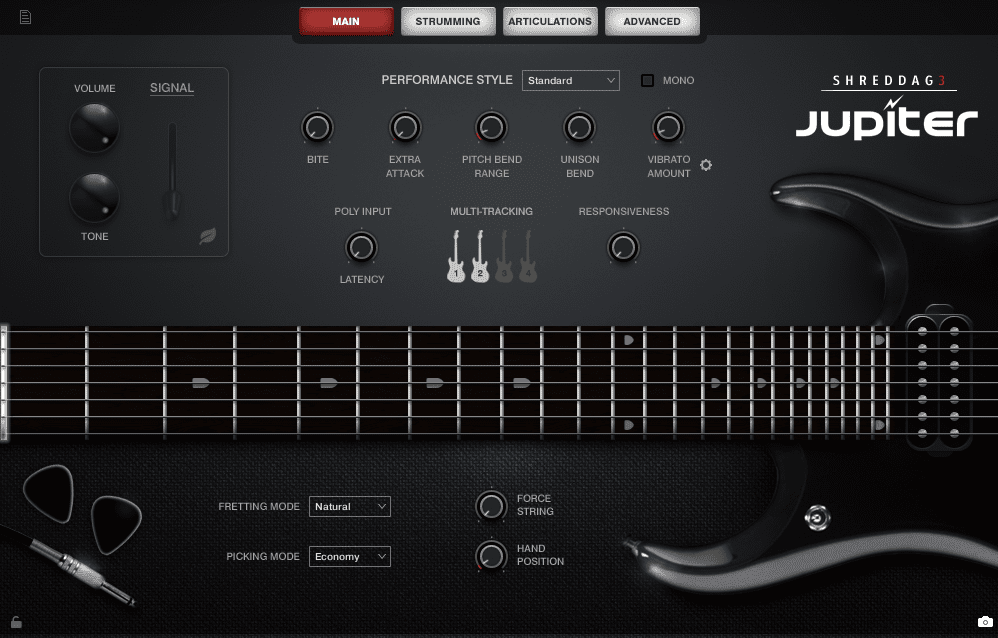
Jupiter by Shreddage is another great metal plugin. In a mix, the low strings stay clear and don’t get muddy, which makes it perfect for heavy rhythm parts. Unlike some virtual metal guitars that sound gritty or too scooped, Jupiter has a full, warm midrange that adds real weight to riffs.
- 7-string tone with Drop-A tuning
Jupiter really shines here because the low A sounds tight and controlled. I don’t need to use EQ to remove muddiness since it already acts like a well-recorded, in-tune guitar. I reach for it when I want rhythm guitars that feel heavy, not just distorted.
- Warm Midrange
Some virtual metal guitars sound harsh when you layer tracks, but Jupiter stays smooth, even when double-tracked. That’s a big deal for me when writing modern metal with lots of leads, pads, and synths, because everything fits together without clashing.
- Built-in Multi-tracking
The built-in multi-tracking switch is such a workflow gift. I used to manually pan and duplicate instances; this eliminates that headache. The articulations (palm mutes, sustains, legato, slides, vibrato) respond naturally, so riffs and runs feel alive, not “sample-sequenced.”
Jupiter is my go-to for slamming rhythm sections, djenty low-string chugs, and modern metalcore riffs that deliver weight without noise.
Comes in VST, AU, and AAX formats for macOS and Windows users.
14. Ugritone Kvlt Drums II
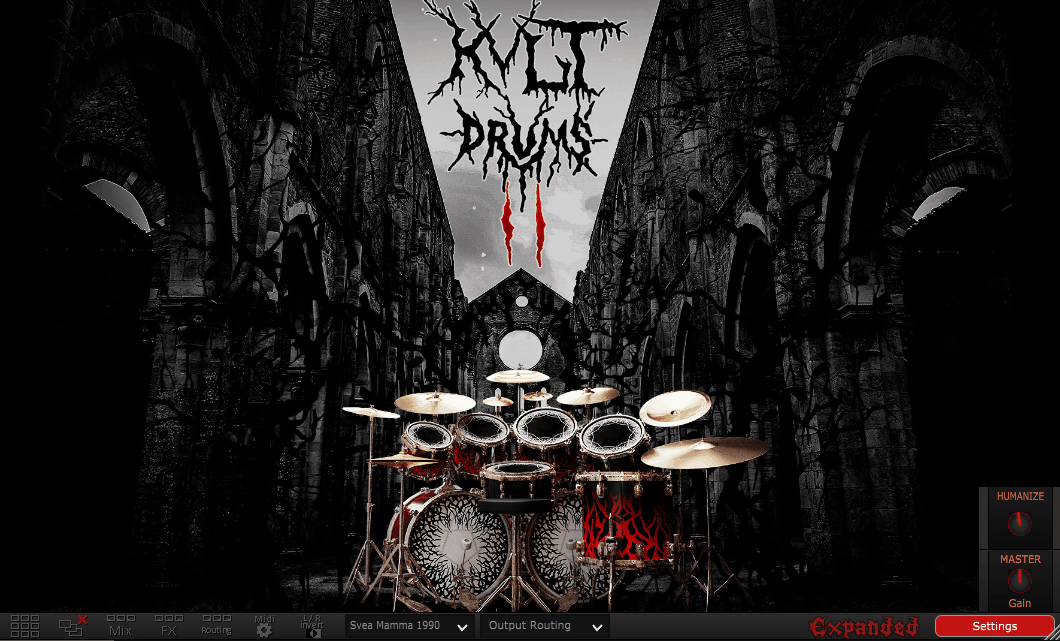
This drum plugin brings out the raw, gritty energy you’d find in underground black metal, early death metal demos, and classic thrash rehearsal rooms.
Ugritone Kvlt Drums II isn’t about sounding perfect. It aims for a real feel, with cabinet vibrations, loose kick heads, ringing snares, and cymbals that sound raw. If you love that dirty, early ’90s drum sound, this delivers right away.
The interface is simple and easy to use. Just load your kit, choose a preset, adjust the tuning or velocity if you want, and you’ll get that classic, raw Norwegian shed vibe.
- Raw Drum Character
The kicks sound natural, the snares ring out, and the cymbals have a roomy, wild feel. I reach for KVLT II when I want drums that feel lively and a bit unpredictable, not overly polished.
- Speed Metal Expansion
This expansion really fills out the “fast, grinding, relentless” side of metal drumming. The toms feel massive for fills, and the kicks hold their definition even at blastbeat speeds.
It’s perfect for early Slayer, early Sepultura, and Swedish chainsaw riff styles. I use it for fast, tremolo-picked guitar demos, and it fits right in.
- Wide Kit Variation
You get multiple snares, kicks, tom sets, and over 15 cymbals right in the expansion and when that’s not enough, you can drop in your own WAV/AIFF/FLAC samples. I like blending their gritty snare with my own tight clicky kick to make something that’s half-dead demo tape / half-modern punch.
One thing to know: KVLT Drums II is not a glossy modern metal drum library. So, if you want polished djent/metalcore tightness, you’ll likely need additional processing or a different tool.
It’s available in VST, VST3, AU, and AAX formats for both macOS and Windows.
15. KUASSA Creme
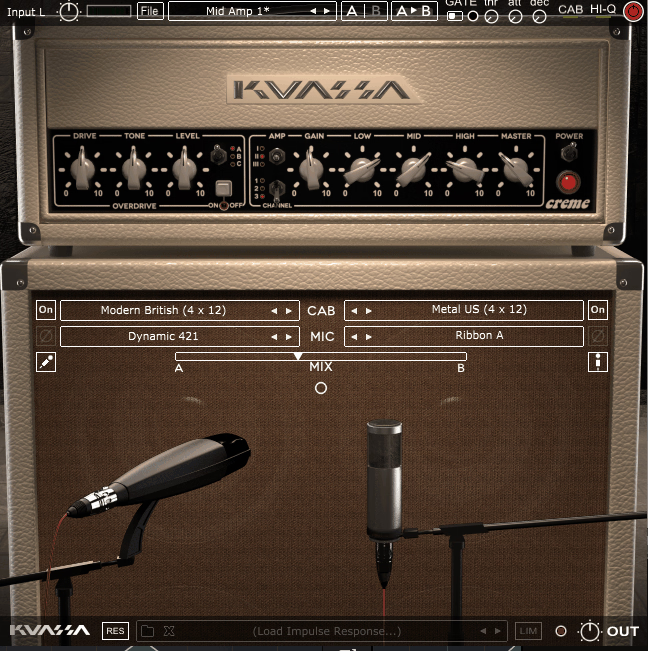
To wrap up, Amplifikation Creme is a solid metal amp that really gets that dark, chunky, high-gain sound without turning muddy.
Many metal amp sims sound either too fizzy or too scooped, but Creme finds a good balance. The mids have a nice growl, the lows stay tight, and the highs are clear.
I’ve used Creme for everything from sludgy doom riffs to modern djent rhythms, and it always delivers. It feels like a real high-gain tube head, but without the noise, heat, or angry neighbors.
The interface is really straightforward, just like other Kuassa products. Head, cab, mics, and overdrive are all laid out clearly, so you don’t waste time searching through hidden panels or advanced tabs.
- 3 Built-in overdrives
This is my favorite feature: Creme comes with three overdrive options that work just like real pedals in front of the amp. I pick the “Sharp” style for tight, precise djent tones, and the “Full” option for a warmer, smoother sound. It’s like having a TS9, a boutique mid-boost, and a heavier drive all in one place.
- 3 Amp Types and Dual-Miking
The Lead I and Lead II channels are where Creme really shines. Lead I gives you a tight, classic high-gain punch, while Lead II adds more low-end without losing clarity.
The dual-mic setup is extremely easy. You just drag the mics around the cab and you’re set. I like blending a 121 and 57 for big rhythm sounds.
- 5 4×12 cabs + impulse loader built in
You’re not limited to the built-in cabinets. Add your favorite IRs and Creme takes on a whole new character. I use my Mesa/OS IRs here, and it’s instantly ready for an album with no extra work.
- Noise gate and Limiter
The noise gate is tight but doesn’t cut off your chugs, and the limiter keeps everything under control when you layer tracks. It sounds clean and musical, and your riffs still have punch.
It’s worth mentioning that Creme isn’t trying to be every amp at once. It’s focused on modern high-gain sounds, and it does that job really well.
When I need quick, mix-ready metal rhythm tracks, Creme is one of my top choices. It handles drop tunings, palm-mutes, tremolo riffs, and chugs with no problem.
Available in VST, VST3, AU, AAX, and Rack Extension on macOS and Windows.
16. ToneLib Metal
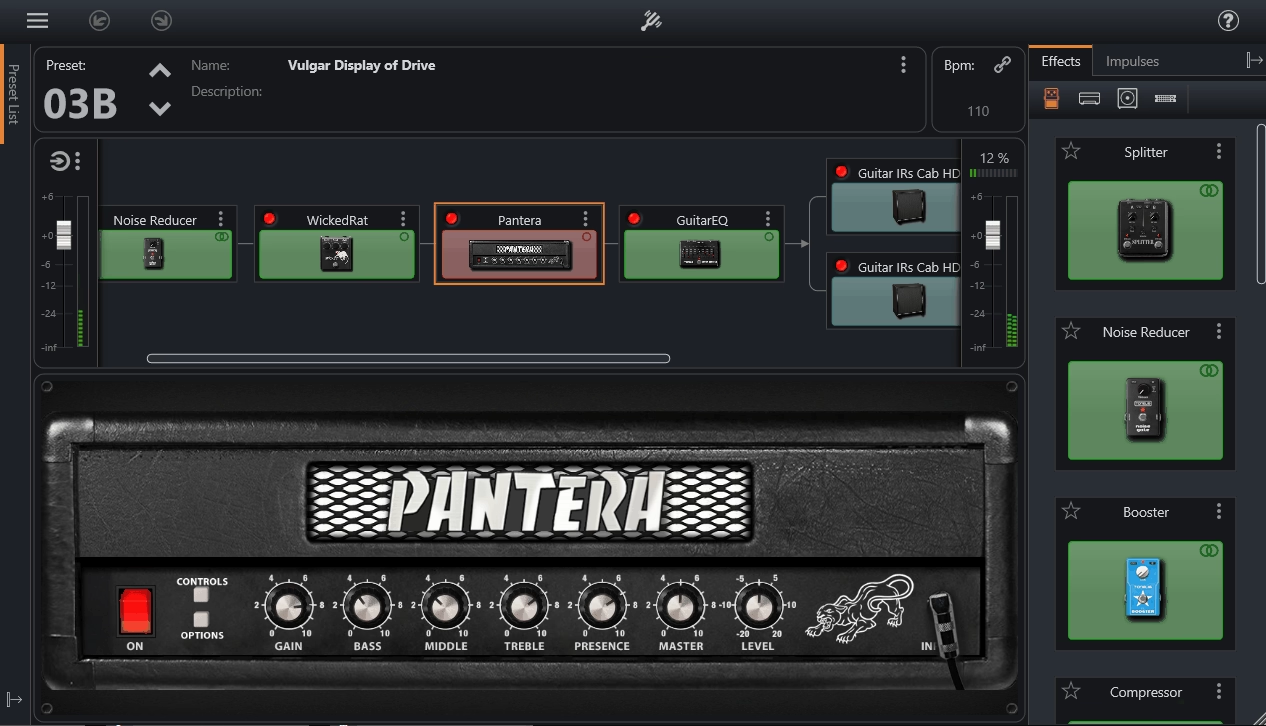
If you want a free metal VST, ToneLib GFX gives you a full set of amps, cabs, and pedals to use at no cost.
ToneLib skips the flashy graphics and complicated menus, so you can set up your sound quickly. It’s made for musicians who want to play right away instead of spending time adjusting settings.
The interface is simple, with a clear drag-and-drop signal chain and easy-to-understand controls. There’s no complicated authorization. I can quickly add pedals, change cabs, and start playing in seconds. It’s a nice change.
- Amps, Cabs, and Effects
What I like most about ToneLib is that it keeps all the tone-shaping features but removes the extra clutter.
Rather than using detailed amp graphics and lots of hidden menus, everything is organized in a simple, clear way. I use it to quickly try out ideas and record them without any hassle.
- Lightweight and CPU-friendly
ToneLib uses very little CPU, which is helpful for older computers. I can run several tracks, re-amp layers, or play live without worrying about latency. It’s also great for practicing or recording anywhere.
The amps sound strong and musical, not thin or artificial. The cabs and drives work better than most other free plugins I’ve used. I also like using it as a multi-effects unit for synths, bass, and vocals.
The only downside is that ToneLib doesn’t aim for super-detailed boutique amp sounds, but it’s great for fast workflow and creative use.
ToneLib GFX is a good option if you want to quickly try out riffs, play without latency, or add effects to other instruments. It’s also a great starting point for new guitarists or producers who don’t want to spend a lot of money.
It is available as VST, VST3, and AU for Windows, macOS, and Linux.
17. Shreddage 3 Argent
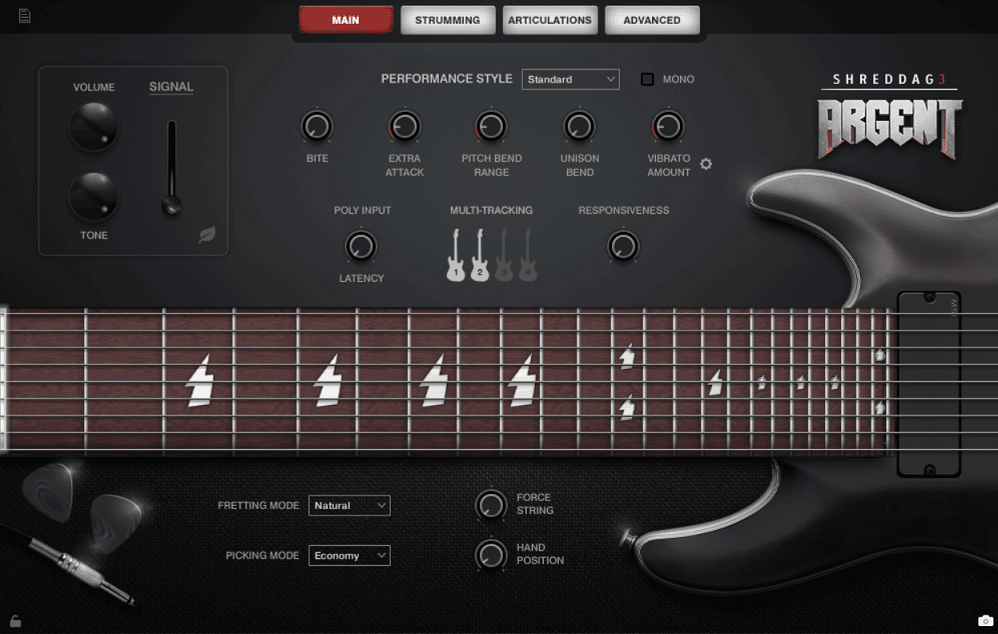
The original Shreddage stands out because it’s so focused. Instead of trying to cover every possible guitar articulation, it just gives you heavy, chugging power chords with ease.
Shreddage lets me get a thick, aggressive rhythm tone right away, without any struggle.
The interface is simple, and everything is mapped out in a way that makes sense right away. It feels like it was designed by someone who understands rhythm guitar workflow in a DAW.
- Power Chords
This is the main reason Shreddage became a classic. The 1-5-1 voicings sound tight, heavy, and stay consistent across the range. I really like how the different mute styles—tight, half, and fast—make riffs feel lively. I use them to shape the groove, and just changing the velocity changes the feel of the part. There’s no hassle or complicated keyswitching.
- Fully Usable Single Notes
Even though the library is all about power chords, the single-note samples are good enough to mix into riffs or accent lines. I’ve used them to add harmonics, slides, or to layer subtle movement under sustained chords. It’s not meant for flashy lead solos, but it’s perfect for riff work.
- Built for Amp Sims
The samples are recorded dry, so you can run them through your favorite amp sim and shape your own tone.
I tried it with Amplitube and Neural DSP and quickly got tones that sounded like real tracked guitars, not fake MIDI guitars. It’s easy to get the exact sound you want.
- TRUE Double-tracking Patches
One of my favorite features is that Shreddage gives you separate round-robin sets for left and right, instead of just duplicating audio. Hard-pan them and you get real wall-of-sound rhythm guitars, with no phasing or obvious giveaways.
I use the original Shreddage whenever I need chunky, hard-hitting rhythm guitars quickly, especially when I want to focus on writing riffs without worrying about performance details or picking up a guitar.
Comes in Kontakt format for macOS and Windows users. (Full Kontakt required.)
Last Words
I think of metal production as controlled violence. You shape distortion, chaos, noise, and weight into something that still feels intentional. The plugins on this list are made for that purpose.
You can use them to build walls of sound, carve riffs that feel like engines, or vocals that sound like they crawled out from under the floorboards. If it shakes your chest when you play it back, you’re doing it right!

Hello, I’m Viliam, I started this audio plugin focused blog to keep you updated on the latest trends, news and everything plugin related. I’ll put the most emphasis on the topics covering best VST, AU and AAX plugins. If you find some great plugin suggestions for us to include on our site, feel free to let me know, so I can take a look!