
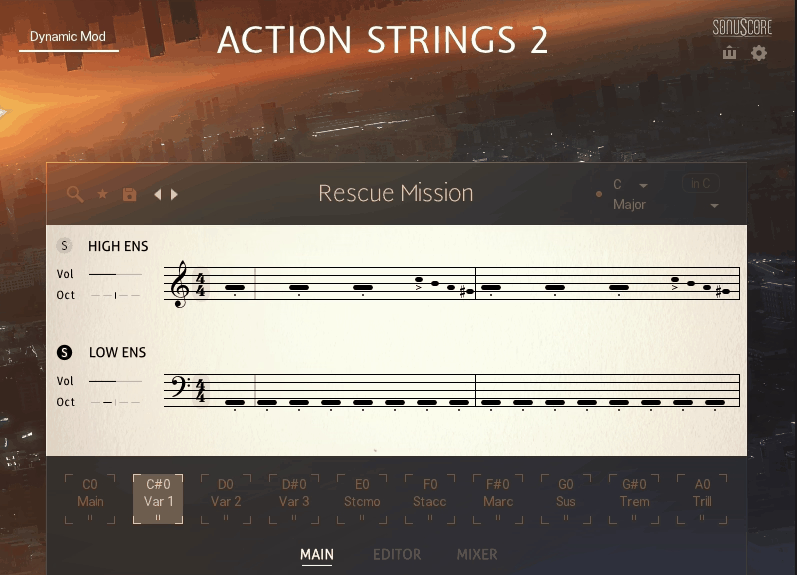
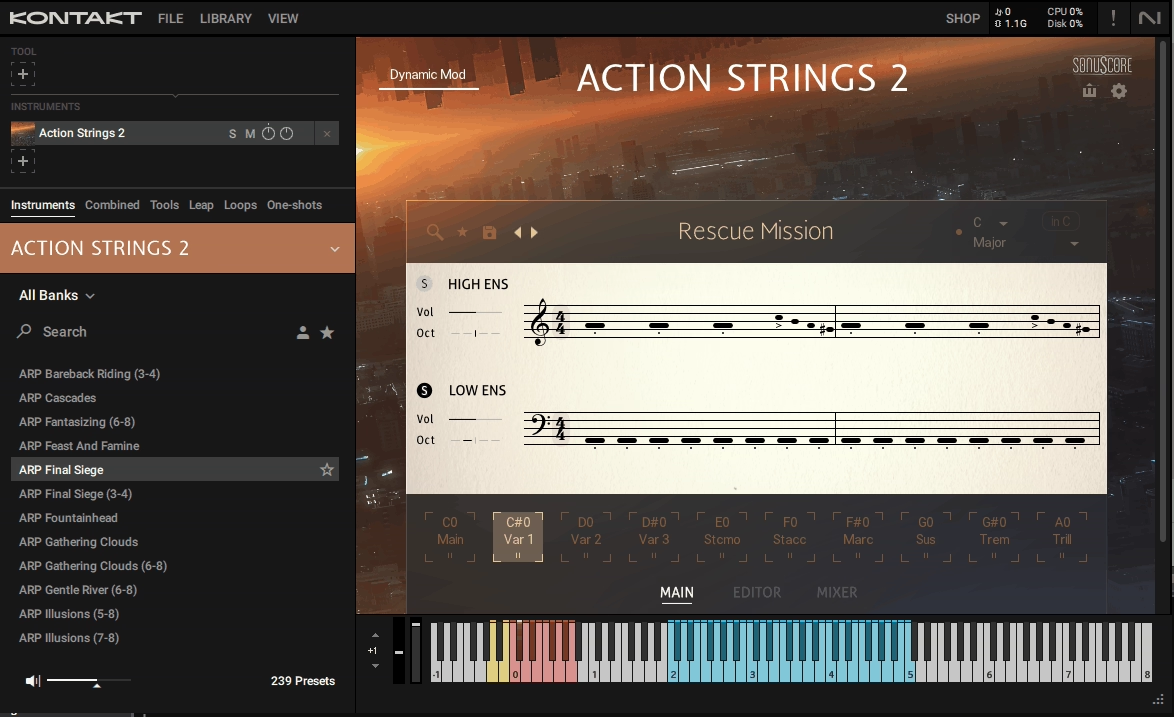
Native Instruments Action Strings 2 takes one of the most beloved phrase-based string libraries of the last decade and gives it a genuine reinvention. Rather than just adding new samples to the original concept, this release rebuilds the engine from the ground up, delivering a tool that feels less like a loop library and more like a flexible string-arranging instrument with real compositional depth.
Developed in collaboration with Sonuscore, the team behind The Orchestra, Emotive Strings, Mallet Flux, and the original Action Strikes, this new version pulls together their accumulated expertise into what’s arguably their most refined product yet.
You get a 41-piece string ensemble recorded at TOM TOM Studio D in Budapest, a clever modular phrase editor, five microphone positions, and a performance engine that actually lets you shape convincing string parts without orchestration expertise.
From the Pluginerds Store
Before you go — if you're putting together or upgrading a home studio setup, we run our own store alongside the blog at Pluginerds Shop. Everything on it is picked by people who actually make music, not sorted by whoever paid for placement on a marketplace. Worth a look if you're filling in the gaps in your setup.
Visit Pluginerds ShopThe Sound
Let’s talk about what you’re actually hearing when you start playing through the library. The strings have a polished, slightly dry character that sits beautifully in cinematic mixes without needing excessive reverb or processing. Compared to libraries drenched in hall ambience, this one gives you room to add your own reverb and shape the space however your project needs.
Three things about the sound genuinely stand out:
- Balanced and Defined:
The ensembles are well-balanced between violins, violas, cellos, and basses, with each section sitting clearly in its own frequency range. You don’t get the muddiness that can plague some phrase-based string libraries where everything blends together into an indistinct wall.
- Dynamic Range That Matters:
From whispered pianissimo lines to towering fortissimo swells, the dynamics feel musical. Riding the mod wheel during a build delivers exactly the kind of cinematic intensity you’d want for trailer work or film scoring.
- Multiple Microphone Choices:
Blending the Close and Spot mics gets you that tight, focused sound for modern film scoring, while adding Tree and Far pushes the ensemble into full orchestral territory. I’ve found the Tree position particularly useful for creating a classy scoring-stage vibe with just a touch of the included convolution reverb.
One thing I want to note is that the library leans more toward the action and cinematic side of string writing rather than delicate chamber music. The phrases and articulations are optimized for dramatic, driving, emotional cues rather than subtle Baroque-style arrangements, which fits its intended purpose perfectly.
The single articulations include staccato, staccatissimo, marcato, sustain, tremolo, and trills for the high ensemble. Missing is a dedicated pizzicato articulation, which is a slightly strange omission given how commonly pizz gets used in cinematic writing. The MIDI export feature lets you work around this by exporting phrases to a separate pizz-capable library.
Get the Free Plugin Starter Kit
The genuinely useful free DAWs and plugins worth installing. No filler. Straight to your inbox.
How the Phrase Editor Actually Works
The phrase editor is where this library really separates itself from simpler loop-based tools, and it’s worth understanding how it works because it genuinely changes the creative possibilities.
Everything in the editor is built around a three-tier system: Themes contain Phrases, and Phrases are built from Modules. Each Theme has related Phrases across a set of keyswitches, each Phrase consists of smaller Modules chained together, and the Module Browser contains individual mini-phrases you can use to build custom performances.
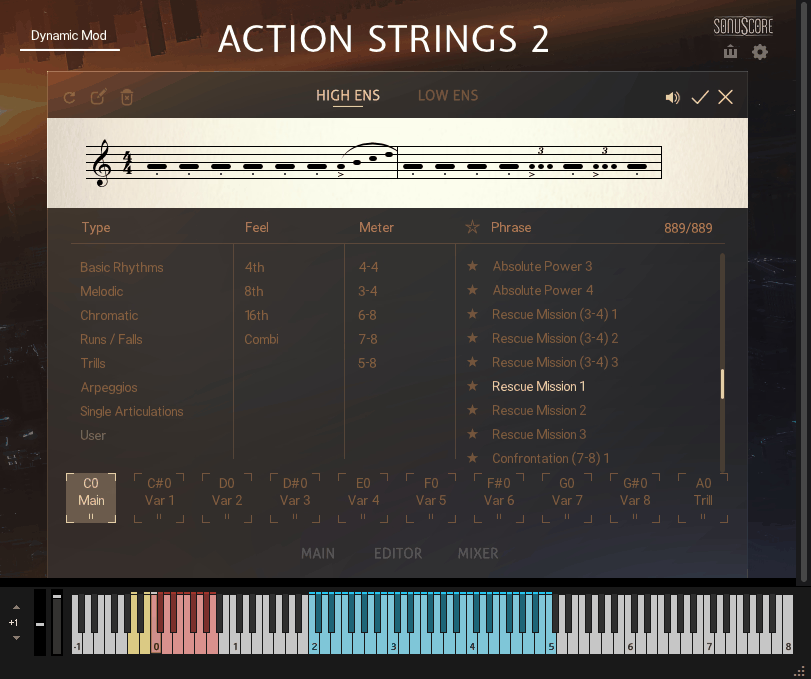
When you open the editor, you see a notation-style display at the top of the screen. Each Module appears as a segment that you can click to select, rearrange, swap, or replace entirely. Beneath the notation view, you get controls for:
Dynamics per Module, which lets you shape the intensity curve of a phrase rather than relying on one fixed dynamic level. Pitch adjustment per Module in Melody Mode, which lets you create custom melodic contours rather than working with pre-baked pitch movement.
Playback mode switching between Melody and Arpeggiator, which fundamentally changes how your triggered notes translate into the performance.

Building your own phrases takes a minute or two to get comfortable with, but once it clicks, you realize how much creative territory opens up.
You can take a standard action phrase, swap the middle module for something more delicate, pitch-shift specific notes, adjust dynamic accents, and end up with something that sounds genuinely yours rather than identifiably from the preset library.
I love how the editor feels familiar even if you’ve never worked in a phrase-based library before. The notation-style display reads naturally for anyone with basic music literacy, and the controls are laid out in ways that make musical sense rather than forcing you to learn abstract parameter names.
Playing With the Themes
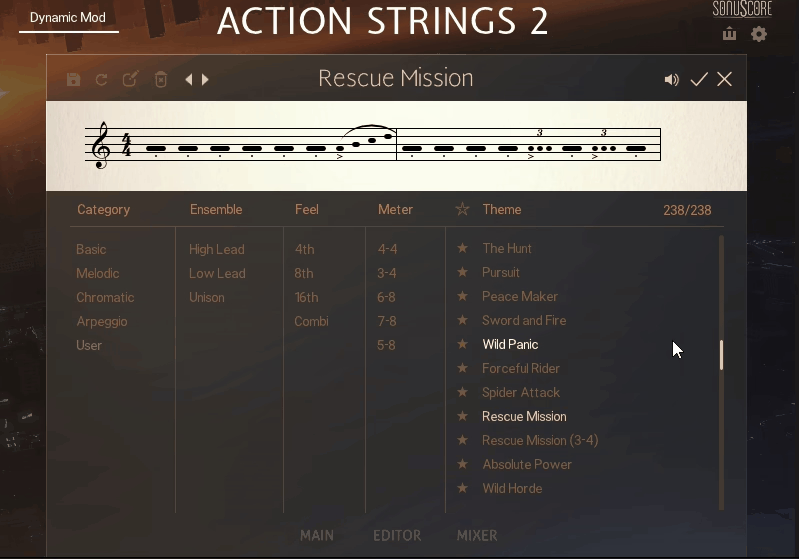
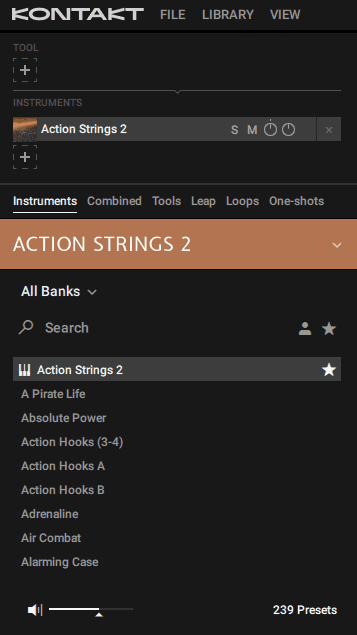
Beyond the custom phrase editing, the library ships with 238 theme presets organized into five categories that each serve different compositional approaches.
- Basic themes give you rhythmic patterns where your chord inputs get voiced across both ensembles using the phrase’s rhythm. Play a simple C major triad and you get that chord performed across high and low strings with the pattern’s specific groove. These work beautifully for building action percussion-style string rhythms under cinematic moments.
- Melodic themes take single trigger notes and use them as root notes for pre-composed melodies. You’re essentially conducting the phrase’s melodic shape by choosing the root, which gives you instant melodic lines that fit your harmonic context without requiring actual string writing skill.
- Chromatic, Arpeggio, and User categories round out the collection, each suited to different styles of writing. The arpeggio themes in particular work brilliantly for those sweeping, cascading string passages that define modern trailer music, while the chromatic category offers more unusual tonal options for tension and suspense cues.
- Filter options let you narrow down theme selections by feel (fourth, eighth, etc.), meter (4/4, 3/4, 6/8, 7/8, 5/8), and style (unison, complex, or lead by a specific ensemble). When you’re scoring to picture and need a specific rhythmic feel fast, these filters save real time.
New Features
Recent updates have added genuinely useful features that improve the workflow in meaningful ways.
The Scaler feature keeps your performances locked in a chosen key no matter what notes you press. Pick a key, select from 20 scale types, and only the notes that fit the scale will sound.
This is huge for producers who aren’t confident in music theory, because it basically prevents wrong-note mistakes before they happen. Custom Mode lets you design each step of a sequence by choosing specific chord notes for every beat.
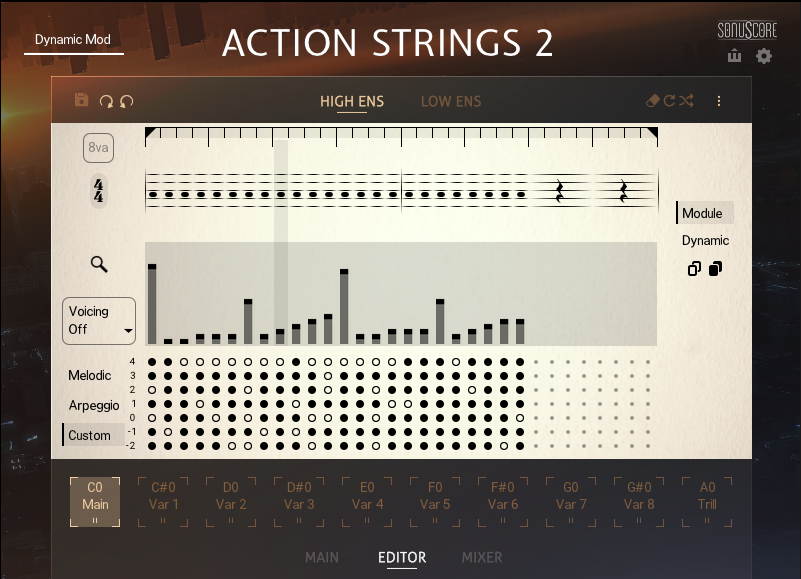
This gives you precise control over which voicings play where in the phrase, which is the kind of detail that separates generic-sounding phrase libraries from tools that can produce genuinely professional arrangements.
The 8va button doubles your phrase with an added octave above, which is perfect for thickening melodic runs or giving passages that extra shine. Sometimes you just need your phrase to sit higher in the register without transposing the whole thing, and this one button handles that perfectly.
New articulations in recent updates include additional live module categories, plus expanded editing options like undo/redo inside the editor page. These quality-of-life improvements might sound minor, but they make extended sessions much more enjoyable.
The Editor Page
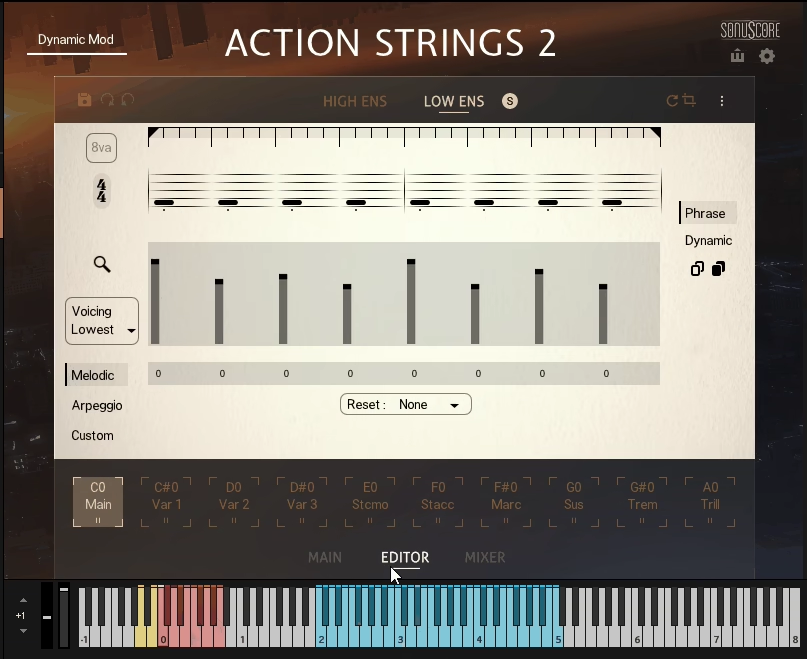
The Editor Page is honestly where the magic happens in this library, and it’s the feature that genuinely separates it from simpler phrase-based tools.
When you open the editor, you see a clean, notation-style display at the top of the screen showing your current phrase broken down into individual Modules. Each module is a small segment of the phrase that you can select, move, swap, or replace entirely. Click on any module and it highlights in gray, letting you edit its specific behavior without affecting the rest of the phrase.
Beneath the notation view, you get a dynamics lane where you can shape the intensity curve of the phrase module by module. Want the intro to start soft and build to a massive climax? Draw in the dynamics shape you want rather than relying on a fixed crescendo curve.
The Melody and Arpeggiator mode switcher sits on the left side of the editor. In Melody Mode, you also get a pitch lane where you can adjust the relative pitch of each module, which means you can create custom melodic contours rather than being locked into pre-baked pitch movements.
On the right side of the editor, a magnifying glass icon opens the Module Browser, where you can dig through over 900 supplied module presets organized into categories like single notes, falls, trills, and extended melodic runs.
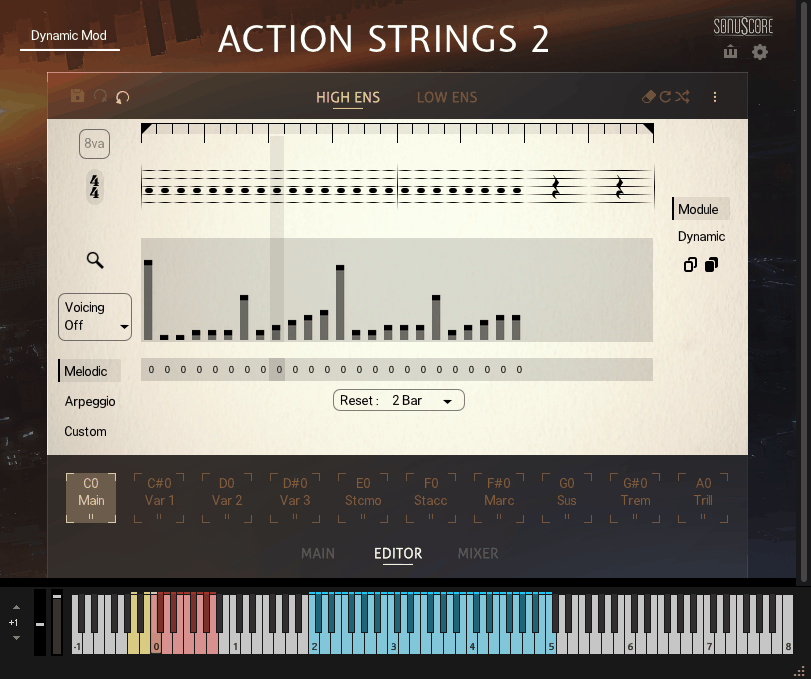
This browser is genuinely where you spend real time once you start building custom phrases, because swapping modules in and out is how you make the library feel like yours rather than sounding like the default presets.
Recent updates have also added undo and redo functionality directly in the editor, which honestly should have been there from day one but is very welcome now that it’s here. Editing complex phrases becomes way less stressful when you can easily step back from changes that don’t work.
I want to note that the editor has a real learning curve. Not steep, but it takes time to understand how modules, phrases, and themes relate to each other before the workflow feels fluent. Once it clicks, though, you realize just how much compositional depth is actually available, and it stops feeling like a phrase library and starts feeling like a genuine arranging tool.
The Mixer Page
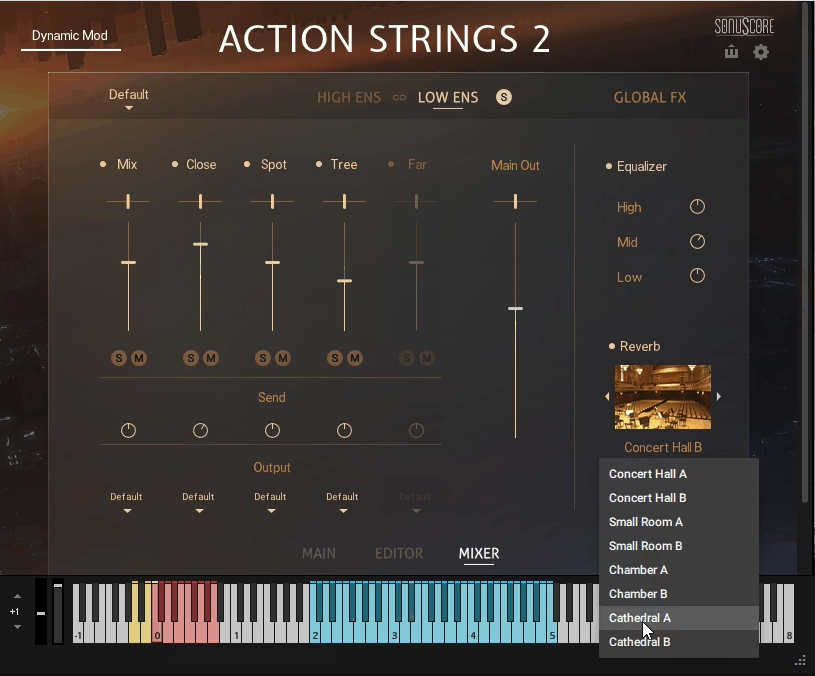
Beyond the performance and editing sections, Action Strings 2 includes a surprisingly capable mixer that lets you shape the overall sound without leaving the plugin.
The heart of the mixer is the five microphone positions: Close, Spot, Tree, Far, and a room mic that rounds out the spatial picture. Each one has independent level, pan, and on/off controls, so you can build whatever blend fits your project.
For intimate, detailed cues you can lean heavily on Close and Spot for that dry, focused character. When you need that classic Hollywood scoring-stage vibe, pushing the Tree mic up front with some Far adds immediate spatial weight and ambience.
A nice design detail is that disabling a mic position unloads its samples from memory, which genuinely helps with RAM usage. If you know you’re never going to touch the Far mic in a particular session, turning it off saves real resources, especially when you’re running other heavy libraries alongside.
Beyond the microphone mixing, the mixer page includes built-in processing tools that make the sound ready for your mix without needing external plugins:
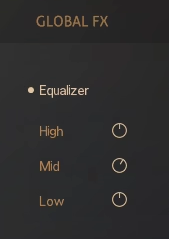
- Three-Band EQ:
A simple but effective equalizer for shaping the tonal balance of the full ensemble. You can carve out space in busy mixes, add warmth to cooler-sounding mic blends, or brighten up intimate arrangements that need to cut through.
- Convolution Reverb:
A surprisingly nice-sounding reverb with a range of impulse responses suited to cinematic work. For quick writing sessions, you can dial in a working space right inside the plugin without routing to external reverb tools.
Each microphone position can also be routed to a separate Kontakt output, which matters when you want more detailed mixing control in your DAW. Send the Close mic through a compression chain on one bus, the Tree mic through a reverb return on another, and blend them in your session rather than baking everything together at the source.
I’ve found the built-in mixer genuinely useful for fast sessions where I need results quickly. For more polished productions, I’ll usually route the individual mic outputs and process them in my DAW with dedicated plugins, but the onboard tools are surprisingly respectable for what they are.
The MIDI Drag and Drop Workflow
This deserves its own section because it’s honestly one of the most powerful features in the library.
Once you’ve got a performance you like (either from a theme preset or your own custom phrase), you can hit the MIDI export button and drag the performance directly into your DAW as a fully editable MIDI clip. Two separate clips get generated, one for the high ensemble and one for the low ensemble, which matches how the library is structured internally.
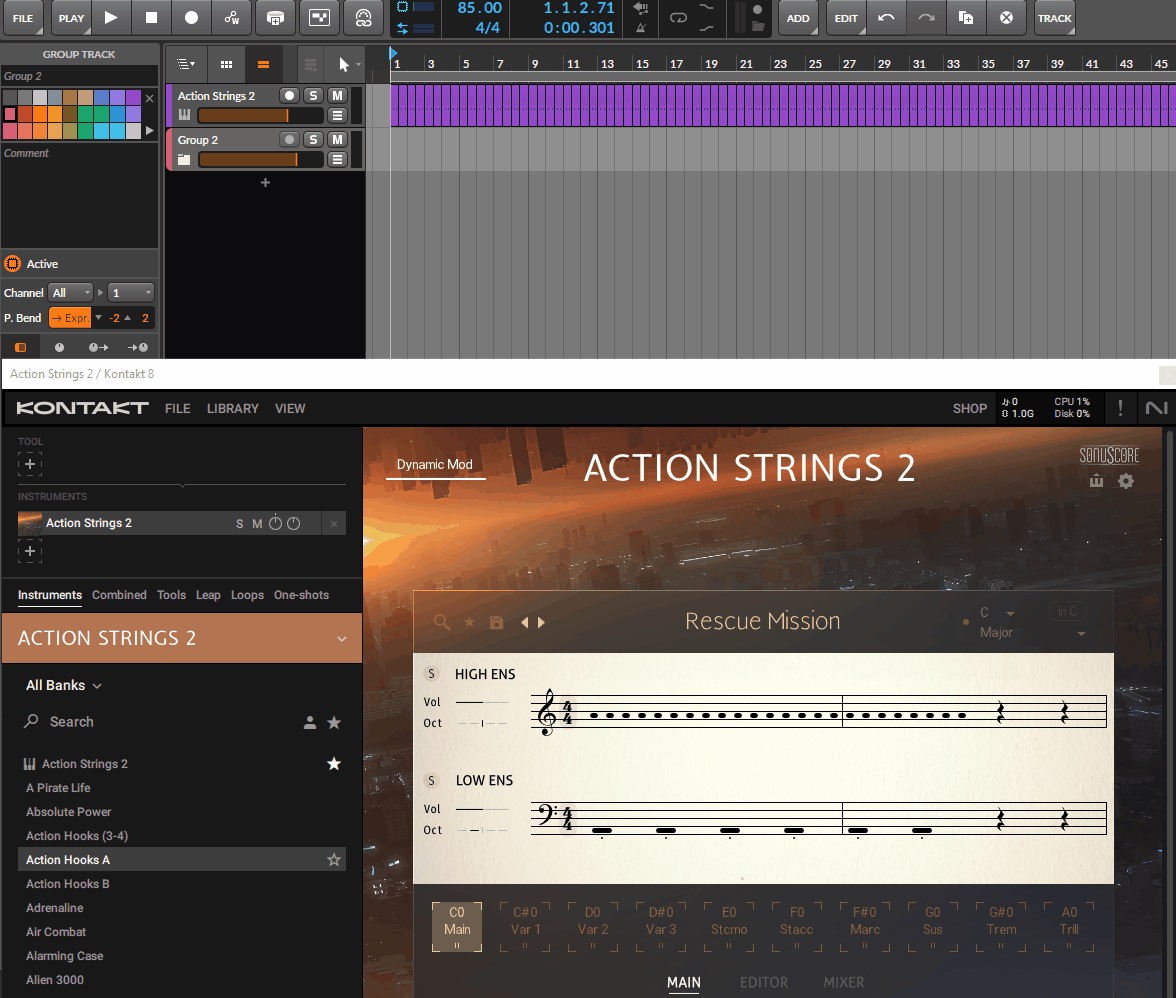
The possibilities this opens up are significant. You can take a phrase that sounds great on the library’s own strings and use the MIDI to drive a different string library for added realism or to match other parts of your orchestral template.
You can layer the MIDI onto brass, woodwinds, or synth pads to build out a fully orchestrated arrangement from a single idea. You can edit the MIDI in your DAW for further refinement, fixing timing, adjusting velocities, or changing specific notes.
For composers who want to use Action Strings 2 as an idea-generating engine rather than their final string sound, this feature is transformative. I’ve found myself using the library as a compositional starting point even when the final string parts end up being performed by completely different libraries or live musicians.
Pros and Cons
Pros
On the strengths side, the sample quality is genuinely excellent thanks to the Budapest recordings, delivering strings that sound musical, dynamic, and ready for picture. The Live Modules system is a real innovation that addresses the biggest weakness of phrase-based libraries by giving you serious editing flexibility rather than locking you into fixed patterns.
MIDI drag and drop is a massive feature that turns the library into a compositional engine rather than just a performance tool, letting you use the output with any other instruments in your template. The five microphone positions give you genuine spatial flexibility for everything from intimate to Hollywood-scale sound.
238 theme presets and 1,370+ phrases provide serious depth without ever feeling overwhelming thanks to well-organized filters. The Scaler, Custom Mode, and 8va features from recent updates add real workflow improvements that make the library more usable for producers without deep music theory knowledge.
Cons
On the other side, there are genuine limitations worth knowing about. The learning curve for the phrase editor is real (not steep, but it takes time to understand how modules, phrases, and themes work together before you feel fluent with the tool). The lack of a dedicated pizzicato articulation is a small but noticeable gap, especially for cinematic writing where pizz is a common technique.
The library is genuinely demanding on system resources, requiring an Intel i7 processor or higher, and running multiple instances alongside other Kontakt libraries can cause real performance issues on older machines. Loading times can be lengthy when opening the main instrument, which is common across Kontakt libraries but worth flagging if you work on a tight setup.
Some users have reported timing inconsistencies when dragging MIDI into certain DAWs, though this typically relates to tempo track settings and can usually be resolved through DAW preferences. Finally, while the library is excellent for cinematic and action-style writing, it doesn’t serve delicate chamber music or traditional classical styles nearly as well, so you’ll still need dedicated tools for those contexts.
Final Thoughts
Native Instruments Action Strings 2 is one of those libraries that genuinely earns its reputation by delivering exactly what it promises while opening up creative territory that the original never quite reached.
Together, the combination of the 41-piece Budapest recordings, Live Modules editing system, five microphone positions, MIDI drag and drop, and 1,370+ phrases creates a tool that serves as both a fast-turnaround solution for trailer and film work and a deeper creative instrument for producers who want to shape their own cinematic string parts. For composers working in any form of action, dramatic, or emotional cinematic music, this library covers an enormous amount of ground.
I want to note that this isn’t a replacement for every string library you might own. For traditional orchestral scoring, delicate chamber writing, or contexts that need specific classical articulations, other tools serve those needs better. This one excels at its specific mission (cinematic, emotional, and action-oriented string writing) and that focus is genuinely what makes it work so well.
For trailer composers, film and TV scorers, game audio professionals, and producers who want to add convincing string arrangements to cinematic productions without requiring orchestral expertise, I’d recommend Action Strings 2 as a legitimately inspiring tool that earns its place in your template.
The sound holds up under serious scrutiny, the editing depth rewards exploration, and the MIDI export workflow transforms it into a compositional engine that integrates beautifully with the rest of your orchestral toolkit.
More info & Price: Native Instruments Action Strings 2
Get the Free Plugin Starter Kit
The genuinely useful free DAWs and plugins worth installing. No filler. Straight to your inbox.

Hello, I’m Viliam, I started this audio plugin focused blog to keep you updated on the latest trends, news and everything plugin related. I’ll put the most emphasis on the topics covering best VST, AU and AAX plugins. If you find some great plugin suggestions for us to include on our site, feel free to let me know, so I can take a look!