
iZotope VocalSynth 2 sits in a genuinely unique corner of the vocal processing world, and it’s the kind of plugin you reach for when conventional pitch correction and standard vocal effects aren’t going to cut it. This is the tool for vocoder textures, talkbox sounds, robotic voices, and lush harmonized layers that would otherwise require dedicated outboard gear or multiple plugins chained together.
For context, VocalSynth 2 launched back in 2017 as a significant upgrade over the original VocalSynth, and while it hasn’t received a version 3 yet, the plugin continues to hold its own thanks to regular maintenance updates and a feature set that still feels relevant for modern vocal production work.
Is VocalSynth 2 worth it? I’d say yes if your workflow genuinely involves creative vocal processing, because the combination of five core modules and extensive effects makes it a single-plugin solution for a lot of tasks that would otherwise need multiple tools. For general pop vocal work, though, it’s arguably overkill, and you’d be better served by more focused tools.
Overview
VocalSynth 2 is a creative vocal processor plugin that combines five distinct voice-processing modules with a full effects chain, all designed around manipulating vocal input into everything from subtle harmonic enhancement to extreme robotic transformation. It runs as VST3, AU, and AAX across Mac (Apple Silicon native and Intel) and Windows.
What separates VocalSynth 2 from simpler vocal effects is that it isn’t trying to do one thing well. Instead, iZotope has built a modular processor where you can blend multiple voice-processing algorithms together to create hybrid sounds that don’t exist in more focused plugins.
“A single-plugin solution for vocal processing tasks that would otherwise need multiple tools.”
Interface & Workflow
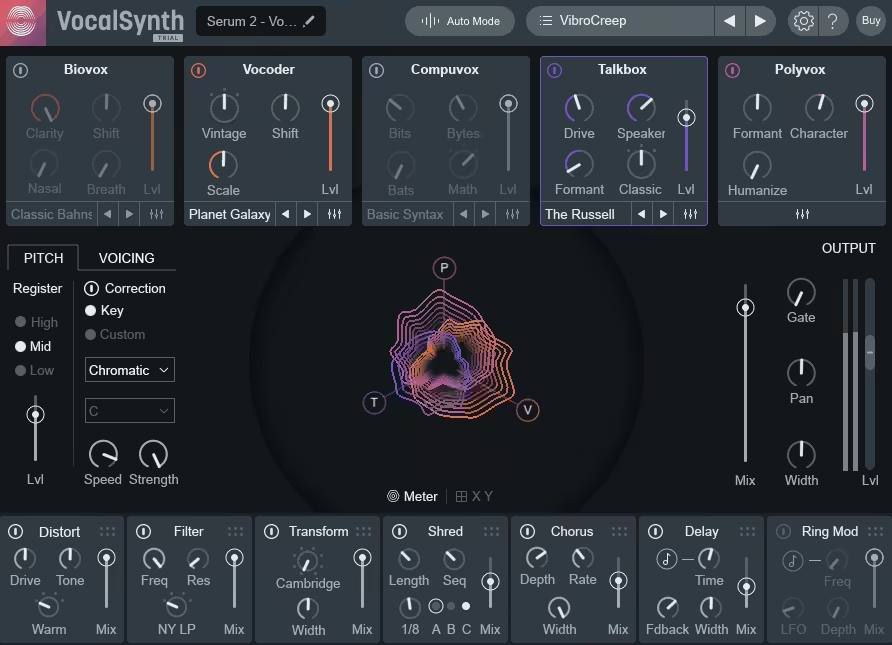
The interface is built around a central performance area that shows your vocal input as a moving waveform with visual feedback for each active module, which makes it genuinely clear what’s happening to your signal.
At the top of the plugin sit the five module toggles, and along the bottom you get the effects chain with its own set of toggles and controls. Everything is designed to be visible and adjustable without having to dig through menus.
Key interface elements worth highlighting:
- Module toggles:
Each of the five voice-processing modules can be enabled or disabled independently, and you can mix multiple modules together to create hybrid sounds rather than committing to just one processing type.
- Visual signal flow:
The central display shows real-time representation of your vocal input and how each module is shaping it, which makes sound design less of a guessing game.
- Effect chain:
Running along the bottom, the effect chain gives you seven built-in effects that you can toggle and reorder depending on how you want the signal processed.
- Preset browser:
A dedicated browser lets you search through factory presets by category, character, or tag, which genuinely helps when you’re trying to find a starting point fast.
The Five Voice Modules
This is where VocalSynth 2 earns its place, and I want to walk through what each module actually does and when you’d reach for it.
- Biovox:
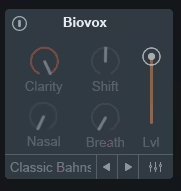
A module that uses physical modeling of the human vocal tract to add subtle formant shifts and breath-like character to a vocal. For me, this is the one I’d reach for when you want to enhance a vocal naturally rather than transform it dramatically, and the results can range from barely-there presence enhancement to more obvious formant manipulation.
- Vocoder:
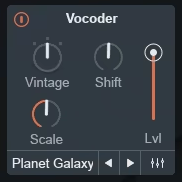
A classic carrier-modulator vocoder with multiple synthesis modes, giving you everything from the robotic vintage vocoder sound to more modern, polished vocoder textures. This is the module I use most often on electronic tracks where you want that recognizable robotic vocal character without having to set up an external synthesizer as a carrier source.
- Compuvox:
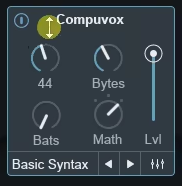
Designed for digital, bit-crushed, and robotic textures that evoke early digital voice synthesis, and it’s particularly good for sci-fi and experimental work where you want the vocal to sound processed and artificial rather than natural. I’ve found this genuinely useful for creating distinct backing vocal textures that sit differently than the lead.
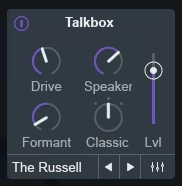
- Talkbox:
Emulates the classic talkbox effect where vocal formants are applied to an instrument signal, producing that distinctive “talking guitar” or “talking synth” sound. It works well for getting that specific character without setting up an actual talkbox rig, though purists will still prefer the real thing.
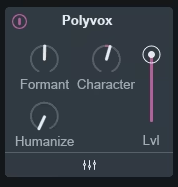
- Polyvox:
A harmonizer module that generates multiple harmonized voices from a single vocal input, with control over interval, scale, and voice count. This is surprisingly useful for creating thick backing vocal stacks from a single performance, though the results can feel a bit synthetic on very exposed material.
Effects Chain

Beyond the five main modules, VocalSynth 2 includes a dedicated effects section that runs after the voice processing and shapes the final output.
- Distort:
Adds harmonic distortion and saturation to the processed vocal, useful for pushing vocoder and robotic sounds into more aggressive territory without needing separate distortion plugins.
- Filter:
A resonant filter with multiple types (low-pass, high-pass, band-pass) that lets you shape the tonal character of the output, and the filter can also be modulated for sweeping effects.
- Transform:
A ring modulator and frequency shifter that produces inharmonic, metallic textures particularly suited to creative sound design work on vocal material.
- Shred:
A beat-repeat effect that slices the audio into rhythmic chunks, useful for creating stuttering vocal patterns that work well in electronic and hip-hop production.
- Chorus:
A standard stereo chorus for adding width and movement to the processed vocal, with reasonable control over depth, rate, and feedback.
- Delay:
Stereo delay with tempo sync, ping-pong options, and feedback control, which fits naturally into the processing chain without needing an external delay plugin.
- Reverb:
An algorithmic reverb covering spaces from small rooms to large halls, sized appropriately for vocal material rather than being a general-purpose reverb.
Sound Character & Performance
The core sound quality is solid across all five modules, though the character varies significantly depending on which module you’re using.
The Vocoder and Talkbox modules deliver the classic effects cleanly, and both handle a wide range of input material without falling apart. Biovox is more subtle by design, and it works best on material where you want enhancement rather than transformation.
Compuvox is where the plugin leans into its more experimental side, and the results can be genuinely wild when you push the settings. Polyvox produces usable harmonies but can sound artificial on very exposed lead vocals, so it’s typically better used for backing vocal stacks or creative effects.
“The character varies significantly depending on which module you’re using.”
CPU usage is reasonable for what the plugin is doing, though running multiple instances with all modules active can add up across a busy mix session.
In the Mix
For electronic and pop production, the Vocoder module has become my most-used feature of the plugin, particularly for creating robotic vocal effects on choruses and bridges without needing to build a vocoder patch in a separate synth.
On hip-hop and R&B production, the Talkbox module delivers the specific character that the effect implies, and stacking it with the Vocoder can produce hybrid textures that work well for modern production styles.
For backing vocal work, Polyvox gets you to a thick harmonized stack quickly, though I’ve found it works best when treated as a layer supporting a natural lead vocal rather than carrying the main vocal performance itself.
The experimental sound design side is where VocalSynth 2 shines for film scoring and electronic music production, and combining Compuvox with the Transform and Shred effects can produce vocal textures that don’t exist anywhere else in the plugin market.
Presets
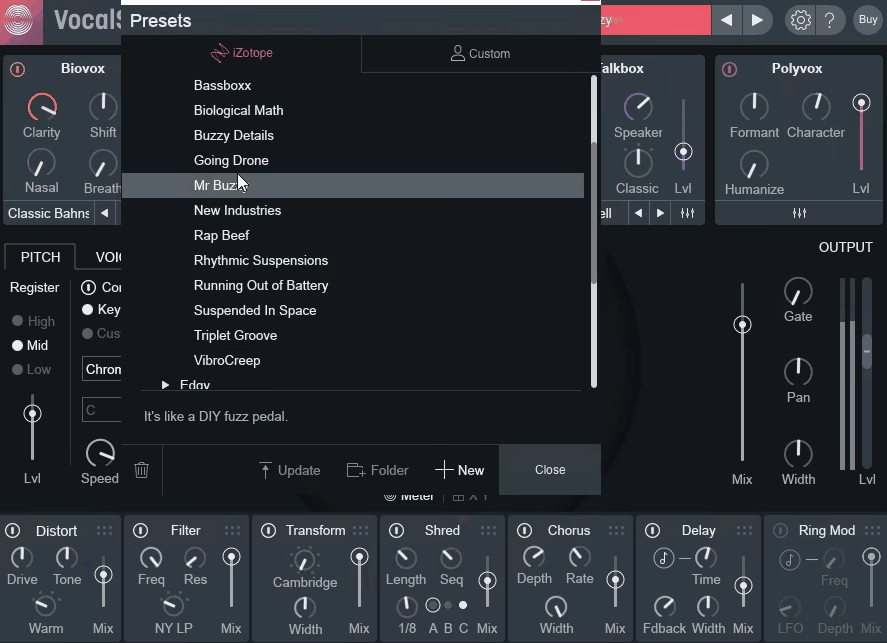
The preset library is extensive and covers the full range of what the plugin can do.
- Creative categories:
Presets organized by robotic, vocoder, harmonizer, talkbox, and experimental characters, with starting points that clearly demonstrate the capabilities of each module.
- Genre-focused presets:
Collections aimed at specific production styles (pop, electronic, hip-hop, experimental) that combine modules and effects in ways that fit those genres.
- Auto mode:
The plugin can analyze your vocal and suggest preset starting points, which is useful when you’re not sure where to begin.
One thing worth mentioning is that the presets tend toward the obvious and characterful rather than the subtle, so you’ll often need to back off the intensity after loading one to get something that sits in a full mix.
Pros & Cons
Pros
- Five distinct voice-processing modules that can be combined for hybrid sounds
- Comprehensive built-in effects chain reduces the need for additional plugins
- Clear visual interface makes sound design accessible
- Strong factory preset library covering creative use cases
- Auto mode helps find starting points on unfamiliar material
- Handles both subtle enhancement and extreme transformation
Cons
- Hasn’t been updated significantly since 2017, so the interface and workflow feel dated compared to newer iZotope plugins
- Polyvox harmonizer can sound artificial on exposed material
- Not ideal for transparent, natural vocal processing
- Learning curve when combining multiple modules
- Presets often too extreme for typical mix contexts without adjustment
Final Thoughts
VocalSynth 2 is a specialized tool that does creative vocal processing better than most single plugins in its category, but it’s worth being honest that it’s not for everyone. If your vocal work is primarily clean pop production, you’ll probably use 10% of what this plugin can do and be better served by more focused tools.
If your work involves electronic music, experimental production, hip-hop, or film sound design where vocal textures matter as a creative element, VocalSynth 2 can become a go-to plugin that saves real time compared to chaining multiple effects manually.
The fact that it hasn’t been significantly updated since 2017 is worth flagging, and if iZotope eventually releases VocalSynth 3, the current version’s value equation shifts. For now, though, it remains a solid creative vocal tool that delivers distinctive sounds, particularly when you can grab it during a sale.
Check here: iZotope VocalSynth 2 (Trial Available)

Hello, I’m Viliam, I started this audio plugin focused blog to keep you updated on the latest trends, news and everything plugin related. I’ll put the most emphasis on the topics covering best VST, AU and AAX plugins. If you find some great plugin suggestions for us to include on our site, feel free to let me know, so I can take a look!