
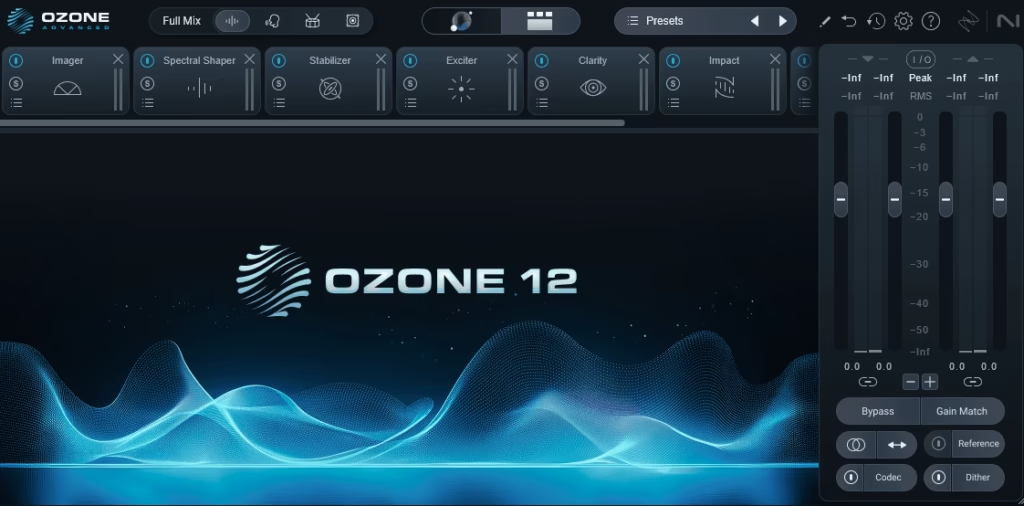
iZotope Ozone has been the mastering plugin that so many producers reach for first when a mix needs to be turned into a finished, streaming-ready master, and version 12 Advanced continues that tradition while adding some genuinely useful additions that make the process feel less like a chore and more like a collaborative session with an engineer who’s already done the heavy lifting.
I’ve spent some time putting Ozone 12 through its paces across a range of material, from full-band indie mixes to electronic instrumentals and vocal-forward pop productions, and I want to walk you through what actually matters about this release rather than just listing features.
For context, Ozone has been around since 2001, and each major version has tended to lean harder into machine-assisted mastering while still giving experienced engineers the manual control they need to make creative decisions rather than just corrective ones.
Version 12 continues that philosophy, but I feel the balance has shifted in a meaningful way this time around, with the AI-driven Master Assistant feeling less like a gimmick and more like a genuine starting point that you’d actually keep around rather than immediately override.
But is Ozone 12 Advanced actually worth it? I’d say yes, but with a caveat: if you already own Ozone 11 Advanced, the upgrade is useful but not essential, whereas if you’re on version 10 or earlier, or you’ve never owned Ozone at all, the jump is significant enough that I’d recommend it without hesitation for anyone doing serious mastering work.
What’s New in Ozone 12
The headline changes in this release sit across three areas that I think most engineers will notice from the first session, and I want to walk through each one briefly before getting into the module-by-module detail further down.
- Redesigned Master Assistant:
The new engine can analyze up to three reference tracks simultaneously and build a processing chain that targets the tonal character and dynamics of your references rather than applying a generic “modern loudness” template.
In my testing, I found this matters more than you’d think because the previous Master Assistant had a tendency to push everything toward a similar sonic signature regardless of genre, while the new version genuinely differentiates between a warm, mid-focused indie master and a bright, wide electronic master based on what you feed it.
- Updated Maximizer with IRC V:
Ozone’s final-stage limiter now includes a new IRC V algorithm that delivers louder results with fewer intermodulation artifacts than IRC IV, and while the difference isn’t night-and-day on every source, on dense rock and hip-hop material I’ve noticed a more open top-end when pushing for competitive loudness levels.
- Stem EQ
Interface and Workflow

The interface has been refined rather than redesigned, which is the right call in my opinion because Ozone 11’s UI was already solid and didn’t need a ground-up rework.
What you get in version 12 is a slightly cleaner module rack, improved meter scaling on larger displays, and a new customizable header that lets you pin your most-used meters and reference controls for faster access during a session.
- HiDPI scaling:
One of the underrated improvements in this version is that display scaling is finally rock solid across both Windows and Mac, whereas previous versions had some inconsistent behavior on 4K displays that could make text look slightly soft depending on your DAW. Small detail, but when you’re staring at meters for hours, legibility matters more than it sounds like it should.
- Reference track handling:
Loading reference material is much faster now, and you can A/B up to three references against your current master with instant switching, which is genuinely useful when you’re trying to dial in a sound that sits between two sonic targets rather than matching a single one.
- Customizable header:
Something I didn’t expect to like as much as I do: you can pin frequently used meters and controls to the top of the plugin window, which sounds like a minor thing until you’re two hours into a mastering session and you realize you’ve been clicking through tabs unnecessarily the whole time.

Modules
Ozone 12 Advanced ships with a deep module rack that covers pretty much everything you’d need for a complete mastering chain, and I want to walk through the ones that actually do the heavy lifting in a typical session rather than just list every module in the plugin.
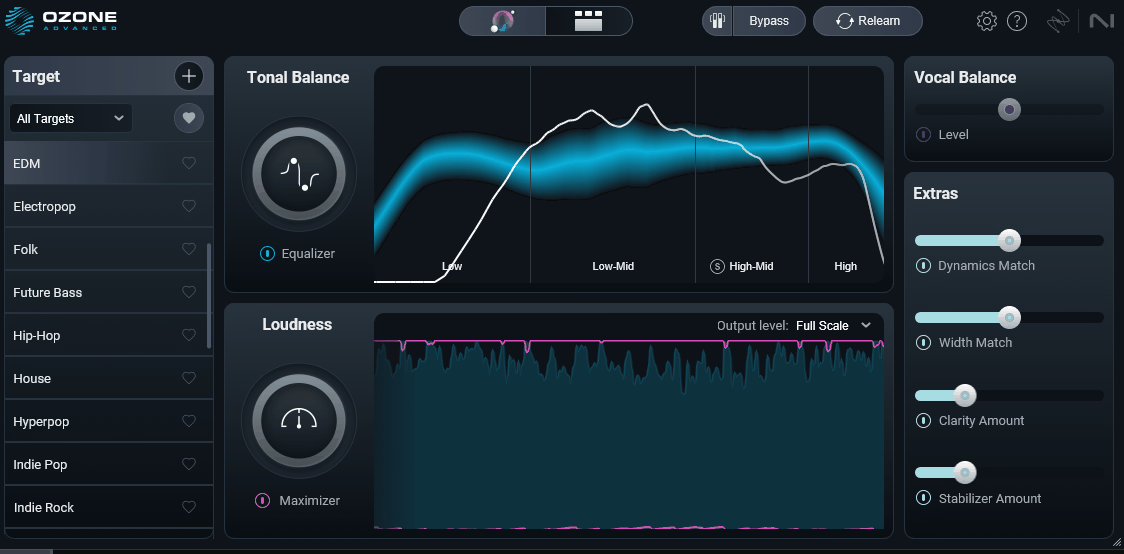
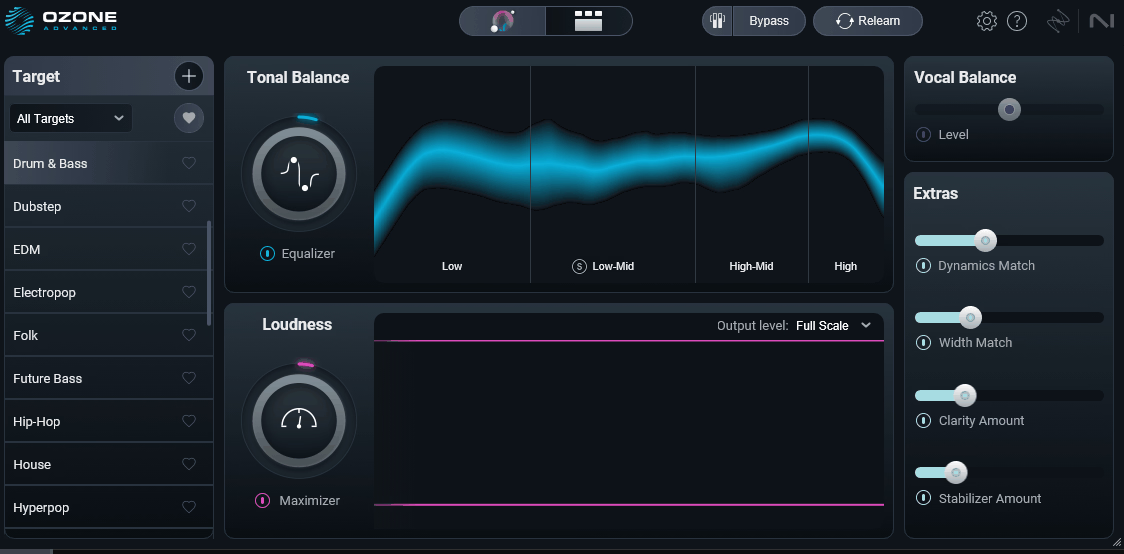
- Master Assistant:
At the heart of Ozone’s appeal sits this AI-driven starting point that analyzes your mix and up to three reference tracks to build a full processing chain tailored to your target sound. I found the version 12 implementation genuinely conservative in a good way, applying subtle EQ moves and leaving most of the tonal shaping to dynamics and imaging modules where those decisions arguably belong.
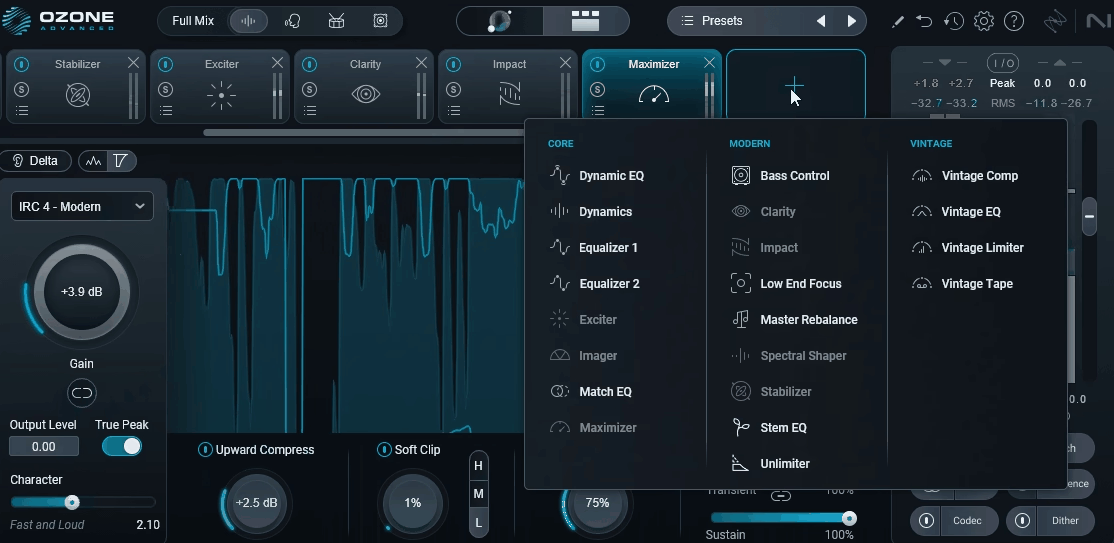
- Maximizer:
The final limiting stage with the new IRC V algorithm joining IRC I through IV from previous versions.
For competitive loudness targets around -8 to -10 LUFS integrated, IRC V has become my go-to because it preserves high-frequency detail noticeably better on dense material, though IRC IV still works well for lighter limiting where transparency matters most.
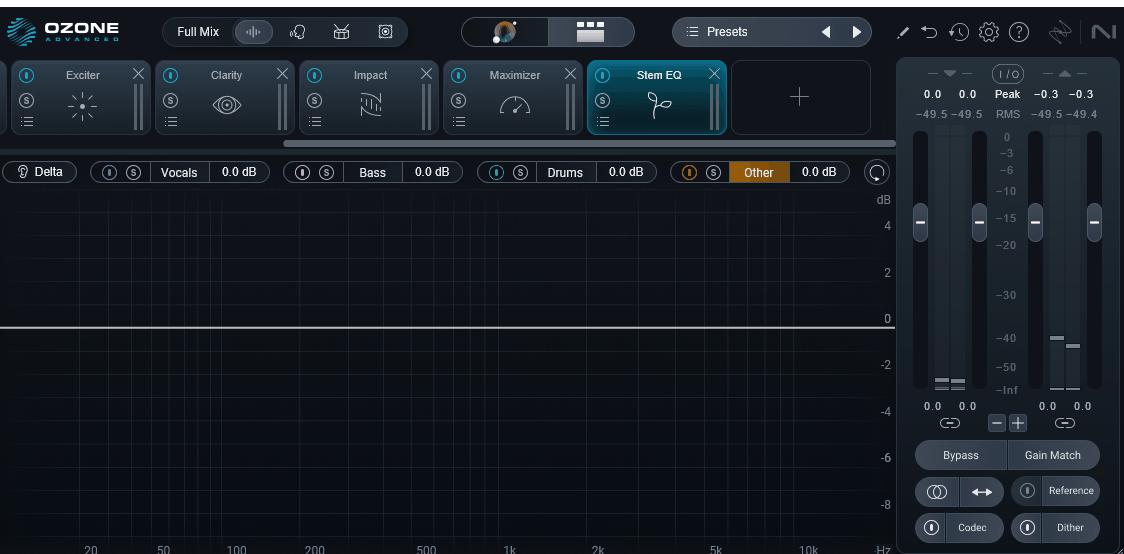
- Stem EQ:
Source-separation technology drives this surgical EQ that applies equalization to individual elements within a stereo mix (vocals, bass, drums, other).
I want to note that this sits in similar territory to Stem Focus but with a more EQ-focused interface rather than a full processing suite.
It’s genuinely useful when you need to brighten vocals or tame a harsh snare on a master without affecting the surrounding elements.
- Dynamic EQ:
If you need precision frequency control that only kicks in when needed, this module delivers eight bands of dynamic equalization with adjustable thresholds, attack/release times, and stereo/mid-side modes. The band transitions in version 12 are smoother than before, which makes it much more usable for subtle surgical work on problem frequencies without introducing the pumping or sucking artifacts that cheaper dynamic EQs sometimes produce.
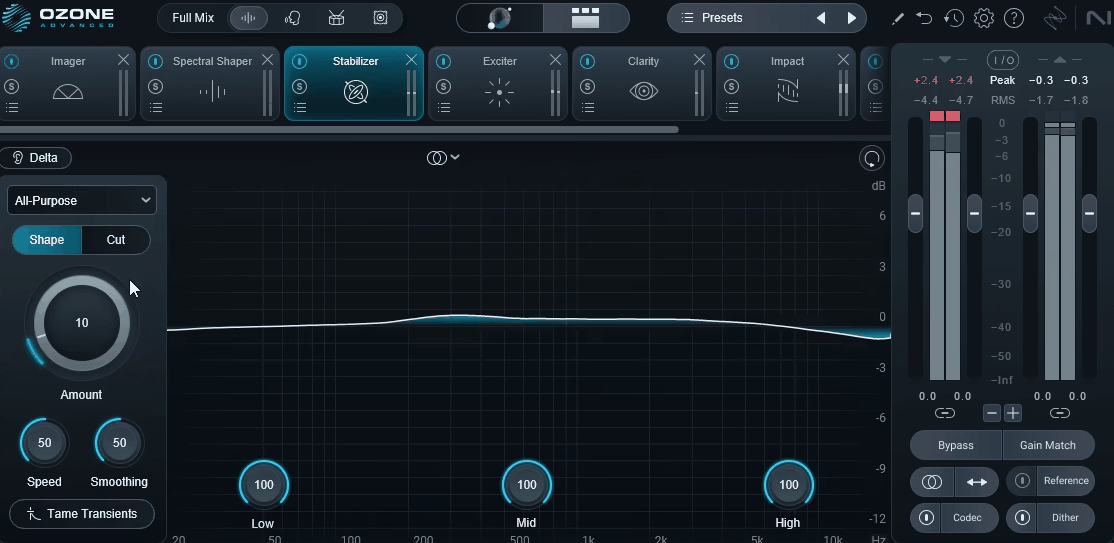
- Stabilizer:
An intelligent EQ that analyzes your master in real time and applies corrective adjustments to smooth out tonal imbalances as the music plays, which sounds gimmicky on paper but actually works well in practice.
I’ve found it most useful as a final polish stage for mixes that have inconsistent tonal balance across sections, and the operation mode selector (Smooth, Gentle, or Sharp) lets you dial in how aggressive the correction feels depending on how much character you want to preserve.
- Match EQ:
One of the more impressive modules for reference-based work, offering automatic EQ curve matching that learns the spectral character of a reference track and applies a corresponding filter to your master.
The algorithm in Ozone 12 produces more musical results than previous versions, avoiding the narrow surgical peaks that earlier Match EQ iterations could introduce when the reference and source were tonally quite different.
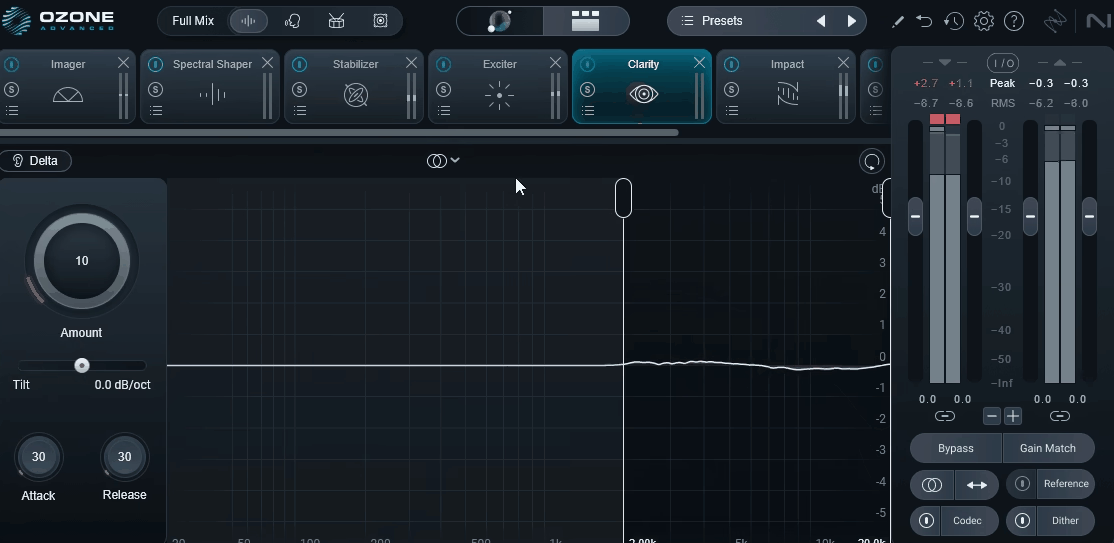
- Clarity:
Transient detail gets pulled back to the surface with this dynamic spectral process that responds to attack characteristics and brings definition to masters sounding dull or congested.
I’ve found it particularly useful on dense electronic mixes and rock material where the mastering limiter has eaten into the initial transient snap.
At moderate settings it restores a sense of openness without introducing the harshness that more aggressive exciters tend to produce.
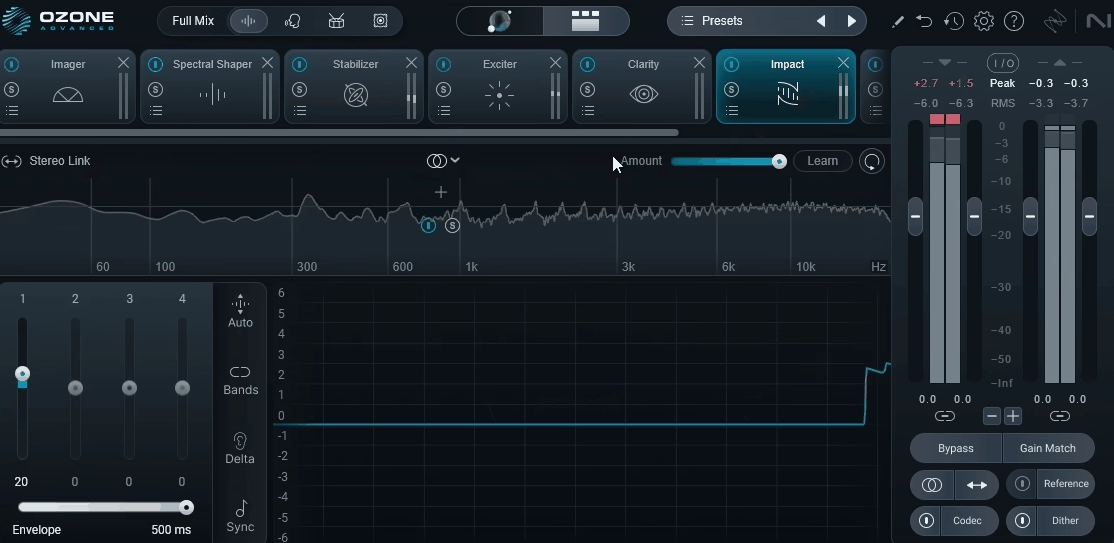
- Impact:
Designed specifically for mastering, this multiband transient shaper lets you control attack and sustain characteristics across four frequency bands independently.
For me, this is one of the more creative modules in the rack because you can either tighten up a loose mix by emphasizing transients in the low-mids or soften an overly punchy master by pulling sustain back in the upper bands. The results feel more musical than generic transient designers, which is something I really appreciate when working on organic material.
- Bass Control:
Low-end specialists will appreciate this dedicated bass region processor that combines multiband compression with saturation designed for the challenges that sub and low-mid frequencies present in mastering.
In my testing, this has become one of the modules I reach for most often on modern genres where a tight, defined low end matters. The separate mono and stereo processing paths let you keep the sub-bass focused while retaining width in the higher bass bands.
- Dynamics:
Four independent bands of multiband compression come with dedicated attack, release, threshold, ratio, and knee controls per band in this module.
The version 12 implementation feels more transparent than previous iterations, particularly in the upper-mid band where over-compression used to introduce an obvious processed character.
I’ve found it works well as either a glue compressor across the full spectrum or a targeted tool for controlling specific problem frequencies.
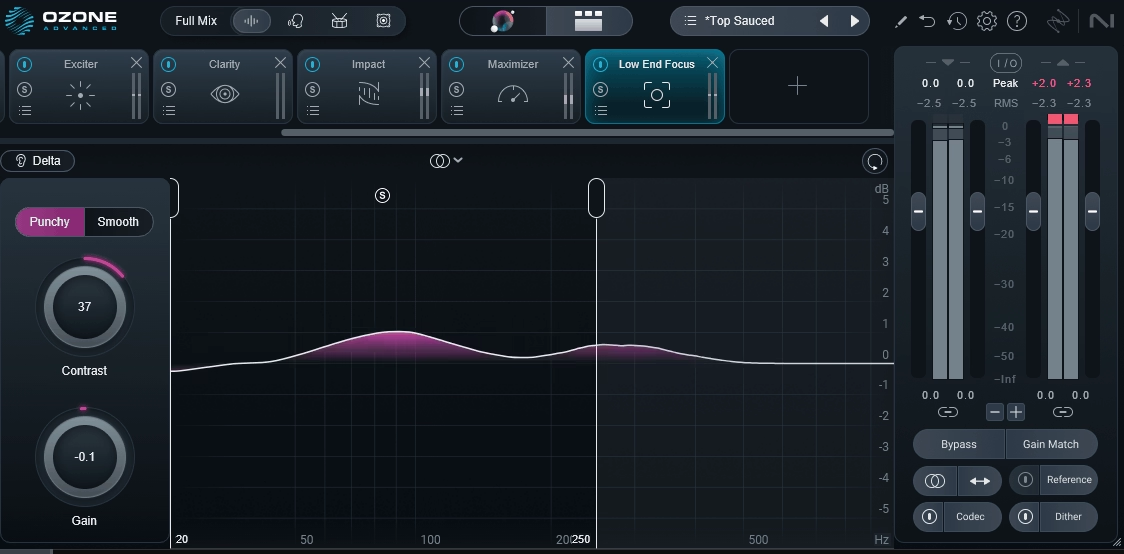
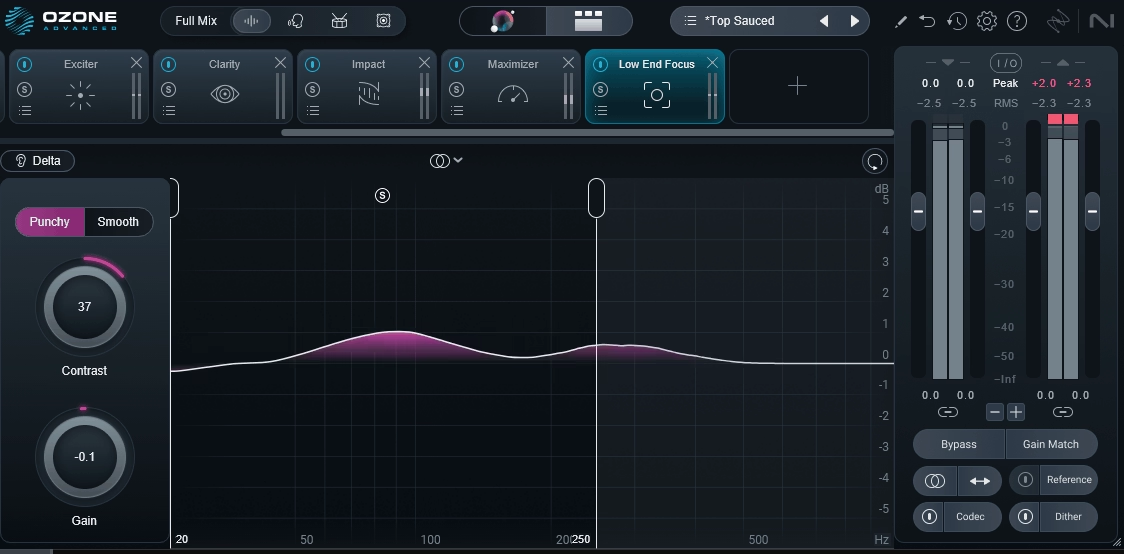
- Low End Focus:
Bass region shaping gets its own dedicated low-frequency processing module that targets the definition versus weight balance in the bass region.
Particularly useful on material where the low end feels either too muddy or too thin without obvious solutions in traditional EQ work. I tend to use it alongside Bass Control when a mix needs both character shaping and structural correction in the low end.
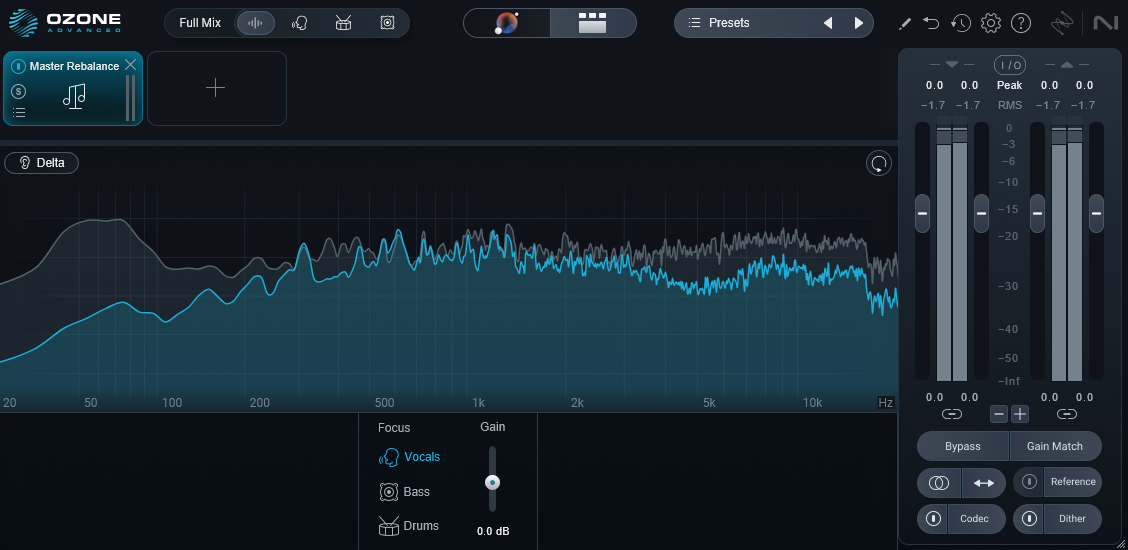
- Master Rebalance:
Post-mix rebalancing is the whole point of this module, which uses source separation to let you adjust the relative levels of vocals, bass, and drums within a stereo master.
This sounds like magic and frankly it kind of is, though the quality of results depends heavily on how dense and complex the original mix is.
I’ve used it successfully to push vocals forward on masters where the mix engineer left them slightly buried, though I’d caution against aggressive moves because artifacts can creep in when you push the processing too hard.
- Match EQ:
Reference-based matching gets handled through this automatic EQ curve matching that learns the spectral character of a reference track and applies a corresponding filter to your master.
The algorithm in Ozone 12 produces more musical results than previous versions. It now avoids the narrow surgical peaks that earlier Match EQ iterations could introduce when the reference and source were tonally quite different.
- Unlimiter:
Restoration work benefits from this module, which reverses the effects of limiting and compression on already-mastered material to recover dynamic range that’s been squashed out of a mix.
I want to be honest that the results aren’t always perfect because you can’t fully un-squash something that’s been aggressively limited.
On masters with light to moderate limiting, it works remarkably well for restoring punch and breathing room before you apply your own mastering chain.
- Imager:
Stereo width handling comes courtesy of this multiband stereo imaging tool with width control per band plus a vectorscope display. The low-band mono handling feels more natural in this version, which matters because over-aggressive bass-mono processing can make a mix sound hollow through sub-heavy playback systems.
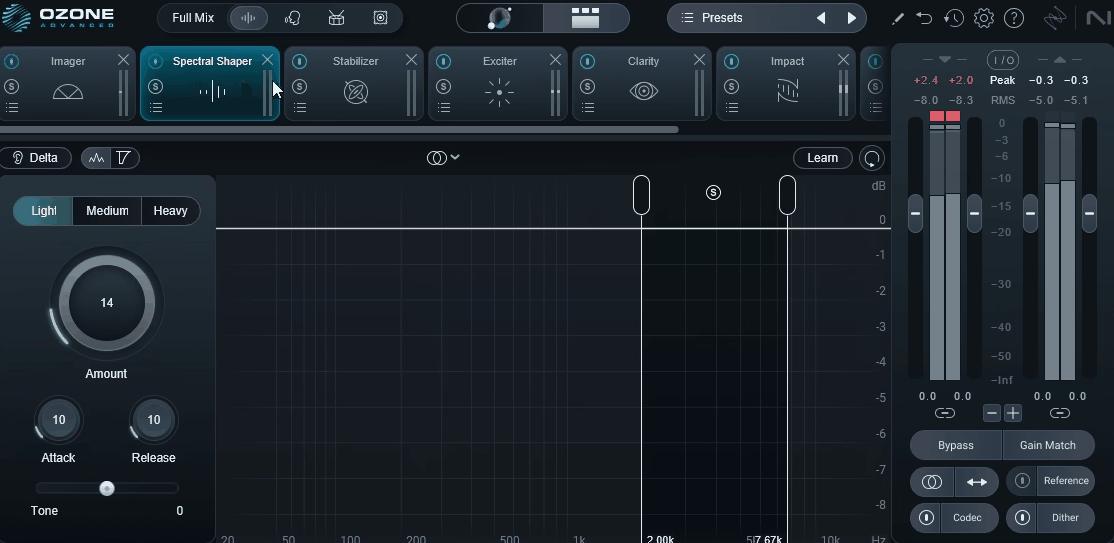
- Spectral Shaper:
When harshness or resonance is the problem, this dynamic spectral processing module targets specific frequency bands for taming those issues or pulling back overly bright elements. At moderate settings it’s nearly transparent, and I’ve used it on vocal-heavy masters to pull back sibilant material without affecting the overall tonal balance.
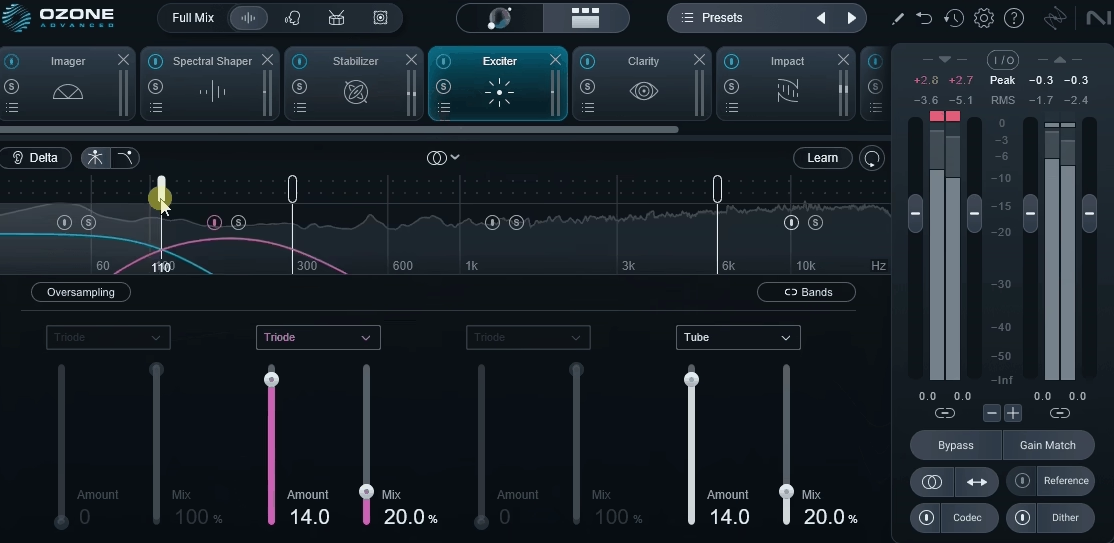
- Exciter:
Harmonic character enhancement comes from this multiband harmonic enhancement tool with multiple saturation characters (Retro, Warm, Tape, Tube, and Triode). I tend to use it sparingly on mastering work, but for adding a touch of air to dull mixes or bringing mid-range presence back to overly clean digital recordings, it’s one of the more musical-sounding exciters I’ve used in recent years.
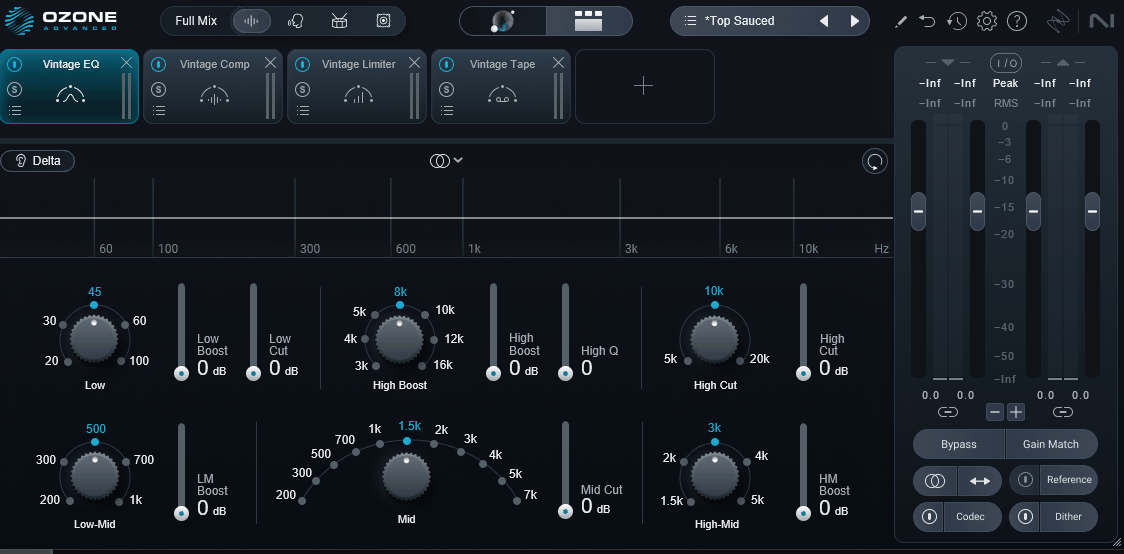
- Vintage Tape, Vintage Compressor, Vintage EQ, and Vintage Limiter:
Rounding out the character processing, you get a set of analog-modeled processors that add character rather than just clean processing. These have been in Ozone for several versions now, and they remain useful for genres where you want a mix to feel rather than just measure well, with Vintage Tape being the one I reach for most often on acoustic and organic material.
- Low End Focus:
Bass region shaping gets its own dedicated low-frequency processing module that targets the definition versus weight balance in the bass region. Particularly useful on material where the low end feels either too muddy or too thin without obvious solutions in traditional EQ work.
- Tonal Balance Control 2:
Bundled alongside the main plugin, this companion tool provides visual reference for where your master’s spectral balance sits compared to genre-specific targets. I keep it open on a second monitor during mastering sessions because it catches issues that are easy to miss when you’re deep into a session and fatigued.
Sound Quality and Processing
Beyond the new features, the fundamental processing quality across Ozone’s modules has been refined in ways that you’ll notice more over repeated use than in any single A/B comparison.
I love how the overall signal path feels cleaner and more cohesive than previous versions, with less of the subtle “digital-ness” that used to creep in when you stacked multiple modules in a long chain.
For me, the star module continues to be the Maximizer, and the new IRC V algorithm genuinely delivers on its promise of cleaner high-end behavior at competitive loudness levels.
I compared IRC V against IRC IV on several rock and hip-hop masters at -8 LUFS integrated, and the IRC V versions consistently had more open cymbals and cleaner vocal transients, which is exactly where aggressive limiting tends to cause problems on dense material.
Integration and Workflow Extensions
Ozone 12 Advanced integrates cleanly with the rest of the iZotope ecosystem, including Neutron 5 for mixing-stage communication and RX 11 for restoration work, and the Tonal Balance Control plugin continues to be one of my favorite free bonuses in any plugin suite because it gives you a visual reference for where your master’s spectrum sits compared to genre-specific targets.
The plugin runs as both a standalone application and as a VST3, AU, and AAX plugin across Mac (Apple Silicon native and Intel) and Windows, and the CPU usage feels reasonable even when you’re running the full module rack with Master Assistant analysis active.
I didn’t run into any stability issues during my testing period, which is worth mentioning because previous major version releases have occasionally had teething issues in the first few weeks.
Presets
The preset library in Ozone 12 Advanced is one of those things that gets overlooked in reviews but genuinely affects how you work with the plugin day to day, and I want to give it proper coverage because iZotope has clearly put real effort into this area for version 12.
What you get out of the box is a substantial library covering all the major genres you’d realistically need to master for, with dedicated sections for hip-hop, rock, electronic, pop, acoustic, classical, and podcast/voice work.
I found the genre-specific starting points particularly useful when working on material outside my usual wheelhouse, because they give you a credible baseline that’s been tuned by actual mastering engineers rather than a generic “modern loudness” template applied to everything.
Beyond the genre presets, there’s a dedicated set of loudness target presets that pre-configure the Maximizer and overall chain for specific streaming platform targets (Spotify, Apple Music, YouTube, Tidal, and broadcast standards), which saves you from having to look up LUFS targets every time you start a new master.
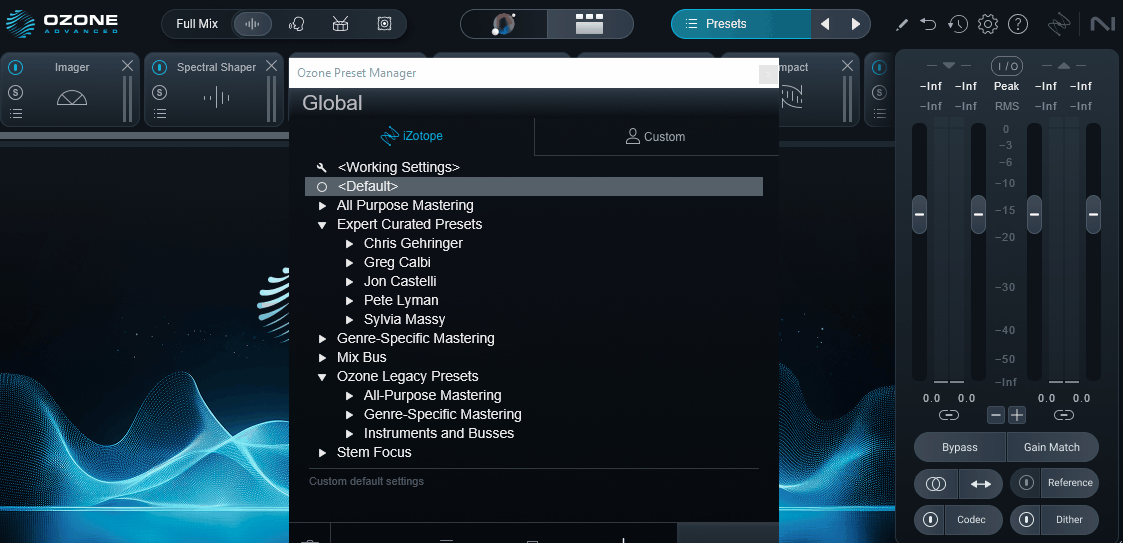
I like how each preset is actually a full processing chain rather than just module settings, which means loading a preset gives you a complete starting point with modules already in the correct order, their parameters dialed in, and their relative levels balanced against each other.
The signature preset collection includes work from several well-known mastering engineers, and these are worth exploring even if you don’t use them directly because they show how professional engineers actually structure an Ozone chain for specific sonic goals.
I have to say I was skeptical of this feature going in (celebrity presets often feel like marketing rather than substance), but the chains genuinely reveal useful approaches to module ordering and gain staging that you can learn from even if you end up modifying everything.
Saving your own presets is straightforward, and version 12 finally includes preset tagging and search that works properly, which previous versions handled awkwardly.
For me, this is the quiet quality-of-life improvement that adds up over months of use because once you’ve built up a personal library of chains for different types of work, being able to actually find them again matters more than it sounds like it should.
Who Should Actually Buy This
If you’re a mixing engineer who occasionally masters your own work, Ozone 12 Advanced is probably overkill and you’d be better served by Ozone 12 Standard or even the Elements tier, both of which give you access to the core Master Assistant functionality without the full Advanced module set.
The Advanced version makes sense if you’re doing mastering as a primary or significant part of your workflow and you need the additional modules, the deeper customization, and the higher-quality algorithms.
For existing Ozone 11 Advanced owners, I’d say the upgrade is genuinely useful but not essential, and it depends on how much you value the Stem Focus module and the improved Master Assistant.
If either of those sounds like something that would change your workflow, the upgrade is worth considering, but if you’re happy with Ozone 11 and you’re getting good masters already, there’s no urgency to jump versions.
For anyone on Ozone 10 or earlier, or anyone new to Ozone entirely, version 12 Advanced is a significant step forward and I’d recommend it without hesitation for serious mastering work.
Final Thoughts
Ozone 12 Advanced is a refinement release rather than a reinvention, and I believe that’s the right call for a mastering plugin that’s already considered the industry standard by many engineers.
The new Master Assistant, the Stem Focus module, and the updated Maximizer algorithm are all meaningful additions that earn their place in the toolkit, and the overall workflow improvements make longer mastering sessions feel less fatiguing than they used to.
I have to say that if you’re looking for a mastering plugin that can genuinely get you to a competitive master faster than any other single tool I’ve used, Ozone 12 Advanced remains the benchmark, and the intelligence behind the Master Assistant combined with the manual depth of the individual modules means you’re not locked into either a fully automated workflow or a fully manual one.
Since it’s more expensive, I’d still recommend trying out trial first, evaluate, and then decide if it’s worth it.
Buy here: iZotope Ozone 12 Advanced (Support Pluginerds)
Buy here: iZotope Ozone 12 Advanced (Trial Available)

Hello, I’m Viliam, I started this audio plugin focused blog to keep you updated on the latest trends, news and everything plugin related. I’ll put the most emphasis on the topics covering best VST, AU and AAX plugins. If you find some great plugin suggestions for us to include on our site, feel free to let me know, so I can take a look!