
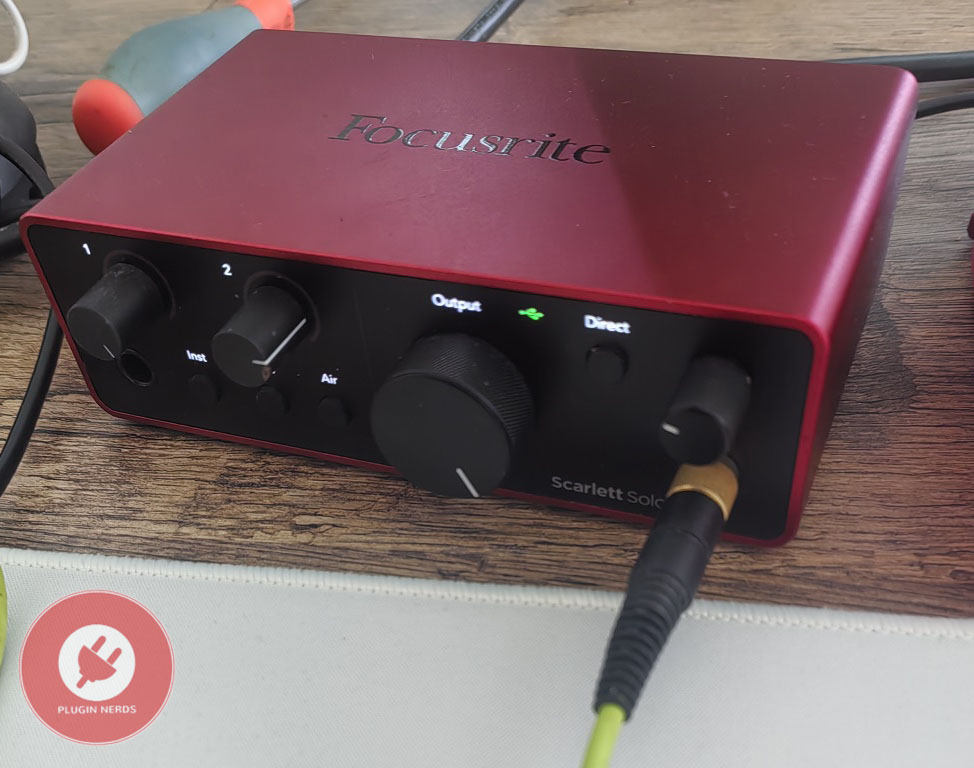
If you’ve searched for beginner audio interfaces for recording vocals, instruments, or podcasts, you’ve probably come across the Focusrite Scarlett Solo. I’ve been using the 4th generation model for about six months, alongside other interfaces, and I want to share my real-world experience. I’ll also talk about whether this new version solves old problems or simply builds on what already worked.
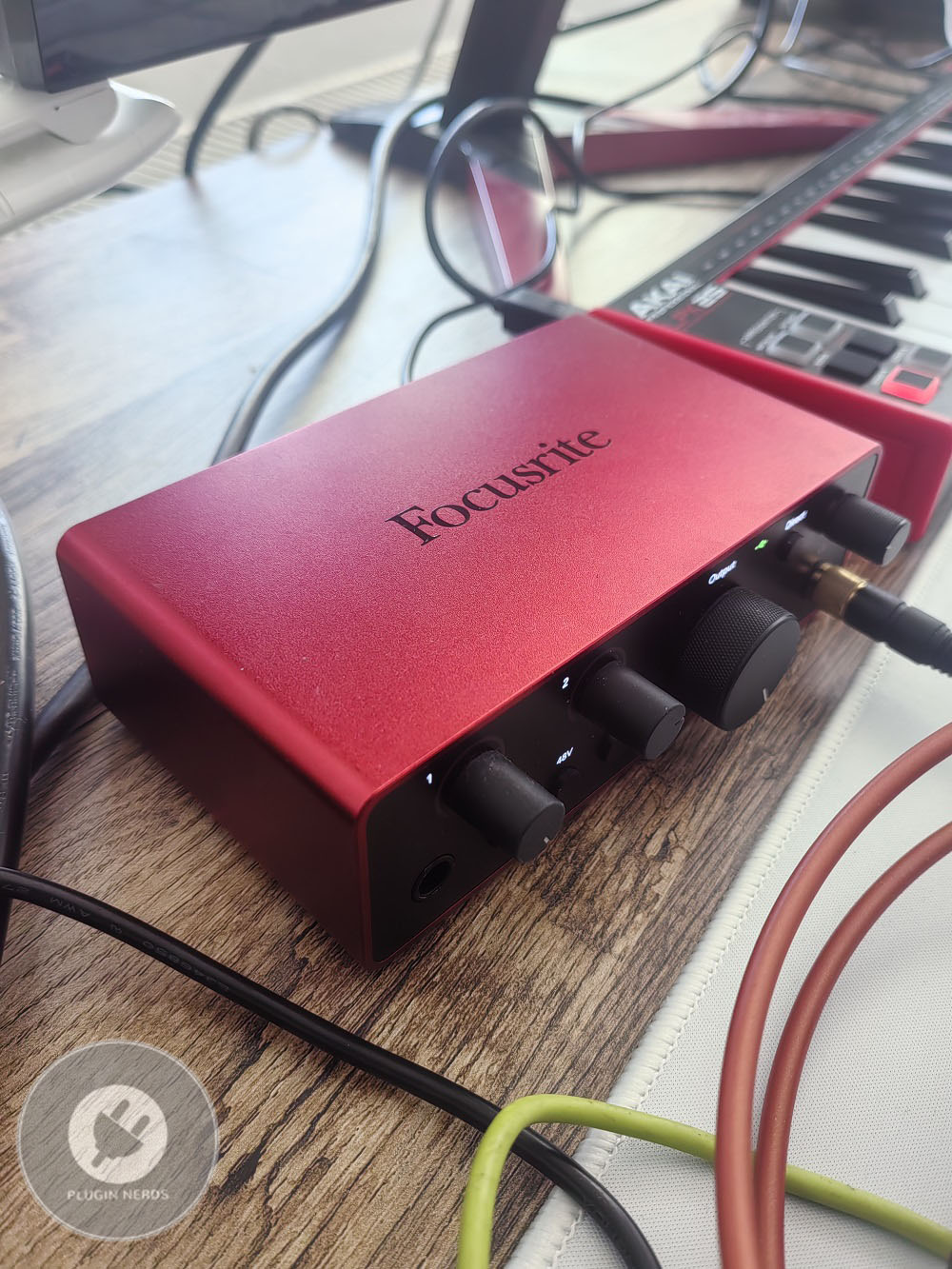
The Scarlett Solo 4th Gen is Focusrite’s single-input USB-C audio interface, designed for solo creators who want straightforward recording without extra inputs.
I think Focusrite is adding new features to stay competitive while keeping the design that made earlier models popular. Understanding what’s new and what’s the same can help you decide if this version fits your needs.
Specs and what’s new
The 4th generation comes with an improved preamp design using Focusrite’s latest circuitry. According to the company, it has better noise performance and more headroom than the 3rd gen. From my experience, the preamps provide clean gain with low noise for both dynamic and condenser mics. I haven’t noticed the hiss or noise issues that some older Scarlett models had when you turned up the gain.
The interface now supports sample rates up to 192kHz/24-bit, though most people will stick to 48kHz or 96kHz for everyday recording. It handles these common rates well, and I’ve had stable, glitch-free performance with different DAWs and operating systems.
Air mode returns from earlier versions, adding a presence boost similar to Focusrite’s ISA console preamps. I think it brings useful brightness and clarity to vocals and acoustic instruments when you want a modern, lively sound. The effect is easy to notice, so you’ll quickly decide if it suits your taste. Since it’s built in, you don’t need to use EQ plugins while recording.
Auto Gain is a new feature that sets input levels for you, which is great for beginners who find setup tricky. In my tests, Auto Gain works well for speech and vocals, setting good levels without clipping or leaving too much headroom. It’s not perfect for every sound, but it’s a helpful starting point and helps avoid recordings that are too quiet.
The interface now uses USB-C, which carries both power and audio through one cable. I appreciate this move to a modern standard, but you can still use USB-A with an adapter if needed. Since it’s bus-powered, you don’t need an external power supply, making mobile setups easier and keeping your desk less cluttered.
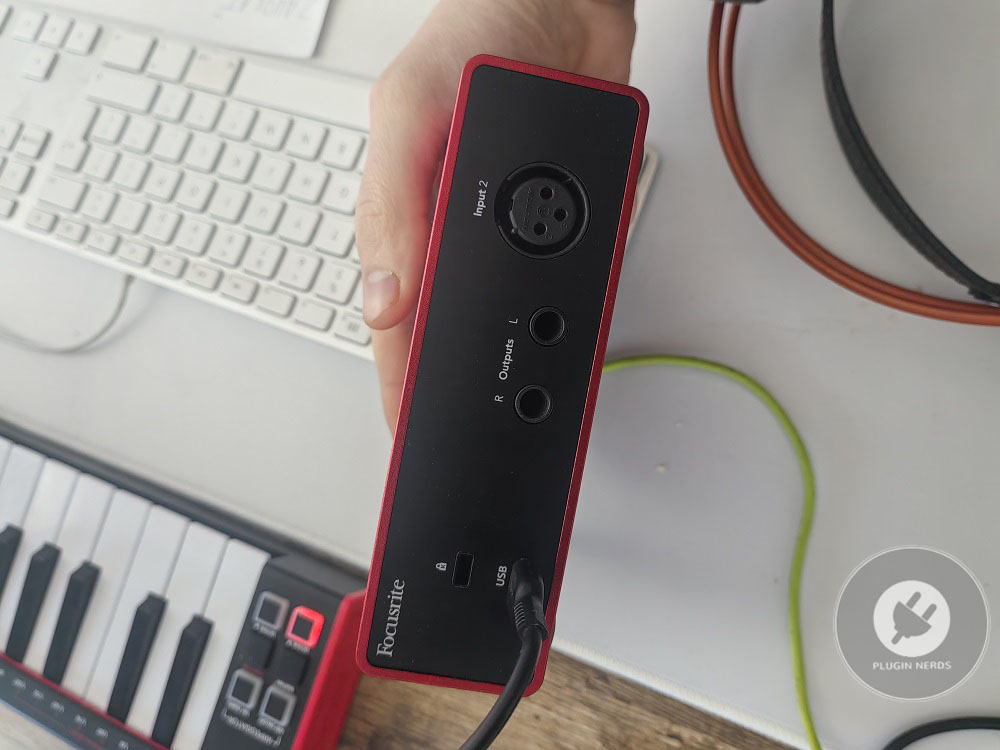
The Solo has one XLR/TRS combo input with phantom power for condenser mics. This single input is its main limitation. I’ve found it works well for solo recording when you only need to record one source at a time. However, you can’t record guitar and vocals together or use stereo mic setups unless you move up to an interface with more inputs.
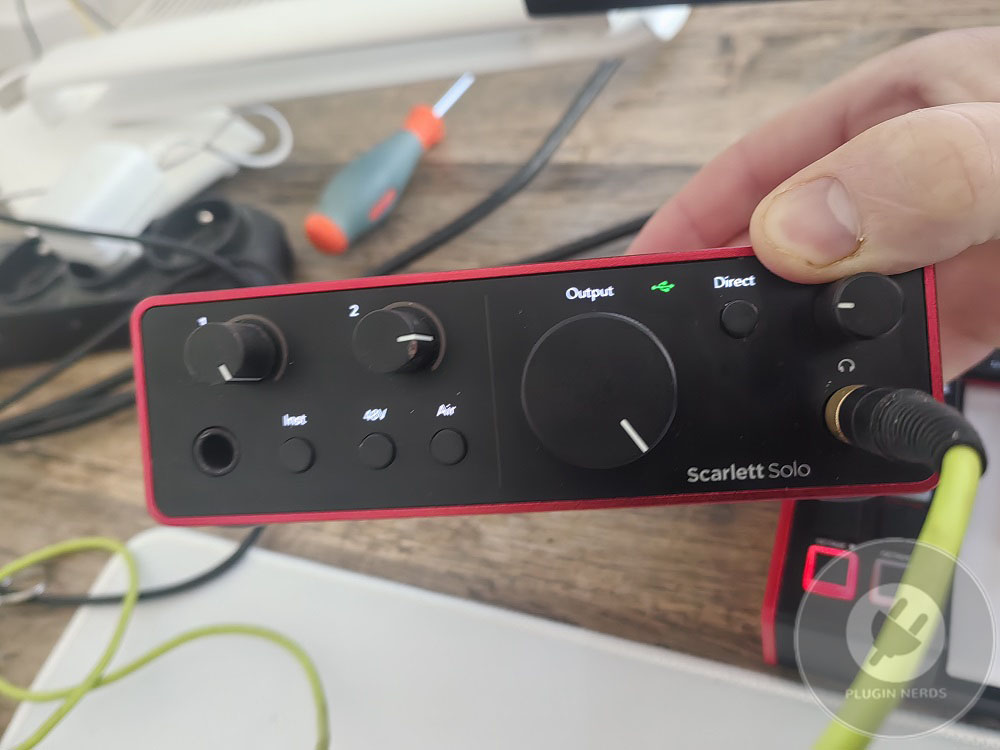
The front panel includes an instrument input for high-impedance sources like guitar and bass. I’ve used it to record both directly, without needing a DI box. The impedance matching does its job, giving clean instrument sounds without the dullness you sometimes get from line-level inputs.
Phantom power turns on or off for all inputs at once, but since there’s only one XLR input, this isn’t a problem like it can be with multi-input interfaces. The phantom power provides a clean 48V for condenser mics without noise or voltage issues.
The monitor outputs use balanced TRS connectors for studio monitors, and you can plug headphones into the front panel jack. A large monitor knob lets you adjust the output volume easily. The headphone output is strong enough for most headphones, but high-impedance studio headphones work better with a dedicated amp. The direct monitor switch lets you hear your input with no delay, which is important for comfortable recording. It’s a simple on/off switch, so you either hear the input directly or the DAW playback, but not both mixed together.
Quality and performance
The preamp quality is good for the price, giving clean sound with low noise for both dynamic and condenser mics. I’ve used it with mics like the Shure SM7B, Audio-Technica AT2020, and Rode NT1, and all produced clear recordings with minimal noise reduction.
The gain range is enough for most sources, but very quiet sounds or mics like the SM7B can push it to the limit. Regular condenser mics and louder dynamics work fine, but passive ribbon mics or the SM7B on quiet sources may need the gain turned up high, which can add noise. An inline preamp or cloudlifter helps in these cases, but for most vocals and instruments, the built-in gain is enough.
The converters do a good job, giving clear and detailed sound that stays true to the source. I haven’t noticed the problems or artifacts you sometimes get with cheaper converters. Recordings made with the Scarlett Solo hold up well against those from more expensive interfaces in normal use.
Latency is good with Focusrite’s ASIO drivers on Windows and Core Audio on Mac. I’ve used buffer sizes as low as 32 samples for almost zero-latency monitoring. For most recording, 128 or 256 sample buffers work well and the interface stays stable without dropouts or glitches.
The headphone output is loud enough for most headphones and earbuds, but it can struggle with high-impedance studio headphones that need more power. I’ve used it with regular and semi-pro headphones without issues, but my 250-ohm Beyerdynamics sound quieter and less lively compared to using a dedicated headphone amp.
Build quality & ergonomics
The metal case feels sturdy and professional, especially for the price. It’s heavy enough to stay in place on your desk. The build quality is much better than all-plastic budget interfaces, and it seems like it will hold up to regular use and being moved around.
The controls are laid out in a logical way, with a big gain knob on the front for easy adjustment and another for monitor volume. The Air and 48V buttons are clearly labeled with LED lights to show their status. Overall, the interface is easy to use, so beginners can start recording without spending much time with the manual.
The LED meters only show signal and clip, not detailed levels. This gives you basic feedback about whether you have a signal or are overloading, but not exact levels. I use my DAW’s meters to set levels and check the interface LEDs for a quick glance.
The USB-C and monitor outputs are on the back, while the input, instrument jack, and headphone output are on the front. This setup works well for a permanent desk, but the rear USB connection can be awkward if you often plug and unplug it from a laptop.
Software Bundle and Extras
Focusrite includes a software bundle with plugins, virtual instruments, and basic DAW versions, which is great for beginners who don’t have production software yet. The bundle includes Ableton Live Lite, Pro Tools Intro, and several Focusrite plugin collections for basic recording and production.
The Focusrite Control software manages firmware updates and settings. It’s basic but works well for the Solo’s simple needs. More advanced Scarlett interfaces use it more, but with the Solo, you probably won’t need it much after setup.
You set up Auto Gain using the Focusrite Control app, and the process is simple enough for beginners to get good input levels without needing to know about gain staging. In my tests, it works well for vocals and speech, but you might get better results by adjusting manually for instruments or sounds with a wide dynamic range.
Use cases
For podcasting, the Scarlett Solo has everything you need for single-host shows. Clean preamps, Auto Gain, and direct monitoring make it easy for beginners without sacrificing sound quality. I’ve used it for podcasts where a simple, reliable setup matters more than extra features or inputs.
Singer-songwriters can use the Solo for both vocal mics and instrument inputs, though you can’t record both at once. The single-input setup encourages you to focus on one part at a time. Air mode adds shine to vocals and acoustic guitars without requiring EQ knowledge, and the sound quality is good enough for released music if you use decent mics.
For streaming and content creation, the interface gives low-latency audio and reliable performance. If you use more than one audio source, the single input might be limiting. The direct monitor feature lets you hear yourself without the delay that can occur with software monitoring.
Mobile recording is easy because of the Solo’s small size and bus-powered design. I’ve used it with a laptop in different places without needing power adapters or complicated setups. The USB-C connection works well with most modern laptops, but some weaker USB ports might not provide enough power for stable use.
Limitations
The single input is the main limitation. If you want to record more than one source at once or do stereo recordings, you’ll need the 2i2 or a bigger interface. This isn’t really a flaw; it’s a design choice to keep things simple and affordable for people who only need single-track recording.
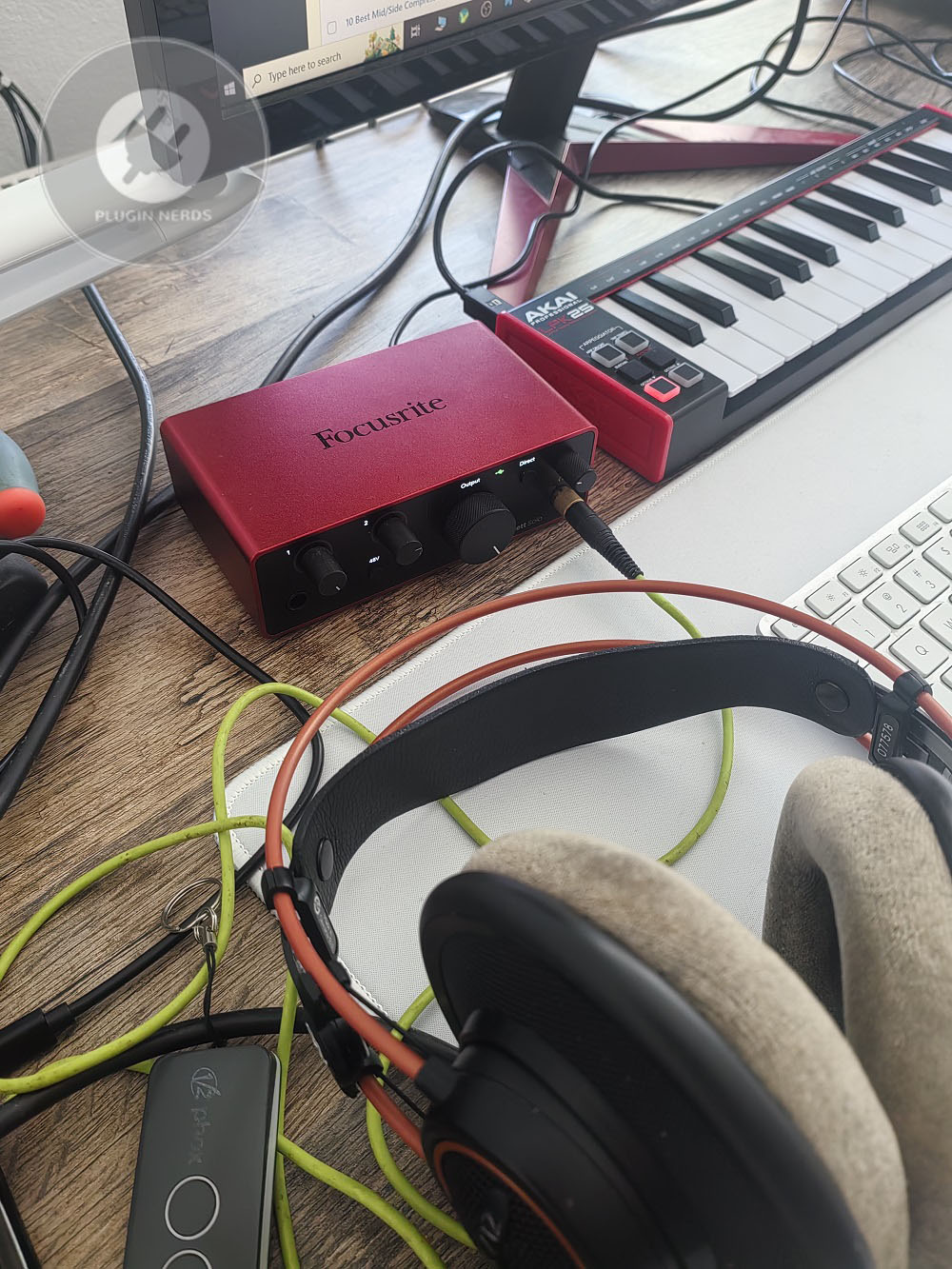
There’s no MIDI connection, so if you use MIDI controllers, you’ll need a separate MIDI interface. However, many modern MIDI controllers connect directly by USB, so this isn’t as much of an issue as it used to be.
There’s no loopback feature, which can be a drawback for streaming if you want to record computer audio through the interface. Still, you can use third-party software to work around this on both Mac and PC.
The gain headroom isn’t as high as on more expensive interfaces, so very quiet sources or mics like passive ribbons or the SM7B may need an inline gain device for the best noise performance.
Value you get
The Scarlett Solo 4th Gen usually costs about $130-150, making it a strong competitor in the entry-level market. It offers good value for the build quality, sound, and software bundle, and is a solid way to start recording without spending much.
Compared to the 3rd generation, the improved preamps and new Auto Gain make the 4th gen worth considering. Still, if you find a 3rd gen at a discount, it can be a good choice for those on a budget.
Compared to competitors like the PreSonus AudioBox or Behringer U-Phoria, the Scarlett offers better build quality and more stable drivers, though it costs a bit more. Your choice depends on whether you want reliability and durability or just the lowest price.
The Scarlett 2i2 costs about $40 more and gives you a second input and better metering. For many people, this upgrade adds useful flexibility and is worth the extra cost if your budget allows.
Final words
The Focusrite Scarlett Solo 4th Gen offers reliable, good-quality recording in a simple, beginner-friendly package. It keeps things easy without leaving out important features. Clean preamps, Auto Gain, and solid build make it great for newcomers, and the sound quality is good enough that you won’t need to upgrade right away.
If you need to record one source at a time for vocals, instruments, or podcasts and want something reliable and affordable, the Scarlett Solo is a safe choice. If you plan to record more sources or need advanced features, it’s better to start with a multi-input interface.
I still use the Solo for mobile recording and simple tracking where its limits aren’t a problem and its reliability and sound quality stand out. It does its job without hassle, and that focus makes it useful for both beginners and experienced users in the right situations.

Hello, I’m Viliam, I started this audio plugin focused blog to keep you updated on the latest trends, news and everything plugin related. I’ll put the most emphasis on the topics covering best VST, AU and AAX plugins. If you find some great plugin suggestions for us to include on our site, feel free to let me know, so I can take a look!