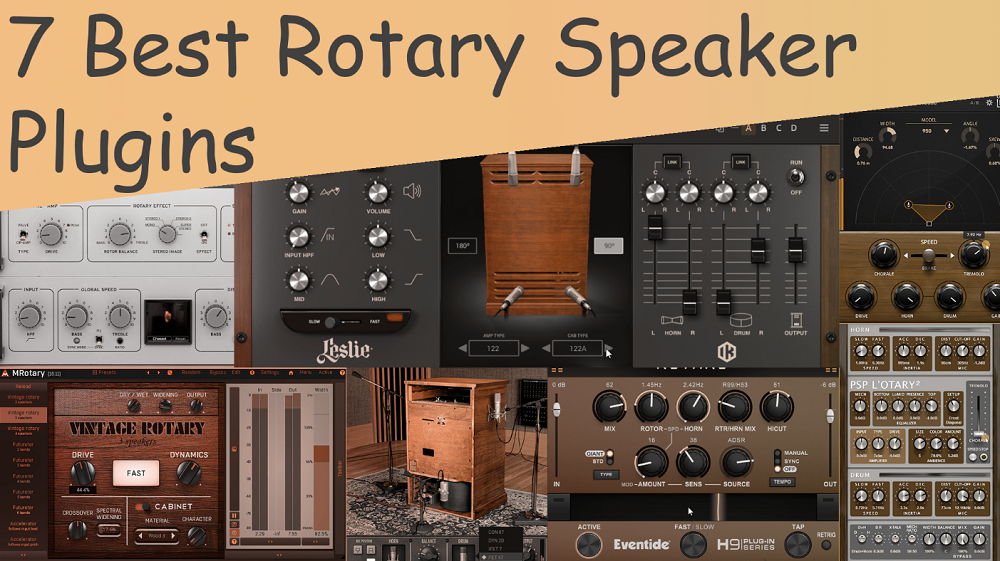
If you want that swirling motion, three-dimensional depth, and natural movement that only a spinning cabinet can create, you’re in the right spot. Rotary speaker VST effects have shaped the sound of organs, guitars, synths, and even vocals for decades. Today’s best rotary speaker plugins capture that magic with impressive realism.
From subtle chorale shimmer to full-tilt tremolo swirl, modern emulations don’t just imitate the effect; they recreate the character, warmth, and real movement of horn and drum rotors. Whether you want gentle motion on pads, gritty movement on guitars, or wide stereo animation on keyboards, the top plugins offer features like detailed rotor physics, mic modeling, cabinet resonance, and acceleration behavior.
Next, I’ll break down the top choices available now. Each one adds its own style of movement, saturation, and space to your mixes. Let’s look at what makes each plugin unique and how they can bring your tracks to life.
1. T-Racks Leslie

Capturing both slow and fast rotor motion adds depth and movement to your sound. The T-Racks Leslie rotary speaker plugin brings that classic swirling effect into your DAW, accurately recreating treble and bass rotor dynamics with natural Doppler effects.
When you find the right settings, your tracks feel more alive and musical. Here’s what you get, as the features are very similar to the Arturia CLS-222:
- Rotary Speaker Emulation
You can add true Leslie-style modulation to your instrument, with separate control over bass and treble rotors. Slow and fast rotor speeds create dynamic stereo movement and depth. Adjust for subtle chorale effects or strong tremolo swirls to give your tracks a live, organic feel.
- Dual Rotor Control with Speed Automation
You can control rotor speeds separately for slow and fast modes, and automate transitions for expressive swells, rhythmic changes, or build-ups. This flexibility helps you shape the modulation to fit your music exactly.
- Amp and Saturation Controls
You can adjust gain, tube warmth (Contour), tube distortion (Tube Drive), and choose tube behavior (Tube Mode) to shape your sound. These controls let you add gentle warmth or more intense saturation, depending on what your mix needs.
2. Arturia – Rotary CLS-222

The Arturia Rotary CLS‑222 is a rotary speaker plugin that brings the classic Leslie cabinet sound to your DAW. It recreates authentic rotor motion, tonal detail, and stereo movement, all without any hardware.
With dual preamp modes, rotor customization, and a visualizer that shows rotor behavior, the plugin can be used on organs, guitars, synths, and even pads, adding motion, depth, and character to any track.
- Rotary Speaker Simulation
The plugin closely recreates a Leslie-style rotary speaker, with separate bass and treble rotors that move on their own. It simulates the Doppler effect and harmonic changes from rotor movement, making instruments sound like they are playing live.
You can add depth, movement, and dimension to organs, guitars, synths, or pads, giving your tracks a more natural and immersive feel. The stereo field shifts with the rotor, so you can place sounds more expressively in your mix.
- Dual Preamp Modes
You can pick between two preamp styles to shape your sound. The clean op-amp mode keeps the signal clear and accurate, which works well for subtle effects or keeping details in busy mixes.
The valve mode adds warmth, gentle saturation, and a bit of compression, giving your sound a vintage, analog vibe. You can switch or automate the modes for expressive changes in your track.
- Rotor Speed Control
You can switch between slow and fast speeds to get the classic Leslie “chorale” and “tremolo” effects. Speed ramps can be automated for smooth transitions, helping you create swells, builds, or dynamic contrasts in your music.
You can control the bass and treble rotors separately, letting you shape how the modulation changes over time. This is great for expressive playing or adding movement to steady sounds.
- Stereo Width and Balance
You can adjust the stereo width of the rotor effect, from a gentle spread to a wide, immersive rotation. Separate balance controls for bass and treble let you shape the stereo field and frequency focus. This helps the plugin fit well in any mix, whether you want a light touch or a bold, spacious effect. It’s especially helpful with layered instruments or multitrack sessions, keeping everything clear and together.
- Dry Bass Option
You can also keep the low end completely dry while applying rotor modulation to the mids and highs. This prevents bass frequencies from becoming muddy or losing definition, which is crucial for modern mixes where low-end clarity is essential.
- Lastly, built-in High-Pass Input Filter
3. UAD Waterfall Rotary Speaker

UAD has recreated the classic Leslie 147 rotary cabinet, letting you bring its rich, three-dimensional movement and vintage sound right into your DAW. You’ll hear the full depth of both the horn and drum rotors, plus the cabinet’s natural resonances, all captured with detailed mic modeling and high-resolution processing.
The plugin also models the power amp section, so you can add tube-driven saturation and harmonic richness to your sound. Waterfall Rotary Speaker is more than just a rotary VST effect, it’s a complete, realistic cabinet simulator that lets you create immersive Leslie textures for vocals, guitars, keyboards, or any other instrument in your mix.
As you adjust the settings, you’ll notice the motion and grit come to life. It’s easy to fit the effect into your track while keeping that classic Leslie sound you want.
- Tube Power Amp Saturation
This is not just a clean Leslie emulation. Waterfall features a modeled tube power amp, and you can use the Drive control to add warm overtones, gritty saturation, or even heavy distortion, depending on how much you push it.
- Rotary Speed Control and Dynamics
You can choose between Slow, Brake, and Fast rotor speeds, and use separate Accel and Decel controls to set how quickly the rotors change speed. Speed Trim also lets you adjust the maximum speed of the horn and drum separately. This gives you full control over your rotary sound, so you can create expressive swells, dramatic builds, or tight rhythmic changes in your music.
- Rotary Cabinet Emulation
You get a highly accurate model of the classic Leslie 147. The horn and drum rotors move on their own, creating real Doppler pitch shifts and changes in volume. The plugin also models how the rotors and cabinet interact, including reflections and phase effects. This lets you create a rich, spacious swirl that brings your instruments to life, instead of just using a basic LFO.
- Mechanical Noise Modeling
Mechanical details like belt noise, rotor wind, and relay clicks when you change speeds are all carefully modeled.
- Microphone Placement Options
You can pick from different mic setups for the horn section, choosing classic mic models and setting stereo or mono positions. The drum rotor also lets you select mics and adjust the balance, so you control how the bass is captured. This flexibility helps you shape the cabinet’s sound, whether you want a focused tone or a more ambient, room-filling feel.
4. MeldaProduction MRotary

Whether it’s creating subtle swirls or dramatic spinning motion, rotary effects can really change how a part interacts with the rest of the mix. MRotary, a rotary speaker VST plugin, lets you control all aspects of a rotary speaker simulation in your DAW, from rotor behavior to mic placement, giving you the freedom to dial in exactly the vibe you want.
I enjoy using this rotary VST because adjusting the controls brings motion, warmth, and energy to sounds, all without leaving your project.
- Multi-Speaker Cabinet Control
You can set up as many as six virtual speakers in each cabinet, each with its own position, pan, and algorithm. This gives you detailed control over the stereo field and how each rotor moves in the mix.
- Dual Algorithms for Each Speaker
Each speaker can use one of two algorithms, each with its own sound. One copies the classic Leslie cabinet with natural rotor movement, while the other is more precise for tighter, controlled effects.
You can switch between the algorithms as you play or blend them for new textures, so you can shape the rotary sound to fit your needs.
- Deep Modulation System
MRotary includes four modulators that work as LFOs, envelope followers, or can be triggered by MIDI or audio. You can use them to control things like rotor speed, distortion, EQ, stereo width, or cabinet settings.
This allows you to craft highly expressive and dynamic performances, for instance, by increasing the rotor speed with note velocity or by having the distortion respond to incoming audio peaks. Modulation adds life to every chord, pad, or lead, without manually automating each knob.
- Cabinet Material and Resonance Options
You can pick from different cabinet materials like wood, glass, textile, or metal, and each one changes the tone and resonance of the effect. These options let you recreate anything from small vintage combos to big stage-style Leslie cabinets.
- Built-In Tube-Style Saturation and Amp Section
The plugin has a tube-style amp section with Drive, Volume, and Tone controls. You can add gentle warmth or push it for a more aggressive, rich sound. The Drive works with modulation and rotor speed to create real-sounding overtones, giving your instruments a vintage, well-used feel.
- Advanced EQ and Stereo Shaping
MRotary comes with a dynamic EQ that reacts to both the signal level and modulation.
- Mechanical Realism and Artifacts
Mechanical details like belt noise, rotor friction, and subtle artifacts are all modeled and adjustable. You can add just enough realism to make your track feel organic, or keep it minimal for a cleaner studio sound.
- Preset Library
There are over 40 presets, including classic Leslie sounds, vintage textures, and modern experimental options.
5. Eventide Rotary Mod

I found it really easy to get a moving rotary sound without worrying about complicated settings. Eventide Rotary Mod gives that classic spinning-cabinet feel in a straightforward, practical way.
I like this rotary speaker plugin because it quickly adds motion and depth to pads, guitars, or synths. The effect is clear but never sounds overprocessed or fake. It’s easy to adjust, and you can make it fit naturally in your track without taking over.
- Rotary Cabinet Emulation
You can control the horn (treble) and drum (bass) rotors separately, so you can shape how each part moves. You can set slow or fast rotor speeds, and the rotors react to your playing, so you hear movement even with simple chords. This helps add life to keyboards, pads, or guitars without needing to spend time on automation.
- Speed Control and Acceleration
You can switch the speed between slow, fast, or brake modes, and adjust how quickly the rotors speed up or slow down. This lets you create natural swells, gradual builds, or quick changes in motion, depending on your track. It’s especially useful for dynamic transitions that feel like a real Leslie.
Stereo Spread and Balance
The plugin lets you adjust the stereo width for both the horn and drum sections. You can make the effect tighter for a focused sound or wider for a bigger, more immersive feel. It’s easy to fit into any mix, whether you want a subtle touch or a stronger effect.
- Built-in Microphone Placement Options
You can choose different mic positions for the horn and drum, and adjust their balance to fit your mix.
6. UVI Rotary

Using UVI Rotary in my projects, I’ve found it’s the kind of plugin that immediately makes instruments sit better in a mix. It lets you add authentic Leslie-style movement to your tracks with easy-to-control, intuitive controls!
- Rotary Cabinet Simulation
The plugin gives you a detailed Leslie-style cabinet sound, with separate modeling for the horn and drum rotors.
- Rotor Speed and Acceleration Control
You can pick Low (chorale) or High (tremolo) speeds for each rotor and set how fast they speed up or slow down. This makes it easy to create smooth swells, rhythmic changes, or dramatic transitions that fit your track.
- Stereo Spread and Balance
You can adjust the stereo width for both the horn and drum parts. Make the effect tighter for a focused sound or wider for a bigger, more immersive feel. It’s easy to fit the plugin into any mix, whether you want a gentle movement or something more obvious.
7. PSP L’otary2

PSP L’otary2 is a software version of a classic Leslie-style rotary speaker. It gives you detailed control over the movement and sound of rotating cabinets. The plugin recreates both horn and drum rotor actions, including speed changes, stereo movement, and the way low and high frequencies interact.
This rotary speaker VST plugin lets you shape the rotary effect in detail without making things complicated. It works well with many types of instruments and audio.
- Rotary Cabinet Sim
The plugin closely models a Leslie-style rotary cabinet with separate horn and drum rotors. You can adjust each rotor on its own, changing speed, stereo position, and how the bass and treble parts work together.
The simulation includes the natural Doppler shift and amplitude modulation of moving rotors, giving instruments a realistic sense of motion and depth. This allows subtle modulation for gentle movement or fully immersive swirling effects, depending on the track’s needs.
- Dual Rotor Speed Modes
Both the bass and treble rotors have slow and fast modes, just like classic chorale and tremolo speeds. You can smoothly speed up or slow down the rotors, making natural swells and smooth changes in sound.
- Mechanical and Acoustic Artifacts
PSP L’otary2 adds subtle mechanical sounds like belt noise, rotor wind, and cabinet resonance to make it feel more real. You can turn these sounds up for more authenticity or lower them for a cleaner sound.
The plugin also recreates how the rotors and cabinet interact, adding more depth and character. This helps capture the small imperfections and details of a real Leslie speaker.
FAQs:
[sp_easyaccordion id=”10019″]

Hello, I’m Viliam, I started this audio plugin focused blog to keep you updated on the latest trends, news and everything plugin related. I’ll put the most emphasis on the topics covering best VST, AU and AAX plugins. If you find some great plugin suggestions for us to include on our site, feel free to let me know, so I can take a look!