Pitch shifting can add harmonies to your vocals, thicken your instruments, or transform sounds into something completely different.
In this breakdown, I’m covering tools like Devious Machines Pitch Monster, Waves Pitch Bender, Slate Digital MetaPitch, Eventide MicroPitch, Boz Digital Labs ProVocative, and several others that each approach pitch processing differently. Some focus on real-time harmonization and creative modulation, others specialize in transparent vocal correction, and a few are built specifically for extreme pitch shifting that maintains audio quality even at dramatic settings.
I’ve tested various pitch shifting plugins over last few hours to figure out which ones actually deliver quality results. What I found is that the best pitch shifter plugins aren’t just about shifting pitch up or down. They’re about maintaining formant control, handling polyphonic material accurately, and giving you enough creative tools to build harmonies, create vocal doubling, or push into experimental sound design territory.
| Plugin Name | Best For | Engine Type | Key Strength | My Verdict | Pros | Cons |
|---|---|---|---|---|---|---|
| 1. Devious Machines Pitch Monster | Creative harmonies & sound design | Polyphonic Pitch + Modulation | Multi-voice pitch control | Best Overall | Formant control, modulation, harmonies | Overkill for simple tuning |
| 2. Waves Pitch Bender | Simple pitch shifting | Real-Time Pitch Processor | Clean pitch & formant shifts | Best Budget | Easy workflow, MIDI control | Limited creative tools |
| 3. Slate Digital MetaPitch | Vocal tuning & harmonies | Pitch Correction + Harmony Engine | Auto + manual correction | Best Pro | Graphical editor, scale control | Vocal-focused only |
1. Devious Machines Pitch Monster – Best Overall
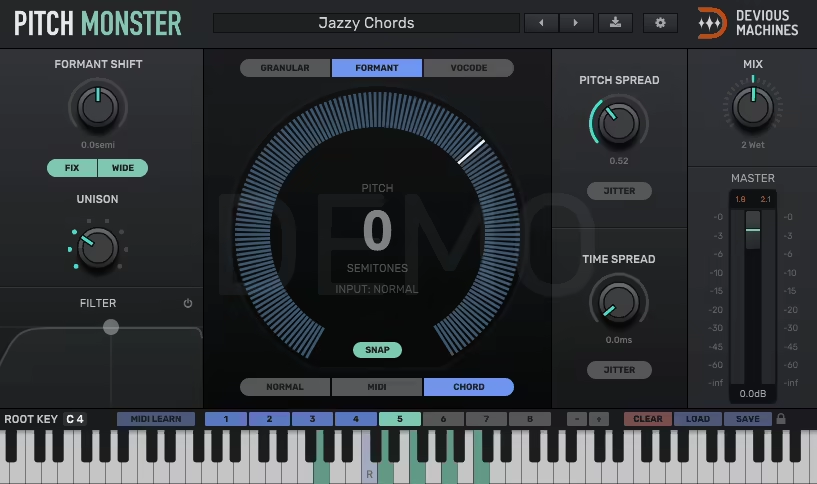
Devious Machines Pitch Monster is a real-time pitch shifting and harmonizing plugin that goes way beyond simple pitch correction by offering granular control over pitch, formants, and harmonic generation for creative vocal processing and sound design.
Standard pitch shifters usually give you basic transposition controls and maybe some formant adjustment, but when you’re working on creative projects that need complex harmonies, pitch modulation, or experimental vocal effects, those basic tools feel limiting and force you to stack multiple plugins or bounce audio repeatedly to achieve what you’re hearing in your head.
I would recommend it for creating instant backing vocal harmonies that track the lead in real time, on synth patches where pitch modulation added movement and character, and on sound design work where extreme pitch shifting transformed ordinary sounds into something completely different.
With its polyphonic tracking and four independent voices, Pitch Monster stands out as the best pitch shifter plugin for producers who need professional harmonization and creative sound design in one tool.
- Polyphonic Pitch Shifting
It can identify multiple notes in complex audio and shift them accurately, and I’d say this capability is what makes it suitable for real harmonic processing rather than just simple monophonic transposition. The pitch tracking works on vocals, instruments, and even complex chordal material without the warbling or artifacts that simpler pitch shifters create.
The harmonization features let you create up to four independent voices from a single input, each with its own pitch offset, formant adjustment, and level control. The harmony generation sounds natural and musical rather than obviously processed, which is crucial when you’re creating backing vocals or thickening lead parts. The voice independence means you can create complex arrangements like thirds, fifths, and octaves simultaneously, or go for more unusual intervals for creative effects.
- Independent Formant Control
In addition, Pitch Monster includes detailed formant manipulation separate from pitch shifting, and honestly, this independence is essential for maintaining natural vocal character when transposing. The formant controls let you adjust the perceived vocal cavity size without affecting pitch, which prevents the chipmunk or monster voice effects that happen when formants shift with pitch automatically.
- Modulation and Movement
Next, it features comprehensive modulation with LFOs, envelopes, and step sequencers that can affect pitch, formants, and other parameters for creating evolving, animated vocal effects. In addition, the modulation system turns static pitch shifting into dynamic processing that changes over time, adding movement and interest to vocals and instruments.
- Creative Pitch Effects
Beyond standard transposition, Pitch Monster includes creative pitch processing like pitch quantization, pitch drift, and octave stacking that serve experimental and sound design purposes. The pitch quantization forces notes into specific scales, creating that auto-tune effect or correcting off-key performances, while the pitch drift adds subtle variations that make overly perfect pitch shifting sound more human and natural.
The octave generation lets you add sub-octaves or upper octaves to thicken sounds or create massive, layered textures from single sources. I realized that these creative tools are what make Pitch Monster suitable for sound design and electronic music production where you want pitch processing that’s obviously affected rather than transparent.
Whether you’re working in EDM, hip-hop, or experimental genres, this pitch shifter VST gives you the creative freedom to transform vocals and instruments beyond traditional transposition.
Also, effects can be subtle for enhancement or pushed hard for dramatic transformation depending on your creative needs.
2. Waves Pitch Bender – Best Budget
Pitch shifting needs vary wildly depending on whether you’re making subtle corrections to a vocal performance, creating harmonies, or transforming sounds beyond recognition for sound design work, and having a tool that handles all these scenarios without forcing you into completely different workflows for each application makes production faster and more intuitive.
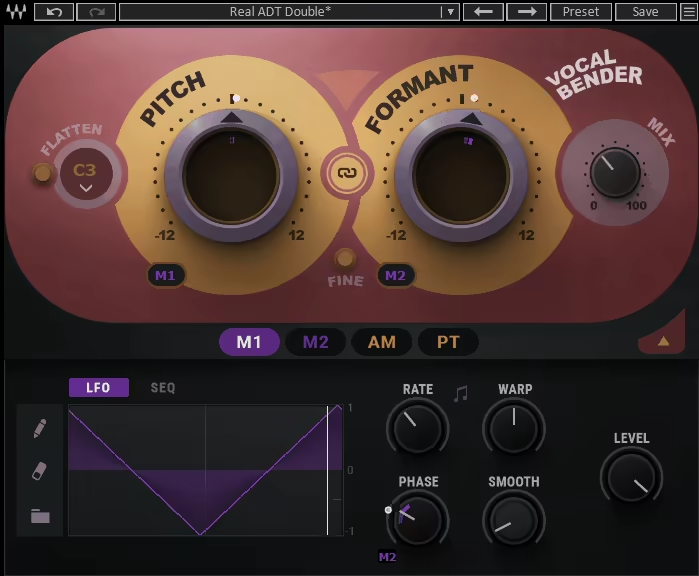
Waves Pitch Bender is a versatile pitch shifting plugin designed for both subtle correction and extreme creative effects, and I think what makes it practical is the combination of straightforward controls with enough depth for detailed pitch manipulation.
The plugin offers independent pitch and formant control, real-time processing, and MIDI triggering in an interface that stays accessible without oversimplifying the capabilities.
What I appreciate is how Pitch Bender balances ease of use with professional features, making it suitable for quick fixes and detailed creative work without needing separate plugins for different pitch shifting tasks.
- Precise Pitch Shifting Range
It provides pitch shifting up to two octaves in either direction with smooth, continuous control, and this range covers most practical pitch shifting needs from subtle correction to dramatic transposition. The pitch adjustment uses high-quality algorithms that maintain audio fidelity even when shifting by significant intervals, preventing the digital artifacts and tonal degradation that cheaper pitch shifters create.
The pitch control is precise and responsive, letting you dial in exact semitone and cent values for accurate transposition. For producers who need a reliable pitch shift plugin with two-octave range and consistent quality, Pitch Bender delivers without the complexity of more feature-heavy alternatives.
I found that the algorithm handles different source materials well, from vocals to instruments to drums, maintaining the character of the original while applying the pitch shift. The quality remains consistent across the entire pitch range rather than sounding good for small shifts but falling apart with extreme adjustments.
One thing I’ve noticed is that the pitch shifting stays relatively transparent when used subtly, making it suitable for corrective work where you don’t want obvious processing. At the same time, the algorithm can handle extreme pitch shifts for creative effects without completely destroying the source material, which is valuable for sound design applications.
- Independent Formant Control
This pitch plugin includes formant adjustment separate from pitch, and honestly, this independence is what makes pitch shifting sound natural rather than like chipmunk or monster voices. The formant controls let you maintain natural vocal timbre when transposing or deliberately shift formants for character changes and creative effects.
I appreciate how formant preservation prevents the unnatural tonal changes that happen when pitch and formants shift together automatically. The independent formant adjustment is particularly important for vocal transposition where you want to change the pitch without making the voice sound artificially high or low. The formant control also enables creative effects like gender transformation or creating cartoon-like character voices.
- Real-Time Processing and MIDI Control
Pitch Bender operates in real time with low enough latency for live performance and tracking, and I think this real-time capability makes it more versatile than plugins that only work well for offline processing. The MIDI control lets you trigger specific pitch shifts from a keyboard, turning the plugin into a performance instrument where you can play harmonies or pitch effects rather than programming fixed transpositions.
3. Slate Digital MetaPitch – Best Pro
Pitch correction and creative pitch effects usually require different plugins with completely different workflows, which slows you down when you need both subtle tuning and dramatic transformation in the same project.
Modern vocal production often demands transparent correction on lead vocals while background elements might need obvious pitch effects, harmonies, or creative manipulation that serves the arrangement rather than just fixing problems.
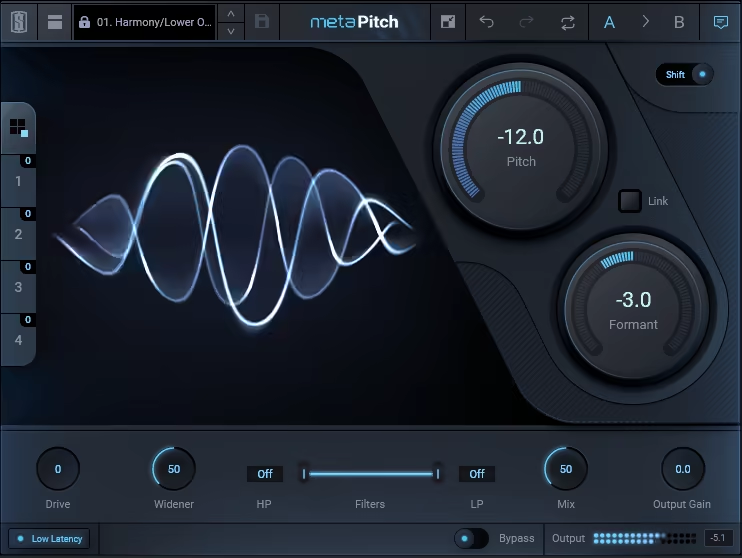
MetaPitch by Slate Digital is a pitch transposing plugin that provides real-time pitch correction with adjustable speed and intensity controls that determine how aggressively the plugin corrects off-pitch notes, and I’d say the flexibility here is what lets you dial in everything from invisible tuning to obvious auto-tune effects.
The correction speed controls how quickly the plugin snaps notes to the correct pitch, with faster settings creating that modern tuned sound and slower settings maintaining natural vocal character. The correction intensity determines how strictly the plugin enforces pitch accuracy, letting you leave some natural variation or lock everything to perfect intonation.
I found that the automatic mode works well on most vocal performances without extensive tweaking, but having detailed control means you can fine-tune the processing when the automatic settings aren’t quite right.
The scale selection lets you specify which notes are correct so the plugin doesn’t try to tune notes that are intentionally outside standard scales.
- Manual Pitch Editing
The plugin includes a graphical pitch editor that displays detected pitch over time and lets you manually adjust correction on specific notes or phrases. The visual editing is useful when automatic correction isn’t handling certain passages correctly or when you want precise control over specific problem areas.
I appreciate how the manual editor shows you exactly what the plugin is detecting and correcting, making it easy to identify where automatic settings need adjustment. The note-by-note editing lets you be surgical about correction, leaving intentional pitch bends and slides alone while fixing actual mistakes. From my experience, having both automatic and manual modes means you can work quickly on most material while still having detailed control when needed.
This dual-mode approach makes MetaPitch more than just a pitch shift plugin – it’s a complete vocal production tool that handles correction, editing, and creative effects.
- Harmony Generation
MetaPitch can generate up to four harmony voices from a single input, each with independent pitch offset and level control. The harmony creation is useful for building backing vocal arrangements without recording multiple takes, and the real-time processing means you can perform harmonies live or program them via MIDI.
The harmony voices can follow fixed intervals or be controlled by MIDI for chord-aware harmonization that changes with your track’s harmony. I love how this flexibility covers both simple harmony doubling and complex arrangements that need to follow specific chord progressions. The formant-corrected harmonies sound more natural than simple pitch shifting because the tonal character stays appropriate for each harmony voice.
- Creative Pitch Modulation
Beyond correction, MetaPitch includes pitch modulation effects with LFO and envelope controls that create movement and variation. The modulation options can add pitch wobbles, vibrato effects, or rhythmic pitch variations that sync to tempo.
- Formant and Throat Modeling
Lastly, this pitch shifter plugin provides formant shifting and throat modeling that change vocal character independently from pitch. The formant controls can masculinize or feminize voices, create character effects, or correct the unnatural timbre that extreme pitch shifting creates.
4. Eventide MicroPitch
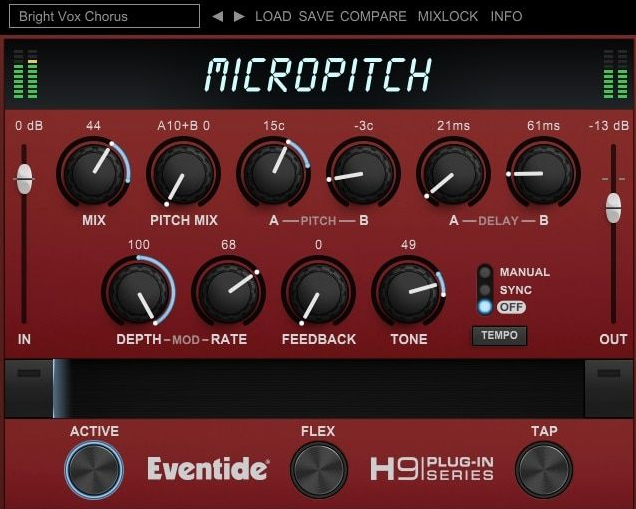
This one is a micro pitch shifting plugin based on classic Eventide hardware that creates detuning and doubling effects through small pitch shifts combined with delays, and I think this approach to thickening sounds is fundamentally different from standard chorus or widening plugins.
What I appreciate is how MicroPitch creates subtle enhancement that makes sources sound better without calling attention to itself as processing.
MicroPitch features two independent pitch shifters that can detune by small amounts in opposite directions, and I’d say this dual-engine approach is what creates the characteristic thickness and width. The pitch shift range is intentionally limited to subtle detuning rather than dramatic transposition, focusing on the sweet spot where pitch shifting adds richness without sounding obviously affected.
The dual shifters typically detune slightly sharp and flat simultaneously, creating a chorus-like effect that’s thicker and more stable than actual chorus modulation. I found that the detuning adds dimension without the wavering pitch that modulation-based effects create, making it perfect for lead vocals and instruments where you want thickness but need pitch stability. The independent pitch controls let you adjust how much each voice detunes, giving you control over the intensity of the effect.
One thing I’ve noticed is that micro pitch shifting creates width and thickness that feels natural rather than obviously processed, because the effect mimics how multiple performers or takes would naturally have slight pitch variations. The subtle differences create space and dimension without sounding like artificial doubling or effects processing.
- Integrated Delay Lines
The plugin includes delay lines for each pitch shifter that add time offset to the detuned voices, and honestly, this combination of pitch and time creates depth that pitch shifting alone can’t achieve. The delay timing is adjustable from tight doubling to longer slap-back effects, letting you dial in everything from subtle thickness to obvious echo.
I appreciate how the delay adds front-to-back depth alongside the left-right width from stereo detuning, creating a three-dimensional quality rather than just making things wider. The time offset prevents phase cancellation between the original and pitch-shifted voices, which keeps the effect solid in mono rather than collapsing poorly.
- Modulation Controls
MicroPitch offers subtle modulation of the pitch shifters and delays that adds movement and prevents the effect from sounding static. The modulation depth is carefully calibrated to add life without creating obvious wobble or instability that would distract from the source material.
The modulation makes the detuning feel more organic and natural rather than like a fixed digital effect, and I noticed this subtle movement is what keeps the processing from feeling sterile or mechanical. The effect stays lush and dimensional rather than static and artificial.
5. Boz Digital Labs ProVocative – Best Value
Vocal production often requires stacking multiple takes to create the thick, professional sound you hear on commercial records, but getting multiple performances that work together musically and rhythmically takes time and skill that not every vocalist or session allows.
Recording six or eight vocal harmony takes to build a choir-like texture might sound great in theory, but the reality involves scheduling multiple sessions, dealing with inconsistent performances, and spending hours editing timing and tuning to make everything lock together properly.
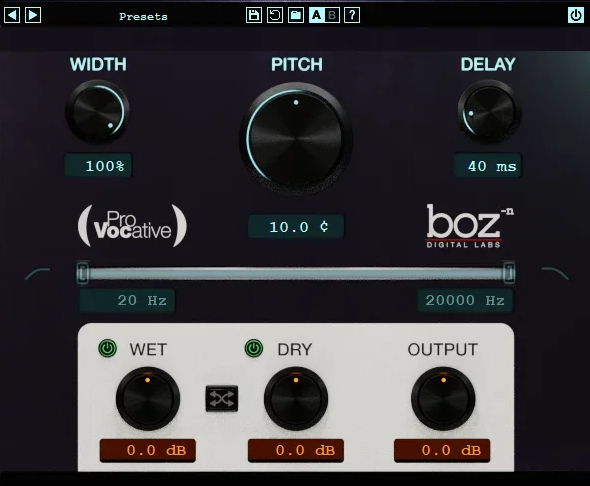
ProVocative pitch plugin solves this with intelligent voice generation, making it an essential pitch shifter VST for anyone building thick vocal arrangements without recording multiple takes.”
It creates multiple vocal copies with intelligent variation in pitch, timing, and formants that simulate how real backing vocalists would naturally differ from each other. The plugin doesn’t just copy your vocal and shift it slightly, it adds subtle randomization to timing, pitch accuracy, and tonal characteristics that make each generated voice sound like an independent performance.
I’d say this intelligent variation is what makes ProVocative’s doubling sound convincing rather than obviously processed. Real vocal stacks have natural imperfections where singers hit notes slightly differently, phrase with different timing, and have tonal variations that come from individual voices. The algorithmic variation mimics these natural differences, creating the impression of multiple performers rather than one voice run through a processor.
- Stereo Spread and Positioning
The plugin includes stereo positioning controls that place generated voices across the stereo field automatically, and I appreciate how this creates width without requiring manual panning of multiple tracks. The spread control determines how widely the voices distribute from center to sides, letting you dial in everything from subtle widening to dramatic stereo separation.
The automatic positioning saves time compared to recording multiple takes and panning them individually, and it ensures balanced stereo distribution rather than lopsided arrangements that happen when you manually pan without careful attention. I found that the stereo spread is musical and natural-sounding, creating the impression of vocalists positioned across a stage rather than just signal panned hard left and right.
The positioning algorithm takes into account how many voices you’re generating and distributes them evenly across the available stereo field. The result is vocal arrangements that feel spatially balanced and professional without the trial and error of manually positioning multiple elements.
- Pitch and Timing Variation
The plugin provides detailed control over pitch and timing variation between generated voices, and honestly, this is where you can fine-tune how tight or loose the vocal ensemble sounds. The pitch variation parameter determines how much each voice deviates from perfect pitch, simulating the natural imperfection of real vocalists who don’t hit every note with digital precision.
The timing variation adds subtle delays and advances to when each voice phrases, creating the natural spread you hear in real vocal groups where everyone doesn’t attack notes at identical milliseconds.
6. OCELOT Octaver
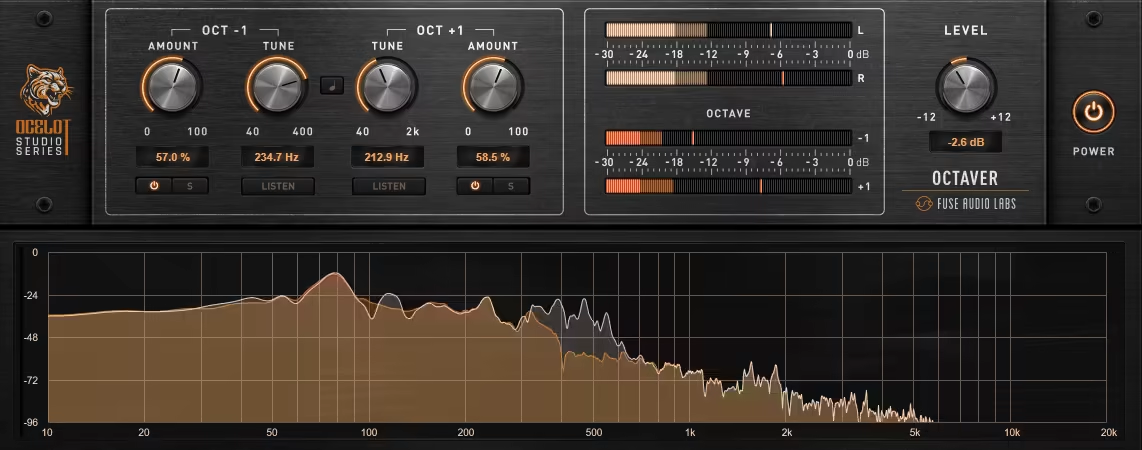
OCELOT Octaver adds octaves above and below your input signal to create thickness, depth, and harmonic richness without the tracking limitations that plague monophonic octave pedals.
Adding octaves is one of the most effective ways to make sounds feel bigger and more powerful, but traditional octave effects designed for guitar often glitch out with chords or complex material, which limits their usefulness for keyboards, synths, and polyphonic instruments that need octave doubling across multiple notes simultaneously.
OCELOT solves this with polyphonic tracking, making it a reliable pitch shifting plugin for complex harmonic material that would confuse monophonic octavers.
You can use it on bass lines where sub-octave generation add weight and power that the fundamental alone couldn’t achieve, on synth leads where upper octaves create brightness and presence. The plugin handles complex harmonic material reliably, which opens up creative possibilities that monophonic octavers can’t touch.
- Polyphonic Octave Generation
OCELOT Octaver provides polyphonic pitch tracking that can generate octaves from complex chordal material and multiple simultaneous notes. The polyphonic tracking works on keyboards, guitar chords, synth pads, and other sources with multiple pitches without the warbling or glitching that happens when monophonic algorithms try to process complex material.
The tracking accuracy stays solid even with dense harmonic content, and I found that the generated octaves sound clean and musical rather than artifact-laden or unstable. The algorithm handles chord changes smoothly without dropouts or pitch confusion that would make the effect unusable for real musical applications. From my experience, polyphonic octave generation is essential for modern production where you’re not limited to single-note melodies.
- Dual Octave Engines
The plugin features independent octave generators for one octave up and one octave down, and honestly, having both available simultaneously lets you create massive, layered sounds. The dual engines can be used together or individually depending on whether you want upper shimmer, lower weight, or both for maximum thickness.
I like how each octave has independent level control, letting you balance how much of each octave gets mixed with your original signal. The flexibility means you can add subtle octave reinforcement or create dramatic multi-octave effects depending on your creative needs.
- Clean Algorithm
OCELOT uses a high-quality octave generation algorithm that maintains clarity and avoids the digital artifacts that cheaper octave effects create. The processing stays clean even when generating octaves from complex sources with rich harmonic content.
I noticed that the octave generation sounds musical and natural rather than obviously synthetic, which is important when you want octave doubling to enhance rather than transform your sources completely. The algorithm preserves the character of your original material while adding octave content.
Extra: Zynaptiq PITCHSHIFT Pro
Extreme pitch shifting usually destroys audio quality, introducing artifacts and digital glitches that make the effect unusable for anything beyond obvious special effects or mangled sound design.
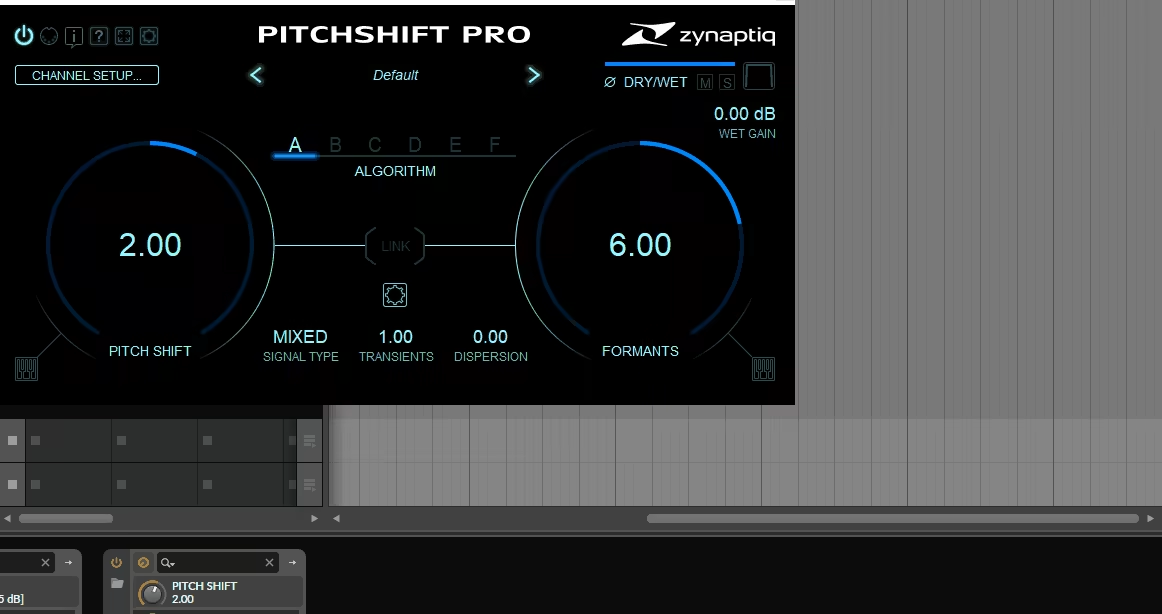
Zynaptiq PITCHSHIFT pitch shift vst uses advanced spectral processing algorithms to achieve dramatic pitch shifts while maintaining clarity and musicality that conventional pitch shifters can’t match, and I think this capability opens up creative possibilities for vocal transformation, sound design, and experimental production that would be impossible with standard pitch shifting tools.
For extreme transposition that remains musical, PITCHSHIFT Pro is arguably the best pitch shifter plugin when you need to shift four octaves while maintaining audio quality.
PITCHSHIFT provides pitch shifting up to four octaves in either direction, and I’d say this extended range is what sets it apart from conventional pitch shifters that struggle beyond one or two octaves. The extreme transposition capability opens up creative possibilities for vocal transformation, creating sub-bass from mid-range sources, or generating harmonics that don’t exist in the original material.
The algorithm maintains remarkable clarity even at extreme settings, preventing the digital artifacts and tonal degradation that make other pitch shifters sound broken when pushed hard. I found that the quality at +3 or +4 octaves is genuinely usable for creative applications, not just technical exercises in how far you can push processing. The spectral approach to pitch shifting preserves more of the original character than time-domain algorithms that fall apart with extreme shifts.
- Advanced Spectral Processing
The plugin uses sophisticated spectral analysis to separate and manipulate frequency components independently, and honestly, this is what enables the extreme pitch shifting without complete sonic destruction. The spectral processing analyzes the harmonic structure of your audio and shifts each component intelligently rather than just speeding up or slowing down the entire signal.
I appreciate how the spectral approach maintains timbre and character even with dramatic pitch changes, because the algorithm understands the relationships between harmonics and preserves those relationships during transposition. The processing is CPU-intensive compared to simpler pitch shifters, but the quality justifies the resource usage when you need pitch shifting that actually sounds good at extreme settings.
- Formant Control
In the end, PITCHSHIFT includes independent formant manipulation separate from pitch shifting, and I think this is essential for maintaining natural vocal character or deliberately creating unnatural transformations. The formant controls let you preserve vocal timbre when transposing or shift formants independently for gender changes and character effects.
The formant processing prevents the tonal distortion that happens when pitch and formants shift together automatically. I noticed that proper formant control is what makes extreme vocal transposition usable, because you can shift pitch dramatically while keeping the voice sounding human rather than like digital artifacts.

Hello, I’m Viliam, I started this audio plugin focused blog to keep you updated on the latest trends, news and everything plugin related. I’ll put the most emphasis on the topics covering best VST, AU and AAX plugins. If you find some great plugin suggestions for us to include on our site, feel free to let me know, so I can take a look!