
Let’s talk about some of the best dynamic EQ plugins I found online that you can actually use for mixing and mastering.
Static EQ has its limits. You boost a frequency to add clarity, but now it’s too harsh during loud sections. You cut to tame harshness, but now the quiet parts sound dull and lifeless. That’s exactly when dynamic EQ becomes essential. It doesn’t just shape frequencies, it responds to them in real time, only working when and where you actually need it.
There are many options in this list, just to name a few: FabFilter Pro-Q 4, SSL X-DynEQ, MeldaProduction MDynamicEQ, Kirchhoff-EQ, and some more. Now I realized I skipped Oxford Dynamic EQ, which absolutely belongs to this list, but anyway..
Whether you need to tame vocal sibilance that only spikes occasionally, control boomy bass notes without losing punch, smooth harsh cymbals without dulling your overhead mics, or make broad mastering adjustments that adapt to your track’s dynamics, there’s a tool here that gives you surgical control without sacrificing musicality.
From plugins with 32 parametric bands and advanced spectral processing to AI-powered autonomous EQ engines, vintage analog emulations, and streamlined 2-band processors with character, these tools let you shape your mix with precision or creative flexibility.
Whether you’re mixing individual tracks, sculpting a full master, or working live, you can address frequency problems intelligently, create space between competing elements automatically, and maintain tonal balance across dynamic performances without constant automation.
If you want your mixes to breathe naturally, stay balanced through every section, and sound polished without over-processing, the following tools are solid picks for dynamic equalization and frequency-conscious mixing.
1. SSL X-DynEQ
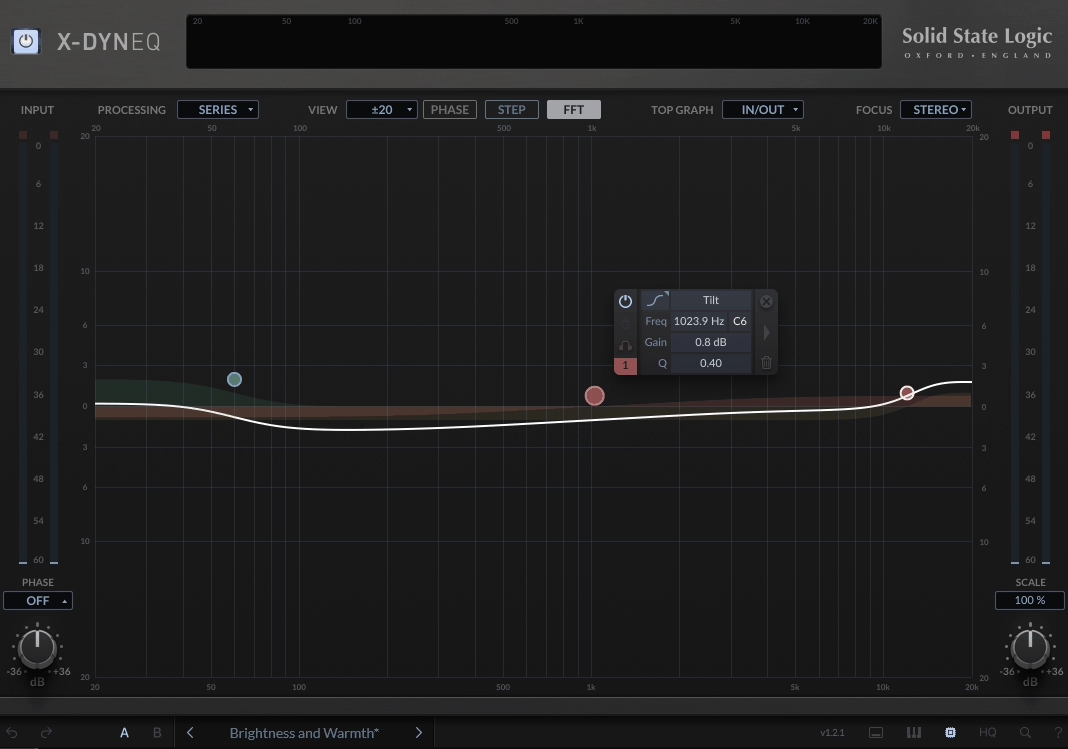
SSL brings decades of console heritage into the plugin world with X-DynEQ, their first dedicated dynamic equalizer that’s built around a 24-node system where each point can switch between static and dynamic operation independently.
This gives you surgical control that most dynamic EQs can’t match. The plugin incorporates the same program-dependent time constants found in SSL’s legendary channel strips and bus compressors, which means the dynamic behavior feels natural rather than robotic.
You’re getting both corrective precision for problem frequencies and creative flexibility for sound design, all wrapped in an interface that supports stereo, left/right, and mid/side processing across every single node.
- 24 Node System with Independent Dynamic Control
X-DynEQ dynamic EQ plugin offers 24 individual nodes that you can configure separately as either static or dynamic. This means you can set one node to dynamically tame harsh sibilance around 8 kHz only when it spikes, while another node applies a fixed midrange boost for body, and a third handles low-end resonance with adaptive response.
I’ve found that having this level of per-node flexibility in one plugin eliminates the need to stack multiple EQs for complex tonal work.
- Auto Adjusting Attack, Release, and Threshold Parameters
The plugin features intelligent automation that adjusts attack, release, and threshold values based on your incoming signal. You don’t have to manually dial in timing for every frequency band.
X-DynEQ analyzes the material and adapts its response to handle fast transients or slow tonal shifts appropriately, saving you from constant tweaking while keeping the processing musical. I like how this removes the guesswork from dynamic timing decisions.
- Piano Roll View for Musical Frequency Alignment
X-DynEQ includes a piano roll view that lets you visually align EQ nodes to actual musical notes instead of just frequency numbers. When you’re sculpting tonal balance on melodic instruments or emphasizing certain harmonics, this view helps you think musically rather than technically.
I find it particularly useful for quickly identifying where fundamental frequencies and overtones sit in relation to the track’s key.
- Comprehensive Filter Types with Stereo Imaging Options
You get bell, shelf, tilt, notch, and bandpass filters that can all operate dynamically. Each filter can be processed in stereo, left/right, or mid/side modes, giving you complete control over the stereo image.
- Side Chain Routing for External Signal Control
The side-chain routing lets nodes react to other tracks in your session rather than just the track they’re inserted on. This opens up creative mixing possibilities like ducking competing instruments automatically, controlling drum bus resonances based on the kick, or creating rhythmic EQ modulation that follows another element in your arrangement.
I would use this feature for creating automatic frequency separation between competing elements without manual automation.
2. MeldaProduction MDynamicEQ
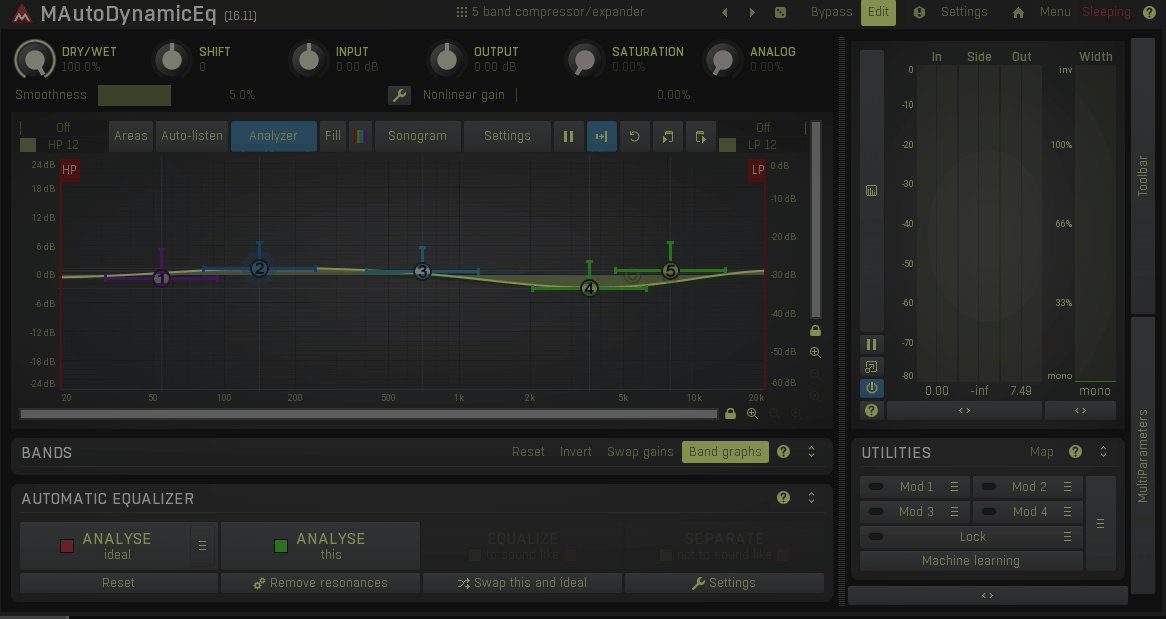
When you’re dealing with harsh frequencies that only show up during certain moments, static EQ just doesn’t cut it. That’s where MeldaProduction’s MDynamicEQ steps in, giving you 5 independent bands that react to your audio in real-time rather than applying the same processing all the time.
I would recommend this plugin as a go-to for engineers who need surgical control without compromising transparency. What makes MDynamicEQ stand out is how it combines traditional EQ functionality with dynamic response, meaning you can tame that sibilant vocalist or control boomy bass kicks without dulling the rest of your mix.
Also I would want to mention that The interface might look intimidating at first glance, but once you understand what you’re working with, you’ll find it’s packed with tools that actually save you time instead of complicating your workflow.
Here is what you get:
- 5 Band Dynamic Processing with 14 Filter Types Per Band
Each of MDynamicEQ’s 5 bands can operate independently, and you get 14 different filter shapes to choose from including peak, shelving, notch, and band-pass options. What this means for you is great flexibility.
you can set one band to gently reduce harsh 7kHz sibilance only when it spikes, while another band handles low-end buildup with a completely different filter curve. The slope controls let you dial in anything from broad tonal shaping to razor-sharp surgical cuts, making this one plugin handle multiple correction scenarios simultaneously.
- Real Time Spectrum Analyzer and Sonogram Display
It shows me exactly what frequencies are present in my signal, while the sonogram view reveals how those frequencies evolve over time. I find this visualization particularly useful when I’m mastering or trying to identify resonances that only appear during specific parts of a performance.
You can literally see the problem before you hear it becoming an issue, which speeds up your decision-making process considerably.
- 8 Preset Slots with A/B Comparison
MDynamicEQ gives you 8 different preset slots within a single instance, which is genuinely helpful when you’re experimenting with different approaches. You can quickly switch between settings to hear what works best, and the A/B comparison mode makes critical listening much easier. No more second-guessing whether your changes actually improved the sound!
- Automatic Gain Compensation
The AGC feature ensures your adjustments don’t trick your ears with volume changes. What sounds “better” is often just louder. You get honest comparisons. Plus, the multiparameter system lets you link multiple controls to single knobs for complex automation or creative modulation that would otherwise require several plugins working together.
3. FabFilter Pro-Q 4
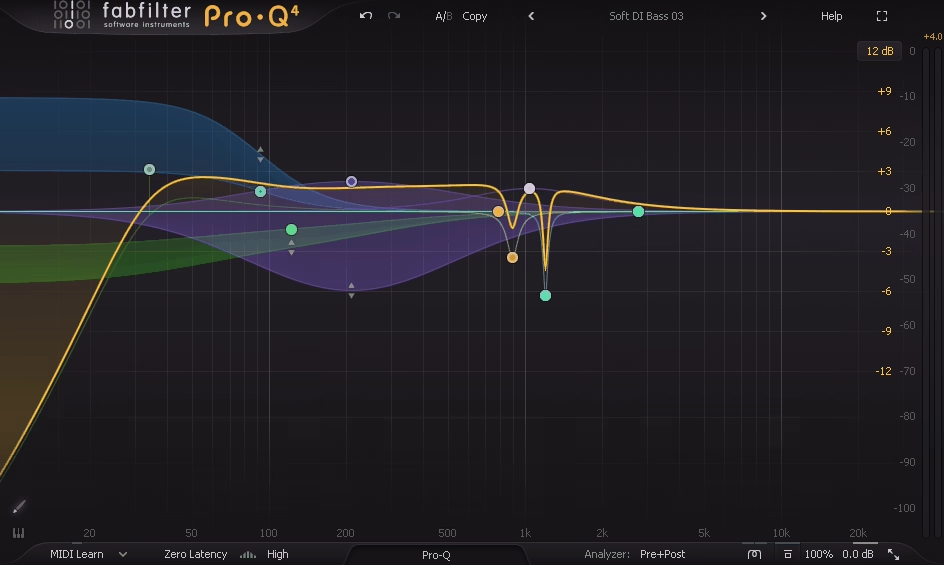
FabFilter Pro-Q 4 has become a standard in mastering studios for good reasons. When you need to widen the stereo image by boosting high-end side information without affecting the center, the mid/side processing gives you that control without compromising mono compatibility.
The linear-phase mode maintains phase coherence across the frequency spectrum, which I’ve found essential when making broad tonal adjustments to a finished mix where phase shifts could collapse the soundstage. Spectral Dynamics is great to tame harsh frequencies in the 3-5 kHz range without dulling the entire upper midrange, something traditional static EQ struggles with.
You’re getting up to 24 EQ bands, and while that sounds like overkill, it becomes necessary when you’re addressing multiple frequency issues across a full mix. The interface lets you place nodes directly on the spectrum display with real-time feedback, and features like EQ Sketch speed up my workflow by letting you draw curves instead of manually placing each band. Pro-Q 4 also comes with lots of presets but only for mixing.
- Spectral Dynamics with Surgical Precision
Unlike traditional dynamic EQ that affects an entire frequency band when the threshold is exceeded, Spectral Dynamics targets only the specific frequencies within that band that are causing problems.
This makes a significant difference when you’re working on material with complex harmonic content. When I’m dealing with harsh cymbal overtones or vocal sibilance, the plugin addresses just the offensive frequencies while leaving the musical content completely untouched.
- EQ Sketch for Intuitive Curve Drawing
The EQ Sketch feature fundamentally changes how you approach initial EQ decisions by letting you draw the frequency curve you envision directly on the display, and the plugin interprets it into usable bands automatically.
I find this particularly helpful when I already know the general tonal shape I want, like rolling off lows while adding presence and air, but don’t want to spend time placing and adjusting individual nodes to get there.
You sketch the rough shape in seconds, and Pro-Q 4 converts it into precise bands that you can then fine-tune. It’s especially useful during mastering when you’re making broad tonal adjustments and want to quickly audition different curve shapes before committing to specific frequencies.
- Instance List for Session Wide Management
This dynamic EQ plugin includes an Instance List that shows all active Pro-Q 4 instances across your entire session in one consolidated view, which becomes invaluable in larger projects. I can navigate between tracks, copy EQ curves from one instrument to another, or adjust settings without searching through my mixer or opening multiple plugin windows.
When I’m balancing multiple backing vocals or drum mics that need similar frequency treatment, this feature saves considerable time. You can also compare how you’ve EQ’d different elements side by side, which helps maintain consistency across your mix and identify if you’re over-processing certain frequency ranges across multiple tracks.
- Three Character Modes for Tonal Coloring
You get Clean, Subtle, and Warm character modes that add varying degrees of analog-style saturation and harmonic enhancement to your processing. I use Clean mode for transparent digital precision in mastering work where I need the EQ to be completely invisible and neutral.
Subtle mode introduces soft analog-style coloration that adds depth and dimension without being obvious, which works well on individual tracks like vocals or acoustic instruments where you want a slightly more tactile quality. Warm mode offers richer saturation and harmonic content that can enhance digital mixes or bring life to sources that sound sterile.
The ability to switch between these modes means you can combine corrective EQ with creative tonal shaping in one plugin rather than stacking additional saturation processors.
4. Waves Curves AQ
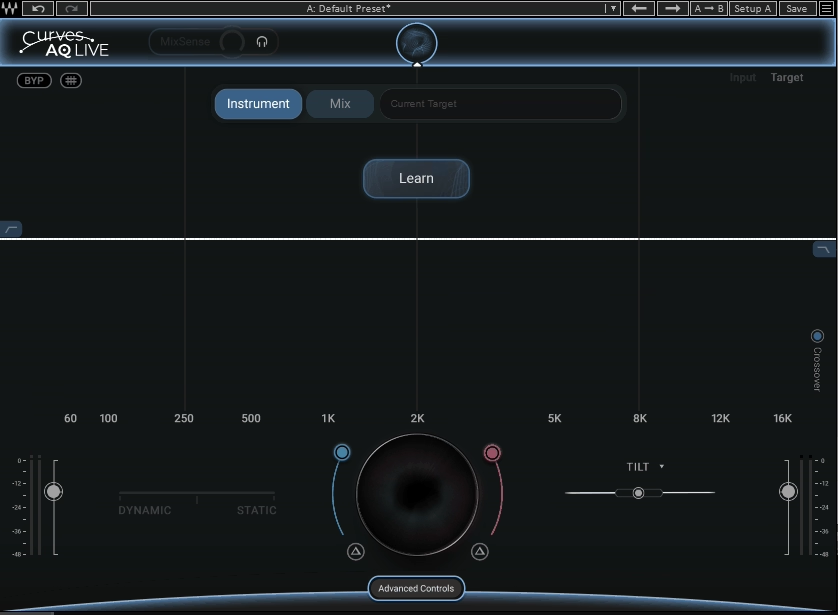
Most EQ plugins make you do all the thinking, but Waves Curves AQ takes a different approach by analyzing your audio first and generating 5 unique frequency profiles based on what it actually hears.
This plugin positions itself as the world’s first autonomous EQ, which means it creates custom spectral targets instead of loading generic presets. You hit the Learn button, it listens to your track, and within seconds you have multiple EQ curves designed specifically for that vocal, instrument, or mix.
The interface revolves around shaping a spectral target rather than manually placing bands, giving you a completely different workflow that can save serious time when you’re stuck making tonal decisions.
What Curves AQ offers:
- Learn Function with 5 Generated Spectral Profiles
When you activate Learn mode, Curves AQ analyzes your incoming audio and builds 5 completely unique frequency curves tailored to that specific sound. These aren’t presets pulled from a library. The plugin generates them based on the natural characteristics it detects in your material, giving you intelligent starting points that already understand what you’re working with.
- Smart Tilt for Spectral Target Reshaping
Smart Tilt goes beyond traditional tilt EQ by reshaping the entire spectral target itself. Instead of just tilting frequencies from dark to bright, it shifts the tonal goal of the curve and lets the processing adapt to that new destination. This makes broad tonal changes feel smoother and more musical than standard EQ moves.
- MixSense Context Aware Sidechain Processing
The MixSense feature lets you feed another track through a sidechain so Curves AQ can make room for competing elements dynamically. If your vocal and guitar are clashing around 2.5 kHz, MixSense adjusts the guitar in real time to preserve vocal clarity based on actual mix context rather than blind cuts.
- Static vs Dynamic Processing Balance
You get full control over how much of the EQ processing stays fixed versus adapting to signal changes. This flexibility means you can apply steady tonal shaping, context-sensitive refinements that respond to transients, or blend both approaches depending on what the track needs.
- Zero Latency LIVE Version Included
Curves AQ includes a dedicated LIVE version that delivers the same autonomous EQ engine with zero latency, making it suitable for real-time performance, tracking sessions, or broadcast scenarios where delay isn’t acceptable.
5. Three Body Technology Kirchhoff-EQ
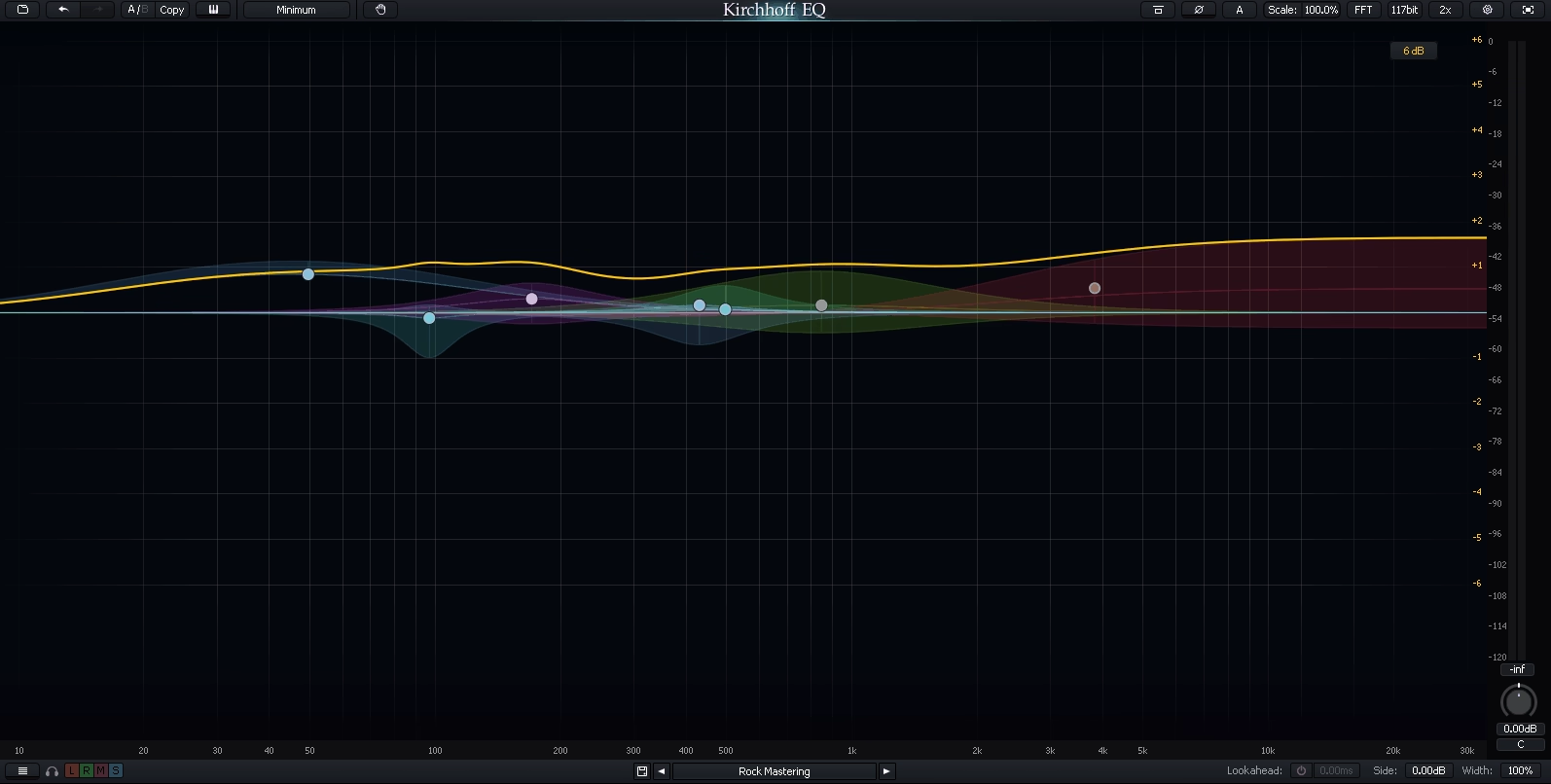
Some plugins try to do everything and fail, but Kirchhoff-EQ actually pulls it off with 32 parametric bands that you can configure however you need. You get 15 different filter types per band including specialized options like the sword filter for precise resonance removal.
The plugin combines modern digital precision with vintage analog emulations, so you can stay completely transparent or add warmth without loading separate processors. What sets it apart is how each band can operate dynamically, meaning you’re not just making static cuts and boosts.
The DSP architecture uses advanced frequency-domain processing that keeps everything clean even when you’re running multiple bands simultaneously, which matters in mastering scenarios where clarity can’t be compromised.
- Per Band Mid/Side and Left/Right Processing
You can configure mid/side or left/right processing on each individual band, not just globally for the entire plugin. This level of control matters when you need to address issues that only exist in specific parts of the stereo field.
I would recommend it for widening high frequencies in the side channel while keeping low-end centered, or for fixing resonances that appear only in one channel of a stereo recording. The band list allows quick inspection and navigation of all active bands, and you can sort them by frequency or type to keep complex configurations organized.
- 32 Parametric Bands with 15 Filter Types Each
Having 32 individual parametric bands available means you can handle complex spectral sculpting without running multiple EQ instances or making compromises. Each band offers 15 unique filter shapes including low/high pass, bell, shelf, tilt shelves, flat-top, and the specialized sword filter designed for surgical resonance removal.
I use this range when working on mixes where multiple frequency issues need addressing simultaneously. The continuously variable slopes give you intermediate control between standard dB/octave settings, so you’re not locked into preset steepness values.
You can dial in exactly how aggressively each filter affects adjacent frequencies, whether you need gentle tonal shaping or ultra-precise surgical cuts that leave everything else untouched.
- Vintage EQ Models with Analog Emulations
Kirchhoff-EQ includes vintage analog EQ models derived from classic hardware, letting you add tonal coloration and warmth without loading separate emulation plugins. These models recreate the familiar character of analog gear while retaining the transparency and precision of the digital domain when you need it.
I switch between clean digital mode for mastering work where neutrality matters, and vintage models when I want to add dimension to individual tracks. This flexibility means you can handle both corrective EQ and creative tonal shaping in one plugin rather than chaining multiple processors.
- Flexible Phase Modes
The plugin offers zero-latency, analog, linear-phase, and hybrid phase modes that you can select based on your workflow needs. The hybrid approach is smart because it applies zero latency processing at lower frequencies where phase issues are less audible, and switches to linear-phase at higher frequencies to minimize pre-ringing artifacts.
This maintains transient integrity across the frequency spectrum while avoiding the common problems associated with pure linear-phase processing. When I’m mixing drums or percussive material, the hybrid mode gives me the best of both worlds without the phase smearing that can dull transients.
6. TOMO Audiolabs LISA

Dynamic EQ can feel mechanical when every frequency adjustment hits the same way regardless of what’s happening in the track. That’s where the difference between static processing and responsive EQ becomes obvious.
TOMO Audiolabs LISA takes a different approach by giving you 6 bands of dynamic equalization where each band includes its own opto compression/expansion circuit that responds to the signal’s energy over time. The plugin is inspired by rare analog mastering EQ hardware but built specifically for digital workflows, combining vintage character with modern features you won’t find in the original units.
What I appreciate is how the bands actually breathe with the music rather than applying fixed curves. The parallel circuitry design means you can push settings further without immediately hitting obvious artifacts, and the TX Drive control adds transformer saturation independently from the core EQ dynamics.
Features:
- 6 Band Opto Based Dynamic Equalization
Each of LISA’s 6 bands includes dedicated opto compression/expansion circuits that let the EQ respond dynamically to your signal rather than applying static boosts or cuts. When audio rises above or dips below your defined thresholds, the bands compress or expand naturally, creating frequency adjustments that follow the music’s energy.
I use this on mastering buses where static EQ would either overprocess quiet sections or underperform during louder passages. You get traditional EQ controls like gain, frequency, and Q, combined with threshold and ratio controls that engage dynamic behavior.
Each band also has independent attack and release tempo settings, so you can make one band respond quickly to transients while another moves slowly for smooth tonal shifts.
- Parallel Circuitry Architecture
Unlike conventional EQs that stack processing in series, LISA uses a parallel circuitry concept that keeps the processing more forgiving and transparent. This design allows you to make more extreme adjustments without immediately introducing harshness or obvious artifacts.
When I need to correct an overly bright mix or enhance body in something that sounds thin, the parallel architecture lets me push settings further than I could with traditional series-based EQ designs. The processing feels musical even with aggressive moves because the signal paths interact differently than standard digital EQ chains.
- TX Drive for Independent Transformer Saturation
The TX Drive control adds transformer saturation and character separately from the EQ’s core dynamics, giving you tonal customization that classic hardware rarely offered. You can dial in subtle warmth or thickening at the transformer stage without affecting how the dynamic bands respond or muddying the EQ action.
I find this useful when I want to add analog-style glue to a master bus while keeping the dynamic EQ transparent, or when individual tracks need character without additional coloration plugins.
- Stereo Width and Mono Maker Controls
LISA dynamic EQ plugin includes Stereo Width controls for widening or narrowing the image, plus a Mono Maker that folds lower frequencies into mono for focused low-end balance. These are essential for mastering work where you need mono bass for club systems and streaming platforms while maintaining width in the upper frequencies.
The plugin also comes with a dedicated mono version that’s specifically designed for treating single instruments like vocals, bass, or drums where stereo processing isn’t needed.
- Auto Listen and Headroom Controls
The Auto Listen feature solos bands automatically when you’re adjusting them, making it easier to target precise frequencies without hearing the rest of the spectrum. This speeds up workflow when you’re hunting for problem areas or trying to identify exactly where a resonance sits.
The Headroom control adjusts how much level feeds into the dynamics section, providing another layer of tonal shaping before the signal hits the opto circuits. I use this to drive the dynamics harder or softer depending on the material, which changes how aggressively the bands respond.
Extra: Initial Audio Dynamic EQ 2
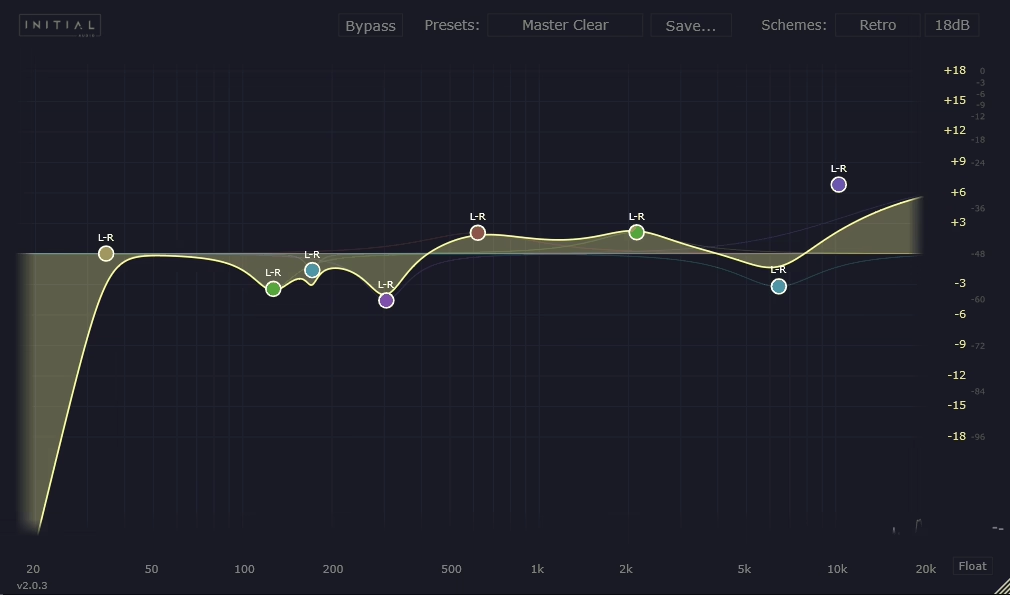
Initial Audio’s Dynamic EQ 2 giving you multiband processing where every band can compress or expand based on what it hears, and the standout feature is the inter-instance sidechain system that lets different plugin instances communicate directly without complex DAW routing.
It’s useful on a guitar to automatically duck specific frequencies whenever the vocal comes in, all handled within the plugin itself. The interface shows you real-time visual feedback of which bands are actively working and how much they’re responding, which removes the guesswork from dynamic processing.
- Inter Instance Sidechain Communication
Dynamic EQ 2 includes an inter-instance sidechain system that lets different copies of the plugin talk to each other directly within your session. Instead of creating aux sends and routing channels through your DAW to set up sidechain ducking, I can load one instance on a vocal track and another on a guitar bus, then select the vocal as the sidechain source for the guitar EQ.
The guitar’s problem frequencies automatically duck whenever the vocal is present, creating separation without manual automation or complicated routing workflows. This feature alone has replaced several steps in my mixing process, especially when balancing competing instruments in the same frequency range.
The setup takes seconds rather than minutes, and you can create complex frequency interactions between multiple tracks that would normally require external sidechain routing plus additional plugins.
- Full Amp vs Frequency Dependent Triggering Modes
Each band offers two distinct triggering modes that change how the dynamic processing engages. Full Amp mode makes the band respond to the overall signal level for broader context-aware EQ that reacts to the track’s general energy.
Frequency-dependent mode triggers based specifically on energy around the band’s target frequency, giving you more surgical control. I switch between these depending on the material. For vocals where I want sibilance reduction that only responds to actual high-frequency content, frequency-dependent mode works better.
For controlling low-end buildup that relates to the overall mix energy, Full Amp Mode gives more musical results. Having both options per band means you can design frequency adjustments that behave exactly how you need them to.
- Per Band Stereo, Mid, Side, Left, and Right Processing
Every band in Dynamic EQ 2 can be assigned to process stereo, mid, side, left, or right channels independently. This level of control matters when you’re crafting width on master channels or addressing issues that only exist in specific parts of the stereo field.
You can use mid/side processing to keep low-end centered while widening high frequencies in the side channel, or to address harshness that only appears on one side of a stereo recording. Also, you’re not limited to global stereo settings that affect all bands the same way. Each frequency range can target different parts of the image based on where the actual problems or enhancements need to happen.
Freebies:
1. ZL Audio ZL Equalizer 2
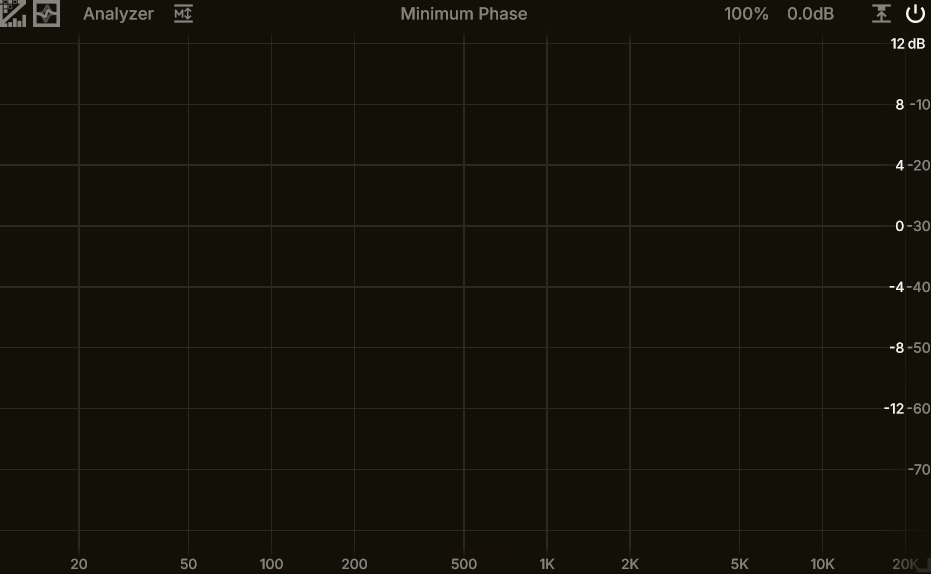
Finding professional-grade tools that don’t cost anything feels rare, but ZL Equalizer 2 breaks that pattern completely.
This open-source plugin gives you 24 independent frequency bands with full dynamic processing capabilities, which puts it in the same league as premium EQs that cost hundreds. What surprised me most wasn’t just the feature set but how well everything actually works in practice.
The interactive spectrum analyzer shows real-time FFT feedback that makes identifying problem frequencies straightforward, and each band can operate dynamically with adjustable threshold, attack, release, and knee controls.
You’re getting mid/side processing, multiple filter types including tilt modes, and collision detection that highlights overlapping bands. The plugin runs efficiently even on modest hardware, and it’s available for macOS, Windows, and Linux with VST3, AU, AAX, and LV2 support.
- 24 Independent Frequency Bands with Dynamic Processing
ZL Equalizer 2 supports up to 24 frequency bands where each one can operate dynamically based on threshold settings you define. This band count typically only appears in dedicated mastering tools, not free plugins. I can configure multiple subtle adjustments across the spectrum simultaneously without running several EQ instances.
Each band includes adjustable threshold, attack, release, knee, and optional side-chain filters that control exactly when and how the band reacts.
- Multiple Stereo Modes Including Mid/Side Processing
The plugin offers comprehensive stereo modes that let you process left/right or mid/side components independently per band. This flexibility matters when you’re refining stereo depth in mix buses or working on mastering where you need to control width-related harshness in the sides while maintaining clarity in the center.
- Interactive Spectrum Analyzer with Collision Detection
The interactive FFT spectrum analyzer provides real-time visual feedback that makes identifying energy concentrations straightforward. You can drag bands directly on the display to adjust frequency, gain, and bandwidth, and the collision detection feature highlights overlapping bands that might cancel or exaggerate frequencies. When working quickly in a mix, seeing potential band conflicts immediately prevents problems before they become audible issues you have to troubleshoot later.
2. Acustica Audio Jet
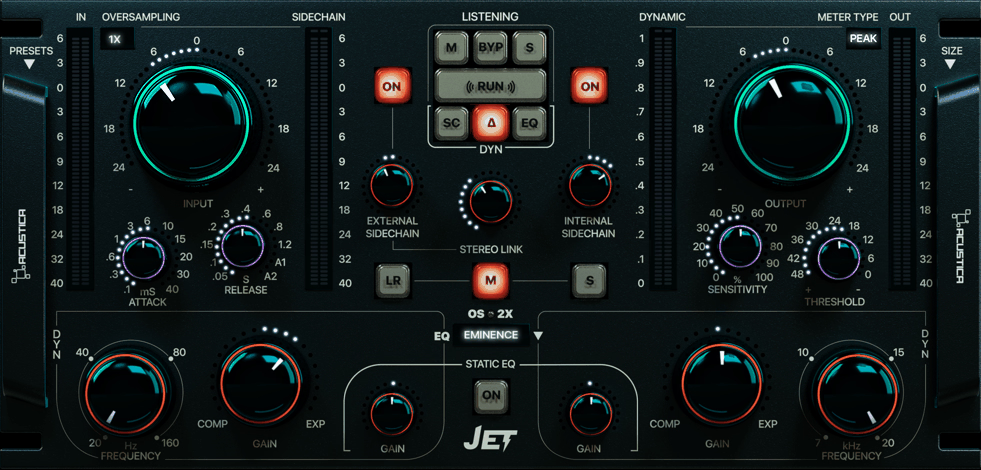
Jet dynamic EQ combinines 2-band layout with the ability to load different EQ models into its dynamic section, giving you sonic versatility that most two-band processors can’t match.
The plugin uses a hybrid analog/digital emulation engine that blends sampled vintage curves with algorithmic processing, which means you’re getting both character and clarity in one tool.
What I appreciate is how it behaves more like an analog-inspired compressor with warm, glued qualities rather than feeling clinical like many digital dynamic EQs. The base plugin includes 3 core EQ models, but Acustica has released additional Volumes that load various analog-inspired filters into the dynamic path.
Volume B, for example, includes an emulation of the sought-after Motor EQ known for its warmth. The plugin supports stereo, mid/side, and left/right processing modes, making it effective on both individual tracks and mix buses where broad tonal coherence matters.
What you get:
- Hybrid Analog and Digital Processing Architecture
The plugin uses a hybrid architecture that combines sampled analog emulation with algorithmic digital processing rather than purely mimicking vintage curves. This approach gives you both the musical character of analog gear and the precision of modern digital tools in a single processor.
When I’m working on mix buses where I need both tonal cohesion and dynamic control, this hybrid design delivers results that feel expressive rather than mechanical. The dynamic behavior adapts to what the audio actually does over time, smoothing or accentuating frequencies only when they exceed your defined thresholds.
- Mid/Side and Stereo Processing Modes
Jet supports stereo, mid, and side processing modes that let you treat the center of your mix differently from the edges. This flexibility matters when you’re working on full mixes where you might want to dynamically control low-end boom in the center channel while leaving the sides untouched, or taming harsh high frequencies in the stereo field without affecting vocal clarity in the middle.
- Simple 2 Band Layout with Musical Response
Unlike multiband EQs with dozens of bands, Jet focuses on just 2 bands that are designed to deliver impactful results quickly without overwhelming you with options. I find this simplicity valuable when working on drum buses or master channels where I need to make broad dynamic adjustments without menu diving.
3. Tokyo Dawn Labs TDR Nova
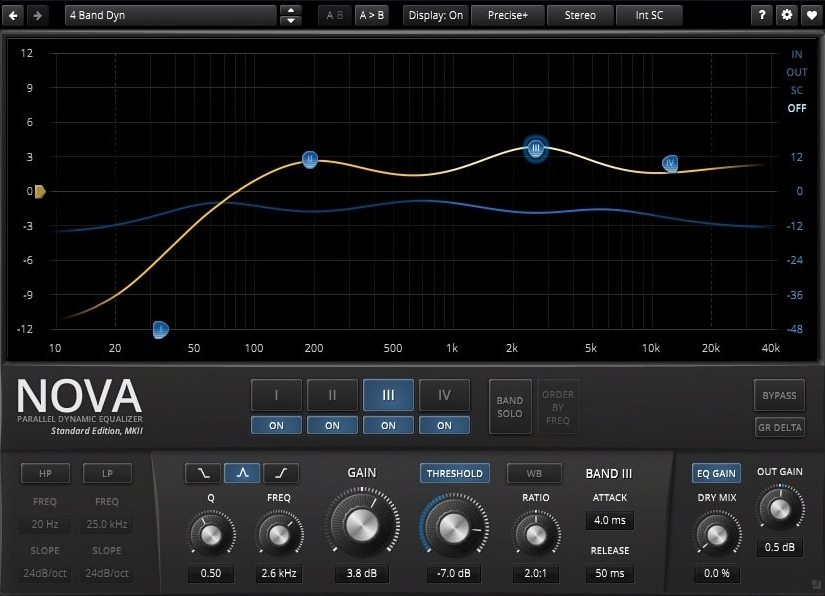
Nova VST gives you 4 dynamic bands plus high-pass and low-pass filters, and each band can operate as either static or fully dynamic with dedicated attack, release, threshold, and ratio controls just like you’d find in a multiband compressor.
What keeps me coming back is how the visual spectrum display updates in real time, showing both your static curve and the dynamic action of each band simultaneously.
You can see exactly what’s happening as you adjust parameters, which removes the guesswork that plagues many dynamic processors. The interface feels intuitive once you spend time with it, and the CPU efficiency means you can run multiple instances without your system struggling.
- 4 Dynamic Bands with Full Compression Parameters
Nova provides 4 separate dynamic bands where each one includes complete compression-style controls: threshold, ratio, attack, and release. You’re essentially getting frequency-specific dynamics that let you decide exactly when and how aggressively each band responds.
When I’m working on vocals with occasional harshness around 3 kHz, I set up a dynamic band that only attenuates when the harshness actually appears, leaving quieter sections completely untouched.
Each band can use peak, shelf, or band-pass shapes, giving you flexibility for both broad tonal adjustments and surgical corrections. The ratio control determines how much reduction happens once the threshold is crossed, and the attack/release settings shape how quickly the band engages and disengages.
- Parallel Dynamic Processing Architecture
The plugin operates as a parallel dynamic equalizer, meaning it can blend anywhere between static parametric EQ and fully dynamic processing. This architecture is what makes Nova feel more forgiving than typical series-based dynamic EQs.
You can push settings harder without immediately running into obvious artifacts or unnatural pumping. I would recommend this on mix buses where you need to glue tonal content together without flattening transients, and the parallel processing keeps everything feeling open and natural even with multiple bands working simultaneously.
- Real Time Visual Spectrum with Dynamic Activity Display
Nova’s spectrum analyzer updates in real time and shows both your static EQ curve and the dynamic behavior of active bands as audio plays through.
- Extremely Low CPU Usage for Free Plugin
Despite offering professional-grade dynamic processing, Nova runs incredibly efficiently without taxing your system resources. You can use 5-6 instances in a single session across vocals, drums, and buses without noticing any performance hit.
4. Analog Obsession Dynasaur
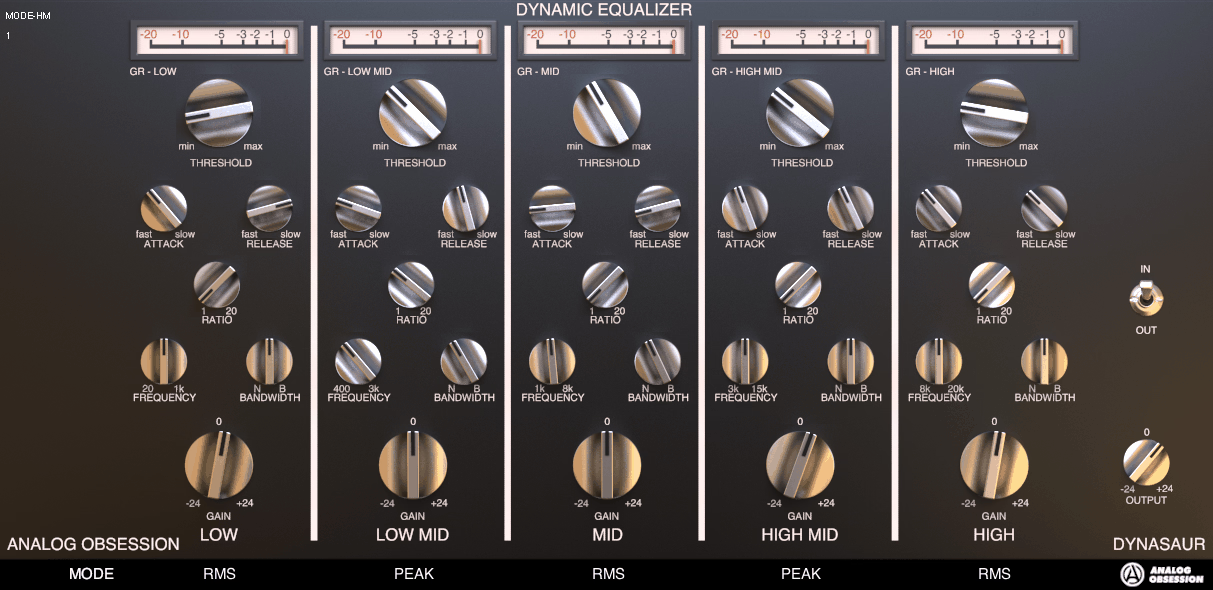
With this one you won’t find the same level of visual metering as premium options, but that forces you to trust your ears more, and honestly, that’s led to better decisions in my mixes.
Analog Obsession Dynasaur adds analog character and saturation directly into the processing. The first time I used it, the warmth surprised me because I expected another clinical tool.
Instead, you’re getting multiband dynamic equalization that intentionally colors your sound with vintage-leaning tone and subtle saturation that recalls hardware behavior.
This makes it particularly useful when you want corrections that enhance musicality rather than just solving technical problems. The plugin’s dynamic bands respond to signal energy while adding harmonic enhancement, which works brilliantly on sources like electric guitars, drum buses, or vocals where character matters as much as frequency control.
- Dynamic EQ plugin with Built In Analog Saturation
Dynasaur combines multiband dynamic processing with subtle saturation and harmonic enhancement that gives your adjustments an analog quality. When you’re making frequency cuts or boosts, the plugin adds gentle warmth and character rather than staying completely transparent.
I’ve found this particularly effective on drum overheads where the dynamic cuts smooth harsh cymbals while the saturation adds body and glue simultaneously. You’re getting correction and creative coloration in one process, which saves you from loading separate saturation plugins afterward. The character isn’t overwhelming but it’s definitely present, so you need to decide if that fits your material.
- Responsive Dynamic Bands Without Pumping Artifacts
The dynamic bands in Dynasaur engage and disengage smoothly based on signal energy without introducing obvious pumping or breathing artifacts that make dynamic processing sound unnatural. When I set up a band to control low-mid buildup on bass guitar, the transitions feel musical rather than mechanical.
The attack and release behavior adapts to the material in a way that preserves the natural feel of the performance. You can push the dynamic response fairly hard before it starts sounding processed, which gives you room to make meaningful adjustments without compromising the organic quality of your tracks.
- Multiple Filter Types with Stereo and Mid/Side Routing
You get bell, shelf, high/low-pass, and notch filter types that handle both broad tonal shaping and narrow surgical work.
The plugin supports stereo and mid/side routing options, which expands its usefulness across different mixing scenarios. I use mid/side mode on mix buses to control harshness in the sides while leaving the center untouched, or to add warmth to the mid channel without affecting stereo width. Having these routing options in a free plugin puts Dynasaur ahead of many paid alternatives that only offer basic stereo processing.

Hello, I’m Viliam, I started this audio plugin focused blog to keep you updated on the latest trends, news and everything plugin related. I’ll put the most emphasis on the topics covering best VST, AU and AAX plugins. If you find some great plugin suggestions for us to include on our site, feel free to let me know, so I can take a look!